Integrating Web 2.0 Tools into DART 1000 Presentation for COPR 1123-01 G. Pat Ridgeway Fall 2009  Darton College
What are the tools? Web 2.0 tools are free, open-source, online, interactive technologies that can afford opportunities for students to become active contributors in collaborative activities.
What are examples? Examples of the tools include: Blogs Wikis Aggregators Social Bookmarking Photo Sharing and Photo Editing Video Sharing
What are examples? Web-Based Word Processing Web-Based Spreadsheets Presentation Tools Peer-edited fiction writing sites Desk-Top Tools Surveys and Polls Search Tools
What are examples? Task Management Tools Online Calendars Content Management Systems Mapping Products Web Start Pages Online Mind Mapping Software Social Netwoking
What are positives? Benefits of Web 2.0 tools: Cost effective (free) Accessible (students can access from any computer) Promote creativity, communication, and collaboration Accomodate diverse learning styles ,,,,,,,
What are benefits? Accomodate the needs of diverse learners Help students to develop 21st century skills Help students develop skills needed to compete in the global marketplace Allow students to share content
What are negatives? Resistance to learning about and using the emerging technologies Resistance to changing from individualized to collaborative learning activities Inability to select the most effective tool for objectives
What are negatives? Being uninformed about or failing to comply with policies re: cyber ethics, safety, and security issues Failing to become adequately informed about emerging technologies before evaluating them
How can tools be used? The DART 1000 or First Year Experience Curriculum affords many opportunities for students to work collaboratively to research, make presentations, and synthesize information about relevant topics
My favorite tools are: Wikis - accessible web pages that afford opportunities for students to create and edit pages Photo Sharing - sites for sharing, downloading, and tagging photos Mind Meister - site for creating and sharing mind maps
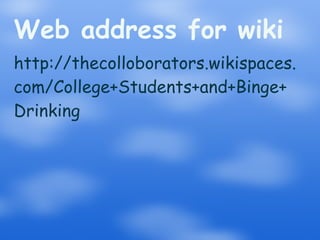
Example of a Wiki Copy the following web address to view an example of a Wiki that a group of students in DART 1000 could complete as a project based learning assignment for the Health and Wellness Module.
Web address for wiki http://thecolloborators.wikispaces. com/College+Students+and+Binge+ Drinking
Photo Sharing One of the sites students can use for photo sharing in www.flickr.com. Students can upload, share, download, and tag favorite photos.
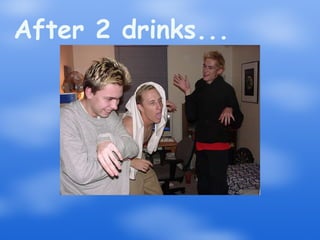
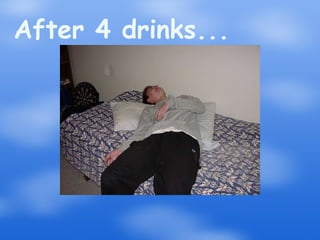
1 way to use Flickr Students can search the site for relevant, recent, or interesting photos to download for a presentation.  Photos have been tagged  to help the user find appropriate photos.  Students could use the following for a presentation.
Student after 1 drink
After 2 drinks...
After 3 drinks...
After 4 drinks...
Mind mapping  Students can use a mind map to show the relationships between ideas.  Mind Meister is a site students can use for creating, collaborating, and sharing mind maps.
Example of mind map Paste the following address for an  example of a mind map: www.mindmeister.com/maps/show/ 35666914
A Final Word... All of these  tools can be useful in helping students to create, communicate,  collaborate, and share content.  Many of our students are already using tools to create, collaborate, communicate, and share with friends.  We just need to help them use these tools to learn.

Integrating Web Based Tools into DART 1000

  • 1.
    Integrating Web 2.0Tools into DART 1000 Presentation for COPR 1123-01 G. Pat Ridgeway Fall 2009 Darton College
  • 2.
    What are thetools? Web 2.0 tools are free, open-source, online, interactive technologies that can afford opportunities for students to become active contributors in collaborative activities.
  • 3.
    What are examples?Examples of the tools include: Blogs Wikis Aggregators Social Bookmarking Photo Sharing and Photo Editing Video Sharing
  • 4.
    What are examples?Web-Based Word Processing Web-Based Spreadsheets Presentation Tools Peer-edited fiction writing sites Desk-Top Tools Surveys and Polls Search Tools
  • 5.
    What are examples?Task Management Tools Online Calendars Content Management Systems Mapping Products Web Start Pages Online Mind Mapping Software Social Netwoking
  • 6.
    What are positives?Benefits of Web 2.0 tools: Cost effective (free) Accessible (students can access from any computer) Promote creativity, communication, and collaboration Accomodate diverse learning styles ,,,,,,,
  • 7.
    What are benefits?Accomodate the needs of diverse learners Help students to develop 21st century skills Help students develop skills needed to compete in the global marketplace Allow students to share content
  • 8.
    What are negatives?Resistance to learning about and using the emerging technologies Resistance to changing from individualized to collaborative learning activities Inability to select the most effective tool for objectives
  • 9.
    What are negatives?Being uninformed about or failing to comply with policies re: cyber ethics, safety, and security issues Failing to become adequately informed about emerging technologies before evaluating them
  • 10.
    How can toolsbe used? The DART 1000 or First Year Experience Curriculum affords many opportunities for students to work collaboratively to research, make presentations, and synthesize information about relevant topics
  • 11.
    My favorite toolsare: Wikis - accessible web pages that afford opportunities for students to create and edit pages Photo Sharing - sites for sharing, downloading, and tagging photos Mind Meister - site for creating and sharing mind maps
  • 12.
    Example of aWiki Copy the following web address to view an example of a Wiki that a group of students in DART 1000 could complete as a project based learning assignment for the Health and Wellness Module.
  • 13.
    Web address forwiki http://thecolloborators.wikispaces. com/College+Students+and+Binge+ Drinking
  • 14.
    Photo Sharing Oneof the sites students can use for photo sharing in www.flickr.com. Students can upload, share, download, and tag favorite photos.
  • 15.
    1 way touse Flickr Students can search the site for relevant, recent, or interesting photos to download for a presentation. Photos have been tagged to help the user find appropriate photos. Students could use the following for a presentation.
  • 16.
  • 17.
  • 18.
  • 19.
  • 20.
    Mind mapping Students can use a mind map to show the relationships between ideas. Mind Meister is a site students can use for creating, collaborating, and sharing mind maps.
  • 21.
    Example of mindmap Paste the following address for an example of a mind map: www.mindmeister.com/maps/show/ 35666914
  • 22.
    A Final Word...All of these tools can be useful in helping students to create, communicate, collaborate, and share content. Many of our students are already using tools to create, collaborate, communicate, and share with friends. We just need to help them use these tools to learn.