Integrating Help, Support, and
Training Content


Paul Mueller (UserAid)
www.useraid.com
@Paul_UserAid
Why Integrate Our Content?

 Users want one place to go to find answers…


2   © 2011-2013 UserAid, all rights reserved.
Why Integrate Our Content?

 Users want one place to go to find answers…
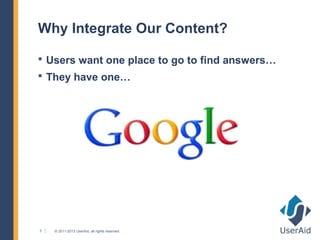
 They have one…


3   © 2011-2013 UserAid, all rights reserved.
Why Integrate Our Content?

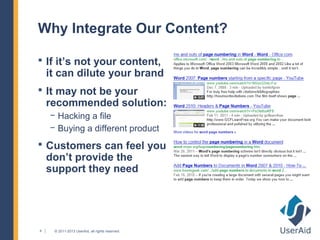
 If it’s not your content,
    it can dilute your brand
 It may not be your
    recommended solution:
    − Hacking a file
    − Buying a different product
 Customers can feel you
    don’t provide the
    support they need


4    © 2011-2013 UserAid, all rights reserved.
Why Integrate Our Content?

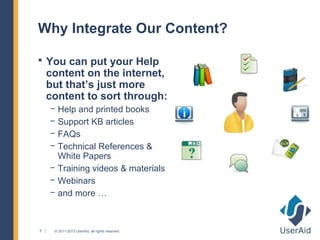
 You can put your Help
    content on the internet,
    but that’s just more
    content to sort through:
    − Help and printed books
    − Support KB articles
    − FAQs
    − Technical References &
      White Papers
    − Training videos & materials
    − Webinars
    − and more …


5    © 2011-2013 UserAid, all rights reserved.
Why Integrate Our Content?

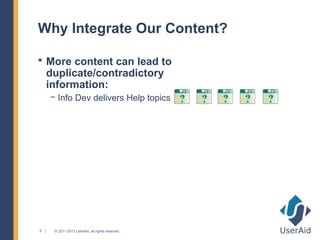
 More content can lead to
    duplicate/contradictory
    information:
    − Info Dev delivers Help topics


6    © 2011-2013 UserAid, all rights reserved.
Why Integrate Our Content?

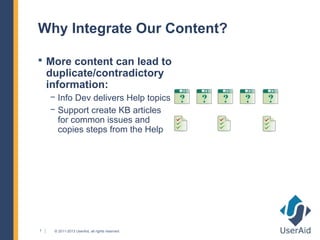
 More content can lead to
    duplicate/contradictory
    information:
    − Info Dev delivers Help topics
    − Support create KB articles
      for common issues and
      copies steps from the Help


7    © 2011-2013 UserAid, all rights reserved.
Why Integrate Our Content?

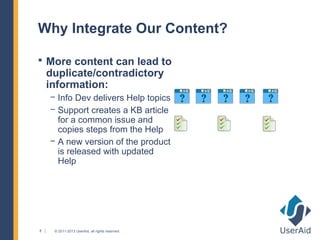
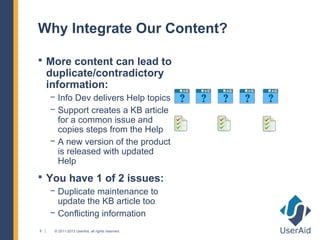
 More content can lead to
    duplicate/contradictory
    information:
    − Info Dev delivers Help topics
    − Support creates a KB article
      for a common issue and
      copies steps from the Help
    − A new version of the product
      is released with updated
      Help


8    © 2011-2013 UserAid, all rights reserved.
Why Integrate Our Content?

 More content can lead to
    duplicate/contradictory
    information:
    − Info Dev delivers Help topics
    − Support creates a KB article
      for a common issue and
      copies steps from the Help
    − A new version of the product
      is released with updated
      Help
 You have 1 of 2 issues:
    − Duplicate maintenance to
      update the KB article too
    − Conflicting information
9    © 2011-2013 UserAid, all rights reserved.
Why Integrate Our Content?

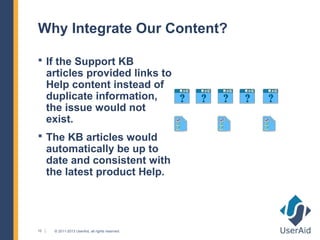
 If the Support KB
     articles provided links to
     Help content instead of
     duplicate information,
     the issue would not
     exist.
 The KB articles would
     automatically be up to
     date and consistent with
     the latest product Help.


10    © 2011-2013 UserAid, all rights reserved.
What Will We Talk About?

 Needs and goals lead to requirements
 Why we chose WordPress to tie it all together?
     − Flexible (now and into the future)
     − Easy installation, setup, user access, and use
     − Concepts to understand: themes, plugins, widgets
 Explore smartvault.com/support
     − Info Dev: Help & PDF files
     − Training: Learning Center videos, demos, & scheduling
     − Support: KB, FAQs, policies, contact info, & more


11    © 2011-2013 UserAid, all rights reserved.
Needs & Goals Lead to Requirements


12   © 2011-2013 UserAid, all rights reserved.
Needs & Goals Lead to Requirements

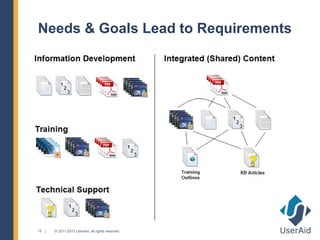
 Give users one place to go that’s easy to find
 Reduce duplicate effort and share content
 Info Dev: Needs reliable production process
 Training: Needs content/videos logically organized
 Training: Needs modular, easy to update materials
 Support: Needs content to be findable
 Support: Needs to maintain content with easy UI
 Support: Needs internal-only information


13   © 2011-2013 UserAid, all rights reserved.
Why We Chose WordPress?

 Free, flexible content management system
 Many free sources of plugins (added features)
 Easy to customize and maintain
 Good SEO support
 Automated content listing, sorting, categorizing
 Allow users to comment/augment content


14   © 2011-2013 UserAid, all rights reserved.
Why We Chose WordPress?
Flexibility: Blogs
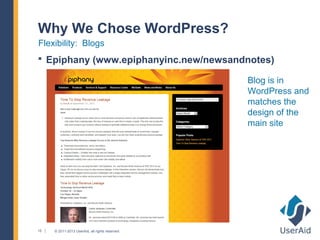
 Epiphany (www.epiphanyinc.new/newsandnotes)

                                                 Blog is in
                                                 WordPress and
                                                 matches the
                                                 design of the
                                                 main site


15   © 2011-2013 UserAid, all rights reserved.
Why We Chose WordPress?
Flexibility: Whole Sites
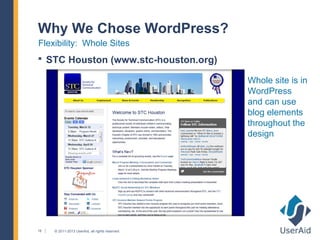
 STC Houston (www.stc-houston.org)

                                                 Whole site is in
                                                 WordPress
                                                 and can use
                                                 blog elements
                                                 throughout the
                                                 design


16   © 2011-2013 UserAid, all rights reserved.
Why We Chose WordPress?
Flexibility: Whole Sites
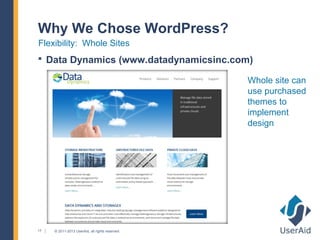
 Data Dynamics (www.datadynamicsinc.com)

                                                 Whole site can
                                                 use purchased
                                                 themes to
                                                 implement
                                                 design


17   © 2011-2013 UserAid, all rights reserved.
Why We Chose WordPress?
Flexibility: Whole Sites
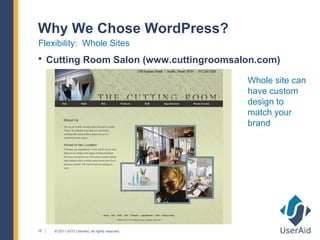
 Cutting Room Salon (www.cuttingroomsalon.com)

                                                 Whole site can
                                                 have custom
                                                 design to
                                                 match your
                                                 brand


18   © 2011-2013 UserAid, all rights reserved.
Why We Chose WordPress?
Flexibility: Complete Social Network with Advanced Features
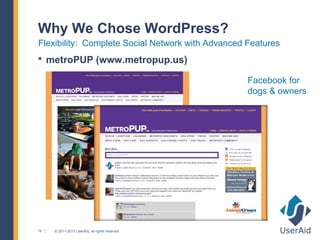
 metroPUP (www.metropup.us)

                                                   Facebook for
                                                   dogs & owners


19   © 2011-2013 UserAid, all rights reserved.
Why We Chose WordPress?
Flexibility: Integrated Technical Support and More
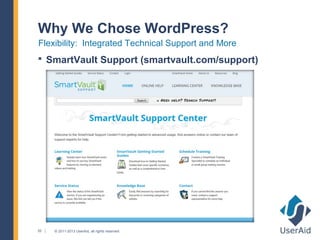
 SmartVault Support (smartvault.com/support)


20   © 2011-2013 UserAid, all rights reserved.
Why We Chose WordPress?
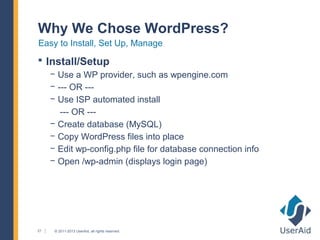
Easy to Install, Set Up, Manage
 Install/Setup
     − Use a WP provider, such as wpengine.com
     − --- OR ---
     − Use ISP automated install
        --- OR ---
     − Create database (MySQL)
     − Copy WordPress files into place
     − Edit wp-config.php file for database connection info
     − Open /wp-admin (displays login page)


21    © 2011-2013 UserAid, all rights reserved.
Why We Chose WordPress?
Easy to Install, Set Up, Manage
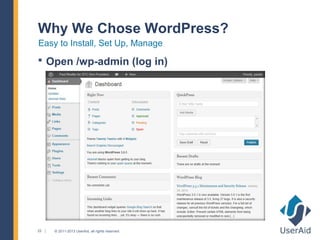
 Open /wp-admin (log in)


22   © 2011-2013 UserAid, all rights reserved.
Why We Chose WordPress?
Easy to Install, Set Up, Manage
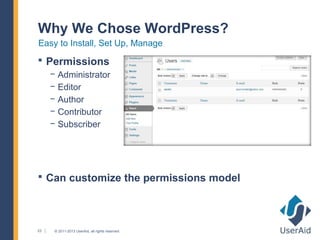
 Permissions
     − Administrator
     − Editor
     − Author
     − Contributor
     − Subscriber


 Can customize the permissions model


23    © 2011-2013 UserAid, all rights reserved.
Why We Chose WordPress?
Add Features with Custom Code
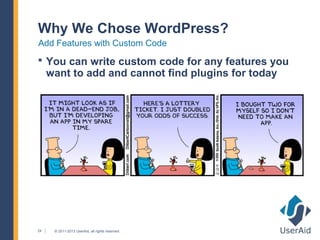
 You can write custom code for any features you
     want to add and cannot find plugins for today


24    © 2011-2013 UserAid, all rights reserved.
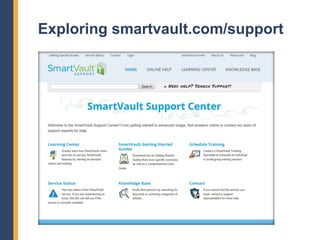
Exploring smartvault.com/support
WordPress Concepts to Understand
 Content Types
     − Pages: Fixed (fairly static) content
     − Posts: Fluid, periodic content
     − Other: You can create custom content types, if needed
 Theme
     − Defines the overall design (look and feel)
     − Many options (free, for purchase, framework – like Thesis)
 Plugins
     − Provide functions (spam protection, database backup, & more)
 Widgets
     − Modules in sidebars (Links, Popular Posts, Categories +)

26    © 2011-2013 UserAid, all rights reserved.
Exploring smartvault.com/support
Overview
 WordPress ties together all the content
 Most content is published on WP pages or posts
     − Videos/demos are embedded within categorized posts
     − KB articles are categorized posts
     − Support policies and contact information are pages
     − PDF files are embedded within categorized posts/pages
 Help content is converted to Web-based files and
     maintained separately (but linked to from WP posts
     & pages and looks consistent with branding)


27    © 2011-2013 UserAid, all rights reserved.
Exploring smartvault.com/support
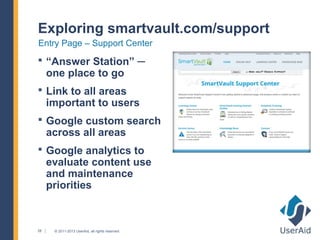
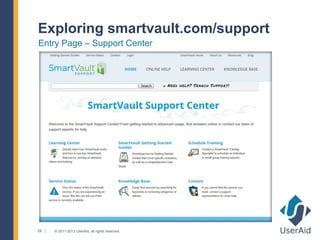
Entry Page – Support Center
 “Answer Station” ─
     one place to go
 Link to all areas
     important to users
 Google custom search
     across all areas
 Google analytics to
     evaluate content use
     and maintenance
     priorities


28    © 2011-2013 UserAid, all rights reserved.
Exploring smartvault.com/support
Entry Page – Support Center


29   © 2011-2013 UserAid, all rights reserved.
Exploring smartvault.com/support
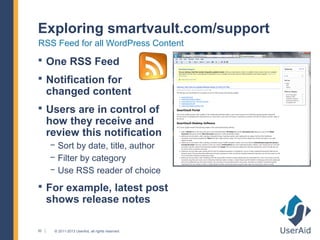
RSS Feed for all WordPress Content
 One RSS Feed
 Notification for
     changed content
 Users are in control of
     how they receive and
     review this notification
     − Sort by date, title, author
     − Filter by category
     − Use RSS reader of choice
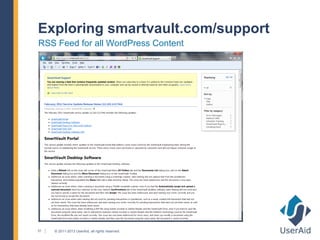
 For example, latest post
     shows release notes

30    © 2011-2013 UserAid, all rights reserved.
Exploring smartvault.com/support
RSS Feed for all WordPress Content


31   © 2011-2013 UserAid, all rights reserved.
Exploring smartvault.com/support
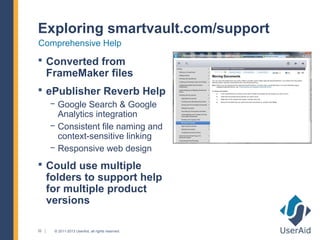
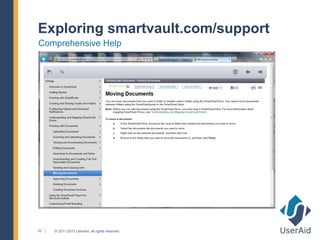
Comprehensive Help
 Converted from
     FrameMaker files
 ePublisher Reverb Help
     − Google Search & Google
       Analytics integration
     − Consistent file naming and
       context-sensitive linking
     − Responsive web design
 Could use multiple
     folders to support help
     for multiple product
     versions

32    © 2011-2013 UserAid, all rights reserved.
Exploring smartvault.com/support
Comprehensive Help


33   © 2011-2013 UserAid, all rights reserved.
Exploring smartvault.com/support
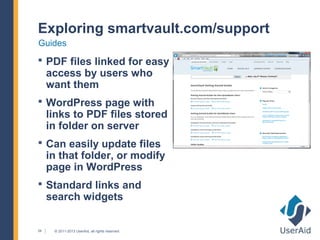
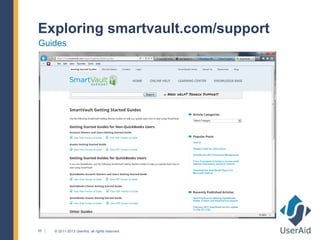
Guides
 PDF files linked for easy
     access by users who
     want them
 WordPress page with
     links to PDF files stored
     in folder on server
 Can easily update files
     in that folder, or modify
     page in WordPress
 Standard links and
     search widgets

34    © 2011-2013 UserAid, all rights reserved.
Exploring smartvault.com/support
Guides


35   © 2011-2013 UserAid, all rights reserved.
Exploring smartvault.com/support
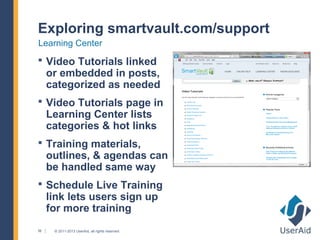
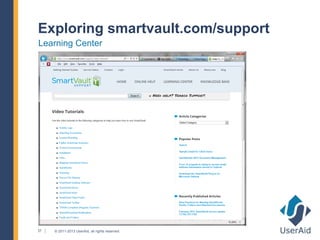
Learning Center
 Video Tutorials linked
     or embedded in posts,
     categorized as needed
 Video Tutorials page in
     Learning Center lists
     categories & hot links
 Training materials,
     outlines, & agendas can
     be handled same way
 Schedule Live Training
     link lets users sign up
     for more training
36    © 2011-2013 UserAid, all rights reserved.
Exploring smartvault.com/support
Learning Center


37   © 2011-2013 UserAid, all rights reserved.
Exploring smartvault.com/support
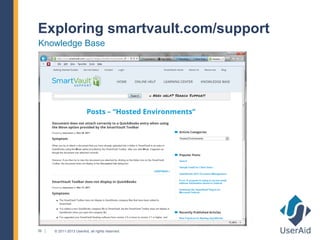
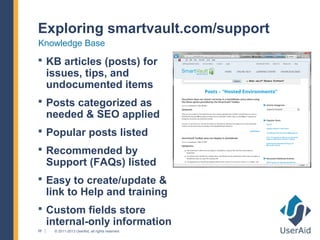
Knowledge Base
 KB articles (posts) for
     issues, tips, and
     undocumented items
 Posts categorized as
     needed & SEO applied
 Popular posts listed
 Recommended by
     Support (FAQs) listed
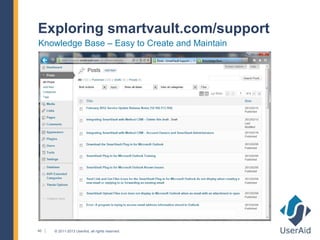
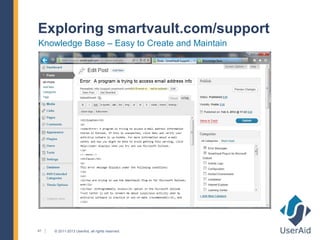
 Easy to create/update &
     link to Help and training
 Custom fields store
     internal-only information
38    © 2011-2013 UserAid, all rights reserved.
Exploring smartvault.com/support
Knowledge Base


39   © 2011-2013 UserAid, all rights reserved.
Exploring smartvault.com/support
Knowledge Base – Easy to Create and Maintain


40   © 2011-2013 UserAid, all rights reserved.
Exploring smartvault.com/support
Knowledge Base – Easy to Create and Maintain


41   © 2011-2013 UserAid, all rights reserved.
Exploring smartvault.com/support
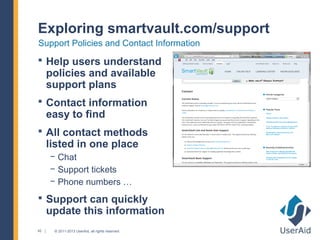
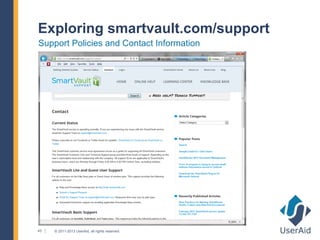
Support Policies and Contact Information
 Help users understand
     policies and available
     support plans
 Contact information
     easy to find
 All contact methods
     listed in one place
     − Chat
     − Support tickets
     − Phone numbers …
 Support can quickly
     update this information
42    © 2011-2013 UserAid, all rights reserved.
Exploring smartvault.com/support
Support Policies and Contact Information


43   © 2011-2013 UserAid, all rights reserved.
Exploring smartvault.com/support
Service Status and More
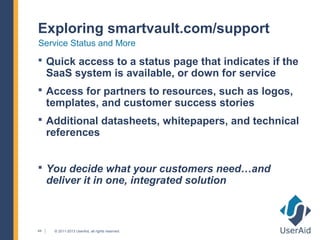
 Quick access to a status page that indicates if the
     SaaS system is available, or down for service
 Access for partners to resources, such as logos,
     templates, and customer success stories
 Additional datasheets, whitepapers, and technical
     references


 You decide what your customers need…and
     deliver it in one, integrated solution


44    © 2011-2013 UserAid, all rights reserved.

Integrating Help, Support, and Training Content

  • 1.
    Integrating Help, Support,and Training Content Paul Mueller (UserAid) www.useraid.com @Paul_UserAid
  • 2.
    Why Integrate OurContent?  Users want one place to go to find answers… 2 © 2011-2013 UserAid, all rights reserved.
  • 3.
    Why Integrate OurContent?  Users want one place to go to find answers…  They have one… 3 © 2011-2013 UserAid, all rights reserved.
  • 4.
    Why Integrate OurContent?  If it’s not your content, it can dilute your brand  It may not be your recommended solution: − Hacking a file − Buying a different product  Customers can feel you don’t provide the support they need 4 © 2011-2013 UserAid, all rights reserved.
  • 5.
    Why Integrate OurContent?  You can put your Help content on the internet, but that’s just more content to sort through: − Help and printed books − Support KB articles − FAQs − Technical References & White Papers − Training videos & materials − Webinars − and more … 5 © 2011-2013 UserAid, all rights reserved.
  • 6.
    Why Integrate OurContent?  More content can lead to duplicate/contradictory information: − Info Dev delivers Help topics 6 © 2011-2013 UserAid, all rights reserved.
  • 7.
    Why Integrate OurContent?  More content can lead to duplicate/contradictory information: − Info Dev delivers Help topics − Support create KB articles for common issues and copies steps from the Help 7 © 2011-2013 UserAid, all rights reserved.
  • 8.
    Why Integrate OurContent?  More content can lead to duplicate/contradictory information: − Info Dev delivers Help topics − Support creates a KB article for a common issue and copies steps from the Help − A new version of the product is released with updated Help 8 © 2011-2013 UserAid, all rights reserved.
  • 9.
    Why Integrate OurContent?  More content can lead to duplicate/contradictory information: − Info Dev delivers Help topics − Support creates a KB article for a common issue and copies steps from the Help − A new version of the product is released with updated Help  You have 1 of 2 issues: − Duplicate maintenance to update the KB article too − Conflicting information 9 © 2011-2013 UserAid, all rights reserved.
  • 10.
    Why Integrate OurContent?  If the Support KB articles provided links to Help content instead of duplicate information, the issue would not exist.  The KB articles would automatically be up to date and consistent with the latest product Help. 10 © 2011-2013 UserAid, all rights reserved.
  • 11.
    What Will WeTalk About?  Needs and goals lead to requirements  Why we chose WordPress to tie it all together? − Flexible (now and into the future) − Easy installation, setup, user access, and use − Concepts to understand: themes, plugins, widgets  Explore smartvault.com/support − Info Dev: Help & PDF files − Training: Learning Center videos, demos, & scheduling − Support: KB, FAQs, policies, contact info, & more 11 © 2011-2013 UserAid, all rights reserved.
  • 12.
    Needs & GoalsLead to Requirements 12 © 2011-2013 UserAid, all rights reserved.
  • 13.
    Needs & GoalsLead to Requirements  Give users one place to go that’s easy to find  Reduce duplicate effort and share content  Info Dev: Needs reliable production process  Training: Needs content/videos logically organized  Training: Needs modular, easy to update materials  Support: Needs content to be findable  Support: Needs to maintain content with easy UI  Support: Needs internal-only information 13 © 2011-2013 UserAid, all rights reserved.
  • 14.
    Why We ChoseWordPress?  Free, flexible content management system  Many free sources of plugins (added features)  Easy to customize and maintain  Good SEO support  Automated content listing, sorting, categorizing  Allow users to comment/augment content 14 © 2011-2013 UserAid, all rights reserved.
  • 15.
    Why We ChoseWordPress? Flexibility: Blogs  Epiphany (www.epiphanyinc.new/newsandnotes) Blog is in WordPress and matches the design of the main site 15 © 2011-2013 UserAid, all rights reserved.
  • 16.
    Why We ChoseWordPress? Flexibility: Whole Sites  STC Houston (www.stc-houston.org) Whole site is in WordPress and can use blog elements throughout the design 16 © 2011-2013 UserAid, all rights reserved.
  • 17.
    Why We ChoseWordPress? Flexibility: Whole Sites  Data Dynamics (www.datadynamicsinc.com) Whole site can use purchased themes to implement design 17 © 2011-2013 UserAid, all rights reserved.
  • 18.
    Why We ChoseWordPress? Flexibility: Whole Sites  Cutting Room Salon (www.cuttingroomsalon.com) Whole site can have custom design to match your brand 18 © 2011-2013 UserAid, all rights reserved.
  • 19.
    Why We ChoseWordPress? Flexibility: Complete Social Network with Advanced Features  metroPUP (www.metropup.us) Facebook for dogs & owners 19 © 2011-2013 UserAid, all rights reserved.
  • 20.
    Why We ChoseWordPress? Flexibility: Integrated Technical Support and More  SmartVault Support (smartvault.com/support) 20 © 2011-2013 UserAid, all rights reserved.
  • 21.
    Why We ChoseWordPress? Easy to Install, Set Up, Manage  Install/Setup − Use a WP provider, such as wpengine.com − --- OR --- − Use ISP automated install --- OR --- − Create database (MySQL) − Copy WordPress files into place − Edit wp-config.php file for database connection info − Open /wp-admin (displays login page) 21 © 2011-2013 UserAid, all rights reserved.
  • 22.
    Why We ChoseWordPress? Easy to Install, Set Up, Manage  Open /wp-admin (log in) 22 © 2011-2013 UserAid, all rights reserved.
  • 23.
    Why We ChoseWordPress? Easy to Install, Set Up, Manage  Permissions − Administrator − Editor − Author − Contributor − Subscriber  Can customize the permissions model 23 © 2011-2013 UserAid, all rights reserved.
  • 24.
    Why We ChoseWordPress? Add Features with Custom Code  You can write custom code for any features you want to add and cannot find plugins for today 24 © 2011-2013 UserAid, all rights reserved.
  • 25.
  • 26.
    Exploring smartvault.com/support WordPress Conceptsto Understand  Content Types − Pages: Fixed (fairly static) content − Posts: Fluid, periodic content − Other: You can create custom content types, if needed  Theme − Defines the overall design (look and feel) − Many options (free, for purchase, framework – like Thesis)  Plugins − Provide functions (spam protection, database backup, & more)  Widgets − Modules in sidebars (Links, Popular Posts, Categories +) 26 © 2011-2013 UserAid, all rights reserved.
  • 27.
    Exploring smartvault.com/support Overview  WordPressties together all the content  Most content is published on WP pages or posts − Videos/demos are embedded within categorized posts − KB articles are categorized posts − Support policies and contact information are pages − PDF files are embedded within categorized posts/pages  Help content is converted to Web-based files and maintained separately (but linked to from WP posts & pages and looks consistent with branding) 27 © 2011-2013 UserAid, all rights reserved.
  • 28.
    Exploring smartvault.com/support Entry Page– Support Center  “Answer Station” ─ one place to go  Link to all areas important to users  Google custom search across all areas  Google analytics to evaluate content use and maintenance priorities 28 © 2011-2013 UserAid, all rights reserved.
  • 29.
    Exploring smartvault.com/support Entry Page– Support Center 29 © 2011-2013 UserAid, all rights reserved.
  • 30.
    Exploring smartvault.com/support RSS Feedfor all WordPress Content  One RSS Feed  Notification for changed content  Users are in control of how they receive and review this notification − Sort by date, title, author − Filter by category − Use RSS reader of choice  For example, latest post shows release notes 30 © 2011-2013 UserAid, all rights reserved.
  • 31.
    Exploring smartvault.com/support RSS Feedfor all WordPress Content 31 © 2011-2013 UserAid, all rights reserved.
  • 32.
    Exploring smartvault.com/support Comprehensive Help Converted from FrameMaker files  ePublisher Reverb Help − Google Search & Google Analytics integration − Consistent file naming and context-sensitive linking − Responsive web design  Could use multiple folders to support help for multiple product versions 32 © 2011-2013 UserAid, all rights reserved.
  • 33.
    Exploring smartvault.com/support Comprehensive Help 33 © 2011-2013 UserAid, all rights reserved.
  • 34.
    Exploring smartvault.com/support Guides  PDFfiles linked for easy access by users who want them  WordPress page with links to PDF files stored in folder on server  Can easily update files in that folder, or modify page in WordPress  Standard links and search widgets 34 © 2011-2013 UserAid, all rights reserved.
  • 35.
    Exploring smartvault.com/support Guides 35 © 2011-2013 UserAid, all rights reserved.
  • 36.
    Exploring smartvault.com/support Learning Center Video Tutorials linked or embedded in posts, categorized as needed  Video Tutorials page in Learning Center lists categories & hot links  Training materials, outlines, & agendas can be handled same way  Schedule Live Training link lets users sign up for more training 36 © 2011-2013 UserAid, all rights reserved.
  • 37.
    Exploring smartvault.com/support Learning Center 37 © 2011-2013 UserAid, all rights reserved.
  • 38.
    Exploring smartvault.com/support Knowledge Base KB articles (posts) for issues, tips, and undocumented items  Posts categorized as needed & SEO applied  Popular posts listed  Recommended by Support (FAQs) listed  Easy to create/update & link to Help and training  Custom fields store internal-only information 38 © 2011-2013 UserAid, all rights reserved.
  • 39.
    Exploring smartvault.com/support Knowledge Base 39 © 2011-2013 UserAid, all rights reserved.
  • 40.
    Exploring smartvault.com/support Knowledge Base– Easy to Create and Maintain 40 © 2011-2013 UserAid, all rights reserved.
  • 41.
    Exploring smartvault.com/support Knowledge Base– Easy to Create and Maintain 41 © 2011-2013 UserAid, all rights reserved.
  • 42.
    Exploring smartvault.com/support Support Policiesand Contact Information  Help users understand policies and available support plans  Contact information easy to find  All contact methods listed in one place − Chat − Support tickets − Phone numbers …  Support can quickly update this information 42 © 2011-2013 UserAid, all rights reserved.
  • 43.
    Exploring smartvault.com/support Support Policiesand Contact Information 43 © 2011-2013 UserAid, all rights reserved.
  • 44.
    Exploring smartvault.com/support Service Statusand More  Quick access to a status page that indicates if the SaaS system is available, or down for service  Access for partners to resources, such as logos, templates, and customer success stories  Additional datasheets, whitepapers, and technical references  You decide what your customers need…and deliver it in one, integrated solution 44 © 2011-2013 UserAid, all rights reserved.

Editor's Notes

  • #2 Getting Started with Scripting © 2011 UserAid, all rights reserved.
  • #3 Getting Started with Scripting © 2011 UserAid, all rights reserved.
  • #4 Getting Started with Scripting © 2011 UserAid, all rights reserved.
  • #5 Getting Started with Scripting © 2011 UserAid, all rights reserved.
  • #6 Getting Started with Scripting © 2011 UserAid, all rights reserved.
  • #7 Getting Started with Scripting © 2011 UserAid, all rights reserved.
  • #8 Getting Started with Scripting © 2011 UserAid, all rights reserved.
  • #9 Getting Started with Scripting © 2011 UserAid, all rights reserved.
  • #10 Getting Started with Scripting © 2011 UserAid, all rights reserved.
  • #11 Getting Started with Scripting © 2011 UserAid, all rights reserved.
  • #12 Getting Started with Scripting © 2011 UserAid, all rights reserved.
  • #13 Getting Started with Scripting © 2011 UserAid, all rights reserved.
  • #14 Getting Started with Scripting © 2011 UserAid, all rights reserved.
  • #15 Getting Started with Scripting © 2011 UserAid, all rights reserved.
  • #16 Getting Started with Scripting © 2011 UserAid, all rights reserved.
  • #17 Getting Started with Scripting © 2011 UserAid, all rights reserved.
  • #18 Getting Started with Scripting © 2011 UserAid, all rights reserved.
  • #19 Getting Started with Scripting © 2011 UserAid, all rights reserved.
  • #20 Getting Started with Scripting © 2011 UserAid, all rights reserved.
  • #21 Getting Started with Scripting © 2011 UserAid, all rights reserved.
  • #22 Getting Started with Scripting © 2011 UserAid, all rights reserved.
  • #23 Getting Started with Scripting © 2011 UserAid, all rights reserved.
  • #24 Getting Started with Scripting © 2011 UserAid, all rights reserved.
  • #25 Getting Started with Scripting © 2011 UserAid, all rights reserved.
  • #26 Getting Started with Scripting © 2011 UserAid, all rights reserved.
  • #27 Getting Started with Scripting © 2011 UserAid, all rights reserved.
  • #28 Getting Started with Scripting © 2011 UserAid, all rights reserved.
  • #29 Getting Started with Scripting © 2011 UserAid, all rights reserved.
  • #30 Getting Started with Scripting © 2011 UserAid, all rights reserved.
  • #31 Getting Started with Scripting © 2011 UserAid, all rights reserved.
  • #32 Getting Started with Scripting © 2011 UserAid, all rights reserved.
  • #33 Getting Started with Scripting © 2011 UserAid, all rights reserved.
  • #34 Getting Started with Scripting © 2011 UserAid, all rights reserved.
  • #35 Getting Started with Scripting © 2011 UserAid, all rights reserved.
  • #36 Getting Started with Scripting © 2011 UserAid, all rights reserved.
  • #37 Getting Started with Scripting © 2011 UserAid, all rights reserved.
  • #38 Getting Started with Scripting © 2011 UserAid, all rights reserved.
  • #39 Getting Started with Scripting © 2011 UserAid, all rights reserved.
  • #40 Getting Started with Scripting © 2011 UserAid, all rights reserved.
  • #41 Getting Started with Scripting © 2011 UserAid, all rights reserved.
  • #42 Getting Started with Scripting © 2011 UserAid, all rights reserved.
  • #43 Getting Started with Scripting © 2011 UserAid, all rights reserved.
  • #44 Getting Started with Scripting © 2011 UserAid, all rights reserved.
  • #45 Getting Started with Scripting © 2011 UserAid, all rights reserved.