UltraChallengers
SUPERVISOR:-Mrs K.A.Dilini.T Kulawansa
Faculty of Information Technology
University of Moratuwa
1
2
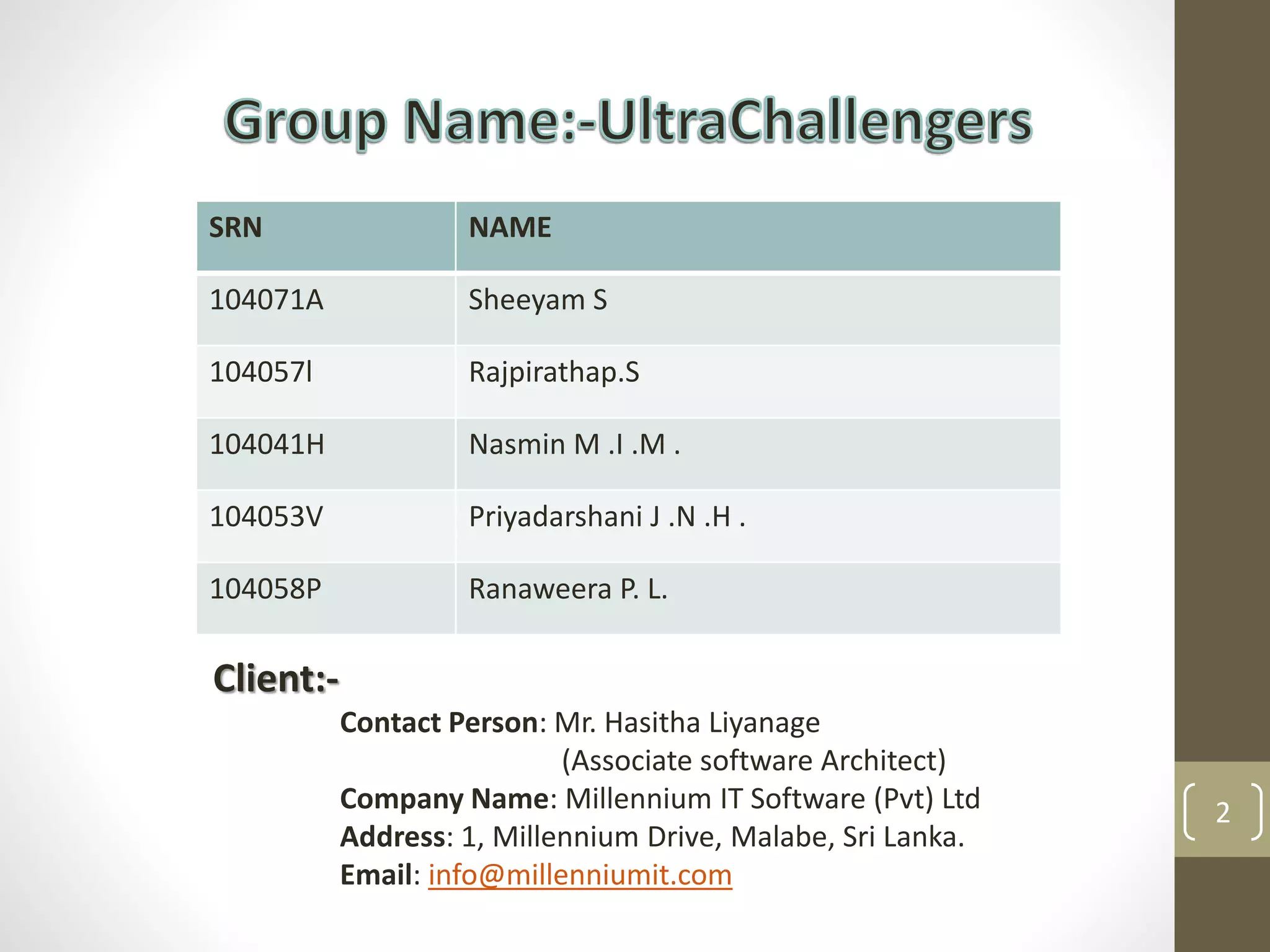
SRN NAME
104071A Sheeyam S
104057l Rajpirathap.S
104041H Nasmin M .I .M .
104053V Priyadarshani J .N .H .
104058P Ranaweera P. L.
Client:-
Contact Person: Mr. Hasitha Liyanage
(Associate software Architect)
Company Name: Millennium IT Software (Pvt) Ltd
Address: 1, Millennium Drive, Malabe, Sri Lanka.
Email: info@millenniumit.com
3
Introduction
Others work
Aim & Objectives
Our Approach
Design
Implementation
Evaluation
Conclusion
Further work
References
Demonstration
4
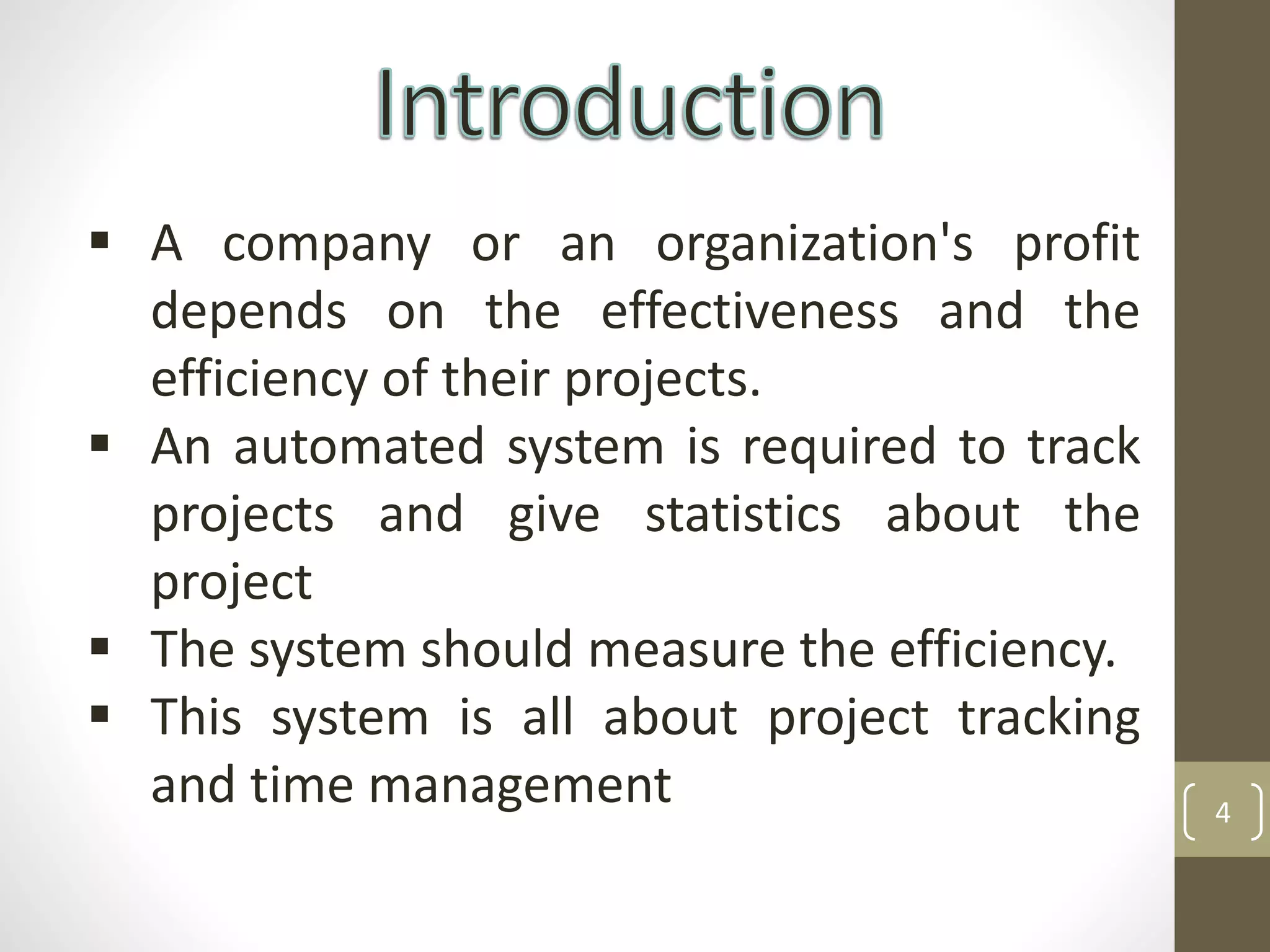
 A company or an organization's profit
depends on the effectiveness and the
efficiency of their projects.
 An automated system is required to track
projects and give statistics about the
project
 The system should measure the efficiency.
 This system is all about project tracking
and time management
5
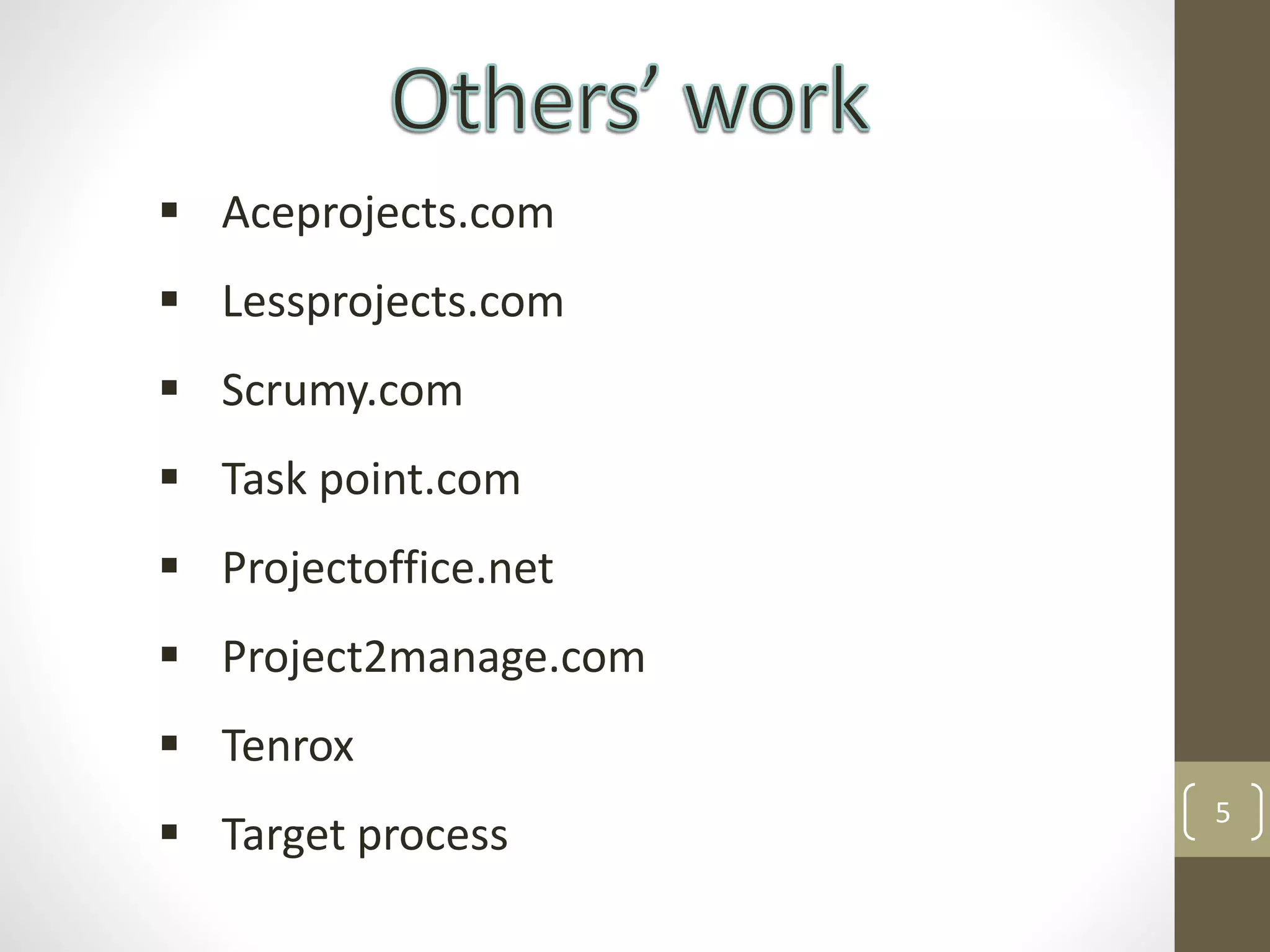
 Aceprojects.com
 Lessprojects.com
 Scrumy.com
 Task point.com
 Projectoffice.net
 Project2manage.com
 Tenrox
 Target process
6
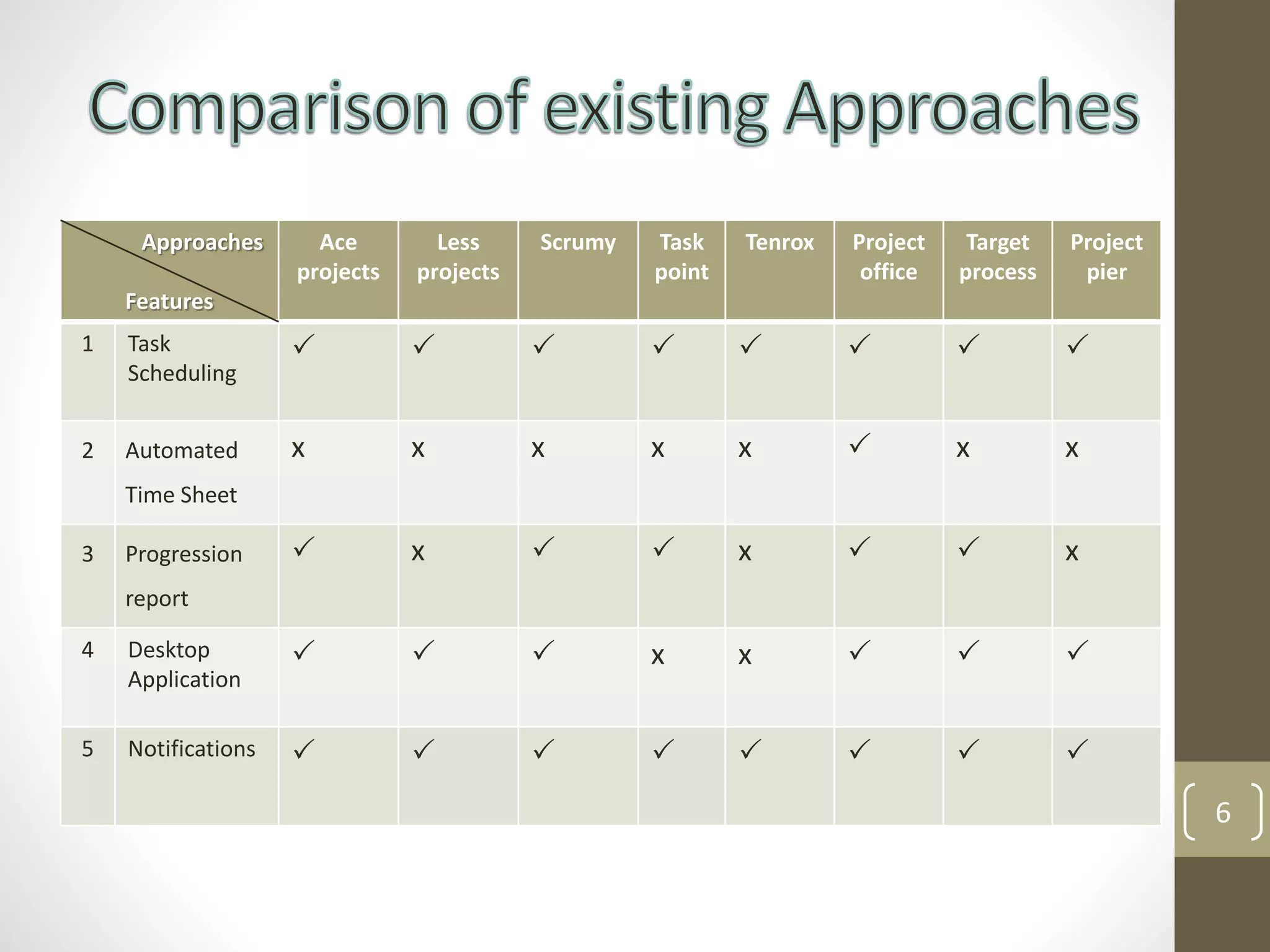
Approaches
Features
Ace
projects
Less
projects
Scrumy Task
point
Tenrox Project
office
Target
process
Project
pier
1 Task
Scheduling
       
2 Automated
Time Sheet
x x x x x  x x
3 Progression
report
 x   x   x
4 Desktop
Application
   x x   
5 Notifications        
7
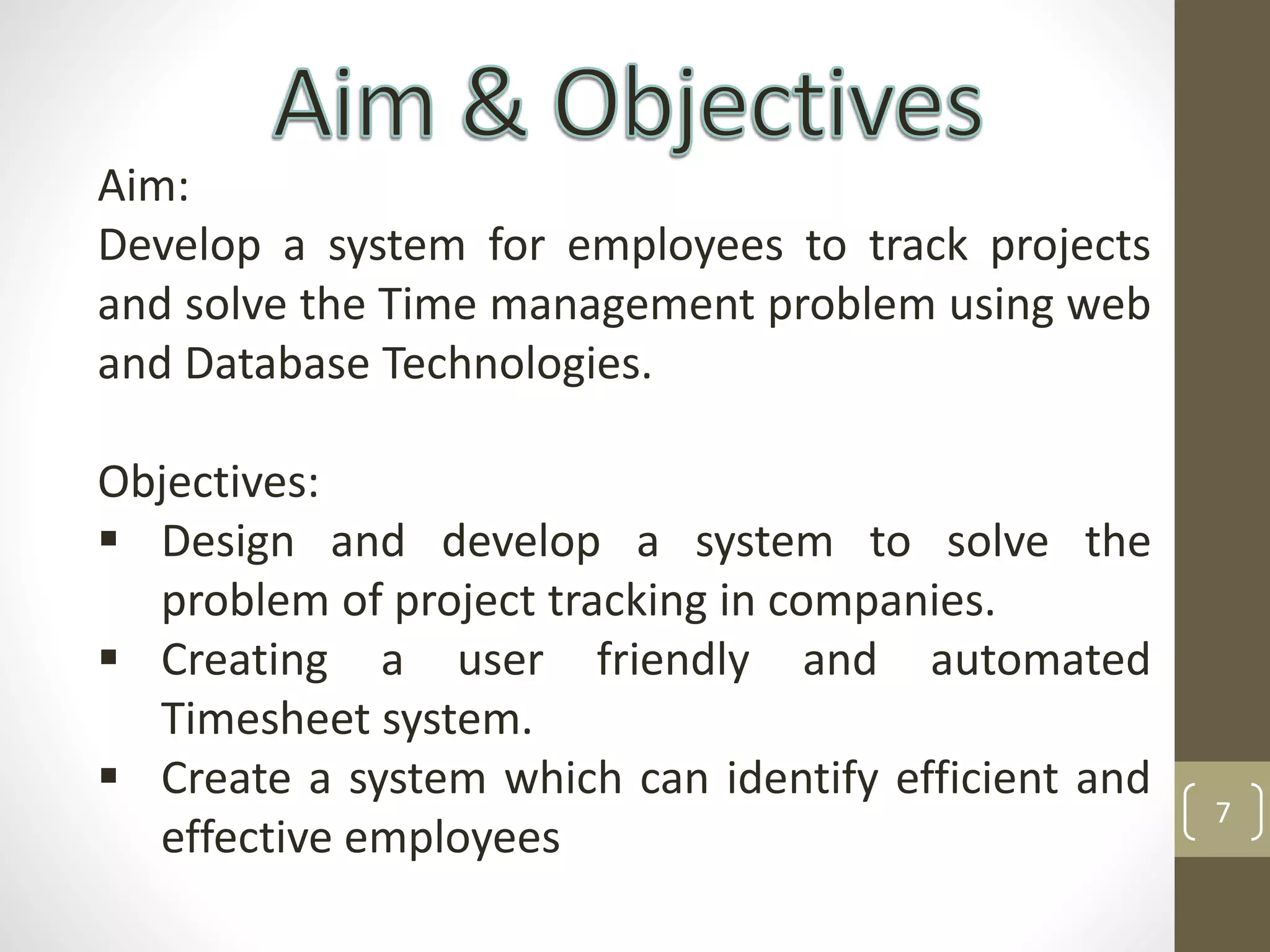
Aim:
Develop a system for employees to track projects
and solve the Time management problem using web
and Database Technologies.
Objectives:
 Design and develop a system to solve the
problem of project tracking in companies.
 Creating a user friendly and automated
Timesheet system.
 Create a system which can identify efficient and
effective employees
8
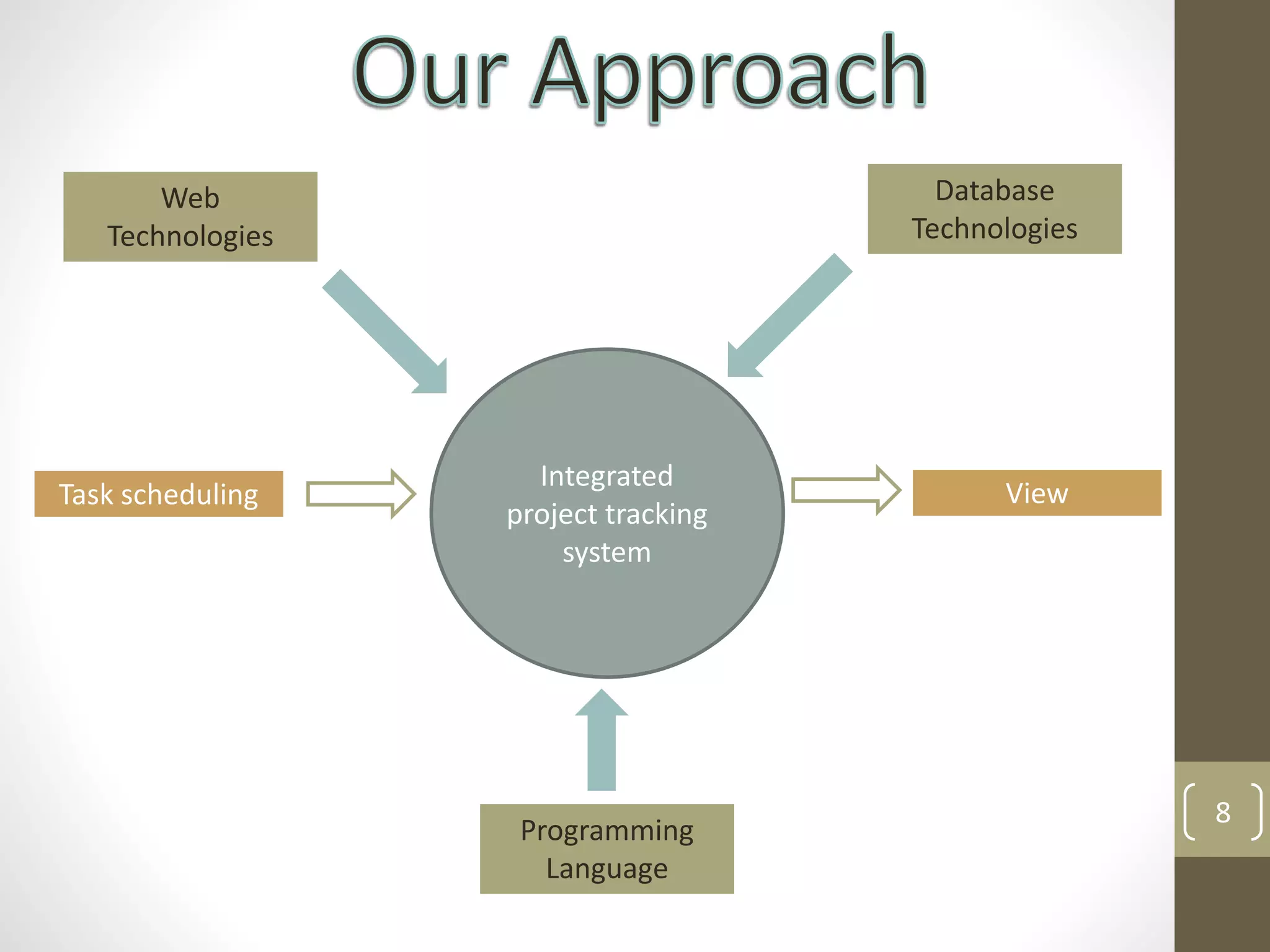
Integrated
project tracking
system
Web
Technologies
Database
Technologies
Programming
Language
Task scheduling View
9
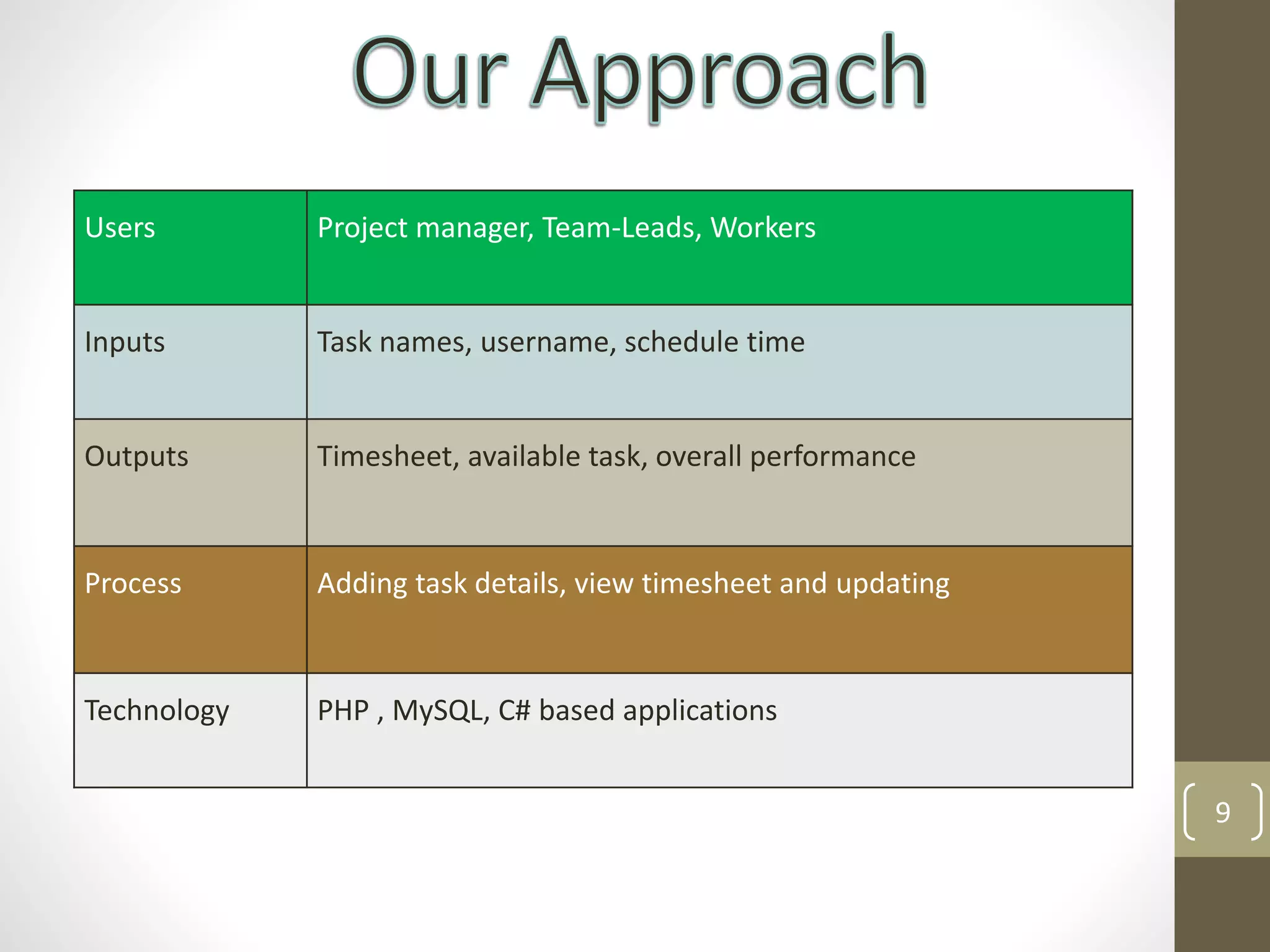
Users Project manager, Team-Leads, Workers
Inputs Task names, username, schedule time
Outputs Timesheet, available task, overall performance
Process Adding task details, view timesheet and updating
Technology PHP , MySQL, C# based applications
10
Top level Architecture of the proposed solution
Web Application
[PHP5]
Desktop Client
[C#]DATABASE
DESIGN
user
Schedule
Tasks
Schedule
Deadline
Add User
Update
Spent hrs
View Tasks
(sorted)
View
Project
Progression
Login
System
User
Authentication &
Privileges
Http-WebRequest Notify Every
One hour
11
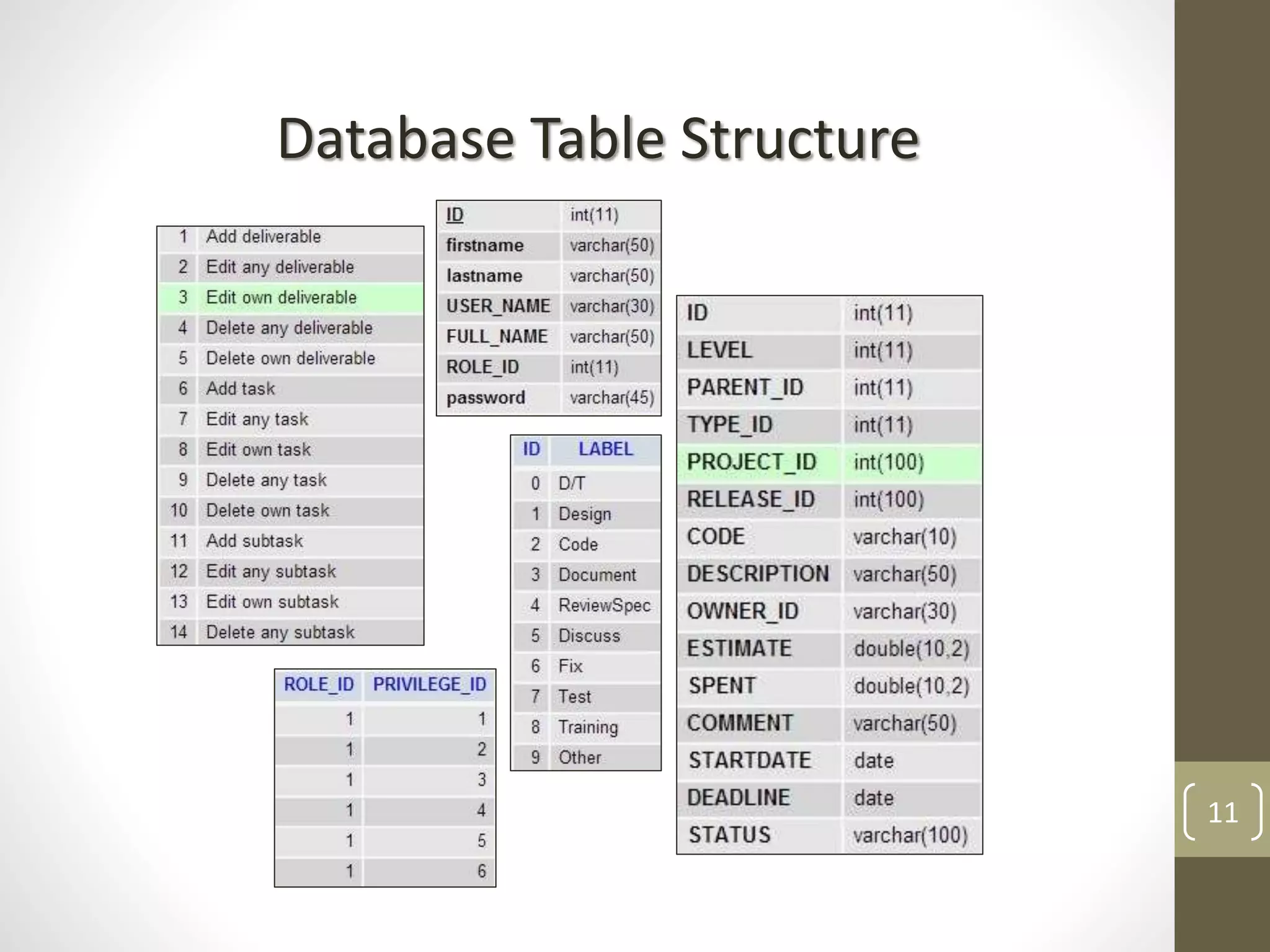
Database Table Structure
12
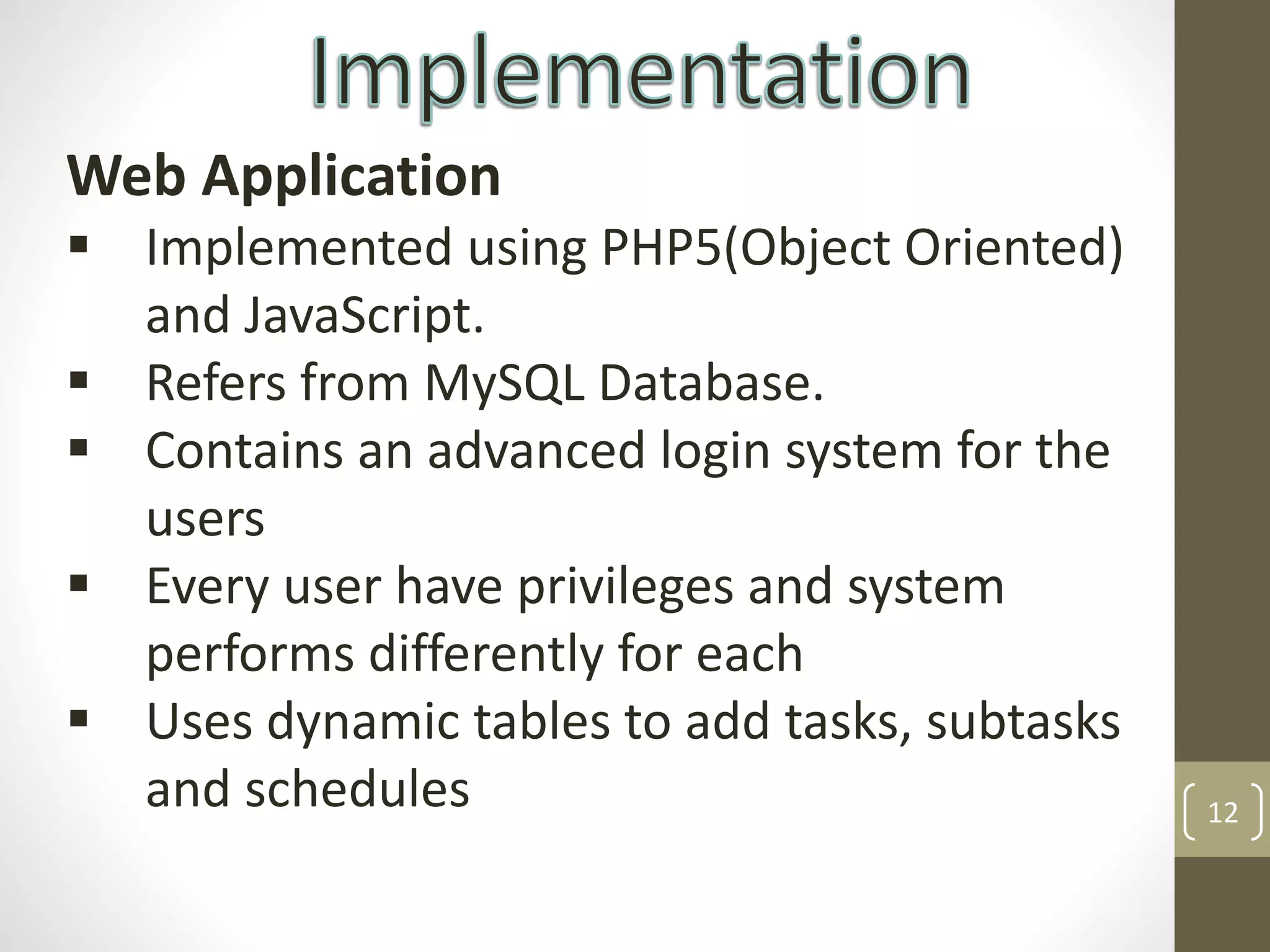
Web Application
 Implemented using PHP5(Object Oriented)
and JavaScript.
 Refers from MySQL Database.
 Contains an advanced login system for the
users
 Every user have privileges and system
performs differently for each
 Uses dynamic tables to add tasks, subtasks
and schedules
13
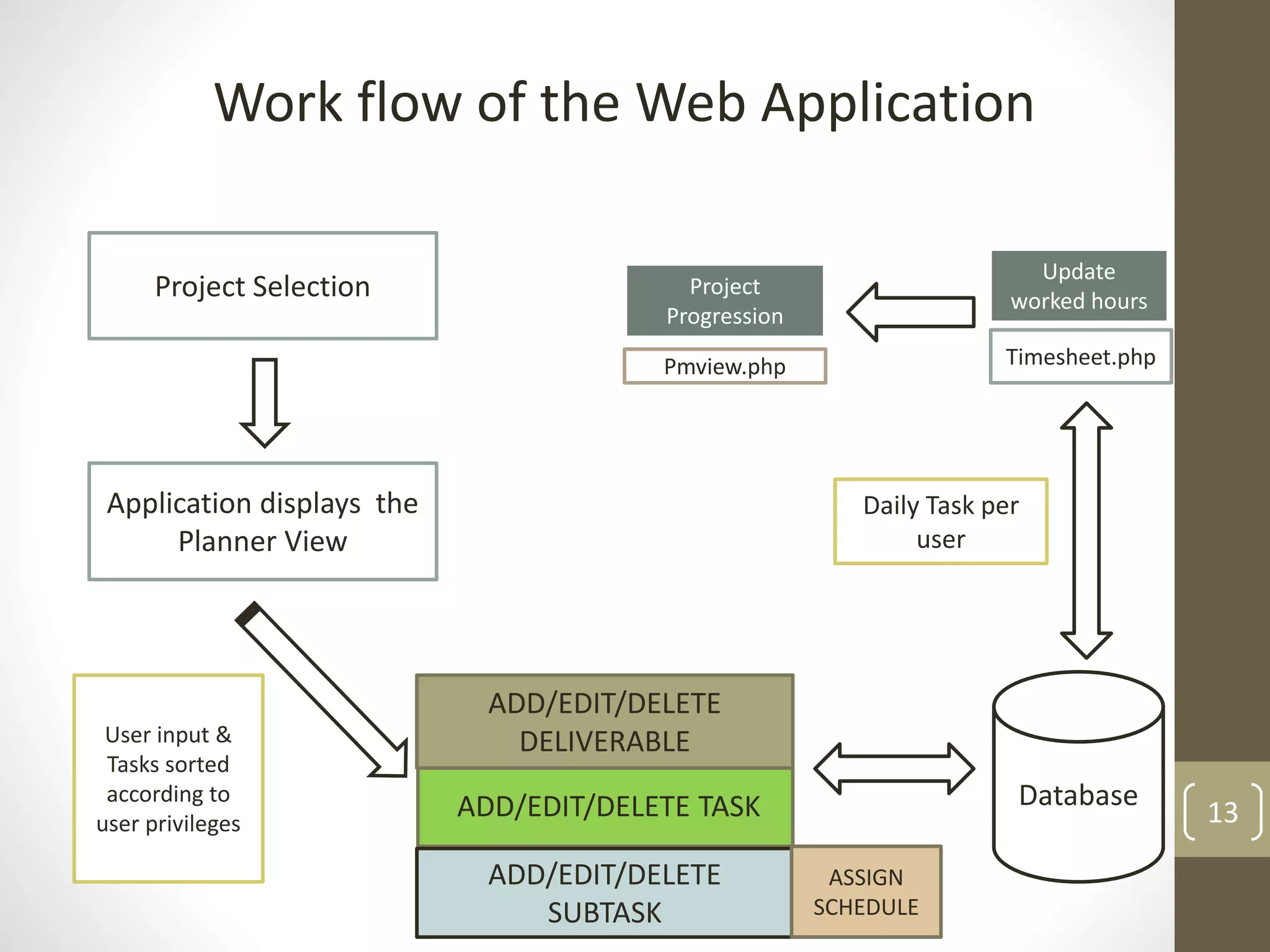
Work flow of the Web Application
Project Selection
Application displays the
Planner View
ADD/EDIT/DELETE TASK
ADD/EDIT/DELETE
SUBTASK
ASSIGN
SCHEDULE
ADD/EDIT/DELETE
DELIVERABLEUser input &
Tasks sorted
according to
user privileges
Database
Timesheet.php
Update
worked hours
Pmview.php
Project
Progression
Daily Task per
user
14
Work flow of the Desktop client application
Desktop client
(Automated Timesheet
using CSharp)
PHP-C# interaction
[Httpwebrequest]
There is no direct interaction between
the c# client application and the MySQl
database. The retrieval and updating are
done through webrequests. Web browser
control used into c# form
MySQL
Database
Web Application
15
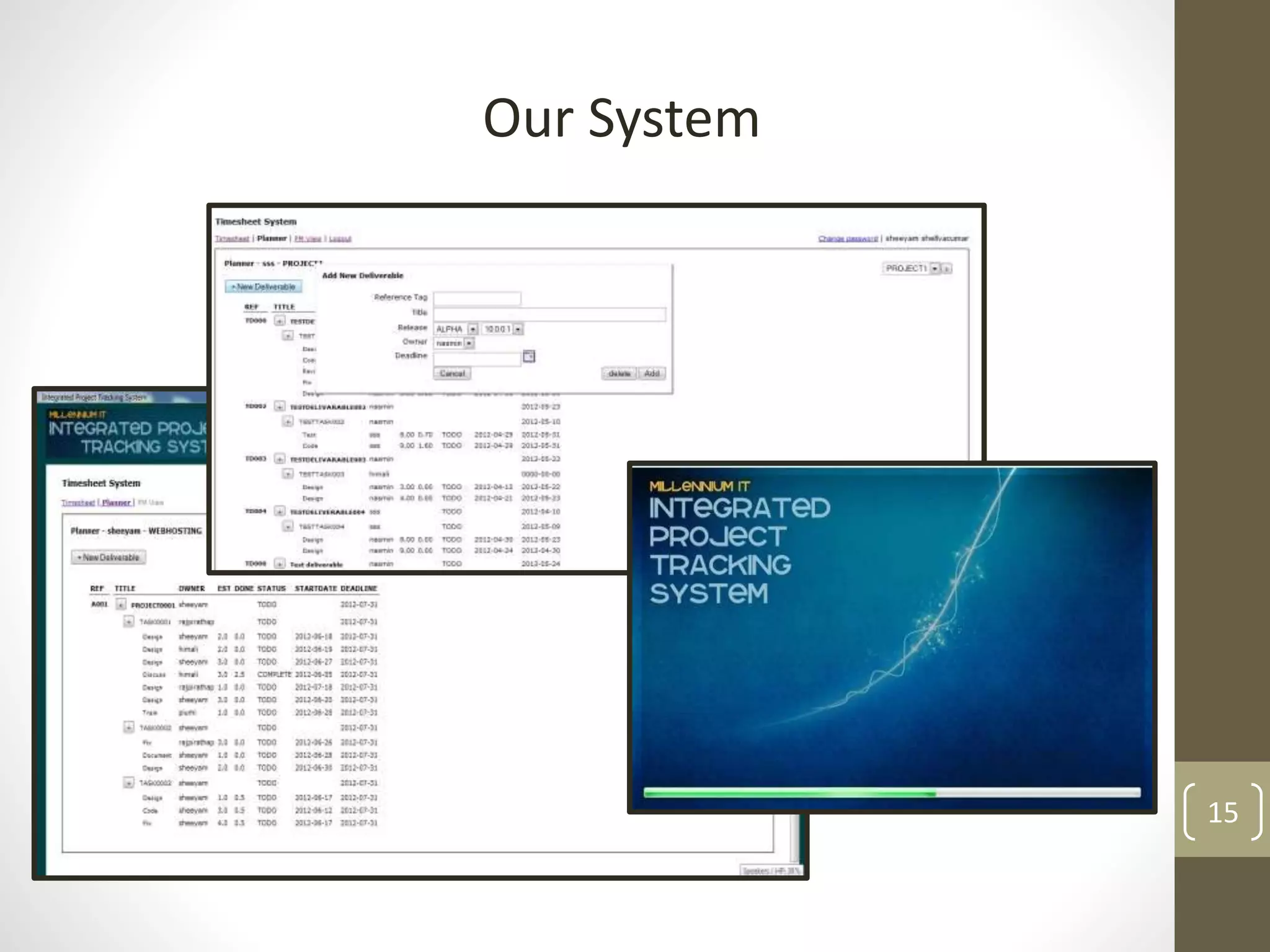
Our System
16
 We prepared Questionnaires to evaluate
the final system
 Industry people and IT students were our
participants
 Overall rating for the system was
calculated
 User feedbacks were considered and
corrective actions were taken
17
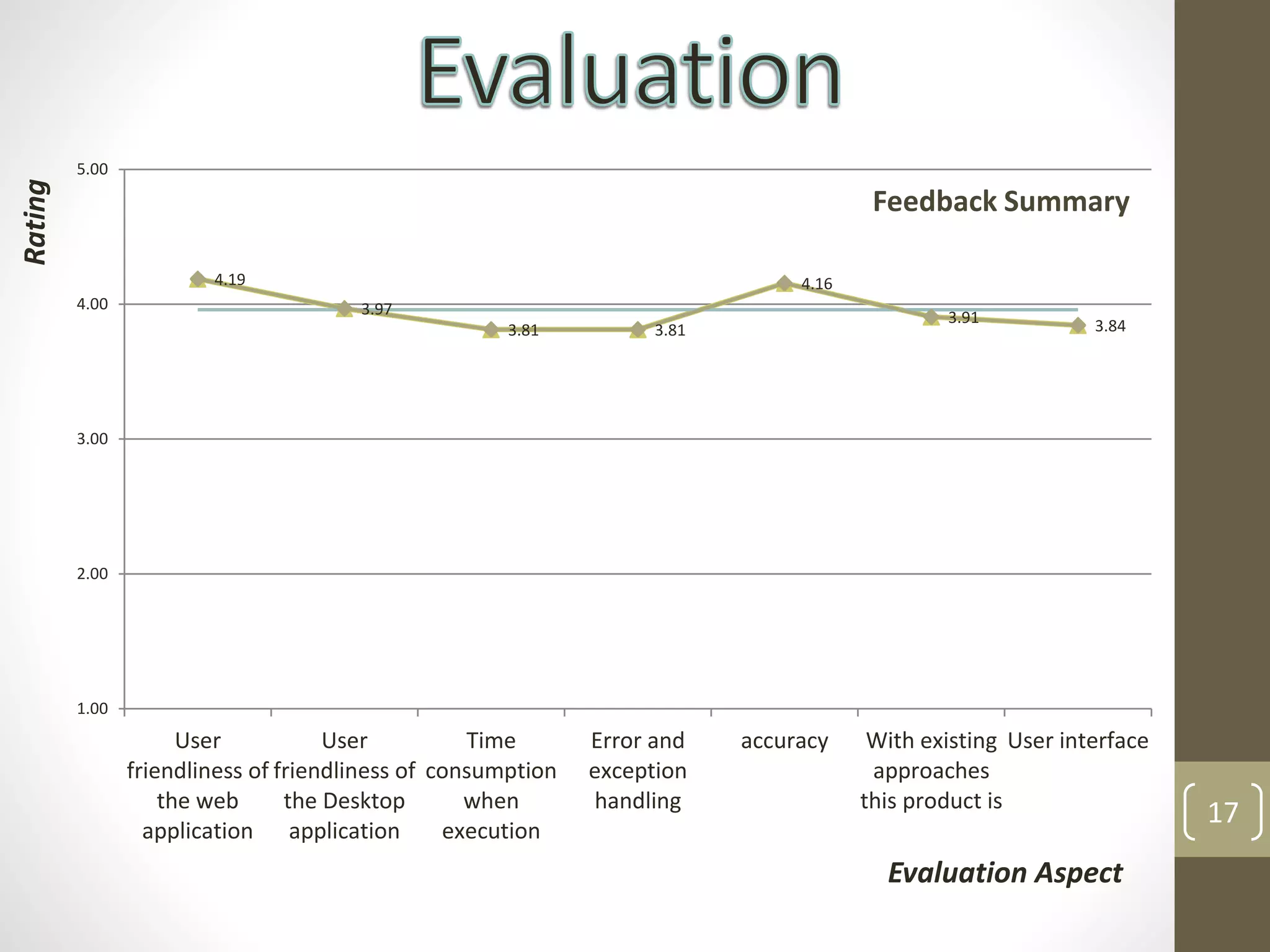
4.19
3.97
3.81 3.81
4.16
3.91 3.84
1.00
2.00
3.00
4.00
5.00
User
friendliness of
the web
application
User
friendliness of
the Desktop
application
Time
consumption
when
execution
Error and
exception
handling
accuracy With existing
approaches
this product is
User interface
Feedback Summary
Evaluation Aspect
Rating
18
 All the objectives are fulfilled
 All requirements from the
company are fulfilled to the best
 The system we have developed is
very user-friendly and accurate
 The system is been tested at the
company internally
19
 Improving the code quality to the
industry standards
 Adding more features to the
system
 Integrating this system to other
related system
 More improvements on desktop
application
 http://Aceprojects.com
 http://Lessprojects.com
 https://Scrumy.com
 http://Taskpoint.com
 http://php.net
 http://w3schools.com
 www.getharvest.com 20
21
22

Integrated Project Tracking System

  • 1.
    UltraChallengers SUPERVISOR:-Mrs K.A.Dilini.T Kulawansa Facultyof Information Technology University of Moratuwa 1
  • 2.
    2 SRN NAME 104071A SheeyamS 104057l Rajpirathap.S 104041H Nasmin M .I .M . 104053V Priyadarshani J .N .H . 104058P Ranaweera P. L. Client:- Contact Person: Mr. Hasitha Liyanage (Associate software Architect) Company Name: Millennium IT Software (Pvt) Ltd Address: 1, Millennium Drive, Malabe, Sri Lanka. Email: info@millenniumit.com
  • 3.
    3 Introduction Others work Aim &Objectives Our Approach Design Implementation Evaluation Conclusion Further work References Demonstration
  • 4.
    4  A companyor an organization's profit depends on the effectiveness and the efficiency of their projects.  An automated system is required to track projects and give statistics about the project  The system should measure the efficiency.  This system is all about project tracking and time management
  • 5.
    5  Aceprojects.com  Lessprojects.com Scrumy.com  Task point.com  Projectoffice.net  Project2manage.com  Tenrox  Target process
  • 6.
    6 Approaches Features Ace projects Less projects Scrumy Task point Tenrox Project office Target process Project pier 1Task Scheduling         2 Automated Time Sheet x x x x x  x x 3 Progression report  x   x   x 4 Desktop Application    x x    5 Notifications        
  • 7.
    7 Aim: Develop a systemfor employees to track projects and solve the Time management problem using web and Database Technologies. Objectives:  Design and develop a system to solve the problem of project tracking in companies.  Creating a user friendly and automated Timesheet system.  Create a system which can identify efficient and effective employees
  • 8.
  • 9.
    9 Users Project manager,Team-Leads, Workers Inputs Task names, username, schedule time Outputs Timesheet, available task, overall performance Process Adding task details, view timesheet and updating Technology PHP , MySQL, C# based applications
  • 10.
    10 Top level Architectureof the proposed solution Web Application [PHP5] Desktop Client [C#]DATABASE DESIGN user Schedule Tasks Schedule Deadline Add User Update Spent hrs View Tasks (sorted) View Project Progression Login System User Authentication & Privileges Http-WebRequest Notify Every One hour
  • 11.
  • 12.
    12 Web Application  Implementedusing PHP5(Object Oriented) and JavaScript.  Refers from MySQL Database.  Contains an advanced login system for the users  Every user have privileges and system performs differently for each  Uses dynamic tables to add tasks, subtasks and schedules
  • 13.
    13 Work flow ofthe Web Application Project Selection Application displays the Planner View ADD/EDIT/DELETE TASK ADD/EDIT/DELETE SUBTASK ASSIGN SCHEDULE ADD/EDIT/DELETE DELIVERABLEUser input & Tasks sorted according to user privileges Database Timesheet.php Update worked hours Pmview.php Project Progression Daily Task per user
  • 14.
    14 Work flow ofthe Desktop client application Desktop client (Automated Timesheet using CSharp) PHP-C# interaction [Httpwebrequest] There is no direct interaction between the c# client application and the MySQl database. The retrieval and updating are done through webrequests. Web browser control used into c# form MySQL Database Web Application
  • 15.
  • 16.
    16  We preparedQuestionnaires to evaluate the final system  Industry people and IT students were our participants  Overall rating for the system was calculated  User feedbacks were considered and corrective actions were taken
  • 17.
    17 4.19 3.97 3.81 3.81 4.16 3.91 3.84 1.00 2.00 3.00 4.00 5.00 User friendlinessof the web application User friendliness of the Desktop application Time consumption when execution Error and exception handling accuracy With existing approaches this product is User interface Feedback Summary Evaluation Aspect Rating
  • 18.
    18  All theobjectives are fulfilled  All requirements from the company are fulfilled to the best  The system we have developed is very user-friendly and accurate  The system is been tested at the company internally
  • 19.
    19  Improving thecode quality to the industry standards  Adding more features to the system  Integrating this system to other related system  More improvements on desktop application
  • 20.
     http://Aceprojects.com  http://Lessprojects.com https://Scrumy.com  http://Taskpoint.com  http://php.net  http://w3schools.com  www.getharvest.com 20
  • 21.
  • 22.