Inside Wijmo 5
A Large-scale JavaScript Product
Chris Bannon
Product Manager, Wijmo
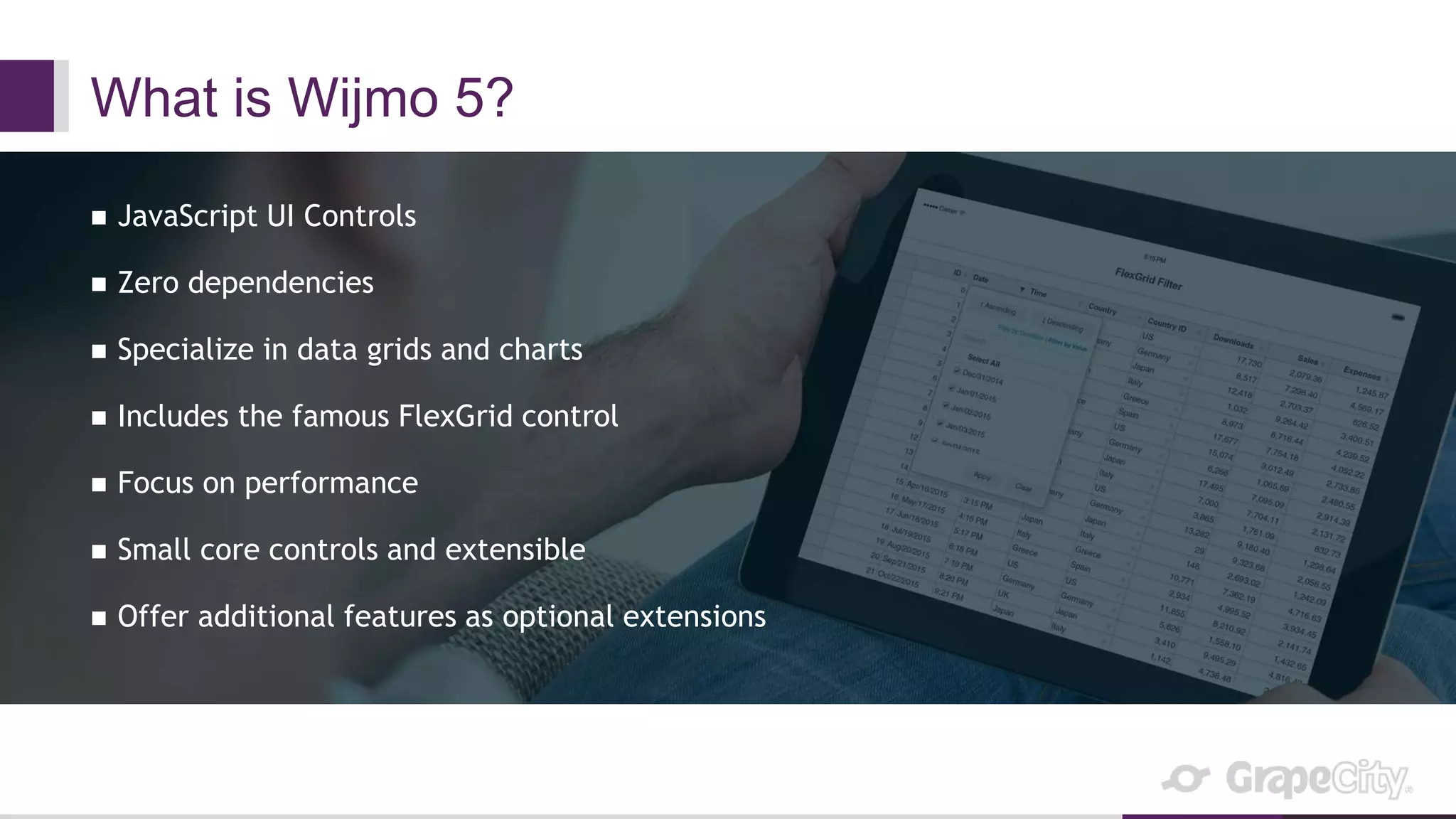
What is Wijmo 5?
 JavaScript UI Controls
 Zero dependencies
 Specialize in data grids and charts
 Includes the famous FlexGrid control
 Focus on performance
 Small core controls and extensible
 Offer additional features as optional extensions
Wijmo Stats
 Distributed Team
 US, Brazil, Canada, Russia, China, India, Myanmar, Japan
 Over 100,000 lines of code (just in Wijmo 5, millions company-wide)
 Over 25 years of experience (first control written in VB)
 Our FlexGrid control can data-bind 1,000,000 records in under 1 second
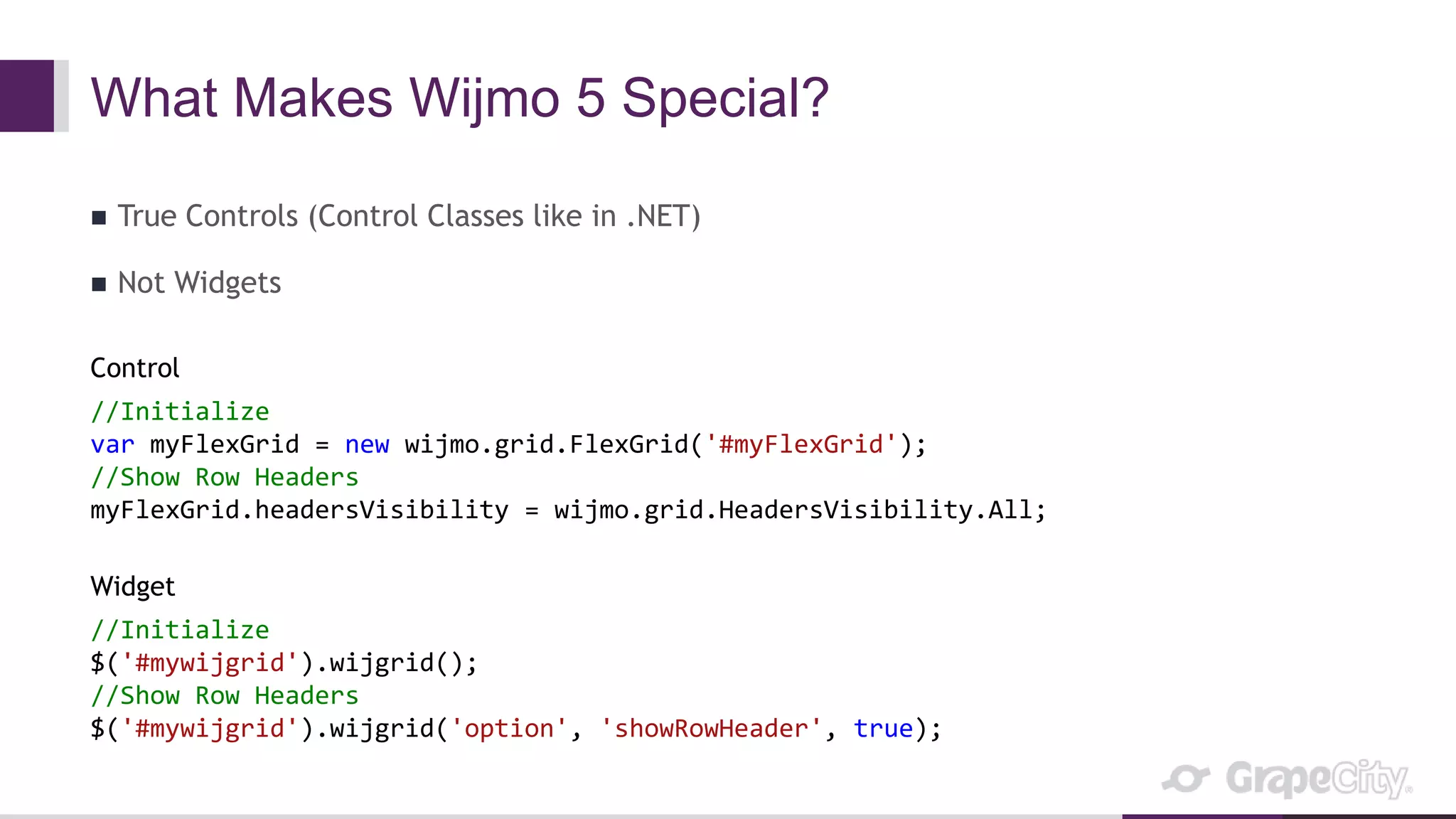
What Makes Wijmo 5 Special?
 True Controls (Control Classes like in .NET)
 Not Widgets
Control
//Initialize
var myFlexGrid = new wijmo.grid.FlexGrid('#myFlexGrid');
//Show Row Headers
myFlexGrid.headersVisibility = wijmo.grid.HeadersVisibility.All;
Widget
//Initialize
$('#mywijgrid').wijgrid();
//Show Row Headers
$('#mywijgrid').wijgrid('option', 'showRowHeader', true);
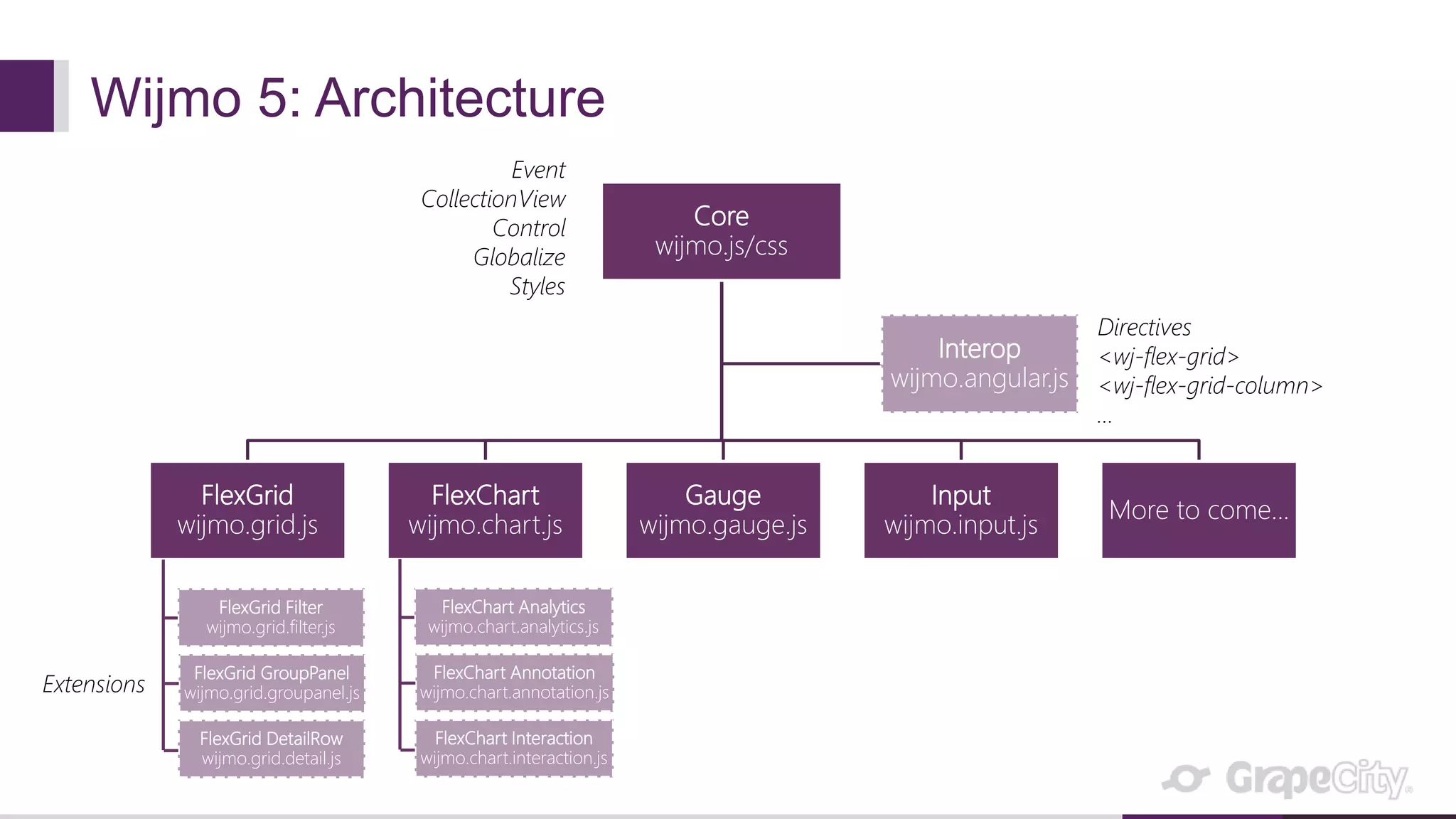
Wijmo 5: Architecture
Core
wijmo.js/css
FlexGrid
wijmo.grid.js
FlexChart
wijmo.chart.js
Gauge
wijmo.gauge.js
Input
wijmo.input.js
More to come...
Interop
wijmo.angular.js
Event
CollectionView
Control
Globalize
Styles
Directives
<wj-flex-grid>
<wj-flex-grid-column>
…
FlexGrid Filter
wijmo.grid.filter.js
FlexGrid GroupPanel
wijmo.grid.groupanel.js
FlexGrid DetailRow
wijmo.grid.detail.js
Extensions
FlexChart Analytics
wijmo.chart.analytics.js
FlexChart Annotation
wijmo.chart.annotation.js
FlexChart Interaction
wijmo.chart.interaction.js
Wijmo Demo
Our Tools
 Visual Studio
 TypeScript
 AngularJS
 Bootstrap
 Browser Dev Tools
 BrowserStack
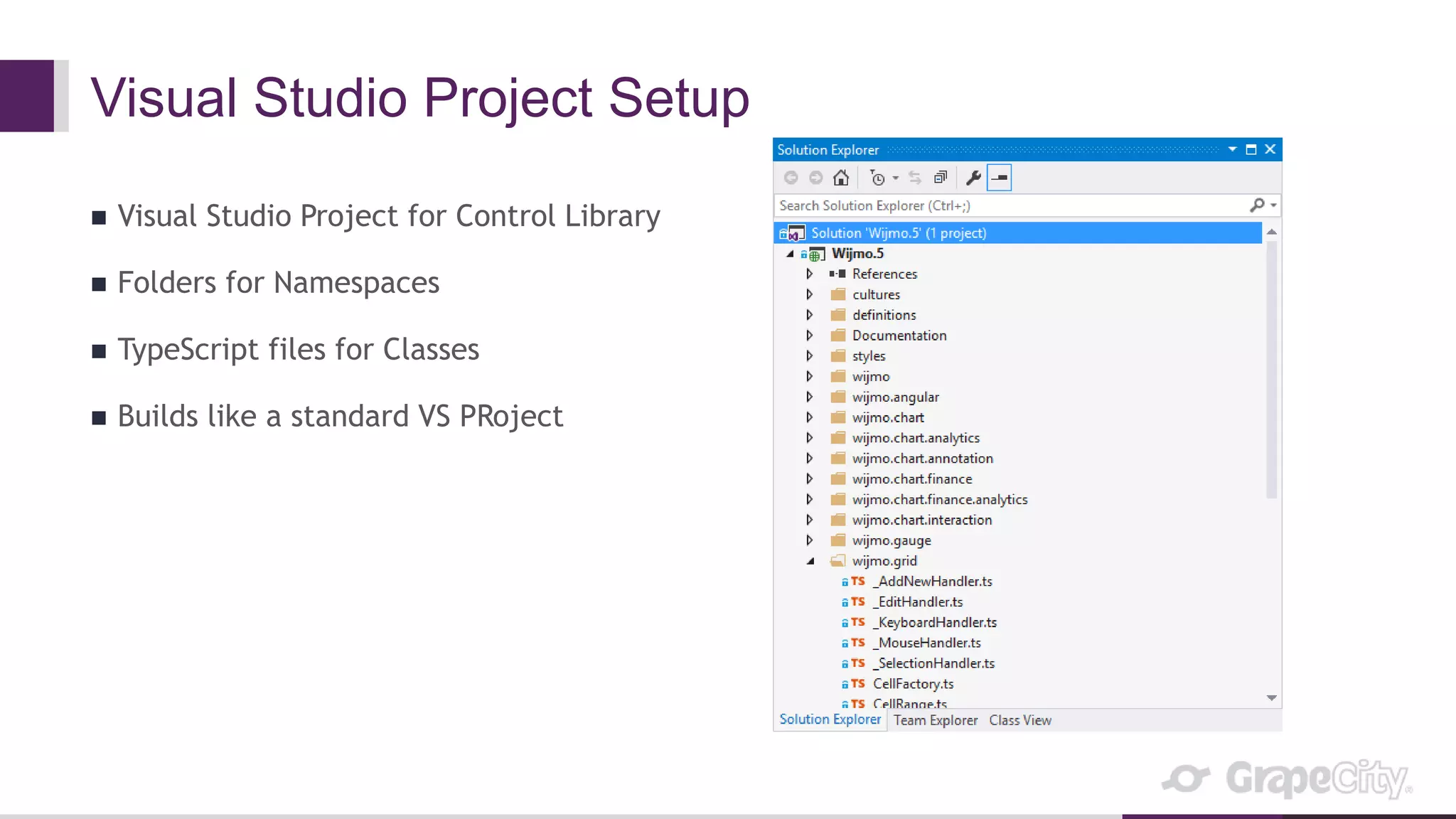
Visual Studio Project Setup
 Visual Studio Project for Control Library
 Folders for Namespaces
 TypeScript files for Classes
 Builds like a standard VS PRoject
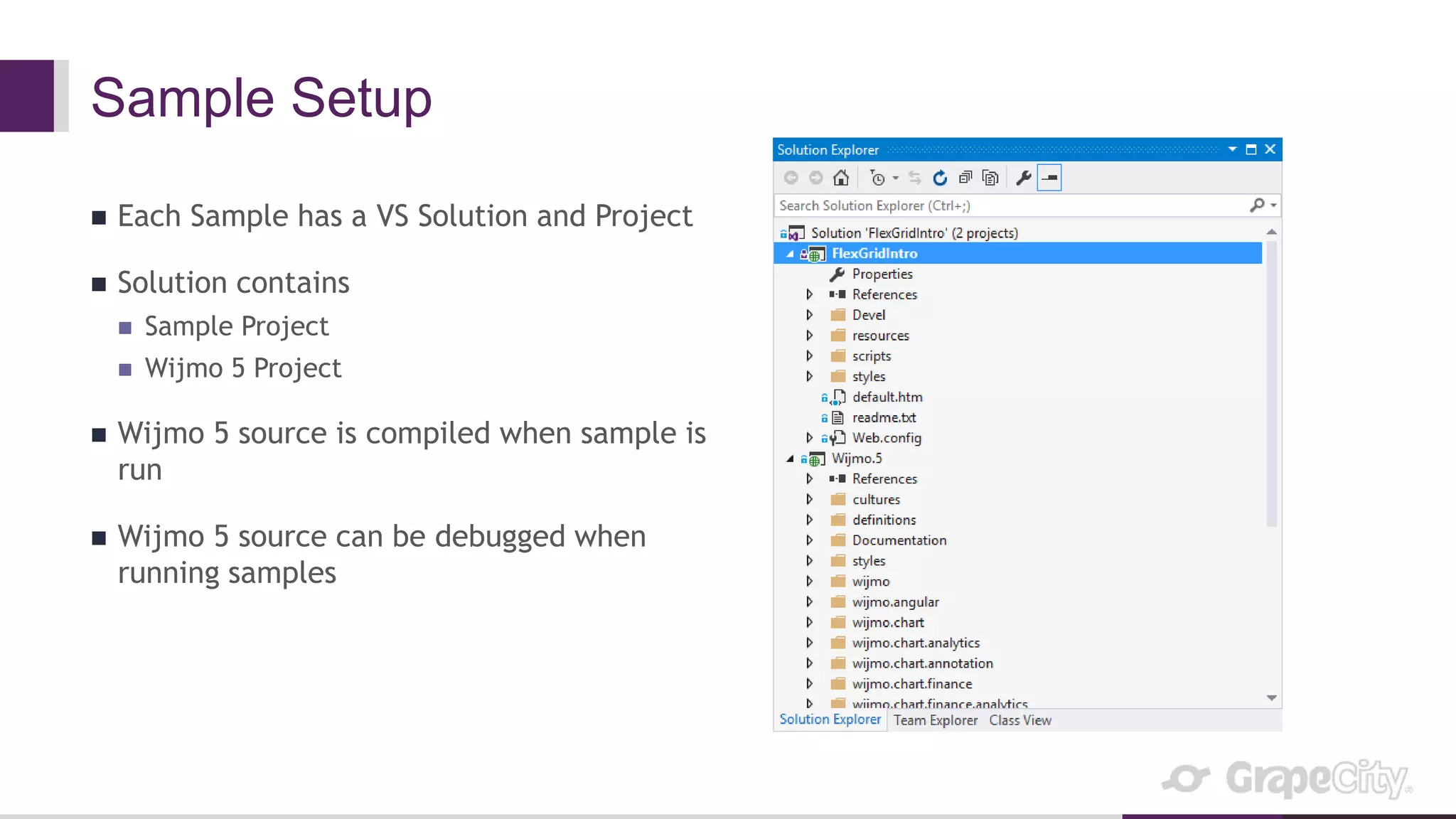
Sample Setup
 Each Sample has a VS Solution and Project
 Solution contains
 Sample Project
 Wijmo 5 Project
 Wijmo 5 source is compiled when sample is
run
 Wijmo 5 source can be debugged when
running samples
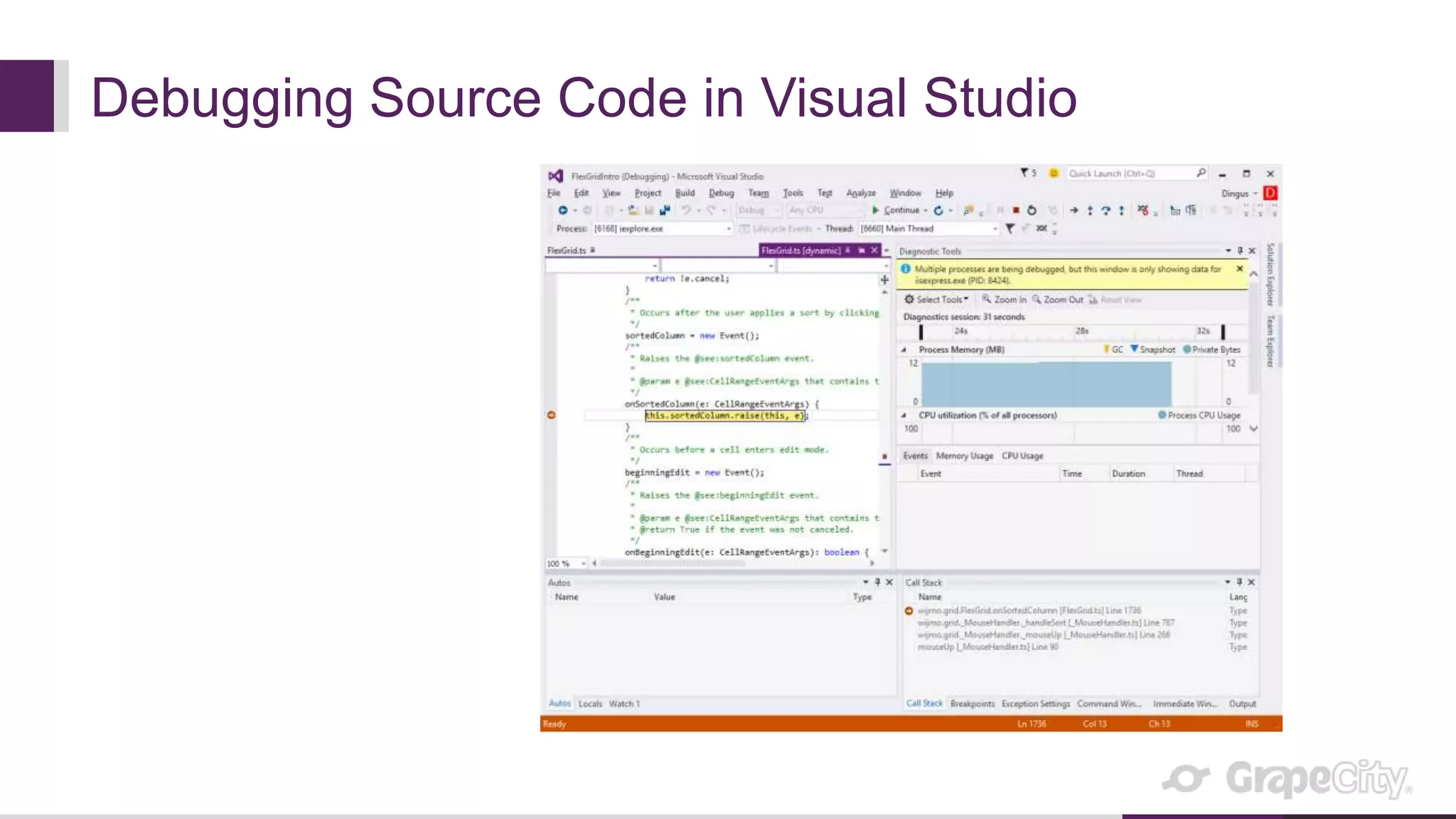
Debugging Source Code in Visual Studio
Builds
 TFS used for Source Control
 Nightly Builds
 Use MSBuild tasks
 Compile TypeScript
 Add headers/license/copyright to files
 Run Unit Tests
 Build passes/fails based on Unit Tests
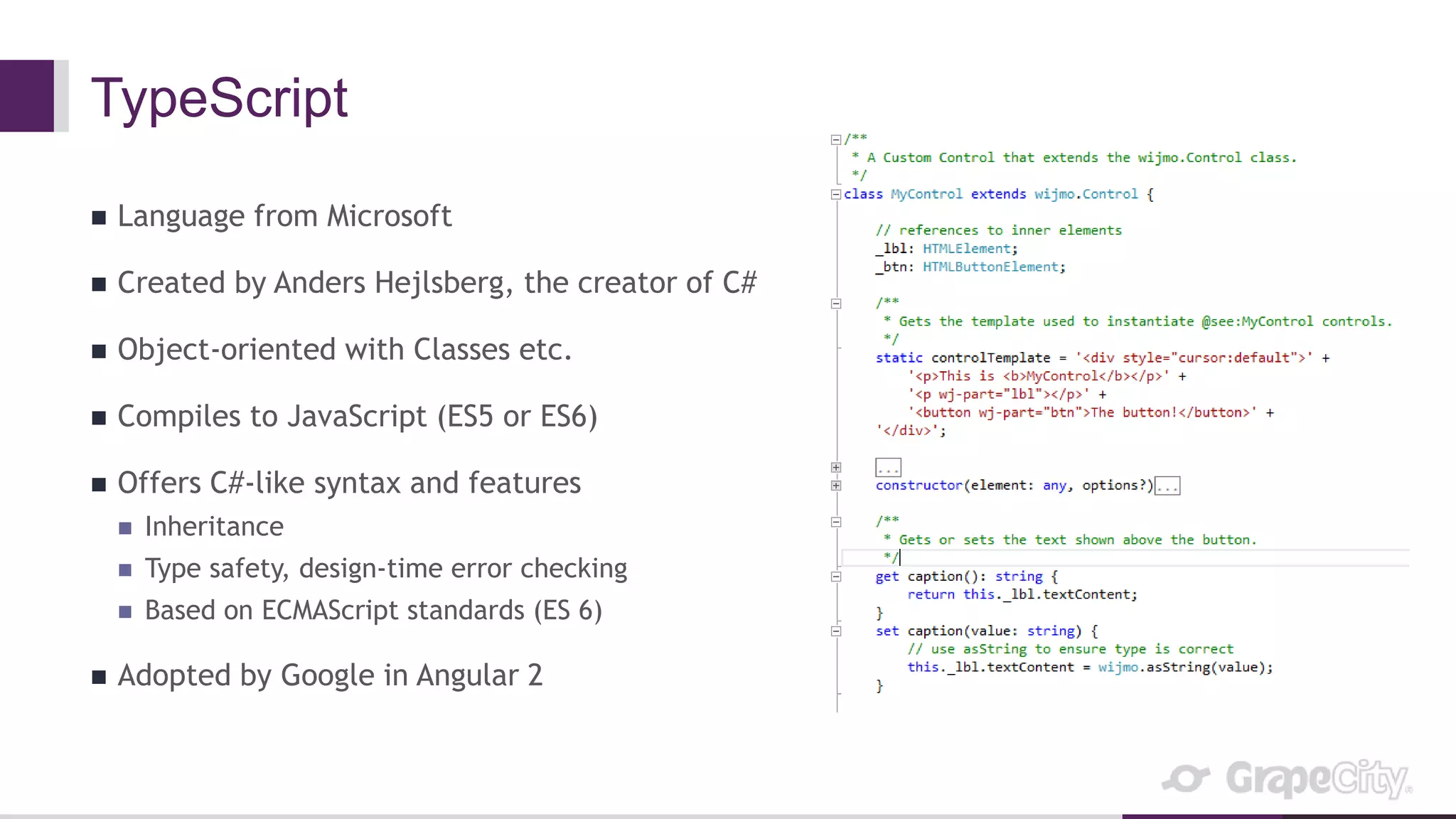
TypeScript
 Language from Microsoft
 Created by Anders Hejlsberg, the creator of C#
 Object-oriented with Classes etc.
 Compiles to JavaScript (ES5 or ES6)
 Offers C#-like syntax and features
 Inheritance
 Type safety, design-time error checking
 Based on ECMAScript standards (ES 6)
 Adopted by Google in Angular 2
Wijmo Uses TypeScript
 Our Source Code is all written in TypeScript
 Our developers can apply their C# experience and skill to JS
 We can structure our control library like we would in C#
 Base Control Class
 UI Controls that inherit Base Control Class
 We get C# features when developing
 IntelliSense (autocomplete) in Visual Studio
 Error warnings while programming (no need to wait until runtime to see errors)
 Our controls are extensible
 We can extend our controls easily to add features as extension Classes (like FlexGridFilter)
TypeScript Demo
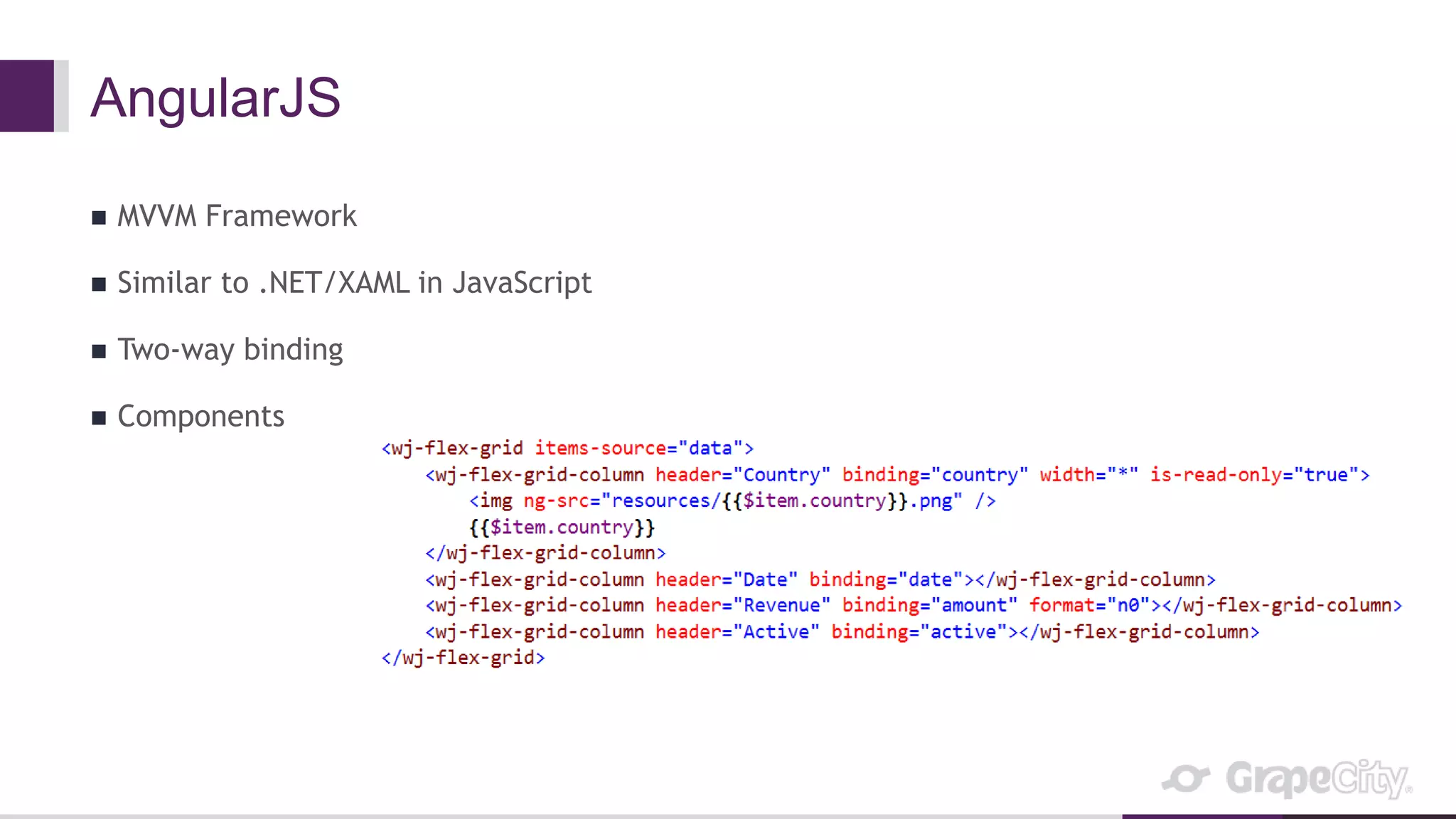
AngularJS
 MVVM Framework
 Similar to .NET/XAML in JavaScript
 Two-way binding
 Components
Wijmo Supports AngularJS
 We create AngularJS directives for each of our JavaScript Controls
 Our directives support two-way bindings for properties that benefit from it
 We offer templates to make declaring controls even richer (like Cell Templates in
FlexGrid)
 Many of our samples are created with AngularJS
 It is really nice to declare Controls using markup
AngularJS Demo
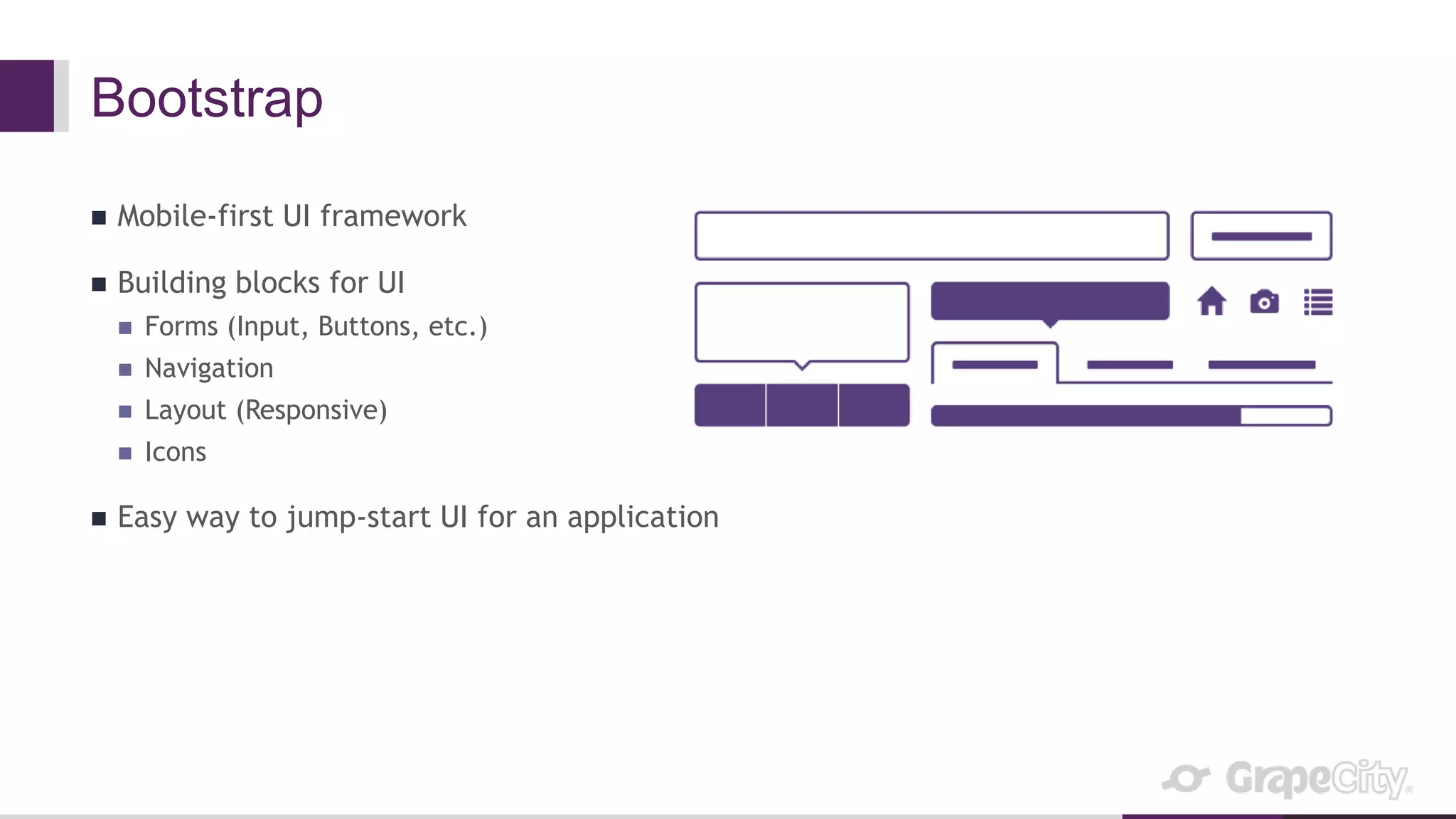
Bootstrap
 Mobile-first UI framework
 Building blocks for UI
 Forms (Input, Buttons, etc.)
 Navigation
 Layout (Responsive)
 Icons
 Easy way to jump-start UI for an application
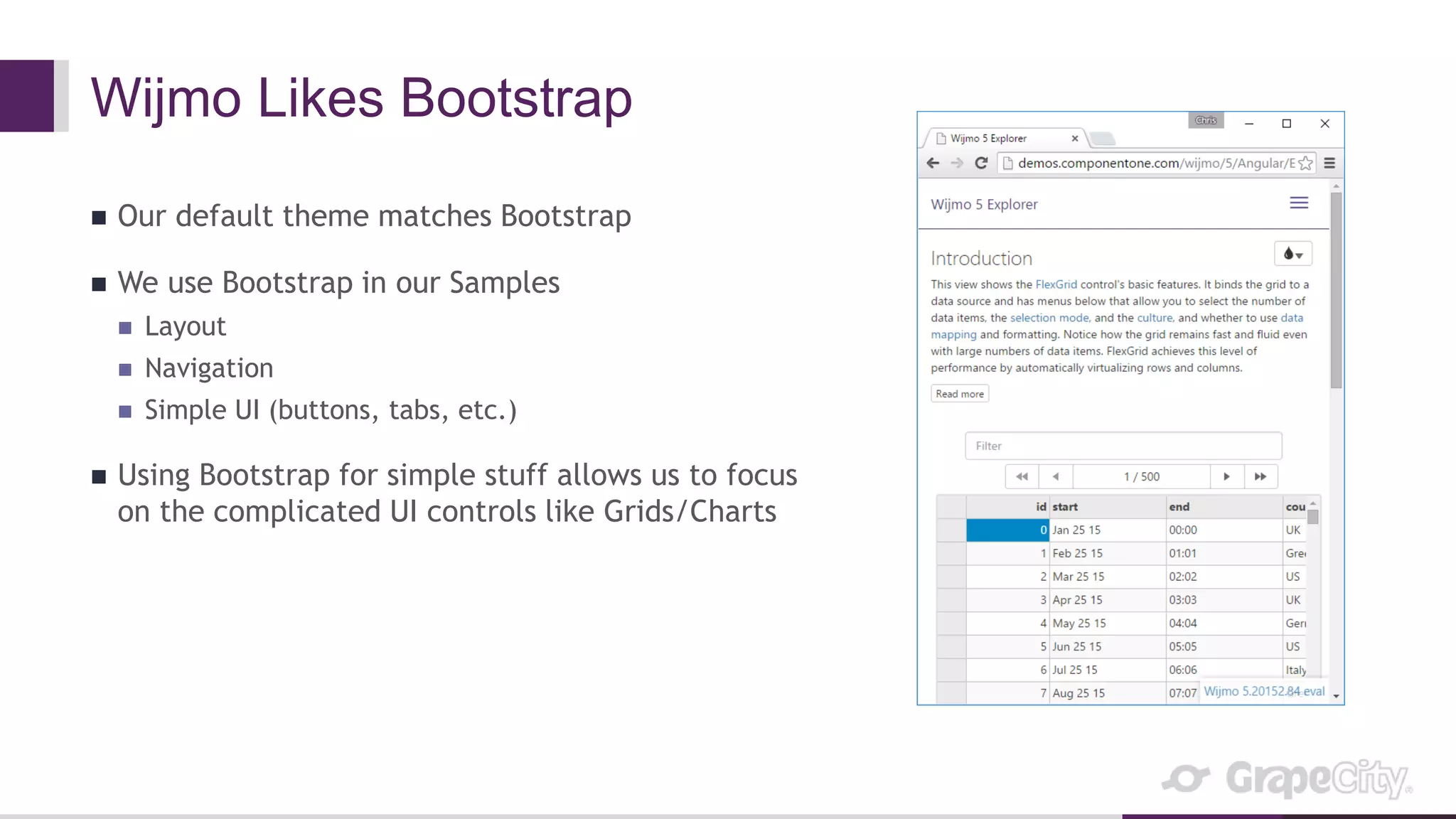
Wijmo Likes Bootstrap
 Our default theme matches Bootstrap
 We use Bootstrap in our Samples
 Layout
 Navigation
 Simple UI (buttons, tabs, etc.)
 Using Bootstrap for simple stuff allows us to focus
on the complicated UI controls like Grids/Charts
Browser Dev Tools
 Spend a lot of our time in Dev Tools
 Inspecting Elements
 Stepping through code
 Profiling for performance
 Memory profiling (for leaks)
 FPS monitoring (preventing jank)
 Emulating devices
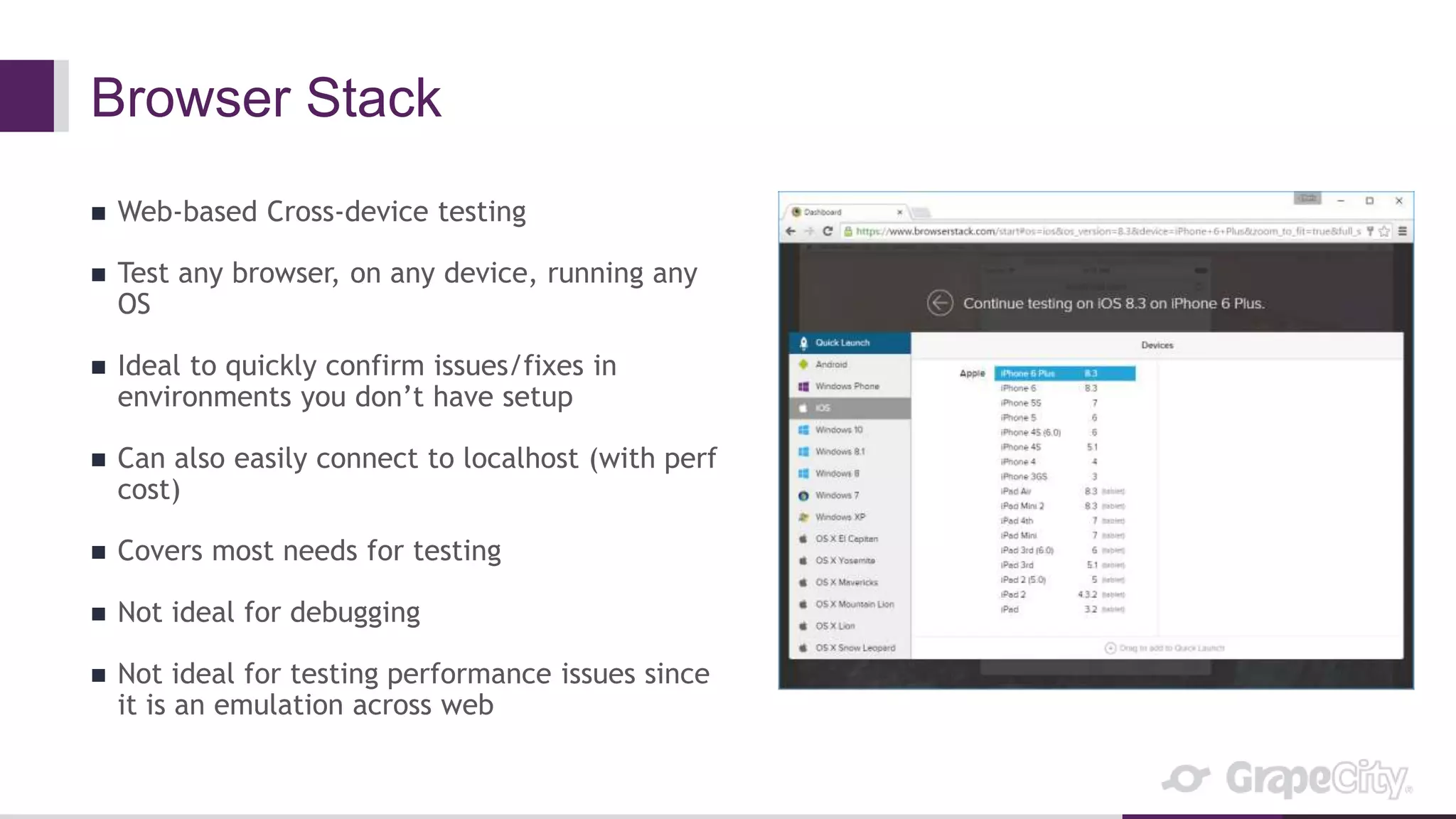
Browser Stack
 Web-based Cross-device testing
 Test any browser, on any device, running any
OS
 Ideal to quickly confirm issues/fixes in
environments you don’t have setup
 Can also easily connect to localhost (with perf
cost)
 Covers most needs for testing
 Not ideal for debugging
 Not ideal for testing performance issues since
it is an emulation across web
Browser Testing Demo
Thanks
 http://wijmo.com
 https://www.visualstudio.com/en-us/visual-studio-homepage-vs.aspx
 http://www.typescriptlang.org/
 https://angularjs.org/
 http://getbootstrap.com/
 https://developer.mozilla.org/en-US/Learn/Discover_browser_developer_tools
 https://www.browserstack.com/

Inside Wijmo 5, a Large-scale JavaScript Product

  • 1.
    Inside Wijmo 5 ALarge-scale JavaScript Product
  • 2.
  • 3.
    What is Wijmo5?  JavaScript UI Controls  Zero dependencies  Specialize in data grids and charts  Includes the famous FlexGrid control  Focus on performance  Small core controls and extensible  Offer additional features as optional extensions
  • 4.
    Wijmo Stats  DistributedTeam  US, Brazil, Canada, Russia, China, India, Myanmar, Japan  Over 100,000 lines of code (just in Wijmo 5, millions company-wide)  Over 25 years of experience (first control written in VB)  Our FlexGrid control can data-bind 1,000,000 records in under 1 second
  • 5.
    What Makes Wijmo5 Special?  True Controls (Control Classes like in .NET)  Not Widgets Control //Initialize var myFlexGrid = new wijmo.grid.FlexGrid('#myFlexGrid'); //Show Row Headers myFlexGrid.headersVisibility = wijmo.grid.HeadersVisibility.All; Widget //Initialize $('#mywijgrid').wijgrid(); //Show Row Headers $('#mywijgrid').wijgrid('option', 'showRowHeader', true);
  • 6.
    Wijmo 5: Architecture Core wijmo.js/css FlexGrid wijmo.grid.js FlexChart wijmo.chart.js Gauge wijmo.gauge.js Input wijmo.input.js Moreto come... Interop wijmo.angular.js Event CollectionView Control Globalize Styles Directives <wj-flex-grid> <wj-flex-grid-column> … FlexGrid Filter wijmo.grid.filter.js FlexGrid GroupPanel wijmo.grid.groupanel.js FlexGrid DetailRow wijmo.grid.detail.js Extensions FlexChart Analytics wijmo.chart.analytics.js FlexChart Annotation wijmo.chart.annotation.js FlexChart Interaction wijmo.chart.interaction.js
  • 7.
  • 8.
    Our Tools  VisualStudio  TypeScript  AngularJS  Bootstrap  Browser Dev Tools  BrowserStack
  • 9.
    Visual Studio ProjectSetup  Visual Studio Project for Control Library  Folders for Namespaces  TypeScript files for Classes  Builds like a standard VS PRoject
  • 10.
    Sample Setup  EachSample has a VS Solution and Project  Solution contains  Sample Project  Wijmo 5 Project  Wijmo 5 source is compiled when sample is run  Wijmo 5 source can be debugged when running samples
  • 11.
    Debugging Source Codein Visual Studio
  • 12.
    Builds  TFS usedfor Source Control  Nightly Builds  Use MSBuild tasks  Compile TypeScript  Add headers/license/copyright to files  Run Unit Tests  Build passes/fails based on Unit Tests
  • 13.
    TypeScript  Language fromMicrosoft  Created by Anders Hejlsberg, the creator of C#  Object-oriented with Classes etc.  Compiles to JavaScript (ES5 or ES6)  Offers C#-like syntax and features  Inheritance  Type safety, design-time error checking  Based on ECMAScript standards (ES 6)  Adopted by Google in Angular 2
  • 14.
    Wijmo Uses TypeScript Our Source Code is all written in TypeScript  Our developers can apply their C# experience and skill to JS  We can structure our control library like we would in C#  Base Control Class  UI Controls that inherit Base Control Class  We get C# features when developing  IntelliSense (autocomplete) in Visual Studio  Error warnings while programming (no need to wait until runtime to see errors)  Our controls are extensible  We can extend our controls easily to add features as extension Classes (like FlexGridFilter)
  • 15.
  • 16.
    AngularJS  MVVM Framework Similar to .NET/XAML in JavaScript  Two-way binding  Components
  • 17.
    Wijmo Supports AngularJS We create AngularJS directives for each of our JavaScript Controls  Our directives support two-way bindings for properties that benefit from it  We offer templates to make declaring controls even richer (like Cell Templates in FlexGrid)  Many of our samples are created with AngularJS  It is really nice to declare Controls using markup
  • 18.
  • 19.
    Bootstrap  Mobile-first UIframework  Building blocks for UI  Forms (Input, Buttons, etc.)  Navigation  Layout (Responsive)  Icons  Easy way to jump-start UI for an application
  • 20.
    Wijmo Likes Bootstrap Our default theme matches Bootstrap  We use Bootstrap in our Samples  Layout  Navigation  Simple UI (buttons, tabs, etc.)  Using Bootstrap for simple stuff allows us to focus on the complicated UI controls like Grids/Charts
  • 21.
    Browser Dev Tools Spend a lot of our time in Dev Tools  Inspecting Elements  Stepping through code  Profiling for performance  Memory profiling (for leaks)  FPS monitoring (preventing jank)  Emulating devices
  • 22.
    Browser Stack  Web-basedCross-device testing  Test any browser, on any device, running any OS  Ideal to quickly confirm issues/fixes in environments you don’t have setup  Can also easily connect to localhost (with perf cost)  Covers most needs for testing  Not ideal for debugging  Not ideal for testing performance issues since it is an emulation across web
  • 23.
  • 24.
    Thanks  http://wijmo.com  https://www.visualstudio.com/en-us/visual-studio-homepage-vs.aspx http://www.typescriptlang.org/  https://angularjs.org/  http://getbootstrap.com/  https://developer.mozilla.org/en-US/Learn/Discover_browser_developer_tools  https://www.browserstack.com/

Editor's Notes

  • #2 GrapeCity has been developing JavaScript products for over six years. The browser landscape has changed greatly since we started and we have learned a lot along the way. Today, we manage Wijmo 5, a suite of JavaScript UI controls, specializing in a high-performance datagrid and powerful charts. In this session, we will give you a look inside our project. We will go over the collections of tools, frameworks, languages and patterns that we have refined over the years. You walk away from this session with useful tips for managing large-scale JavaScript applications.
  • #7 Wijmo 5 is modular. The core is required, everything else is optional. Modules are small (less than 100k minified). The core contains general-purpose classes such as Event and CollectionView. FlexGrid is our data grid, with the same object model as the XAML version. FlexChart is our chart component, with support for multiple data types. Input contains controls such as ComboBox, InputDate, InputTime, InputNumber, etc. All controls are MVVM-compatible with object modes similar to their XAML counterparts. All this makes creating HTML5 applications as easy as creating Silverlight applications. And it also makes porting Silverlight applications much easier.
  • #8 Explore Benchmark
  • #16 Custom Wijmo Control Sample
  • #19 FlexGrid 101 (Angular) JSFiddle Angular