Innovative
Reference Services
MONICA KURYLA, FAYETTEVILLE FREE LIBRARY
MICHAEL MAZIEKIEN, KENILWORTH PUBLIC LIBRARY
Determining Point-of-Need
Where is
everybody?
Innovative Reference Services
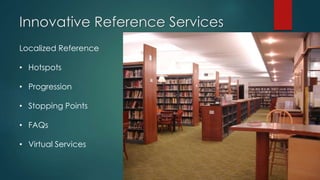
Localized Reference
• Hotspots
• Progression
• Stopping Points
• FAQs
• Virtual Services
Innovative Reference Services
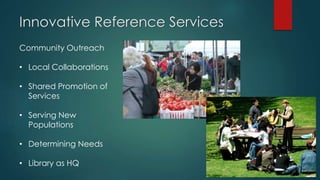
Community Outreach
• Local Collaborations
• Shared Promotion of
Services
• Serving New
Populations
• Determining Needs
• Library as HQ
Roving Reference
 Goal: continue to develop and expand our ability to reach patrons
who would not normally approach the desk.
 Proactive customer service focused approach to delivering
information
 Delivering a targeted service at the point of need
 Increased visibility of library staff and resources available with a
focus on providing for the individual needs of the user.
 Enhance/personalize quality of patron-librarian interaction
 Patrons’ needs can be addressed by directly approaching them on
their terms
 Increases quality of reference that reaches users
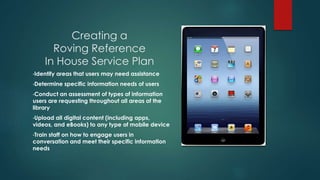
Creating a
Roving Reference
In House Service Plan
•Identify areas that users may need assistance
•Determine specific information needs of users
•Conduct an assessment of types of information
users are requesting throughout all areas of the
library
•Upload all digital content (including apps,
videos, and eBooks) to any type of mobile device
•Train staff on how to engage users in
conversation and meet their specific information
needs
Samples of
Preloaded Content
Roving Reference
Service
Newstand-Wall Street Journal, NY Times, Publishers Weekly (reviews), Consumer Reports
3M Cloud Library – instructional purposes, check holdings, patron account
Connect – This app includes a directory of business listings and events for the Central New York area.
Goodreads-use for book suggestions, reviews and to get info on our upcoming author Skypes
SnapGuide – Includes “How To” videos from a number of different sources
Implementing an In
House Roving Reference
Service
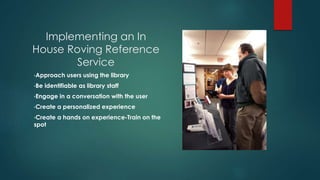
•Approach users using the library
•Be identifiable as library staff
•Engage in a conversation with the user
•Create a personalized experience
•Create a hands on experience-Train on the
spot
Roving Reference – Outside the Library
Library as Headquarters for Service Area
• Police Headquarters vs. Police Department
• Traditional vs. Virtual Campus
• Brick-and-Mortar vs. Distributed Services
Roving Reference – Outside the Library
Purpose
• Increase Awareness of Library’s Role
• Form New Community Partnerships
• Advocate for Library Support
• Identify Needs of Community
Roving Reference – Outside the Library
Points of Need in Your Community
• Civic Organizations
• Rehabilitation Programs
• Support Groups
• Schools
• Small Businesses
• Shelters
• Journalists
Roving Reference – Outside the Library
Is your primary goal:
• To remind people that the library exists?
• To increase brick and mortar library visits?
• To initiate an ongoing collaboration?
Innovative Reference Services
Virtual Reference
• Existing Delivery
Systems
• Social Media
Platforms
• Live vs. Archived
Assistance
• New Technologies
(Mobile, AR)
Setting Up a Virtual Reference Model
NJLA 2011 Virtual Reference Task Force
Systems Evaluated:
• QuestionPoint
• LibraryH3lp
• Oracle Live Help
• Springshare
• RefChatter
• OpenFire/Drupal/Mosio
Setting Up a Virtual Reference Model
Choosing the Service That Fits Your Library
• Elements of Service
• User Practice
• Software Functions
Setting Up a Virtual Reference Model
Free alternatives
• Digsby
• This slide, or the next, needs
information on the concept of
driving people to our services or
meeting people across the
services they already use
Virtual Reference &
Social Networks
It is more than just booklists……
Create a social networking plan for how often to post, what
content to post, etc. and implement schedule using
Hootsuite.
Post links to free credible resources and explain why you
recommend them or how they can be useful to your
community.
Ask questions, survey community wants/needs/expectations
of reference services and/or resources
Create a conversation with library users-for example “What
are you reading this weekend?” or “do you have any
recommendations of local tutors?”
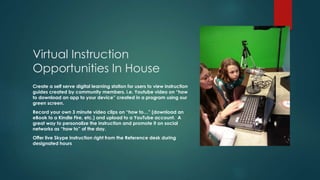
Virtual Instruction
Opportunities In House
Create a self serve digital learning station for users to view instruction
guides created by community members. i.e. Youtube video on “how
to download an app to your device” created in a program using our
green screen.
Record your own 3 minute video clips on “how to…” (download an
eBook to a Kindle Fire, etc.) and upload to a YouTube account. A
great way to personalize the instruction and promote it on social
networks as “how to” of the day.
Offer live Skype instruction right from the Reference desk during
designated hours
Virtual Instruction Opportunities
Archived Information
• Screencasts
• Topical Lists
• http://rtlibrary.org/earthday.html
• “Instructables” format
Virtual Instruction Opportunities
Live Assistance
• Live Chat
• Webinar Software (Adobe Connect, WebEx)
• Online “House Calls” via Skype
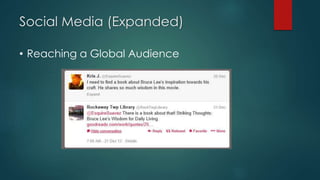
Social Media (Expanded)
• Reaching a Global Audience
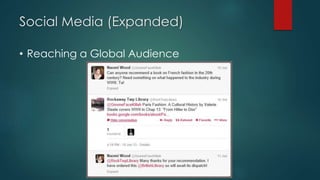
Social Media (Expanded)
• Reaching a Global Audience
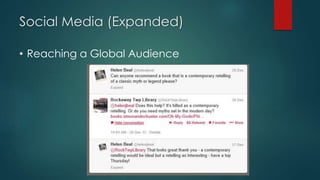
Social Media (Expanded)
• Reaching a Global Audience
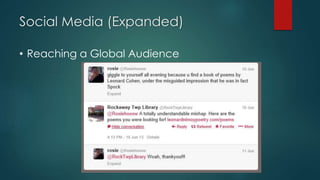
Social Media (Expanded)
• Reaching a Global Audience
What Comes Next Now?
 Expansion of Knowledge Bases
 Augmented Reality
 Full Mobile Integration

Innovative Reference Services

  • 1.
    Innovative Reference Services MONICA KURYLA,FAYETTEVILLE FREE LIBRARY MICHAEL MAZIEKIEN, KENILWORTH PUBLIC LIBRARY
  • 2.
  • 3.
    Innovative Reference Services LocalizedReference • Hotspots • Progression • Stopping Points • FAQs • Virtual Services
  • 4.
    Innovative Reference Services CommunityOutreach • Local Collaborations • Shared Promotion of Services • Serving New Populations • Determining Needs • Library as HQ
  • 5.
    Roving Reference  Goal:continue to develop and expand our ability to reach patrons who would not normally approach the desk.  Proactive customer service focused approach to delivering information  Delivering a targeted service at the point of need  Increased visibility of library staff and resources available with a focus on providing for the individual needs of the user.  Enhance/personalize quality of patron-librarian interaction  Patrons’ needs can be addressed by directly approaching them on their terms  Increases quality of reference that reaches users
  • 6.
    Creating a Roving Reference InHouse Service Plan •Identify areas that users may need assistance •Determine specific information needs of users •Conduct an assessment of types of information users are requesting throughout all areas of the library •Upload all digital content (including apps, videos, and eBooks) to any type of mobile device •Train staff on how to engage users in conversation and meet their specific information needs
  • 7.
    Samples of Preloaded Content RovingReference Service Newstand-Wall Street Journal, NY Times, Publishers Weekly (reviews), Consumer Reports 3M Cloud Library – instructional purposes, check holdings, patron account Connect – This app includes a directory of business listings and events for the Central New York area. Goodreads-use for book suggestions, reviews and to get info on our upcoming author Skypes SnapGuide – Includes “How To” videos from a number of different sources
  • 8.
    Implementing an In HouseRoving Reference Service •Approach users using the library •Be identifiable as library staff •Engage in a conversation with the user •Create a personalized experience •Create a hands on experience-Train on the spot
  • 9.
    Roving Reference –Outside the Library Library as Headquarters for Service Area • Police Headquarters vs. Police Department • Traditional vs. Virtual Campus • Brick-and-Mortar vs. Distributed Services
  • 10.
    Roving Reference –Outside the Library Purpose • Increase Awareness of Library’s Role • Form New Community Partnerships • Advocate for Library Support • Identify Needs of Community
  • 11.
    Roving Reference –Outside the Library Points of Need in Your Community • Civic Organizations • Rehabilitation Programs • Support Groups • Schools • Small Businesses • Shelters • Journalists
  • 12.
    Roving Reference –Outside the Library Is your primary goal: • To remind people that the library exists? • To increase brick and mortar library visits? • To initiate an ongoing collaboration?
  • 13.
    Innovative Reference Services VirtualReference • Existing Delivery Systems • Social Media Platforms • Live vs. Archived Assistance • New Technologies (Mobile, AR)
  • 14.
    Setting Up aVirtual Reference Model NJLA 2011 Virtual Reference Task Force Systems Evaluated: • QuestionPoint • LibraryH3lp • Oracle Live Help • Springshare • RefChatter • OpenFire/Drupal/Mosio
  • 15.
    Setting Up aVirtual Reference Model Choosing the Service That Fits Your Library • Elements of Service • User Practice • Software Functions
  • 16.
    Setting Up aVirtual Reference Model Free alternatives • Digsby • This slide, or the next, needs information on the concept of driving people to our services or meeting people across the services they already use
  • 17.
    Virtual Reference & SocialNetworks It is more than just booklists…… Create a social networking plan for how often to post, what content to post, etc. and implement schedule using Hootsuite. Post links to free credible resources and explain why you recommend them or how they can be useful to your community. Ask questions, survey community wants/needs/expectations of reference services and/or resources Create a conversation with library users-for example “What are you reading this weekend?” or “do you have any recommendations of local tutors?”
  • 18.
    Virtual Instruction Opportunities InHouse Create a self serve digital learning station for users to view instruction guides created by community members. i.e. Youtube video on “how to download an app to your device” created in a program using our green screen. Record your own 3 minute video clips on “how to…” (download an eBook to a Kindle Fire, etc.) and upload to a YouTube account. A great way to personalize the instruction and promote it on social networks as “how to” of the day. Offer live Skype instruction right from the Reference desk during designated hours
  • 19.
    Virtual Instruction Opportunities ArchivedInformation • Screencasts • Topical Lists • http://rtlibrary.org/earthday.html • “Instructables” format
  • 20.
    Virtual Instruction Opportunities LiveAssistance • Live Chat • Webinar Software (Adobe Connect, WebEx) • Online “House Calls” via Skype
  • 21.
    Social Media (Expanded) •Reaching a Global Audience
  • 22.
    Social Media (Expanded) •Reaching a Global Audience
  • 23.
    Social Media (Expanded) •Reaching a Global Audience
  • 24.
    Social Media (Expanded) •Reaching a Global Audience
  • 25.
    What Comes NextNow?  Expansion of Knowledge Bases  Augmented Reality  Full Mobile Integration