FFL E-STRATEGY
OCPL SYSTEM E-STRATEGY
MEETING
10/24/13
Presented by Monica Kuryla, Director of Innovative Information
Access
Fayetteville Free Library
Collection Development Model
Goal: To provide access to content when and
where a person needs it.
 Patrons Driven acquisition model
 On demand/instant gratification fulfillment
 Providing opportunities for discovery of
content
E-Collection Development Tips
 Analyze stats/Run reports
 Look for trends in items you already have
circulating in other formats such as print
 Set up criteria for holds and additional copies
 Anticipate popular topics/titles
 http://freshfiction.com/medias.php -sign up for
weekly email
 Upcoming Gifford Lectures, award winners, etc.
 Bestselling authors are a sure thing
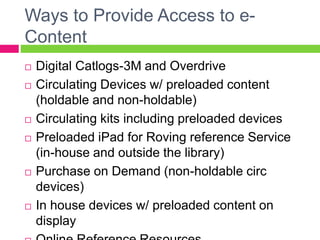
Ways to Provide Access to e-
Content
 Digital Catlogs-3M and Overdrive
 Circulating Devices w/ preloaded content
(holdable and non-holdable)
 Circulating kits including preloaded devices
 Preloaded iPad for Roving reference Service
(in-house and outside the library)
 Purchase on Demand (non-holdable circ
devices)
 In house devices w/ preloaded content on
display
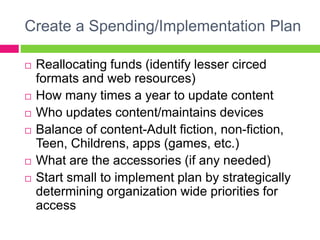
Create a Spending/Implementation Plan
 Reallocating funds (identify lesser circed
formats and web resources)
 How many times a year to update content
 Who updates content/maintains devices
 Balance of content-Adult fiction, non-fiction,
Teen, Childrens, apps (games, etc.)
 What are the accessories (if any needed)
 Start small to implement plan by strategically
determining organization wide priorities for
access
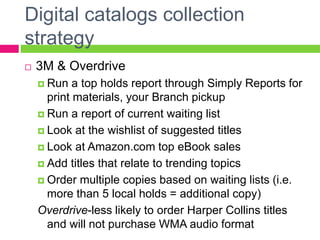
Digital catalogs collection
strategy
 3M & Overdrive
 Run a top holds report through Simply Reports for
print materials, your Branch pickup
 Run a report of current waiting list
 Look at the wishlist of suggested titles
 Look at Amazon.com top eBook sales
 Add titles that relate to trending topics
 Order multiple copies based on waiting lists (i.e.
more than 5 local holds = additional copy)
Overdrive-less likely to order Harper Collins titles
and will not purchase WMA audio format
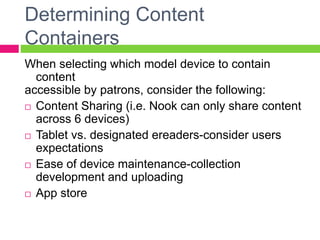
Determining Content
Containers
When selecting which model device to contain
content
accessible by patrons, consider the following:
 Content Sharing (i.e. Nook can only share content
across 6 devices)
 Tablet vs. designated ereaders-consider users
expectations
 Ease of device maintenance-collection
development and uploading
 App store
Circulating Devices w/ preloaded
content (holdable and non-holdable)
 What titles are not accessible through our
digital catalogs? (i.e. new James Patterson,
etc.)
 What are the top titles on hold (limit to Branch
pickup)
 Creating a balance of title selection based on:
1)who is using the devices 2)who could be using
them
-Implement a survey @ point of transaction
 Adding popular (and FREE) apps-games
Circulating kits including preloaded
devices
Kit ideas:
1) Early
Literacy
2) Learn a
Skill
3) Teen
Topic Kits
(literature
& history)
A great way to includes multi-media to
enhance a skill or learn something
new!
Include in kits:
Preloaded device with apps and
specific skill based content
Print materials-how tos or
suggested
activities
Other media including
music/video
Purchase on Demand (non-
holdable circ devices)
 Goal: to fulfill the immediate content need of
patron that is not accessible immediately in
other formats.
 Use a non-holdable circulating device checked
in. Purchase content on demand and
download it to library’s device.
 If you already are providing access to content
in multiple formats, then you shouldn’t have to
allocated a lot of $$ to this.
In house devices w/ preloaded
content
on Display
Information Kiosks-Ready Reference &
Magazines
Stations include (stand up and sit down):
reference area, cafĂŠ, magazine area, teen
area, children’s room, digital learning center
Ideas for content:
-Photo Booth
-Short games (word games, math challenges,
etc.)
-Catalog
-Ready reference apps
Preloaded iPad for Roving Reference Service
(in-house and outside the library)
 Assess your user’s reference content needs
 Create a roving reference service plan inside
and outside and the library
 Research and pre-load content (apps and
eBook)-Most content is FREE!
 Examples include: Newstand (including your
LJ and Consumer Reports subscriptions),
Khan Academy, White Pages, Connect, etc.
Online Reference Resources
 Assess your users virtual reference needs
AND your staff reference resource needs
 Create topics of most common asked
questions
 Research and benchmark other libraries links
of resources that fit into these topics
 Compare free (credible) resources to paid
resources by conducting sample searches
 Assess and update once a year
Promote Your e-Collections
Cheaply
 Request and use vendors promotional
materials. They are free!
 Create in house displays to highlight content
 Train staff to promote content and the multiple
ways to access content through transactions
with patrons
 Promote content and access points during
programs or training sessions with patrons.
 Promote through social media and your own
website
Assessing your e-Collections
 Survey users @ point of transaction
 what do they want (web, in house and outside the
library)
 How do they want to access the content?
 Run reports
 How many times are titles/devices circulating
 What types of titles are being accessed
Have conversations with your users virtually and
everywhere you encounter people!
Questions?
Fayetteville Free Library
Homepage: www.fflib.org
Twitter: @fayettevillelib
Facebook: www.facebook.com/fayfreelibrary
Monica Kuryla
Director of Innovative Information
Access
mkuryla@fflib.org
@mkuryla
Susan Considine
Executive Director
sconsidine@fflib.org
@sconsidine

FFL e-Strategy

  • 1.
    FFL E-STRATEGY OCPL SYSTEME-STRATEGY MEETING 10/24/13 Presented by Monica Kuryla, Director of Innovative Information Access Fayetteville Free Library
  • 2.
    Collection Development Model Goal:To provide access to content when and where a person needs it.  Patrons Driven acquisition model  On demand/instant gratification fulfillment  Providing opportunities for discovery of content
  • 3.
    E-Collection Development Tips Analyze stats/Run reports  Look for trends in items you already have circulating in other formats such as print  Set up criteria for holds and additional copies  Anticipate popular topics/titles  http://freshfiction.com/medias.php -sign up for weekly email  Upcoming Gifford Lectures, award winners, etc.  Bestselling authors are a sure thing
  • 4.
    Ways to ProvideAccess to e- Content  Digital Catlogs-3M and Overdrive  Circulating Devices w/ preloaded content (holdable and non-holdable)  Circulating kits including preloaded devices  Preloaded iPad for Roving reference Service (in-house and outside the library)  Purchase on Demand (non-holdable circ devices)  In house devices w/ preloaded content on display
  • 5.
    Create a Spending/ImplementationPlan  Reallocating funds (identify lesser circed formats and web resources)  How many times a year to update content  Who updates content/maintains devices  Balance of content-Adult fiction, non-fiction, Teen, Childrens, apps (games, etc.)  What are the accessories (if any needed)  Start small to implement plan by strategically determining organization wide priorities for access
  • 6.
    Digital catalogs collection strategy 3M & Overdrive  Run a top holds report through Simply Reports for print materials, your Branch pickup  Run a report of current waiting list  Look at the wishlist of suggested titles  Look at Amazon.com top eBook sales  Add titles that relate to trending topics  Order multiple copies based on waiting lists (i.e. more than 5 local holds = additional copy) Overdrive-less likely to order Harper Collins titles and will not purchase WMA audio format
  • 7.
    Determining Content Containers When selectingwhich model device to contain content accessible by patrons, consider the following:  Content Sharing (i.e. Nook can only share content across 6 devices)  Tablet vs. designated ereaders-consider users expectations  Ease of device maintenance-collection development and uploading  App store
  • 8.
    Circulating Devices w/preloaded content (holdable and non-holdable)  What titles are not accessible through our digital catalogs? (i.e. new James Patterson, etc.)  What are the top titles on hold (limit to Branch pickup)  Creating a balance of title selection based on: 1)who is using the devices 2)who could be using them -Implement a survey @ point of transaction  Adding popular (and FREE) apps-games
  • 9.
    Circulating kits includingpreloaded devices Kit ideas: 1) Early Literacy 2) Learn a Skill 3) Teen Topic Kits (literature & history) A great way to includes multi-media to enhance a skill or learn something new! Include in kits: Preloaded device with apps and specific skill based content Print materials-how tos or suggested activities Other media including music/video
  • 10.
    Purchase on Demand(non- holdable circ devices)  Goal: to fulfill the immediate content need of patron that is not accessible immediately in other formats.  Use a non-holdable circulating device checked in. Purchase content on demand and download it to library’s device.  If you already are providing access to content in multiple formats, then you shouldn’t have to allocated a lot of $$ to this.
  • 11.
    In house devicesw/ preloaded content on Display Information Kiosks-Ready Reference & Magazines Stations include (stand up and sit down): reference area, café, magazine area, teen area, children’s room, digital learning center Ideas for content: -Photo Booth -Short games (word games, math challenges, etc.) -Catalog -Ready reference apps
  • 12.
    Preloaded iPad forRoving Reference Service (in-house and outside the library)  Assess your user’s reference content needs  Create a roving reference service plan inside and outside and the library  Research and pre-load content (apps and eBook)-Most content is FREE!  Examples include: Newstand (including your LJ and Consumer Reports subscriptions), Khan Academy, White Pages, Connect, etc.
  • 13.
    Online Reference Resources Assess your users virtual reference needs AND your staff reference resource needs  Create topics of most common asked questions  Research and benchmark other libraries links of resources that fit into these topics  Compare free (credible) resources to paid resources by conducting sample searches  Assess and update once a year
  • 14.
    Promote Your e-Collections Cheaply Request and use vendors promotional materials. They are free!  Create in house displays to highlight content  Train staff to promote content and the multiple ways to access content through transactions with patrons  Promote content and access points during programs or training sessions with patrons.  Promote through social media and your own website
  • 15.
    Assessing your e-Collections Survey users @ point of transaction  what do they want (web, in house and outside the library)  How do they want to access the content?  Run reports  How many times are titles/devices circulating  What types of titles are being accessed Have conversations with your users virtually and everywhere you encounter people!
  • 16.
    Questions? Fayetteville Free Library Homepage:www.fflib.org Twitter: @fayettevillelib Facebook: www.facebook.com/fayfreelibrary Monica Kuryla Director of Innovative Information Access mkuryla@fflib.org @mkuryla Susan Considine Executive Director sconsidine@fflib.org @sconsidine