Terraform
Introduction to terraform,
terraform architecture and its components,
terraform lifecycle,
terraform modules,
terraform using aws examples.
What is Infrastructure as Code(IaC)
 Instead of clicking around a web UI or using
SSH(Secure Shell Protocol) to connect to a server and
manually executing commands, with IaC you can write
code in files to define, provision and manage your
infrastructure.
 You write and execute code to define, deploy, update and
destroy your infrastructure
Infrastructure as a Code
• Suppose you want to setup some machines on cloud platform.
Ex: AWS, Azure, Google Cloud
• One way is to login to the platform and manually create using the
GUI.
• Another way is to write the configuration that you need for your
infrastructure.
• You can write all your infrastructure needs in your file which can
be called as Configuration File and then you can run this file
using an IaC tool like Terraform and that will take care of all the
provisioning of our machines ,databases, and setting up the entire
infrastructure you need for your project
• IaC tools allow you to manage infrastructure using configuration
file rather doing all this manually and rather than logging into
platforms like AWS, AZURE,GCP and then setting up everything
ourselves we can done this through an IaC tool.
• IaC tools also helps us to build, change and manage our
infrastructure in a safe ,consistent and repeatable way.
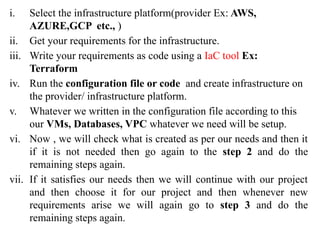
i. Select the infrastructure platform(provider Ex: AWS,
AZURE,GCP etc., )
ii. Get your requirements for the infrastructure.
iii. Write your requirements as code using a IaC tool Ex:
Terraform
iv. Run the configuration file or code and create infrastructure on
the provider/ infrastructure platform.
v. Whatever we written in the configuration file according to this
our VMs, Databases, VPC whatever we need will be setup.
vi. Now , we will check what is created as per our needs and then it
if it is not needed then go again to the step 2 and do the
remaining steps again.
vii. If it satisfies our needs then we will continue with our project
and then choose it for our project and then whenever new
requirements arise we will again go to step 3 and do the
remaining steps again.
Terraform is an open-source tool developed by Hashicorp that
enables you to provision your infrastructure in a simple, efficient, and
declarative manner through repeatable code, whether it be on cloud or
on-premises environments.
• Suppose if you have already created the infrastructure
• As it is an existing infra you may have some servers
and you have deployed micro services on it.
• All those things you can managed using terraform.
• You have already existing infra so you can import that
and accordingly you can write your configuration file
then you can apply. So, these are commands terraform
init, plan and apply.
• Basically you can manage existing infra using the
terraform so that’s why we called as Managing of
Existing data
• Suppose if you have just started a project and where you
want to create an application and you want to setup
infrastructure from scratch.
• What platform I am going to use such as AWS, Cloud,
GCP or Azure so you have to decide first and then you
install servers on it and then you are going to install
microservices on it.
• Basically, creation of new infrastructure can be done
from scratch using terraform
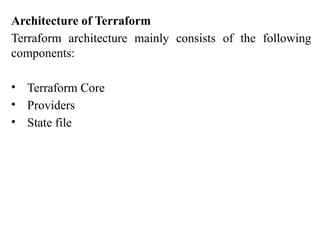
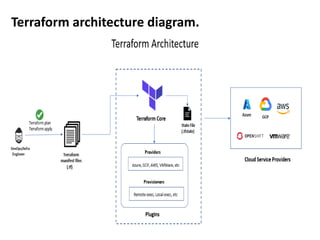
Architecture of Terraform
Terraform architecture mainly consists of the following
components:
• Terraform Core
• Providers
• State file
Terraform architecture diagram.
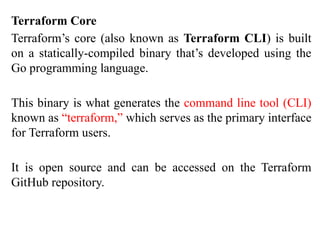
Terraform Core
Terraform’s core (also known as Terraform CLI) is built
on a statically-compiled binary that’s developed using the
Go programming language.
This binary is what generates the command line tool (CLI)
known as “terraform,” which serves as the primary interface
for Terraform users.
It is open source and can be accessed on the Terraform
GitHub repository.
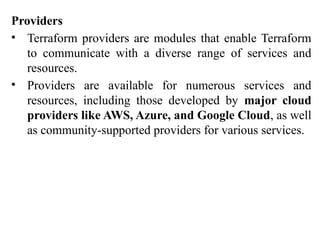
Providers
• Terraform providers are modules that enable Terraform
to communicate with a diverse range of services and
resources.
• Providers are available for numerous services and
resources, including those developed by major cloud
providers like AWS, Azure, and Google Cloud, as well
as community-supported providers for various services.
State file
• The Terraform state file is an essential aspect of Terraform’s
functionality.
• It is a JSON(JavaScript Object Notation) file that stores
information about the resources that Terraform manages, as well as
their current state and dependencies.
• Terraform utilizes the state file to determine the
changes that need to be made to the infrastructure
when a new configuration is applied.
• It also ensures that resources are not unnecessarily
recreated across multiple runs of Terraform.
• The state file can be kept locally on the machine running
Terraform or remotely using a remote backend like
Azure Storage Account or Amazon S3, or HashiCorp.
Terraform Directory
• Terraform uses configuration files to declare an infrastructure
element.
• The configuration is written in terraform language with a .tf
extension.
• A configuration consists of :
 A root module/root configuration
 Zero or more child modules
 Variables.tf(optional but recommended)
 Outputs.tf(optional but recommended)
 terraform.tfvars(optional but recommended)
• Terraform commands are run on the working directory.
Terraform Configuration consists of
i. A root module , also referred to as the root
configuration file, and an optional tree for child
modules.
ii. Child modules are optional , and can be variables ,
outputs ,providers and so forth.
iii. You can have a series of resources and other code
constructs within a single root configuration ,but the
best practices is to logically separate your files.
iv. The root module is the working directory in which
terraform commands are run. In that directory ,
Terraform will look for any .tf files and use them to
create a plan and infrastructure elements.
v. Now that you know how to create a directory structure , lets
explore the language used for terraform configurations.
Vi. The language used to write configurations is the Hashicorp
Configuration Language or HCL.
Syntax:
• Terraforms Configuration Language for creating and managing
API based resources.
• HCL is used to create and managed API-based resources,
predominantly int the cloud.
• Resources are infrastructure objects such as virtual machines ,
storage buckets, containers and networks.
• Terraform uses HCL to define resources in your Google Cloud
Environment ,create dependencies with those resources, and
define the data to be fetched.
• Despite some commonalities ,HCL is a configuration language ,
not a programming language.
• It’s a JSON – based variant that’s human and machine friendly.
• The simplicity of HCL makes terraform accessible to developers.
• HCL include a limited set of primitives such as variables,
resources ,outputs, and modules.
• It does not include any traditional statements or control loops.
• The logic is expressed through assignments ,count and
interpolation functions.
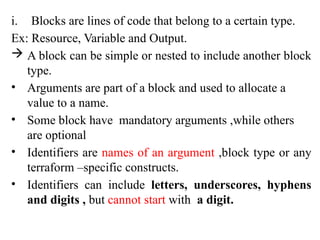
i. Blocks are lines of code that belong to a certain type.
Ex: Resource, Variable and Output.
 A block can be simple or nested to include another block
type.
• Arguments are part of a block and used to allocate a
value to a name.
• Some block have mandatory arguments ,while others
are optional
• Identifiers are names of an argument ,block type or any
terraform –specific constructs.
• Identifiers can include letters, underscores, hyphens
and digits , but cannot start with a digit.
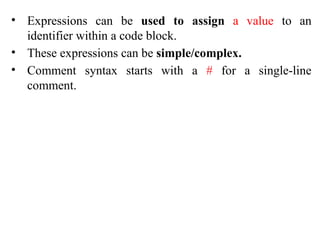
• Expressions can be used to assign a value to an
identifier within a code block.
• These expressions can be simple/complex.
• Comment syntax starts with a # for a single-line
comment.
• Remember , HCL is declarative by nature, which means you define
the end state of an infrastructure.
• Therefore, the order of the blocks or files does not matter.
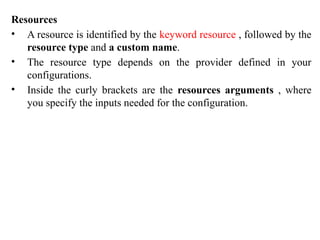
Resources
• A resource is identified by the keyword resource , followed by the
resource type and a custom name.
• The resource type depends on the provider defined in your
configurations.
• Inside the curly brackets are the resources arguments , where
you specify the inputs needed for the configuration.
• Terraform uses the resource type and the resource
name to identify an infrastructure element.
• The keyword resource identifies the block as a cloud
infrastructure component.
• The resource type is Google_storage_bucket, which
identifies the Google Cloud Resource.
• This terminology is Terraform-specific and the
convention cannot be customized.
• The resource type varies based on the provider defined.
• The resource name example-bucket.
• Terraform uses the resource type and the resource name together
as an identifier for the resource.
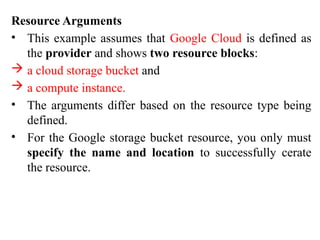
Resource Arguments
• This example assumes that Google Cloud is defined as
the provider and shows two resource blocks:
 a cloud storage bucket and
 a compute instance.
• The arguments differ based on the resource type being
defined.
• For the Google storage bucket resource, you only must
specify the name and location to successfully cerate
the resource.
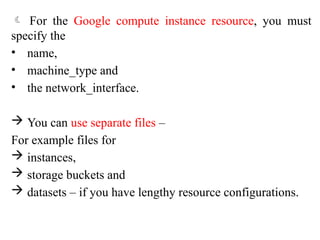
 For the Google compute instance resource, you must
specify the
• name,
• machine_type and
• the network_interface.
 You can use separate files –
For example files for
 instances,
 storage buckets and
 datasets – if you have lengthy resource configurations.
Providers
Providers implement every resource type; without
providers, Terraform cant manage any kind of
infrastructure.
 In the providers .tf file, you specify the Terraform block
that includes the provider definition you will use.
 Terraform downloads the provider plugin in the root
configuration when the provider is declared.
 Providers expose specific APIs as Terraform resources,
and manage their interactions.
 Provider configurations belong in the root module of a
Terraform Configuration.
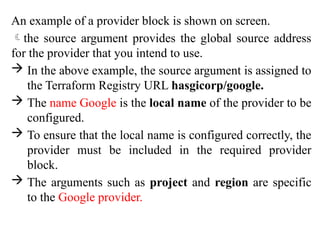
An example of a provider block is shown on screen.
the source argument provides the global source address
for the provider that you intend to use.
 In the above example, the source argument is assigned to
the Terraform Registry URL hasgicorp/google.
 The name Google is the local name of the provider to be
configured.
 To ensure that the local name is configured correctly, the
provider must be included in the required provider
block.
 The arguments such as project and region are specific
to the Google provider.
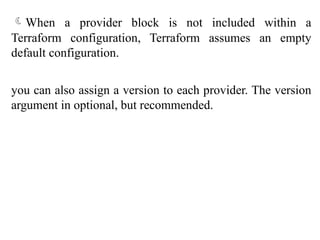
When a provider block is not included within a
Terraform configuration, Terraform assumes an empty
default configuration.
you can also assign a version to each provider. The version
argument in optional, but recommended.
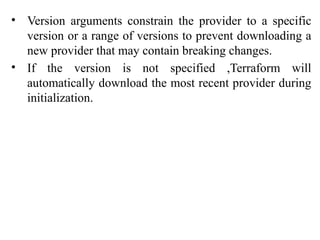
• Version arguments constrain the provider to a specific
version or a range of versions to prevent downloading a
new provider that may contain breaking changes.
• If the version is not specified ,Terraform will
automatically download the most recent provider during
initialization.
Variables
• Variables are used to parameterize your
configuration.
• Input variables serve as parameters for Terraform
allowing easy customization and sharing without
have to alter source code.
• Once a variable is defined ,there are different ways to
set its values at runtime: environment variables, CLI
options, key or value files and so forth.
• You can define a resource attribute at run time or
centrally in a file with a .tvars extension.
• You can also easily separate attributes from
deployment plans.
• In this example ,main.tf declares a cloud storage bucket.
• The location attribute has been parameterized because it's
declared as variable in the variables .tf file.
• By parameterizing the attribute, you can define the values of these
variables at run time.
• The outputs.tf file holds output values from your
resources.
• Resource instances managed by Terraform each export
attributes whose values can be used elsewhere in
configuration.
• If needed, output values are a way to expose some of
that information.
• Some resource attributes are computed upon their
creation.
• For example, a self-link of the resource or the URL of
a bucket is generated upon bucket creation.
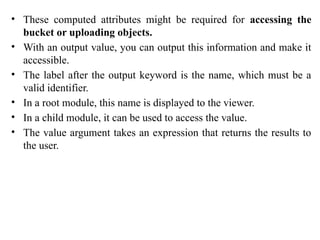
• These computed attributes might be required for accessing the
bucket or uploading objects.
• With an output value, you can output this information and make it
accessible.
• The label after the output keyword is the name, which must be a
valid identifier.
• In a root module, this name is displayed to the viewer.
• In a child module, it can be used to access the value.
• The value argument takes an expression that returns the results to
the user.
State
• Terraform saves the state of resources that it manages in a
state file.
• The state file cab be stored:
 Locally(default)
 Remotely in a shared location
• Remote storage is often the preferred method when
working in a team environment.
• Do not modify or touch this file; it’s created and updated
automatically.
Module
• Finally, a Terraform module is a set of Terraform configuration
files in a single directory. Even a simple configuration consisting
of a single directory with one or more .tf files is considered a
module.
• Modules are the primary method for code reuse in Terraform.
• They are reused by specifying the source from which the code
can be retrieved.
• Sources can either be local or remote.
 Local – Source within your directory
 Remote - Source outside your directory
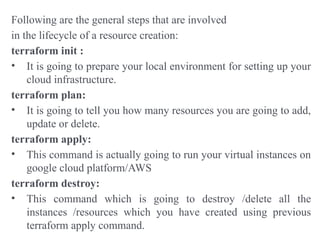
Following are the general steps that are involved
in the lifecycle of a resource creation:
terraform init :
• It is going to prepare your local environment for setting up your
cloud infrastructure.
terraform plan:
• It is going to tell you how many resources you are going to add,
update or delete.
terraform apply:
• This command is actually going to run your virtual instances on
google cloud platform/AWS
terraform destroy:
• This command which is going to destroy /delete all the
instances /resources which you have created using previous
terraform apply command.
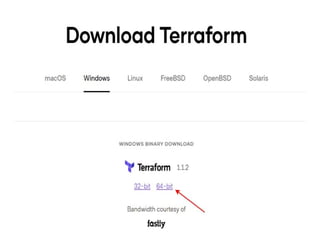
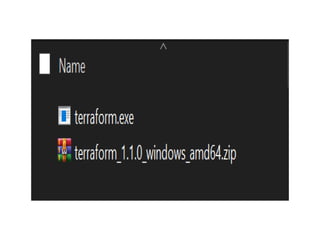
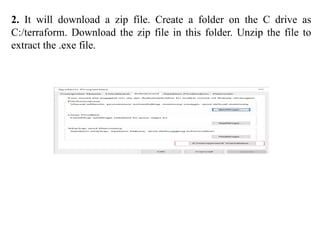
2. It will download a zip file. Create a folder on the C drive as
C:/terraform. Download the zip file in this folder. Unzip the file to
extract the .exe file.
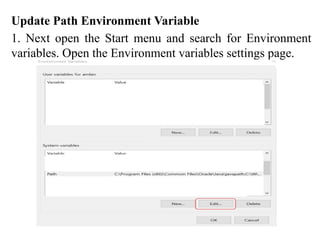
Update Path Environment Variable
1. Next open the Start menu and search for Environment
variables. Open the Environment variables settings page.
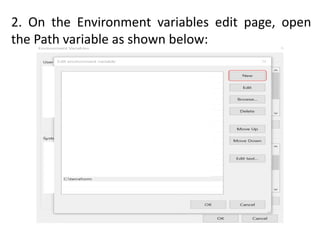
2. On the Environment variables edit page, open
the Path variable as shown below:
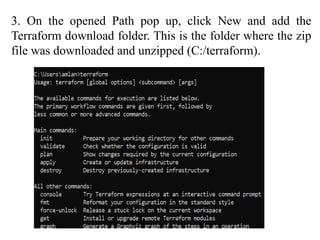
3. On the opened Path pop up, click New and add the
Terraform download folder. This is the folder where the zip
file was downloaded and unzipped (C:/terraform).
4. Click OK on the above window to save the Path
variable addition. If needed, restart your system to
apply the variable changes.
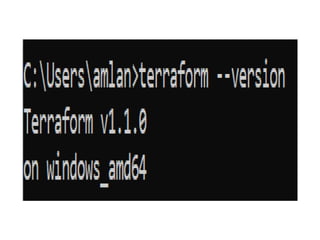
5. Open a Command prompt and run this command
to verify Terraform is installed successfully:
Terraform Structure
Declaring resources is very easy in Terraform. Terraform
files always end with the extension .tf.
The basic Terraform structure contains the following
elements.
variables.tf
The variables.tf file includes the definitions of input
variables for your configuration, mentioning their types,
descriptions, and default values.
outputs.tf
The outputs.tf file is used to define output values that
expose information about the resources created by a
Terraform configuration.
provider.tf
In the provider.tf file, you declare the providers required
by a Terraform configuration, specifying details like
authentication credentials, API endpoints, and other
provider-specific settings needed to interact with external
systems or cloud platforms.
Terraform file types include:
i. main.tf – containing the resource blocks that define the
resources to be created in the target cloud platform.
ii. variables.tf – containing the variable declarations used
in the resource blocks.
iii. provider.tf – containing the terraform block, s3 backend
definition, provider configurations, and aliases.
iv. output.tf – containing the output that needs to be
generated on successful completion of “apply” operation.
v. *.tfvars – containing the environment-specific default
values of variables.
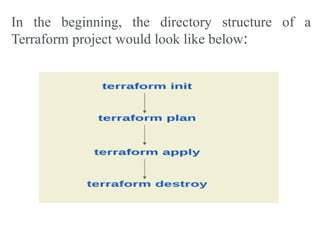
In the beginning, the directory structure of a
Terraform project would look like below:
While all Terraform configuration files have the same
extension (.tf), and their name doesn’t matter, there is a
convention on how to name these files and how to split the
logic of your configuration. There are also input files with
a .tfvars extension that will help with adding values to your
variables.

Infrastructure Automation with Terraform

  • 1.
    Terraform Introduction to terraform, terraformarchitecture and its components, terraform lifecycle, terraform modules, terraform using aws examples.
  • 2.
    What is Infrastructureas Code(IaC)  Instead of clicking around a web UI or using SSH(Secure Shell Protocol) to connect to a server and manually executing commands, with IaC you can write code in files to define, provision and manage your infrastructure.  You write and execute code to define, deploy, update and destroy your infrastructure
  • 3.
    Infrastructure as aCode • Suppose you want to setup some machines on cloud platform. Ex: AWS, Azure, Google Cloud • One way is to login to the platform and manually create using the GUI.
  • 4.
    • Another wayis to write the configuration that you need for your infrastructure. • You can write all your infrastructure needs in your file which can be called as Configuration File and then you can run this file using an IaC tool like Terraform and that will take care of all the provisioning of our machines ,databases, and setting up the entire infrastructure you need for your project
  • 5.
    • IaC toolsallow you to manage infrastructure using configuration file rather doing all this manually and rather than logging into platforms like AWS, AZURE,GCP and then setting up everything ourselves we can done this through an IaC tool. • IaC tools also helps us to build, change and manage our infrastructure in a safe ,consistent and repeatable way.
  • 6.
    i. Select theinfrastructure platform(provider Ex: AWS, AZURE,GCP etc., ) ii. Get your requirements for the infrastructure. iii. Write your requirements as code using a IaC tool Ex: Terraform iv. Run the configuration file or code and create infrastructure on the provider/ infrastructure platform. v. Whatever we written in the configuration file according to this our VMs, Databases, VPC whatever we need will be setup. vi. Now , we will check what is created as per our needs and then it if it is not needed then go again to the step 2 and do the remaining steps again. vii. If it satisfies our needs then we will continue with our project and then choose it for our project and then whenever new requirements arise we will again go to step 3 and do the remaining steps again.
  • 7.
    Terraform is anopen-source tool developed by Hashicorp that enables you to provision your infrastructure in a simple, efficient, and declarative manner through repeatable code, whether it be on cloud or on-premises environments.
  • 8.
    • Suppose ifyou have already created the infrastructure • As it is an existing infra you may have some servers and you have deployed micro services on it. • All those things you can managed using terraform. • You have already existing infra so you can import that and accordingly you can write your configuration file then you can apply. So, these are commands terraform init, plan and apply. • Basically you can manage existing infra using the terraform so that’s why we called as Managing of Existing data
  • 9.
    • Suppose ifyou have just started a project and where you want to create an application and you want to setup infrastructure from scratch. • What platform I am going to use such as AWS, Cloud, GCP or Azure so you have to decide first and then you install servers on it and then you are going to install microservices on it. • Basically, creation of new infrastructure can be done from scratch using terraform
  • 10.
    Architecture of Terraform Terraformarchitecture mainly consists of the following components: • Terraform Core • Providers • State file
  • 11.
  • 12.
    Terraform Core Terraform’s core(also known as Terraform CLI) is built on a statically-compiled binary that’s developed using the Go programming language. This binary is what generates the command line tool (CLI) known as “terraform,” which serves as the primary interface for Terraform users. It is open source and can be accessed on the Terraform GitHub repository.
  • 13.
    Providers • Terraform providersare modules that enable Terraform to communicate with a diverse range of services and resources. • Providers are available for numerous services and resources, including those developed by major cloud providers like AWS, Azure, and Google Cloud, as well as community-supported providers for various services.
  • 14.
    State file • TheTerraform state file is an essential aspect of Terraform’s functionality. • It is a JSON(JavaScript Object Notation) file that stores information about the resources that Terraform manages, as well as their current state and dependencies.
  • 15.
    • Terraform utilizesthe state file to determine the changes that need to be made to the infrastructure when a new configuration is applied. • It also ensures that resources are not unnecessarily recreated across multiple runs of Terraform. • The state file can be kept locally on the machine running Terraform or remotely using a remote backend like Azure Storage Account or Amazon S3, or HashiCorp.
  • 16.
    Terraform Directory • Terraformuses configuration files to declare an infrastructure element. • The configuration is written in terraform language with a .tf extension.
  • 17.
    • A configurationconsists of :  A root module/root configuration  Zero or more child modules  Variables.tf(optional but recommended)  Outputs.tf(optional but recommended)  terraform.tfvars(optional but recommended) • Terraform commands are run on the working directory.
  • 18.
    Terraform Configuration consistsof i. A root module , also referred to as the root configuration file, and an optional tree for child modules. ii. Child modules are optional , and can be variables , outputs ,providers and so forth. iii. You can have a series of resources and other code constructs within a single root configuration ,but the best practices is to logically separate your files. iv. The root module is the working directory in which terraform commands are run. In that directory , Terraform will look for any .tf files and use them to create a plan and infrastructure elements.
  • 19.
    v. Now thatyou know how to create a directory structure , lets explore the language used for terraform configurations. Vi. The language used to write configurations is the Hashicorp Configuration Language or HCL. Syntax:
  • 20.
    • Terraforms ConfigurationLanguage for creating and managing API based resources. • HCL is used to create and managed API-based resources, predominantly int the cloud. • Resources are infrastructure objects such as virtual machines , storage buckets, containers and networks. • Terraform uses HCL to define resources in your Google Cloud Environment ,create dependencies with those resources, and define the data to be fetched. • Despite some commonalities ,HCL is a configuration language , not a programming language. • It’s a JSON – based variant that’s human and machine friendly. • The simplicity of HCL makes terraform accessible to developers.
  • 21.
    • HCL includea limited set of primitives such as variables, resources ,outputs, and modules. • It does not include any traditional statements or control loops. • The logic is expressed through assignments ,count and interpolation functions.
  • 22.
    i. Blocks arelines of code that belong to a certain type. Ex: Resource, Variable and Output.  A block can be simple or nested to include another block type. • Arguments are part of a block and used to allocate a value to a name. • Some block have mandatory arguments ,while others are optional • Identifiers are names of an argument ,block type or any terraform –specific constructs. • Identifiers can include letters, underscores, hyphens and digits , but cannot start with a digit.
  • 23.
    • Expressions canbe used to assign a value to an identifier within a code block. • These expressions can be simple/complex. • Comment syntax starts with a # for a single-line comment.
  • 24.
    • Remember ,HCL is declarative by nature, which means you define the end state of an infrastructure. • Therefore, the order of the blocks or files does not matter.
  • 25.
    Resources • A resourceis identified by the keyword resource , followed by the resource type and a custom name. • The resource type depends on the provider defined in your configurations. • Inside the curly brackets are the resources arguments , where you specify the inputs needed for the configuration.
  • 26.
    • Terraform usesthe resource type and the resource name to identify an infrastructure element. • The keyword resource identifies the block as a cloud infrastructure component. • The resource type is Google_storage_bucket, which identifies the Google Cloud Resource. • This terminology is Terraform-specific and the convention cannot be customized.
  • 27.
    • The resourcetype varies based on the provider defined. • The resource name example-bucket. • Terraform uses the resource type and the resource name together as an identifier for the resource.
  • 28.
    Resource Arguments • Thisexample assumes that Google Cloud is defined as the provider and shows two resource blocks:  a cloud storage bucket and  a compute instance. • The arguments differ based on the resource type being defined. • For the Google storage bucket resource, you only must specify the name and location to successfully cerate the resource.
  • 29.
     For theGoogle compute instance resource, you must specify the • name, • machine_type and • the network_interface.  You can use separate files – For example files for  instances,  storage buckets and  datasets – if you have lengthy resource configurations.
  • 30.
    Providers Providers implement everyresource type; without providers, Terraform cant manage any kind of infrastructure.  In the providers .tf file, you specify the Terraform block that includes the provider definition you will use.
  • 31.
     Terraform downloadsthe provider plugin in the root configuration when the provider is declared.  Providers expose specific APIs as Terraform resources, and manage their interactions.  Provider configurations belong in the root module of a Terraform Configuration.
  • 32.
    An example ofa provider block is shown on screen. the source argument provides the global source address for the provider that you intend to use.  In the above example, the source argument is assigned to the Terraform Registry URL hasgicorp/google.  The name Google is the local name of the provider to be configured.  To ensure that the local name is configured correctly, the provider must be included in the required provider block.  The arguments such as project and region are specific to the Google provider.
  • 33.
    When a providerblock is not included within a Terraform configuration, Terraform assumes an empty default configuration. you can also assign a version to each provider. The version argument in optional, but recommended.
  • 34.
    • Version argumentsconstrain the provider to a specific version or a range of versions to prevent downloading a new provider that may contain breaking changes. • If the version is not specified ,Terraform will automatically download the most recent provider during initialization.
  • 35.
    Variables • Variables areused to parameterize your configuration. • Input variables serve as parameters for Terraform allowing easy customization and sharing without have to alter source code. • Once a variable is defined ,there are different ways to set its values at runtime: environment variables, CLI options, key or value files and so forth. • You can define a resource attribute at run time or centrally in a file with a .tvars extension. • You can also easily separate attributes from deployment plans.
  • 36.
    • In thisexample ,main.tf declares a cloud storage bucket. • The location attribute has been parameterized because it's declared as variable in the variables .tf file. • By parameterizing the attribute, you can define the values of these variables at run time.
  • 37.
    • The outputs.tffile holds output values from your resources. • Resource instances managed by Terraform each export attributes whose values can be used elsewhere in configuration. • If needed, output values are a way to expose some of that information. • Some resource attributes are computed upon their creation. • For example, a self-link of the resource or the URL of a bucket is generated upon bucket creation.
  • 38.
    • These computedattributes might be required for accessing the bucket or uploading objects. • With an output value, you can output this information and make it accessible. • The label after the output keyword is the name, which must be a valid identifier. • In a root module, this name is displayed to the viewer. • In a child module, it can be used to access the value. • The value argument takes an expression that returns the results to the user.
  • 39.
    State • Terraform savesthe state of resources that it manages in a state file. • The state file cab be stored:  Locally(default)  Remotely in a shared location • Remote storage is often the preferred method when working in a team environment. • Do not modify or touch this file; it’s created and updated automatically.
  • 40.
    Module • Finally, aTerraform module is a set of Terraform configuration files in a single directory. Even a simple configuration consisting of a single directory with one or more .tf files is considered a module. • Modules are the primary method for code reuse in Terraform. • They are reused by specifying the source from which the code can be retrieved. • Sources can either be local or remote.  Local – Source within your directory  Remote - Source outside your directory
  • 41.
    Following are thegeneral steps that are involved in the lifecycle of a resource creation: terraform init : • It is going to prepare your local environment for setting up your cloud infrastructure. terraform plan: • It is going to tell you how many resources you are going to add, update or delete. terraform apply: • This command is actually going to run your virtual instances on google cloud platform/AWS terraform destroy: • This command which is going to destroy /delete all the instances /resources which you have created using previous terraform apply command.
  • 44.
    2. It willdownload a zip file. Create a folder on the C drive as C:/terraform. Download the zip file in this folder. Unzip the file to extract the .exe file.
  • 45.
    Update Path EnvironmentVariable 1. Next open the Start menu and search for Environment variables. Open the Environment variables settings page.
  • 46.
    2. On theEnvironment variables edit page, open the Path variable as shown below:
  • 47.
    3. On theopened Path pop up, click New and add the Terraform download folder. This is the folder where the zip file was downloaded and unzipped (C:/terraform).
  • 48.
    4. Click OKon the above window to save the Path variable addition. If needed, restart your system to apply the variable changes. 5. Open a Command prompt and run this command to verify Terraform is installed successfully:
  • 50.
    Terraform Structure Declaring resourcesis very easy in Terraform. Terraform files always end with the extension .tf. The basic Terraform structure contains the following elements.
  • 51.
    variables.tf The variables.tf fileincludes the definitions of input variables for your configuration, mentioning their types, descriptions, and default values.
  • 52.
    outputs.tf The outputs.tf fileis used to define output values that expose information about the resources created by a Terraform configuration.
  • 53.
    provider.tf In the provider.tffile, you declare the providers required by a Terraform configuration, specifying details like authentication credentials, API endpoints, and other provider-specific settings needed to interact with external systems or cloud platforms.
  • 54.
    Terraform file typesinclude: i. main.tf – containing the resource blocks that define the resources to be created in the target cloud platform. ii. variables.tf – containing the variable declarations used in the resource blocks. iii. provider.tf – containing the terraform block, s3 backend definition, provider configurations, and aliases. iv. output.tf – containing the output that needs to be generated on successful completion of “apply” operation. v. *.tfvars – containing the environment-specific default values of variables.
  • 55.
    In the beginning,the directory structure of a Terraform project would look like below:
  • 56.
    While all Terraformconfiguration files have the same extension (.tf), and their name doesn’t matter, there is a convention on how to name these files and how to split the logic of your configuration. There are also input files with a .tfvars extension that will help with adding values to your variables.