I. INTRODUCTION
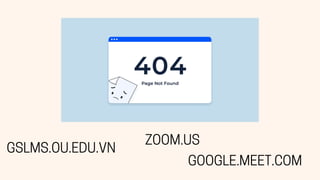
GSLMS.OU.EDU.VN
ZOOM.US
GOOGLE.MEET.COM
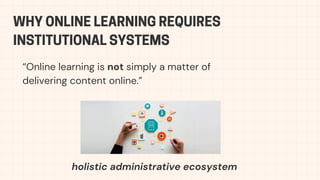
WHY ONLINE LEARNING REQUIRES
INSTITUTIONAL SYSTEMS
“Online learning is not simply a matter of
delivering content online.”
holistic administrative ecosystem
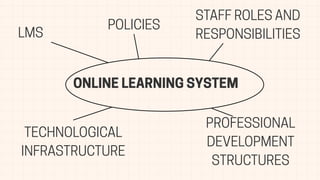
ONLINE LEARNING SYSTEM
LMS
POLICIES
STAFF ROLES AND
RESPONSIBILITIES
PROFESSIONAL
DEVELOPMENT
STRUCTURES
TECHNOLOGICAL
INFRASTRUCTURE
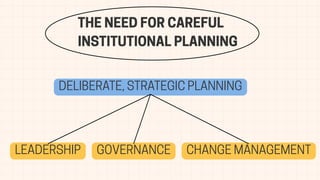
THE NEED FOR CAREFUL
INSTITUTIONAL PLANNING
DELIBERATE, STRATEGIC PLANNING
LEADERSHIP GOVERNANCE CHANGE MANAGEMENT
II. FOUNDATIONS OF
AN ONLINE LEARNING SYSTEM
FOUNDATIONS OF
A sustainable online system depends on:
Learner needs
Pedagogy-driven tools
Institutional capacity
Governance
Change management
AN ONLINE LEARNING SYSTEM
Systems must adapt to real learner conditions.
UDL →reduce access barriers
Flexible: synchronous + asynchronous
Examples:
Students in rural areas need downloadable videos instead of
livestreams.
Working adults prefer weekend or self-paced modules.
Gen Z expect visuals, short videos, interactive tasks.
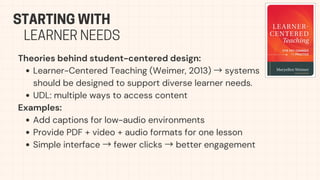
STARTING WITH
LEARNER NEEDS
Theories behind student-centered design:
Learner-Centered Teaching (Weimer, 2013) →systems
should be designed to support diverse learner needs.
UDL: multiple ways to access content
Examples:
Add captions for low-audio environments
Provide PDF + video + audio formats for one lesson
Simple interface →fewer clicks →better engagement
STARTING WITH
LEARNER NEEDS
Technology must serve pedagogy.
Backward Design (Wiggins & McTighe, 2005)
Constructive Alignment (Biggs, 1996)
Theory link:
TPACK (Mishra & Koehler, 2006)
→Effective online teaching integrates content, pedagogy, and technology.
Examples:
Pronunciation →recording tools
Collaboration →shared editing platforms
CLARIFYING
Page 04
LEARNING OUTCOMES
Systems must fit institutional capacity.
Consider:
Budget
IT infrastructure
Staff skills
Policy environment
Examples:
Small colleges choose Moodle (free).
Large universities invest in Canvas.
Public universities must integrate with government portals.
UNDERSTANDING
Page 04
INSTITUTIONAL CONTEXT
Readiness includes:
Leadership commitment
Stable servers
Teacher training
Clear workflows
Technology Acceptance Model (TAM, Davis, 1989)
→Adoption depends on perceived usefulness & ease of use.
Theory link: Systems Theory (Banathy, 1991) →online learning
infrastructure depends on interconnected organizational components.
Page 04
UNDERSTANDING
INSTITUTIONAL CONTEXT
Page 04
DISTINGUISHING
IDEAL VS REAL SYSTEMS
Unified LMS
Fully trained teachers
No legacy systems
IDEAL
Teachers use different tools
Limited time for training
Old databases cannot be replaced
REAL
Examples:
“Ideal”: Everyone uses Moodle.
“Real”: Some still use Zalo or Facebook groups →confusion.
Diffusion of Innovation (Rogers, 2003)
→explains why adoption varies among staff.
Fragmentation creates:
Multiple platforms
Mixed communication channels
Uneven quality across courses
Examples:
Students check 5 places for announcements.
One teacher uses Zoom; another uses Google Meet →inconsistent
user experience.
Theory link: Bates (2015) →system inconsistency reduces student
confidence and course quality.
Page 04
DISTINGUISHING
IDEAL VS REAL SYSTEMS
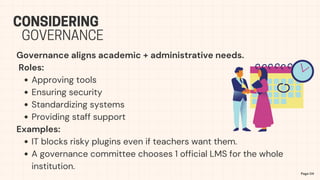
Governance aligns academic + administrative needs.
Roles:
Approving tools
Ensuring security
Standardizing systems
Providing staff support
Examples:
IT blocks risky plugins even if teachers want them.
A governance committee chooses 1 official LMS for the whole
institution.
Page 04
CONSIDERING
GOVERNANCE
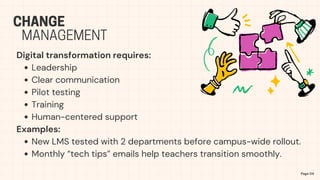
Digital transformation requires:
Leadership
Clear communication
Pilot testing
Training
Human-centered support
Examples:
New LMS tested with 2 departments before campus-wide rollout.
Monthly “tech tips” emails help teachers transition smoothly.
Page 04
CHANGE
MANAGEMENT
III. ORGANIZATIONAL
STRUCTURES
& SYSTEM FRAMEWORK
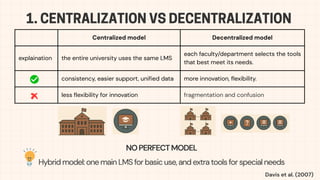
1. CENTRALIZATION VS DECENTRALIZATION
Centralized model Decentralized model
explaination the entire university uses the same LMS
each faculty/department selects the tools
that best meet its needs.
consistency, easier support, unified data more innovation, flexibility.
less flexibility for innovation fragmentation and confusion
NOPERFECTMODEL
Hybrid model: one main LMS for basic use, and extra tools for special needs
Davis et al. (2007)
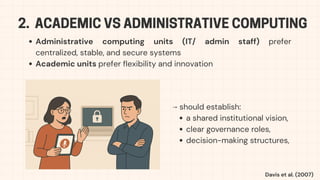
2. ACADEMIC VS ADMINISTRATIVE COMPUTING
Administrative computing units (IT/ admin staff) prefer
centralized, stable, and secure systems
Academic units prefer flexibility and innovation
⟶ should establish:
a shared institutional vision,
clear governance roles,
decision-making structures,
Davis et al. (2007)
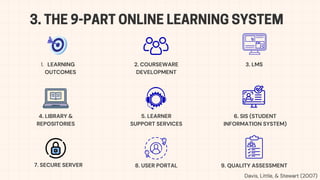
3. THE 9-PART ONLINE LEARNING SYSTEM
1. LEARNING
OUTCOMES
2. COURSEWARE
DEVELOPMENT
3. LMS
4. LIBRARY &
REPOSITORIES
5. LEARNER
SUPPORT SERVICES
6. SIS (STUDENT
INFORMATION SYSTEM)
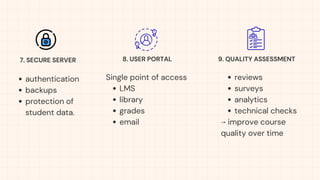
7. SECURE SERVER 8. USER PORTAL 9. QUALITY ASSESSMENT
Davis, Little, & Stewart (2007)
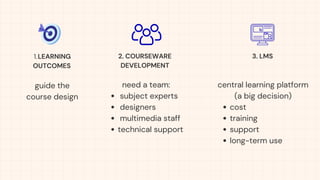
guide the
course design
1.LEARNING
OUTCOMES
3. LMS
2. COURSEWARE
DEVELOPMENT
need a team:
subject experts
designers
multimedia staff
technical support
central learning platform
(a big decision)
cost
training
support
long-term use
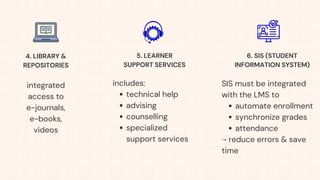
includes:
technical help
advising
counselling
specialized
support services
SIS must be integrated
with the LMS to
automate enrollment
synchronize grades
attendance
⟶ reduce errors & save
time
4. LIBRARY &
REPOSITORIES
5. LEARNER
SUPPORT SERVICES
6. SIS (STUDENT
INFORMATION SYSTEM)
integrated
access to
e-journals,
e-books,
videos
authentication
backups
protection of
student data.
7. SECURE SERVER
Single point of access
LMS
library
grades
email
8. USER PORTAL
reviews
surveys
analytics
technical checks
⟶ improve course
quality over time
9. QUALITY ASSESSMENT
Definition:Online learning is a social system that requires planning to
handle complexity and constant change (Davis et al., 2008).
Definition:Infrastructure refers to the integrated system of planning,
organizational issues, components, and interfaces among those
components (Davis et al., 2008).
Key components
Why is "infrastructure" the foundation?
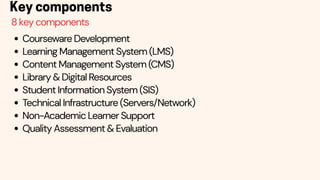
Courseware Development
Learning Management System (LMS)
Content Management System (CMS)
Library & Digital Resources
Student Information System (SIS)
Technical Infrastructure (Servers/Network)
Non-Academic Learner Support
Quality Assessment & Evaluation
Key components
8 key components
Definition:Courseware goes beyond simple text conversion, requiring
the merging of instructional design principles, learning activities, media,
and assessment components into a single course of study (Caplan &
Graham, 2008).
Key components
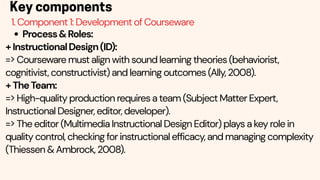
1. Component 1: Development of Courseware
Process&Roles:
+InstructionalDesign(ID):
=> Courseware must align with sound learning theories (behaviorist,
cognitivist, constructivist) and learning outcomes (Ally, 2008).
+TheTeam:
=> High-quality production requires a team (Subject Matter Expert,
Instructional Designer, editor, developer).
=> The editor (Multimedia Instructional Design Editor) plays a key role in
quality control, checking for instructional efficacy, and managing complexity
(Thiessen & Ambrock, 2008).
Key components
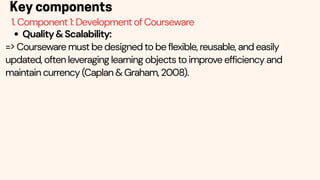
1. Component 1: Development of Courseware
Quality&Scalability:
=> Courseware must be designed to be flexible, reusable, and easily
updated, often leveraging learning objects to improve efficiency and
maintain currency (Caplan & Graham, 2008).
Key components
1. Component 1: Development of Courseware
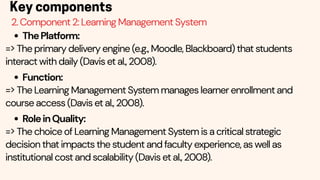
ThePlatform:
=> The primary delivery engine (e.g., Moodle, Blackboard) that students
interact with daily (Davis et al., 2008).
Function:
=> The Learning Management System manages learner enrollment and
course access (Davis et al., 2008).
RoleinQuality:
=> The choice of Learning Management System is a critical strategic
decision that impacts the student and faculty experience, as well as
institutional cost and scalability (Davis et al., 2008).
Key components
2. Component 2: Learning Management System
Key components
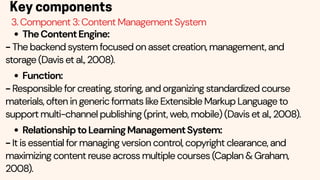
3. Component 3: Content Management System
TheContentEngine:
- The backend system focused on asset creation, management, and
storage (Davis et al., 2008).
Function:
- Responsible for creating, storing, and organizing standardized course
materials, often in generic formats like Extensible Markup Language to
support multi-channel publishing (print, web, mobile) (Davis et al., 2008).
RelationshiptoLearningManagementSystem:
- It is essential for managing version control, copyright clearance, and
maximizing content reuse across multiple courses (Caplan & Graham,
2008).
Key components
4. Component 4: Library and Digital Resources
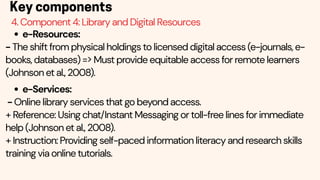
e-Resources:
- The shift from physical holdings to licensed digital access (e-journals, e-
books, databases) => Must provide equitable access for remote learners
(Johnson et al., 2008).
e-Services:
- Online library services that go beyond access.
+ Reference: Using chat/Instant Messaging or toll-free lines for immediate
help (Johnson et al., 2008).
+ Instruction: Providing self-paced information literacy and research skills
training via online tutorials.
Key components
4. Component 4: Library and Digital Resources
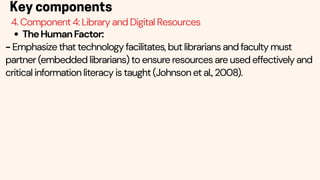
TheHumanFactor:
- Emphasize that technology facilitates, but librarians and faculty must
partner (embedded librarians) to ensure resources are used effectively and
critical information literacy is taught (Johnson et al., 2008).
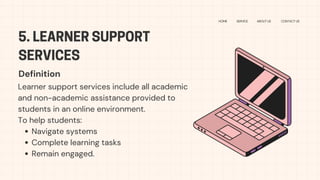
5. LEARNER SUPPORT
SERVICES
HOME SERVICE ABOUT US CONTACT US
Learner support services include all academic
and non-academic assistance provided to
students in an online environment.
To help students:
Navigate systems
Complete learning tasks
Remain engaged.
Definition
KEY FUNCTIONS
HOME SERVICE ABOUT US CONTACT US
Technical support
Academic support
Administrative support
Social–emotional support
Accessibility support
24/7 assistance
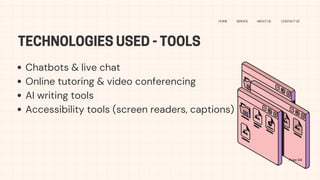
TECHNOLOGIES USED - TOOLS
HOME SERVICE ABOUT US CONTACT US
Chatbots & live chat
Online tutoring & video conferencing
AI writing tools
Accessibility tools (screen readers, captions)
Page 04
Improve student success & retention
Reduce frustration and dropout
Support diverse learners (tech skills, disabilities)
Ensure smooth access to online learning
Build confidence and independence
WHY LEARNER SUPPORT
SERVICES MATTER
2. STUDENT INFORMATION SYSTEM (SIS)
HOME SERVICE ABOUT US CONTACT US
Definition
Page 09
An SIS is the institutional backbone that manages
student data, academic records, enrollment, and
administrative workflows.
Functions&Integration
Auto enrollment & attendance
Billing + reporting
Notifications
MUST integrate with LMS (SSO)
SIS: FUNCTIONS &
INTEGRATION
STUDIO
SHODWE
HOME SERVICE ABOUT US CONTACT US
Auto enrollment &
attendance
Billing + reporting
Notifications
MUST integrate with
LMS (SSO)
WHY SIS MATTERS
STUDIO
SHODWE
HOME SERVICE ABOUT US CONTACT US
Page 10
Ensures accurate student records
Automates enrollment and grade syncing
Reduces staff workload and errors
Supports SSO for easy student access
Creates a unified, reliable learning environment
USER PORTAL: OVERVIEW
STUDIO
SHODWE
HOME SERVICE ABOUT US CONTACT US
Definition
A user portal is a centralized dashboard where students
access all essential academic and administrative
functions through one login.
Functions:
One login →unified dashboard
Access to LMS, grades, library
Pay tuition, message advisor
USER PORTAL:
WHY IT MATTERS
HOME SERVICE ABOUT US CONTACT US
Reduces platform
fragmentation
Enhances student
independence
Supports personalization
Page 09
QUALITY ASSURANCE:
STUDIO
SHODWE
HOME SERVICE ABOUT US CONTACT US
Quality Assurance ensures
that online learning is
effective, consistent,
student-centered, and
technically reliable. QA
evaluates both pedagogical
quality and technological
performance. Page 06
DEFINITION
Surveys +
analytics
Peer review
Technical audits
Accessibility
checks
KEY METHODS
Low completion rate
QA reveals broken
links + unclear
instructions
Course revised →
completion increases
EXAMPLE
CONCLUSION
STUDIO
SHODWE
HOME SERVICE ABOUT US CONTACT US
Four components work
together
Create seamless and
effective online learning
Support students
academically + technically
TECHNOLOGIES OF
ONLINE LEARNING
Multimedia & Streaming
Audio Tools
Web Conferencing
Instant Messaging
Mobile Learning
Peer-to-Peer Tech
Blogs, Wikis, RSS
OVERVIEW
Multimedia: text, images, audio, video,
and animations
Streaming technology: watch videos
instantly without downloading
In many ways:
Short YouTube-style
Animated explanations
Microlearning modules
MULTIMEDIA & STREAMING
Audio tools allow real-time spoken interaction
Examples include:
Oral exams on Zoom
Virtual office hours on Skype
Practicing pronunciation
AUDIO / VOICE TOOLS (VOIP)
Supports synchronous, real-time
online classes
Modern platforms include:
Breakout rooms
Screen sharing
Digital whiteboards
Polls
WEB CONFERENCING
INSTANT MESSAGING
Supports fast, informal communication
Especially useful for:
Quick reminders
Group project coordination
Sharing links or updates
Asking clarifying questions
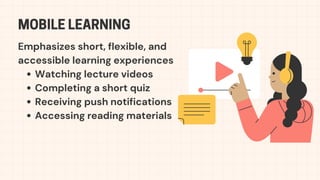
Emphasizes short, flexible, and
accessible learning experiences
Watching lecture videos
Completing a short quiz
Receiving push notifications
Accessing reading materials
MOBILE LEARNING
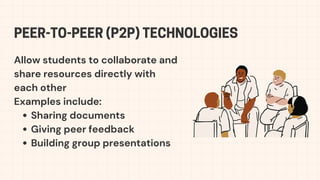
Allow students to collaborate and
share resources directly with
each other
Examples include:
Sharing documents
Giving peer feedback
Building group presentations
PEER-TO-PEER (P2P) TECHNOLOGIES
Powerful knowledge-construction
technologies
=> promote writing skills,
collaboration, and independent
learning
BLOGS, WIKIS, AND RSS
VI. MANAGING CHANGE
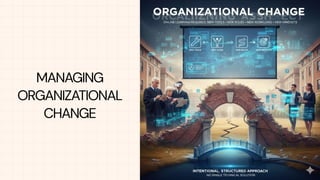
MANAGING
ORGANIZATIONAL
CHANGE
TENSION BETWEEN
INNOVATIONAND STABILITY
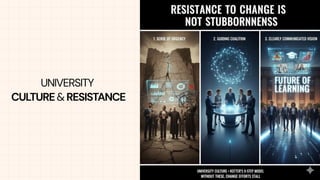
UNIVERSITY
CULTURE& RESISTANCE
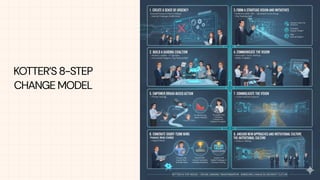
KOTTER’S 8-STEP
CHANGE MODEL
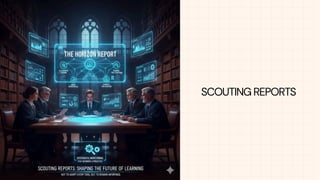
SCOUTING REPORTS
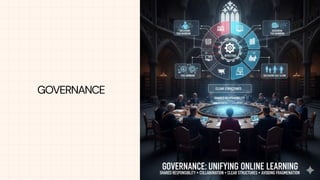
GOVERNANCE
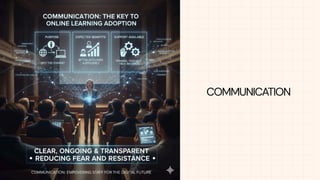
COMMUNICATION
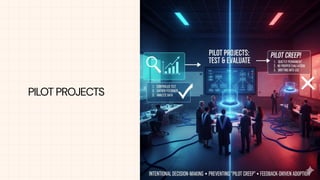
PILOT PROJECTS
HUMAN RESOURCE
CONSIDERATIONS
THANK YOU
HOME SERVICE ABOUT US CONTACT US
References
Ally, M. (2008). Foundations of educational theory for online learning. In T. Anderson (Ed.), The theory and practice of online learning (2nd
ed., pp. 15–44). AU Press.
Caplan, D., & Graham, R. (2008). The development of online courses. In T. Anderson (Ed.), The theory and practice of online learning (2nd
ed., pp. 245–264). AU Press.
Davis, A., Little, P., & Stewart, B. (2008). Developing an infrastructure for online learning. In T. Anderson (Ed.), The theory and practice of
online learning (2nd ed., pp. 121–142). AU Press.
Johnson, K., Trabelsi, H., & Fabbro, E. (2008). Library support for e-learners: E-resources, e-services, and the human factors. In T. Anderson
(Ed.), The theory and practice of online learning (2nd ed., pp. 397–418). AU Press.
Kondra, A. Z., Huber, C., Michalczuk, K., & Woudstra, A. (2008). Call centres in distance education. In T. Anderson (Ed.), The theory and
practice of online learning (2nd ed., pp. 367–396). AU Press.
Moisey, S. D., & Hughes, J. A. (2008). Supporting the online learner. In T. Anderson (Ed.), The theory and practice of online learning (2nd ed.,
pp. 419–439). AU Press.
Parker, N. K. (2008). The quality dilemma in online education revisited. In T. Anderson (Ed.), The theory and practice of online learning (2nd
ed., pp. 305–342). AU Press.
Thiessen, J., & Ambrock, V. (2008). Value added – The editor in design and development of online courses. In T. Anderson (Ed.), The
theory and practice of online learning (2nd ed., pp. 265–277). AU Press.


Infrastructure and Technologies for Online teaching.pdf

  • 1.
  • 3.
  • 4.
    WHY ONLINE LEARNINGREQUIRES INSTITUTIONAL SYSTEMS “Online learning is not simply a matter of delivering content online.” holistic administrative ecosystem
  • 5.
    ONLINE LEARNING SYSTEM LMS POLICIES STAFFROLES AND RESPONSIBILITIES PROFESSIONAL DEVELOPMENT STRUCTURES TECHNOLOGICAL INFRASTRUCTURE
  • 6.
    THE NEED FORCAREFUL INSTITUTIONAL PLANNING DELIBERATE, STRATEGIC PLANNING LEADERSHIP GOVERNANCE CHANGE MANAGEMENT
  • 7.
    II. FOUNDATIONS OF ANONLINE LEARNING SYSTEM
  • 8.
    FOUNDATIONS OF A sustainableonline system depends on: Learner needs Pedagogy-driven tools Institutional capacity Governance Change management AN ONLINE LEARNING SYSTEM
  • 9.
    Systems must adaptto real learner conditions. UDL →reduce access barriers Flexible: synchronous + asynchronous Examples: Students in rural areas need downloadable videos instead of livestreams. Working adults prefer weekend or self-paced modules. Gen Z expect visuals, short videos, interactive tasks. STARTING WITH LEARNER NEEDS
  • 10.
    Theories behind student-centereddesign: Learner-Centered Teaching (Weimer, 2013) →systems should be designed to support diverse learner needs. UDL: multiple ways to access content Examples: Add captions for low-audio environments Provide PDF + video + audio formats for one lesson Simple interface →fewer clicks →better engagement STARTING WITH LEARNER NEEDS
  • 11.
    Technology must servepedagogy. Backward Design (Wiggins & McTighe, 2005) Constructive Alignment (Biggs, 1996) Theory link: TPACK (Mishra & Koehler, 2006) →Effective online teaching integrates content, pedagogy, and technology. Examples: Pronunciation →recording tools Collaboration →shared editing platforms CLARIFYING Page 04 LEARNING OUTCOMES
  • 12.
    Systems must fitinstitutional capacity. Consider: Budget IT infrastructure Staff skills Policy environment Examples: Small colleges choose Moodle (free). Large universities invest in Canvas. Public universities must integrate with government portals. UNDERSTANDING Page 04 INSTITUTIONAL CONTEXT
  • 13.
    Readiness includes: Leadership commitment Stableservers Teacher training Clear workflows Technology Acceptance Model (TAM, Davis, 1989) →Adoption depends on perceived usefulness & ease of use. Theory link: Systems Theory (Banathy, 1991) →online learning infrastructure depends on interconnected organizational components. Page 04 UNDERSTANDING INSTITUTIONAL CONTEXT
  • 14.
    Page 04 DISTINGUISHING IDEAL VSREAL SYSTEMS Unified LMS Fully trained teachers No legacy systems IDEAL Teachers use different tools Limited time for training Old databases cannot be replaced REAL Examples: “Ideal”: Everyone uses Moodle. “Real”: Some still use Zalo or Facebook groups →confusion. Diffusion of Innovation (Rogers, 2003) →explains why adoption varies among staff.
  • 15.
    Fragmentation creates: Multiple platforms Mixedcommunication channels Uneven quality across courses Examples: Students check 5 places for announcements. One teacher uses Zoom; another uses Google Meet →inconsistent user experience. Theory link: Bates (2015) →system inconsistency reduces student confidence and course quality. Page 04 DISTINGUISHING IDEAL VS REAL SYSTEMS
  • 16.
    Governance aligns academic+ administrative needs. Roles: Approving tools Ensuring security Standardizing systems Providing staff support Examples: IT blocks risky plugins even if teachers want them. A governance committee chooses 1 official LMS for the whole institution. Page 04 CONSIDERING GOVERNANCE
  • 17.
    Digital transformation requires: Leadership Clearcommunication Pilot testing Training Human-centered support Examples: New LMS tested with 2 departments before campus-wide rollout. Monthly “tech tips” emails help teachers transition smoothly. Page 04 CHANGE MANAGEMENT
  • 18.
  • 19.
    1. CENTRALIZATION VSDECENTRALIZATION Centralized model Decentralized model explaination the entire university uses the same LMS each faculty/department selects the tools that best meet its needs. consistency, easier support, unified data more innovation, flexibility. less flexibility for innovation fragmentation and confusion NOPERFECTMODEL Hybrid model: one main LMS for basic use, and extra tools for special needs Davis et al. (2007)
  • 20.
    2. ACADEMIC VSADMINISTRATIVE COMPUTING Administrative computing units (IT/ admin staff) prefer centralized, stable, and secure systems Academic units prefer flexibility and innovation ⟶ should establish: a shared institutional vision, clear governance roles, decision-making structures, Davis et al. (2007)
  • 21.
    3. THE 9-PARTONLINE LEARNING SYSTEM 1. LEARNING OUTCOMES 2. COURSEWARE DEVELOPMENT 3. LMS 4. LIBRARY & REPOSITORIES 5. LEARNER SUPPORT SERVICES 6. SIS (STUDENT INFORMATION SYSTEM) 7. SECURE SERVER 8. USER PORTAL 9. QUALITY ASSESSMENT Davis, Little, & Stewart (2007)
  • 22.
    guide the course design 1.LEARNING OUTCOMES 3.LMS 2. COURSEWARE DEVELOPMENT need a team: subject experts designers multimedia staff technical support central learning platform (a big decision) cost training support long-term use
  • 23.
    includes: technical help advising counselling specialized support services SISmust be integrated with the LMS to automate enrollment synchronize grades attendance ⟶ reduce errors & save time 4. LIBRARY & REPOSITORIES 5. LEARNER SUPPORT SERVICES 6. SIS (STUDENT INFORMATION SYSTEM) integrated access to e-journals, e-books, videos
  • 24.
    authentication backups protection of student data. 7.SECURE SERVER Single point of access LMS library grades email 8. USER PORTAL reviews surveys analytics technical checks ⟶ improve course quality over time 9. QUALITY ASSESSMENT
  • 25.
    Definition:Online learning isa social system that requires planning to handle complexity and constant change (Davis et al., 2008). Definition:Infrastructure refers to the integrated system of planning, organizational issues, components, and interfaces among those components (Davis et al., 2008). Key components Why is "infrastructure" the foundation?
  • 26.
    Courseware Development Learning ManagementSystem (LMS) Content Management System (CMS) Library & Digital Resources Student Information System (SIS) Technical Infrastructure (Servers/Network) Non-Academic Learner Support Quality Assessment & Evaluation Key components 8 key components
  • 27.
    Definition:Courseware goes beyondsimple text conversion, requiring the merging of instructional design principles, learning activities, media, and assessment components into a single course of study (Caplan & Graham, 2008). Key components 1. Component 1: Development of Courseware
  • 28.
    Process&Roles: +InstructionalDesign(ID): => Courseware mustalign with sound learning theories (behaviorist, cognitivist, constructivist) and learning outcomes (Ally, 2008). +TheTeam: => High-quality production requires a team (Subject Matter Expert, Instructional Designer, editor, developer). => The editor (Multimedia Instructional Design Editor) plays a key role in quality control, checking for instructional efficacy, and managing complexity (Thiessen & Ambrock, 2008). Key components 1. Component 1: Development of Courseware
  • 29.
    Quality&Scalability: => Courseware mustbe designed to be flexible, reusable, and easily updated, often leveraging learning objects to improve efficiency and maintain currency (Caplan & Graham, 2008). Key components 1. Component 1: Development of Courseware
  • 30.
    ThePlatform: => The primarydelivery engine (e.g., Moodle, Blackboard) that students interact with daily (Davis et al., 2008). Function: => The Learning Management System manages learner enrollment and course access (Davis et al., 2008). RoleinQuality: => The choice of Learning Management System is a critical strategic decision that impacts the student and faculty experience, as well as institutional cost and scalability (Davis et al., 2008). Key components 2. Component 2: Learning Management System
  • 31.
    Key components 3. Component3: Content Management System TheContentEngine: - The backend system focused on asset creation, management, and storage (Davis et al., 2008). Function: - Responsible for creating, storing, and organizing standardized course materials, often in generic formats like Extensible Markup Language to support multi-channel publishing (print, web, mobile) (Davis et al., 2008). RelationshiptoLearningManagementSystem: - It is essential for managing version control, copyright clearance, and maximizing content reuse across multiple courses (Caplan & Graham, 2008).
  • 32.
    Key components 4. Component4: Library and Digital Resources e-Resources: - The shift from physical holdings to licensed digital access (e-journals, e- books, databases) => Must provide equitable access for remote learners (Johnson et al., 2008). e-Services: - Online library services that go beyond access. + Reference: Using chat/Instant Messaging or toll-free lines for immediate help (Johnson et al., 2008). + Instruction: Providing self-paced information literacy and research skills training via online tutorials.
  • 33.
    Key components 4. Component4: Library and Digital Resources TheHumanFactor: - Emphasize that technology facilitates, but librarians and faculty must partner (embedded librarians) to ensure resources are used effectively and critical information literacy is taught (Johnson et al., 2008).
  • 34.
    5. LEARNER SUPPORT SERVICES HOMESERVICE ABOUT US CONTACT US Learner support services include all academic and non-academic assistance provided to students in an online environment. To help students: Navigate systems Complete learning tasks Remain engaged. Definition
  • 35.
    KEY FUNCTIONS HOME SERVICEABOUT US CONTACT US Technical support Academic support Administrative support Social–emotional support Accessibility support 24/7 assistance
  • 36.
    TECHNOLOGIES USED -TOOLS HOME SERVICE ABOUT US CONTACT US Chatbots & live chat Online tutoring & video conferencing AI writing tools Accessibility tools (screen readers, captions) Page 04
  • 37.
    Improve student success& retention Reduce frustration and dropout Support diverse learners (tech skills, disabilities) Ensure smooth access to online learning Build confidence and independence WHY LEARNER SUPPORT SERVICES MATTER
  • 38.
    2. STUDENT INFORMATIONSYSTEM (SIS) HOME SERVICE ABOUT US CONTACT US Definition Page 09 An SIS is the institutional backbone that manages student data, academic records, enrollment, and administrative workflows. Functions&Integration Auto enrollment & attendance Billing + reporting Notifications MUST integrate with LMS (SSO)
  • 39.
    SIS: FUNCTIONS & INTEGRATION STUDIO SHODWE HOMESERVICE ABOUT US CONTACT US Auto enrollment & attendance Billing + reporting Notifications MUST integrate with LMS (SSO)
  • 40.
    WHY SIS MATTERS STUDIO SHODWE HOMESERVICE ABOUT US CONTACT US Page 10 Ensures accurate student records Automates enrollment and grade syncing Reduces staff workload and errors Supports SSO for easy student access Creates a unified, reliable learning environment
  • 41.
    USER PORTAL: OVERVIEW STUDIO SHODWE HOMESERVICE ABOUT US CONTACT US Definition A user portal is a centralized dashboard where students access all essential academic and administrative functions through one login. Functions: One login →unified dashboard Access to LMS, grades, library Pay tuition, message advisor
  • 42.
    USER PORTAL: WHY ITMATTERS HOME SERVICE ABOUT US CONTACT US Reduces platform fragmentation Enhances student independence Supports personalization Page 09
  • 43.
    QUALITY ASSURANCE: STUDIO SHODWE HOME SERVICEABOUT US CONTACT US Quality Assurance ensures that online learning is effective, consistent, student-centered, and technically reliable. QA evaluates both pedagogical quality and technological performance. Page 06 DEFINITION Surveys + analytics Peer review Technical audits Accessibility checks KEY METHODS Low completion rate QA reveals broken links + unclear instructions Course revised → completion increases EXAMPLE
  • 44.
    CONCLUSION STUDIO SHODWE HOME SERVICE ABOUTUS CONTACT US Four components work together Create seamless and effective online learning Support students academically + technically
  • 45.
    TECHNOLOGIES OF ONLINE LEARNING Multimedia& Streaming Audio Tools Web Conferencing Instant Messaging Mobile Learning Peer-to-Peer Tech Blogs, Wikis, RSS OVERVIEW
  • 47.
    Multimedia: text, images,audio, video, and animations Streaming technology: watch videos instantly without downloading In many ways: Short YouTube-style Animated explanations Microlearning modules MULTIMEDIA & STREAMING
  • 48.
    Audio tools allowreal-time spoken interaction Examples include: Oral exams on Zoom Virtual office hours on Skype Practicing pronunciation AUDIO / VOICE TOOLS (VOIP)
  • 49.
    Supports synchronous, real-time onlineclasses Modern platforms include: Breakout rooms Screen sharing Digital whiteboards Polls WEB CONFERENCING
  • 50.
    INSTANT MESSAGING Supports fast,informal communication Especially useful for: Quick reminders Group project coordination Sharing links or updates Asking clarifying questions
  • 51.
    Emphasizes short, flexible,and accessible learning experiences Watching lecture videos Completing a short quiz Receiving push notifications Accessing reading materials MOBILE LEARNING
  • 52.
    Allow students tocollaborate and share resources directly with each other Examples include: Sharing documents Giving peer feedback Building group presentations PEER-TO-PEER (P2P) TECHNOLOGIES
  • 53.
    Powerful knowledge-construction technologies => promotewriting skills, collaboration, and independent learning BLOGS, WIKIS, AND RSS
  • 54.
  • 55.
  • 56.
  • 57.
  • 58.
  • 59.
  • 60.
  • 61.
  • 62.
  • 63.
  • 64.
    THANK YOU HOME SERVICEABOUT US CONTACT US
  • 65.
    References Ally, M. (2008).Foundations of educational theory for online learning. In T. Anderson (Ed.), The theory and practice of online learning (2nd ed., pp. 15–44). AU Press. Caplan, D., & Graham, R. (2008). The development of online courses. In T. Anderson (Ed.), The theory and practice of online learning (2nd ed., pp. 245–264). AU Press. Davis, A., Little, P., & Stewart, B. (2008). Developing an infrastructure for online learning. In T. Anderson (Ed.), The theory and practice of online learning (2nd ed., pp. 121–142). AU Press. Johnson, K., Trabelsi, H., & Fabbro, E. (2008). Library support for e-learners: E-resources, e-services, and the human factors. In T. Anderson (Ed.), The theory and practice of online learning (2nd ed., pp. 397–418). AU Press. Kondra, A. Z., Huber, C., Michalczuk, K., & Woudstra, A. (2008). Call centres in distance education. In T. Anderson (Ed.), The theory and practice of online learning (2nd ed., pp. 367–396). AU Press. Moisey, S. D., & Hughes, J. A. (2008). Supporting the online learner. In T. Anderson (Ed.), The theory and practice of online learning (2nd ed., pp. 419–439). AU Press. Parker, N. K. (2008). The quality dilemma in online education revisited. In T. Anderson (Ed.), The theory and practice of online learning (2nd ed., pp. 305–342). AU Press. Thiessen, J., & Ambrock, V. (2008). Value added – The editor in design and development of online courses. In T. Anderson (Ed.), The theory and practice of online learning (2nd ed., pp. 265–277). AU Press.