Introducing Computer Systems
The Computer Defined
 Electronic device
 Converts data into information
 Modern computers are digital
 Two digits combine to make data
 Older computers were analog
 A range of values made data

1A-2
Computers For Individual Use
 Desktop computers
 The most common type of computer
 Sits on the desk or floor
 Performs a variety of tasks
 Workstations
 Specialized computers
 Optimized for science or graphics
 More powerful than a desktop

1A-3
Computers For Individual Use
 Notebook computers
 Small portable computers
 Weighs between 3 and 8 pounds
 About 8 ½ by 11 inches
 Typically as powerful as a desktop
 Can include a docking station

1A-4
Computers For Individual Use
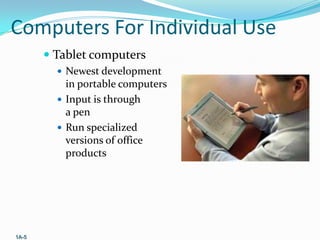
 Tablet computers
 Newest development

in portable computers
 Input is through
a pen
 Run specialized
versions of office
products

1A-5
Computers For Individual Use
 Handheld computers
 Very small computers
 Personal Digital Assistants (PDA)
 Note taking or contact management
 Data can synchronize with a desktop
 Smart phones
 Hybrid of cell phone and PDA
 Web surfing, e-mail access

1A-6
Computers For Organizations
 Network servers
 Centralized computer
 All other computers connect
 Provides access to network resources
 Multiple servers are called server farms
 Often simply a powerful desktop

1A-7
Computers For Organizations
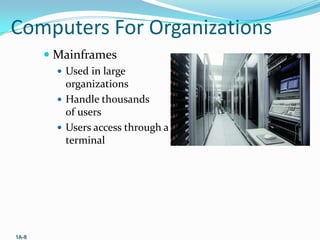
 Mainframes
 Used in large

organizations
 Handle thousands
of users
 Users access through a
terminal

1A-8
Computers For Organizations
 Minicomputers
 Called midrange computers
 Power between mainframe and desktop
 Handle hundreds of users
 Used in smaller organizations
 Users access through a terminal

1A-9
Computers For Organizations
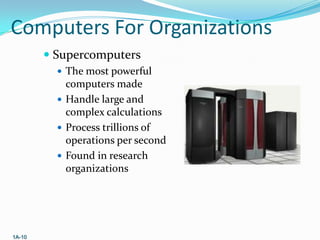
 Supercomputers
 The most powerful

computers made
 Handle large and
complex calculations
 Process trillions of
operations per second
 Found in research
organizations

1A-10
Computers In Society
 More impact than any other invention
 Changed work and leisure activities
 Used by all demographic groups
 Computers are important because:
 Provide information to users
 Information is critical to our society
 Managing information is difficult

1A-11
Computers In Society
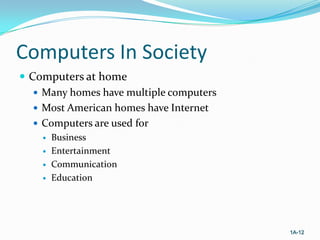
 Computers at home
 Many homes have multiple computers
 Most American homes have Internet
 Computers are used for





Business
Entertainment
Communication
Education

1A-12
Computers In Society
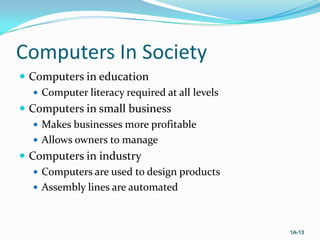
 Computers in education
 Computer literacy required at all levels
 Computers in small business
 Makes businesses more profitable
 Allows owners to manage
 Computers in industry
 Computers are used to design products
 Assembly lines are automated

1A-13
Computers In Society
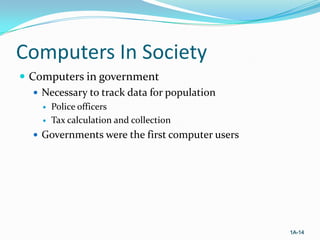
 Computers in government
 Necessary to track data for population



Police officers
Tax calculation and collection

 Governments were the first computer users

1A-14
Computers In Society
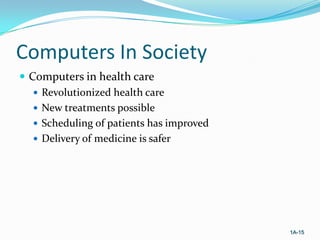
 Computers in health care
 Revolutionized health care
 New treatments possible
 Scheduling of patients has improved
 Delivery of medicine is safer

1A-15
End of Chapter

information processing by peter nothon chapter 1A

  • 1.
  • 2.
    The Computer Defined Electronic device  Converts data into information  Modern computers are digital  Two digits combine to make data  Older computers were analog  A range of values made data 1A-2
  • 3.
    Computers For IndividualUse  Desktop computers  The most common type of computer  Sits on the desk or floor  Performs a variety of tasks  Workstations  Specialized computers  Optimized for science or graphics  More powerful than a desktop 1A-3
  • 4.
    Computers For IndividualUse  Notebook computers  Small portable computers  Weighs between 3 and 8 pounds  About 8 ½ by 11 inches  Typically as powerful as a desktop  Can include a docking station 1A-4
  • 5.
    Computers For IndividualUse  Tablet computers  Newest development in portable computers  Input is through a pen  Run specialized versions of office products 1A-5
  • 6.
    Computers For IndividualUse  Handheld computers  Very small computers  Personal Digital Assistants (PDA)  Note taking or contact management  Data can synchronize with a desktop  Smart phones  Hybrid of cell phone and PDA  Web surfing, e-mail access 1A-6
  • 7.
    Computers For Organizations Network servers  Centralized computer  All other computers connect  Provides access to network resources  Multiple servers are called server farms  Often simply a powerful desktop 1A-7
  • 8.
    Computers For Organizations Mainframes  Used in large organizations  Handle thousands of users  Users access through a terminal 1A-8
  • 9.
    Computers For Organizations Minicomputers  Called midrange computers  Power between mainframe and desktop  Handle hundreds of users  Used in smaller organizations  Users access through a terminal 1A-9
  • 10.
    Computers For Organizations Supercomputers  The most powerful computers made  Handle large and complex calculations  Process trillions of operations per second  Found in research organizations 1A-10
  • 11.
    Computers In Society More impact than any other invention  Changed work and leisure activities  Used by all demographic groups  Computers are important because:  Provide information to users  Information is critical to our society  Managing information is difficult 1A-11
  • 12.
    Computers In Society Computers at home  Many homes have multiple computers  Most American homes have Internet  Computers are used for     Business Entertainment Communication Education 1A-12
  • 13.
    Computers In Society Computers in education  Computer literacy required at all levels  Computers in small business  Makes businesses more profitable  Allows owners to manage  Computers in industry  Computers are used to design products  Assembly lines are automated 1A-13
  • 14.
    Computers In Society Computers in government  Necessary to track data for population   Police officers Tax calculation and collection  Governments were the first computer users 1A-14
  • 15.
    Computers In Society Computers in health care  Revolutionized health care  New treatments possible  Scheduling of patients has improved  Delivery of medicine is safer 1A-15
  • 16.