Lecture 2
Looking Inside the Computer System
MD MAHMUDUR RAHMAN
LECTURER,CSE
UNIVERSITY OF SOUTH ASIA
COMPUTER APPLICATION
Parts of the Computer System
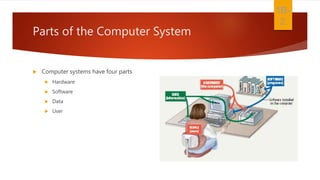
 Computer systems have four parts
 Hardware
 Software
 Data
 User
1B-
2
Parts of the Computer System
 Hardware
 Mechanical devices in the computer
 Anything that can be touched
 Software
 Tell the computer what to do
 Also called a program
 Thousands of programs exist
1B-
3
Parts of the Computer System
 Data
 Pieces of information
 Computer organize and present data
 Users
 People operating the computer
 Most important part
 Tell the computer what to do
1B-
4
Information Processing Cycle
 Steps followed to process data
1. Input
2. Processing
3. Output
4. Storage
1B-
5
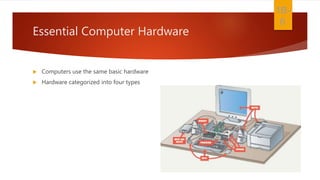
Essential Computer Hardware
 Computers use the same basic hardware
 Hardware categorized into four types
1B-
6
Essential Computer Hardware
 Processing devices
1. Brains of the computer
2. Carries out instructions from the program
3. Manipulate the data
4. Most computers have several processors
5. Central Processing Unit (CPU)
6. Secondary processors
7. Processors made of silicon and copper
1B-
7
Essential Computer Hardware
 Memory devices
 Stores data or programs
 Random Access Memory (RAM)
 Volatile
 Stores current data and programs
 More RAM results in a faster system
 Read Only Memory (ROM)
 Permanent storage of programs
 Holds the computer boot directions
1B-
8
Essential Computer Hardware
 Input and output devices
 Allows the user to interact
 Input devices accept data
 Keyboard, mouse
 Output devices deliver data
 Monitor, printer, speaker
 Some devices are input and output
 Touch screens
1B-
9
Essential Computer Hardware
 Storage devices
 Hold data and programs permanently
 Different from RAM
 Magnetic storage
 Floppy and hard drive
 Uses a magnet to access data
 Optical storage
 CD and DVD drives
 Uses a laser to access data
1B-
10
Software Runs The Machine
 Tells the computer what to do
 Reason people purchase computers
 Two types
1 . S y s t e m s o f t w a r e
2 . A p p l i c a t i o n s o f t w a r e
1B-
11
Software Runs The Machine
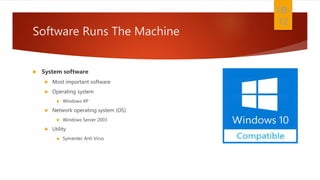
 System software
 Most important software
 Operating system
 Windows XP
 Network operating system (OS)
 Windows Server 2003
 Utility
 Symantec Anti Virus
1B-
12
Software Runs The Machine
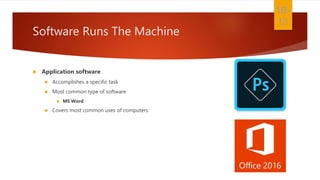
 Application software
 Accomplishes a specific task
 Most common type of software
 MS Word
 Covers most common uses of computers
1B-
13
Computer data
 Fact with no meaning on its own
 Stored using the binary number system
 Data can be organized into files
1B-
14
Computer users
 Role depends on ability
 Setup the system
 Install software
 Manage files
 Maintain the system
 “Userless” computers
 Run with no user input
 Automated systems
1B-
15

Computer application lecture 02

  • 1.
    Lecture 2 Looking Insidethe Computer System MD MAHMUDUR RAHMAN LECTURER,CSE UNIVERSITY OF SOUTH ASIA COMPUTER APPLICATION
  • 2.
    Parts of theComputer System  Computer systems have four parts  Hardware  Software  Data  User 1B- 2
  • 3.
    Parts of theComputer System  Hardware  Mechanical devices in the computer  Anything that can be touched  Software  Tell the computer what to do  Also called a program  Thousands of programs exist 1B- 3
  • 4.
    Parts of theComputer System  Data  Pieces of information  Computer organize and present data  Users  People operating the computer  Most important part  Tell the computer what to do 1B- 4
  • 5.
    Information Processing Cycle Steps followed to process data 1. Input 2. Processing 3. Output 4. Storage 1B- 5
  • 6.
    Essential Computer Hardware Computers use the same basic hardware  Hardware categorized into four types 1B- 6
  • 7.
    Essential Computer Hardware Processing devices 1. Brains of the computer 2. Carries out instructions from the program 3. Manipulate the data 4. Most computers have several processors 5. Central Processing Unit (CPU) 6. Secondary processors 7. Processors made of silicon and copper 1B- 7
  • 8.
    Essential Computer Hardware Memory devices  Stores data or programs  Random Access Memory (RAM)  Volatile  Stores current data and programs  More RAM results in a faster system  Read Only Memory (ROM)  Permanent storage of programs  Holds the computer boot directions 1B- 8
  • 9.
    Essential Computer Hardware Input and output devices  Allows the user to interact  Input devices accept data  Keyboard, mouse  Output devices deliver data  Monitor, printer, speaker  Some devices are input and output  Touch screens 1B- 9
  • 10.
    Essential Computer Hardware Storage devices  Hold data and programs permanently  Different from RAM  Magnetic storage  Floppy and hard drive  Uses a magnet to access data  Optical storage  CD and DVD drives  Uses a laser to access data 1B- 10
  • 11.
    Software Runs TheMachine  Tells the computer what to do  Reason people purchase computers  Two types 1 . S y s t e m s o f t w a r e 2 . A p p l i c a t i o n s o f t w a r e 1B- 11
  • 12.
    Software Runs TheMachine  System software  Most important software  Operating system  Windows XP  Network operating system (OS)  Windows Server 2003  Utility  Symantec Anti Virus 1B- 12
  • 13.
    Software Runs TheMachine  Application software  Accomplishes a specific task  Most common type of software  MS Word  Covers most common uses of computers 1B- 13
  • 14.
    Computer data  Factwith no meaning on its own  Stored using the binary number system  Data can be organized into files 1B- 14
  • 15.
    Computer users  Roledepends on ability  Setup the system  Install software  Manage files  Maintain the system  “Userless” computers  Run with no user input  Automated systems 1B- 15