McGraw-Hill Technology Education
McGraw-Hill Technology Education                 Copyright © 2006 by The McGraw-Hill Companies, Inc. All rights reserved.
                                                           Copyright © 2005 by The McGraw-Hill Companies, Inc. All rights reserved.
Chapter 1A


      Introducing Computer
             Systems


McGraw-Hill Technology Education   Copyright © 2006 by The McGraw-Hill Companies, Inc. All rights reserved.
The Computer Defined
       • Electronic device
       • Converts data into information
       • Modern computers are digital
         – Two digits combine to make data
       • Older computers were analog
         – A range of values made data


1A-3
Computers For Individual Use
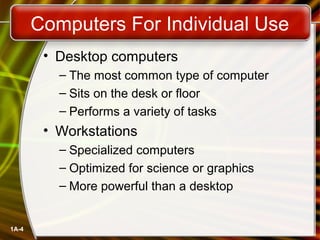
        • Desktop computers
          – The most common type of computer
          – Sits on the desk or floor
          – Performs a variety of tasks
        • Workstations
          – Specialized computers
          – Optimized for science or graphics
          – More powerful than a desktop


1A-4
Computers For Individual Use
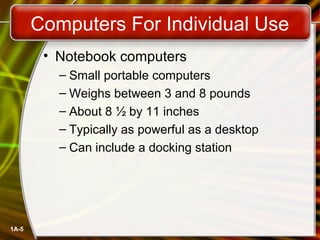
        • Notebook computers
          – Small portable computers
          – Weighs between 3 and 8 pounds
          – About 8 ½ by 11 inches
          – Typically as powerful as a desktop
          – Can include a docking station


1A-5
Computers For Individual Use
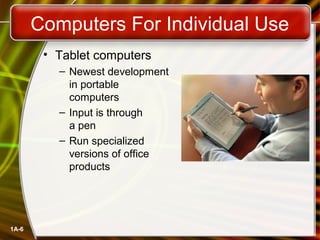
        • Tablet computers
          – Newest development
            in portable
            computers
          – Input is through
            a pen
          – Run specialized
            versions of office
            products


1A-6
Computers For Individual Use
        • Handheld computers
          – Very small computers
          – Personal Digital Assistants (PDA)
          – Note taking or contact management
          – Data can synchronize with a desktop
        • Smart phones
          – Hybrid of cell phone and PDA
          – Web surfing, e-mail access


1A-7
Computers For Organizations
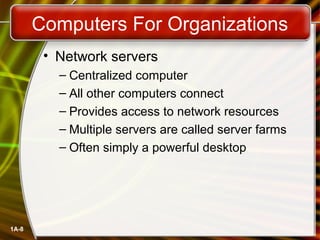
        • Network servers
          – Centralized computer
          – All other computers connect
          – Provides access to network resources
          – Multiple servers are called server farms
          – Often simply a powerful desktop


1A-8
Computers For Organizations
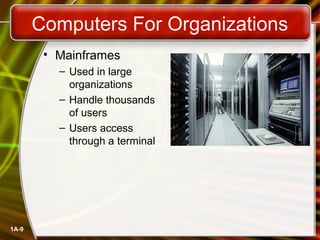
        • Mainframes
          – Used in large
            organizations
          – Handle thousands
            of users
          – Users access
            through a terminal


1A-9
Computers For Organizations
         • Minicomputers
           – Called midrange computers
           – Power between mainframe and desktop
           – Handle hundreds of users
           – Used in smaller organizations
           – Users access through a terminal


1A-10
Computers For Organizations
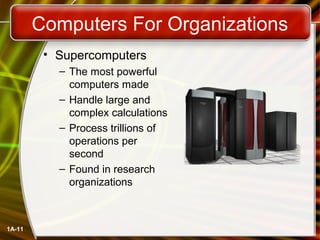
         • Supercomputers
           – The most powerful
             computers made
           – Handle large and
             complex calculations
           – Process trillions of
             operations per
             second
           – Found in research
             organizations


1A-11
Computers In Society
        • More impact than any other invention
          – Changed work and leisure activities
          – Used by all demographic groups
        • Computers are important because:
          – Provide information to users
          – Information is critical to our society
          – Managing information is difficult


1A-12
Computers In Society
        • Computers at home
          – Many homes have multiple computers
          – Most Pakistani homes have Internet
          – Computers are used for
            •   Business
            •   Entertainment
            •   Communication
            •   Education


1A-13
Computers In Society
        • Computers in education
          – Computer literacy required at all levels
        • Computers in small business
          – Makes businesses more profitable
          – Allows owners to manage
        • Computers in industry
          – Computers are used to design products
          – Assembly lines are automated


1A-14
Computers In Society
        • Computers in government
          – Necessary to track data for population
            • Police officers
            • Tax calculation and collection
          – Governments were the first computer users


1A-15
Computers In Society
        • Computers in health care
          – Revolutionized health care
          – New treatments possible
          – Scheduling of patients has improved
          – Delivery of medicine is safer


1A-16
Chapter 1A


                   End of Chapter


McGraw-Hill Technology Education   Copyright © 2006 by The McGraw-Hill Companies, Inc. All rights reserved.

Intro chapter 01_a

  • 1.
    McGraw-Hill Technology Education McGraw-HillTechnology Education Copyright © 2006 by The McGraw-Hill Companies, Inc. All rights reserved. Copyright © 2005 by The McGraw-Hill Companies, Inc. All rights reserved.
  • 2.
    Chapter 1A Introducing Computer Systems McGraw-Hill Technology Education Copyright © 2006 by The McGraw-Hill Companies, Inc. All rights reserved.
  • 3.
    The Computer Defined • Electronic device • Converts data into information • Modern computers are digital – Two digits combine to make data • Older computers were analog – A range of values made data 1A-3
  • 4.
    Computers For IndividualUse • Desktop computers – The most common type of computer – Sits on the desk or floor – Performs a variety of tasks • Workstations – Specialized computers – Optimized for science or graphics – More powerful than a desktop 1A-4
  • 5.
    Computers For IndividualUse • Notebook computers – Small portable computers – Weighs between 3 and 8 pounds – About 8 ½ by 11 inches – Typically as powerful as a desktop – Can include a docking station 1A-5
  • 6.
    Computers For IndividualUse • Tablet computers – Newest development in portable computers – Input is through a pen – Run specialized versions of office products 1A-6
  • 7.
    Computers For IndividualUse • Handheld computers – Very small computers – Personal Digital Assistants (PDA) – Note taking or contact management – Data can synchronize with a desktop • Smart phones – Hybrid of cell phone and PDA – Web surfing, e-mail access 1A-7
  • 8.
    Computers For Organizations • Network servers – Centralized computer – All other computers connect – Provides access to network resources – Multiple servers are called server farms – Often simply a powerful desktop 1A-8
  • 9.
    Computers For Organizations • Mainframes – Used in large organizations – Handle thousands of users – Users access through a terminal 1A-9
  • 10.
    Computers For Organizations • Minicomputers – Called midrange computers – Power between mainframe and desktop – Handle hundreds of users – Used in smaller organizations – Users access through a terminal 1A-10
  • 11.
    Computers For Organizations • Supercomputers – The most powerful computers made – Handle large and complex calculations – Process trillions of operations per second – Found in research organizations 1A-11
  • 12.
    Computers In Society • More impact than any other invention – Changed work and leisure activities – Used by all demographic groups • Computers are important because: – Provide information to users – Information is critical to our society – Managing information is difficult 1A-12
  • 13.
    Computers In Society • Computers at home – Many homes have multiple computers – Most Pakistani homes have Internet – Computers are used for • Business • Entertainment • Communication • Education 1A-13
  • 14.
    Computers In Society • Computers in education – Computer literacy required at all levels • Computers in small business – Makes businesses more profitable – Allows owners to manage • Computers in industry – Computers are used to design products – Assembly lines are automated 1A-14
  • 15.
    Computers In Society • Computers in government – Necessary to track data for population • Police officers • Tax calculation and collection – Governments were the first computer users 1A-15
  • 16.
    Computers In Society • Computers in health care – Revolutionized health care – New treatments possible – Scheduling of patients has improved – Delivery of medicine is safer 1A-16
  • 17.
    Chapter 1A End of Chapter McGraw-Hill Technology Education Copyright © 2006 by The McGraw-Hill Companies, Inc. All rights reserved.

Editor's Notes

  • #5 Insider information System units are commonly called cases. Many computer enthusiasts customize or ‘mod’ their cases with windows and lights. See www.casemodgod.com for examples of cases and products. Sun Microsystems makes the most popular workstations on the planet. Sun’s systems are used in diverse applications such as medical imaging and CGI (computer generated image) animation.
  • #6 Discussion point Have students contrast desktop and notebook computers. Focus on the pros and cons of each type of computer.
  • #7 Teaching tip The tablet PC was designed to simulate a piece of paper. Users interact with the tablet as if it was an unlimited paper notebook. For more information See www.microsoft.com/windowsxp/tabletpc/evaluation/tours/default.mspx for an example of the Tablet PC in action.
  • #8 Teaching tip At this point, refer the students to the productivity tip on page 13. This tip helps the student determine what type of PC is best for them.
  • #12 Teaching tip Students have a hard time understanding trillions of calculations. A simple explanation is to add 1 trillion random numbers together in a second. Contrast the speed of a super computer to the fastest desktop computer advertised during the week of class.
  • #14 Insider information The 2000 Census determined that 51% of American households had computers. Over 42% of these households also had Internet access. This can be contrasted to 36% and 18% in 1997. See www.census.gov/prod/2001pubs/p23-207.pdf for more information.
  • #15 Insider information Specialized mountain bikes are designed on Sun workstations.
  • #16 Teaching tip Most state departments of motor vehicles rely on a mainframe computer. Officers access the mainframe from a remote intelligent terminal.
  • #17 Discussion point Page 19 of the text introduces the first Norton Notebook, the Merging of Media and Meaning. The author draws an analogy between electricity and computers in our lives. Discuss with your students how difficult live would be without either of these devices. Remember that computers exist in nearly all of our modern devices, including cars, phones, kitchen appliances and entertainment devices.