Incorporating Accessibility
into your
Usability Reviews
Angela Colter
@angelacolter #a11y
STC Tech Comm Summit 2011
)
Why bother?
Because recommendations that solve the usability issue
may not solve the accessibility issue.
Because this is an excellent opportunity, maybe the only
                            )


one, to bring attention to accessibility.
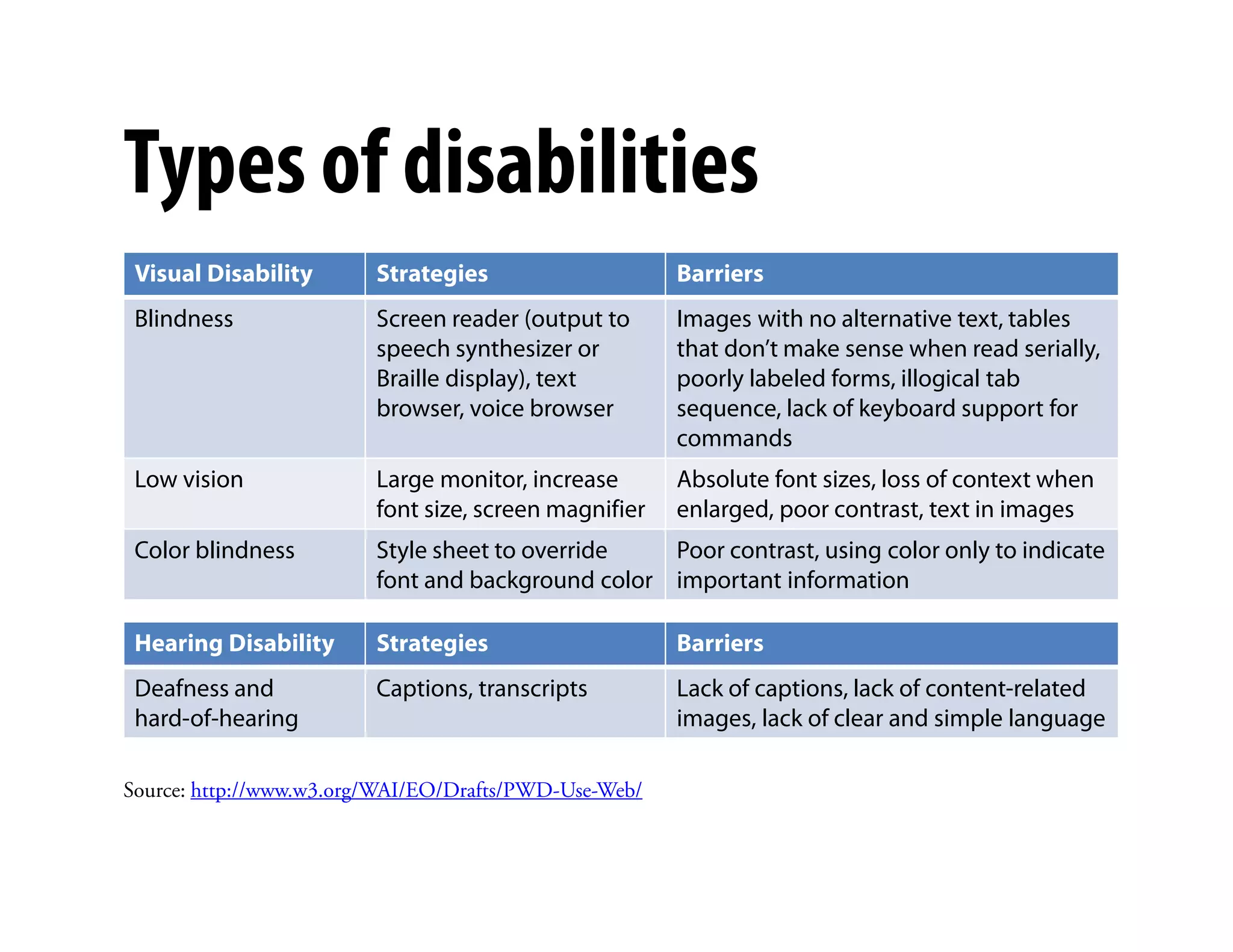
Types of disabilities
 Visual Disability       Strategies                    Barriers
 Blindness               Screen reader (output to      Images with no alternative text, tables
                         speech synthesizer or         that don’t make sense when read serially,
                         Braille display), text        poorly labeled forms, illogical tab
                         browser, voice browser        sequence, lack of keyboard support for
                                                       commands
 Low vision              Large monitor, increase)      Absolute font sizes, loss of context when
                         font size, screen magnifier   enlarged, poor contrast, text in images
 Color blindness         Style sheet to override   Poor contrast, using color only to indicate
                         font and background color important information

 Hearing Disability      Strategies                    Barriers
 Deafness and            Captions, transcripts         Lack of captions, lack of content-related
 hard-of-hearing                                       images, lack of clear and simple language

Source: http://www.w3.org/WAI/EO/Drafts/PWD-Use-Web/
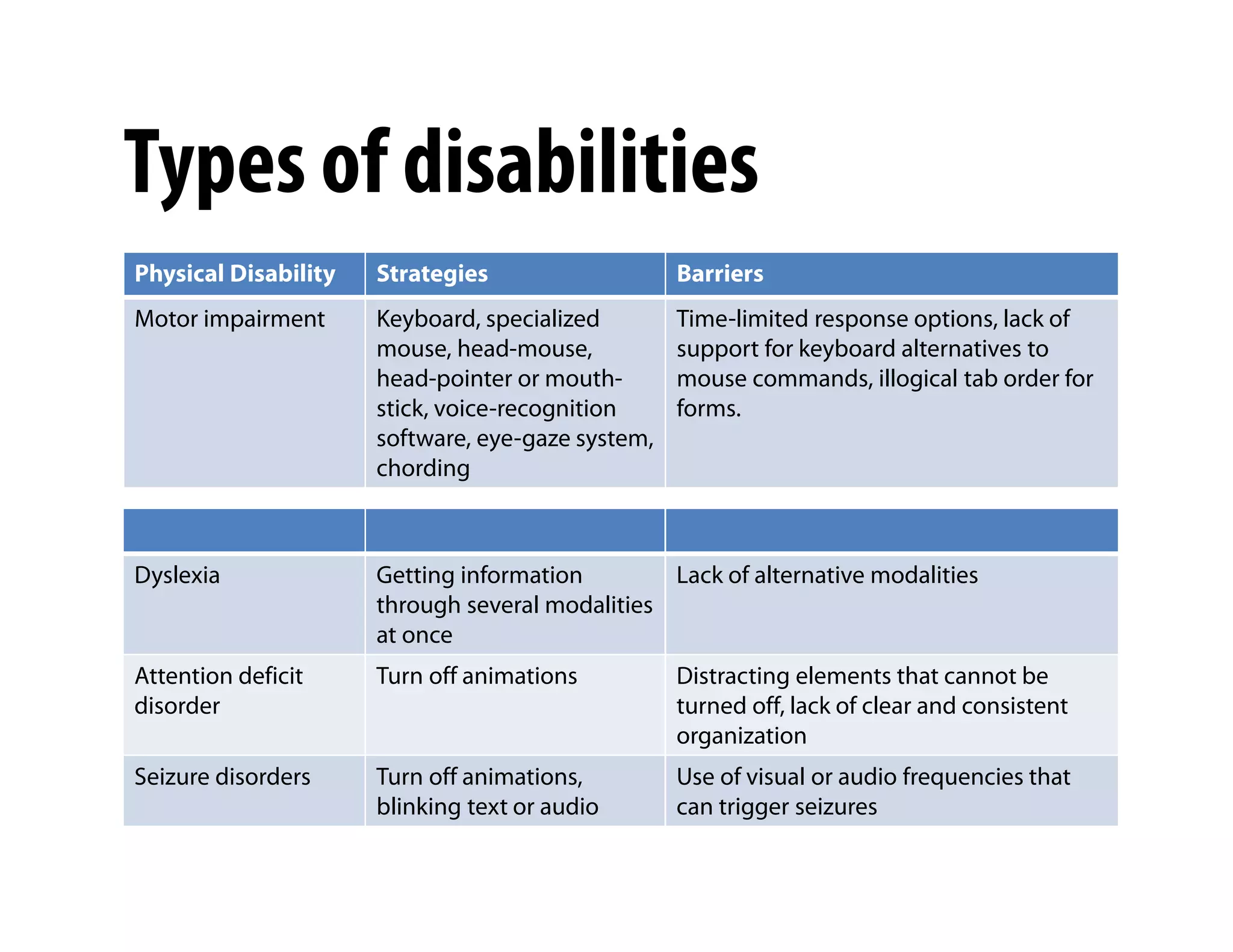
Types of disabilities
Physical Disability   Strategies                   Barriers
Motor impairment      Keyboard, specialized        Time-limited response options, lack of
                      mouse, head-mouse,           support for keyboard alternatives to
                      head-pointer or mouth-       mouse commands, illogical tab order for
                      stick, voice-recognition     forms.
                      software, eye-gaze system,
                      chording                )


Dyslexia              Getting information        Lack of alternative modalities
                      through several modalities
                      at once
Attention deficit     Turn off animations          Distracting elements that cannot be
disorder                                           turned off, lack of clear and consistent
                                                   organization
Seizure disorders     Turn off animations,         Use of visual or audio frequencies that
                      blinking text or audio       can trigger seizures
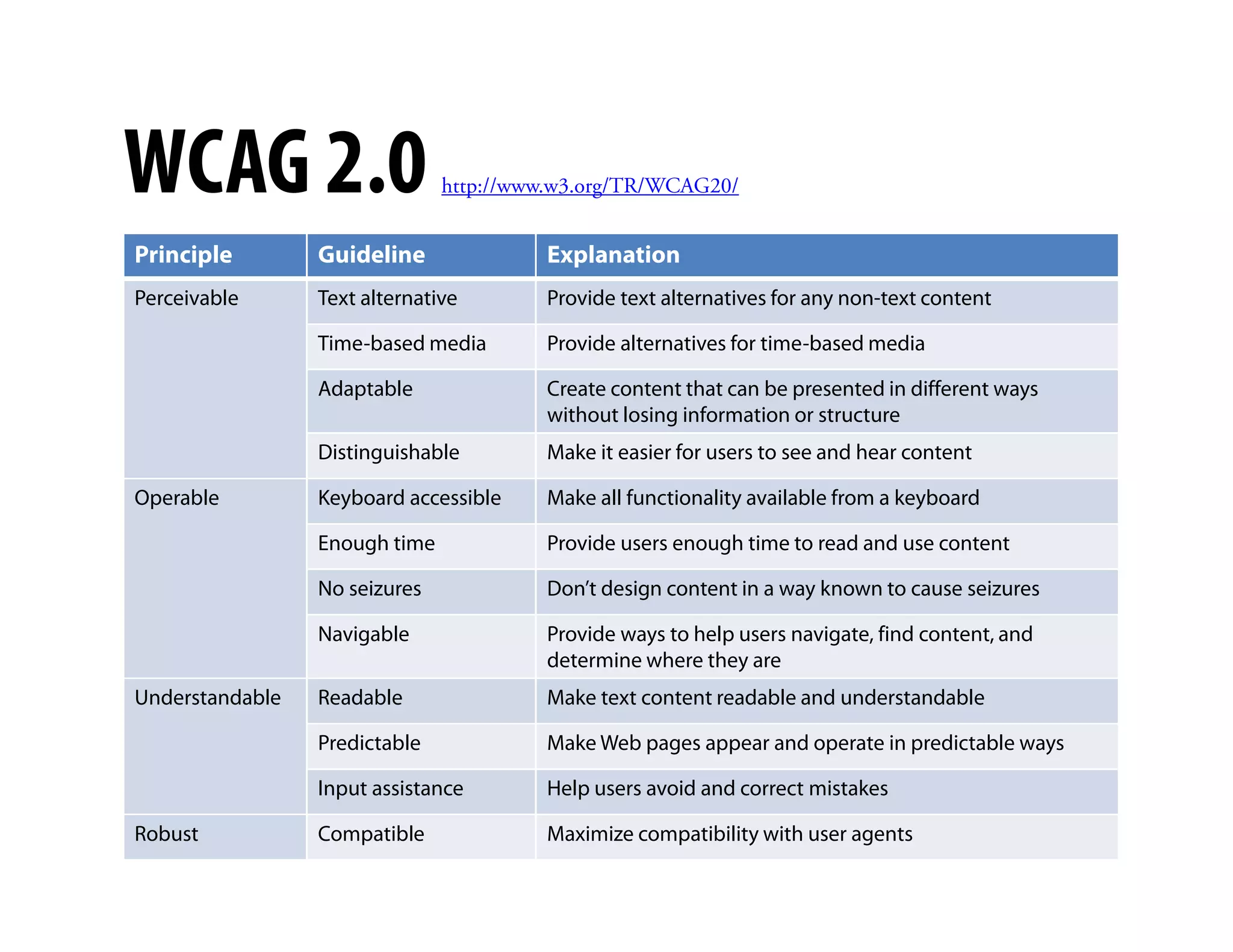
WCAG 2.0                       http://www.w3.org/TR/WCAG20/


Principle        Guideline              Explanation
Perceivable      Text alternative       Provide text alternatives for any non-text content

                 Time-based media       Provide alternatives for time-based media

                 Adaptable              Create content that can be presented in different ways
                                        without losing information or structure
                 Distinguishable        Make it easier for users to see and hear content
                                               )
Operable         Keyboard accessible    Make all functionality available from a keyboard

                 Enough time            Provide users enough time to read and use content

                 No seizures            Don’t design content in a way known to cause seizures

                 Navigable              Provide ways to help users navigate, find content, and
                                        determine where they are
Understandable   Readable               Make text content readable and understandable

                 Predictable            Make Web pages appear and operate in predictable ways

                 Input assistance       Help users avoid and correct mistakes

Robust           Compatible             Maximize compatibility with user agents
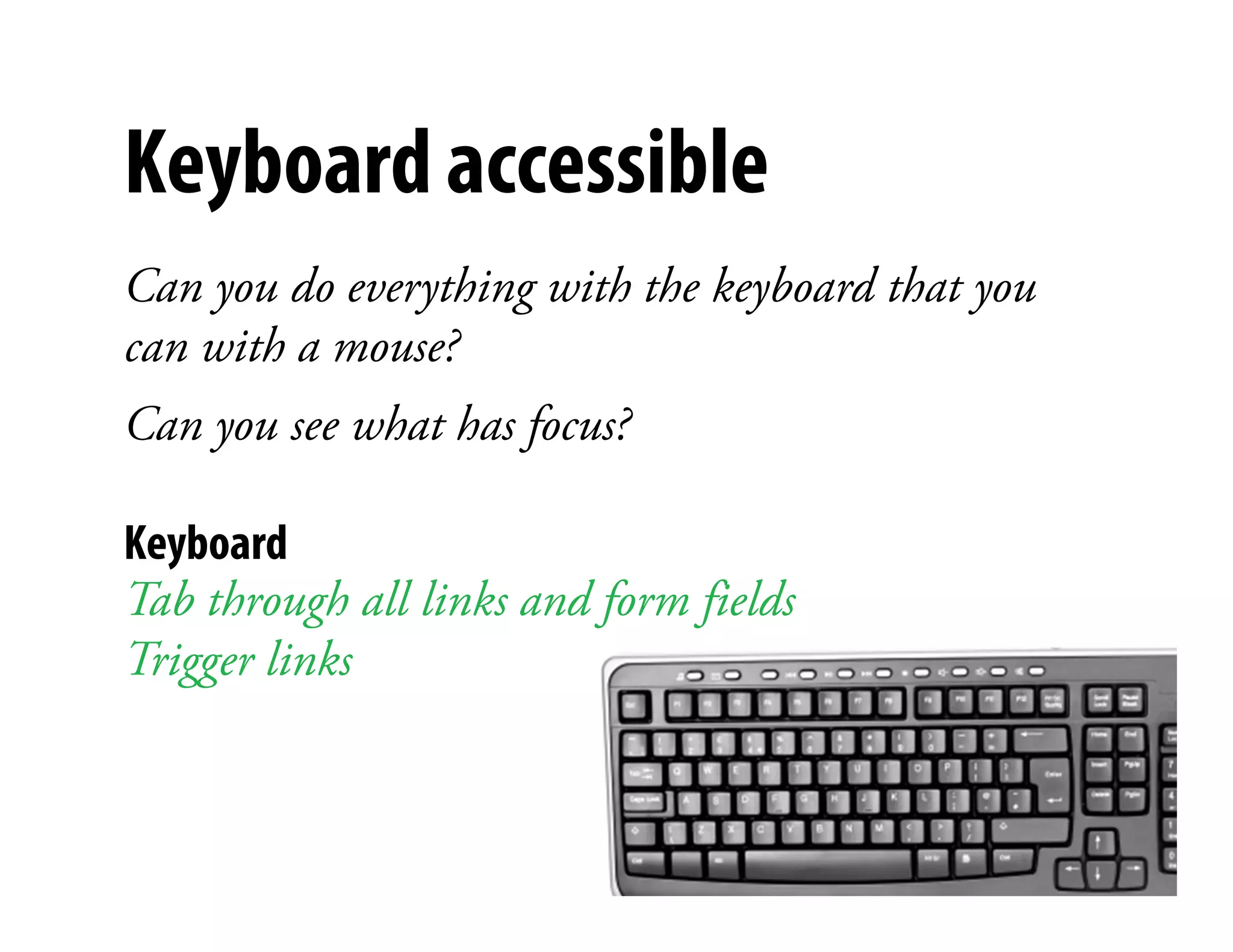
Keyboard accessible
Can you do everything with the keyboard that you
can with a mouse?
Can you see what has focus?
                           )


Keyboard
Tab through all links and form fields
Trigger links
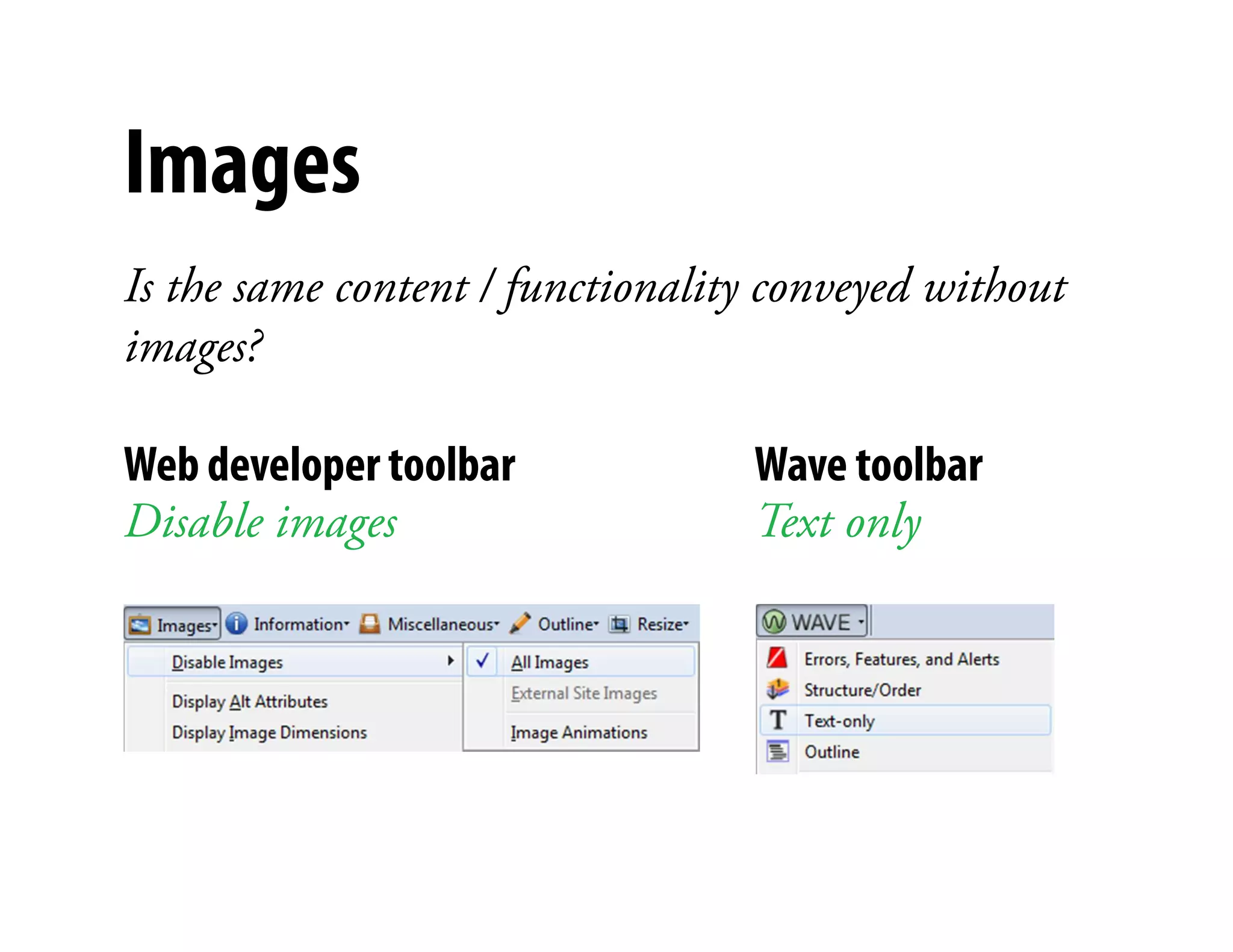
Images
Is the same content / functionality conveyed without
images?

Web developer toolbar             Wave toolbar
Disable images                    Text only
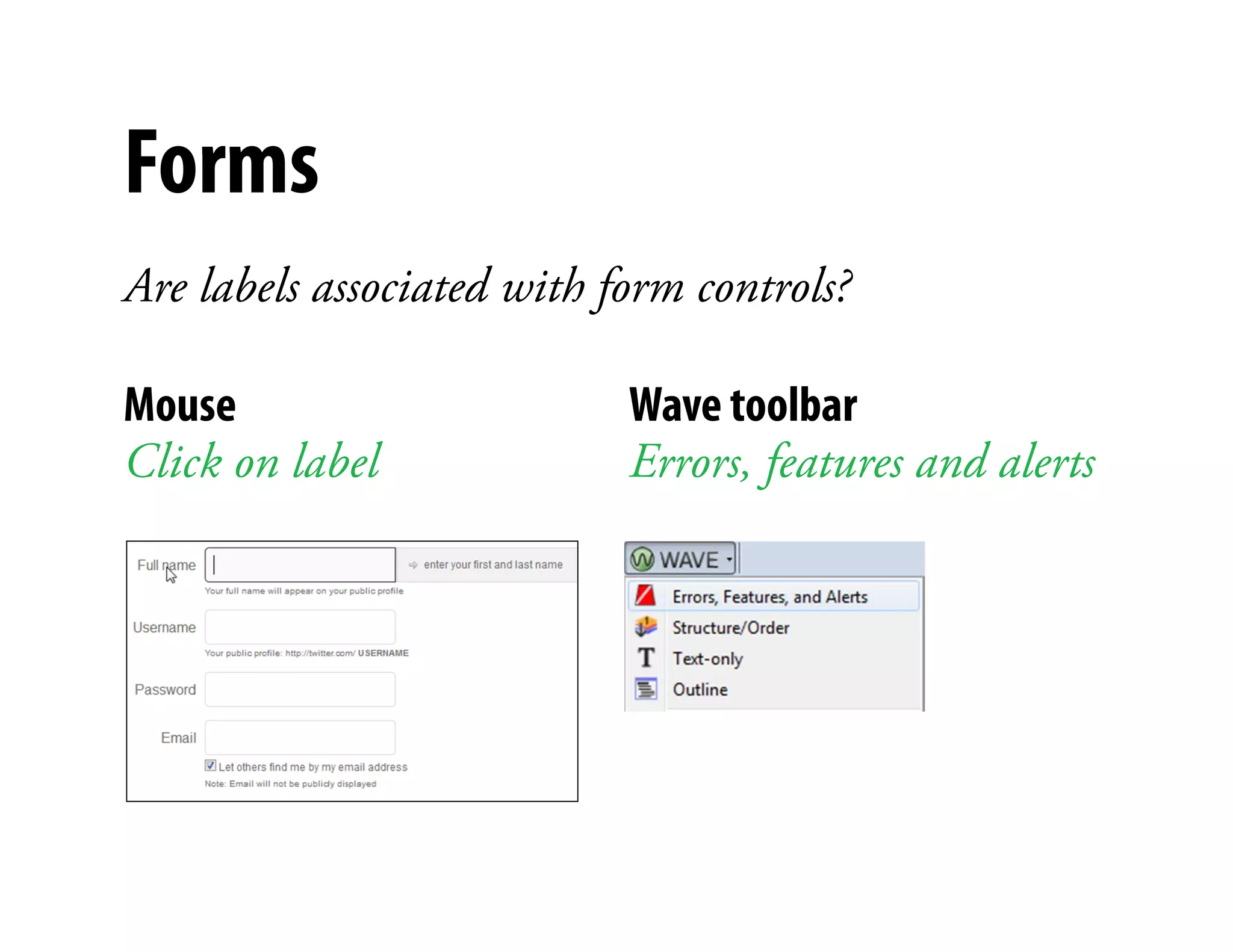
Forms
Are labels associated with form controls?

Mouse                          Wave toolbar
Click on label             )   Errors, features and alerts
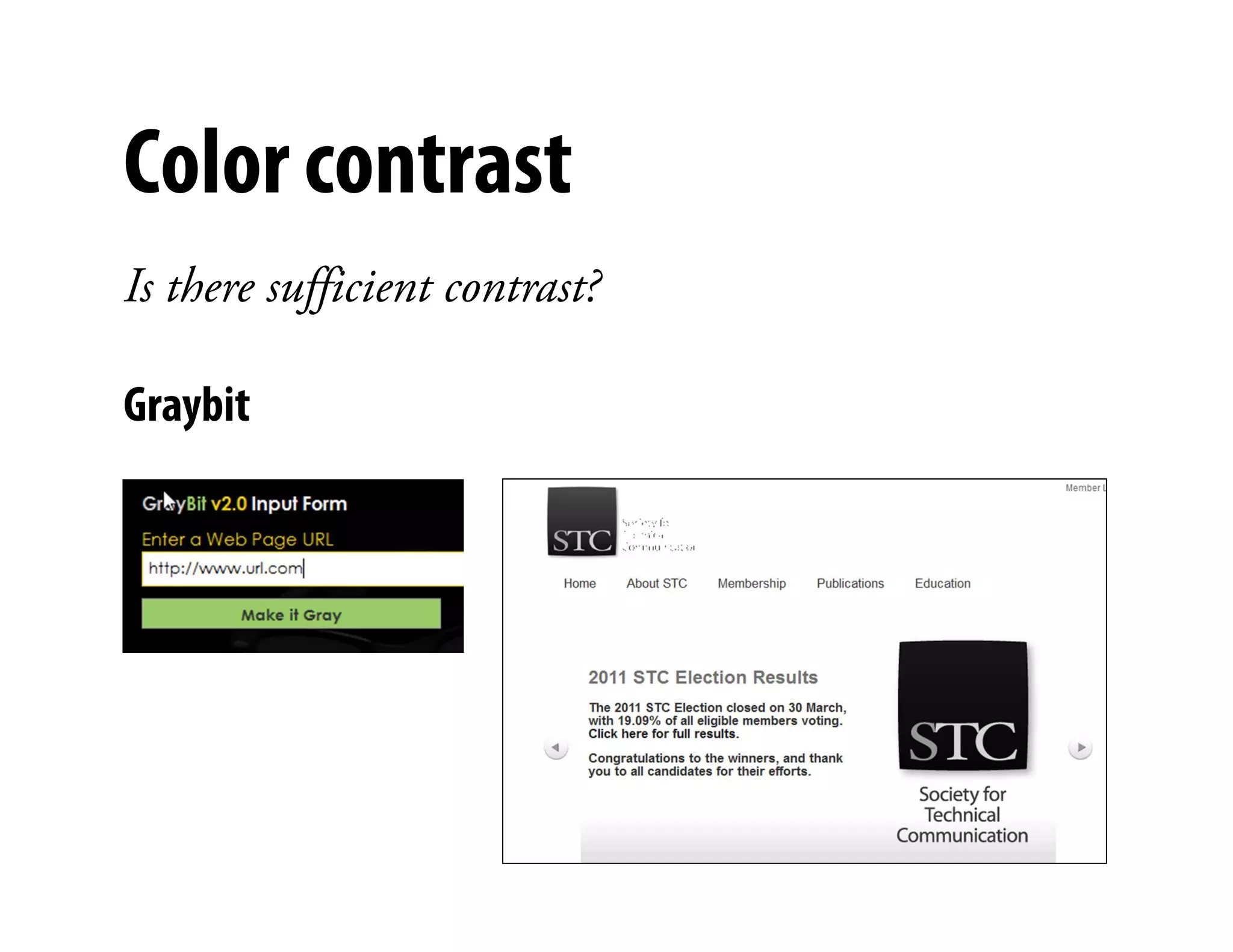
Color contrast
Is there sufficient contrast?

Graybit
                                )
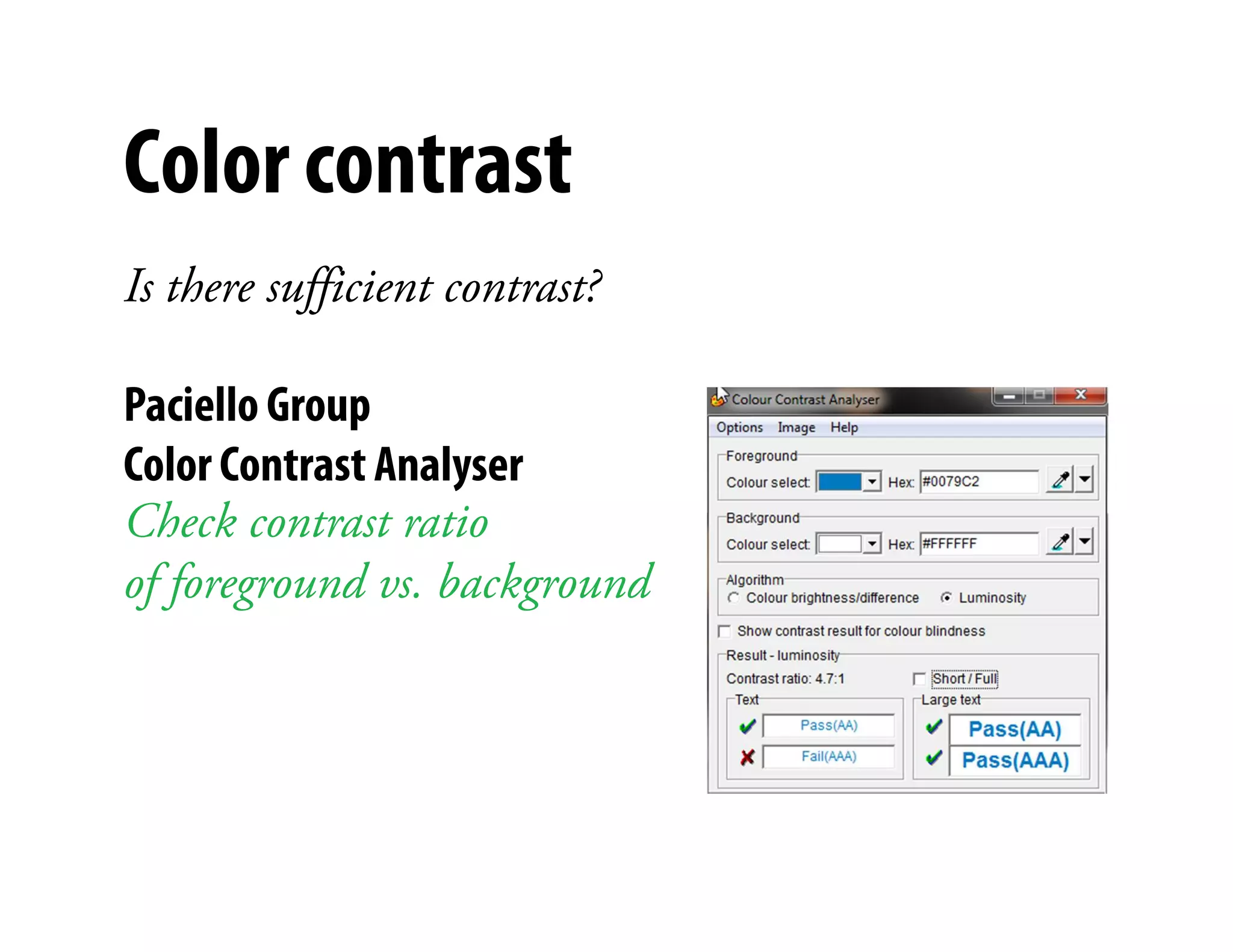
Color contrast
Is there sufficient contrast?

Paciello Group
Color Contrast Analyser         )


Check contrast ratio
of foreground vs. background
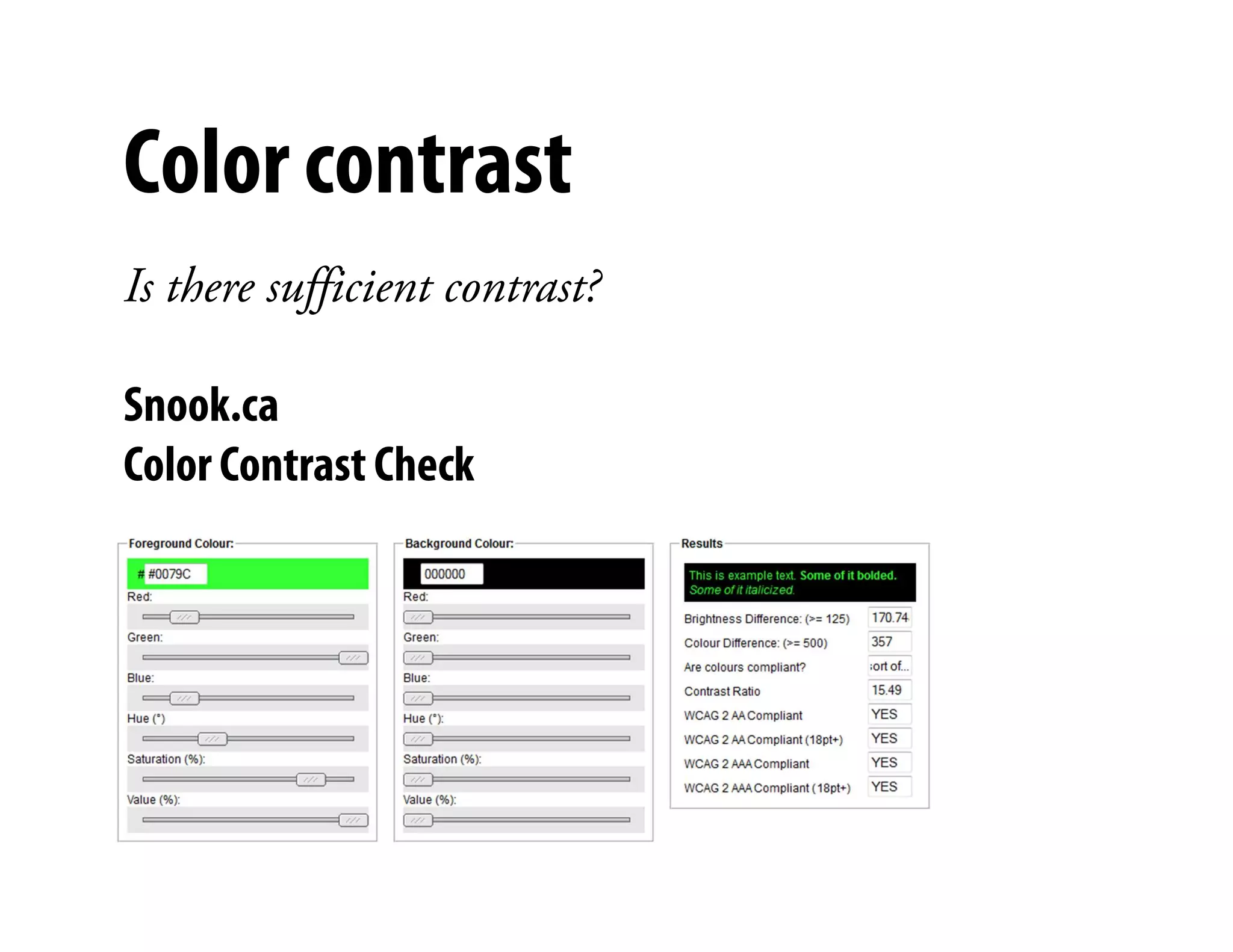
Color contrast
Is there sufficient contrast?

Snook.ca
Color Contrast Check            )
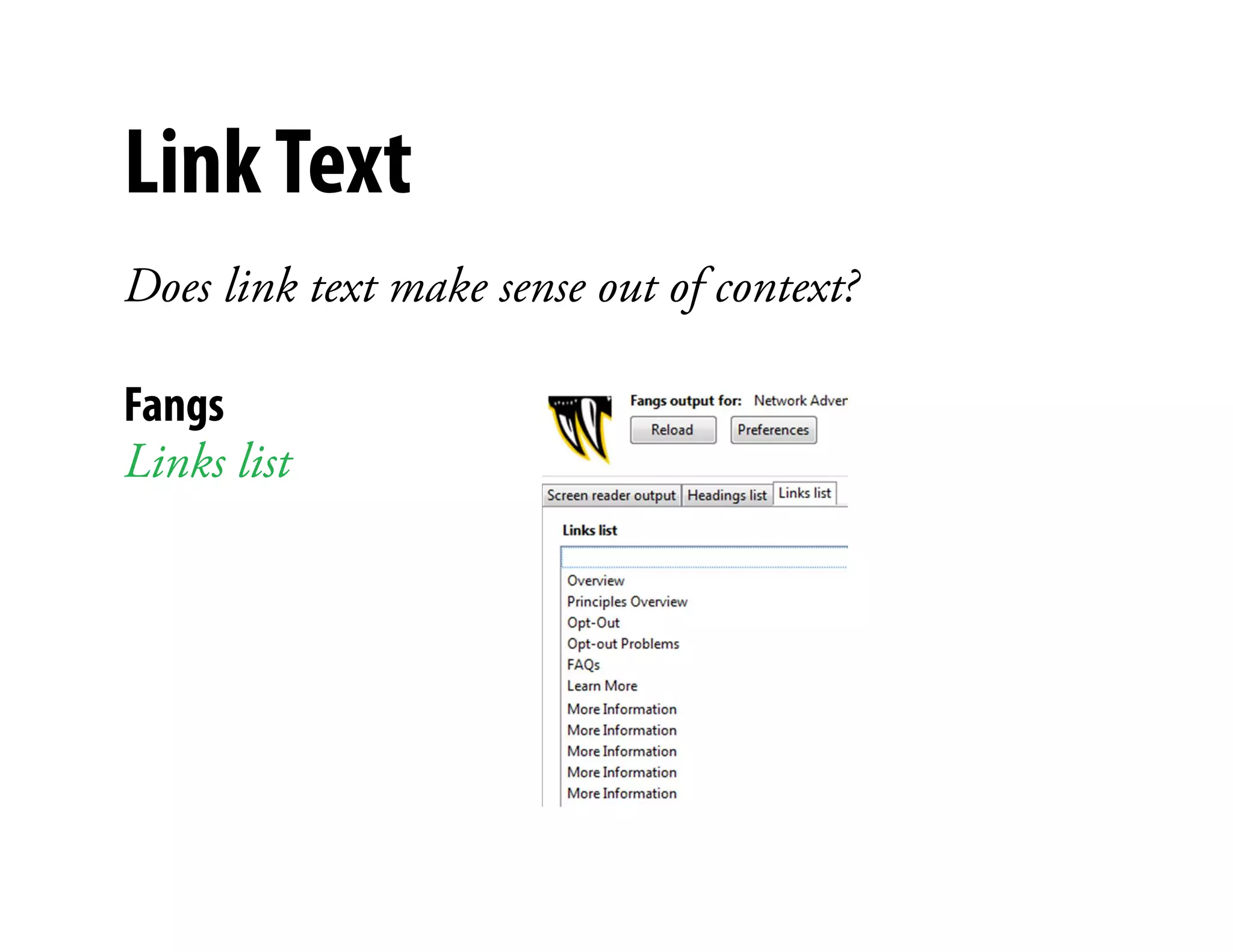
Link Text
Does link text make sense out of context?

Fangs
Links list                 )
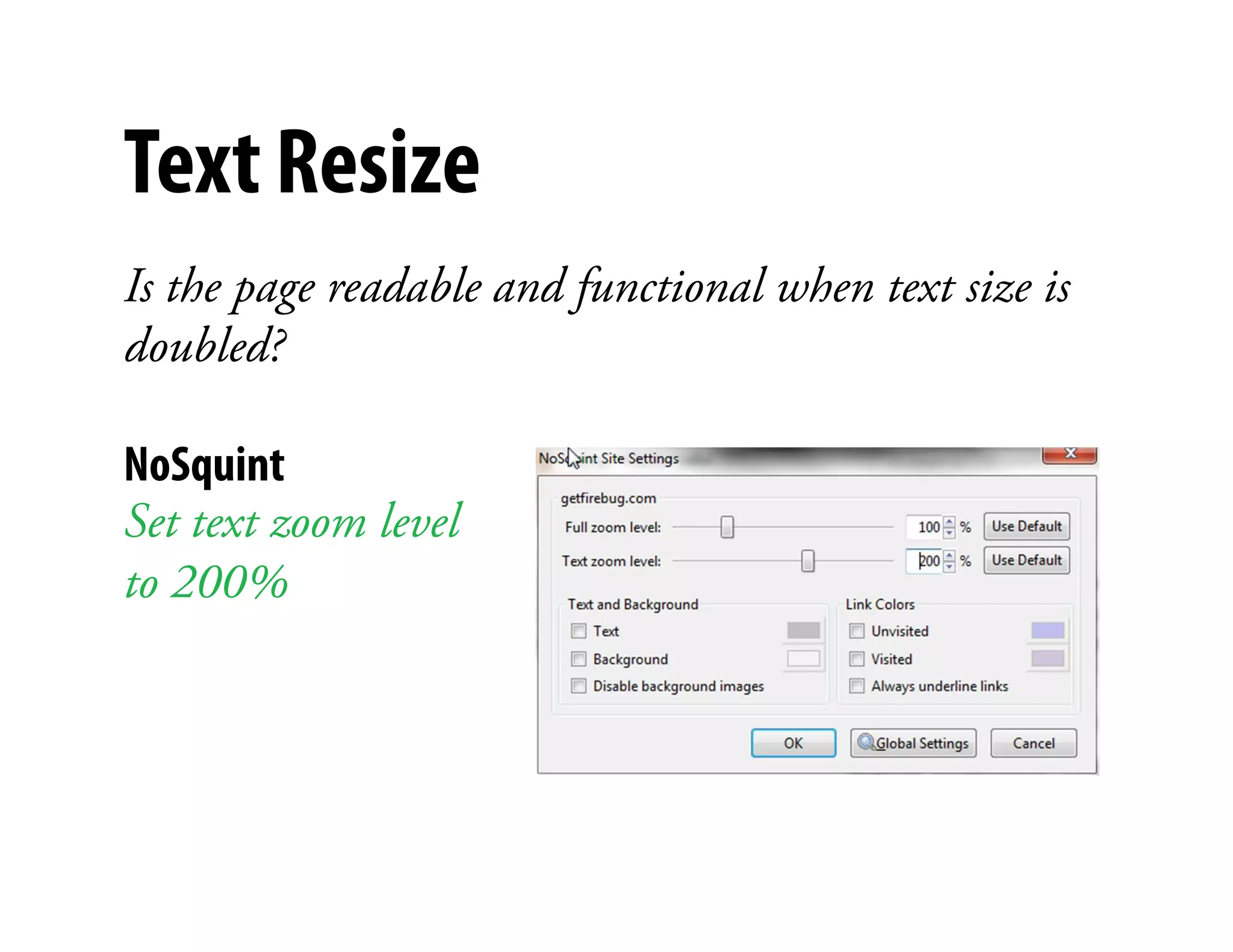
Text Resize
Is the page readable and functional when text size is
doubled?

NoSquint                   )


Set text zoom level
to 200%
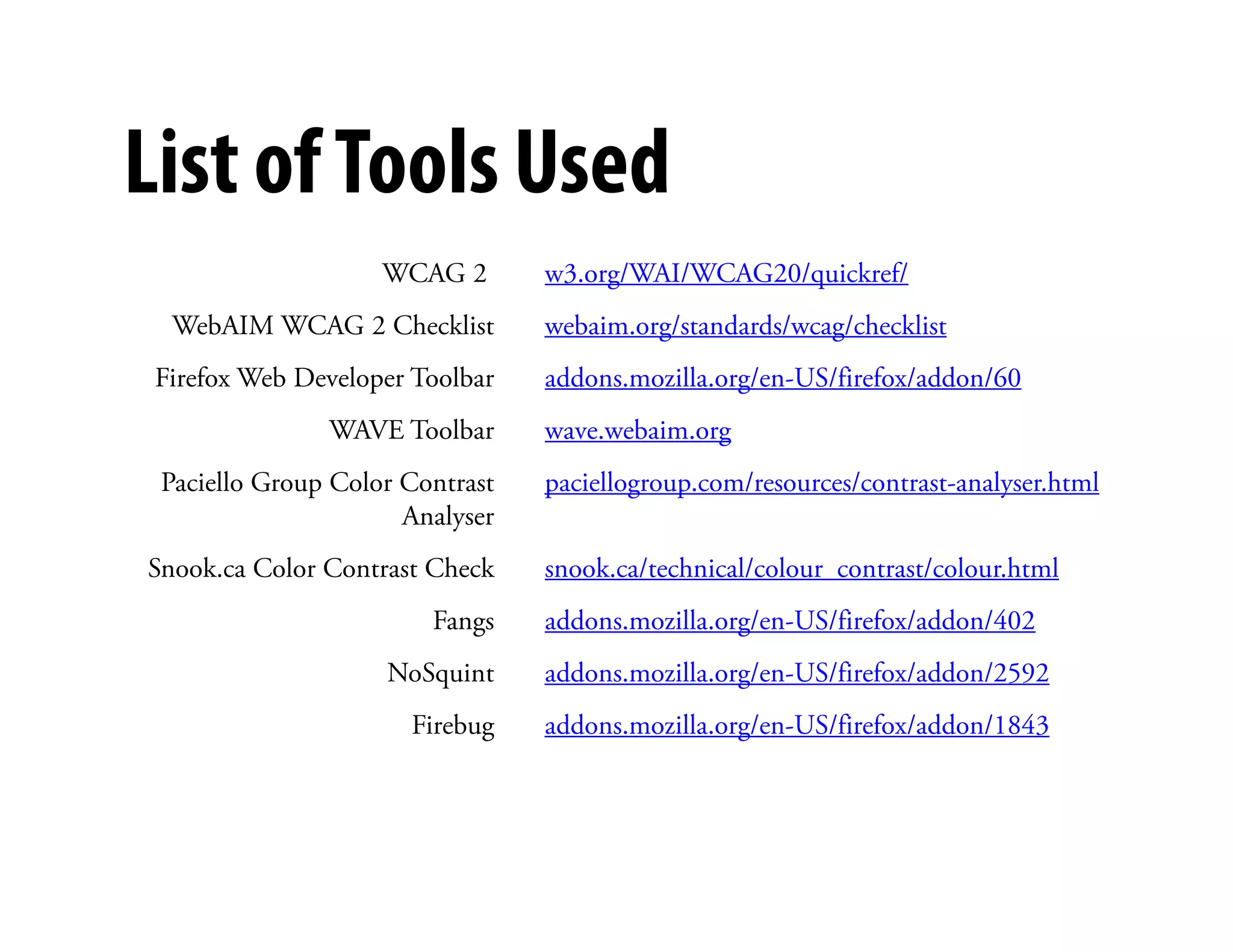
List of Tools Used
                    WCAG 2       w3.org/WAI/WCAG20/quickref/
  WebAIM WCAG 2 Checklist        webaim.org/standards/wcag/checklist
 Firefox Web Developer Toolbar   addons.mozilla.org/en-US/firefox/addon/60
               WAVE Toolbar      wave.webaim.org
                                        )
 Paciello Group Color Contrast   paciellogroup.com/resources/contrast-analyser.html
                      Analyser
Snook.ca Color Contrast Check    snook.ca/technical/colour_contrast/colour.html
                        Fangs    addons.mozilla.org/en-US/firefox/addon/402
                    NoSquint     addons.mozilla.org/en-US/firefox/addon/2592
                      Firebug    addons.mozilla.org/en-US/firefox/addon/1843
Want more?
Web: angelacolter.com/tools-for-conducting-an-accessibility-review/
                                )


Email: acolter@electronicink.com
Twitter: @angelacolter

Incorporating Accessibility into your Usability Reviews

  • 1.
    Incorporating Accessibility into your UsabilityReviews Angela Colter @angelacolter #a11y STC Tech Comm Summit 2011
  • 2.
  • 3.
    Why bother? Because recommendationsthat solve the usability issue may not solve the accessibility issue. Because this is an excellent opportunity, maybe the only ) one, to bring attention to accessibility.
  • 4.
    Types of disabilities Visual Disability Strategies Barriers Blindness Screen reader (output to Images with no alternative text, tables speech synthesizer or that don’t make sense when read serially, Braille display), text poorly labeled forms, illogical tab browser, voice browser sequence, lack of keyboard support for commands Low vision Large monitor, increase) Absolute font sizes, loss of context when font size, screen magnifier enlarged, poor contrast, text in images Color blindness Style sheet to override Poor contrast, using color only to indicate font and background color important information Hearing Disability Strategies Barriers Deafness and Captions, transcripts Lack of captions, lack of content-related hard-of-hearing images, lack of clear and simple language Source: http://www.w3.org/WAI/EO/Drafts/PWD-Use-Web/
  • 5.
    Types of disabilities PhysicalDisability Strategies Barriers Motor impairment Keyboard, specialized Time-limited response options, lack of mouse, head-mouse, support for keyboard alternatives to head-pointer or mouth- mouse commands, illogical tab order for stick, voice-recognition forms. software, eye-gaze system, chording ) Dyslexia Getting information Lack of alternative modalities through several modalities at once Attention deficit Turn off animations Distracting elements that cannot be disorder turned off, lack of clear and consistent organization Seizure disorders Turn off animations, Use of visual or audio frequencies that blinking text or audio can trigger seizures
  • 6.
    WCAG 2.0 http://www.w3.org/TR/WCAG20/ Principle Guideline Explanation Perceivable Text alternative Provide text alternatives for any non-text content Time-based media Provide alternatives for time-based media Adaptable Create content that can be presented in different ways without losing information or structure Distinguishable Make it easier for users to see and hear content ) Operable Keyboard accessible Make all functionality available from a keyboard Enough time Provide users enough time to read and use content No seizures Don’t design content in a way known to cause seizures Navigable Provide ways to help users navigate, find content, and determine where they are Understandable Readable Make text content readable and understandable Predictable Make Web pages appear and operate in predictable ways Input assistance Help users avoid and correct mistakes Robust Compatible Maximize compatibility with user agents
  • 7.
    Keyboard accessible Can youdo everything with the keyboard that you can with a mouse? Can you see what has focus? ) Keyboard Tab through all links and form fields Trigger links
  • 8.
    Images Is the samecontent / functionality conveyed without images? Web developer toolbar Wave toolbar Disable images Text only
  • 9.
    Forms Are labels associatedwith form controls? Mouse Wave toolbar Click on label ) Errors, features and alerts
  • 10.
    Color contrast Is theresufficient contrast? Graybit )
  • 11.
    Color contrast Is theresufficient contrast? Paciello Group Color Contrast Analyser ) Check contrast ratio of foreground vs. background
  • 12.
    Color contrast Is theresufficient contrast? Snook.ca Color Contrast Check )
  • 13.
    Link Text Does linktext make sense out of context? Fangs Links list )
  • 14.
    Text Resize Is thepage readable and functional when text size is doubled? NoSquint ) Set text zoom level to 200%
  • 15.
    List of ToolsUsed WCAG 2 w3.org/WAI/WCAG20/quickref/ WebAIM WCAG 2 Checklist webaim.org/standards/wcag/checklist Firefox Web Developer Toolbar addons.mozilla.org/en-US/firefox/addon/60 WAVE Toolbar wave.webaim.org ) Paciello Group Color Contrast paciellogroup.com/resources/contrast-analyser.html Analyser Snook.ca Color Contrast Check snook.ca/technical/colour_contrast/colour.html Fangs addons.mozilla.org/en-US/firefox/addon/402 NoSquint addons.mozilla.org/en-US/firefox/addon/2592 Firebug addons.mozilla.org/en-US/firefox/addon/1843
  • 16.
    Want more? Web: angelacolter.com/tools-for-conducting-an-accessibility-review/ ) Email: acolter@electronicink.com Twitter: @angelacolter