Inclusion and Procurement
Mada Center 2011
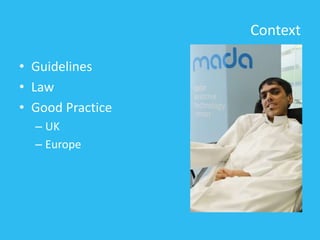
Context
• Guidelines
• Law
• Good Practice
– UK
– Europe
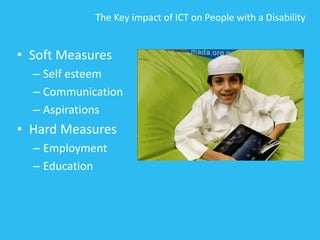
The Key impact of ICT on People with a Disability
• Soft Measures
– Self esteem
– Communication
– Aspirations
• Hard Measures
– Employment
– Education
Checklist
An idea of the key accessibility factors which we
need to outline throughout the process, covering:
• Hardware such as PC
• Hardware such as laptop computers
• Hardware such as teaching and learning tools
• Managed services
• Operating system and network configuration
• Web Presence
• Software/Cloud Solutions
• Learning Platforms
• Assistive technology software and hardware
• Building design and furniture
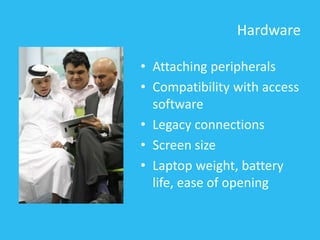
Hardware
• Attaching peripherals
• Compatibility with access
software
• Legacy connections
• Screen size
• Laptop weight, battery
life, ease of opening
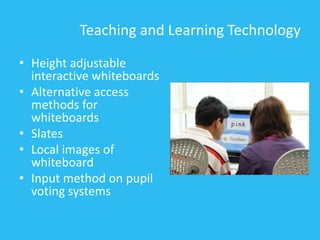
Teaching and Learning Technology
• Height adjustable
interactive whiteboards
• Alternative access
methods for
whiteboards
• Slates
• Local images of
whiteboard
• Input method on pupil
voting systems
Managed Services
• Will local specialist technician knowledge be lost?
• What about instant replacement agreements and
their impact on People with disabilities
• Can users of bespoke ICT systems access network
facilities
• Access to control panel for accessibility features
• Accessibility settings available regardless of log
on location
• Can non standard access equipment be installed
without long delays
Operating system, software & learning platform
• What accessibility options are available in the
operating system?
• What third party access software is available?
• Log on for non keyboard users
• What about the application and learning
software?
• Will the learning platform chosen be
accessible in terms of both framework and
content ?
Assistive Technology Considerations
• Can AT solutions be delivered over the network
• Is licensing appropriate?
• Will AT software keep up with operating system
and application software updates?
• Will those requiring special access use their own
machines or will all computers be made
accessible?
• Funding for AT
• Hardware – readily available and with necessary
drivers installed
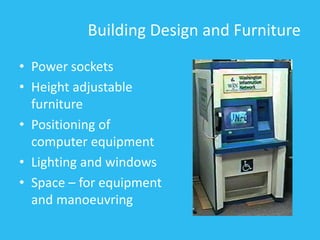
Building Design and Furniture
• Power sockets
• Height adjustable
furniture
• Positioning of
computer equipment
• Lighting and windows
• Space – for equipment
and manoeuvring
Ensuring the procurement of
DDA compliant IT solutions
What is a compliant IT solution?
• Answer 1: No idea
– How do you measure?
– How do you test for it?
– Does an IT supplier understand it?
• Answer 2: Everything
– All IT solutions are compliant until…
– They create disadvantage for someone with a
disability which is then not addressed and…
– That person successfully complains about you
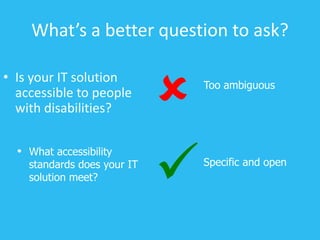
What’s a better question to ask?
• Is your IT solution
accessible to people
with disabilities?
Specific and open

• What accessibility
standards does your IT
solution meet?
Too ambiguous

Standards to look out for
• World Wide Web Consortium (W3C) Web
Content Accessibility Guidelines (WCAG)
• RNIB “See it right”
• IBM Software Accessibility Guidelines
• Irish NDA Accessibility Guidelines
• ISO 16071 Guidance On Software Accessibility
• Section 508 VPAT (Voluntary Product Accessibility
Template)
Do they walk the talk?
Proof of the pudding and all that
Don’t take their word for it
• Has their solution been tested by people with
disabilities?
• How will they involve disabled people in the
development of the solution?
• Do they have reference sites?
• Will they let you test the solution yourself?
So they don’t make the grade
Are they out of the running?
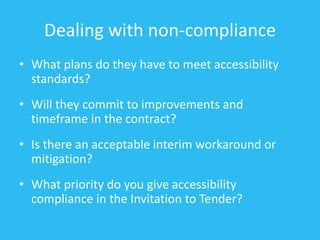
Dealing with non-compliance
• What plans do they have to meet accessibility
standards?
• Will they commit to improvements and
timeframe in the contract?
• Is there an acceptable interim workaround or
mitigation?
• What priority do you give accessibility
compliance in the Invitation to Tender?
Players who won’t play ball
Dealing with common challenges
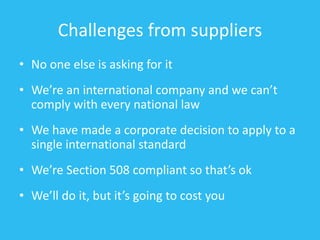
Challenges from suppliers
• No one else is asking for it
• We’re an international company and we can’t
comply with every national law
• We have made a corporate decision to apply to a
single international standard
• We’re Section 508 compliant so that’s ok
• We’ll do it, but it’s going to cost you
Challenges from purchasers
• We don’t have any disabled members of staff
• Disabled people aren’t capable of doing this
job anyway
• Disabled customers have never complained
before
• It does what we want at a price we’re happy
with but it isn’t accessible. We’ll take the risk.
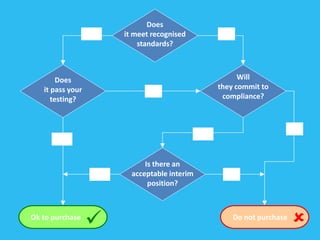
A recipe for success
4 simple questions
Do not purchase
Ok to purchase

Does
it meet recognised
standards?
Does
it pass your
testing?
Will
they commit to
compliance?
Is there an
acceptable interim
position?
Yes No
No
No
Yes
Yes
NoYes
Things to remember
• Explicitly state the need for compliance with
accessibility standards in your ITT documents
• Make suppliers aware that scoring and selection
will include their response to accessibility
• Perform due diligence on responses
• Get suppliers to commit in the contract to
remediation and future compliance
• Have the confidence to take your business
elsewhere if they say “no”
One last thing to remember…
There is no such thing as a
compliant IT solution
It’s all about accessibility.
Q&A

Inclusion and procurement

  • 1.
  • 2.
    Context • Guidelines • Law •Good Practice – UK – Europe
  • 3.
    The Key impactof ICT on People with a Disability • Soft Measures – Self esteem – Communication – Aspirations • Hard Measures – Employment – Education
  • 4.
    Checklist An idea ofthe key accessibility factors which we need to outline throughout the process, covering: • Hardware such as PC • Hardware such as laptop computers • Hardware such as teaching and learning tools • Managed services • Operating system and network configuration • Web Presence • Software/Cloud Solutions • Learning Platforms • Assistive technology software and hardware • Building design and furniture
  • 5.
    Hardware • Attaching peripherals •Compatibility with access software • Legacy connections • Screen size • Laptop weight, battery life, ease of opening
  • 6.
    Teaching and LearningTechnology • Height adjustable interactive whiteboards • Alternative access methods for whiteboards • Slates • Local images of whiteboard • Input method on pupil voting systems
  • 7.
    Managed Services • Willlocal specialist technician knowledge be lost? • What about instant replacement agreements and their impact on People with disabilities • Can users of bespoke ICT systems access network facilities • Access to control panel for accessibility features • Accessibility settings available regardless of log on location • Can non standard access equipment be installed without long delays
  • 8.
    Operating system, software& learning platform • What accessibility options are available in the operating system? • What third party access software is available? • Log on for non keyboard users • What about the application and learning software? • Will the learning platform chosen be accessible in terms of both framework and content ?
  • 9.
    Assistive Technology Considerations •Can AT solutions be delivered over the network • Is licensing appropriate? • Will AT software keep up with operating system and application software updates? • Will those requiring special access use their own machines or will all computers be made accessible? • Funding for AT • Hardware – readily available and with necessary drivers installed
  • 10.
    Building Design andFurniture • Power sockets • Height adjustable furniture • Positioning of computer equipment • Lighting and windows • Space – for equipment and manoeuvring
  • 11.
    Ensuring the procurementof DDA compliant IT solutions
  • 12.
    What is acompliant IT solution? • Answer 1: No idea – How do you measure? – How do you test for it? – Does an IT supplier understand it? • Answer 2: Everything – All IT solutions are compliant until… – They create disadvantage for someone with a disability which is then not addressed and… – That person successfully complains about you
  • 13.
    What’s a betterquestion to ask? • Is your IT solution accessible to people with disabilities? Specific and open  • What accessibility standards does your IT solution meet? Too ambiguous 
  • 14.
    Standards to lookout for • World Wide Web Consortium (W3C) Web Content Accessibility Guidelines (WCAG) • RNIB “See it right” • IBM Software Accessibility Guidelines • Irish NDA Accessibility Guidelines • ISO 16071 Guidance On Software Accessibility • Section 508 VPAT (Voluntary Product Accessibility Template)
  • 15.
    Do they walkthe talk? Proof of the pudding and all that
  • 16.
    Don’t take theirword for it • Has their solution been tested by people with disabilities? • How will they involve disabled people in the development of the solution? • Do they have reference sites? • Will they let you test the solution yourself?
  • 17.
    So they don’tmake the grade Are they out of the running?
  • 18.
    Dealing with non-compliance •What plans do they have to meet accessibility standards? • Will they commit to improvements and timeframe in the contract? • Is there an acceptable interim workaround or mitigation? • What priority do you give accessibility compliance in the Invitation to Tender?
  • 19.
    Players who won’tplay ball Dealing with common challenges
  • 20.
    Challenges from suppliers •No one else is asking for it • We’re an international company and we can’t comply with every national law • We have made a corporate decision to apply to a single international standard • We’re Section 508 compliant so that’s ok • We’ll do it, but it’s going to cost you
  • 21.
    Challenges from purchasers •We don’t have any disabled members of staff • Disabled people aren’t capable of doing this job anyway • Disabled customers have never complained before • It does what we want at a price we’re happy with but it isn’t accessible. We’ll take the risk.
  • 22.
    A recipe forsuccess 4 simple questions
  • 23.
    Do not purchase Okto purchase  Does it meet recognised standards? Does it pass your testing? Will they commit to compliance? Is there an acceptable interim position? Yes No No No Yes Yes NoYes
  • 24.
    Things to remember •Explicitly state the need for compliance with accessibility standards in your ITT documents • Make suppliers aware that scoring and selection will include their response to accessibility • Perform due diligence on responses • Get suppliers to commit in the contract to remediation and future compliance • Have the confidence to take your business elsewhere if they say “no”
  • 25.
    One last thingto remember… There is no such thing as a compliant IT solution It’s all about accessibility.
  • 26.