InDesign Tutorial

  Kauana Labaldi
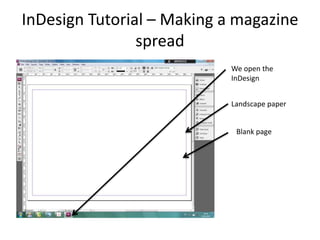
InDesign Tutorial – Making a magazine
                spread
                            We open the
                            InDesign


                            Landscape paper


                             Blank page
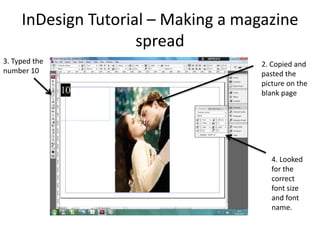
InDesign Tutorial – Making a magazine
                     spread
3. Typed the                         2. Copied and
number 10                            pasted the
                                     picture on the
                                     blank page


                                        4. Looked
                                        for the
                                        correct
                                        font size
                                        and font
                                        name.
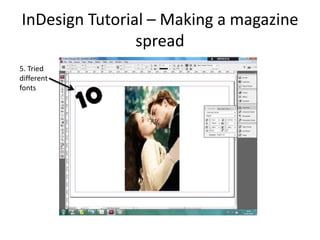
InDesign Tutorial – Making a magazine
                spread
5. Tried
different
fonts
InDesign Tutorial – Making a magazine
                     spread

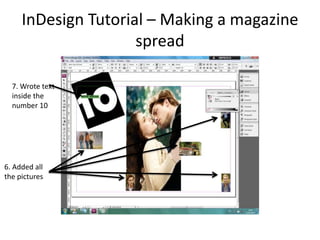
  7. Wrote text
  inside the
  number 10


6. Added all
the pictures
InDesign Tutorial – Making a magazine
                     spread
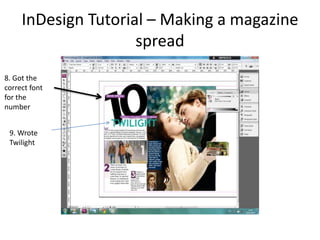
8. Got the
correct font
for the
number


 9. Wrote
 Twilight
InDesign Tutorial – Making a magazine
                spread
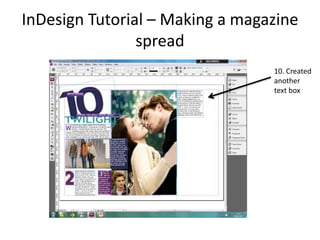
                                 10. Created
                                 another
                                 text box
InDesign Tutorial – Making a magazine
                spread
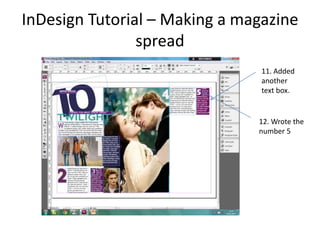
                                11. Added
                                another
                                text box.


                               12. Wrote the
                               number 5
InDesign Tutorial – Making a magazine
                spread
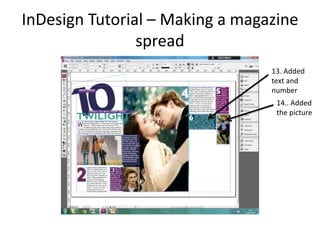
                                 13. Added
                                 text and
                                 number
                                  14.. Added
                                  the picture
InDesign Tutorial – Making a magazine
                spread


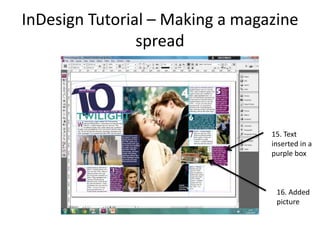
                                 15. Text
                                 inserted in a
                                 purple box


                                  16. Added
                                  picture

In design tutorial n2