METTU UNIVERSITY
Department of health informatics
Chapter three:
Data representation in computers
Contents to be covered
Units of data representation
Types of numbering system
Conversion from one base to another
Binary arithmetic operation
Non numeric code
Units of data representation
Computers speak binary. Binary language consists of combinations
of 1's and 0's that represent characters of other languages (in our
case the English language)
One digit in binary number system is called bit and combination
of eight bits is called a byte.
Byte is the basic unit that is used to represent the alphabetic and
numeric data.
Cont…
Kilobytes, Megabytes, and Gigabyte
Eight bits are known as a byte.
1,000 bytes = 1 kilobyte
(1,000 characters = 1 kilobyte)
1,000,000 bytes = 1 megabyte
(1,000,000 characters = 1 megabyte)
1,000,000,000 bytes = 1 gigabyte
(1 gigabyte= 1,000,000,000 characters)
Number system
1. Hexadecimal number system, here we have 16 possibilities (“0,
1, 2, 3, 4, 5, 6, 7, 8, 9, a, b, c, d, e, and f”). The base or radix of
hexadecimal number system is 16.
Binary number system
Digital systems and computers use the Binary system because it has only two states
(0 and 1). The base or radix of binary system is 2.
A number in the Binary system is expressed by the following expression:
Examples:
• (1011)2 = (1X2
3
)+(0X2
2
)+(1X2
1
)+(1X2
0
) = 8+0+2+1= (11)10
• (10110)2 = (1X2
4
)+(0X2
3
)+(1X2
2
)+(1X2
1
)+(0X2
0
) = 16+0+4+2+0= (22)10
• (101100)2=(1X2
5
)+(0X2
4
)+(1X2
3
)+(1X2
2
)+(0X2
1
)+(0X2
0
)=32+0+8+4+0+0=(44)10
(dndn-1…d1d0)2 = (dnX2n
)+ (dn-1X2n-1
)+…+ (d1X21
)+(d0X20
)
Where d = {0,1}
7
The Binary Numbering System (Cont.)
A binary digit is called the BIT (BInary digiT).
A group of eight bits is called the BYTE.
The leftmost bit of a number is called the Most Significant Bit.
The rightmost bit of a number is called the Least Significant Bit.
A binary system with N bits can represent the numbers from
0 to 2
N
-1.
In a binary system with N digits there are 2
N
different
combinations.
A binary number is multiplied by two, if we append a zero at the
least significant Bit.
Powers of 2:
2
0
= 1
2
1
= 2
2
2
= 4
2
3
= 8
2
4
= 16
2
5
= 32
2
6
= 64
2
7
= 128
2
8
= 256
2
9
= 512
2
10
=1024=1K
2
16
= 65536
2. Decimal number system
In the Decimal system a digit can take one out of ten different values (0..9).
Has 10 possibilities
A number in the decimal system is expressed by the following expression:
• Notes:
A decimal system with N digits can represent the numbers from 0 to 10
N
-1.
In a decimal system with N digits there are 10
N
different combinations.
The digit to the right of a number is called the Least Significant Digit (LSD).
The digit to the left of a number is called the Most Significant Digit (MSD).
(dndn-1…d1d0)10 = (dnX10n
)+ (dn-1X10n-1
)+…+ (d1X101
)+(d0X100
)
Where d = {0,1,2,3,4,5,6,7,8,9} = {0..9}
9
3. Octal and Hexadecimal Numbering Systems
Computers use the binary system to represent data. In most cases a number is represented
with 16, 32 or more bits, which is difficult to be handled by humans.
To make binary numbers easier to manipulate, we can group the bits of the number in
groups of 2, 3 or 4 bits.
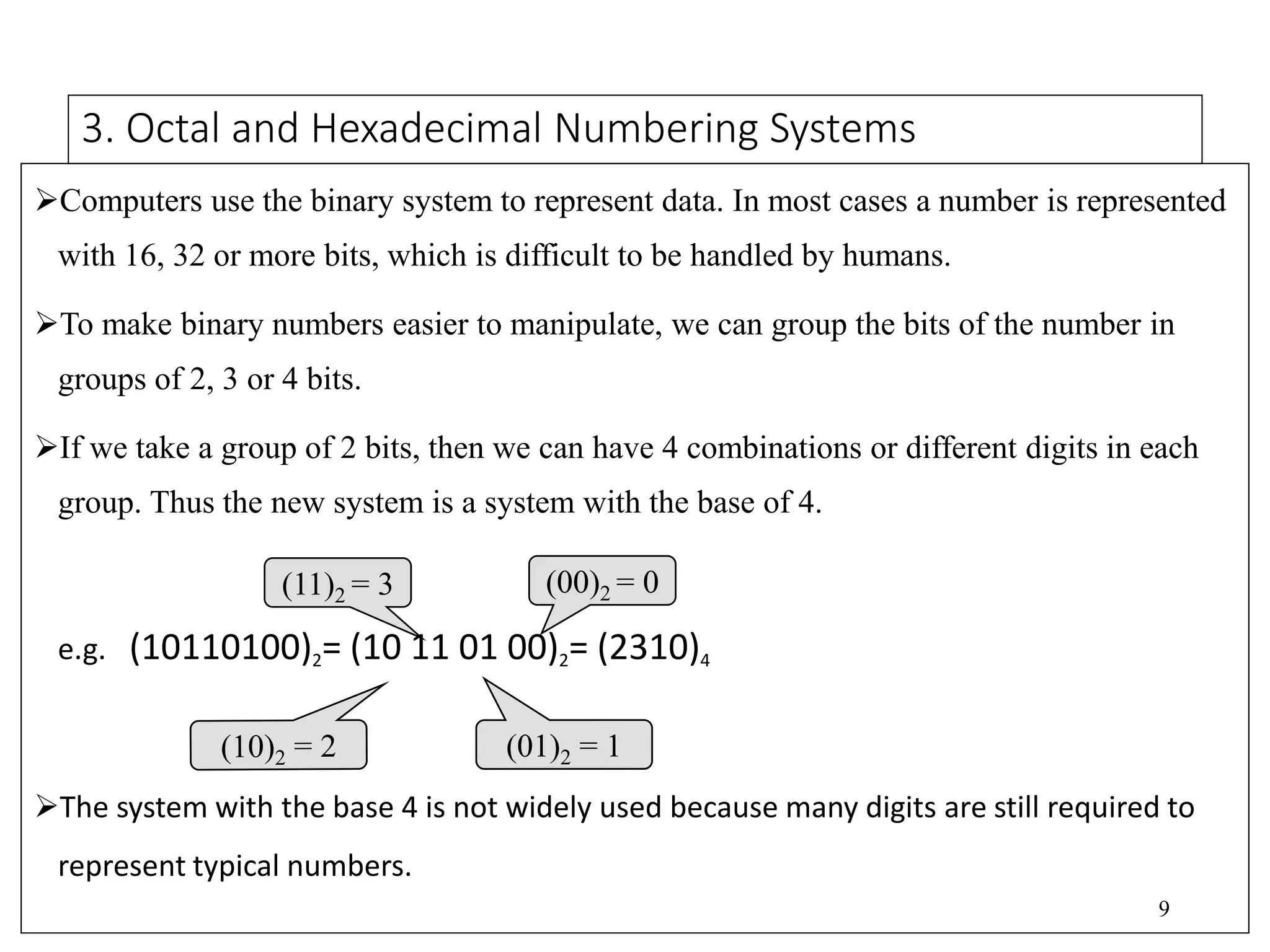
If we take a group of 2 bits, then we can have 4 combinations or different digits in each
group. Thus the new system is a system with the base of 4.
e.g. (10110100)2= (10 11 01 00)2= (2310)4
The system with the base 4 is not widely used because many digits are still required to
represent typical numbers.
(11)2 = 3 (00)2 = 0
10
The Octal and Hexadecimal Numbering Systems (Cont.)
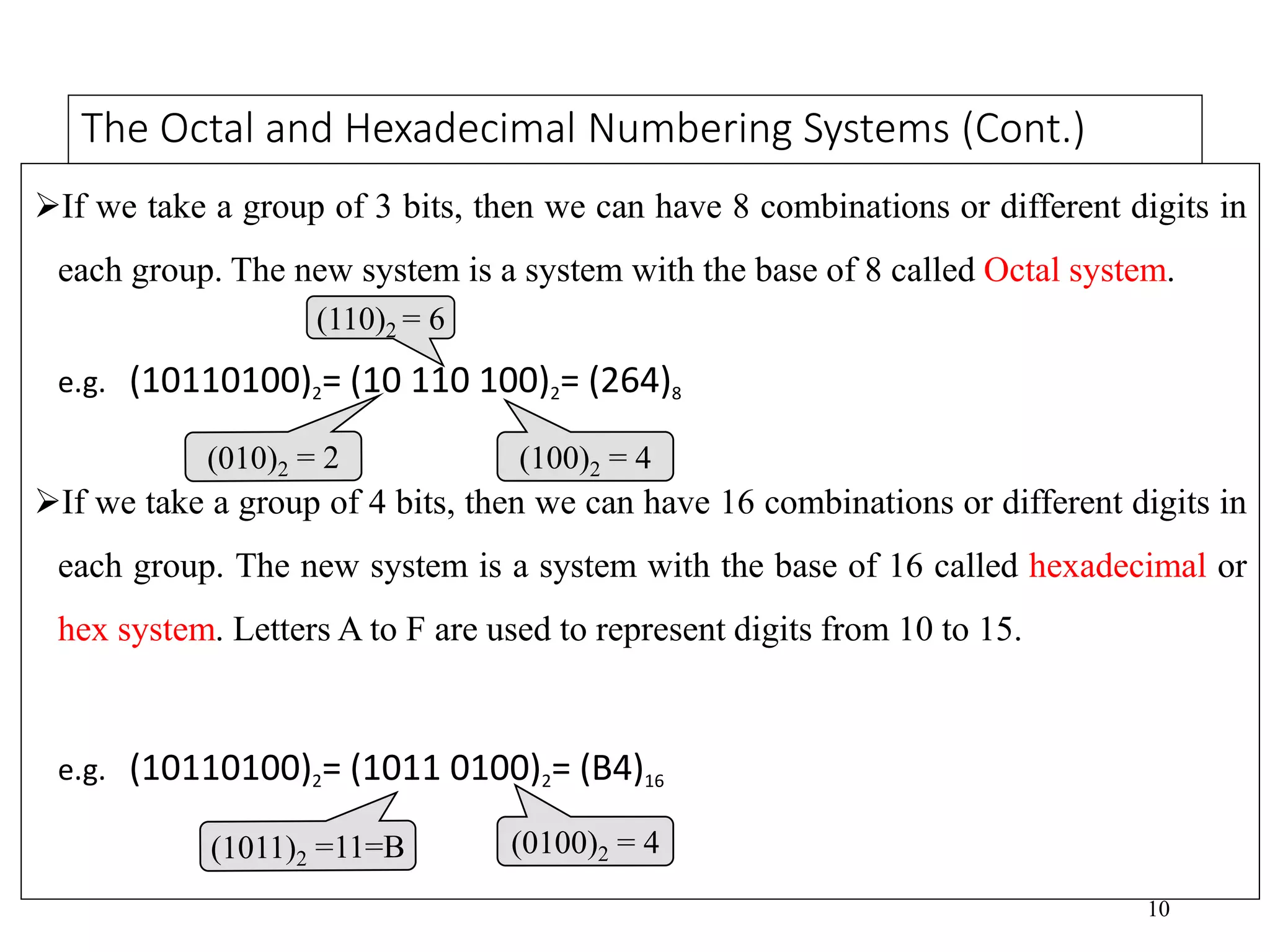
If we take a group of 3 bits, then we can have 8 combinations or different digits in
each group. The new system is a system with the base of 8 called Octal system.
e.g. (10110100)2= (10 110 100)2= (264)8
If we take a group of 4 bits, then we can have 16 combinations or different digits in
each group. The new system is a system with the base of 16 called hexadecimal or
hex system. Letters A to F are used to represent digits from 10 to 15.
e.g. (10110100)2= (1011 0100)2= (B4)16
(110)2 = 6
11
Decimal, Binary, Octal and Hexadecimal Conversion Table
Decimal Binary Base 4 Octal Hex
0 0000 0 0 0
1 0001 1 1 1
2 0010 2 2 2
3 0011 3 3 3
4 0100 10 4 4
5 0101 11 5 5
6 0110 12 6 6
7 0111 13 7 7
8 1000 20 10 8
9 1001 21 11 9
10 1010 22 12 A
11 1011 23 13 B
12 1100 30 14 C
13 1101 31 15 D
14 1110 32 16 E
15 1111 33 17 F
Conversion System from One base to another
 To convert numbers from one system to another. the following conversions will
be considered.
 Converting between binary and decimal numbers.
 Converting octal numbers to decimal and binary form.
 Converting hexadecimal numbers to decimal and binary form.
1 Converting binary numbers to decimal numbers
 To convert a binary number to a decimal number, we proceed as follows:
First, write the place values starting from the right hand side.
The place value of a digit in a number refers to the position of the digit in
that number i.e. whether; tens, hundreds, thousands etc.
Write each digit under its place value.
Multiply each digit by 2 power of its corresponding place value.
Add up the products. The answer will be the decimal number in base ten.
EXAMPLE: Convert 1011012 to base 10(or decimal) number
Cont…
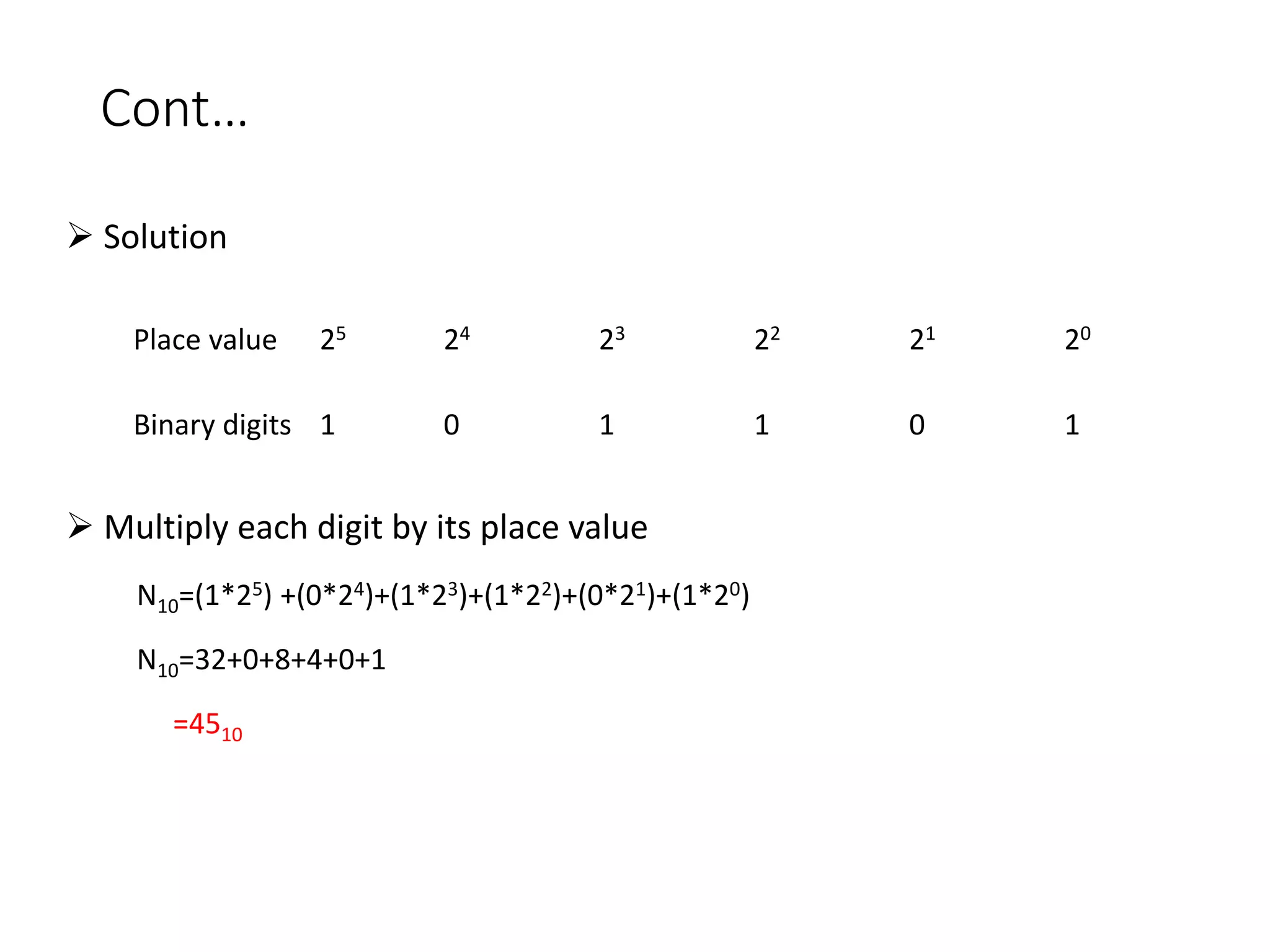
 Solution
 Multiply each digit by its place value
N10=(1*25) +(0*24)+(1*23)+(1*22)+(0*21)+(1*20)
N10=32+0+8+4+0+1
=4510
Place value 25 24 23 22 21 20
Binary digits 1 0 1 1 0 1
Exercise
 Convert each of the following binary numbers to decimal number
100001
11100
0011
111111
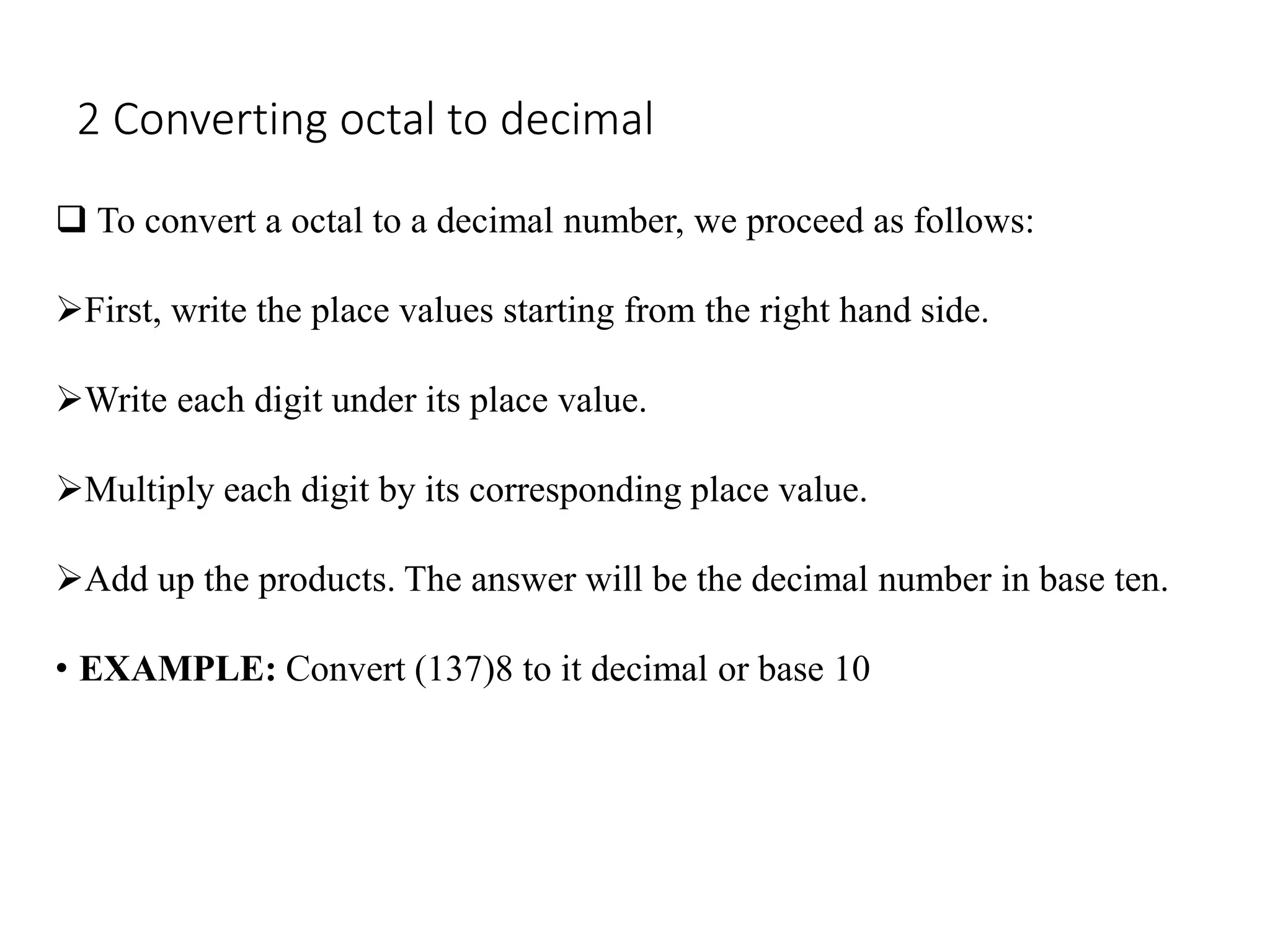
2 Converting octal to decimal
 To convert a octal to a decimal number, we proceed as follows:
First, write the place values starting from the right hand side.
Write each digit under its place value.
Multiply each digit by its corresponding place value.
Add up the products. The answer will be the decimal number in base ten.
• EXAMPLE: Convert (137)8 to it decimal or base 10
Cont….
 Solution
= 1×82+3×81+7×80
= 64+24+7
=(95)10
Place value 82 81 80
Octal digit 1 3 7
Multiply each digit by its place value
Exercise
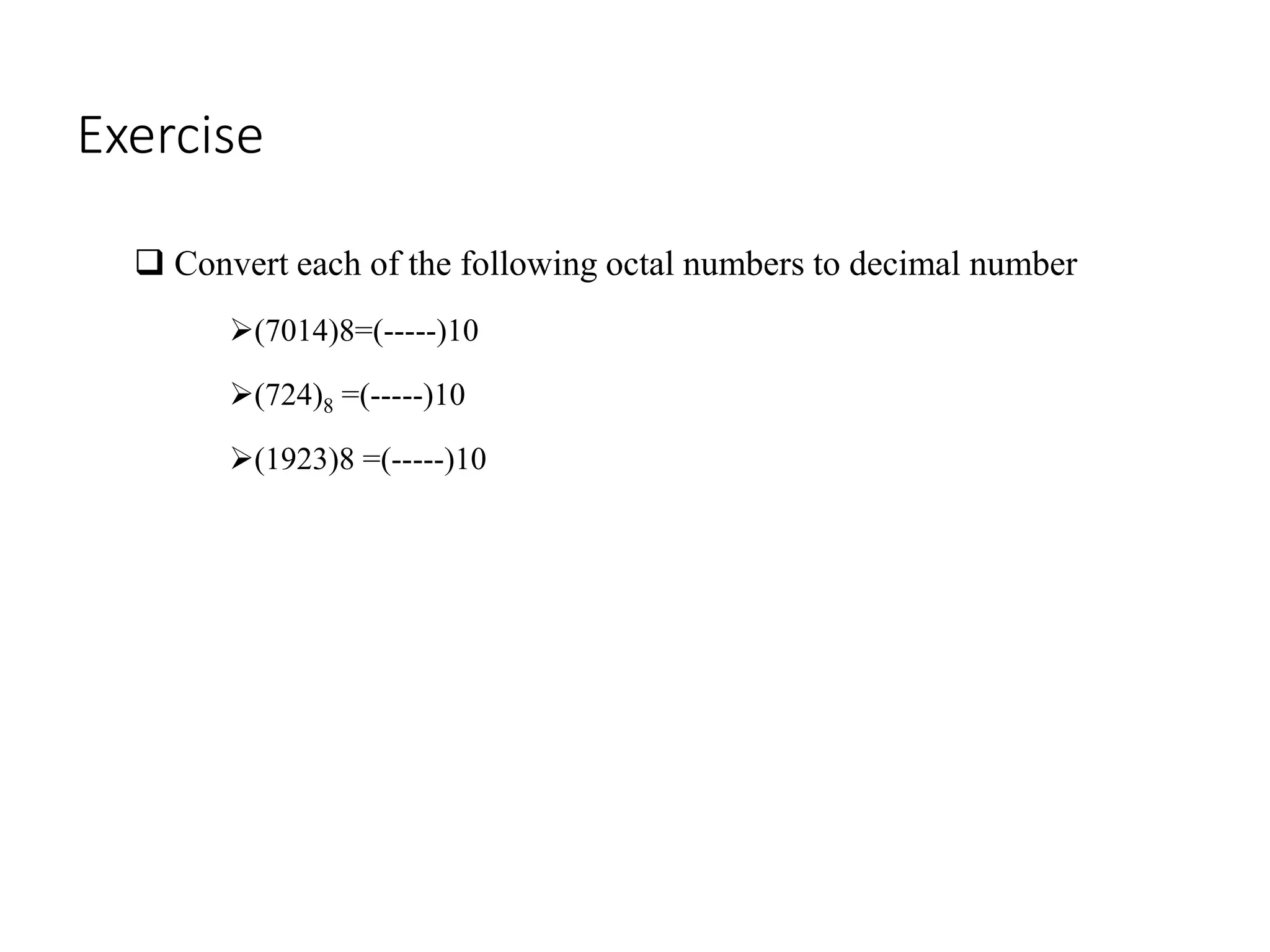
 Convert each of the following octal numbers to decimal number
(7014)8=(-----)10
(724)8 =(-----)10
(1923)8 =(-----)10
3 Converting hexadecimal to decimal
 To convert a hexadecimal to a decimal number, we proceed as
follows:
First, write the place values starting from the right hand side.
Write each digit under its place value.
Multiply each digit by its corresponding place value.
Add up the products. The answer will be the decimal number in base
ten.
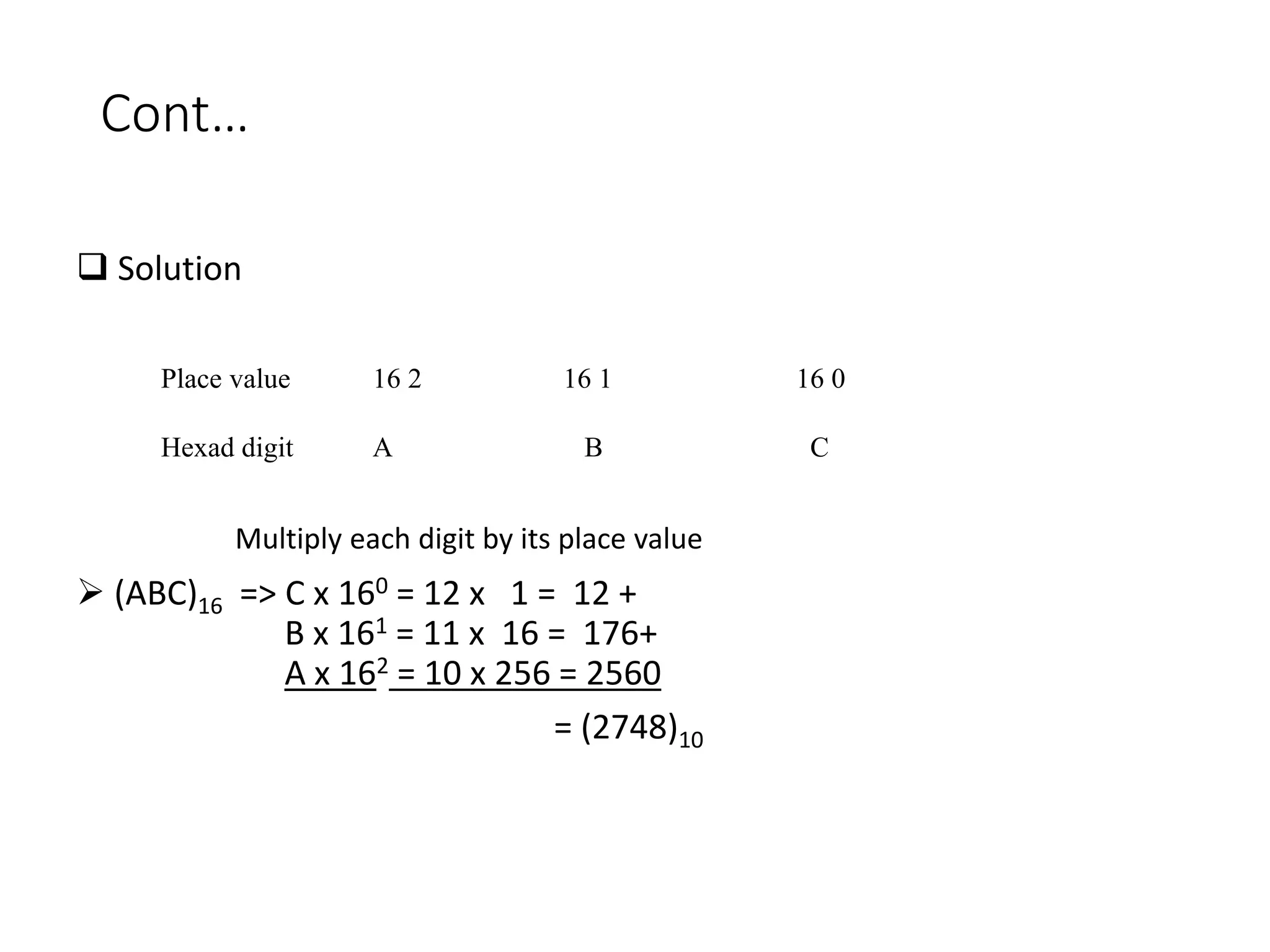
• EXAMPLE: Convert (ABC)16 to it decimal or base 10
Cont…
 Solution
 (ABC)16 => C x 160 = 12 x 1 = 12 +
B x 161 = 11 x 16 = 176+
A x 162 = 10 x 256 = 2560
= (2748)10
Place value 16 2 16 1 16 0
Hexad digit A B C
Multiply each digit by its place value
Exercise
 Convert each of the following hexadecimal numbers to decimal number
(7D)16= (….)10
(13F)16 = (….)10
(3AE)16= (….)10
4 Converting decimal To binary
Conversion steps:
Divide the number by 2 and store the remainder.
Divide the quotient by 2 and store the remainder.
Repeat these steps until quotient becomes 0.
Write the remainders from bottom to top order
Cont …
Exercise
 Convert each of the following decimal number to binary number
• 17410 = --------2
• 25010 = --------2
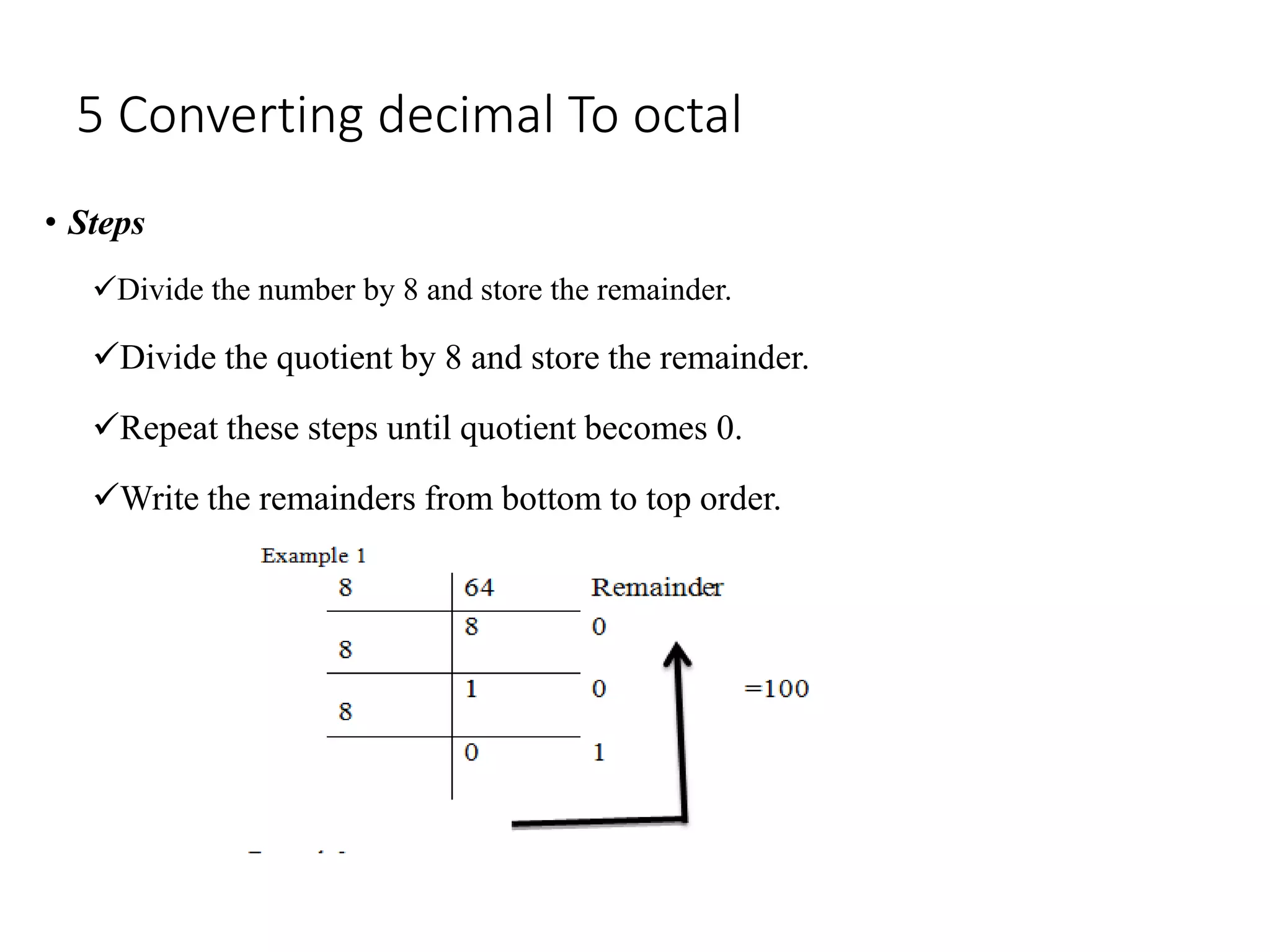
5 Converting decimal To octal
• Steps
Divide the number by 8 and store the remainder.
Divide the quotient by 8 and store the remainder.
Repeat these steps until quotient becomes 0.
Write the remainders from bottom to top order.
Exercise
 Convert each of the following decimal number to octal number
(1792)10=()8
(127)10 = ()8
(52)10 = ()8
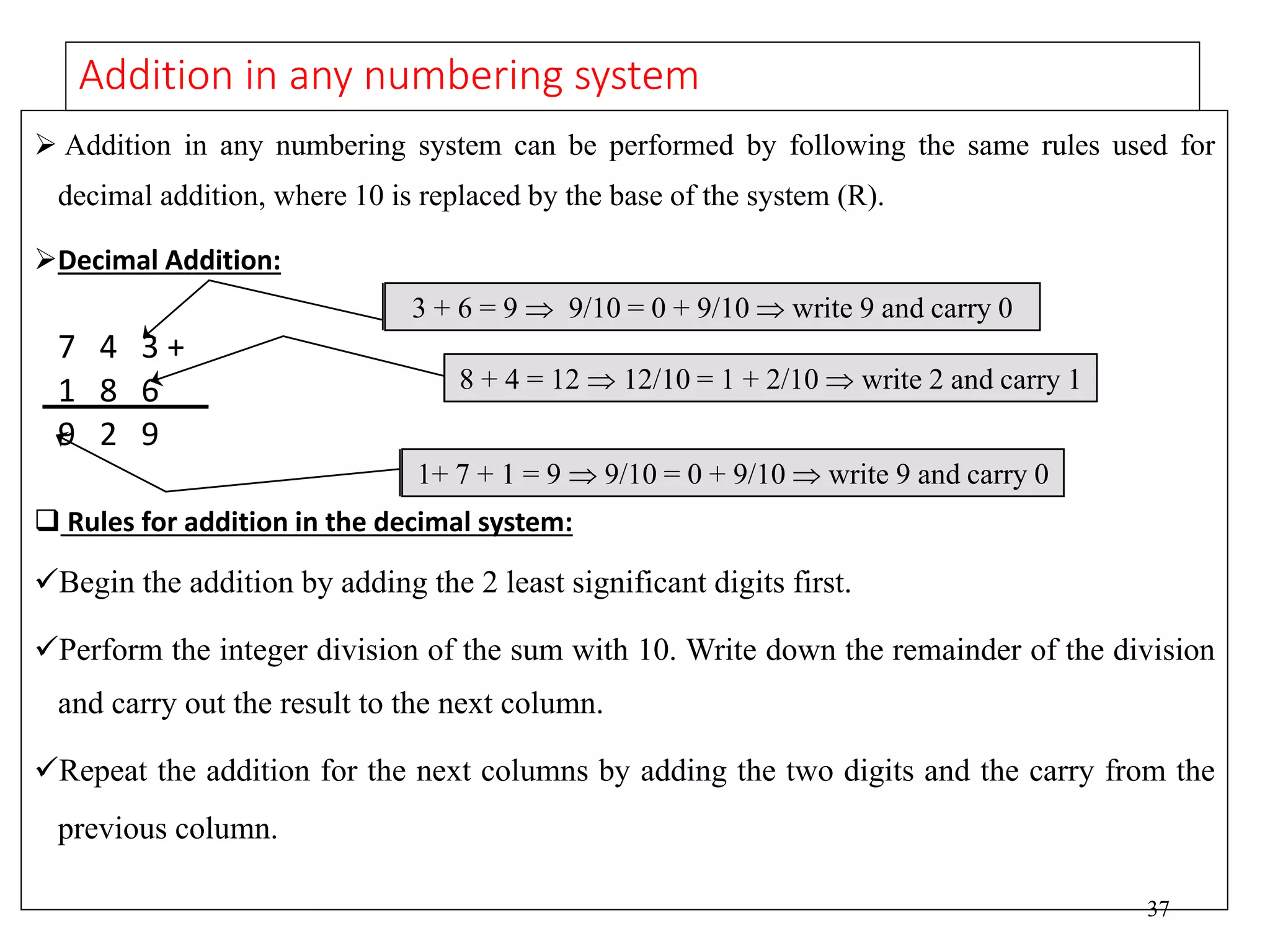
6 Converting decimal To hexadecimal
• Steps:-
Divide the number by 16 and store the remainder.
Divide the quotient by 16 and store the remainder.
Repeat these steps until quotient becomes 0.
Write the remainders from bottom to top order.
Exercise
 Convert each of the following decimal number to hexadecimal number
 (540)10=(21C)16
 (7562)10 = (1D8A)16
7 Converting binary to octal
 Step:-
Divide the binary number into groups of three bits each beginning from right side
Add 0s to the left, if last group is incomplete.
Convert each group into decimal.
• Example convert (10101111)2= ( ) 8
=10,101,111
=010,101,111
=2 3 7
(10101111)2= (237)8
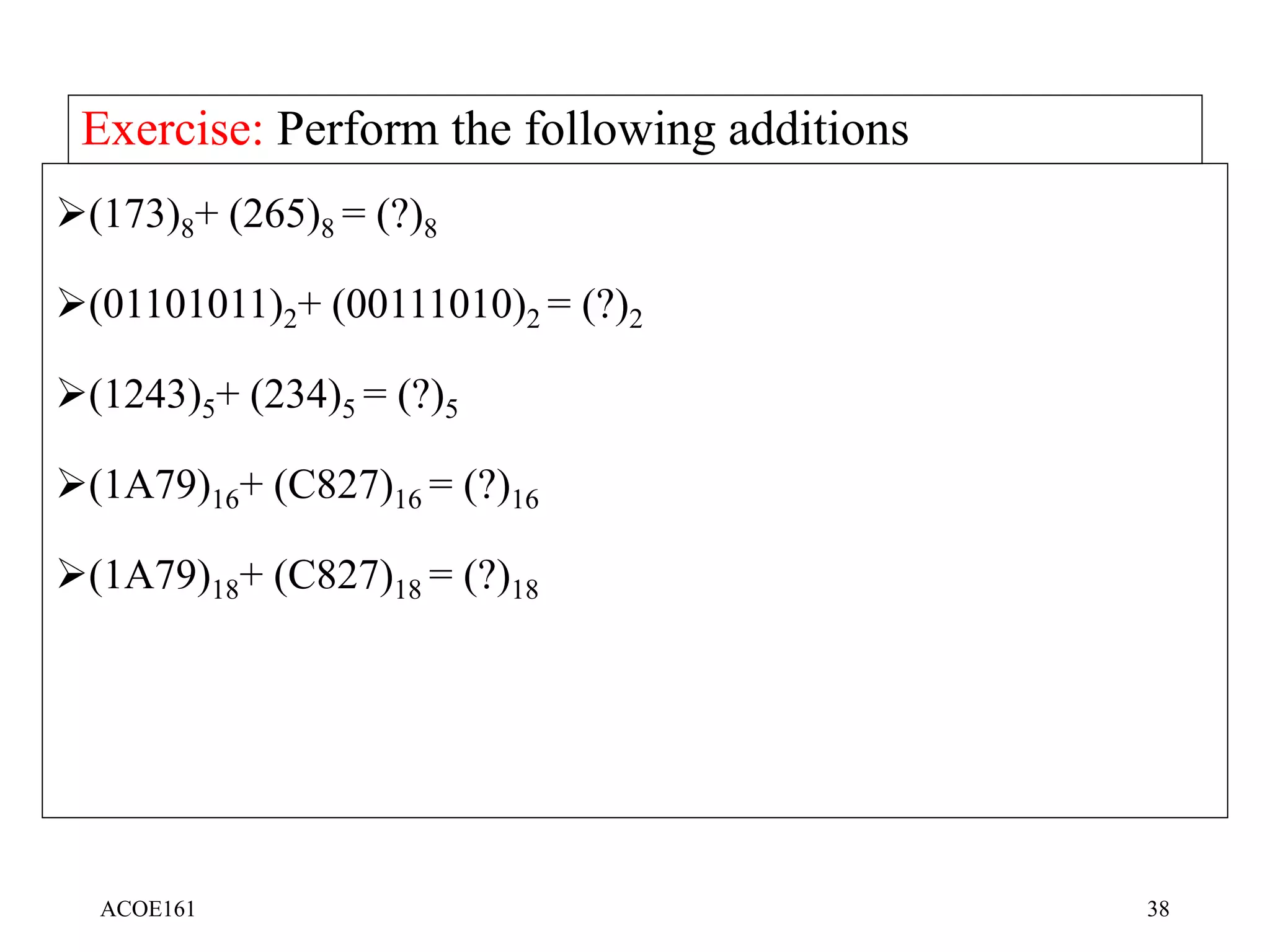
Exercise
 Convert each of the following binary to octal number
(1010101)2=1258
(01101)2= (13)8
(1011010111)2 = (1327)8
8. Converting binary to hexadecimal
Step:
 Divide the binary number into groups to four bits each beginner from
the right side.
 Add to left, it is the last group is in compute
 Convert each group into decimal
E.g. (110101)16= ( ) 16
=0011 0101
=3 5
= (35)16
Exercise
 Convert each of the following binary to hexadecimal number
(111101110101011)2= (F7BC) 16
(1010111011)2 = (2BB)16
9. Converting Octal to binary
1. Convert each digit to octal number it equivalent three to its equivalent
three digit binary numbers all the binary group into a single groups.
2. Combine all the binary groups into a single group.
E.g. (53)8 = ( )2
(53) = 5 3
= 101 011
=(101011)2
Exercise
 Convert each of the following octal to binary number
(705)8 = (111000101)2
128 = (001 010)2
10 . Converting Octal to hexadecimal
 Octal-to-binary and then to-hexadecimal
Example: convert (1076)8 to hexadecimal
Soln. To binary => ( 001000111110)
then
To hexa-decimal => (23E)
36
The Binary Coded Decimal (BCD) System
 In many applications it is required to encode each decimal digit to the equivalent 4-
bit binary number. This binary code is called the BCD code.
E.g. (2 4 9)10= (0010 0100 1001)BCD
Exercise:
(173)10 = (?)2 = (?)BCD
(1000 0111)BCD = (?)10
(0100 0010)2 = (?)BCD
(53)16 = (?)BCD
(1011 0101)BCD = (?)10
4 =(0100)2
37
Addition in any numbering system
 Addition in any numbering system can be performed by following the same rules used for
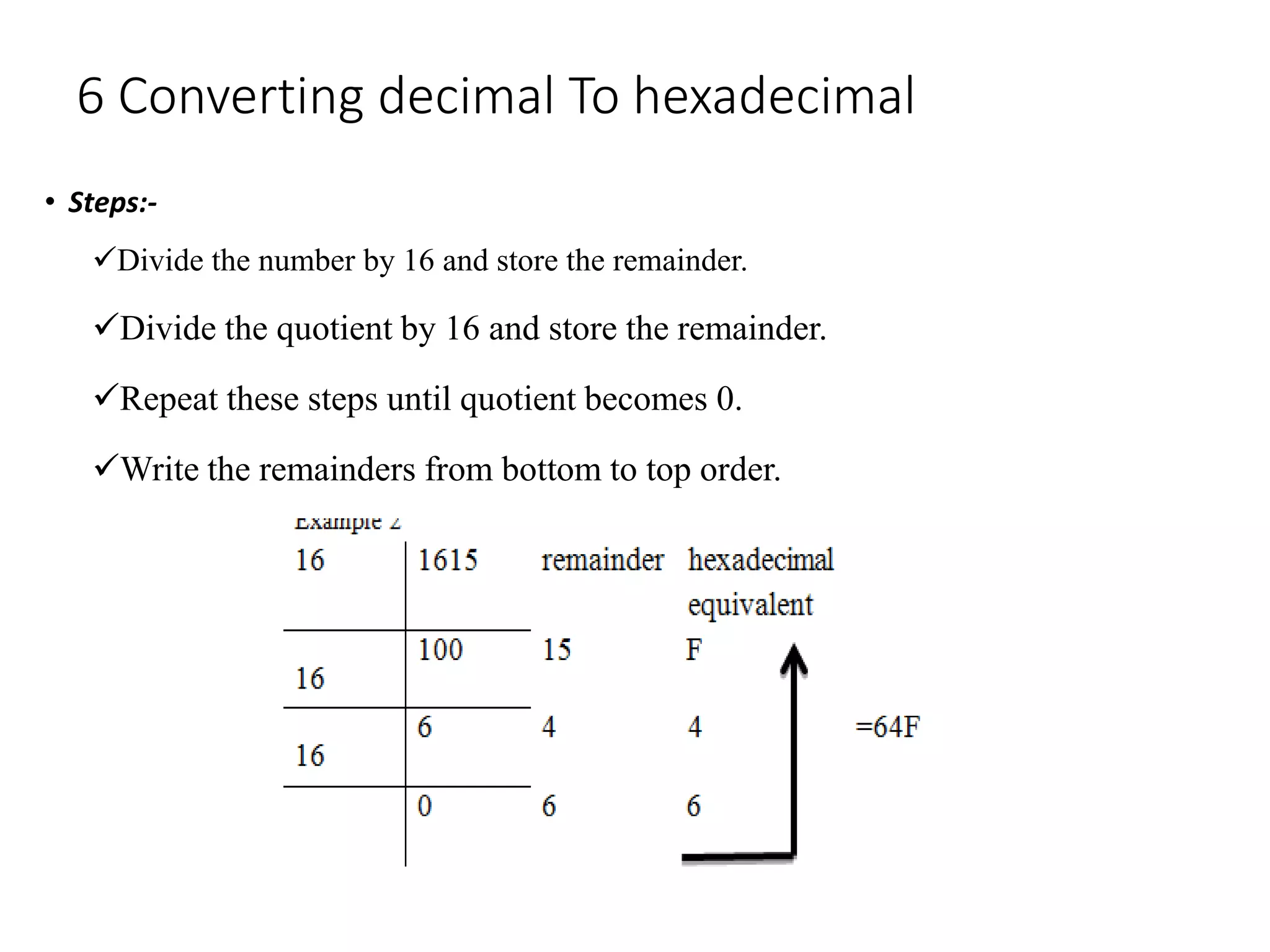
decimal addition, where 10 is replaced by the base of the system (R).
Decimal Addition:
7 4 3 +
1 8 6
9 2 9
 Rules for addition in the decimal system:
Begin the addition by adding the 2 least significant digits first.
Perform the integer division of the sum with 10. Write down the remainder of the division
and carry out the result to the next column.
Repeat the addition for the next columns by adding the two digits and the carry from the
previous column.
1+ 7 + 1 = 9  9/10 = 0 + 9/10  write 9 and carry 0
3 + 6 = 9  9/10 = 0 + 9/10  write 9 and carry 0
8 + 4 = 12  12/10 = 1 + 2/10  write 2 and carry 1
ACOE161 38
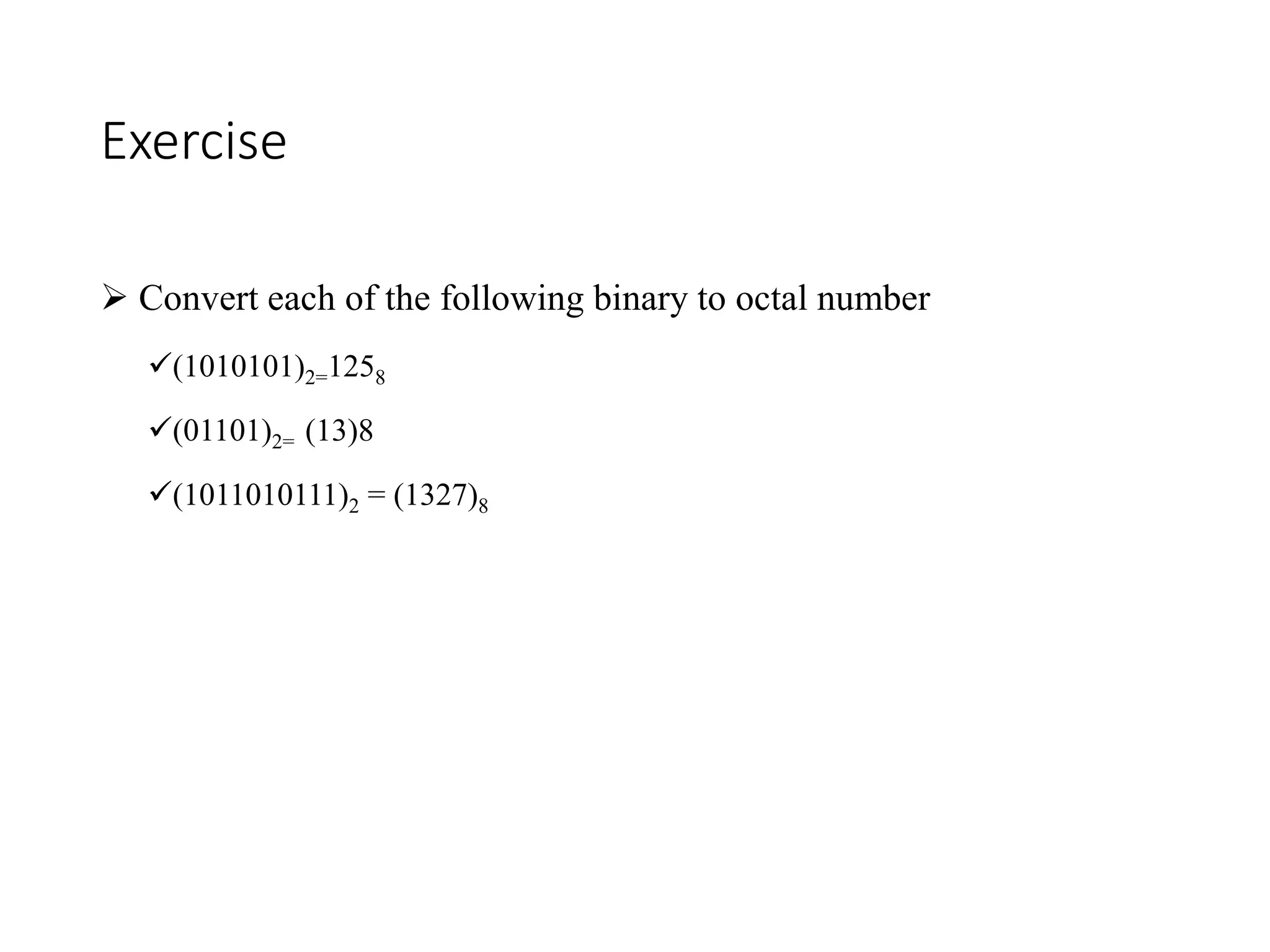
Exercise: Perform the following additions
(173)8+ (265)8 = (?)8
(01101011)2+ (00111010)2 = (?)2
(1243)5+ (234)5 = (?)5
(1A79)16+ (C827)16 = (?)16
(1A79)18+ (C827)18 = (?)18
39
Subtraction in any numbering system
 Subtraction in any numbering system can be performed by following the same rules
used for decimal addition, where 10 is replaced by the base of the system (R).
7 4 9 -
1 8 6
5 6 3
 Rules for subtraction in the decimal system:
Begin the subtraction from 2 least significant digits first.
If the minuend is greater than the subtrahend then perform the subtraction.
If the minuend is less than the subtrahend then borrow 1 from the next column.
Write down the result of (minuend + 10 - subtrahend). The one borrowed must be
subtracted from the minuend of the next column.
Repeat the subtraction for the next columns.
(7-11)  7 - 1 - 1 = 5 write 5 and borrow 0 from next column
(96)  9 - 6 = 3  write 3 and borrow 0 from next column
(4<8)  borrow 1  10+4-8=6  write 6 and borrow 1 from next column
ACOE161 40
Exercise: Perform the following subtractions
(476)10 - (285)10 = (?)10
(285)10 - (476)10 = (?)10
(173)8 - (265)8 = (?)8
(01101001)2- (00111010)2 = (?)2
(423)5 - (234)5 = (?)5
(61A9)16- (C827)16 = (?)16
(61A9)18- (C827)18 = (?)18
ACOE161 41
Non-numeric codes
Not all information processed by computer systems are numbers
Computers process also text, images, speech, video etc.
This information must also be represented in the computer using
binary signals
Non-numerical information is represented using a code
Quiz
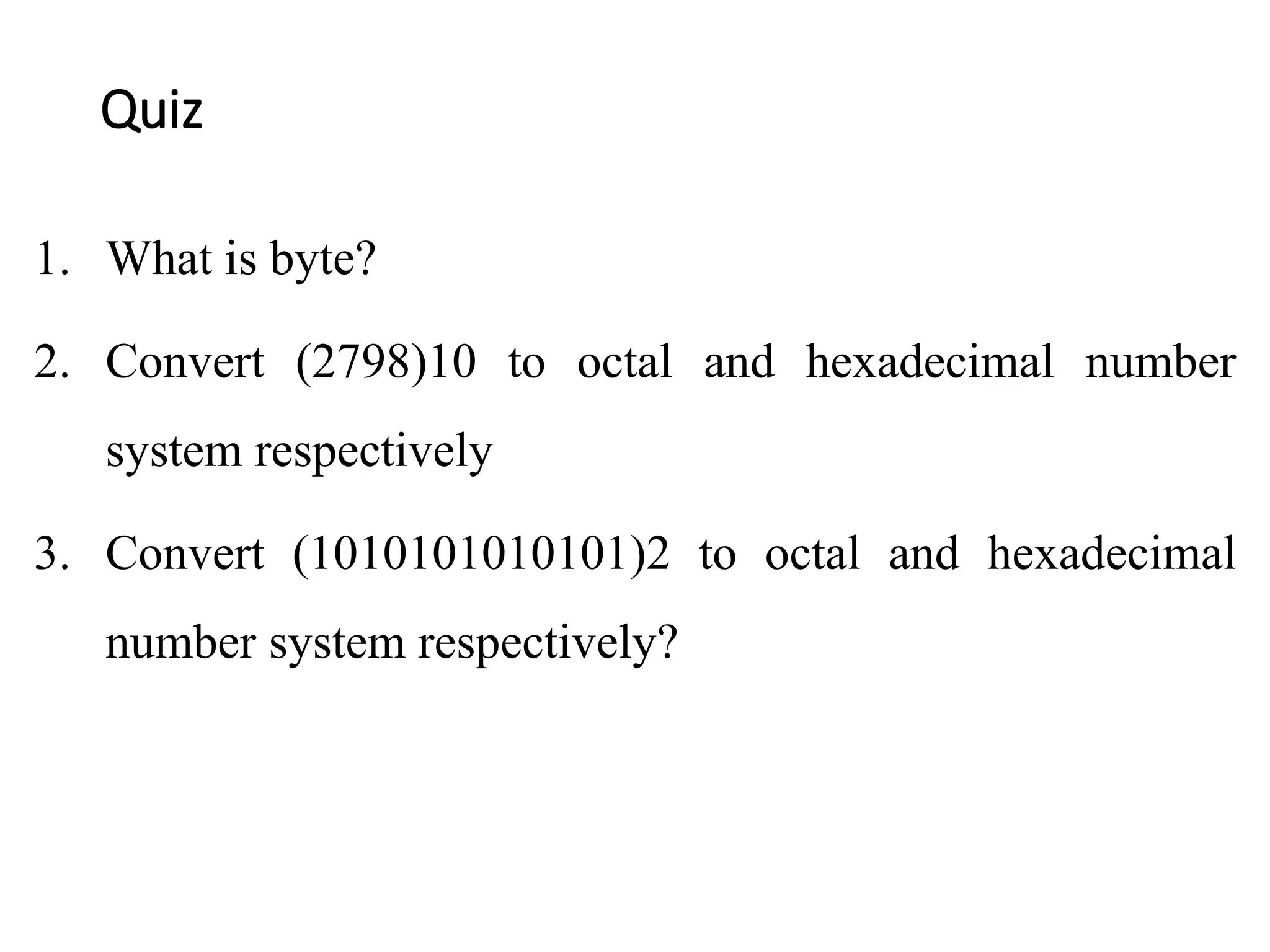
1. What is byte?
2. Convert (2798)10 to octal and hexadecimal number
system respectively
3. Convert (1010101010101)2 to octal and hexadecimal
number system respectively?
Chapter two FHI.pptx

Chapter two FHI.pptx

  • 1.
    METTU UNIVERSITY Department ofhealth informatics Chapter three: Data representation in computers
  • 2.
    Contents to becovered Units of data representation Types of numbering system Conversion from one base to another Binary arithmetic operation Non numeric code
  • 3.
    Units of datarepresentation Computers speak binary. Binary language consists of combinations of 1's and 0's that represent characters of other languages (in our case the English language) One digit in binary number system is called bit and combination of eight bits is called a byte. Byte is the basic unit that is used to represent the alphabetic and numeric data.
  • 4.
    Cont… Kilobytes, Megabytes, andGigabyte Eight bits are known as a byte. 1,000 bytes = 1 kilobyte (1,000 characters = 1 kilobyte) 1,000,000 bytes = 1 megabyte (1,000,000 characters = 1 megabyte) 1,000,000,000 bytes = 1 gigabyte (1 gigabyte= 1,000,000,000 characters)
  • 5.
    Number system 1. Hexadecimalnumber system, here we have 16 possibilities (“0, 1, 2, 3, 4, 5, 6, 7, 8, 9, a, b, c, d, e, and f”). The base or radix of hexadecimal number system is 16.
  • 6.
    Binary number system Digitalsystems and computers use the Binary system because it has only two states (0 and 1). The base or radix of binary system is 2. A number in the Binary system is expressed by the following expression: Examples: • (1011)2 = (1X2 3 )+(0X2 2 )+(1X2 1 )+(1X2 0 ) = 8+0+2+1= (11)10 • (10110)2 = (1X2 4 )+(0X2 3 )+(1X2 2 )+(1X2 1 )+(0X2 0 ) = 16+0+4+2+0= (22)10 • (101100)2=(1X2 5 )+(0X2 4 )+(1X2 3 )+(1X2 2 )+(0X2 1 )+(0X2 0 )=32+0+8+4+0+0=(44)10 (dndn-1…d1d0)2 = (dnX2n )+ (dn-1X2n-1 )+…+ (d1X21 )+(d0X20 ) Where d = {0,1}
  • 7.
    7 The Binary NumberingSystem (Cont.) A binary digit is called the BIT (BInary digiT). A group of eight bits is called the BYTE. The leftmost bit of a number is called the Most Significant Bit. The rightmost bit of a number is called the Least Significant Bit. A binary system with N bits can represent the numbers from 0 to 2 N -1. In a binary system with N digits there are 2 N different combinations. A binary number is multiplied by two, if we append a zero at the least significant Bit. Powers of 2: 2 0 = 1 2 1 = 2 2 2 = 4 2 3 = 8 2 4 = 16 2 5 = 32 2 6 = 64 2 7 = 128 2 8 = 256 2 9 = 512 2 10 =1024=1K 2 16 = 65536
  • 8.
    2. Decimal numbersystem In the Decimal system a digit can take one out of ten different values (0..9). Has 10 possibilities A number in the decimal system is expressed by the following expression: • Notes: A decimal system with N digits can represent the numbers from 0 to 10 N -1. In a decimal system with N digits there are 10 N different combinations. The digit to the right of a number is called the Least Significant Digit (LSD). The digit to the left of a number is called the Most Significant Digit (MSD). (dndn-1…d1d0)10 = (dnX10n )+ (dn-1X10n-1 )+…+ (d1X101 )+(d0X100 ) Where d = {0,1,2,3,4,5,6,7,8,9} = {0..9}
  • 9.
    9 3. Octal andHexadecimal Numbering Systems Computers use the binary system to represent data. In most cases a number is represented with 16, 32 or more bits, which is difficult to be handled by humans. To make binary numbers easier to manipulate, we can group the bits of the number in groups of 2, 3 or 4 bits. If we take a group of 2 bits, then we can have 4 combinations or different digits in each group. Thus the new system is a system with the base of 4. e.g. (10110100)2= (10 11 01 00)2= (2310)4 The system with the base 4 is not widely used because many digits are still required to represent typical numbers. (11)2 = 3 (00)2 = 0
  • 10.
    10 The Octal andHexadecimal Numbering Systems (Cont.) If we take a group of 3 bits, then we can have 8 combinations or different digits in each group. The new system is a system with the base of 8 called Octal system. e.g. (10110100)2= (10 110 100)2= (264)8 If we take a group of 4 bits, then we can have 16 combinations or different digits in each group. The new system is a system with the base of 16 called hexadecimal or hex system. Letters A to F are used to represent digits from 10 to 15. e.g. (10110100)2= (1011 0100)2= (B4)16 (110)2 = 6
  • 11.
    11 Decimal, Binary, Octaland Hexadecimal Conversion Table Decimal Binary Base 4 Octal Hex 0 0000 0 0 0 1 0001 1 1 1 2 0010 2 2 2 3 0011 3 3 3 4 0100 10 4 4 5 0101 11 5 5 6 0110 12 6 6 7 0111 13 7 7 8 1000 20 10 8 9 1001 21 11 9 10 1010 22 12 A 11 1011 23 13 B 12 1100 30 14 C 13 1101 31 15 D 14 1110 32 16 E 15 1111 33 17 F
  • 12.
    Conversion System fromOne base to another  To convert numbers from one system to another. the following conversions will be considered.  Converting between binary and decimal numbers.  Converting octal numbers to decimal and binary form.  Converting hexadecimal numbers to decimal and binary form.
  • 13.
    1 Converting binarynumbers to decimal numbers  To convert a binary number to a decimal number, we proceed as follows: First, write the place values starting from the right hand side. The place value of a digit in a number refers to the position of the digit in that number i.e. whether; tens, hundreds, thousands etc. Write each digit under its place value. Multiply each digit by 2 power of its corresponding place value. Add up the products. The answer will be the decimal number in base ten. EXAMPLE: Convert 1011012 to base 10(or decimal) number
  • 14.
    Cont…  Solution  Multiplyeach digit by its place value N10=(1*25) +(0*24)+(1*23)+(1*22)+(0*21)+(1*20) N10=32+0+8+4+0+1 =4510 Place value 25 24 23 22 21 20 Binary digits 1 0 1 1 0 1
  • 15.
    Exercise  Convert eachof the following binary numbers to decimal number 100001 11100 0011 111111
  • 16.
    2 Converting octalto decimal  To convert a octal to a decimal number, we proceed as follows: First, write the place values starting from the right hand side. Write each digit under its place value. Multiply each digit by its corresponding place value. Add up the products. The answer will be the decimal number in base ten. • EXAMPLE: Convert (137)8 to it decimal or base 10
  • 17.
    Cont….  Solution = 1×82+3×81+7×80 =64+24+7 =(95)10 Place value 82 81 80 Octal digit 1 3 7 Multiply each digit by its place value
  • 18.
    Exercise  Convert eachof the following octal numbers to decimal number (7014)8=(-----)10 (724)8 =(-----)10 (1923)8 =(-----)10
  • 19.
    3 Converting hexadecimalto decimal  To convert a hexadecimal to a decimal number, we proceed as follows: First, write the place values starting from the right hand side. Write each digit under its place value. Multiply each digit by its corresponding place value. Add up the products. The answer will be the decimal number in base ten. • EXAMPLE: Convert (ABC)16 to it decimal or base 10
  • 20.
    Cont…  Solution  (ABC)16=> C x 160 = 12 x 1 = 12 + B x 161 = 11 x 16 = 176+ A x 162 = 10 x 256 = 2560 = (2748)10 Place value 16 2 16 1 16 0 Hexad digit A B C Multiply each digit by its place value
  • 21.
    Exercise  Convert eachof the following hexadecimal numbers to decimal number (7D)16= (….)10 (13F)16 = (….)10 (3AE)16= (….)10
  • 22.
    4 Converting decimalTo binary Conversion steps: Divide the number by 2 and store the remainder. Divide the quotient by 2 and store the remainder. Repeat these steps until quotient becomes 0. Write the remainders from bottom to top order
  • 23.
  • 24.
    Exercise  Convert eachof the following decimal number to binary number • 17410 = --------2 • 25010 = --------2
  • 25.
    5 Converting decimalTo octal • Steps Divide the number by 8 and store the remainder. Divide the quotient by 8 and store the remainder. Repeat these steps until quotient becomes 0. Write the remainders from bottom to top order.
  • 26.
    Exercise  Convert eachof the following decimal number to octal number (1792)10=()8 (127)10 = ()8 (52)10 = ()8
  • 27.
    6 Converting decimalTo hexadecimal • Steps:- Divide the number by 16 and store the remainder. Divide the quotient by 16 and store the remainder. Repeat these steps until quotient becomes 0. Write the remainders from bottom to top order.
  • 28.
    Exercise  Convert eachof the following decimal number to hexadecimal number  (540)10=(21C)16  (7562)10 = (1D8A)16
  • 29.
    7 Converting binaryto octal  Step:- Divide the binary number into groups of three bits each beginning from right side Add 0s to the left, if last group is incomplete. Convert each group into decimal. • Example convert (10101111)2= ( ) 8 =10,101,111 =010,101,111 =2 3 7 (10101111)2= (237)8
  • 30.
    Exercise  Convert eachof the following binary to octal number (1010101)2=1258 (01101)2= (13)8 (1011010111)2 = (1327)8
  • 31.
    8. Converting binaryto hexadecimal Step:  Divide the binary number into groups to four bits each beginner from the right side.  Add to left, it is the last group is in compute  Convert each group into decimal E.g. (110101)16= ( ) 16 =0011 0101 =3 5 = (35)16
  • 32.
    Exercise  Convert eachof the following binary to hexadecimal number (111101110101011)2= (F7BC) 16 (1010111011)2 = (2BB)16
  • 33.
    9. Converting Octalto binary 1. Convert each digit to octal number it equivalent three to its equivalent three digit binary numbers all the binary group into a single groups. 2. Combine all the binary groups into a single group. E.g. (53)8 = ( )2 (53) = 5 3 = 101 011 =(101011)2
  • 34.
    Exercise  Convert eachof the following octal to binary number (705)8 = (111000101)2 128 = (001 010)2
  • 35.
    10 . ConvertingOctal to hexadecimal  Octal-to-binary and then to-hexadecimal Example: convert (1076)8 to hexadecimal Soln. To binary => ( 001000111110) then To hexa-decimal => (23E)
  • 36.
    36 The Binary CodedDecimal (BCD) System  In many applications it is required to encode each decimal digit to the equivalent 4- bit binary number. This binary code is called the BCD code. E.g. (2 4 9)10= (0010 0100 1001)BCD Exercise: (173)10 = (?)2 = (?)BCD (1000 0111)BCD = (?)10 (0100 0010)2 = (?)BCD (53)16 = (?)BCD (1011 0101)BCD = (?)10 4 =(0100)2
  • 37.
    37 Addition in anynumbering system  Addition in any numbering system can be performed by following the same rules used for decimal addition, where 10 is replaced by the base of the system (R). Decimal Addition: 7 4 3 + 1 8 6 9 2 9  Rules for addition in the decimal system: Begin the addition by adding the 2 least significant digits first. Perform the integer division of the sum with 10. Write down the remainder of the division and carry out the result to the next column. Repeat the addition for the next columns by adding the two digits and the carry from the previous column. 1+ 7 + 1 = 9  9/10 = 0 + 9/10  write 9 and carry 0 3 + 6 = 9  9/10 = 0 + 9/10  write 9 and carry 0 8 + 4 = 12  12/10 = 1 + 2/10  write 2 and carry 1
  • 38.
    ACOE161 38 Exercise: Performthe following additions (173)8+ (265)8 = (?)8 (01101011)2+ (00111010)2 = (?)2 (1243)5+ (234)5 = (?)5 (1A79)16+ (C827)16 = (?)16 (1A79)18+ (C827)18 = (?)18
  • 39.
    39 Subtraction in anynumbering system  Subtraction in any numbering system can be performed by following the same rules used for decimal addition, where 10 is replaced by the base of the system (R). 7 4 9 - 1 8 6 5 6 3  Rules for subtraction in the decimal system: Begin the subtraction from 2 least significant digits first. If the minuend is greater than the subtrahend then perform the subtraction. If the minuend is less than the subtrahend then borrow 1 from the next column. Write down the result of (minuend + 10 - subtrahend). The one borrowed must be subtracted from the minuend of the next column. Repeat the subtraction for the next columns. (7-11)  7 - 1 - 1 = 5 write 5 and borrow 0 from next column (96)  9 - 6 = 3  write 3 and borrow 0 from next column (4<8)  borrow 1  10+4-8=6  write 6 and borrow 1 from next column
  • 40.
    ACOE161 40 Exercise: Performthe following subtractions (476)10 - (285)10 = (?)10 (285)10 - (476)10 = (?)10 (173)8 - (265)8 = (?)8 (01101001)2- (00111010)2 = (?)2 (423)5 - (234)5 = (?)5 (61A9)16- (C827)16 = (?)16 (61A9)18- (C827)18 = (?)18
  • 41.
    ACOE161 41 Non-numeric codes Notall information processed by computer systems are numbers Computers process also text, images, speech, video etc. This information must also be represented in the computer using binary signals Non-numerical information is represented using a code
  • 42.
    Quiz 1. What isbyte? 2. Convert (2798)10 to octal and hexadecimal number system respectively 3. Convert (1010101010101)2 to octal and hexadecimal number system respectively?

Editor's Notes