z
CSC304 - Digital Logic &
Computer Organization
and Architecture
z
Course Overview
 Understand the internal working of digital computers
 Learn binary systems, data operations, memory, and
processor design
 Application in embedded systems, processors, and
digital devices.
z
Module 1 – Computer Fundamentals
 Number Systems: Binary, Octal, Decimal, Hexadecimal
 Codes: BCD, Gray, Excess-3, ASCII
 Logic Gates: AND, OR, NOT, NAND, NOR, XOR
 Basic Computer Organization & Von Neumann Model
z
Module 2 – Data Representation &
Arithmetic
 Binary Arithmetic: Addition, Subtraction, Multiplication,
Division
 Compliments: 1's and 2's complement methods
 Booth's Multiplication, Restoring & Non-Restoring
Division
 IEEE-754 Floating Point Representation
z
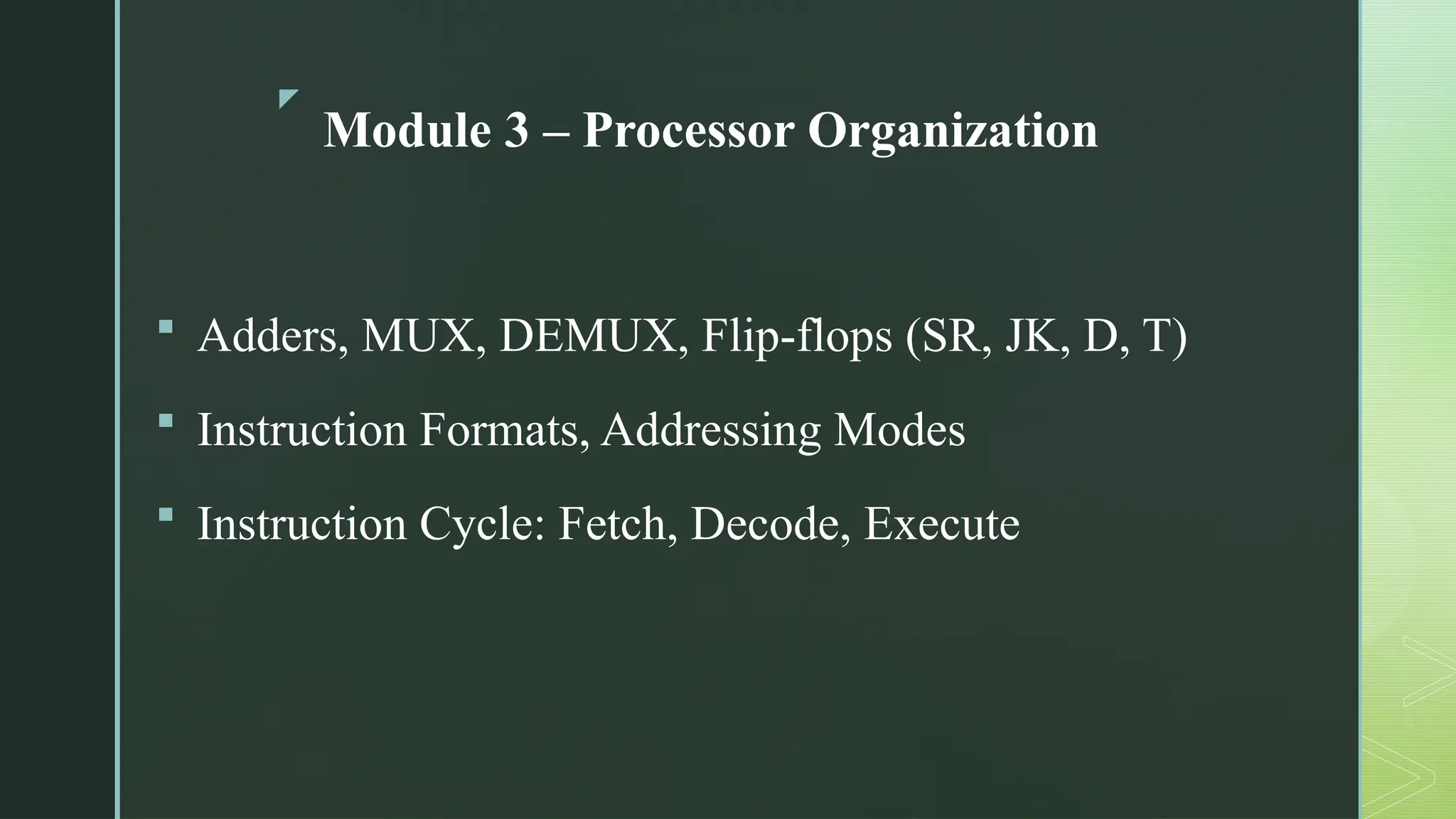
Module 3 – Processor Organization
 Adders, MUX, DEMUX, Flip-flops (SR, JK, D, T)
 Instruction Formats, Addressing Modes
 Instruction Cycle: Fetch, Decode, Execute
z
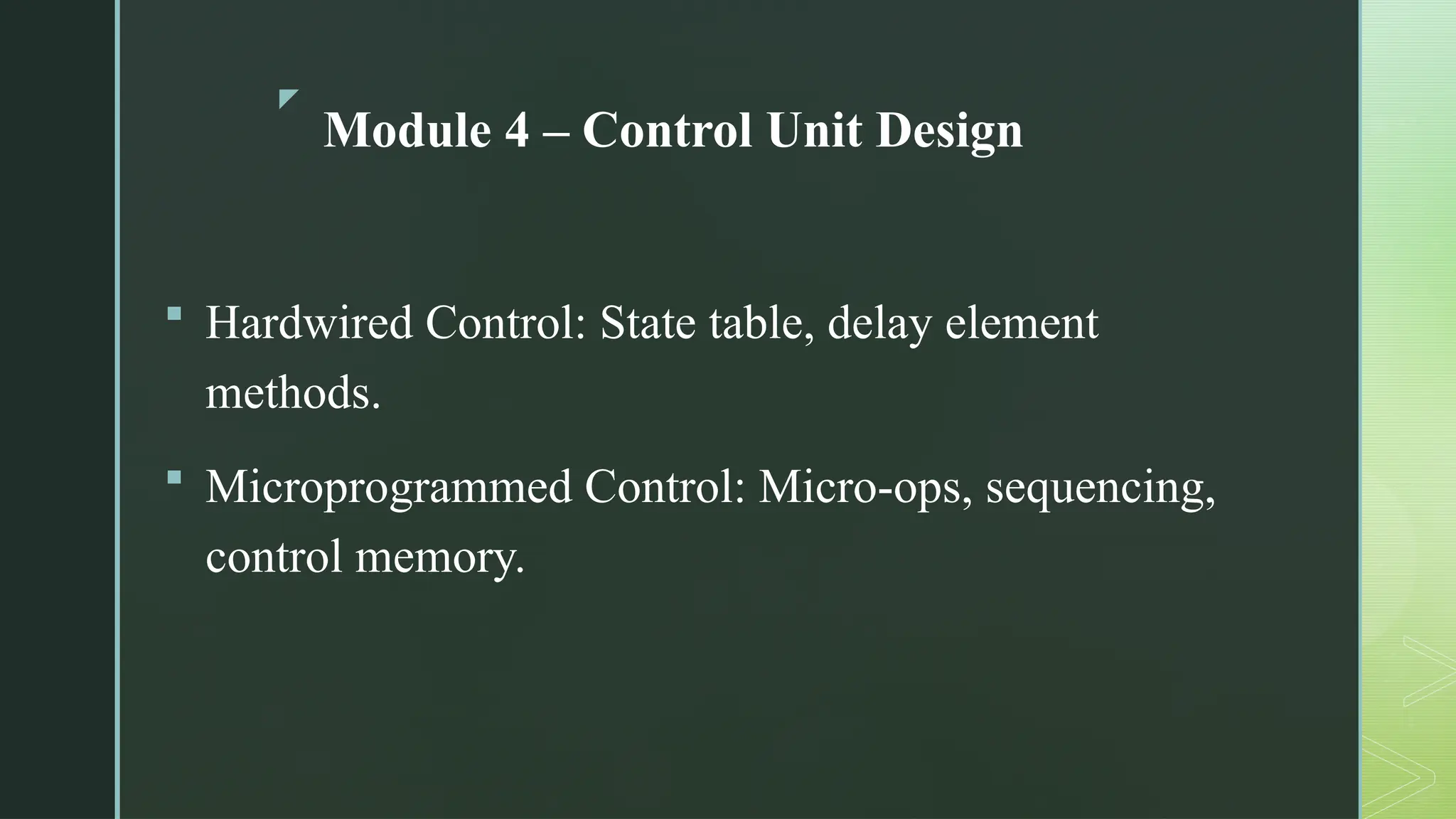
Module 4 – Control Unit Design
 Hardwired Control: State table, delay element
methods.
 Microprogrammed Control: Micro-ops, sequencing,
control memory.
z
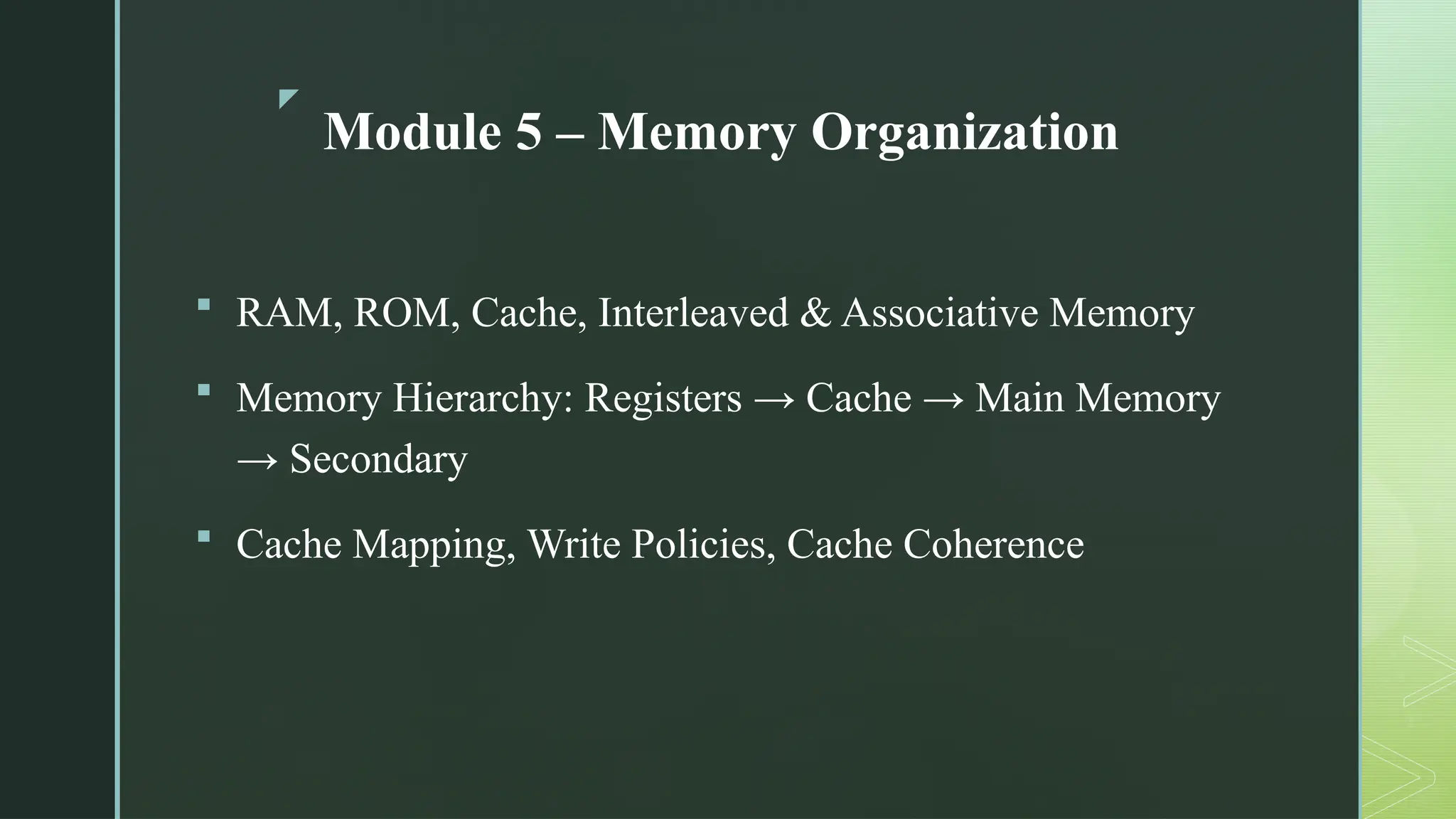
Module 5 – Memory Organization
 RAM, ROM, Cache, Interleaved & Associative Memory
 Memory Hierarchy: Registers → Cache → Main Memory
→ Secondary
 Cache Mapping, Write Policies, Cache Coherence
z
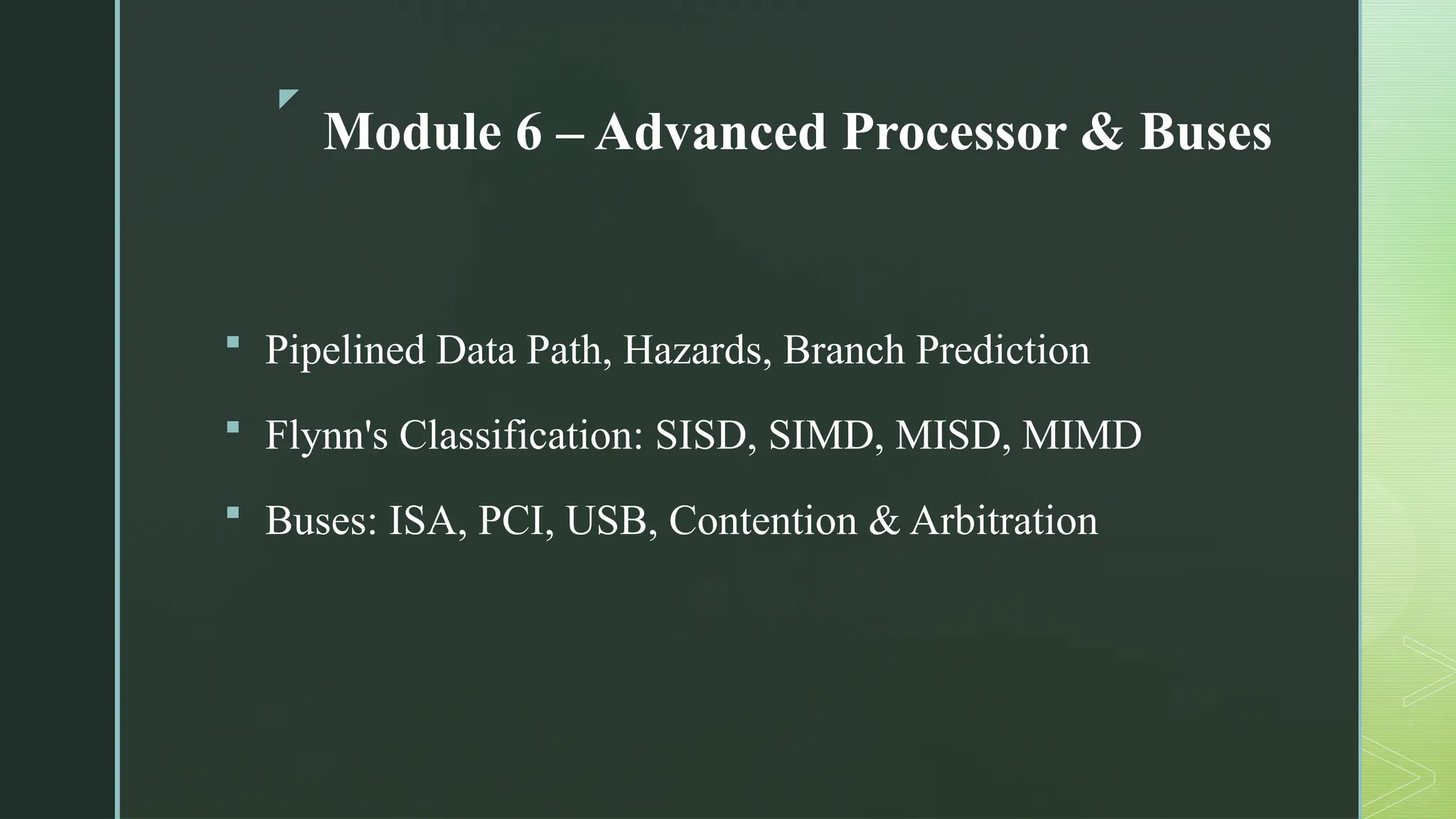
Module 6 – Advanced Processor & Buses
 Pipelined Data Path, Hazards, Branch Prediction
 Flynn's Classification: SISD, SIMD, MISD, MIMD
 Buses: ISA, PCI, USB, Contention & Arbitration
z
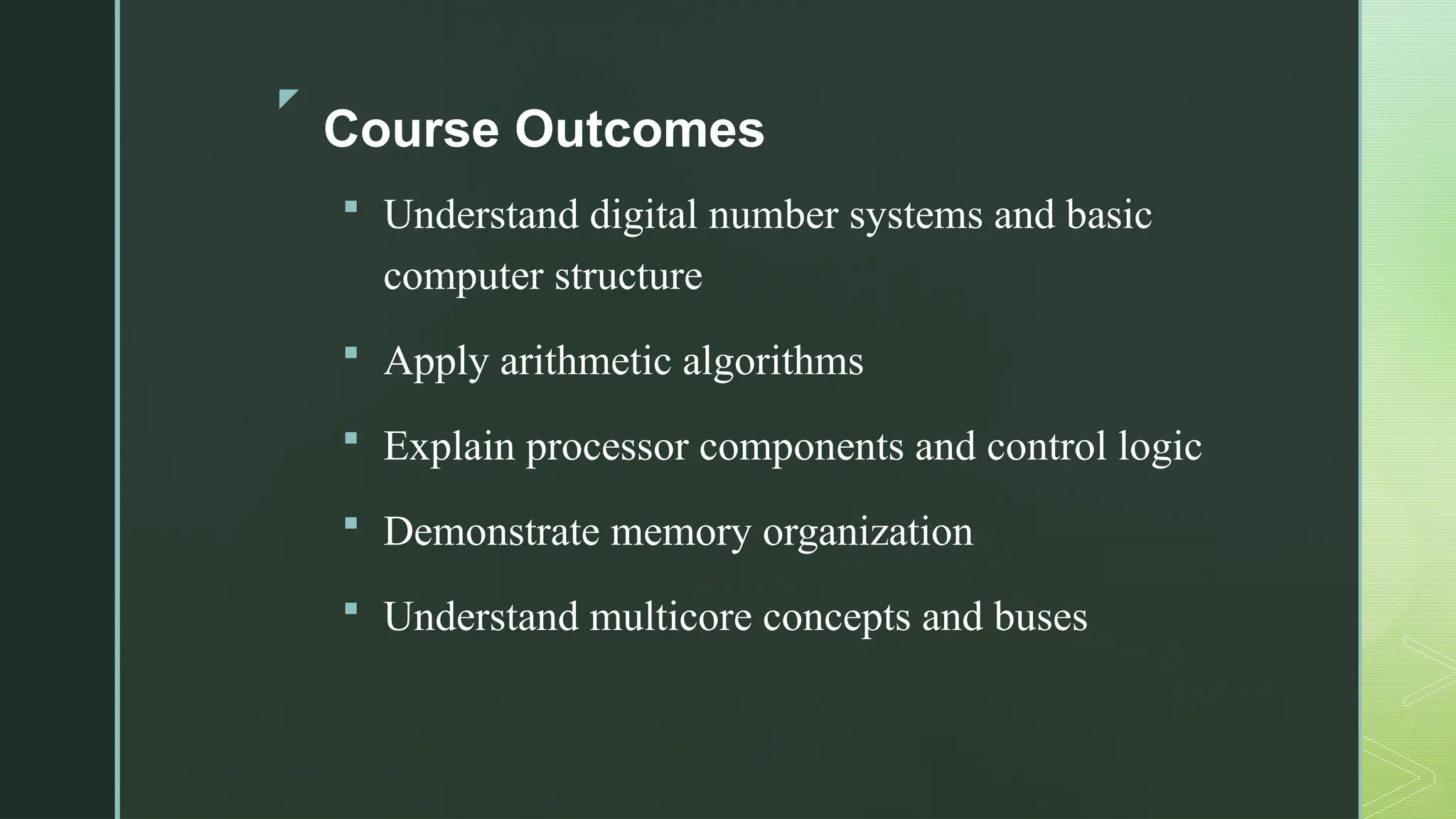
Course Outcomes
 Understand digital number systems and basic
computer structure
 Apply arithmetic algorithms
 Explain processor components and control logic
 Demonstrate memory organization
 Understand multicore concepts and buses
z
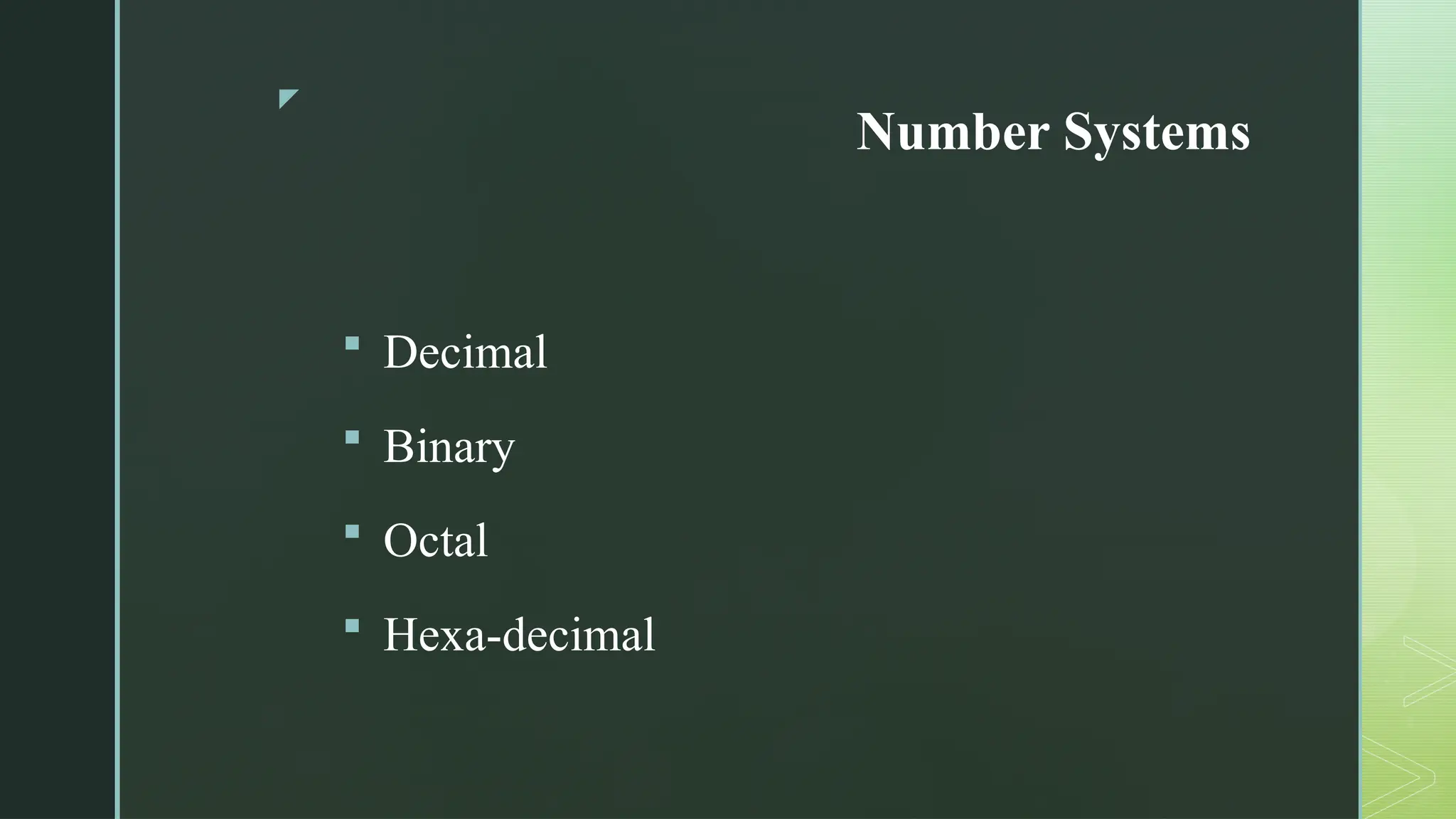
Number Systems
 Decimal
 Binary
 Octal
 Hexa-decimal
z
Introduction to Number System and
Codes
 A number system is a way to represent and
express numbers using a specific set of symbols
(digits) and a base (radix). In computer systems,
number systems are fundamental because
computers operate on binary digits (bits).
z
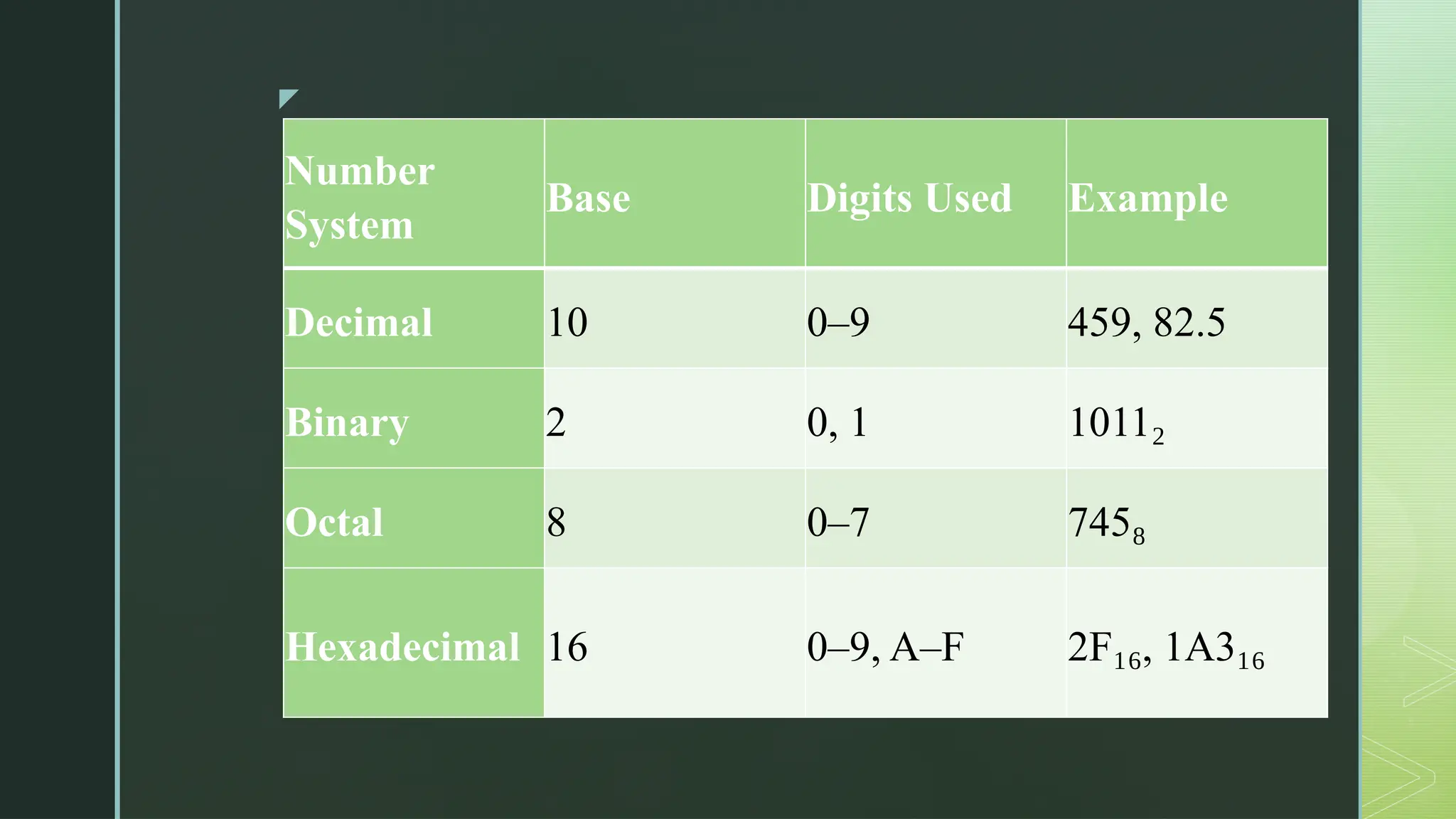
Number
System
Base Digits Used Example
Decimal 10 0–9 459, 82.5
Binary 2 0, 1 1011₂
Octal 8 0–7 745₈
Hexadecimal 16 0–9, A–F 2F , 1A3
₁₆ ₁₆
z
Why Do We Use Different Codes in
Digital Systems?
 Digital systems use codes to represent
numbers, characters, and symbols in binary
form. These are called binary codes.
z
Code Type Purpose Example
BCD (Binary-Coded
Decimal)
Represents decimal digits in
binary (4 bits per digit)
59 = 0101 1001
Gray Code
Only one-bit changes at a time
(used in encoders to reduce
error)
Binary 3 = 011, Gray = 010
ASCII
Represents text characters in
computers
'A' = 65 = 01000001
Unicode
Extended character set for all
languages
'अ' = U+0905
Excess-3 Code
BCD variant used in error
detection
3 → 0110 (binary 3 + 0011)
z
Number Systems: Binary, Octal, Decimal, Hexadecimal
 A digital system can understand positional number system.
 In this system, there are a few symbols called digits which represent different values
depending on the position they occupy in the number.
 A value of each digit in a number can be determined using:
 The digit
 The position of the digit in the number
 The base of the number system (where base is defined as the total number of digits
available in the number system).
 There are different types of number system like binary, decimal, hexadecimal and octal.
z
Decimal Number System
 The number system that we use in our day-to-day life is the decimal
number system.
 Decimal number system has base 10 as it uses 10 digits from 0 to 9.
 Each position represents a specific power of the base (10).
z
Binary Number System
 Uses two digits, 0 and 1. Also called base 2 number system
 Each position in a binary number represents a power of the base (2). Position
1 in LSB represents 20
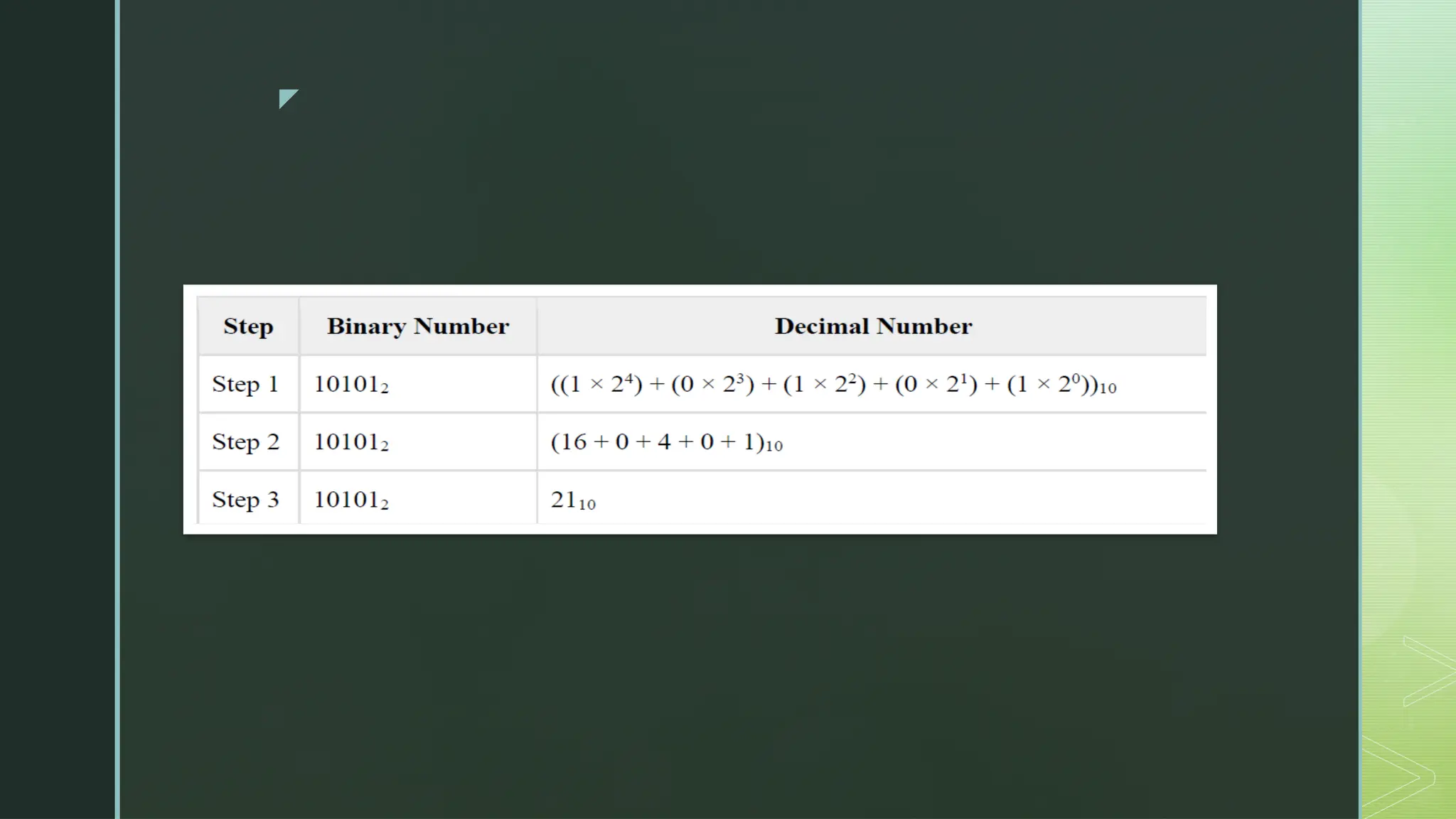
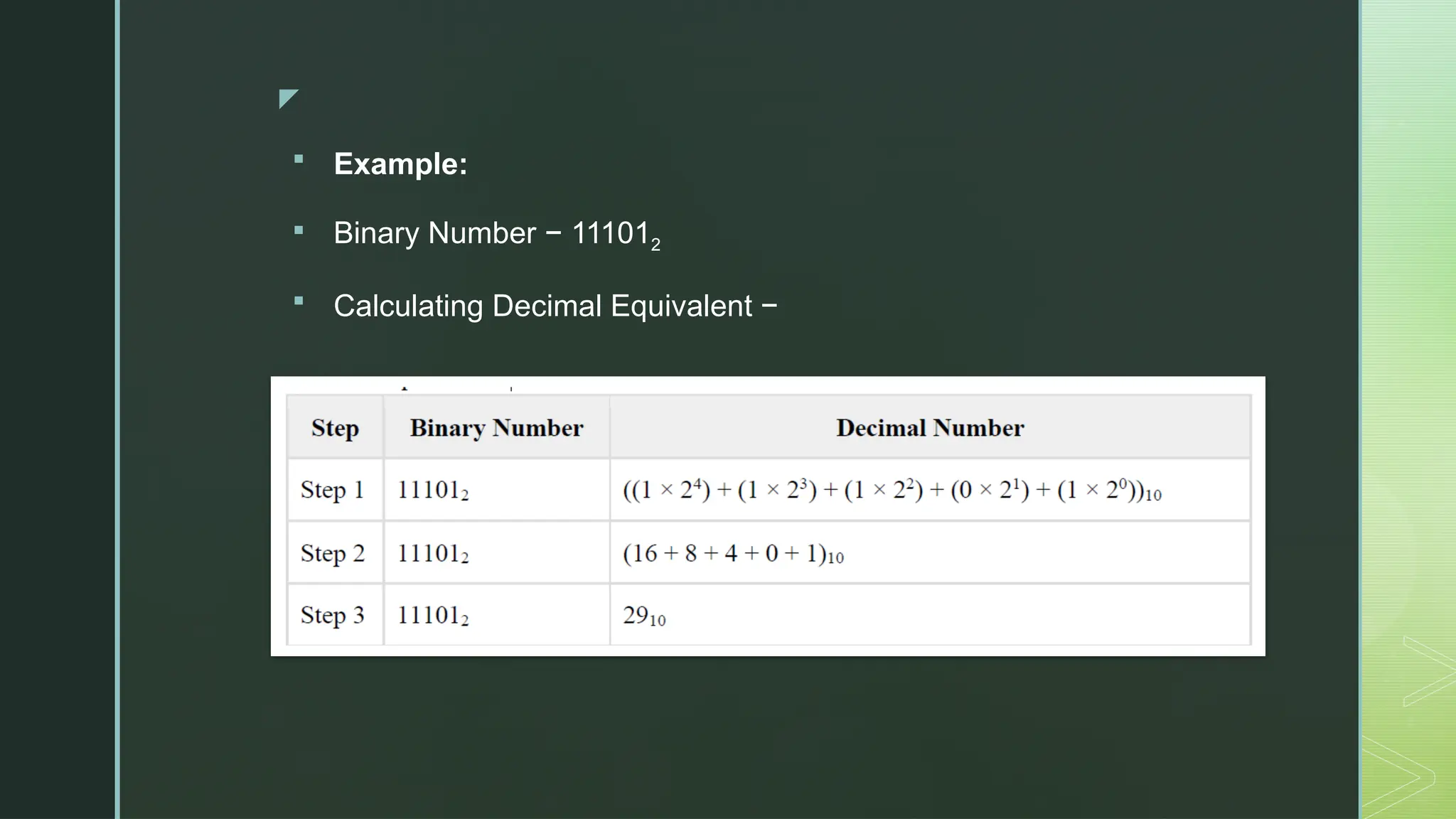
 Example: Binary Number: 101012. Calculating Decimal Equivalent –
z
z
Octal Number System
 Uses eight digits, 0,1,2,3,4,5,6,7.
 Also called base 8 number system
 Each position in an octal number represents a power of the base (8).
Example: Position 1 in LSB represents 80
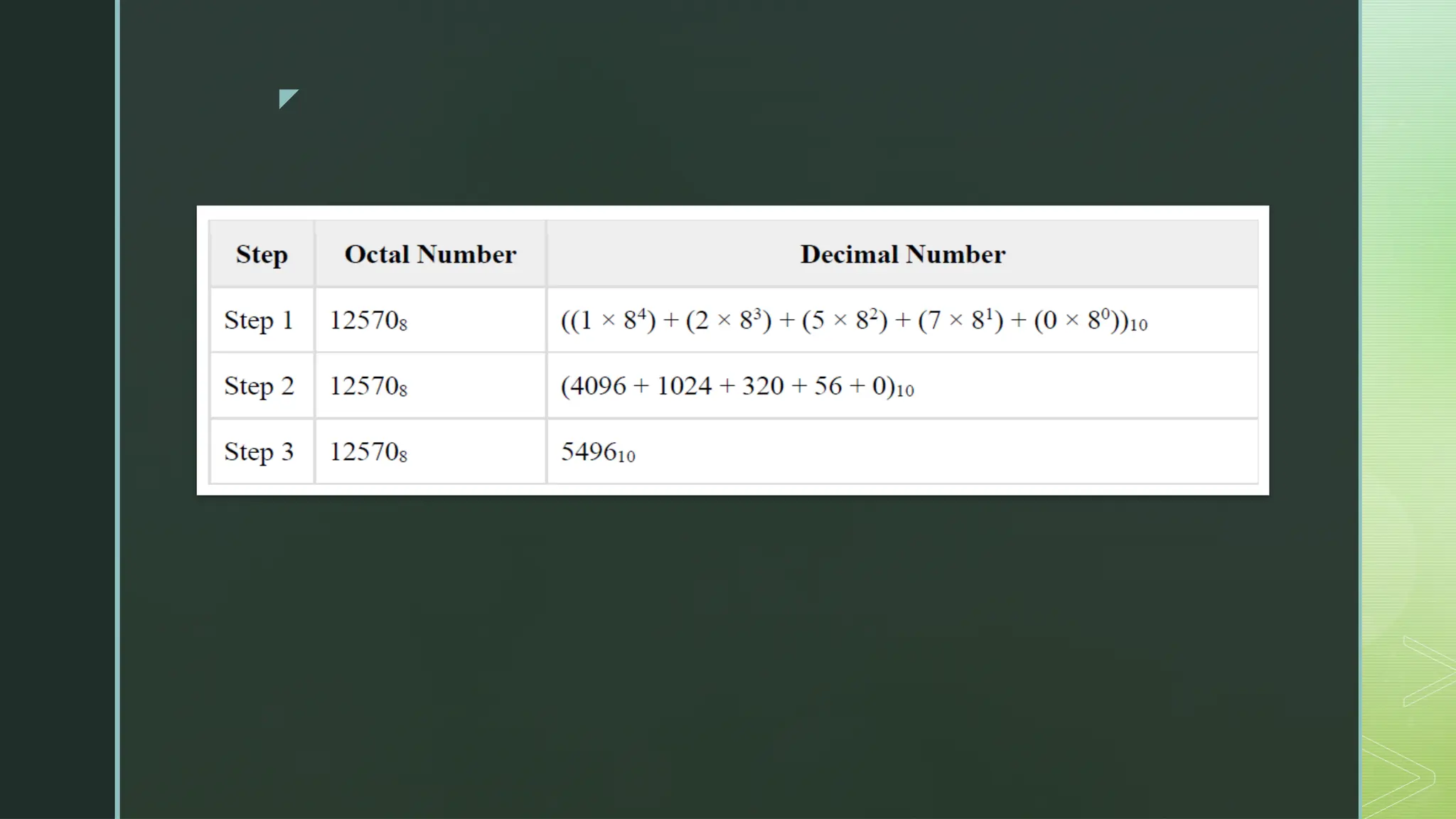
 Example: Octal Number − 125708
 Calculating Decimal Equivalent –
z
z
Hexadecimal Number System
 Uses 10 digits and 6 letters, 0,1,2,3,4,5,6,7,8, 9, A, B, C, D, E, F.
 Letters represent numbers starting from 10. A = 10, B = 11, C = 12, D = 13, E
= 14, F = 15.
 Also called base 16 number system.
 Each position in a hexadecimal number represents a power of the base (16).
Example: Position 1 in LSB represents 160
.
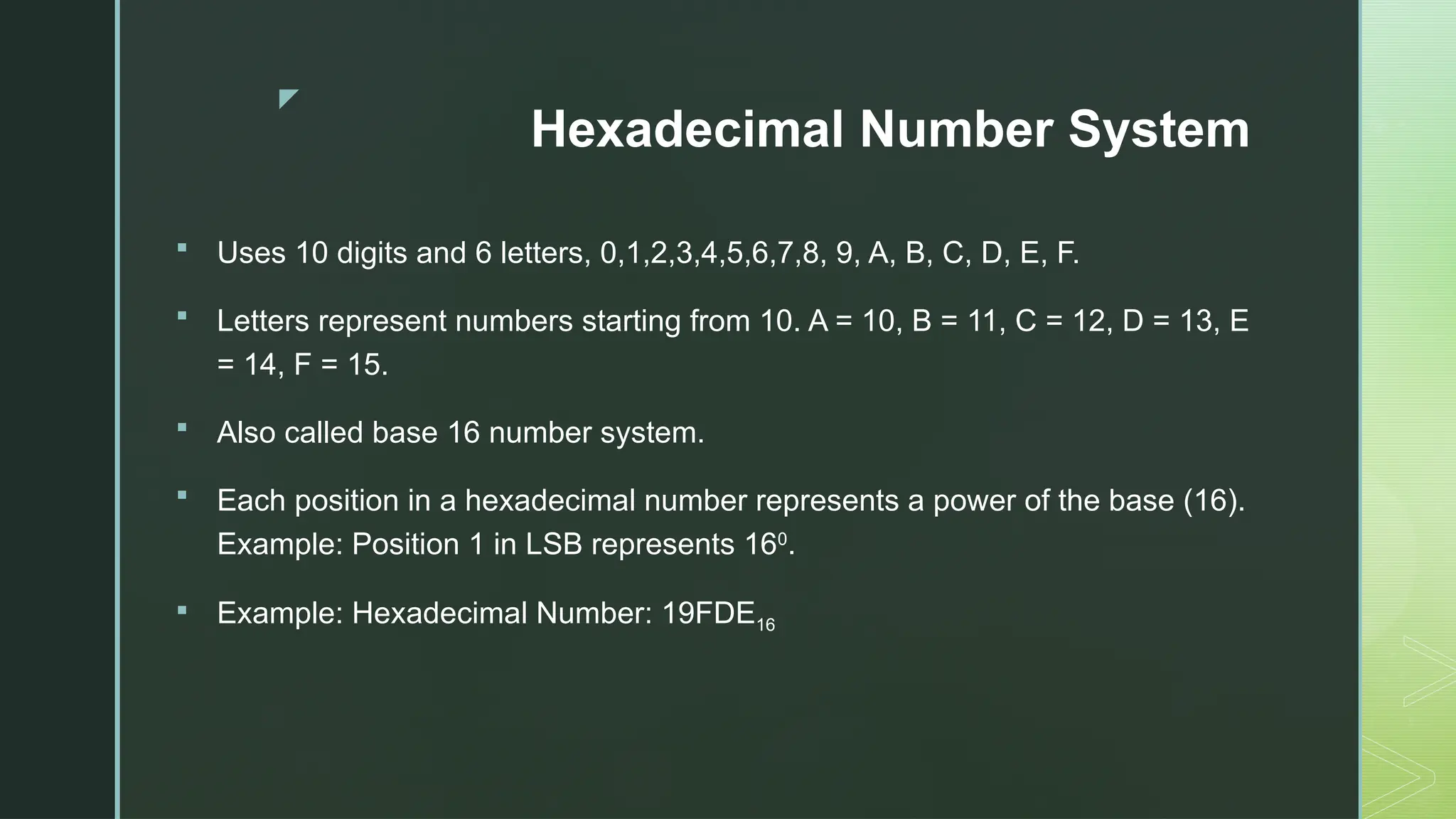
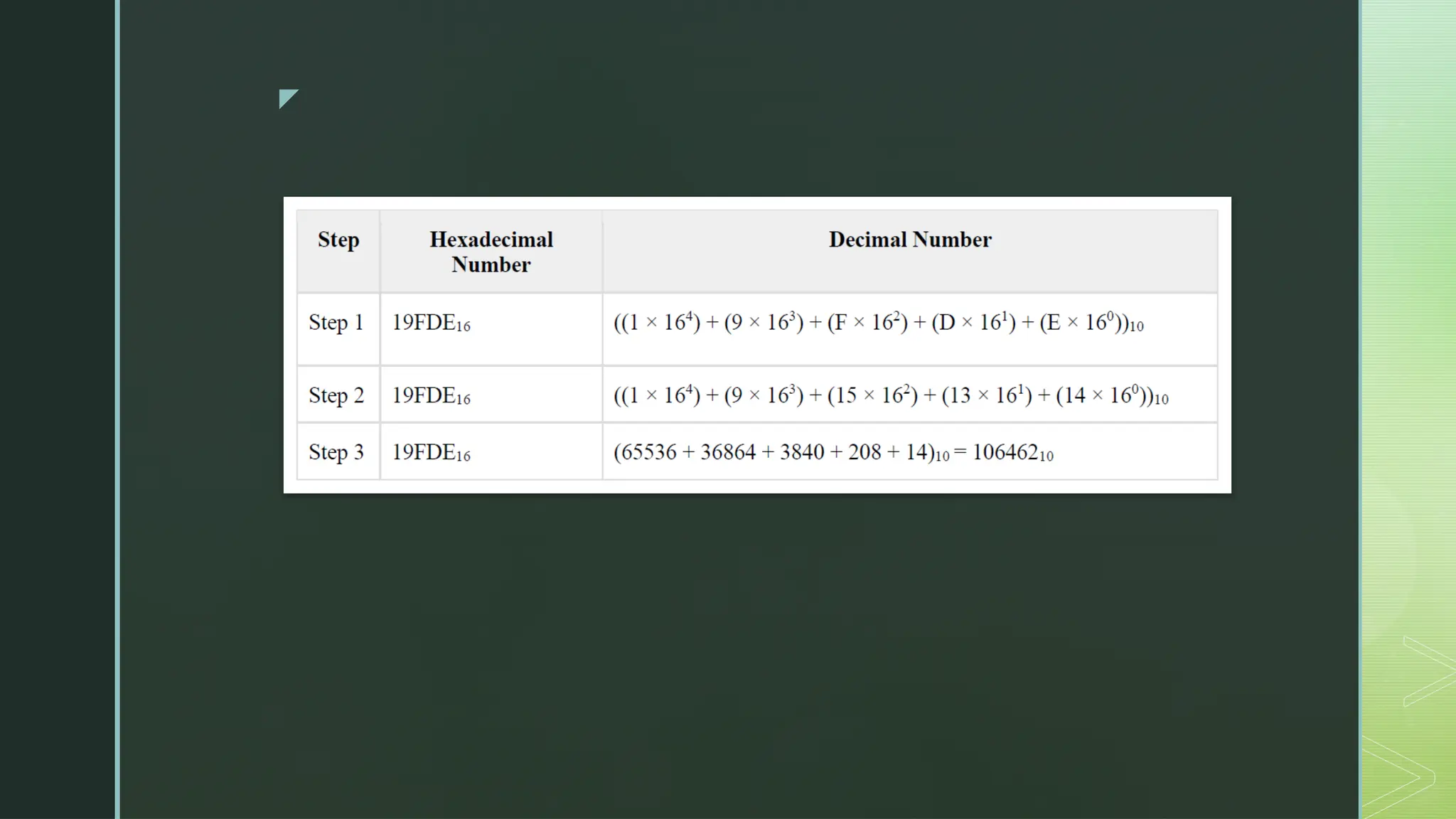
 Example: Hexadecimal Number: 19FDE16
z
z
Number System Conversion
 Decimal to Other Base System
 Other Base System to Decimal
 Other Base System to Non-Decimal
 Binary to Octal
 Octal to Binary
 Binary to Hexadecimal
 Hexadecimal to Binary
 Octal to Hexadecimal
 Hexadecimal to Octal
z
Decimal to Other Base System
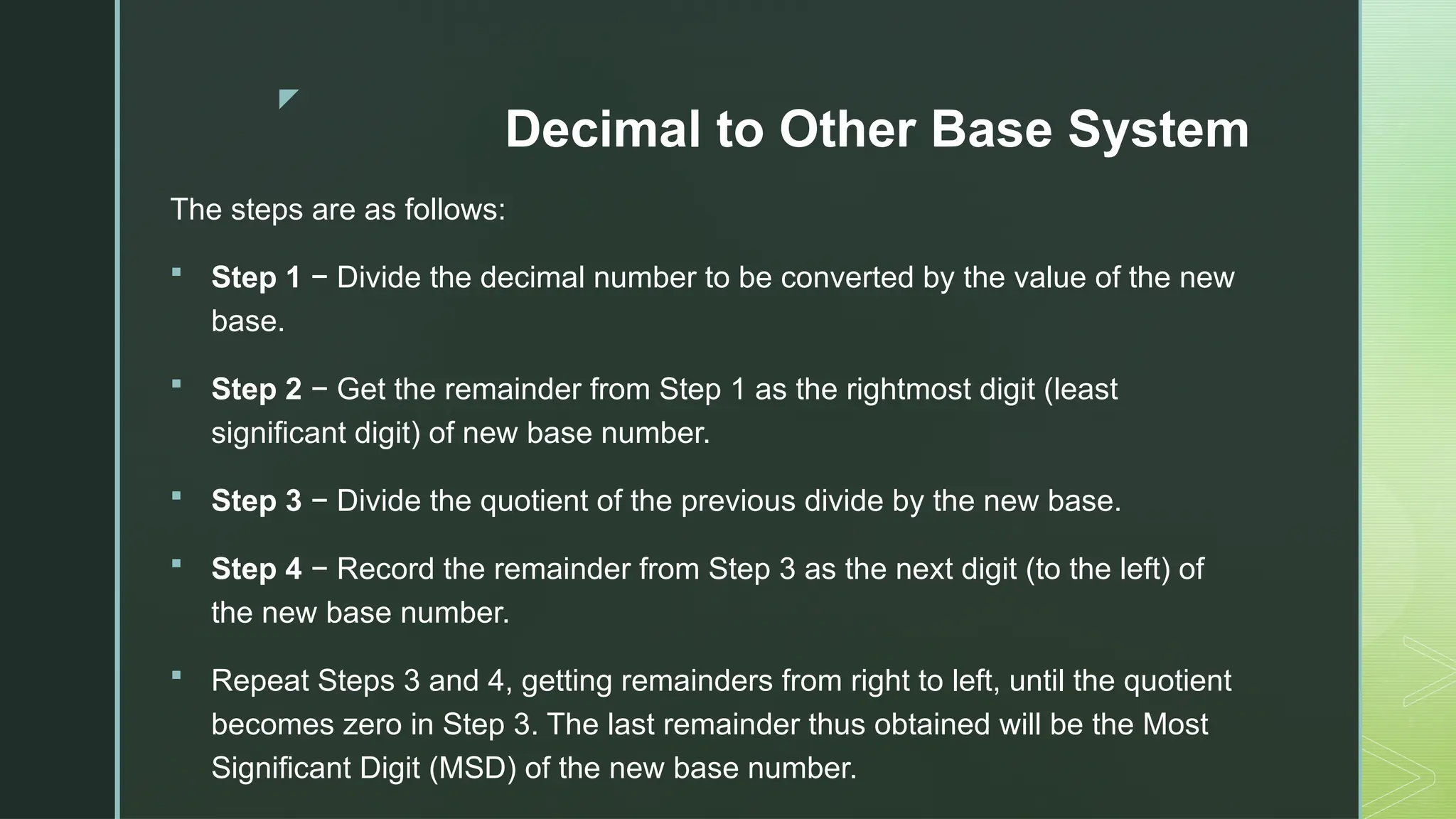
The steps are as follows:
 Step 1 − Divide the decimal number to be converted by the value of the new
base.
 Step 2 − Get the remainder from Step 1 as the rightmost digit (least
significant digit) of new base number.
 Step 3 − Divide the quotient of the previous divide by the new base.
 Step 4 − Record the remainder from Step 3 as the next digit (to the left) of
the new base number.
 Repeat Steps 3 and 4, getting remainders from right to left, until the quotient
becomes zero in Step 3. The last remainder thus obtained will be the Most
Significant Digit (MSD) of the new base number.
z
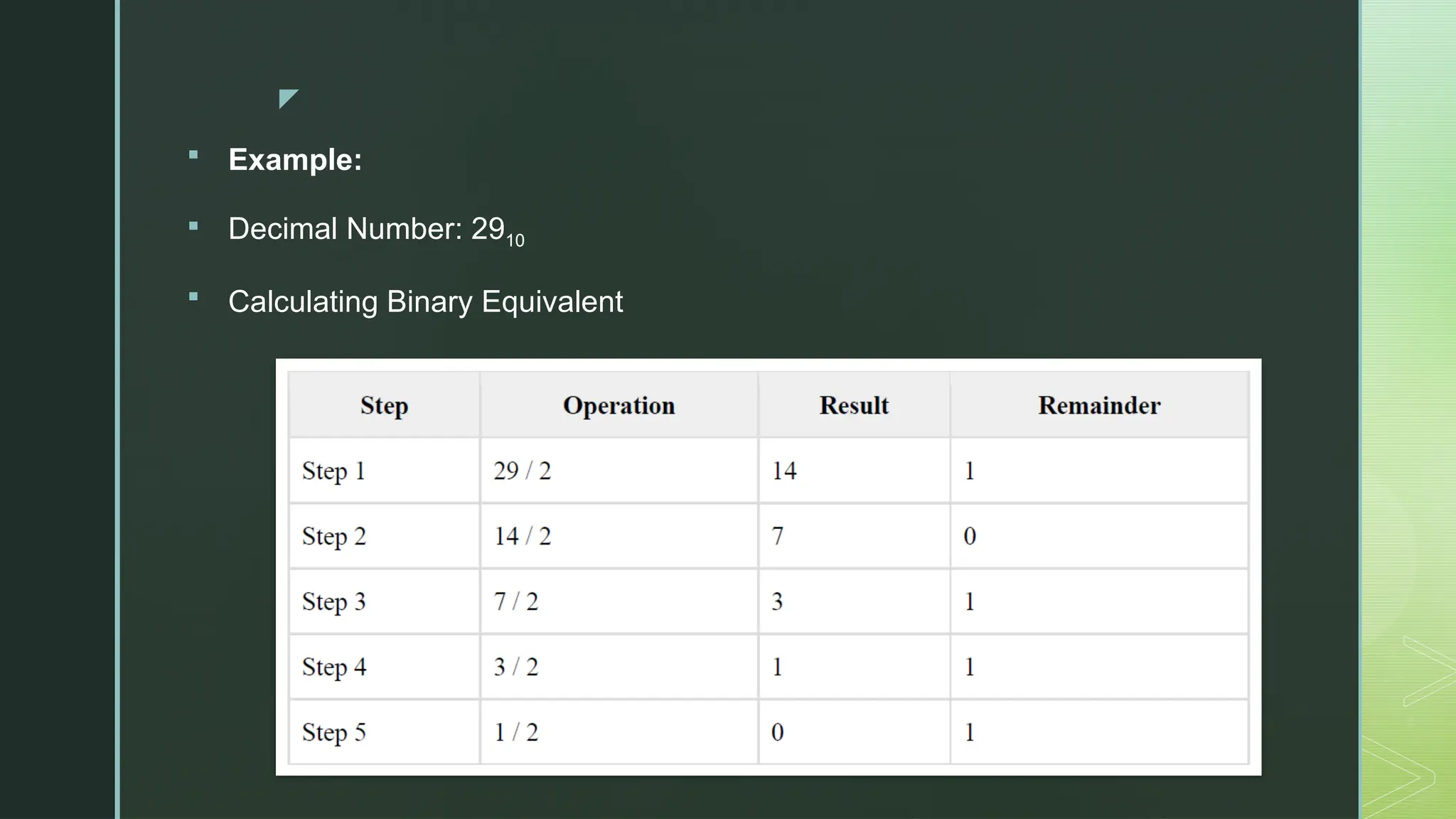
 Example:
 Decimal Number: 2910
 Calculating Binary Equivalent
z
Other Base System to Decimal
System
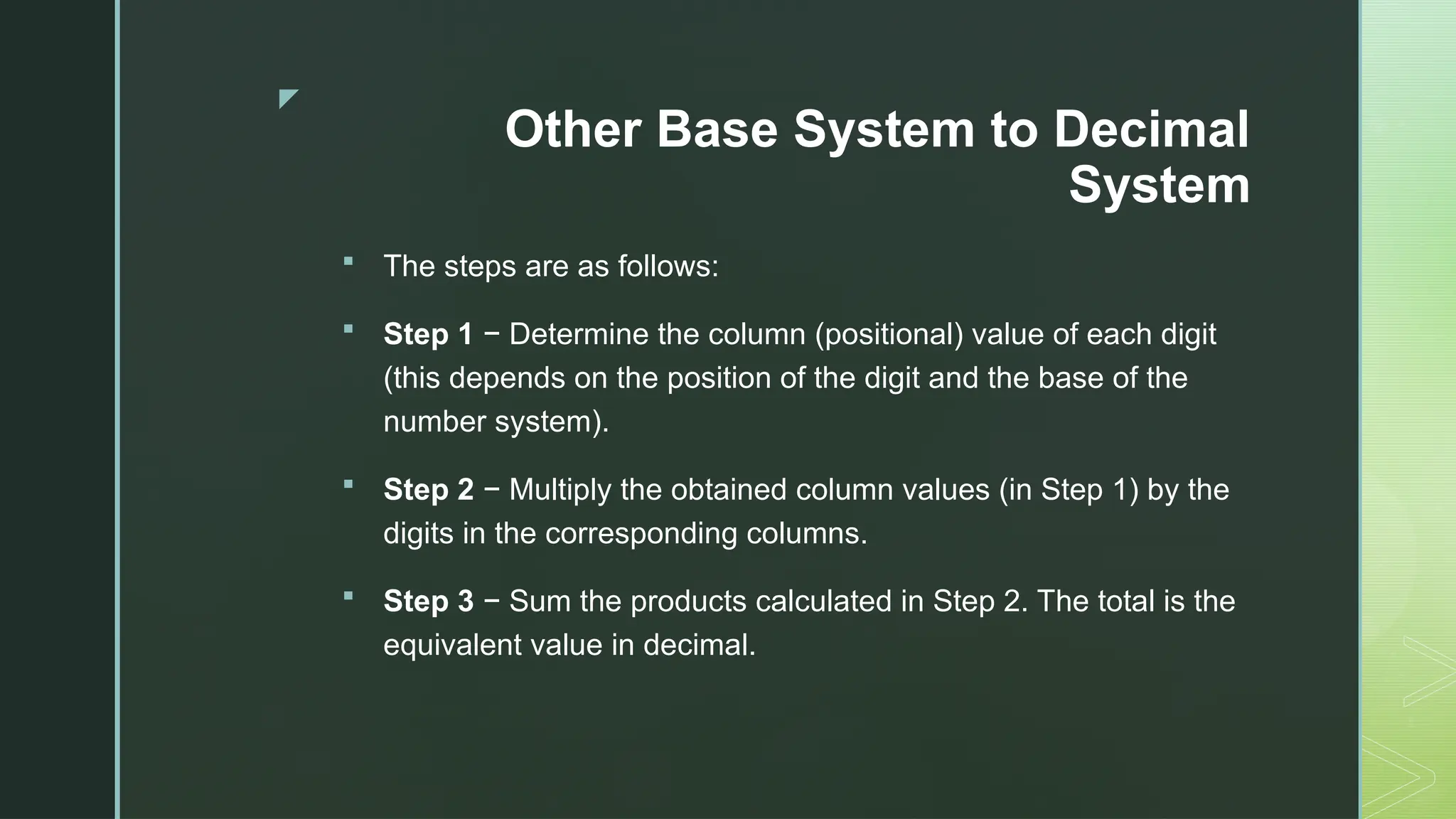
 The steps are as follows:
 Step 1 − Determine the column (positional) value of each digit
(this depends on the position of the digit and the base of the
number system).
 Step 2 − Multiply the obtained column values (in Step 1) by the
digits in the corresponding columns.
 Step 3 − Sum the products calculated in Step 2. The total is the
equivalent value in decimal.
z
 Example:
 Binary Number − 111012
 Calculating Decimal Equivalent −
z
Other Base System to Non-Decimal System
 Binary to Octal:
 Step 1 − Divide the binary digits into groups of three (starting
from the right).
 Step 2 − Convert each group of three binary digits to one octal
digit.
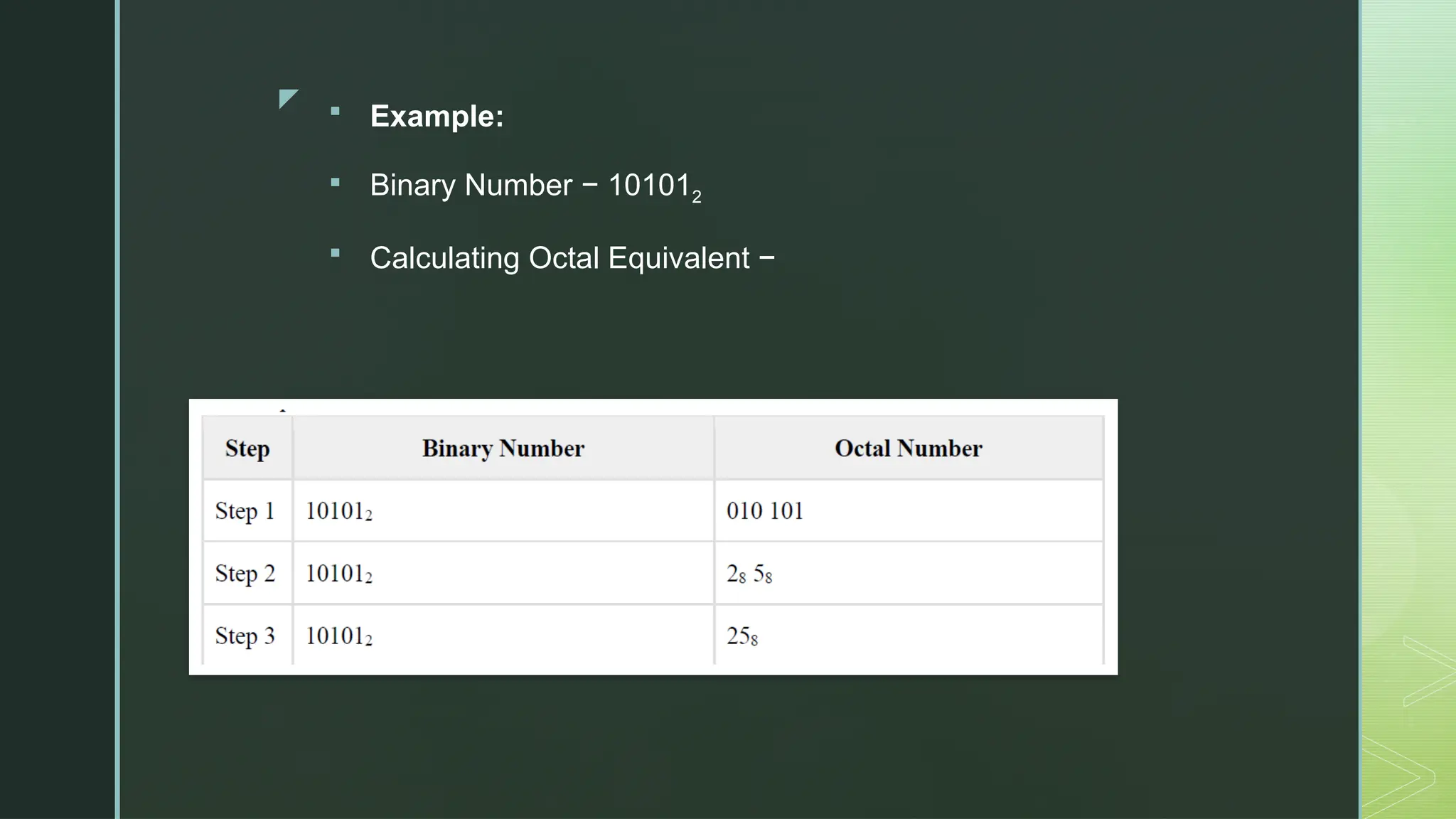
z  Example:
 Binary Number − 101012
 Calculating Octal Equivalent −
z
Octal to Binary
 Step 1 − Convert each octal digit to a 3-digit binary number (the
octal digits may be treated as decimal for this conversion).
 Step 2 − Combine all the resulting binary groups (of 3 digits
each) into a single binary number.
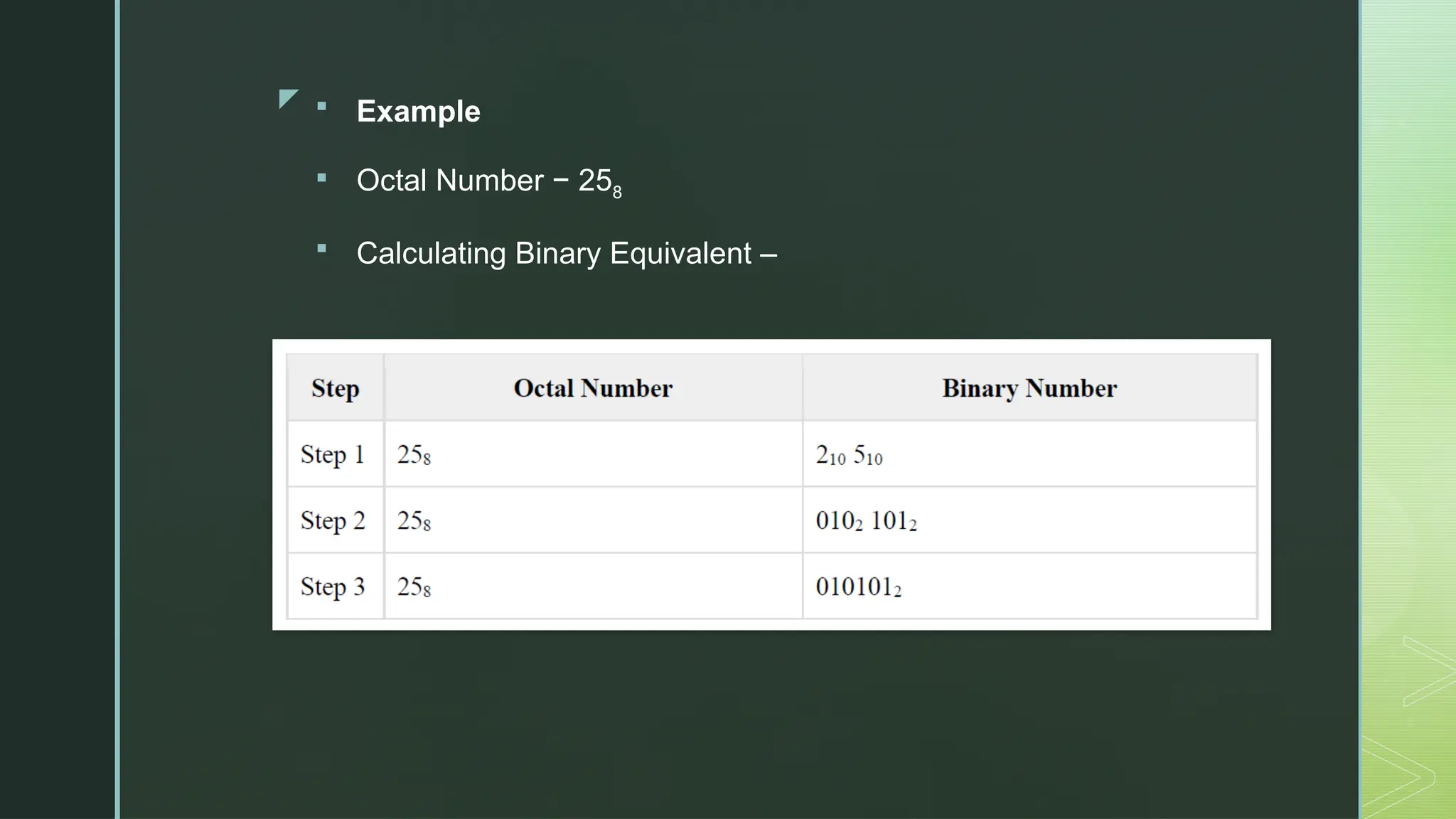
z  Example
 Octal Number − 258
 Calculating Binary Equivalent –
z
Binary to Hexadecimal
 Step 1 − Divide the binary digits into groups of four (starting
from the right).
 Step 2 − Convert each group of four binary digits to one
hexadecimal symbol.
z
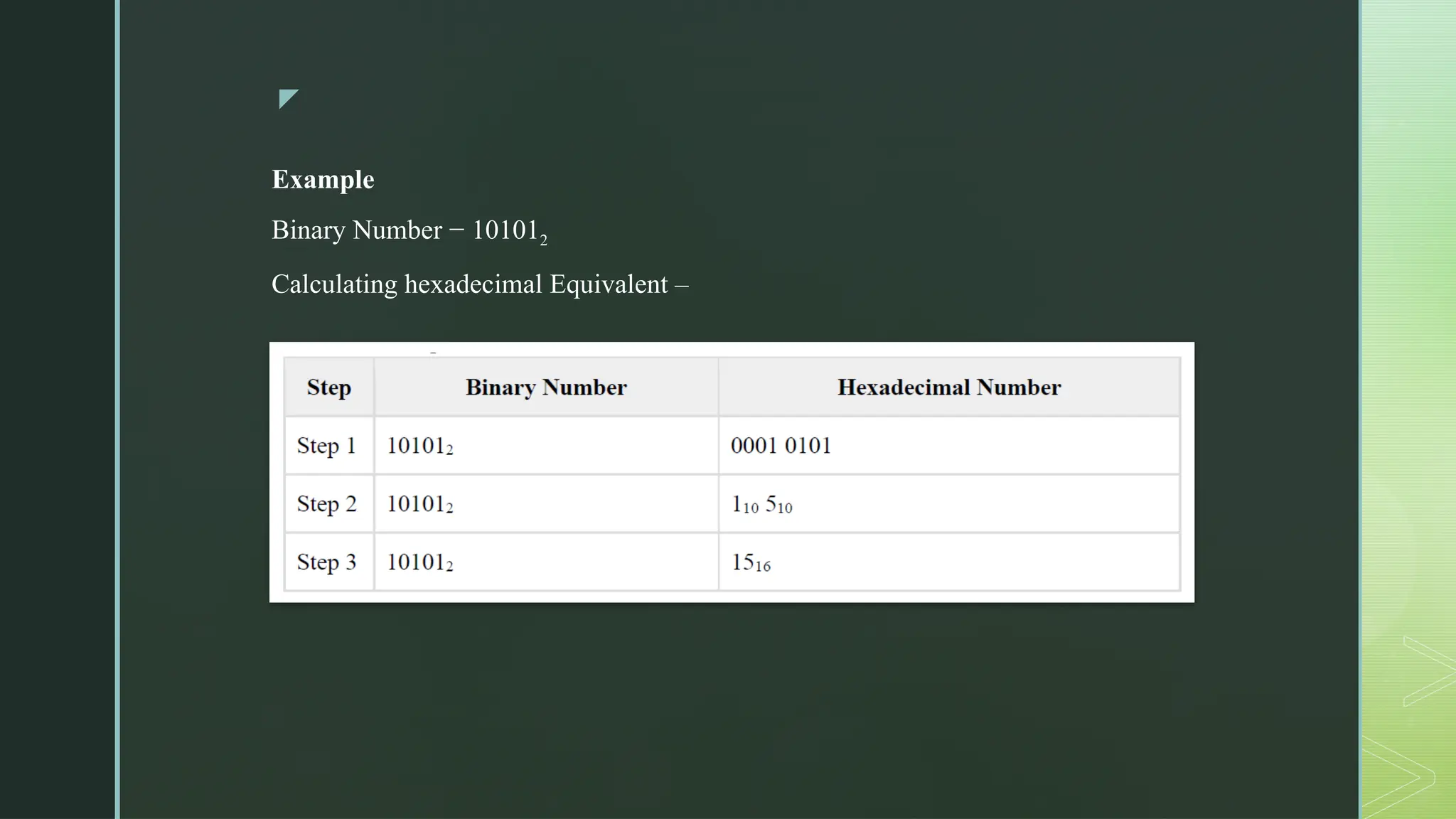
Example
Binary Number − 101012
Calculating hexadecimal Equivalent –
z
Hexadecimal to Binary
 Step 1 − Convert each hexadecimal digit to a 4-digit binary
number (the hexadecimal digits may be treated as decimal for
this conversion).
 Step 2 − Combine all the resulting binary groups (of 4 digits
each) into a single binary number.
z
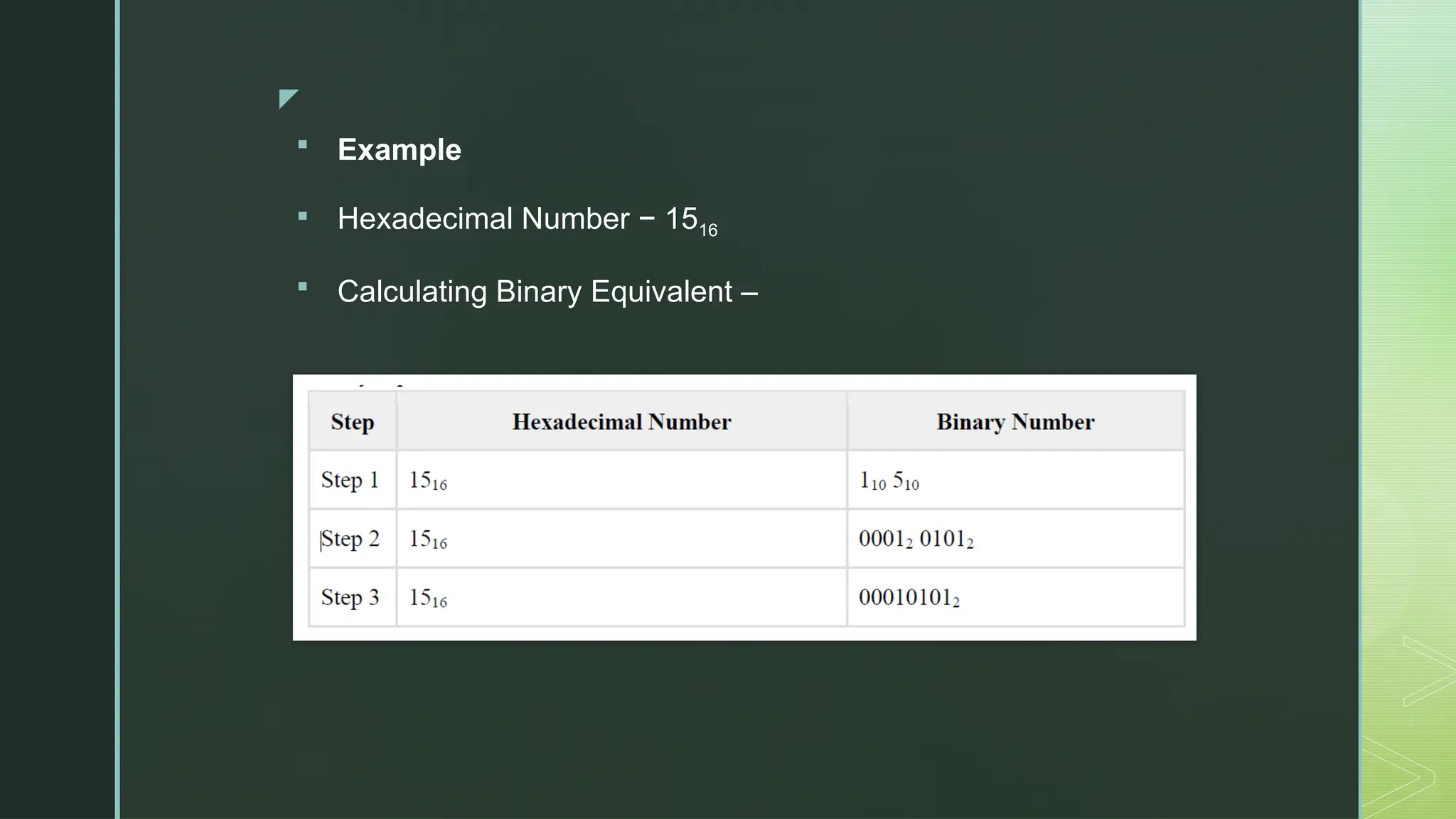
 Example
 Hexadecimal Number − 1516
 Calculating Binary Equivalent –
z
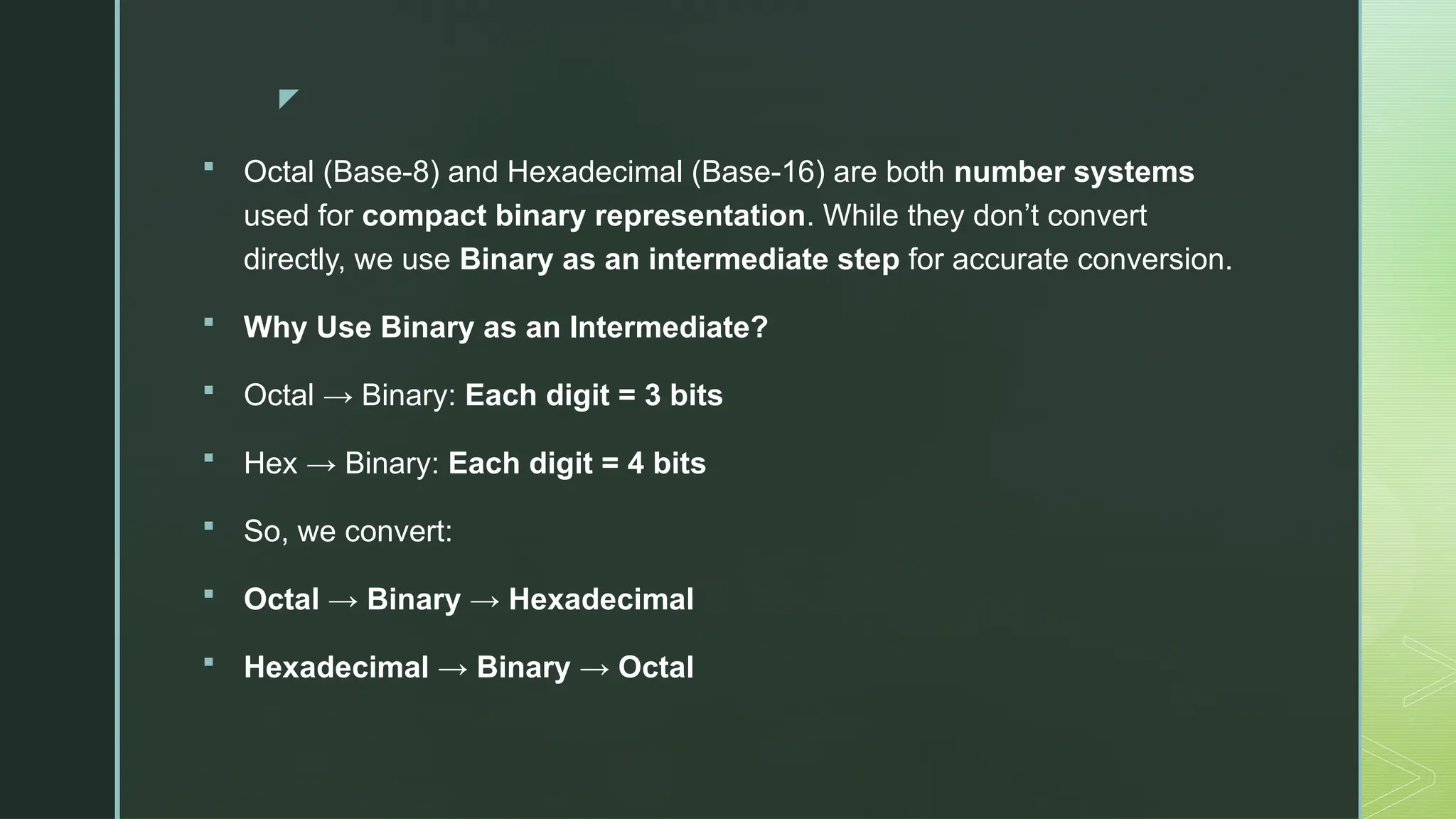
 Octal (Base-8) and Hexadecimal (Base-16) are both number systems
used for compact binary representation. While they don’t convert
directly, we use Binary as an intermediate step for accurate conversion.
 Why Use Binary as an Intermediate?
 Octal → Binary: Each digit = 3 bits
 Hex → Binary: Each digit = 4 bits
 So, we convert:
 Octal → Binary → Hexadecimal
 Hexadecimal → Binary → Octal
z
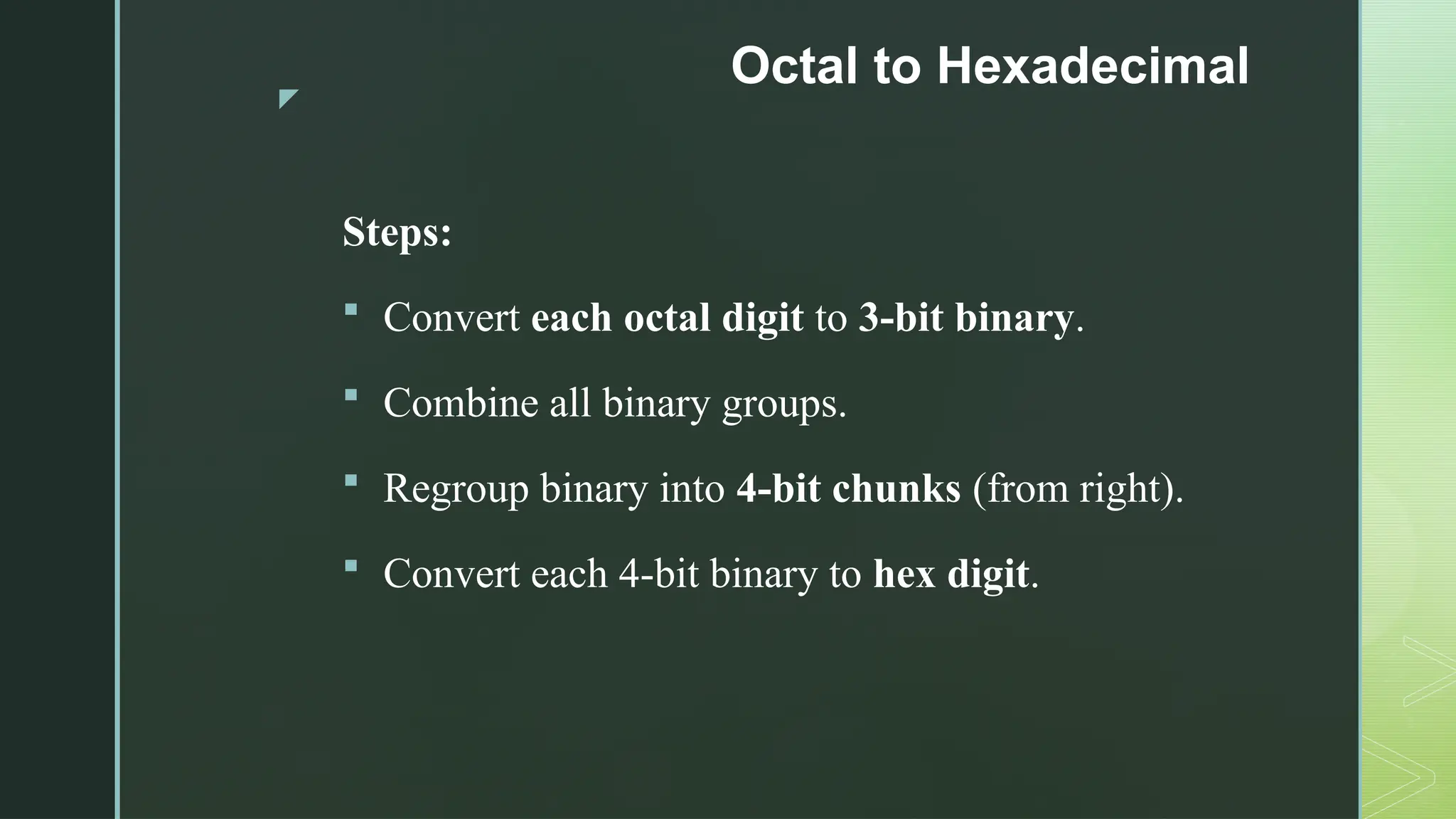
Octal to Hexadecimal
Steps:
 Convert each octal digit to 3-bit binary.
 Combine all binary groups.
 Regroup binary into 4-bit chunks (from right).
 Convert each 4-bit binary to hex digit.
z
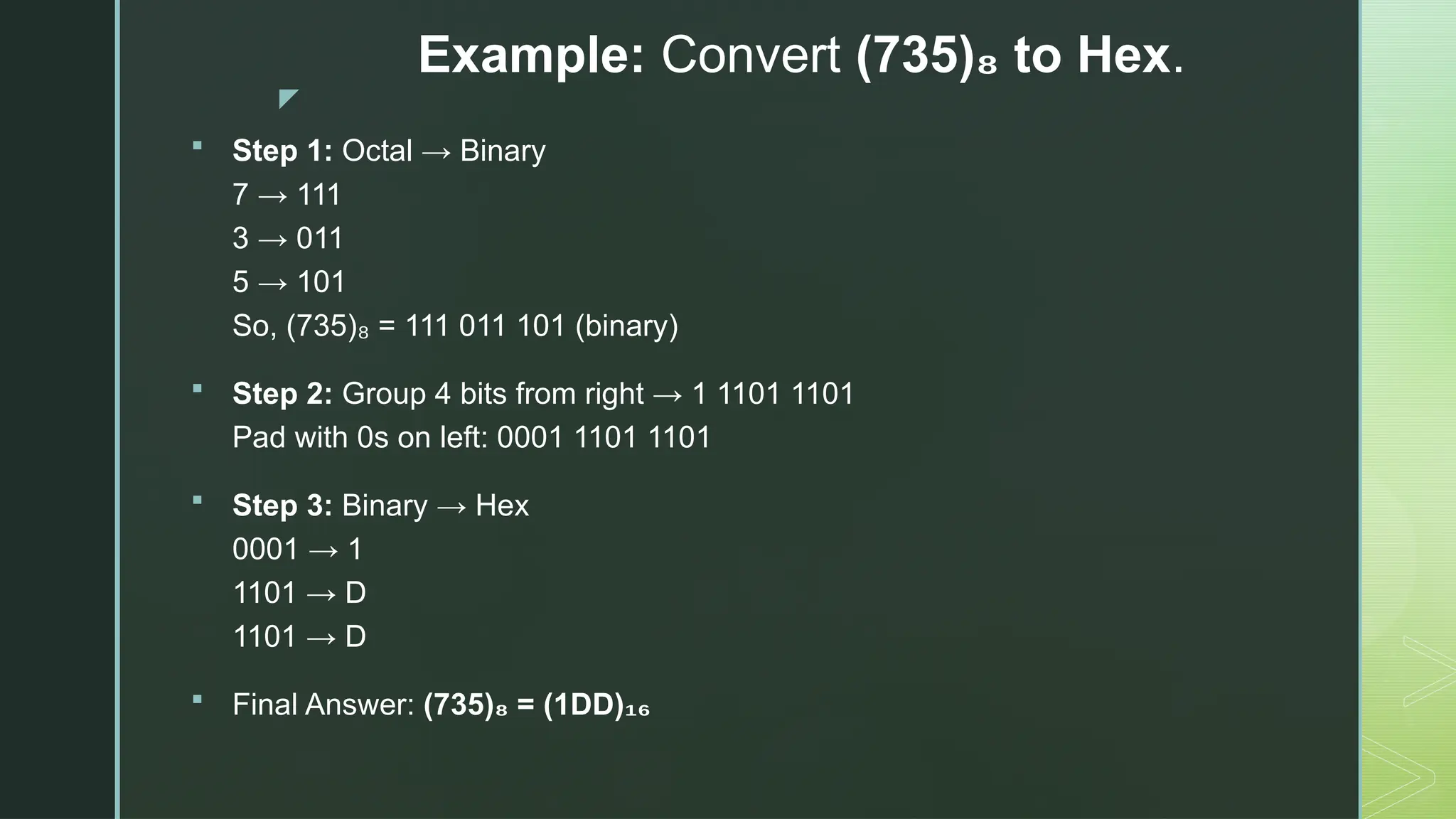
Example: Convert (735) to Hex
₈ .
 Step 1: Octal → Binary
7 → 111
3 → 011
5 → 101
So, (735) = 111 011 101 (binary)
₈
 Step 2: Group 4 bits from right → 1 1101 1101
Pad with 0s on left: 0001 1101 1101
 Step 3: Binary → Hex
0001 → 1
1101 → D
1101 → D
 Final Answer: (735) = (1DD)
₈ ₁₆
z
Hexadecimal to Octal
Steps:
 Convert each hex digit to 4-bit binary.
 Combine all binary groups.
 Regroup binary into 3-bit chunks (from right).
 Convert each 3-bit group to octal digit.
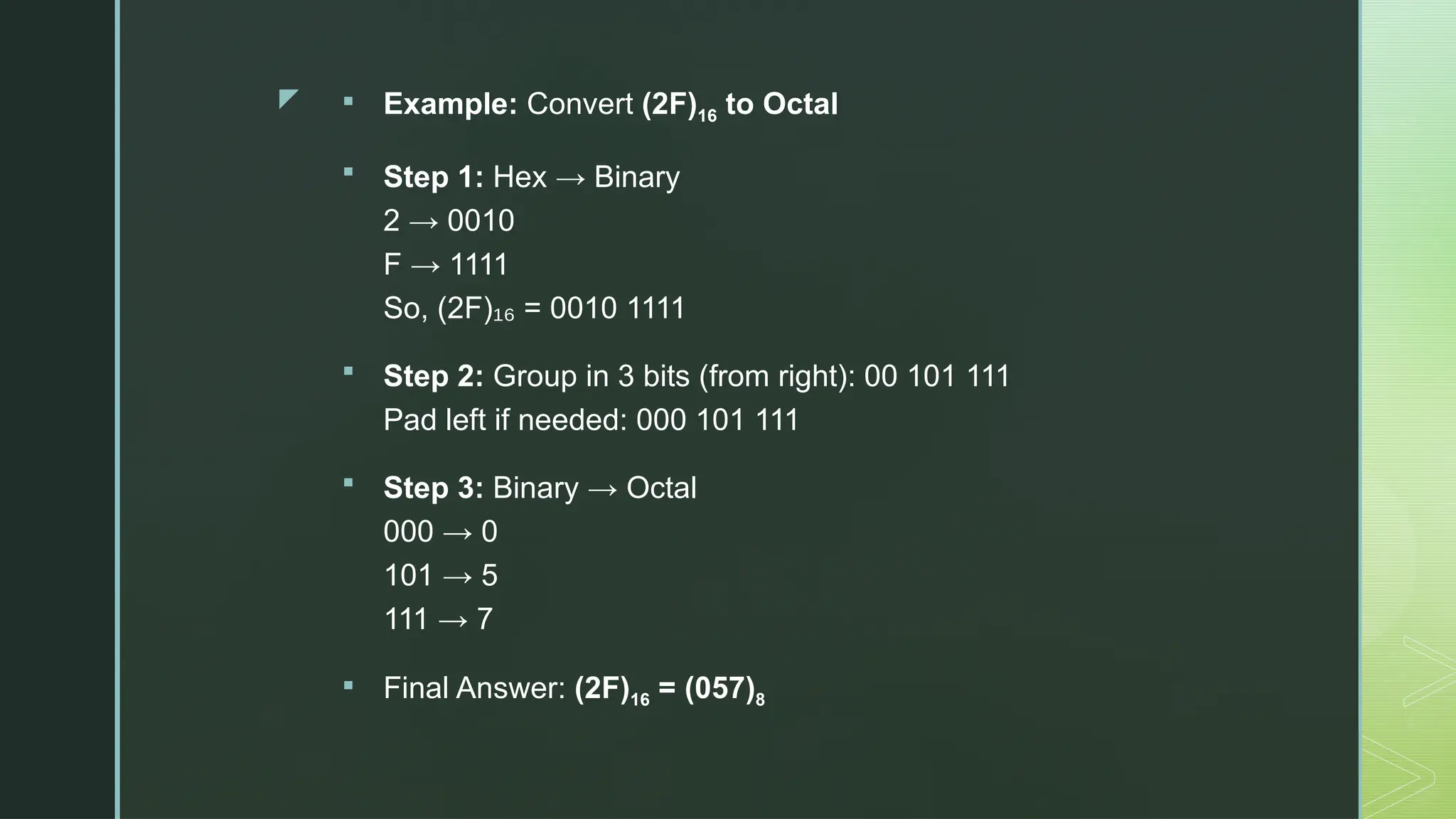
z  Example: Convert (2F)16 to Octal
 Step 1: Hex → Binary
2 → 0010
F → 1111
So, (2F) = 0010 1111
₁₆
 Step 2: Group in 3 bits (from right): 00 101 111
Pad left if needed: 000 101 111
 Step 3: Binary → Octal
000 → 0
101 → 5
111 → 7
 Final Answer: (2F)16 = (057)8
z
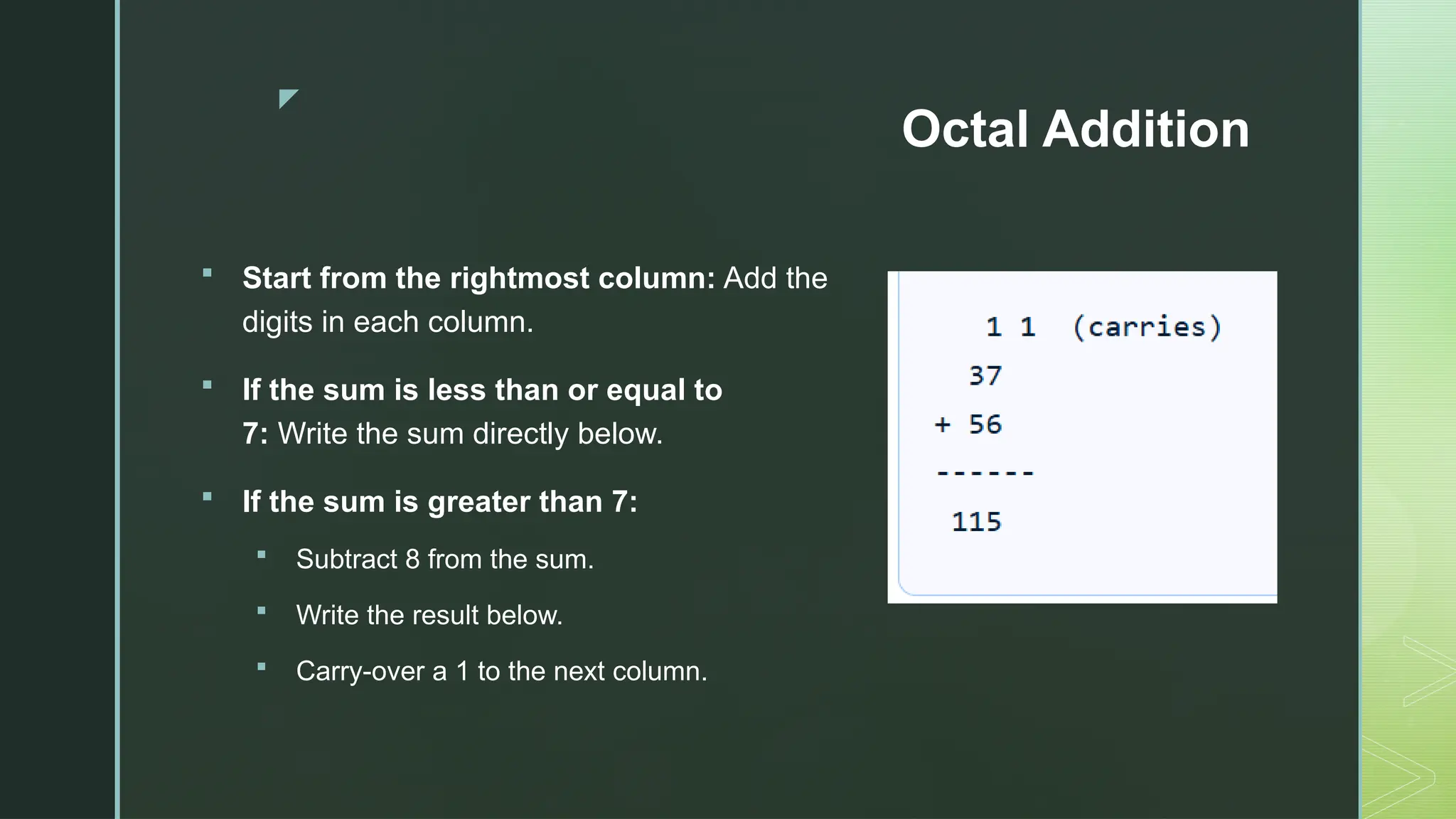
Octal Addition
 Start from the rightmost column: Add the
digits in each column.
 If the sum is less than or equal to
7: Write the sum directly below.
 If the sum is greater than 7:
 Subtract 8 from the sum.
 Write the result below.
 Carry-over a 1 to the next column.
z
Octal Subtraction
 Start from the rightmost column: Subtract the
bottom digit from the top digit.
 If the top digit is smaller than the bottom digit:
 Borrow 8 from the next column.
 Add 8 to the top digit.
 Subtract the bottom digit.
z
Codes: Grey, BCD, Excess-3, ASCII
z
Binary Codes
 In the coding, when numbers, letters or words are represented by a specific group
of symbols, it is said that the number, letter or word is being encoded.
 The group of symbols is called as a code.
 The digital data is represented, stored and transmitted as group of binary bits.
 This group is also called as binary code.
 The binary code is represented by the number as well as alphanumeric letter.
z
Advantages of Binary Code
 Binary codes are suitable for the computer applications.
 Binary codes are suitable for the digital communications.
 Binary codes make the analysis and designing of digital circuits if we use the
binary codes.
 Since only 0 & 1 are being used, implementation becomes easy.
z
Classification of binary codes
The codes are broadly categorized into following four categories.
 Weighted Codes
 Non-Weighted Codes
 Binary Coded Decimal Code
z
Weighted Codes
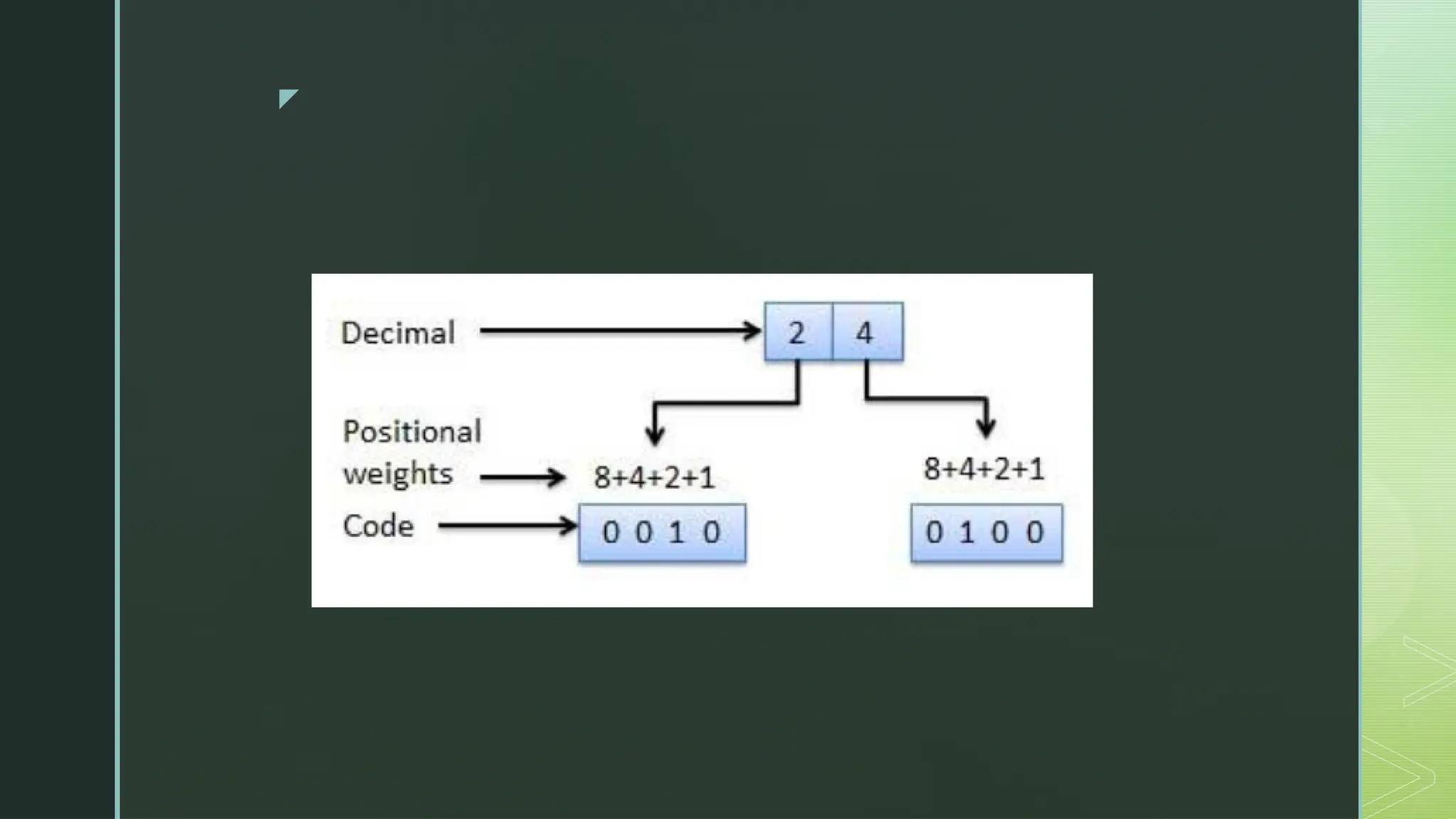
 Weighted binary codes are those binary codes which obey the positional weight
principle.
• Each position of the number represents a specific weight.
• Several systems of the codes are used to express the decimal digits 0 through 9.
• In these codes each decimal digit is represented by a group of four bits.
z
z
Non-Weighted Codes:
 In this type of binary codes, the positional weights are not assigned.
 The examples of non-weighted codes are Excess-3 code and Gray code.
z
Excess-3 code
 The Excess-3 code is also called as XS-3 code.
 It is non-weighted code used to express decimal numbers.
 The Excess-3 code words are derived from the 8421 BCD code words
adding (0011) or 3 to each code word in 8421.
 The excess-3 codes are obtained as follows −
z
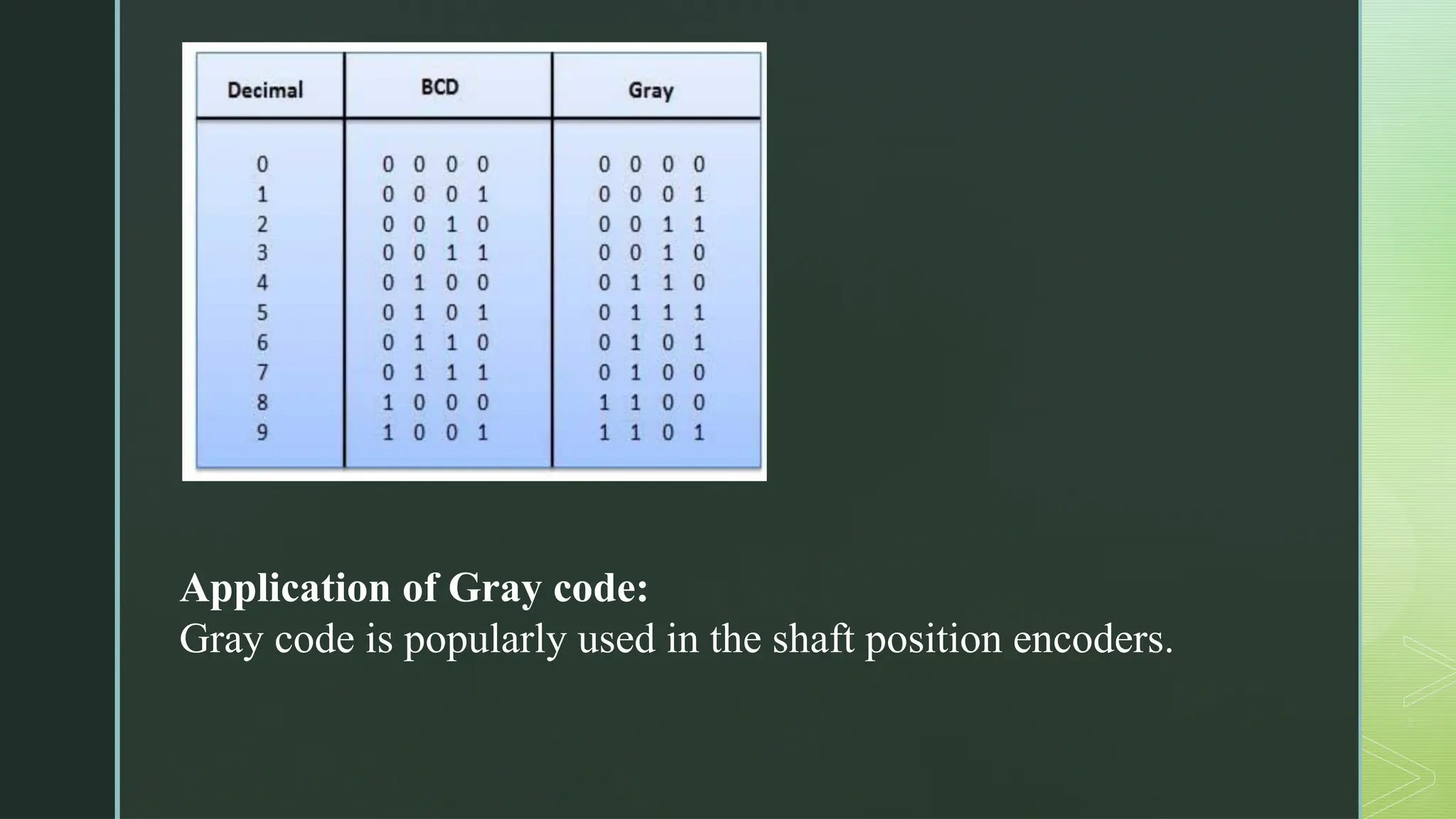
Gray Code
 It is the non-weighted code. That means there are no specific weights assigned to
the bit position.
 It has a very special feature that, only one bit will change each time the decimal
number is incremented.
 As only one-bit changes at a time, the gray code is called as a unit distance code.
 The gray code is a cyclic code.
 Gray code cannot be used for arithmetic operation.
z
Procedure to calculate Gray Code of
a Binary Number:
 The MSB (Most Significant Bit) of the gray code will be exactly equal to the first bit of the
given binary number.
 The second bit of the code will be exclusive-or (XOR) of the first and second bit of the
given binary number, i.e. if both the bits are same the result will be 0 and if they are
different the result will be 1.
 The third bit of gray code will be equal to the exclusive-or (XOR) of the second and third
bit of the given binary number. Thus, the binary to gray code conversion goes on. An
example is given below to illustrate these steps.
 In simple language: Start from left, copy MSB. Check adjacent digits one by one, If
same-> 0, Different->1.
z
Application of Gray code:
Gray code is popularly used in the shaft position encoders.
z
Binary Coded Decimal (BCD) code:
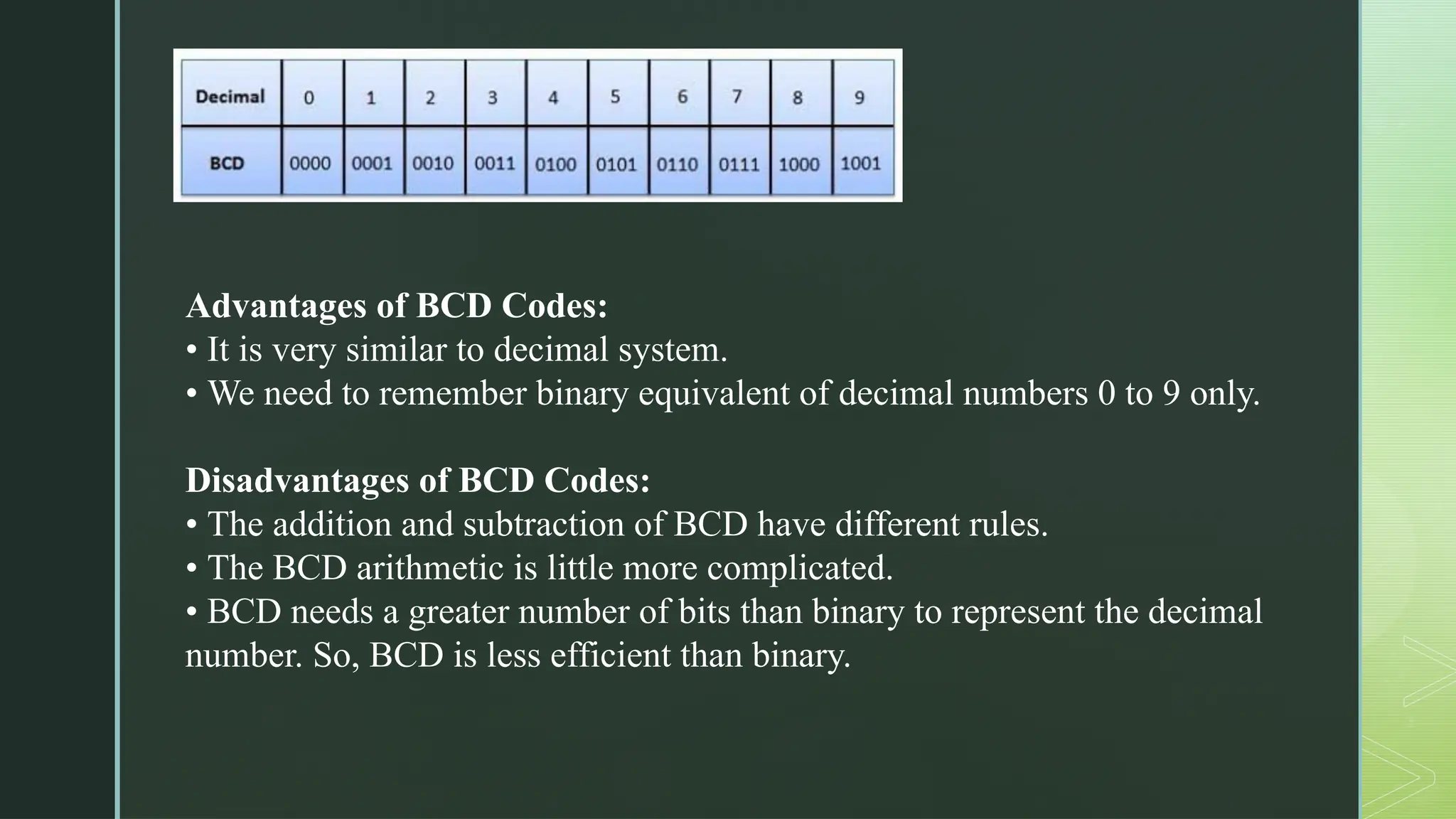
 In this code each decimal digit is represented by a 4-bit binary number.
 BCD is a way to express each of the decimal digits with a binary code.
 In the BCD, with four bits we can represent sixteen numbers (0000 to
1111).
 But in BCD code only first ten of these are used (0000 to 1001).
 The remaining six code combinations i.e. 1010 to 1111 are invalid in BCD.
z
Advantages of BCD Codes:
• It is very similar to decimal system.
• We need to remember binary equivalent of decimal numbers 0 to 9 only.
Disadvantages of BCD Codes:
• The addition and subtraction of BCD have different rules.
• The BCD arithmetic is little more complicated.
• BCD needs a greater number of bits than binary to represent the decimal
number. So, BCD is less efficient than binary.

CSC304 - Digital Logic & Computer Organization and.pptx

  • 1.
    z CSC304 - DigitalLogic & Computer Organization and Architecture
  • 2.
    z Course Overview  Understandthe internal working of digital computers  Learn binary systems, data operations, memory, and processor design  Application in embedded systems, processors, and digital devices.
  • 3.
    z Module 1 –Computer Fundamentals  Number Systems: Binary, Octal, Decimal, Hexadecimal  Codes: BCD, Gray, Excess-3, ASCII  Logic Gates: AND, OR, NOT, NAND, NOR, XOR  Basic Computer Organization & Von Neumann Model
  • 4.
    z Module 2 –Data Representation & Arithmetic  Binary Arithmetic: Addition, Subtraction, Multiplication, Division  Compliments: 1's and 2's complement methods  Booth's Multiplication, Restoring & Non-Restoring Division  IEEE-754 Floating Point Representation
  • 5.
    z Module 3 –Processor Organization  Adders, MUX, DEMUX, Flip-flops (SR, JK, D, T)  Instruction Formats, Addressing Modes  Instruction Cycle: Fetch, Decode, Execute
  • 6.
    z Module 4 –Control Unit Design  Hardwired Control: State table, delay element methods.  Microprogrammed Control: Micro-ops, sequencing, control memory.
  • 7.
    z Module 5 –Memory Organization  RAM, ROM, Cache, Interleaved & Associative Memory  Memory Hierarchy: Registers → Cache → Main Memory → Secondary  Cache Mapping, Write Policies, Cache Coherence
  • 8.
    z Module 6 –Advanced Processor & Buses  Pipelined Data Path, Hazards, Branch Prediction  Flynn's Classification: SISD, SIMD, MISD, MIMD  Buses: ISA, PCI, USB, Contention & Arbitration
  • 9.
    z Course Outcomes  Understanddigital number systems and basic computer structure  Apply arithmetic algorithms  Explain processor components and control logic  Demonstrate memory organization  Understand multicore concepts and buses
  • 10.
    z Number Systems  Decimal Binary  Octal  Hexa-decimal
  • 11.
    z Introduction to NumberSystem and Codes  A number system is a way to represent and express numbers using a specific set of symbols (digits) and a base (radix). In computer systems, number systems are fundamental because computers operate on binary digits (bits).
  • 12.
    z Number System Base Digits UsedExample Decimal 10 0–9 459, 82.5 Binary 2 0, 1 1011₂ Octal 8 0–7 745₈ Hexadecimal 16 0–9, A–F 2F , 1A3 ₁₆ ₁₆
  • 13.
    z Why Do WeUse Different Codes in Digital Systems?  Digital systems use codes to represent numbers, characters, and symbols in binary form. These are called binary codes.
  • 14.
    z Code Type PurposeExample BCD (Binary-Coded Decimal) Represents decimal digits in binary (4 bits per digit) 59 = 0101 1001 Gray Code Only one-bit changes at a time (used in encoders to reduce error) Binary 3 = 011, Gray = 010 ASCII Represents text characters in computers 'A' = 65 = 01000001 Unicode Extended character set for all languages 'अ' = U+0905 Excess-3 Code BCD variant used in error detection 3 → 0110 (binary 3 + 0011)
  • 15.
    z Number Systems: Binary,Octal, Decimal, Hexadecimal  A digital system can understand positional number system.  In this system, there are a few symbols called digits which represent different values depending on the position they occupy in the number.  A value of each digit in a number can be determined using:  The digit  The position of the digit in the number  The base of the number system (where base is defined as the total number of digits available in the number system).  There are different types of number system like binary, decimal, hexadecimal and octal.
  • 16.
    z Decimal Number System The number system that we use in our day-to-day life is the decimal number system.  Decimal number system has base 10 as it uses 10 digits from 0 to 9.  Each position represents a specific power of the base (10).
  • 17.
    z Binary Number System Uses two digits, 0 and 1. Also called base 2 number system  Each position in a binary number represents a power of the base (2). Position 1 in LSB represents 20  Example: Binary Number: 101012. Calculating Decimal Equivalent –
  • 18.
  • 19.
    z Octal Number System Uses eight digits, 0,1,2,3,4,5,6,7.  Also called base 8 number system  Each position in an octal number represents a power of the base (8). Example: Position 1 in LSB represents 80  Example: Octal Number − 125708  Calculating Decimal Equivalent –
  • 20.
  • 21.
    z Hexadecimal Number System Uses 10 digits and 6 letters, 0,1,2,3,4,5,6,7,8, 9, A, B, C, D, E, F.  Letters represent numbers starting from 10. A = 10, B = 11, C = 12, D = 13, E = 14, F = 15.  Also called base 16 number system.  Each position in a hexadecimal number represents a power of the base (16). Example: Position 1 in LSB represents 160 .  Example: Hexadecimal Number: 19FDE16
  • 22.
  • 23.
    z Number System Conversion Decimal to Other Base System  Other Base System to Decimal  Other Base System to Non-Decimal  Binary to Octal  Octal to Binary  Binary to Hexadecimal  Hexadecimal to Binary  Octal to Hexadecimal  Hexadecimal to Octal
  • 24.
    z Decimal to OtherBase System The steps are as follows:  Step 1 − Divide the decimal number to be converted by the value of the new base.  Step 2 − Get the remainder from Step 1 as the rightmost digit (least significant digit) of new base number.  Step 3 − Divide the quotient of the previous divide by the new base.  Step 4 − Record the remainder from Step 3 as the next digit (to the left) of the new base number.  Repeat Steps 3 and 4, getting remainders from right to left, until the quotient becomes zero in Step 3. The last remainder thus obtained will be the Most Significant Digit (MSD) of the new base number.
  • 25.
    z  Example:  DecimalNumber: 2910  Calculating Binary Equivalent
  • 26.
    z Other Base Systemto Decimal System  The steps are as follows:  Step 1 − Determine the column (positional) value of each digit (this depends on the position of the digit and the base of the number system).  Step 2 − Multiply the obtained column values (in Step 1) by the digits in the corresponding columns.  Step 3 − Sum the products calculated in Step 2. The total is the equivalent value in decimal.
  • 27.
    z  Example:  BinaryNumber − 111012  Calculating Decimal Equivalent −
  • 28.
    z Other Base Systemto Non-Decimal System  Binary to Octal:  Step 1 − Divide the binary digits into groups of three (starting from the right).  Step 2 − Convert each group of three binary digits to one octal digit.
  • 29.
    z  Example: Binary Number − 101012  Calculating Octal Equivalent −
  • 30.
    z Octal to Binary Step 1 − Convert each octal digit to a 3-digit binary number (the octal digits may be treated as decimal for this conversion).  Step 2 − Combine all the resulting binary groups (of 3 digits each) into a single binary number.
  • 31.
    z  Example Octal Number − 258  Calculating Binary Equivalent –
  • 32.
    z Binary to Hexadecimal Step 1 − Divide the binary digits into groups of four (starting from the right).  Step 2 − Convert each group of four binary digits to one hexadecimal symbol.
  • 33.
    z Example Binary Number −101012 Calculating hexadecimal Equivalent –
  • 34.
    z Hexadecimal to Binary Step 1 − Convert each hexadecimal digit to a 4-digit binary number (the hexadecimal digits may be treated as decimal for this conversion).  Step 2 − Combine all the resulting binary groups (of 4 digits each) into a single binary number.
  • 35.
    z  Example  HexadecimalNumber − 1516  Calculating Binary Equivalent –
  • 36.
    z  Octal (Base-8)and Hexadecimal (Base-16) are both number systems used for compact binary representation. While they don’t convert directly, we use Binary as an intermediate step for accurate conversion.  Why Use Binary as an Intermediate?  Octal → Binary: Each digit = 3 bits  Hex → Binary: Each digit = 4 bits  So, we convert:  Octal → Binary → Hexadecimal  Hexadecimal → Binary → Octal
  • 37.
    z Octal to Hexadecimal Steps: Convert each octal digit to 3-bit binary.  Combine all binary groups.  Regroup binary into 4-bit chunks (from right).  Convert each 4-bit binary to hex digit.
  • 38.
    z Example: Convert (735)to Hex ₈ .  Step 1: Octal → Binary 7 → 111 3 → 011 5 → 101 So, (735) = 111 011 101 (binary) ₈  Step 2: Group 4 bits from right → 1 1101 1101 Pad with 0s on left: 0001 1101 1101  Step 3: Binary → Hex 0001 → 1 1101 → D 1101 → D  Final Answer: (735) = (1DD) ₈ ₁₆
  • 39.
    z Hexadecimal to Octal Steps: Convert each hex digit to 4-bit binary.  Combine all binary groups.  Regroup binary into 3-bit chunks (from right).  Convert each 3-bit group to octal digit.
  • 40.
    z  Example:Convert (2F)16 to Octal  Step 1: Hex → Binary 2 → 0010 F → 1111 So, (2F) = 0010 1111 ₁₆  Step 2: Group in 3 bits (from right): 00 101 111 Pad left if needed: 000 101 111  Step 3: Binary → Octal 000 → 0 101 → 5 111 → 7  Final Answer: (2F)16 = (057)8
  • 41.
    z Octal Addition  Startfrom the rightmost column: Add the digits in each column.  If the sum is less than or equal to 7: Write the sum directly below.  If the sum is greater than 7:  Subtract 8 from the sum.  Write the result below.  Carry-over a 1 to the next column.
  • 42.
    z Octal Subtraction  Startfrom the rightmost column: Subtract the bottom digit from the top digit.  If the top digit is smaller than the bottom digit:  Borrow 8 from the next column.  Add 8 to the top digit.  Subtract the bottom digit.
  • 43.
    z Codes: Grey, BCD,Excess-3, ASCII
  • 44.
    z Binary Codes  Inthe coding, when numbers, letters or words are represented by a specific group of symbols, it is said that the number, letter or word is being encoded.  The group of symbols is called as a code.  The digital data is represented, stored and transmitted as group of binary bits.  This group is also called as binary code.  The binary code is represented by the number as well as alphanumeric letter.
  • 45.
    z Advantages of BinaryCode  Binary codes are suitable for the computer applications.  Binary codes are suitable for the digital communications.  Binary codes make the analysis and designing of digital circuits if we use the binary codes.  Since only 0 & 1 are being used, implementation becomes easy.
  • 46.
    z Classification of binarycodes The codes are broadly categorized into following four categories.  Weighted Codes  Non-Weighted Codes  Binary Coded Decimal Code
  • 47.
    z Weighted Codes  Weightedbinary codes are those binary codes which obey the positional weight principle. • Each position of the number represents a specific weight. • Several systems of the codes are used to express the decimal digits 0 through 9. • In these codes each decimal digit is represented by a group of four bits.
  • 48.
  • 49.
    z Non-Weighted Codes:  Inthis type of binary codes, the positional weights are not assigned.  The examples of non-weighted codes are Excess-3 code and Gray code.
  • 50.
    z Excess-3 code  TheExcess-3 code is also called as XS-3 code.  It is non-weighted code used to express decimal numbers.  The Excess-3 code words are derived from the 8421 BCD code words adding (0011) or 3 to each code word in 8421.  The excess-3 codes are obtained as follows −
  • 51.
    z Gray Code  Itis the non-weighted code. That means there are no specific weights assigned to the bit position.  It has a very special feature that, only one bit will change each time the decimal number is incremented.  As only one-bit changes at a time, the gray code is called as a unit distance code.  The gray code is a cyclic code.  Gray code cannot be used for arithmetic operation.
  • 52.
    z Procedure to calculateGray Code of a Binary Number:  The MSB (Most Significant Bit) of the gray code will be exactly equal to the first bit of the given binary number.  The second bit of the code will be exclusive-or (XOR) of the first and second bit of the given binary number, i.e. if both the bits are same the result will be 0 and if they are different the result will be 1.  The third bit of gray code will be equal to the exclusive-or (XOR) of the second and third bit of the given binary number. Thus, the binary to gray code conversion goes on. An example is given below to illustrate these steps.  In simple language: Start from left, copy MSB. Check adjacent digits one by one, If same-> 0, Different->1.
  • 53.
    z Application of Graycode: Gray code is popularly used in the shaft position encoders.
  • 54.
    z Binary Coded Decimal(BCD) code:  In this code each decimal digit is represented by a 4-bit binary number.  BCD is a way to express each of the decimal digits with a binary code.  In the BCD, with four bits we can represent sixteen numbers (0000 to 1111).  But in BCD code only first ten of these are used (0000 to 1001).  The remaining six code combinations i.e. 1010 to 1111 are invalid in BCD.
  • 55.
    z Advantages of BCDCodes: • It is very similar to decimal system. • We need to remember binary equivalent of decimal numbers 0 to 9 only. Disadvantages of BCD Codes: • The addition and subtraction of BCD have different rules. • The BCD arithmetic is little more complicated. • BCD needs a greater number of bits than binary to represent the decimal number. So, BCD is less efficient than binary.