Implications of Misuse
&
Cyber Security
Here is where the teaching begins <3!
Introduction
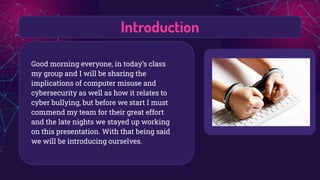
Good morning everyone, in today’s class
my group and I will be sharing the
implications of computer misuse and
cybersecurity as well as how it relates to
cyber bullying, but before we start I must
commend my team for their great effort
and the late nights we stayed up working
on this presentation. With that being said
we will be introducing ourselves.
Main Key Terms
What is Computer
Misuse?
This refers to entering a
computer system to
steal data or destroy a
device or network (such
as planting a virus )
Unauthorised
modification of data.
What is
Cybersecurity
Cyber security is the application of
technologies, processes and
controls to protect systems,
networks, programs, devices and
data from cyber attacks. It aims to
reduce the risk of cyber attacks
and protect against the
unauthorised exploitation of
systems, networks and
technologies.
OUR COMPANY
Computer Vulnerabilities
A computer system has several points of
vulnerability; these include its hardware,
software, data communications, and personnel.
Vulnerabilities are what information
security and information assurance
professionals seek to reduce. Cutting down
vulnerabilities provides fewer options for
malicious users to gain access to secure
information.
Threats
In computer security, a threat is a
potential negative action or event
facilitated by a vulnerability that results
in an unwanted impact to a computer
system or application. In simpler terms,
a computer threat refers to a term that
speaks to or speaks about a computer
system being compromised. These
threats can lead to lost or edited data
being stolen or even cyber-attacks. This
can be prevented by the use of:
anti-spyware, firewalls, strong
passwords, anti-virus and plug
information leaks.
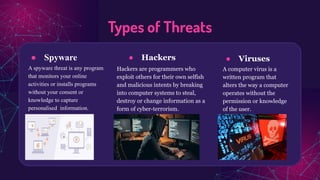
● Spyware
A spyware threat is any program
that monitors your online
activities or installs programs
without your consent or
knowledge to capture
personalised information.
● Hackers
Hackers are programmers who
exploit others for their own selfish
and malicious intents by breaking
into computer systems to steal,
destroy or change information as a
form of cyber-terrorism.
● Viruses
A computer virus is a
written program that
alters the way a computer
operates without the
permission or knowledge
of the user.
Types of Threats
Attacks
An attack or cyber attack is any attempt to
gain unauthorized access to a computer,
computing system or computer network
with the intent to cause damage. Cyber
attacks aim to disable, disrupt, destroy or
control computer systems or to alter, block,
delete, manipulate or steal the data held
within these systems.
How can you prevent
a cyber attack?
1. Setting appropriate security
configurations, password policies
and user access controls;
2. Maintaining a monitoring and
detection program to identify and
alert to suspicious activity;
3. Using software to protect against
malware, namely antivirus software,
thereby adding another layer of
protection against cyber attacks.
Why do cyber attacks
happen?
➢ Financial gain
➢ Disruption and revenge
➢ Cyberwarfare
Most often, cyber attacks happen
because criminals want your:
➢ business' financial details
➢ customers' financial details (eg
credit card data)
➢ sensitive personal data
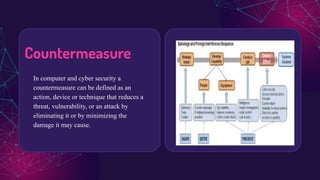
Countermeasure
In computer and cyber security a
countermeasure can be defined as an
action, device or technique that reduces a
threat, vulnerability, or an attack by
eliminating it or by minimizing the
damage it may cause.
Why do we need Countermeasures?
A countermeasure is an action, process, device, or system that can prevent, or mitigate the effects
of, threats to a computer, server or network. In this context, a threat is a potential or actual adverse
event that may be malicious or incidental, and that can compromise the assets of an enterprise or
the integrity of a computer or network.
Countermeasures can take the form of software, hardware and modes of behavior. Software
countermeasures include:
● personal firewalls
● application firewalls
● anti-virus software
● pop-up blockers
● spyware detection/removal programs.
The most common hardware countermeasure is a router
that can prevent the IP address of an individual
computer from being directly visible on the Internet.
Other hardware countermeasures include:
● biometric authentication systems
● physical restriction of access to computers and
peripherals
● intrusion detectors
● alarms
What are the Categories of a
Countermeasure?
These countermeasures can be classified into three groups. These are:
❖ Cryptography methods- Cryptography is associated with the process of converting
ordinary plain text into unintelligible text and vice-versa.
❖ Human factors- The 'human factor' has been recognized as the weakest link in
creating safe and secure digital environments though, human intuition may also be
the solution to thwarting many cyber threats.
❖ Detection Methods- Threat detection is the practice of analyzing the entirety of a
security ecosystem to identify any malicious activity that could compromise the
network.
External Computer Vulnerability Sources
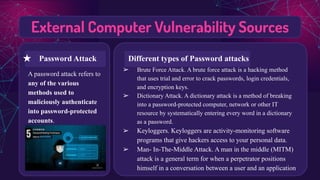
A password attack refers to
any of the various
methods used to
maliciously authenticate
into password-protected
accounts.
➢ Brute Force Attack. A brute force attack is a hacking method
that uses trial and error to crack passwords, login credentials,
and encryption keys.
➢ Dictionary Attack. A dictionary attack is a method of breaking
into a password-protected computer, network or other IT
resource by systematically entering every word in a dictionary
as a password.
➢ Keyloggers. Keyloggers are activity-monitoring software
programs that give hackers access to your personal data.
➢ Man- In-The-Middle Attack. A man in the middle (MITM)
attack is a general term for when a perpetrator positions
himself in a conversation between a user and an application
★ Password Attack Different types of Password attacks
External Computer Vulnerability Sources
A DDoS attack happens
when a network or system
becomes overwhelmed and
it cannot respond to service
requests. A DDoS attack
happens when a massive
number of machines are
directed to bombard the
target with traffic.
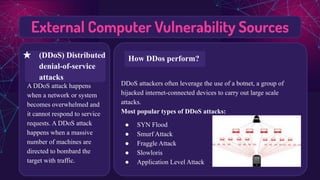
DDoS attackers often leverage the use of a botnet, a group of
hijacked internet-connected devices to carry out large scale
attacks.
Most popular types of DDoS attacks:
● SYN Flood
● Smurf Attack
● Fraggle Attack
● Slowloris
● Application Level Attack
★ (DDoS) Distributed
denial-of-service
attacks
How DDos perform?
External Computer Vulnerability Sources
The File Transfer Protocol
(FTP) is a standard
communication protocol
used for the transfer of
computer files from a
server to a client on a
computer network. FTP is
built on a client–server
model architecture using
separate control and data
connections between the
client and the server.
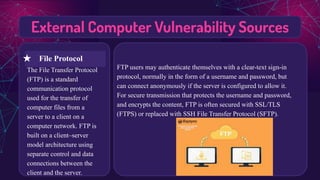
FTP users may authenticate themselves with a clear-text sign-in
protocol, normally in the form of a username and password, but
can connect anonymously if the server is configured to allow it.
For secure transmission that protects the username and password,
and encrypts the content, FTP is often secured with SSL/TLS
(FTPS) or replaced with SSH File Transfer Protocol (SFTP).
★ File Protocol
Internal Computer Vulnerability Sources
Access control enforces policy
such that users cannot act
outside of their intended
permissions. Failures typically
lead to unauthorized
information disclosure,
modification or destruction of
all data, or performing a
business function outside of
the limits of the user.
Majority of access control problems stem from outdated equipment, keycards
falling into the wrong hands, and a lack of integration with other building
systems. To some degree, all three issues might be causing problems.
How can this problem be improved?
1. Evaluate Your Access Control System Features.
2. Determine Your Access Levels.
3. Audit Who Has Access.
4. Update Your Technology.
5. Perform Periodic Access Control
Systems Testing.
6. No Tailgating Allowed.
★ Access Control
Issues/Information
Leakage
Problems in Access Control Issues
Internal Computer Vulnerability Sources
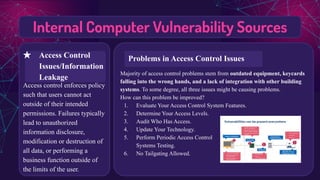
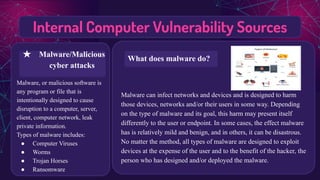
Malware, or malicious software is
any program or file that is
intentionally designed to cause
disruption to a computer, server,
client, computer network, leak
private information.
Types of malware includes:
● Computer Viruses
● Worms
● Trojan Horses
● Ransomware
Malware can infect networks and devices and is designed to harm
those devices, networks and/or their users in some way. Depending
on the type of malware and its goal, this harm may present itself
differently to the user or endpoint. In some cases, the effect malware
has is relatively mild and benign, and in others, it can be disastrous.
No matter the method, all types of malware are designed to exploit
devices at the expense of the user and to the benefit of the hacker, the
person who has designed and/or deployed the malware.
★ Malware/Malicious
cyber attacks
What does malware do?
External Computer Vulnerability Sources
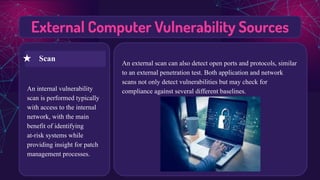
An internal vulnerability
scan is performed typically
with access to the internal
network, with the main
benefit of identifying
at-risk systems while
providing insight for patch
management processes.
An external scan can also detect open ports and protocols, similar
to an external penetration test. Both application and network
scans not only detect vulnerabilities but may check for
compliance against several different baselines.
★ Scan
The impact of Computer Misuse Relating
to Cyberbullying
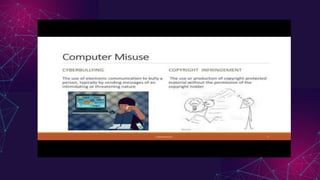
Cyberbullying, also known as online
bullying, is a form of bullying or
harassment using electronic means which
also is computer abuse. Cyber-bullying,
hacking, identity theft, and even using a
work PC for personal business are all
examples of computer abuse. An incident
that many people might not think of as
computer abuse is creating a fake social
media account. If the social media services
terms and conditions require users to
provide accurate information about their
identities when creating an account, they
could be prosecuted under the CFAA.
Most people consider cyberbullying a teenage
issue. Regretfully, the workplace is not
immune to cyberbullying as the problem has
expanded to adults. Cyberbullying at work, just
like ordinary workplace bullying, can cause
worker anxiety, stress and reduced
productivity. Cyberbullying is like traditional
workplace bullying and harassment, but
involving electronic devices and online
communications. Examples include, but are not
limited to, text messages, tweets, malicious or
threatening emails or social media posts.
On an Individual
In an organisation
Why is Prevention
Important?
Cyberbullying is deliberately
and repeatedly inflicting
harm using electronic
devices, gaming apps, and
online social media
platforms. It often starts as
hate accounts, hurtful posts,
rumors and gossip, and may
even manifest because of
mean comments said when
gaming.
Don’t Engage
While those being bullied are
often better off ignoring the
attacks rather than responding.
The goal of the perpetrator is to
goad the victim into anger, which
in effect may ‘get to’ the target
and make them acknowledge the
malicious claims. The best option
for the victim is to block the
perpetrator(s) social media and
email accounts altogether.
Teach students
it’s okay to report
abuse
Every student should be
encouraged to report
instances or evidence of
cyberbullying to a teacher,
counselor, or any other
staff member. Knowing
there is a way to report
cases may also stop
students from engaging in
the behavior
Mitigate Cyber-bullying
The End <3
Hope you all learn something from us
today!

Implications of Computer Misuse and Cyber Security (Teaching) (1).pdf

  • 1.
    Implications of Misuse & CyberSecurity Here is where the teaching begins <3!
  • 2.
    Introduction Good morning everyone,in today’s class my group and I will be sharing the implications of computer misuse and cybersecurity as well as how it relates to cyber bullying, but before we start I must commend my team for their great effort and the late nights we stayed up working on this presentation. With that being said we will be introducing ourselves.
  • 3.
    Main Key Terms Whatis Computer Misuse? This refers to entering a computer system to steal data or destroy a device or network (such as planting a virus ) Unauthorised modification of data. What is Cybersecurity Cyber security is the application of technologies, processes and controls to protect systems, networks, programs, devices and data from cyber attacks. It aims to reduce the risk of cyber attacks and protect against the unauthorised exploitation of systems, networks and technologies.
  • 4.
  • 5.
    Computer Vulnerabilities A computersystem has several points of vulnerability; these include its hardware, software, data communications, and personnel. Vulnerabilities are what information security and information assurance professionals seek to reduce. Cutting down vulnerabilities provides fewer options for malicious users to gain access to secure information.
  • 6.
    Threats In computer security,a threat is a potential negative action or event facilitated by a vulnerability that results in an unwanted impact to a computer system or application. In simpler terms, a computer threat refers to a term that speaks to or speaks about a computer system being compromised. These threats can lead to lost or edited data being stolen or even cyber-attacks. This can be prevented by the use of: anti-spyware, firewalls, strong passwords, anti-virus and plug information leaks.
  • 7.
    ● Spyware A spywarethreat is any program that monitors your online activities or installs programs without your consent or knowledge to capture personalised information. ● Hackers Hackers are programmers who exploit others for their own selfish and malicious intents by breaking into computer systems to steal, destroy or change information as a form of cyber-terrorism. ● Viruses A computer virus is a written program that alters the way a computer operates without the permission or knowledge of the user. Types of Threats
  • 8.
    Attacks An attack orcyber attack is any attempt to gain unauthorized access to a computer, computing system or computer network with the intent to cause damage. Cyber attacks aim to disable, disrupt, destroy or control computer systems or to alter, block, delete, manipulate or steal the data held within these systems.
  • 9.
    How can youprevent a cyber attack? 1. Setting appropriate security configurations, password policies and user access controls; 2. Maintaining a monitoring and detection program to identify and alert to suspicious activity; 3. Using software to protect against malware, namely antivirus software, thereby adding another layer of protection against cyber attacks. Why do cyber attacks happen? ➢ Financial gain ➢ Disruption and revenge ➢ Cyberwarfare Most often, cyber attacks happen because criminals want your: ➢ business' financial details ➢ customers' financial details (eg credit card data) ➢ sensitive personal data
  • 10.
    Countermeasure In computer andcyber security a countermeasure can be defined as an action, device or technique that reduces a threat, vulnerability, or an attack by eliminating it or by minimizing the damage it may cause.
  • 11.
    Why do weneed Countermeasures? A countermeasure is an action, process, device, or system that can prevent, or mitigate the effects of, threats to a computer, server or network. In this context, a threat is a potential or actual adverse event that may be malicious or incidental, and that can compromise the assets of an enterprise or the integrity of a computer or network. Countermeasures can take the form of software, hardware and modes of behavior. Software countermeasures include: ● personal firewalls ● application firewalls ● anti-virus software ● pop-up blockers ● spyware detection/removal programs. The most common hardware countermeasure is a router that can prevent the IP address of an individual computer from being directly visible on the Internet. Other hardware countermeasures include: ● biometric authentication systems ● physical restriction of access to computers and peripherals ● intrusion detectors ● alarms
  • 12.
    What are theCategories of a Countermeasure? These countermeasures can be classified into three groups. These are: ❖ Cryptography methods- Cryptography is associated with the process of converting ordinary plain text into unintelligible text and vice-versa. ❖ Human factors- The 'human factor' has been recognized as the weakest link in creating safe and secure digital environments though, human intuition may also be the solution to thwarting many cyber threats. ❖ Detection Methods- Threat detection is the practice of analyzing the entirety of a security ecosystem to identify any malicious activity that could compromise the network.
  • 13.
    External Computer VulnerabilitySources A password attack refers to any of the various methods used to maliciously authenticate into password-protected accounts. ➢ Brute Force Attack. A brute force attack is a hacking method that uses trial and error to crack passwords, login credentials, and encryption keys. ➢ Dictionary Attack. A dictionary attack is a method of breaking into a password-protected computer, network or other IT resource by systematically entering every word in a dictionary as a password. ➢ Keyloggers. Keyloggers are activity-monitoring software programs that give hackers access to your personal data. ➢ Man- In-The-Middle Attack. A man in the middle (MITM) attack is a general term for when a perpetrator positions himself in a conversation between a user and an application ★ Password Attack Different types of Password attacks
  • 14.
    External Computer VulnerabilitySources A DDoS attack happens when a network or system becomes overwhelmed and it cannot respond to service requests. A DDoS attack happens when a massive number of machines are directed to bombard the target with traffic. DDoS attackers often leverage the use of a botnet, a group of hijacked internet-connected devices to carry out large scale attacks. Most popular types of DDoS attacks: ● SYN Flood ● Smurf Attack ● Fraggle Attack ● Slowloris ● Application Level Attack ★ (DDoS) Distributed denial-of-service attacks How DDos perform?
  • 15.
    External Computer VulnerabilitySources The File Transfer Protocol (FTP) is a standard communication protocol used for the transfer of computer files from a server to a client on a computer network. FTP is built on a client–server model architecture using separate control and data connections between the client and the server. FTP users may authenticate themselves with a clear-text sign-in protocol, normally in the form of a username and password, but can connect anonymously if the server is configured to allow it. For secure transmission that protects the username and password, and encrypts the content, FTP is often secured with SSL/TLS (FTPS) or replaced with SSH File Transfer Protocol (SFTP). ★ File Protocol
  • 16.
    Internal Computer VulnerabilitySources Access control enforces policy such that users cannot act outside of their intended permissions. Failures typically lead to unauthorized information disclosure, modification or destruction of all data, or performing a business function outside of the limits of the user. Majority of access control problems stem from outdated equipment, keycards falling into the wrong hands, and a lack of integration with other building systems. To some degree, all three issues might be causing problems. How can this problem be improved? 1. Evaluate Your Access Control System Features. 2. Determine Your Access Levels. 3. Audit Who Has Access. 4. Update Your Technology. 5. Perform Periodic Access Control Systems Testing. 6. No Tailgating Allowed. ★ Access Control Issues/Information Leakage Problems in Access Control Issues
  • 17.
    Internal Computer VulnerabilitySources Malware, or malicious software is any program or file that is intentionally designed to cause disruption to a computer, server, client, computer network, leak private information. Types of malware includes: ● Computer Viruses ● Worms ● Trojan Horses ● Ransomware Malware can infect networks and devices and is designed to harm those devices, networks and/or their users in some way. Depending on the type of malware and its goal, this harm may present itself differently to the user or endpoint. In some cases, the effect malware has is relatively mild and benign, and in others, it can be disastrous. No matter the method, all types of malware are designed to exploit devices at the expense of the user and to the benefit of the hacker, the person who has designed and/or deployed the malware. ★ Malware/Malicious cyber attacks What does malware do?
  • 18.
    External Computer VulnerabilitySources An internal vulnerability scan is performed typically with access to the internal network, with the main benefit of identifying at-risk systems while providing insight for patch management processes. An external scan can also detect open ports and protocols, similar to an external penetration test. Both application and network scans not only detect vulnerabilities but may check for compliance against several different baselines. ★ Scan
  • 19.
    The impact ofComputer Misuse Relating to Cyberbullying Cyberbullying, also known as online bullying, is a form of bullying or harassment using electronic means which also is computer abuse. Cyber-bullying, hacking, identity theft, and even using a work PC for personal business are all examples of computer abuse. An incident that many people might not think of as computer abuse is creating a fake social media account. If the social media services terms and conditions require users to provide accurate information about their identities when creating an account, they could be prosecuted under the CFAA. Most people consider cyberbullying a teenage issue. Regretfully, the workplace is not immune to cyberbullying as the problem has expanded to adults. Cyberbullying at work, just like ordinary workplace bullying, can cause worker anxiety, stress and reduced productivity. Cyberbullying is like traditional workplace bullying and harassment, but involving electronic devices and online communications. Examples include, but are not limited to, text messages, tweets, malicious or threatening emails or social media posts. On an Individual In an organisation
  • 20.
    Why is Prevention Important? Cyberbullyingis deliberately and repeatedly inflicting harm using electronic devices, gaming apps, and online social media platforms. It often starts as hate accounts, hurtful posts, rumors and gossip, and may even manifest because of mean comments said when gaming. Don’t Engage While those being bullied are often better off ignoring the attacks rather than responding. The goal of the perpetrator is to goad the victim into anger, which in effect may ‘get to’ the target and make them acknowledge the malicious claims. The best option for the victim is to block the perpetrator(s) social media and email accounts altogether. Teach students it’s okay to report abuse Every student should be encouraged to report instances or evidence of cyberbullying to a teacher, counselor, or any other staff member. Knowing there is a way to report cases may also stop students from engaging in the behavior Mitigate Cyber-bullying
  • 21.
    The End <3 Hopeyou all learn something from us today!