Session 1783   – Part II   Achieving High Availability with WebSphere on z/OS - user experience Presented by Elena Nanos IBM Certified Advanced System Administrator - WebSphere Application Server ND V6.1 IBM Certified Solution Expert - CICS Web Enablement  IBM Certified System Specialist - WebSphere MQSeries Email -  [email_address] Health Care Service Corporation WebSphere Engineering and Support services Session 1783  – Part II  Achieving High Availability with WebSphere on z/OS - user experience  1
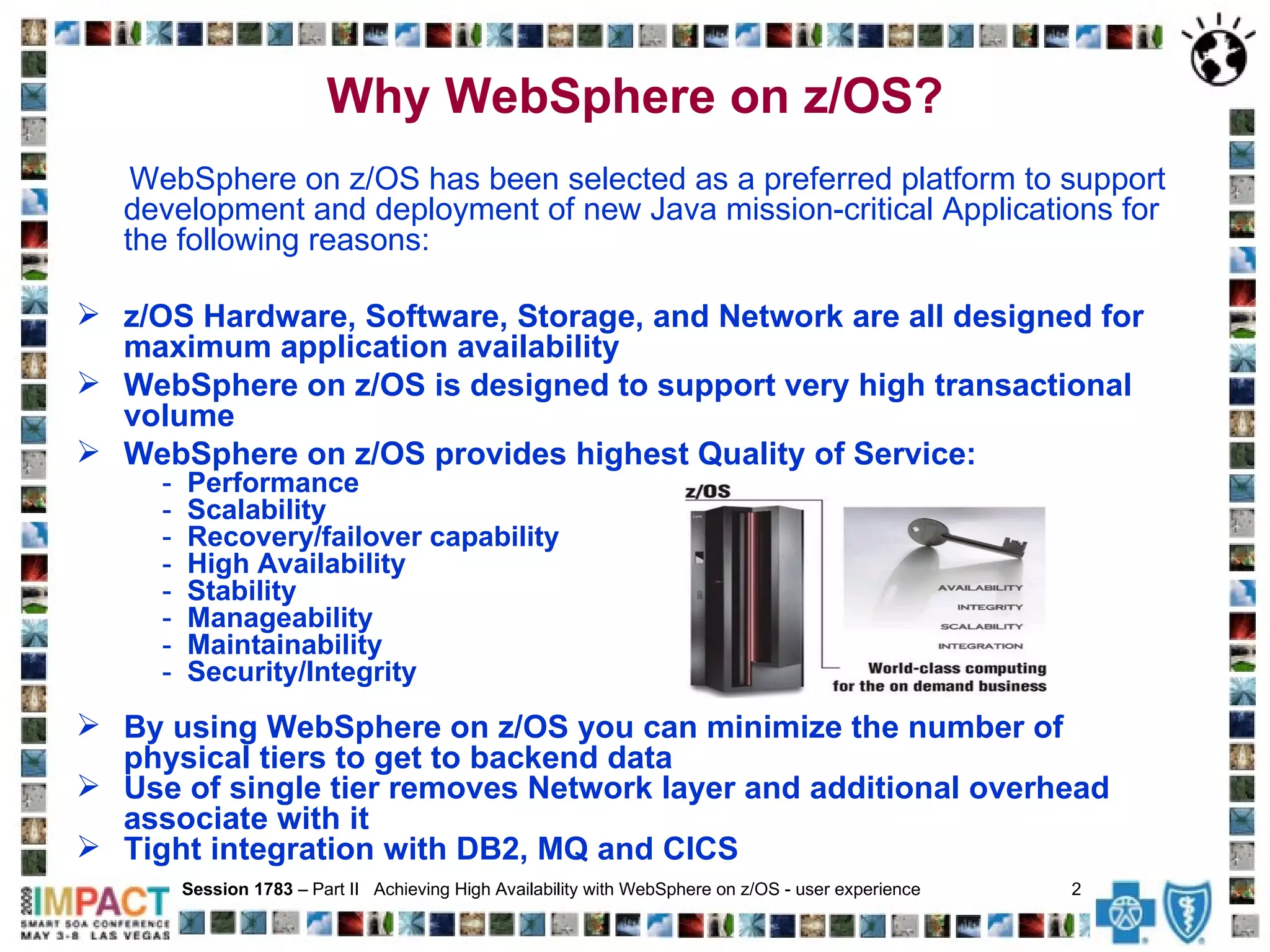
Why WebSphere on z/OS? WebSphere on z/OS has been selected as a preferred platform to support development and deployment of new Java mission-critical Applications for the following reasons: z/OS  Hardware, Software, Storage, and Network are all designed for maximum application availability WebSphere on z/OS is designed to support very high transactional volume WebSphere on z/OS provides highest Quality of Service: -  Performance -   Scalability   -  Recovery/failover capability   -   High Availability   -  Stability -  Manageability -  Maintainability  -  Security/Integrity By using WebSphere on z/OS you can minimize the number of physical tiers to get to backend data Use of single tier removes Network layer and additional overhead associate with it Tight integration with DB2, MQ and CICS Session 1783  – Part II  Achieving High Availability with WebSphere on z/OS - user experience  2
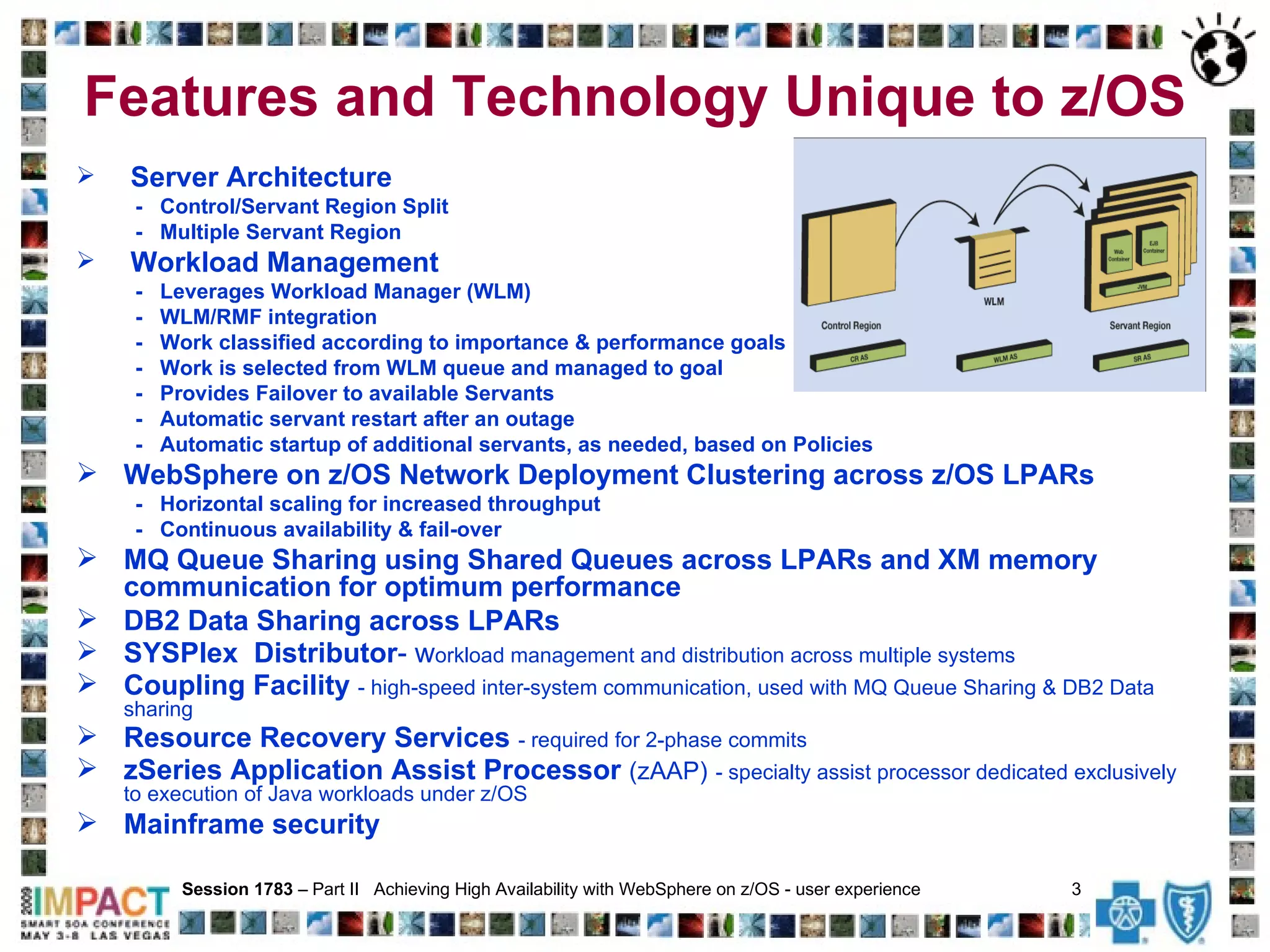
Features and Technology Unique to z/OS Server Architecture -  Control/Servant Region Split -  Multiple Servant Region Workload Management -  Leverages Workload Manager (WLM) -  WLM/RMF integration -  Work classified according to importance & performance goals -  Work is selected from WLM queue and managed to goal -  Provides Failover to available Servants -  Automatic servant restart after an outage  -  Automatic startup of additional servants, as needed, based on Policies WebSphere on z/OS Network Deployment Clustering across z/OS LPARs  -  Horizontal scaling for increased throughput -  Continuous availability & fail-over MQ Queue Sharing using Shared Queues across LPARs and XM memory communication for optimum performance DB2 Data Sharing across LPARs SYSPlex  Distributor -   w orkload management and distribution across multiple systems Coupling Facility  - high-speed inter-system communication, used with MQ Queue Sharing & DB2 Data sharing Resource Recovery Services  - required for 2-phase commits zSeries Application Assist Processor  (zAAP)   - specialty assist processor dedicated exclusively to execution of Java workloads under z/OS Mainframe security Session 1783  – Part II  Achieving High Availability with WebSphere on z/OS - user experience  3
Implemented very solid, scalable, high availability WebSphere on z/OS infrastructure  that satisfies data integrity, system performance and system availability objectives.  Architected and established ‘best practice’ WebSphere on z/OS implementation using  Network Deployment Cluster configuration, crossing LPARs, with proven fail over capabilities.   This scalable design allows us to quickly adapt to new business requirements and growth.   Established excellent standards, naming conventions and procedures  for building and supporting WebSphere on z/OS infrastructure.  Developed and exercised  WebSphere on z/OS infrastructure failover and error recovery plan.  Automated startup and shutdown at IPL time, notification of various issues related to system availability,  infrastructure and application health check,   monitoring commands and deployment in non-Prod environments. Session 1783  – Part II  Achieving High Availability with WebSphere on z/OS - user experience  4   Infrastructure Design with Focus on High Availability
WebSphere on z/OS Failover and Recovery Our WebSphere z/OS infrastructure can handle the following outages: WebSphere on z/OS servant, server or Node down on one LPAR   – using MQ Queue Sharing, requests will automatically go to WebSphere on z/OS server that is available on the other LPAR. MQ down on one LPAR  – we make use of Shared Queues, where one physical copy of the queue exists in CF or DB2.  If one MQ Queue Manager is unavailable,  WebSphere on z/OS server (on either side of the Cluster) can get data from Shared Queue via available MQ and can send reply back to CICS, where request initiated.  LPAR down   – if one of 2 LPARs in the Cluster is down WebSphere on z/OS can continue processing, without any manual intervention.  With our current Application design, request can come from WebSphere or CICS on the LPAR that is up .  TCP/IP down on one LPAR   – using MQ Queue Sharing, requests will automatically go to WebSphere on z/OS server that is available on the other LPAR. DB2 down on one LPAR   – we make use of JDBC Type 4 driver and if one DB2 is down request continue processing. Session 1783  – Part II  Achieving High Availability with WebSphere on z/OS - user experience  5
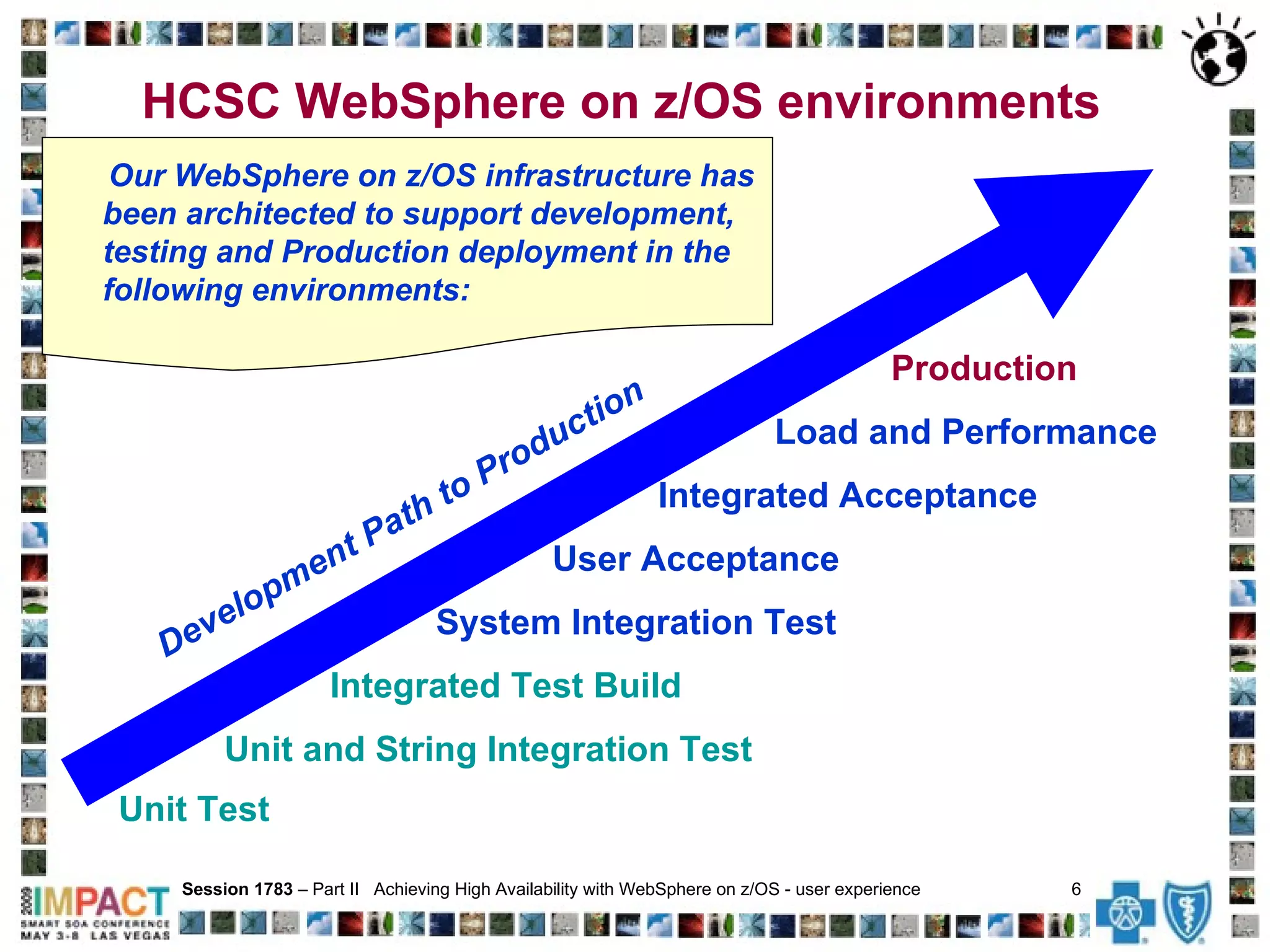
HCSC WebSphere on z/OS environments  Unit Test   Session 1783  – Part II  Achieving High Availability with WebSphere on z/OS - user experience  6   Unit and String Integration Test Integrated Test   Build System Integration Test User Acceptance Integrated Acceptance Load and Performance Production Development Path to Production Our WebSphere on z/OS   infrastructure has been architected to support development, testing and Production deployment in the following environments:
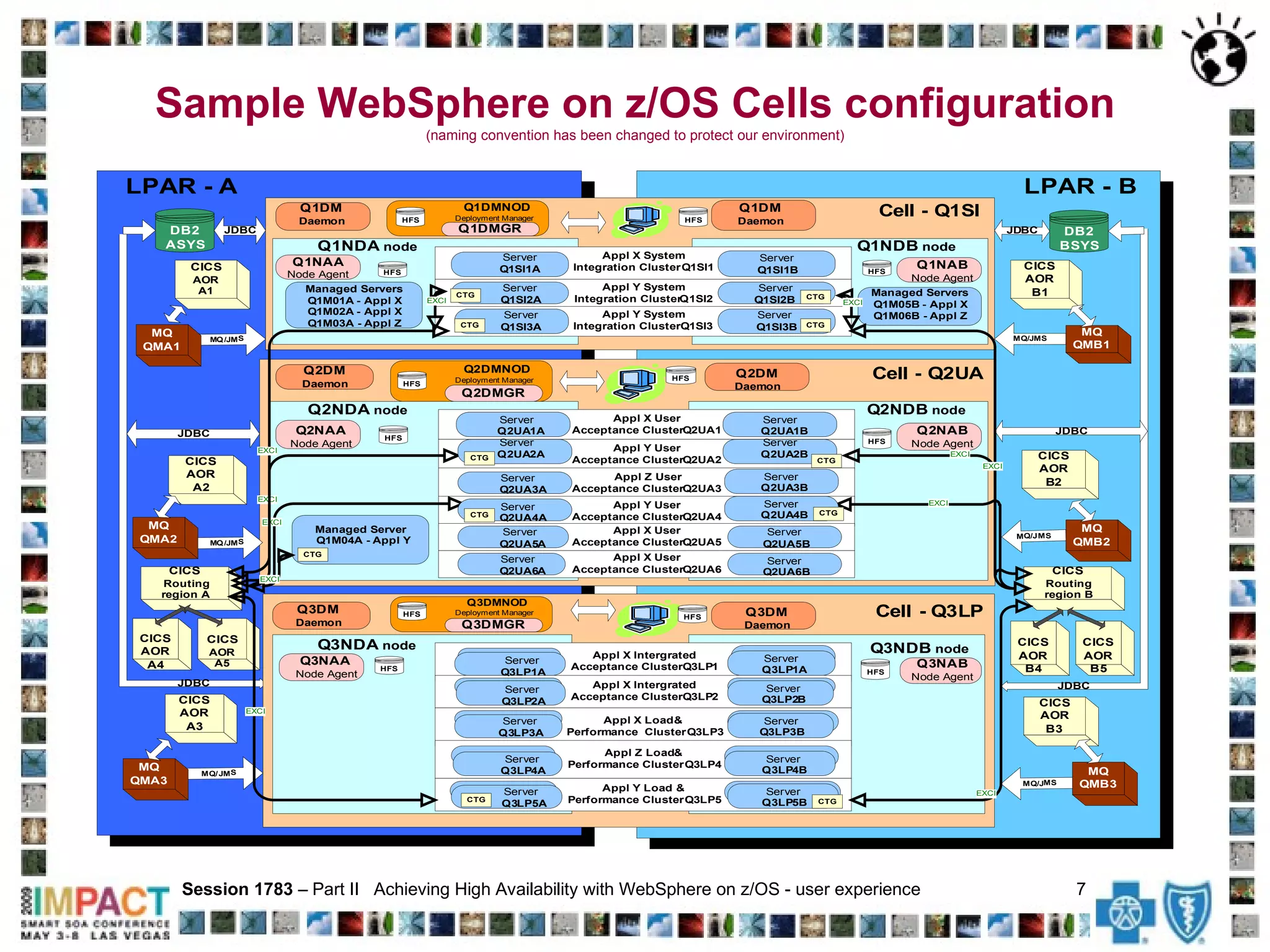
Sample WebSphere on z/OS Cells configuration (naming convention has been changed to protect our environment) Session 1783  – Part II  Achieving High Availability with WebSphere on z/OS - user experience  7
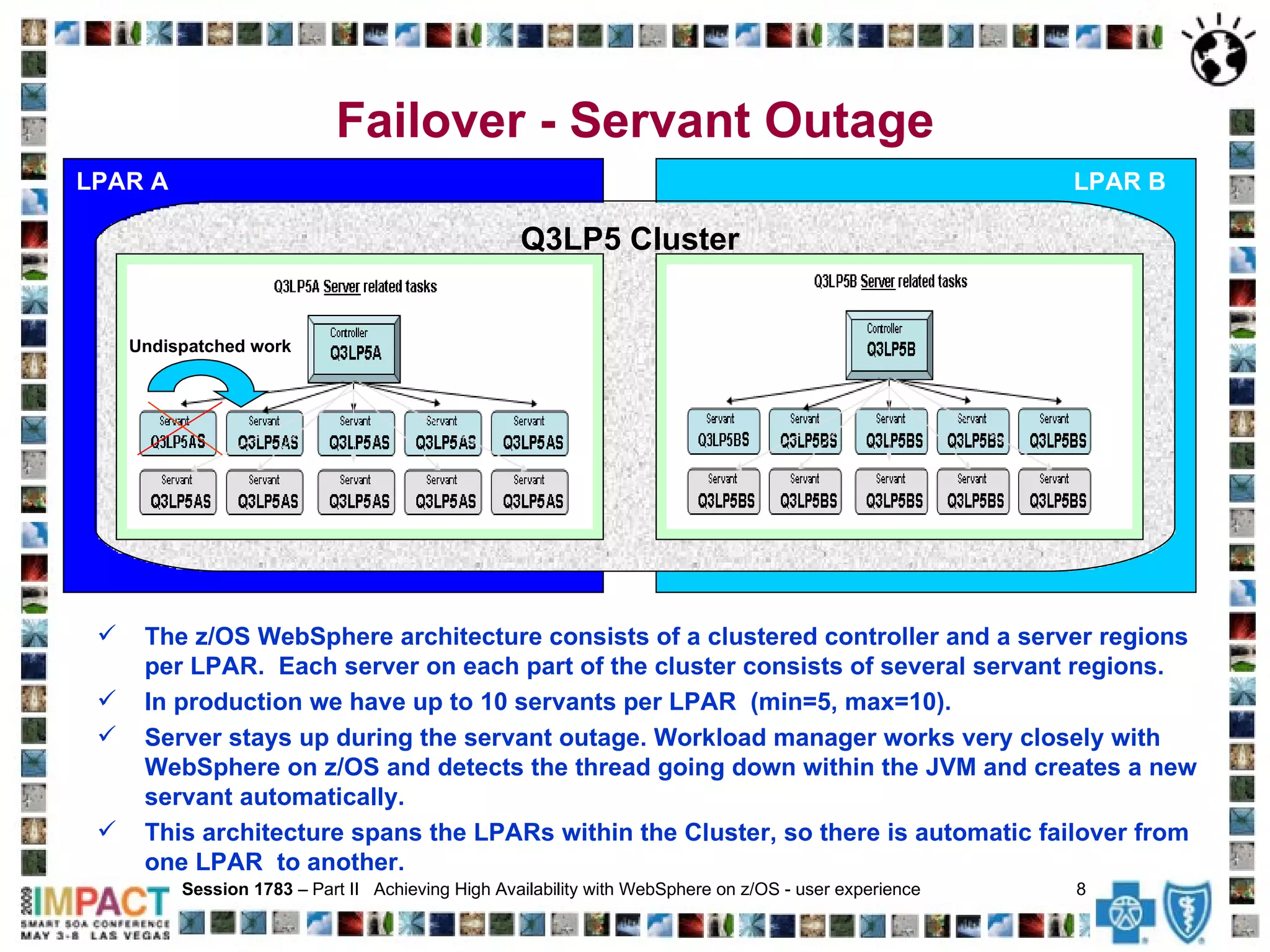
Failover - Servant Outage LPAR A Session 1783  – Part II  Achieving High Availability with WebSphere on z/OS - user experience  8   LPAR B Q3LP5 Cluster  Undispatched work The z/OS WebSphere architecture consists of a clustered controller and a server regions per LPAR.  Each server on each part of the cluster consists of several servant regions.  In production we have up to 10 servants per LPAR  (min=5, max=10).  Server stays up during the servant outage. Workload manager works very closely with WebSphere on z/OS and detects the thread going down within the JVM and creates a new servant automatically.  This architecture spans the LPARs within the Cluster, so there is automatic failover from one LPAR  to another.
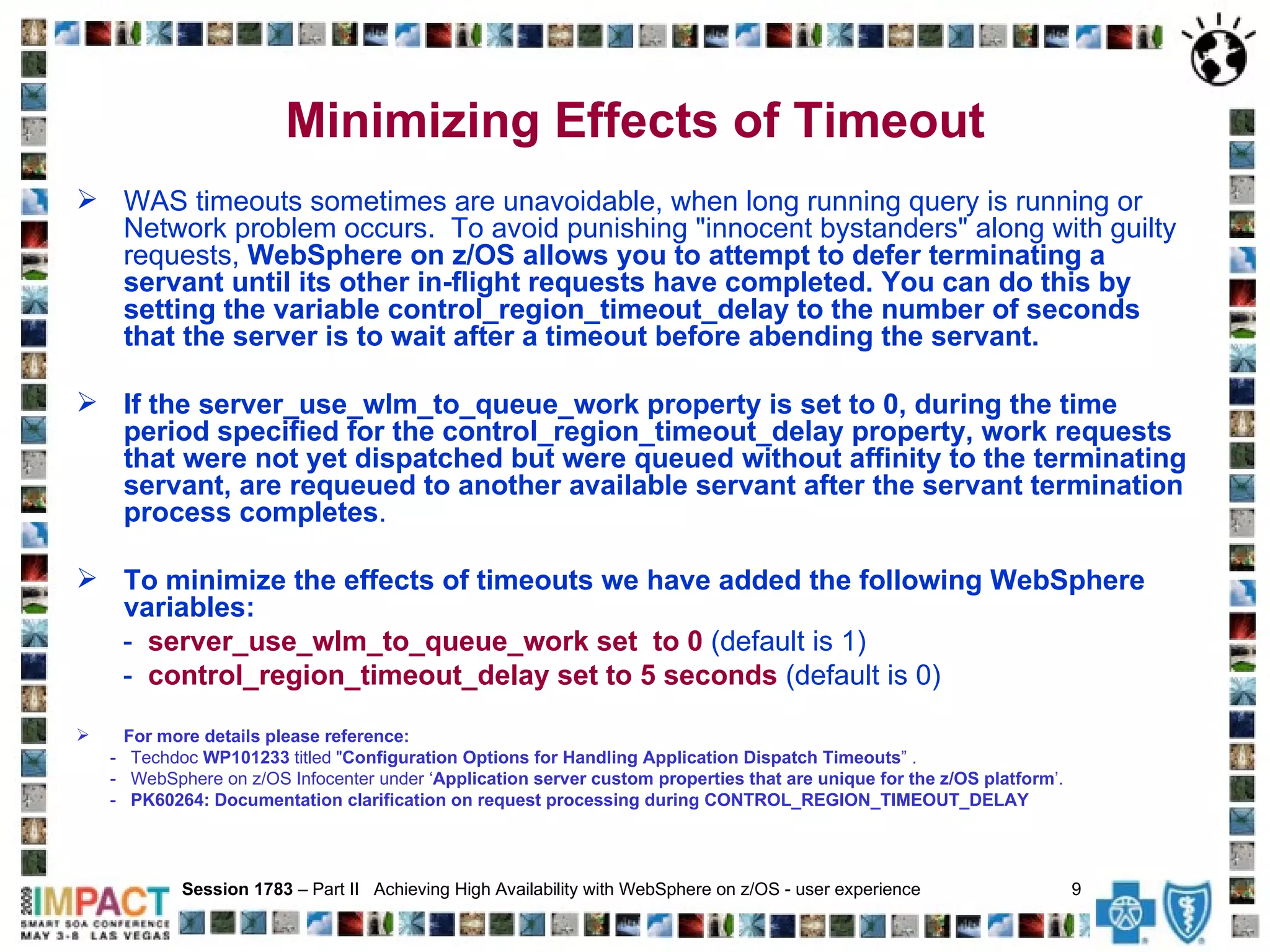
Minimizing Effects of Timeout WAS timeouts sometimes are unavoidable, when long running query is running or Network problem occurs.  To avoid punishing "innocent bystanders" along with guilty requests,  WebSphere on z/OS allows you to attempt to defer terminating a servant until its other in-flight requests have completed.   You can do this by setting the variable control_region_timeout_delay to the number of seconds that the server is to wait after a timeout before abending the servant. If the server_use_wlm_to_queue_work property is set to 0, during the time period specified for the control_region_timeout_delay property, work requests that were not yet dispatched but were queued without affinity to the terminating servant, are requeued to another available servant after the servant termination process completes . To minimize the effects of timeouts we have added the following WebSphere variables: -  server_use_wlm_to_queue_work set  to 0  (default is 1)  -  control_region_timeout_delay set to 5 seconds  (default is 0)   For more details please reference: -  Techdoc  WP101233  titled " Configuration Options for Handling Application Dispatch Timeouts ” . -  WebSphere on z/OS Infocenter under ‘ Application server custom properties that are unique for the z/OS platform ’. -  PK60264: Documentation clarification on request processing during CONTROL_REGION_TIMEOUT_DELAY Session 1783  – Part II  Achieving High Availability with WebSphere on z/OS - user experience  9
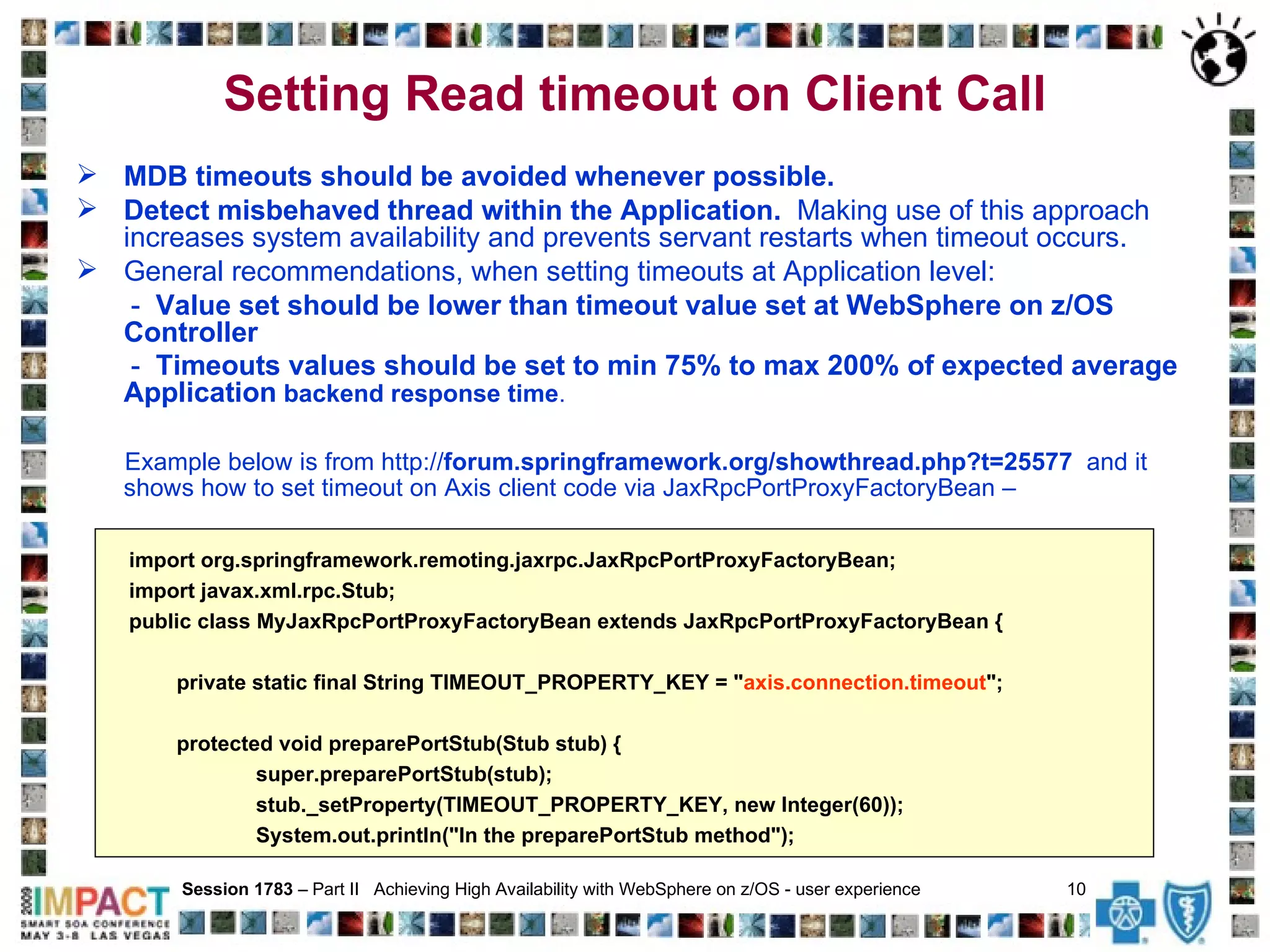
Setting Read timeout on Client Call   MDB timeouts should be avoided whenever possible.  Detect misbehaved thread within the Application.   Making use of this approach increases system availability and prevents servant restarts when timeout occurs. General recommendations, when setting timeouts at Application level: -  Value set should be lower than timeout value set at WebSphere on z/OS Controller   -  Timeouts values should be set to min 75% to max 200% of expected average Application  backend response time . Example below is from http:// forum.springframework.org/showthread.php?t=25577   and it shows how to set timeout on Axis client code via JaxRpcPortProxyFactoryBean – Session 1783  – Part II  Achieving High Availability with WebSphere on z/OS - user experience  10   import org.springframework.remoting.jaxrpc.JaxRpcPortProxyFactoryBean; import javax.xml.rpc.Stub; public class MyJaxRpcPortProxyFactoryBean extends JaxRpcPortProxyFactoryBean { private static final String TIMEOUT_PROPERTY_KEY = " axis.connection.timeout "; protected void preparePortStub(Stub stub) { super.preparePortStub(stub); stub._setProperty(TIMEOUT_PROPERTY_KEY, new Integer(60)); System.out.println("In the preparePortStub method");
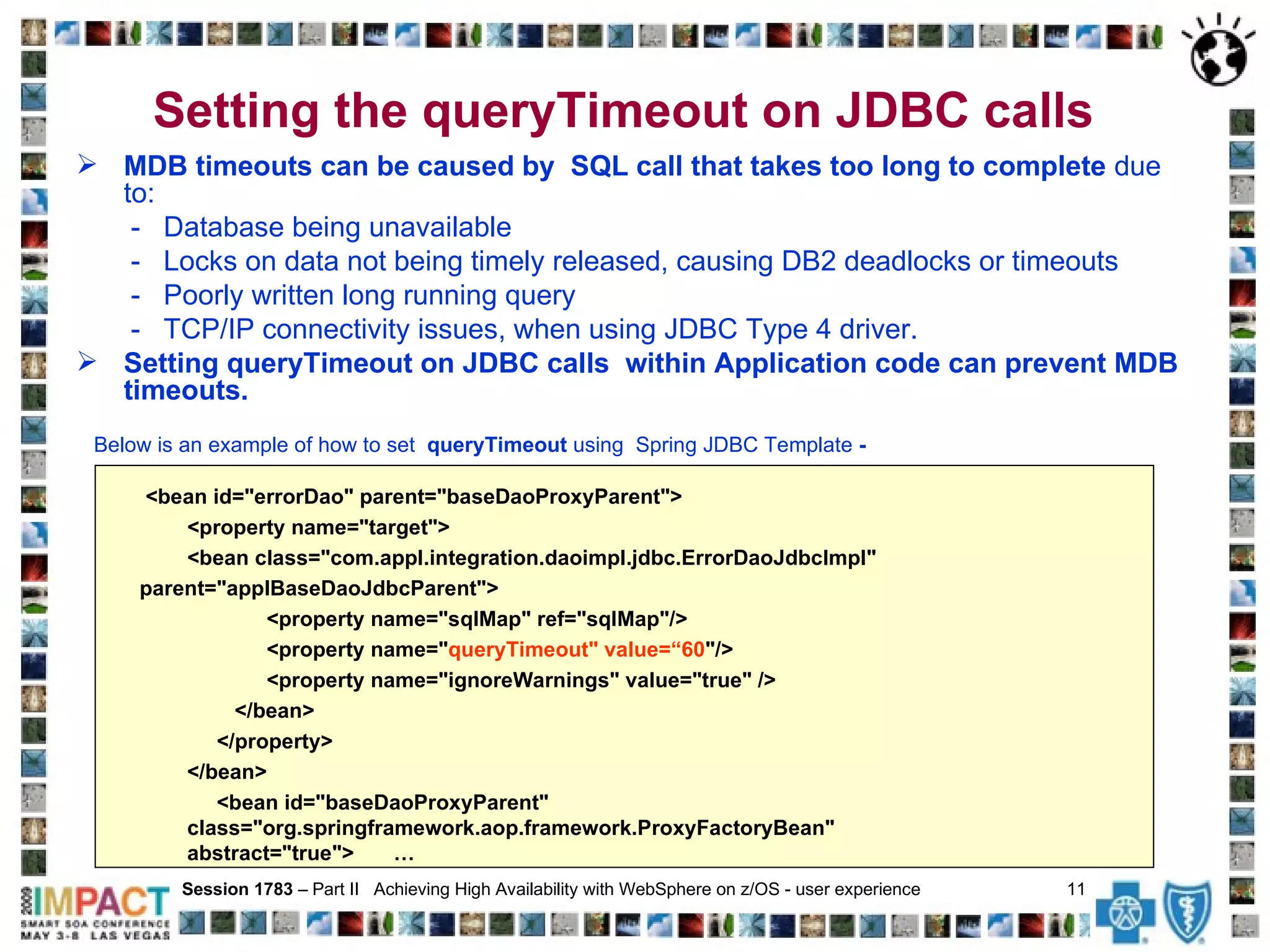
Setting the queryTimeout on JDBC calls   MDB timeouts can be caused by  SQL call that takes too long to complete  due to: -  Database being unavailable  -  Locks on data not being timely released, causing DB2 deadlocks or timeouts -  Poorly written long running query -  TCP/IP connectivity issues, when using JDBC Type 4 driver. Setting queryTimeout on JDBC calls  within Application code can prevent MDB timeouts. Below is an example of how to set  queryTimeout  using  Spring JDBC Template  - Session 1783  – Part II  Achieving High Availability with WebSphere on z/OS - user experience  11   <bean id=&quot;errorDao&quot; parent=&quot;baseDaoProxyParent&quot;> <property name=&quot;target&quot;> <bean class=&quot;com.appl.integration.daoimpl.jdbc.ErrorDaoJdbcImpl&quot;  parent=&quot;applBaseDaoJdbcParent&quot;> <property name=&quot;sqlMap&quot; ref=&quot;sqlMap&quot;/> <property name=&quot; queryTimeout&quot; value=“60 &quot;/> <property name=&quot;ignoreWarnings&quot; value=&quot;true&quot; />   </bean> </property>  </bean>  <bean id=&quot;baseDaoProxyParent&quot; class=&quot;org.springframework.aop.framework.ProxyFactoryBean&quot;  abstract=&quot;true&quot;>   …
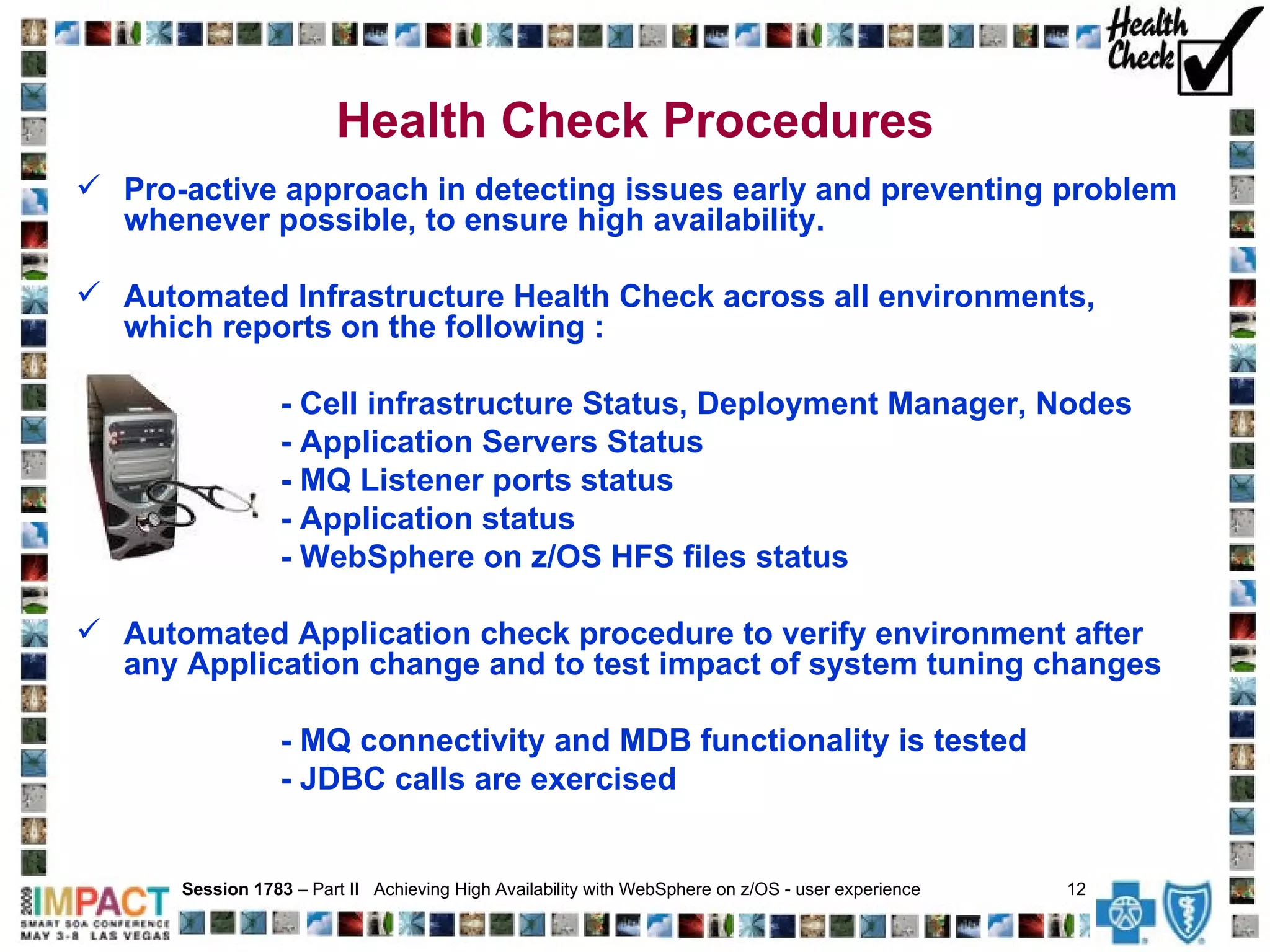
Health Check Procedures Pro-active approach in detecting issues early and preventing problem whenever possible, to ensure high availability.  Automated Infrastructure Health Check across all environments, which reports on the following : - Cell infrastructure Status, Deployment Manager, Nodes - Application Servers Status  - MQ Listener ports status - Application status - WebSphere on z/OS HFS files status Automated Application check procedure to verify environment after any Application change and to test impact of system tuning changes - MQ connectivity and MDB functionality is tested - JDBC calls are exercised Session 1783  – Part II  Achieving High Availability with WebSphere on z/OS - user experience  12
The following alerts are sent automatically via Email to WebSphere  z/OS support team:  WebSphere on z/OS started task went down Heartbeat check of all STCs up/down status SVC dump is taken for any WebSphere on z/OS started task High CPU usage of any WebSphere on z/OS started task WebSphere on z/OS started task is down for over 10 minutes No WebSphere on z/OS HFS is mounted at expected mount point 95%+ WebSphere on z/OS HFS space allocation (can be altered as needed) WebSphere on z/OS connection to MQ terminated, usually due to MDB timeout Session 1783  – Part II  Achieving High Availability with WebSphere on z/OS - user experience  13   Alerts Auto Notification
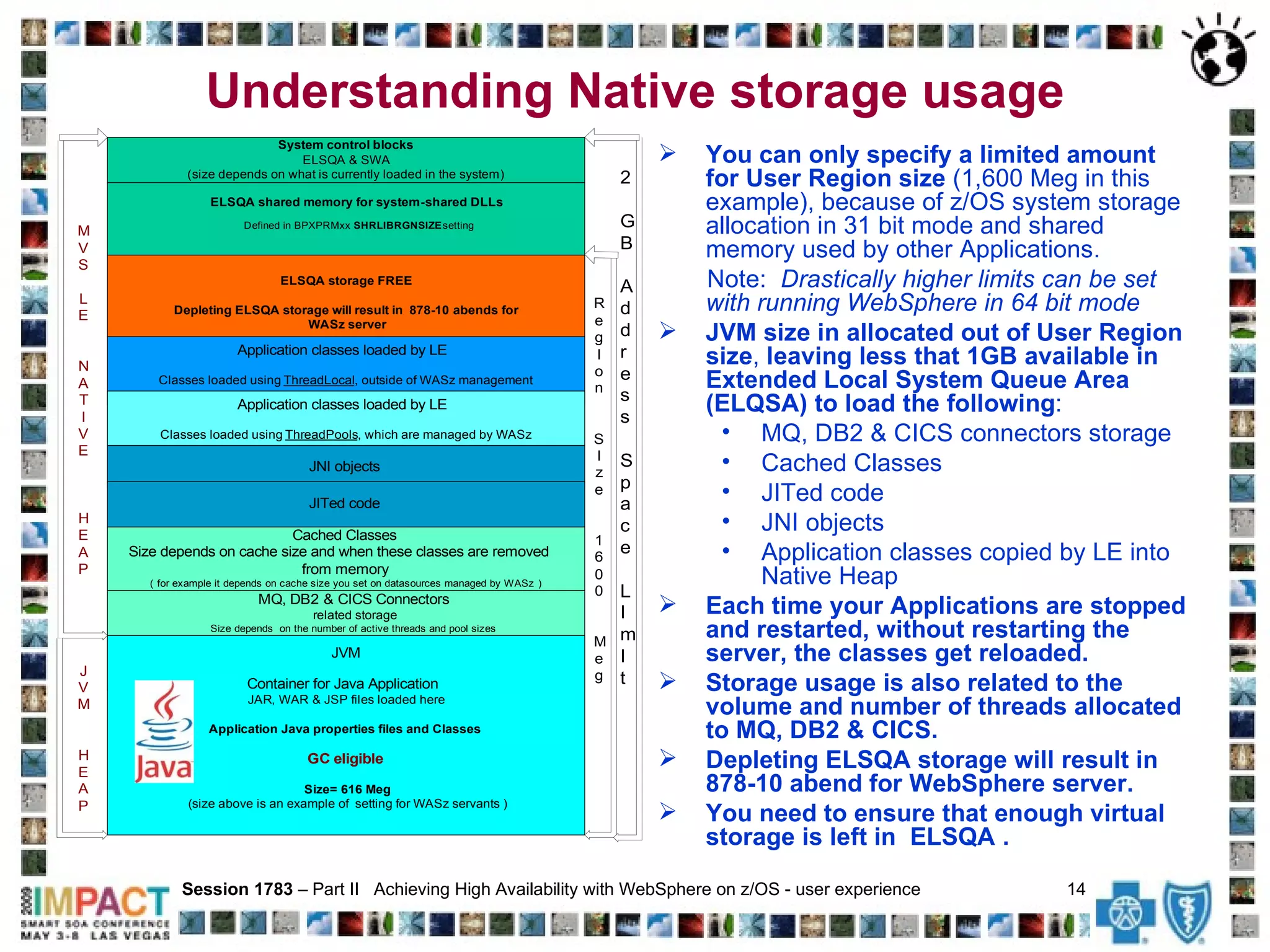
Understanding Native storage usage You can only specify a limited amount for User Region size  (1,600 Meg in this example), because of z/OS system storage allocation in 31 bit mode and shared memory used by other Applications.  Note:  Drastically higher limits can be set with running WebSphere in 64 bit mode  JVM size in allocated out of User Region size ,  leaving less that 1GB available in Extended Local System Queue Area (ELQSA) to load the following : MQ, DB2 & CICS connectors storage Cached Classes JITed code JNI objects Application classes copied by LE into Native Heap Each time your Applications are stopped and restarted, without restarting the server, the classes get reloaded.   Storage usage is also related to the volume and number of threads allocated to MQ, DB2 & CICS. Depleting ELSQA storage will result in 878-10 abend for WebSphere server. You need to ensure that enough virtual storage is left in  ELSQA .   Session 1783  – Part II  Achieving High Availability with WebSphere on z/OS - user experience  14
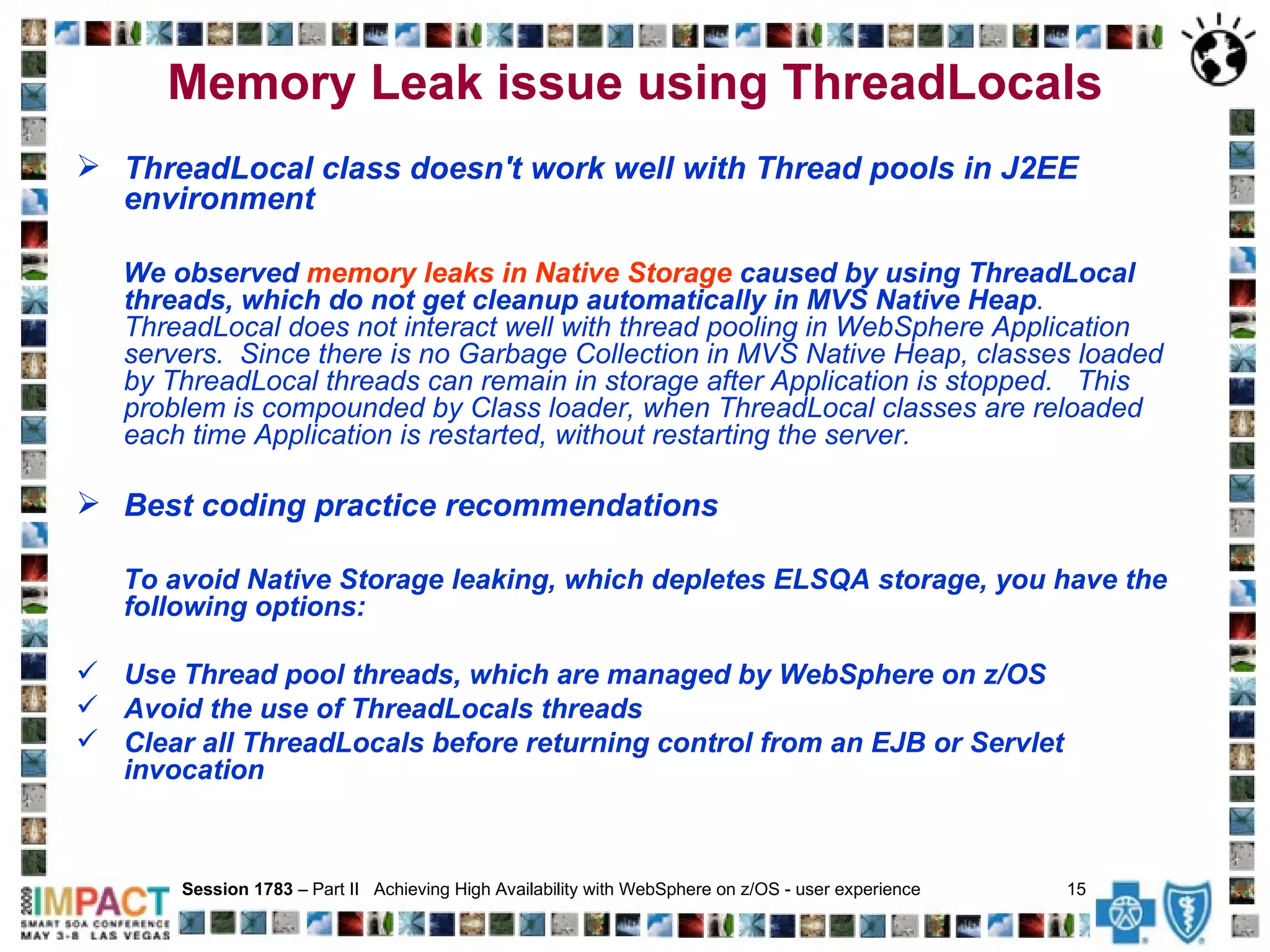
Memory Leak issue using ThreadLocals ThreadLocal class doesn't work well with Thread pools in J2EE environment We observed  memory leaks in Native Storage  caused by using ThreadLocal threads, which do not get cleanup automatically in MVS Native Heap .  ThreadLocal does not interact well with thread pooling in WebSphere Application servers.  Since there is no Garbage Collection in MVS Native Heap, classes loaded by ThreadLocal threads can remain in storage after Application is stopped.  This problem is compounded by Class loader, when ThreadLocal classes are reloaded each time Application is restarted, without restarting the server. Best coding practice recommendations To avoid Native Storage leaking, which depletes ELSQA storage, you have the following options: Use Thread pool threads, which are managed by WebSphere on z/OS Avoid the use of ThreadLocals threads Clear all ThreadLocals before returning control from an EJB or Servlet  invocation   Session 1783  – Part II  Achieving High Availability with WebSphere on z/OS - user experience  15
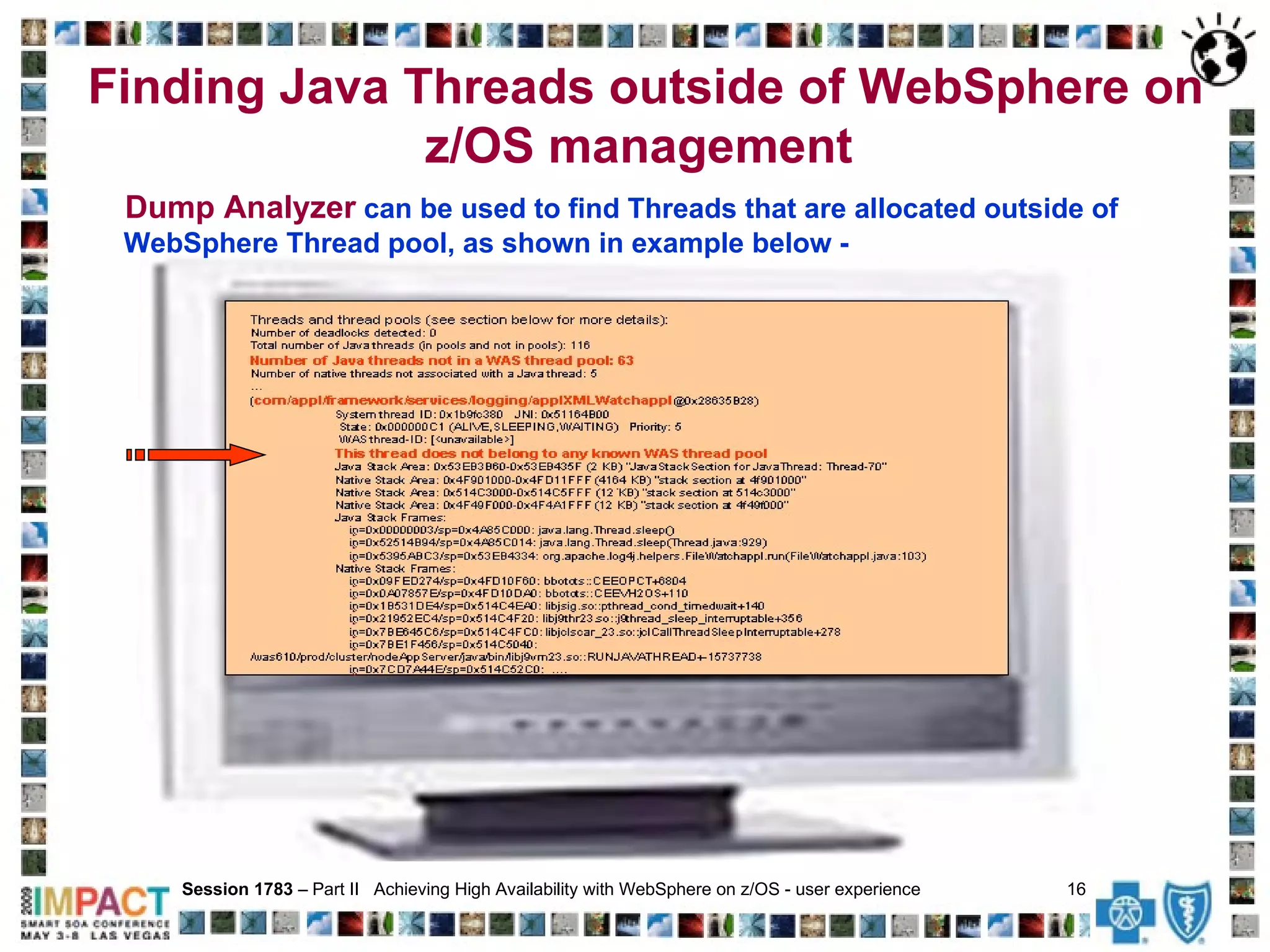
Finding Java Threads outside of WebSphere on z/OS management  Session 1783  – Part II  Achieving High Availability with WebSphere on z/OS - user experience  16   Dump Analyzer  can be used to find Threads that are allocated outside of WebSphere Thread pool, as shown in example below -
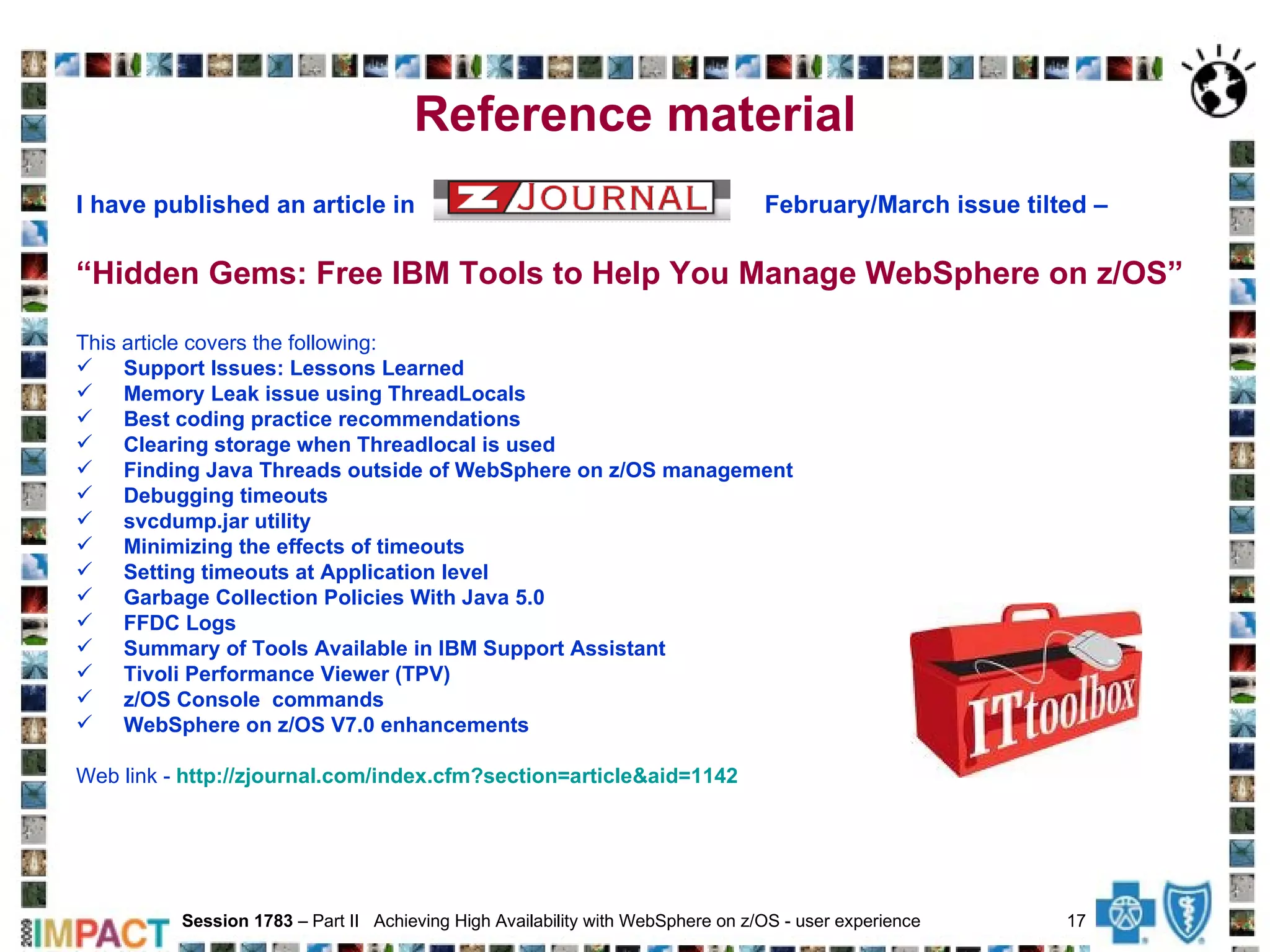
Reference material I have published an article in  February/March issue tilted –   “ Hidden Gems: Free IBM Tools to Help You Manage WebSphere on z/OS” This article covers the following: Support Issues: Lessons Learned Memory Leak issue using ThreadLocals Best coding practice recommendations Clearing storage when Threadlocal is used Finding Java Threads outside of WebSphere on z/OS management Debugging timeouts svcdump.jar utility Minimizing the effects of timeouts Setting timeouts at Application level   Garbage Collection Policies With Java 5.0 FFDC Logs Summary of Tools Available in IBM Support Assistant Tivoli Performance Viewer (TPV) z/OS Console  commands WebSphere on z/OS V7.0 enhancements   Web link -  http://zjournal.com/index.cfm?section=article&aid=1142 Session 1783  – Part II  Achieving High Availability with WebSphere on z/OS - user experience  17
Questions Session 1783  – Part II  Achieving High Availability with WebSphere on z/OS - user experience  18   ?

Impact 2009 1783 Achieving Availability With W A Sz User Experience

  • 1.
    Session 1783 – Part II Achieving High Availability with WebSphere on z/OS - user experience Presented by Elena Nanos IBM Certified Advanced System Administrator - WebSphere Application Server ND V6.1 IBM Certified Solution Expert - CICS Web Enablement IBM Certified System Specialist - WebSphere MQSeries Email - [email_address] Health Care Service Corporation WebSphere Engineering and Support services Session 1783 – Part II Achieving High Availability with WebSphere on z/OS - user experience 1
  • 2.
    Why WebSphere onz/OS? WebSphere on z/OS has been selected as a preferred platform to support development and deployment of new Java mission-critical Applications for the following reasons: z/OS Hardware, Software, Storage, and Network are all designed for maximum application availability WebSphere on z/OS is designed to support very high transactional volume WebSphere on z/OS provides highest Quality of Service: - Performance - Scalability - Recovery/failover capability - High Availability - Stability - Manageability - Maintainability - Security/Integrity By using WebSphere on z/OS you can minimize the number of physical tiers to get to backend data Use of single tier removes Network layer and additional overhead associate with it Tight integration with DB2, MQ and CICS Session 1783 – Part II Achieving High Availability with WebSphere on z/OS - user experience 2
  • 3.
    Features and TechnologyUnique to z/OS Server Architecture - Control/Servant Region Split - Multiple Servant Region Workload Management - Leverages Workload Manager (WLM) - WLM/RMF integration - Work classified according to importance & performance goals - Work is selected from WLM queue and managed to goal - Provides Failover to available Servants - Automatic servant restart after an outage - Automatic startup of additional servants, as needed, based on Policies WebSphere on z/OS Network Deployment Clustering across z/OS LPARs - Horizontal scaling for increased throughput - Continuous availability & fail-over MQ Queue Sharing using Shared Queues across LPARs and XM memory communication for optimum performance DB2 Data Sharing across LPARs SYSPlex Distributor - w orkload management and distribution across multiple systems Coupling Facility - high-speed inter-system communication, used with MQ Queue Sharing & DB2 Data sharing Resource Recovery Services - required for 2-phase commits zSeries Application Assist Processor (zAAP) - specialty assist processor dedicated exclusively to execution of Java workloads under z/OS Mainframe security Session 1783 – Part II Achieving High Availability with WebSphere on z/OS - user experience 3
  • 4.
    Implemented very solid,scalable, high availability WebSphere on z/OS infrastructure that satisfies data integrity, system performance and system availability objectives. Architected and established ‘best practice’ WebSphere on z/OS implementation using Network Deployment Cluster configuration, crossing LPARs, with proven fail over capabilities. This scalable design allows us to quickly adapt to new business requirements and growth. Established excellent standards, naming conventions and procedures for building and supporting WebSphere on z/OS infrastructure. Developed and exercised WebSphere on z/OS infrastructure failover and error recovery plan. Automated startup and shutdown at IPL time, notification of various issues related to system availability, infrastructure and application health check, monitoring commands and deployment in non-Prod environments. Session 1783 – Part II Achieving High Availability with WebSphere on z/OS - user experience 4 Infrastructure Design with Focus on High Availability
  • 5.
    WebSphere on z/OSFailover and Recovery Our WebSphere z/OS infrastructure can handle the following outages: WebSphere on z/OS servant, server or Node down on one LPAR – using MQ Queue Sharing, requests will automatically go to WebSphere on z/OS server that is available on the other LPAR. MQ down on one LPAR – we make use of Shared Queues, where one physical copy of the queue exists in CF or DB2. If one MQ Queue Manager is unavailable, WebSphere on z/OS server (on either side of the Cluster) can get data from Shared Queue via available MQ and can send reply back to CICS, where request initiated. LPAR down – if one of 2 LPARs in the Cluster is down WebSphere on z/OS can continue processing, without any manual intervention. With our current Application design, request can come from WebSphere or CICS on the LPAR that is up . TCP/IP down on one LPAR – using MQ Queue Sharing, requests will automatically go to WebSphere on z/OS server that is available on the other LPAR. DB2 down on one LPAR – we make use of JDBC Type 4 driver and if one DB2 is down request continue processing. Session 1783 – Part II Achieving High Availability with WebSphere on z/OS - user experience 5
  • 6.
    HCSC WebSphere onz/OS environments Unit Test Session 1783 – Part II Achieving High Availability with WebSphere on z/OS - user experience 6 Unit and String Integration Test Integrated Test Build System Integration Test User Acceptance Integrated Acceptance Load and Performance Production Development Path to Production Our WebSphere on z/OS infrastructure has been architected to support development, testing and Production deployment in the following environments:
  • 7.
    Sample WebSphere onz/OS Cells configuration (naming convention has been changed to protect our environment) Session 1783 – Part II Achieving High Availability with WebSphere on z/OS - user experience 7
  • 8.
    Failover - ServantOutage LPAR A Session 1783 – Part II Achieving High Availability with WebSphere on z/OS - user experience 8 LPAR B Q3LP5 Cluster Undispatched work The z/OS WebSphere architecture consists of a clustered controller and a server regions per LPAR. Each server on each part of the cluster consists of several servant regions. In production we have up to 10 servants per LPAR (min=5, max=10). Server stays up during the servant outage. Workload manager works very closely with WebSphere on z/OS and detects the thread going down within the JVM and creates a new servant automatically. This architecture spans the LPARs within the Cluster, so there is automatic failover from one LPAR to another.
  • 9.
    Minimizing Effects ofTimeout WAS timeouts sometimes are unavoidable, when long running query is running or Network problem occurs. To avoid punishing &quot;innocent bystanders&quot; along with guilty requests, WebSphere on z/OS allows you to attempt to defer terminating a servant until its other in-flight requests have completed. You can do this by setting the variable control_region_timeout_delay to the number of seconds that the server is to wait after a timeout before abending the servant. If the server_use_wlm_to_queue_work property is set to 0, during the time period specified for the control_region_timeout_delay property, work requests that were not yet dispatched but were queued without affinity to the terminating servant, are requeued to another available servant after the servant termination process completes . To minimize the effects of timeouts we have added the following WebSphere variables: - server_use_wlm_to_queue_work set to 0 (default is 1) - control_region_timeout_delay set to 5 seconds (default is 0) For more details please reference: - Techdoc WP101233 titled &quot; Configuration Options for Handling Application Dispatch Timeouts ” . - WebSphere on z/OS Infocenter under ‘ Application server custom properties that are unique for the z/OS platform ’. - PK60264: Documentation clarification on request processing during CONTROL_REGION_TIMEOUT_DELAY Session 1783 – Part II Achieving High Availability with WebSphere on z/OS - user experience 9
  • 10.
    Setting Read timeouton Client Call MDB timeouts should be avoided whenever possible. Detect misbehaved thread within the Application. Making use of this approach increases system availability and prevents servant restarts when timeout occurs. General recommendations, when setting timeouts at Application level: - Value set should be lower than timeout value set at WebSphere on z/OS Controller - Timeouts values should be set to min 75% to max 200% of expected average Application backend response time . Example below is from http:// forum.springframework.org/showthread.php?t=25577 and it shows how to set timeout on Axis client code via JaxRpcPortProxyFactoryBean – Session 1783 – Part II Achieving High Availability with WebSphere on z/OS - user experience 10 import org.springframework.remoting.jaxrpc.JaxRpcPortProxyFactoryBean; import javax.xml.rpc.Stub; public class MyJaxRpcPortProxyFactoryBean extends JaxRpcPortProxyFactoryBean { private static final String TIMEOUT_PROPERTY_KEY = &quot; axis.connection.timeout &quot;; protected void preparePortStub(Stub stub) { super.preparePortStub(stub); stub._setProperty(TIMEOUT_PROPERTY_KEY, new Integer(60)); System.out.println(&quot;In the preparePortStub method&quot;);
  • 11.
    Setting the queryTimeouton JDBC calls MDB timeouts can be caused by SQL call that takes too long to complete due to: - Database being unavailable - Locks on data not being timely released, causing DB2 deadlocks or timeouts - Poorly written long running query - TCP/IP connectivity issues, when using JDBC Type 4 driver. Setting queryTimeout on JDBC calls within Application code can prevent MDB timeouts. Below is an example of how to set queryTimeout using Spring JDBC Template - Session 1783 – Part II Achieving High Availability with WebSphere on z/OS - user experience 11 <bean id=&quot;errorDao&quot; parent=&quot;baseDaoProxyParent&quot;> <property name=&quot;target&quot;> <bean class=&quot;com.appl.integration.daoimpl.jdbc.ErrorDaoJdbcImpl&quot; parent=&quot;applBaseDaoJdbcParent&quot;> <property name=&quot;sqlMap&quot; ref=&quot;sqlMap&quot;/> <property name=&quot; queryTimeout&quot; value=“60 &quot;/> <property name=&quot;ignoreWarnings&quot; value=&quot;true&quot; /> </bean> </property> </bean> <bean id=&quot;baseDaoProxyParent&quot; class=&quot;org.springframework.aop.framework.ProxyFactoryBean&quot; abstract=&quot;true&quot;> …
  • 12.
    Health Check ProceduresPro-active approach in detecting issues early and preventing problem whenever possible, to ensure high availability. Automated Infrastructure Health Check across all environments, which reports on the following : - Cell infrastructure Status, Deployment Manager, Nodes - Application Servers Status - MQ Listener ports status - Application status - WebSphere on z/OS HFS files status Automated Application check procedure to verify environment after any Application change and to test impact of system tuning changes - MQ connectivity and MDB functionality is tested - JDBC calls are exercised Session 1783 – Part II Achieving High Availability with WebSphere on z/OS - user experience 12
  • 13.
    The following alertsare sent automatically via Email to WebSphere z/OS support team: WebSphere on z/OS started task went down Heartbeat check of all STCs up/down status SVC dump is taken for any WebSphere on z/OS started task High CPU usage of any WebSphere on z/OS started task WebSphere on z/OS started task is down for over 10 minutes No WebSphere on z/OS HFS is mounted at expected mount point 95%+ WebSphere on z/OS HFS space allocation (can be altered as needed) WebSphere on z/OS connection to MQ terminated, usually due to MDB timeout Session 1783 – Part II Achieving High Availability with WebSphere on z/OS - user experience 13 Alerts Auto Notification
  • 14.
    Understanding Native storageusage You can only specify a limited amount for User Region size (1,600 Meg in this example), because of z/OS system storage allocation in 31 bit mode and shared memory used by other Applications. Note: Drastically higher limits can be set with running WebSphere in 64 bit mode JVM size in allocated out of User Region size , leaving less that 1GB available in Extended Local System Queue Area (ELQSA) to load the following : MQ, DB2 & CICS connectors storage Cached Classes JITed code JNI objects Application classes copied by LE into Native Heap Each time your Applications are stopped and restarted, without restarting the server, the classes get reloaded. Storage usage is also related to the volume and number of threads allocated to MQ, DB2 & CICS. Depleting ELSQA storage will result in 878-10 abend for WebSphere server. You need to ensure that enough virtual storage is left in ELSQA . Session 1783 – Part II Achieving High Availability with WebSphere on z/OS - user experience 14
  • 15.
    Memory Leak issueusing ThreadLocals ThreadLocal class doesn't work well with Thread pools in J2EE environment We observed memory leaks in Native Storage caused by using ThreadLocal threads, which do not get cleanup automatically in MVS Native Heap . ThreadLocal does not interact well with thread pooling in WebSphere Application servers. Since there is no Garbage Collection in MVS Native Heap, classes loaded by ThreadLocal threads can remain in storage after Application is stopped. This problem is compounded by Class loader, when ThreadLocal classes are reloaded each time Application is restarted, without restarting the server. Best coding practice recommendations To avoid Native Storage leaking, which depletes ELSQA storage, you have the following options: Use Thread pool threads, which are managed by WebSphere on z/OS Avoid the use of ThreadLocals threads Clear all ThreadLocals before returning control from an EJB or Servlet invocation Session 1783 – Part II Achieving High Availability with WebSphere on z/OS - user experience 15
  • 16.
    Finding Java Threadsoutside of WebSphere on z/OS management Session 1783 – Part II Achieving High Availability with WebSphere on z/OS - user experience 16 Dump Analyzer can be used to find Threads that are allocated outside of WebSphere Thread pool, as shown in example below -
  • 17.
    Reference material Ihave published an article in February/March issue tilted – “ Hidden Gems: Free IBM Tools to Help You Manage WebSphere on z/OS” This article covers the following: Support Issues: Lessons Learned Memory Leak issue using ThreadLocals Best coding practice recommendations Clearing storage when Threadlocal is used Finding Java Threads outside of WebSphere on z/OS management Debugging timeouts svcdump.jar utility Minimizing the effects of timeouts Setting timeouts at Application level Garbage Collection Policies With Java 5.0 FFDC Logs Summary of Tools Available in IBM Support Assistant Tivoli Performance Viewer (TPV) z/OS Console commands WebSphere on z/OS V7.0 enhancements Web link - http://zjournal.com/index.cfm?section=article&aid=1142 Session 1783 – Part II Achieving High Availability with WebSphere on z/OS - user experience 17
  • 18.
    Questions Session 1783 – Part II Achieving High Availability with WebSphere on z/OS - user experience 18 ?