























Images meet Web
Presented by Jay
A piece of cake !
As Web Developers
BUT
We face…
width : 100%
padding-bottom : 70%
display : none
The designer gives you a picture
Responsive Images
&
Optimize Images
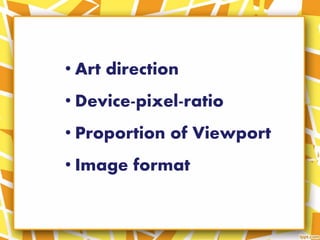
Responsive Images
• Art direction
• Device-pixel-ratio
• Proportion of Viewport
• Image format
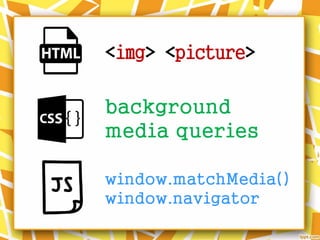
<img> <picture>
background
media queries
window.matchMedia()
window.navigator
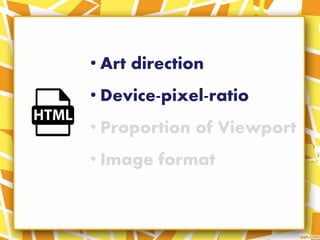
• Art direction
• Device-pixel-ratio
• Proportion of Viewport
• Image format
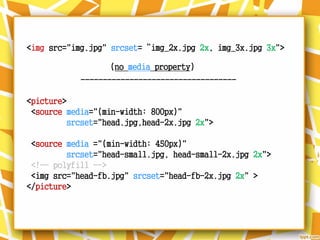
<img src="img.jpg" srcset=“img_2x.jpg 2x, img_3x.jpg 3x">
-----------------------------------
<picture>
<source media="(min-width: 800px)"
srcset="head.jpg,head-2x.jpg 2x">
<source media ="(min-width: 450px)"
srcset="head-small.jpg, head-small-2x.jpg 2x">
<!-- polyfill -->
<img src="head-fb.jpg" srcset="head-fb-2x.jpg 2x" >
</picture>
(no media property)
• Art direction
• Device-pixel-ratio
• Proportion of Viewport
• Image format
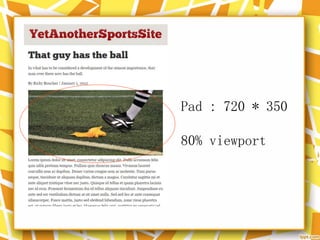
Pad : 720 * 350
80% viewport
Desktop : 425 * 200 , 30% viewport
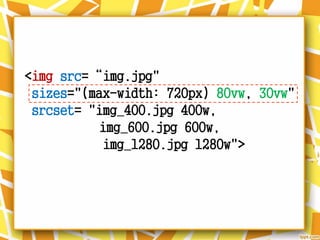
<img src=“img.jpg"
sizes="(max-width: 720px) 80vw, 30vw"
srcset= "img_400.jpg 400w,
img_600.jpg 600w,
img_1280.jpg 1280w">
• Art direction
• Device-pixel-ratio
• Proportion of Viewport
• Image format
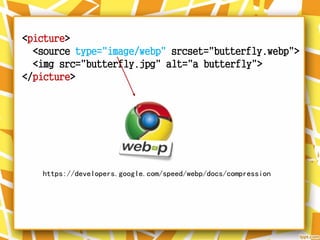
<picture>
<source type="image/webp" srcset="butterfly.webp">
<img src="butterfly.jpg" alt="a butterfly">
</picture>
https://developers.google.com/speed/webp/docs/compression
Source : http://responsiveimages.org/#implementation
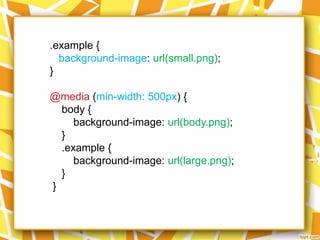
.example {
background-image: url(small.png);
}
@media (min-width: 500px) {
body {
background-image: url(body.png);
}
.example {
background-image: url(large.png);
}
}
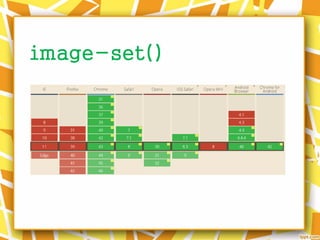
image-set()
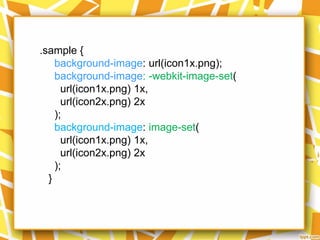
.sample {
background-image: url(icon1x.png);
background-image: -webkit-image-set(
url(icon1x.png) 1x,
url(icon2x.png) 2x
);
background-image: image-set(
url(icon1x.png) 1x,
url(icon2x.png) 2x
);
}
matchMedia()
<!–- polyfill -->
navigator
userAgent
Optimize Images
• Eliminating and replacing images
• Vector images : SVG
• Raster images
• Image compression
• Use image Sprites
• Load necessary image
• Eliminating and replacing images
• Vector images : SVG
• Raster images
• Image compression
• Use image Sprites
• Load necessary image
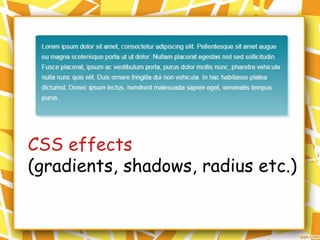
CSS effects
(gradients, shadows, radius etc.)
CSS animations
Web fonts
• Eliminating and replacing images
• Vector images : SVG
• Raster images
• Image compression
• Use image Sprites
• Load necessary image
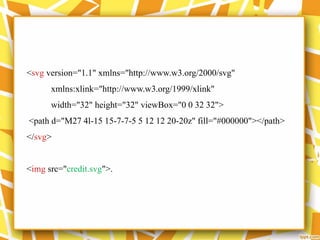
<svg version="1.1" xmlns="http://www.w3.org/2000/svg"
xmlns:xlink="http://www.w3.org/1999/xlink"
width="32" height="32" viewBox="0 0 32 32">
<path d="M27 4l-15 15-7-7-5 5 12 12 20-20z" fill="#000000"></path>
</svg>
<img src="credit.svg">.
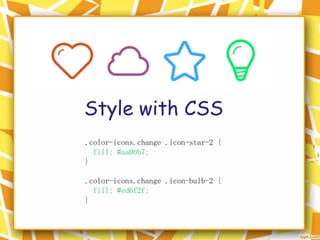
Style with CSS
.color-icons.change .icon-star-2 {
fill: #aa0bb7;
}
.color-icons.change .icon-bulb-2 {
fill: #ed6f2f;
}
Icon
• Eliminating and replacing images
• Vector images : SVG
• Raster images
• Image compression
• Use image Sprites
• Load necessary image
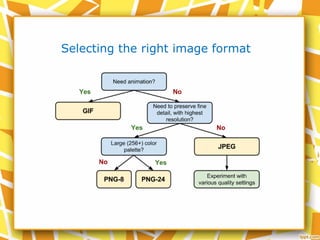
Selecting the right image format
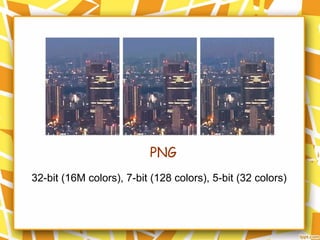
PNG
32-bit (16M colors), 7-bit (128 colors), 5-bit (32 colors)
• Eliminating and replacing images
• Vector images : SVG
• Raster images
• Image compression
• Use image Sprites
• Load necessary image
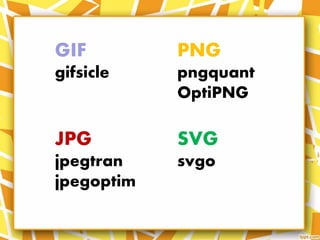
GIF
gifsicle
JPG
jpegtran
jpegoptim
PNG
pngquant
OptiPNG
SVG
svgo
• Eliminating and replacing images
• Vector images : SVG
• Raster images
• Image compression
• Use image Sprites
• Load necessary image
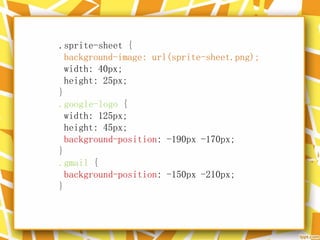
.sprite-sheet {
background-image: url(sprite-sheet.png);
width: 40px;
height: 25px;
}
.google-logo {
width: 125px;
height: 45px;
background-position: -190px -170px;
}
.gmail {
background-position: -150px -210px;
}
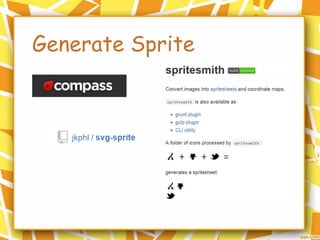
Generate Sprite
• Eliminating and replacing images
• Vector images : SVG
• Raster images
• Image compression
• Use image Sprites
• Load necessary image
Load necessary image
Auto , auto , auto
Last but not least..
Images meet Web

Images meet Web

Editor's Notes

  • #15 http://googlechrome.github.io/samples/picture-element/ https://googlesamples.github.io/web-fundamentals/samples/media/images/media.html
  • #22 http://googlechrome.github.io/samples/picture-element/
  • #23 http://googlechrome.github.io/samples/picture-element/
  • #25 https://googlesamples.github.io/web-fundamentals/samples/media/images/conditional-mq.html
  • #26 http://cloudfour.com/examples/image-set/
  • #27 https://googlesamples.github.io/web-fundamentals/samples/media/images/image-set.html http://demo.hongkiat.com/css-image-set/
  • #30 http://www.w3schools.com/jsref/obj_navigator.asp (w3c)
  • #34 https://developers.google.com/web/fundamentals/media/images/avoid-images-completely?hl=zh-tw
  • #35 https://css-tricks.com/almanac/properties/a/animation/ https://www.igvita.com/2014/01/31/optimizing-web-font-rendering-performance/ https://www.google.com/fonts http://html.adobe.com/edge//webfonts/
  • #37 http://gomakethings.com/using-svgs/
  • #38 https://googlesamples.github.io/web-fundamentals/samples/media/images/icon-svg.html
  • #39 http://codepen.io/team/lincolnloop/pen/GgdLBa
  • #40 https://googlesamples.github.io/web-fundamentals/samples/media/images/icon-svg.html
  • #42 https://developers.google.com/web/fundamentals/performance/optimizing-content-efficiency/image-optimization?hl=en
  • #45 https://developers.google.com/web/fundamentals/media/images/optimize-images-for-performance?hl=zh-tw
  • #47 http://codepen.io/simurai/pen/tukwj https://googlesamples.github.io/web-fundamentals/samples/media/images/image-sprite.html
  • #48 https://googlesamples.github.io/web-fundamentals/samples/media/images/image-sprite.html
  • #49 https://googlesamples.github.io/web-fundamentals/samples/media/images/image-sprite.html