Images as Links
Mylissa Hoover
The What
• An image as a link is basically what it sounds like
• It is a clickable image on a website that has a link to another webpage
• Images can be linked to any url or an enlarged version of the image
The Why
• Using an image as a link is a popular way to create concise site content
• It holds the attention of the user
• Having an image makes a user more likely to click on the link
• Linking an image is a useful way to make a clean looking web page that still has
plenty of information for the user
• More content can be stored on one page without cluttering the layout
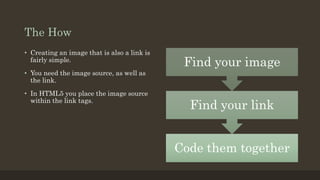
The How
Code them together
Find your link
Find your image
• Creating an image that is also a link is
fairly simple.
• You need the image source, as well as
the link.
• In HTML5 you place the image source
within the link tags.
The Code
• You first create your link tags and the place the image source within them, like so:
<a href=“www.byui.edu”>
<img
src=http://www2.byui.edu/imageLibrary/HomePage/060720CampusAerial_6209.jpg>
</a>
The Example
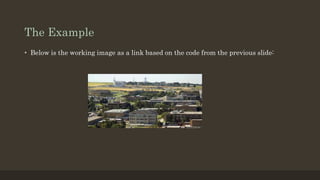
• Below is the working image as a link based on the code from the previous slide:

Images as links

  • 1.
  • 2.
    The What • Animage as a link is basically what it sounds like • It is a clickable image on a website that has a link to another webpage • Images can be linked to any url or an enlarged version of the image
  • 3.
    The Why • Usingan image as a link is a popular way to create concise site content • It holds the attention of the user • Having an image makes a user more likely to click on the link • Linking an image is a useful way to make a clean looking web page that still has plenty of information for the user • More content can be stored on one page without cluttering the layout
  • 4.
    The How Code themtogether Find your link Find your image • Creating an image that is also a link is fairly simple. • You need the image source, as well as the link. • In HTML5 you place the image source within the link tags.
  • 5.
    The Code • Youfirst create your link tags and the place the image source within them, like so: <a href=“www.byui.edu”> <img src=http://www2.byui.edu/imageLibrary/HomePage/060720CampusAerial_6209.jpg> </a>
  • 6.
    The Example • Belowis the working image as a link based on the code from the previous slide: