Proving and Hiding your Identity on the Internet A high level overview Jon “The Nice Guy” Spriggs jon@spriggs.org.uk  2009-10-25
Proving And Hiding Your Identity The nature of the Internet is to be anonymous.
The nature of Controlled Networks is to be identifiable.
How can we reverse these two situations to your benefit?
Why would you want to?
Prove your Identity on the Internet How do you prove your identity? Username and one-or-two factor authentication How do you secure your access to private data, hosts and networks? Physical presence, encrypted connections (PGP, VPN, SSL, SSH) How can you encourage trust? Securely exchange keys, protect physical objects, accept only trusted relationships
Explaining Terms: PGP / GPG What is GPG? A Free Software implementation of the PGP system, properly called “Gnu Privacy Guard” What is PGP? An encryption and authentication system Where would I use it? Signing data, ensuring no tampering has occurred
Encrypting data, ensuring no unauthorized person has understood it's contents.
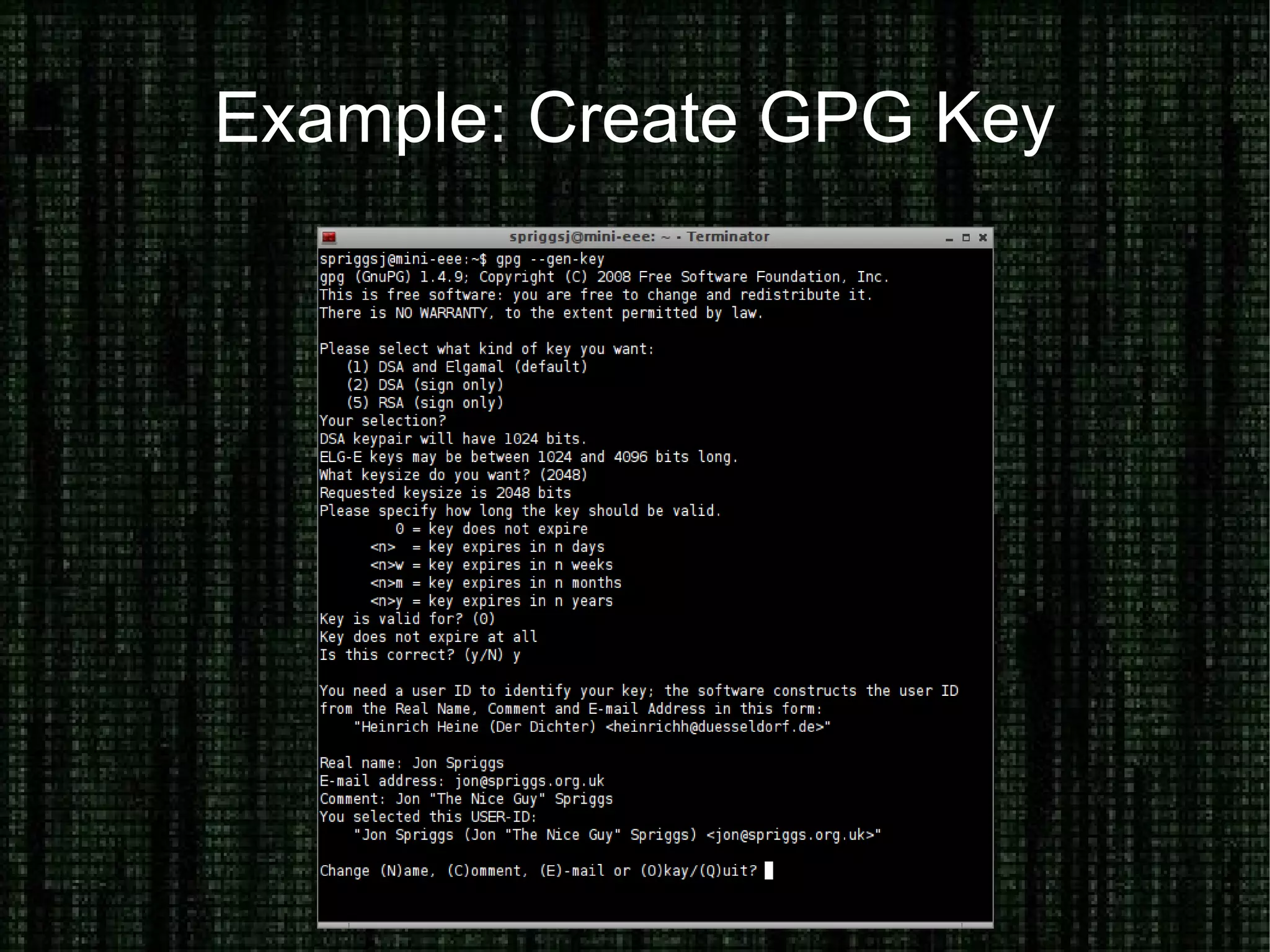
Example: Create GPG Key
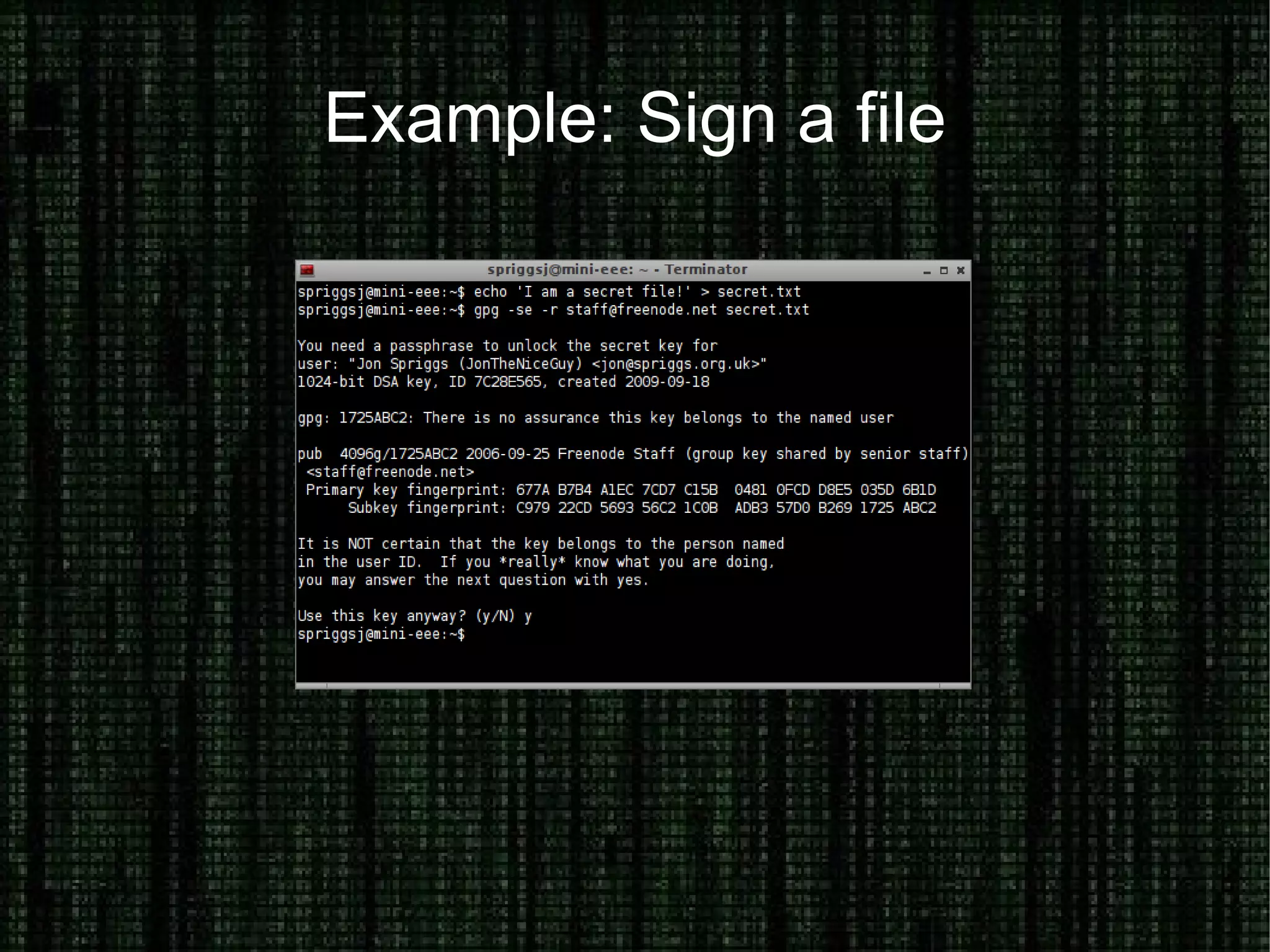
Example: Sign a file
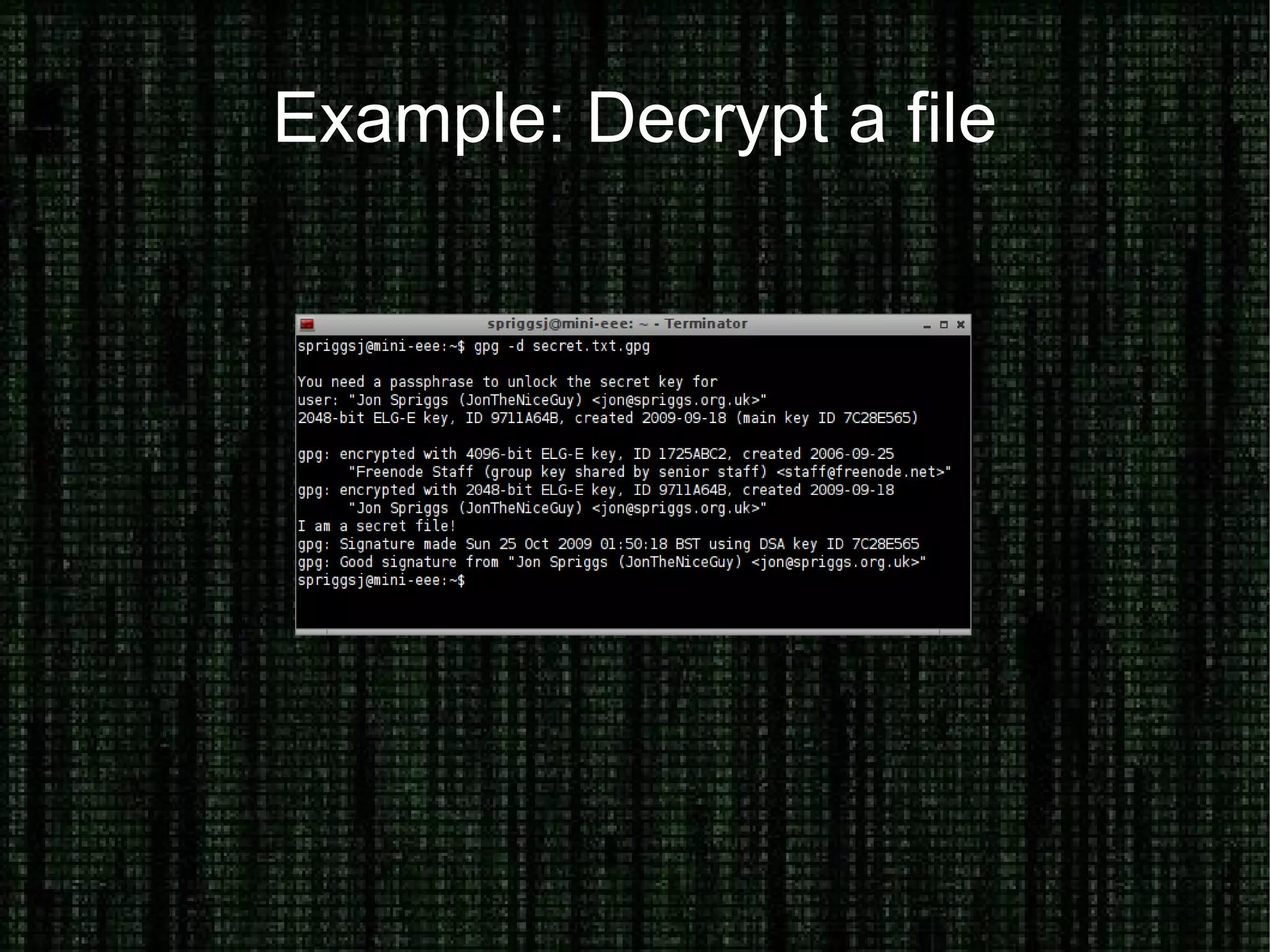
Example: Decrypt a file
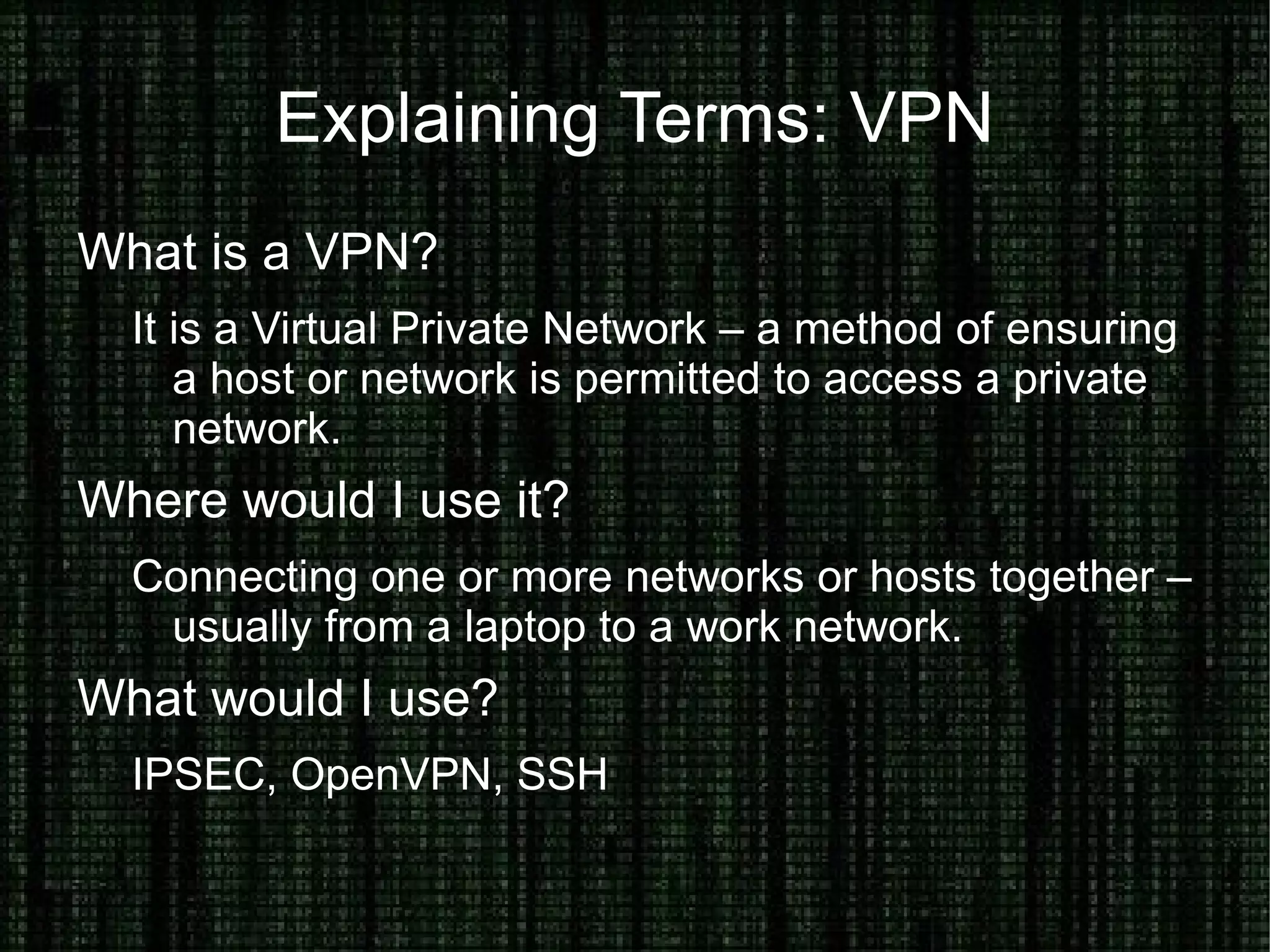
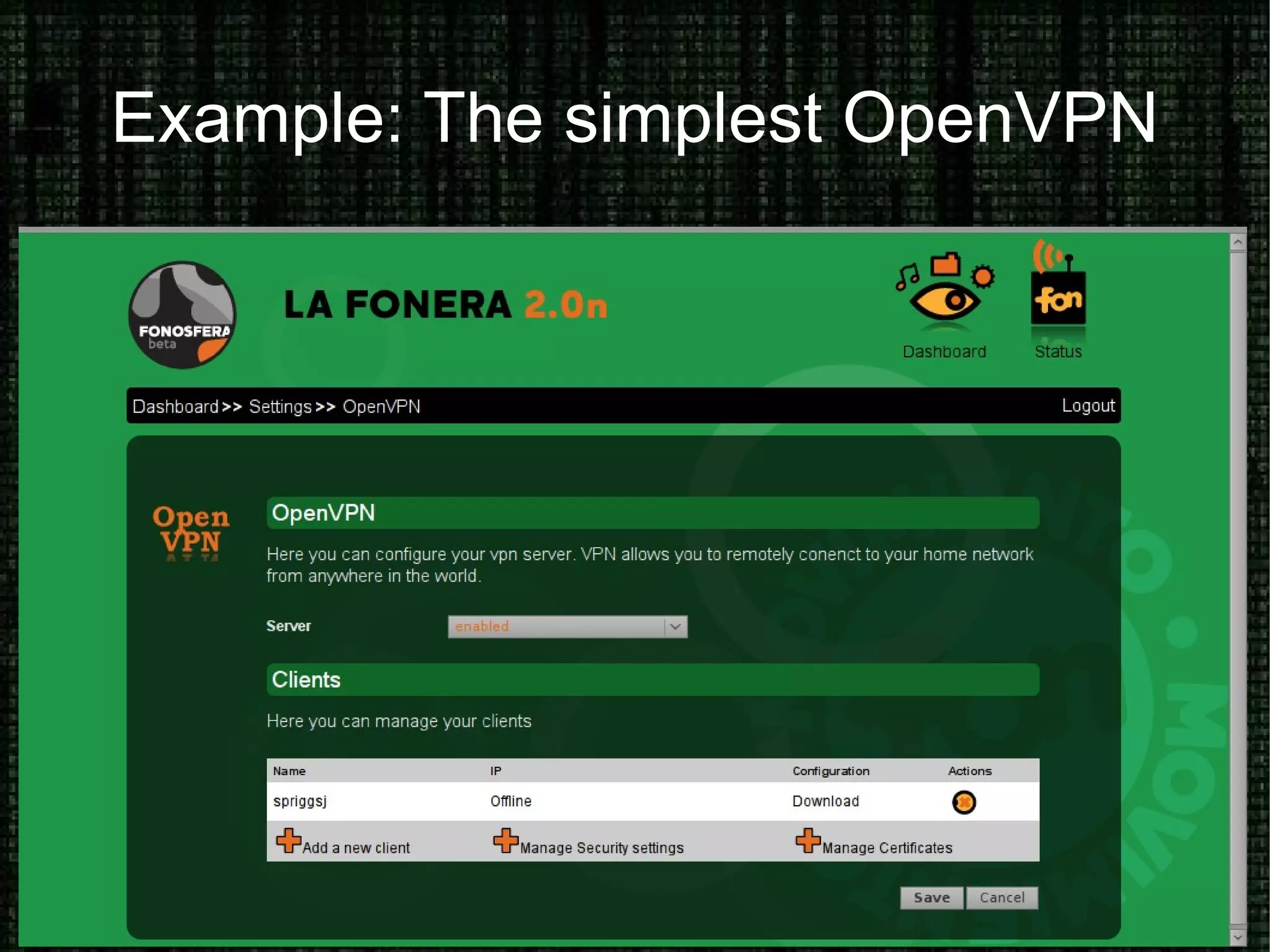
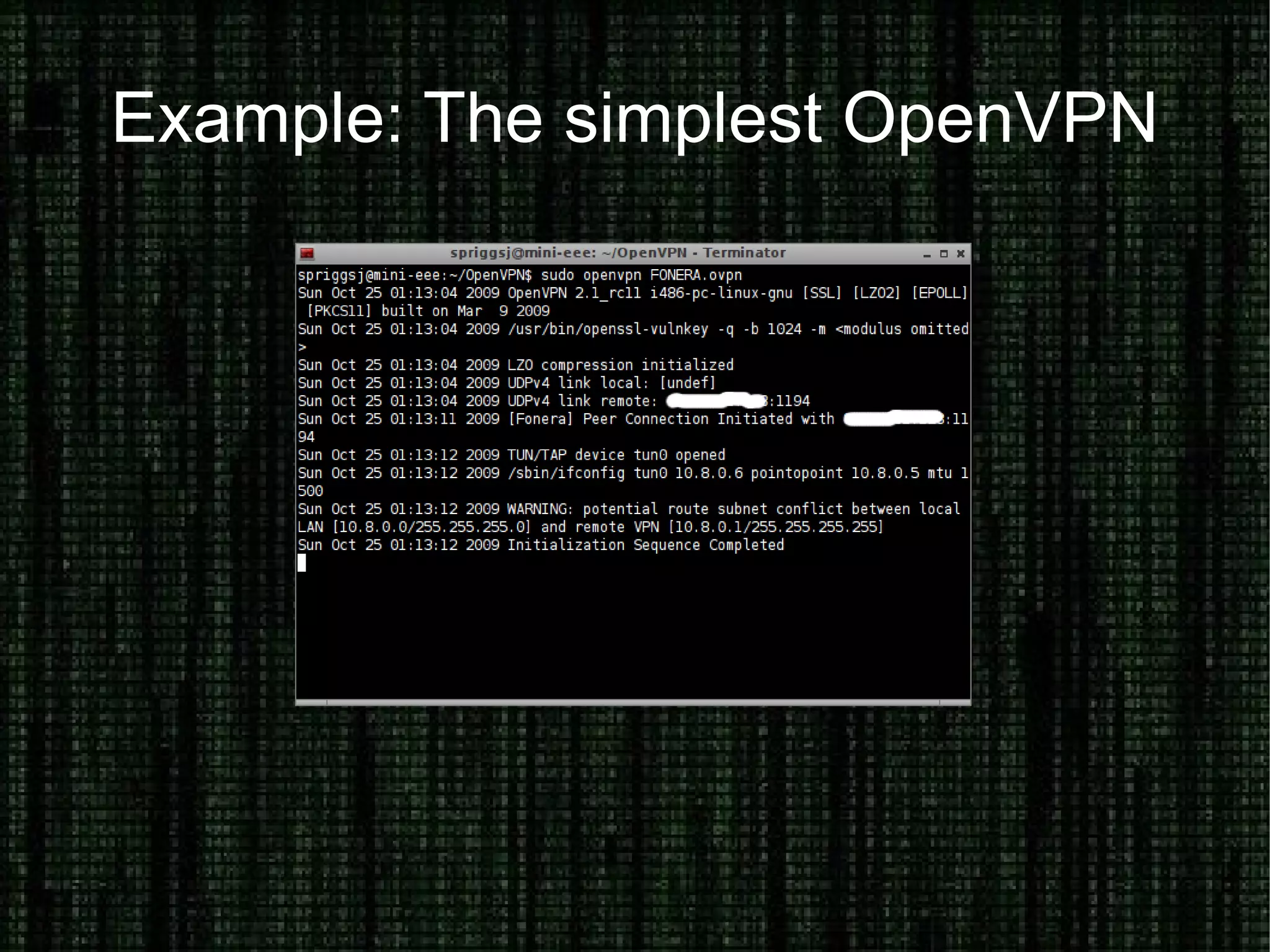
Explaining Terms: VPN What is a VPN? It is a Virtual Private Network – a method of ensuring a host or network is permitted to access a private network. Where would I use it? Connecting one or more networks or hosts together – usually from a laptop to a work network. What would I use? IPSEC, OpenVPN, SSH
Example: The simplest OpenVPN
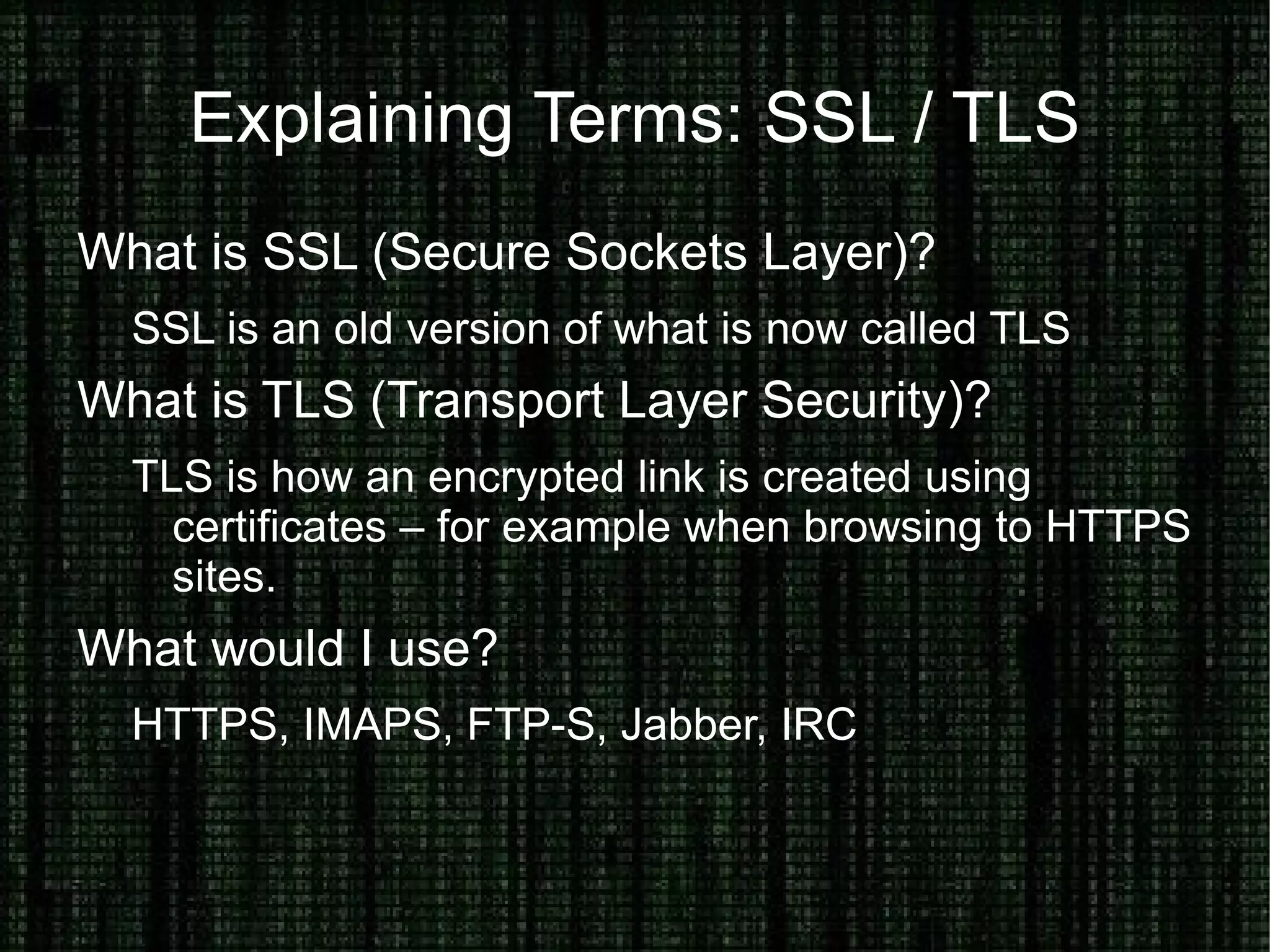
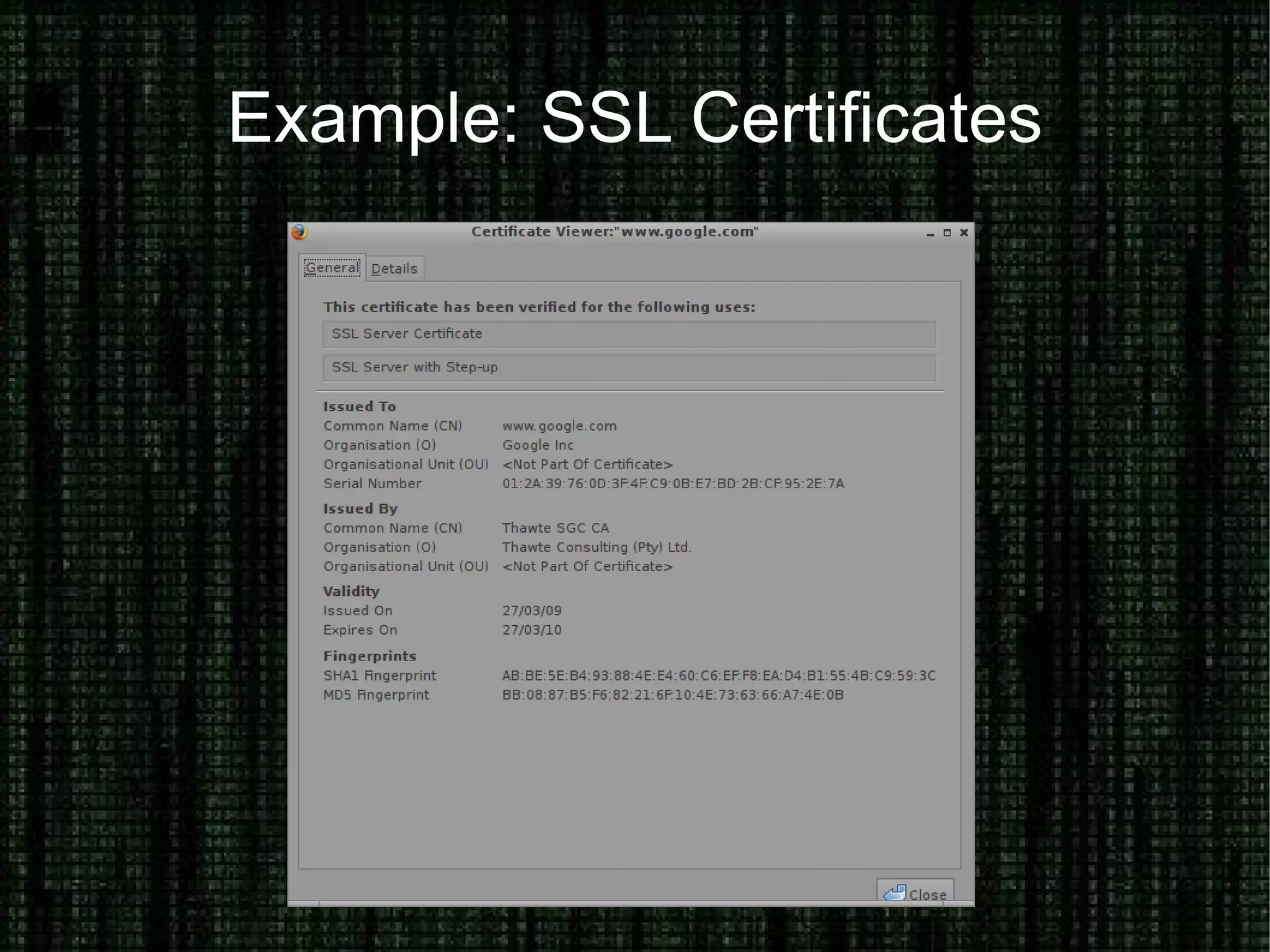
Explaining Terms: SSL / TLS What is SSL (Secure Sockets Layer)? SSL is an old version of what is now called TLS What is TLS (Transport Layer Security)? TLS is how an encrypted link is created using certificates – for example when browsing to HTTPS sites. What would I use? HTTPS, IMAPS, FTP-S, Jabber, IRC
Example: SSL Certificates
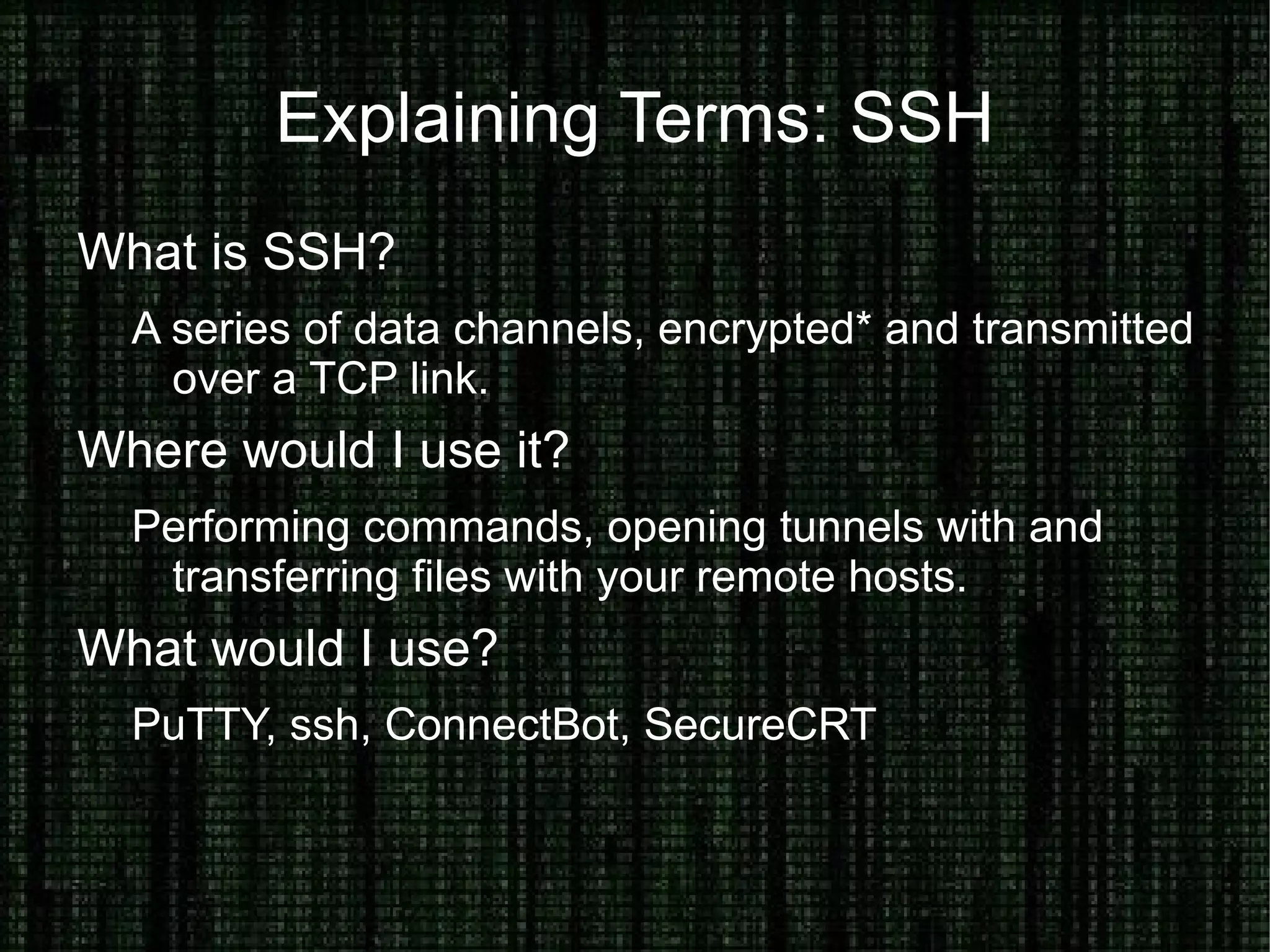
Explaining Terms: SSH What is SSH? A series of data channels, encrypted* and transmitted over a TCP link. Where would I use it? Performing commands, opening tunnels with and transferring files with your remote hosts. What would I use? PuTTY, ssh, ConnectBot, SecureCRT
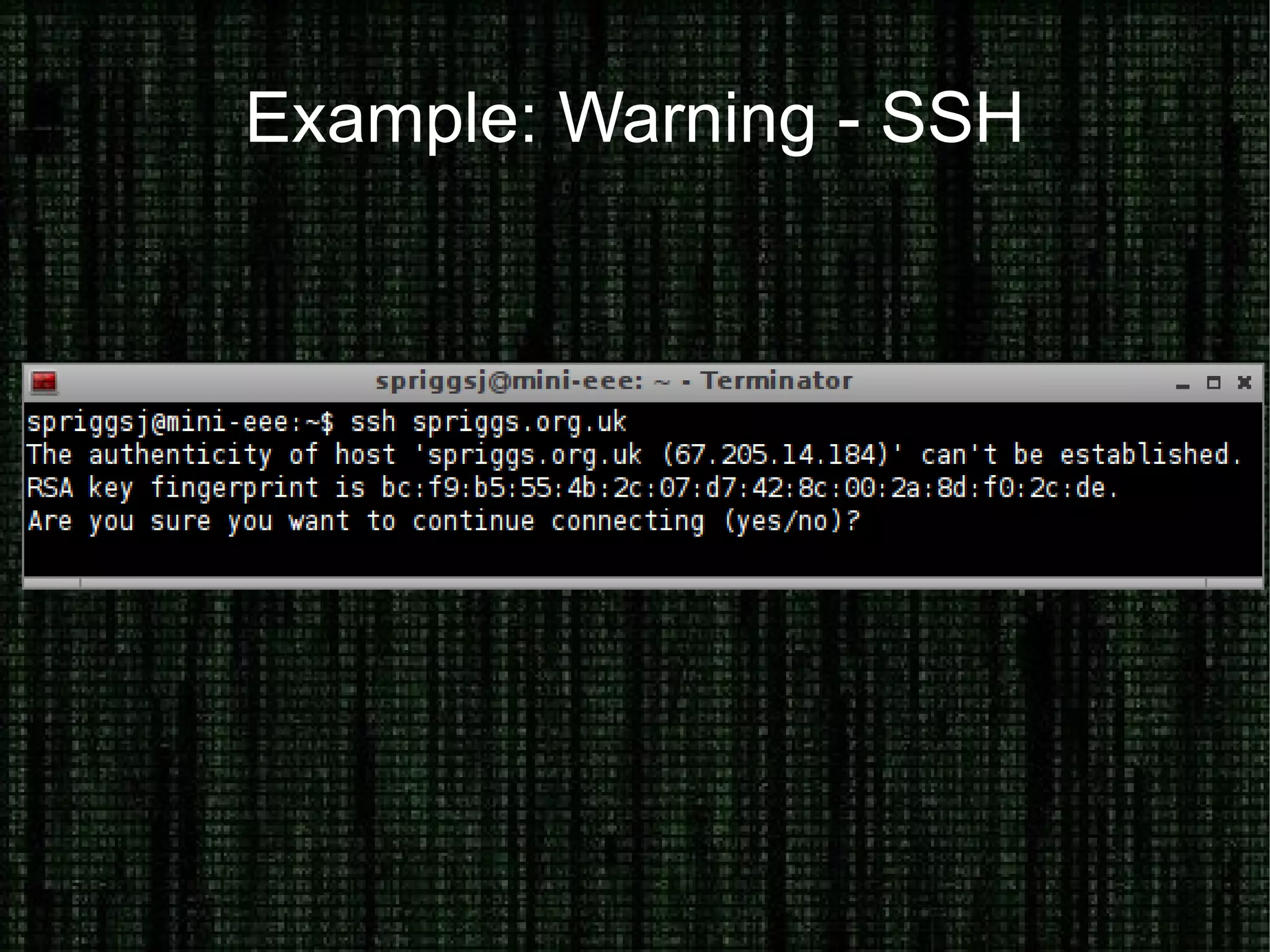
Example: Warning - SSH
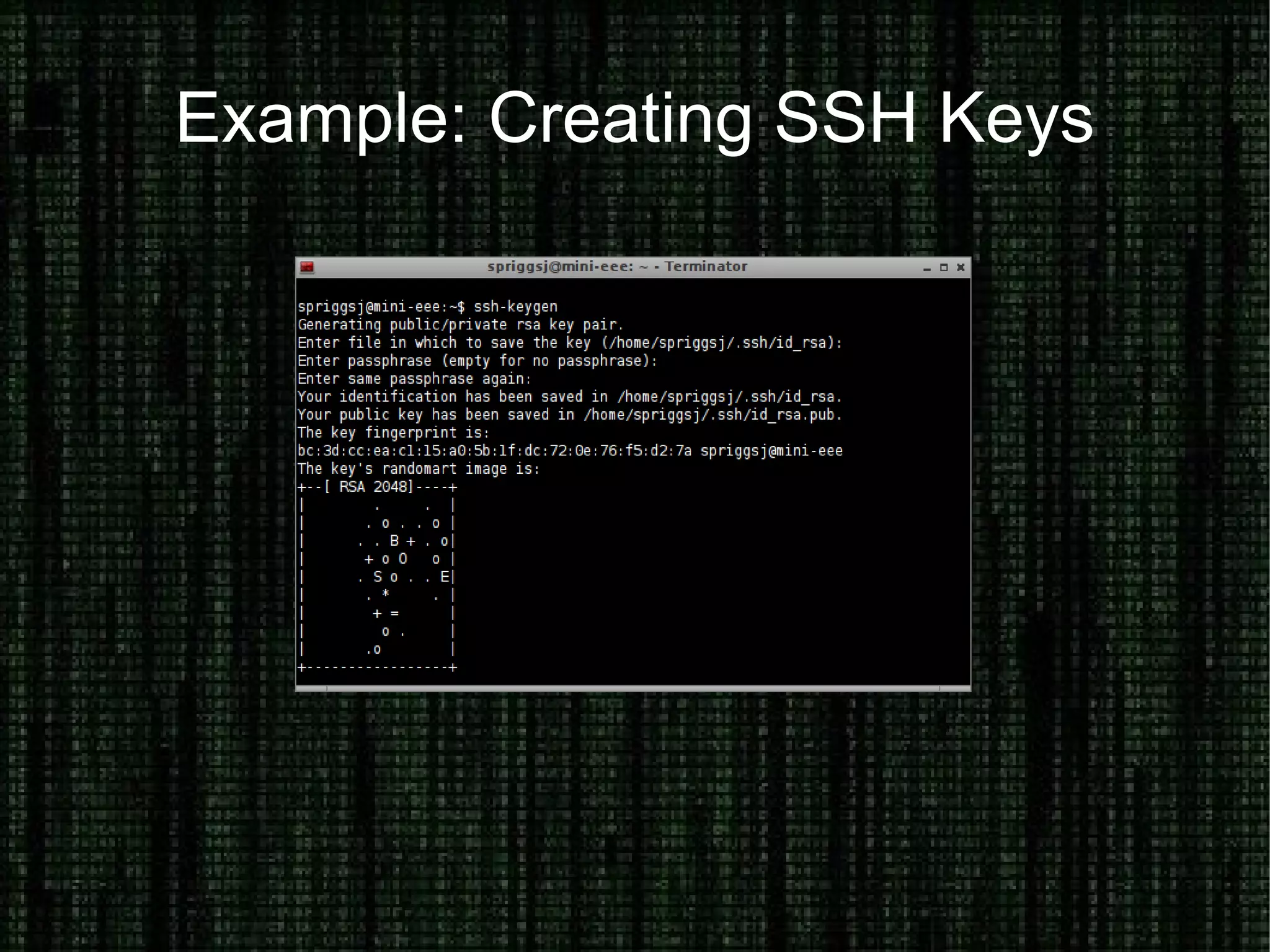
Example: Creating SSH Keys
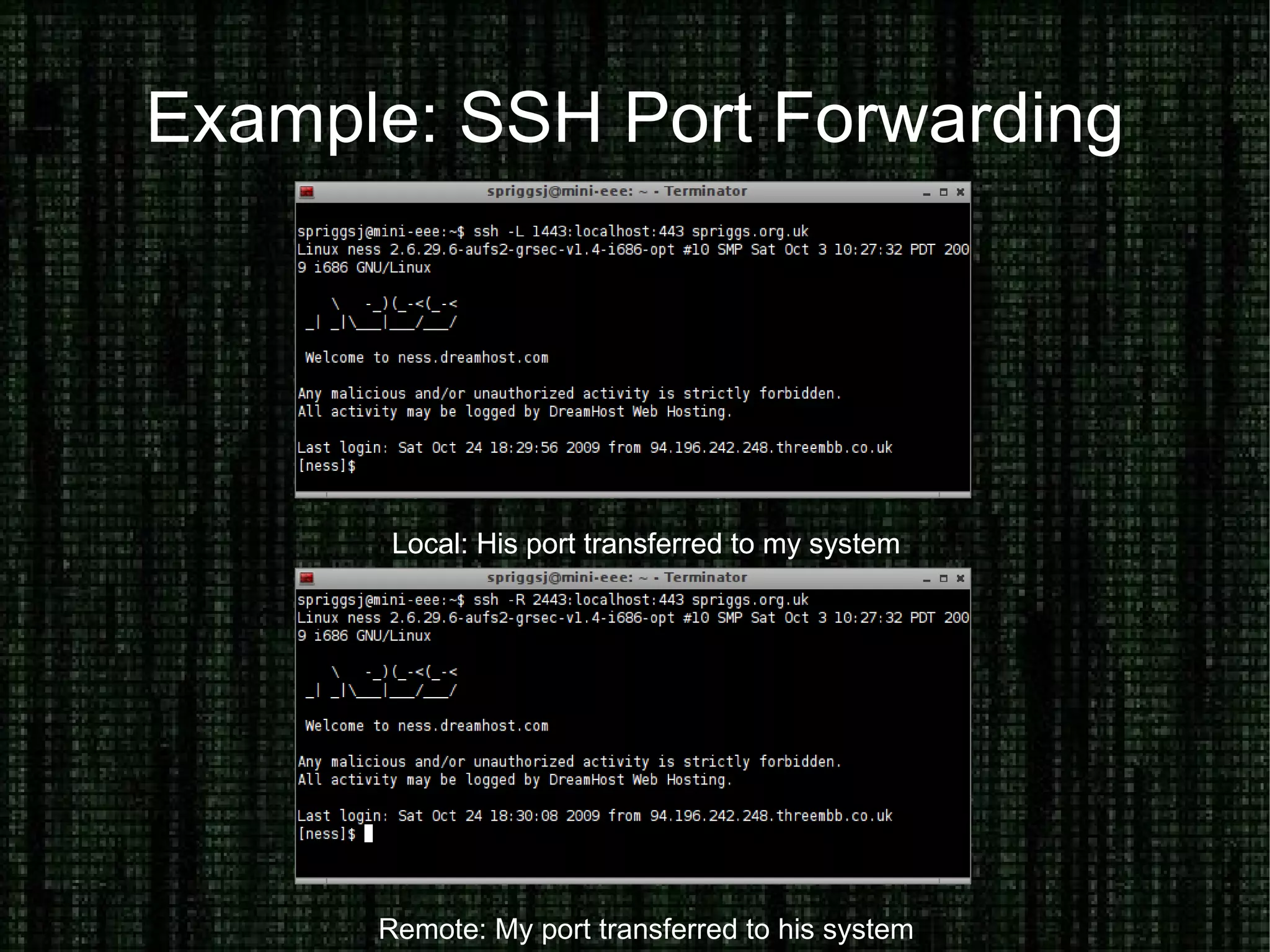
Example: SSH Port Forwarding Local: His port transferred to my system Local: His port transferred to my system Remote: My port transferred to his system
Hide your Identity on the Internet Why would you want to hide your Identity? Breaching policy, joking with friends, whistleblowing What can you use to hide your identity? Anonymous proxies, tunnels, TOR and FreeNet. How can you trust these systems? Bottom line, you can't – completely. Seeing source code can give you confidence in your first connection. Combining this with technologies like SSL, SSH Keys and GPG can help you trust your destination is untampered.
Explaining Terms: Anonymous Proxy What is an Anonymous Proxy? An anonymous proxy is one which has been set up (inadvertantly or otherwise) to permit traffic from the Internet through it to another service. How do I use it? Find a list, configure your application to use that proxy. Is it trustworthy? Not really. It has been included for completeness.

Identity On The Internet

  • 1.
    Proving and Hidingyour Identity on the Internet A high level overview Jon “The Nice Guy” Spriggs jon@spriggs.org.uk 2009-10-25
  • 2.
    Proving And HidingYour Identity The nature of the Internet is to be anonymous.
  • 3.
    The nature ofControlled Networks is to be identifiable.
  • 4.
    How can wereverse these two situations to your benefit?
  • 5.
    Why would youwant to?
  • 6.
    Prove your Identityon the Internet How do you prove your identity? Username and one-or-two factor authentication How do you secure your access to private data, hosts and networks? Physical presence, encrypted connections (PGP, VPN, SSL, SSH) How can you encourage trust? Securely exchange keys, protect physical objects, accept only trusted relationships
  • 7.
    Explaining Terms: PGP/ GPG What is GPG? A Free Software implementation of the PGP system, properly called “Gnu Privacy Guard” What is PGP? An encryption and authentication system Where would I use it? Signing data, ensuring no tampering has occurred
  • 8.
    Encrypting data, ensuringno unauthorized person has understood it's contents.
  • 9.
  • 10.
  • 11.
  • 12.
    Explaining Terms: VPNWhat is a VPN? It is a Virtual Private Network – a method of ensuring a host or network is permitted to access a private network. Where would I use it? Connecting one or more networks or hosts together – usually from a laptop to a work network. What would I use? IPSEC, OpenVPN, SSH
  • 13.
  • 14.
  • 15.
    Explaining Terms: SSL/ TLS What is SSL (Secure Sockets Layer)? SSL is an old version of what is now called TLS What is TLS (Transport Layer Security)? TLS is how an encrypted link is created using certificates – for example when browsing to HTTPS sites. What would I use? HTTPS, IMAPS, FTP-S, Jabber, IRC
  • 16.
  • 17.
    Explaining Terms: SSHWhat is SSH? A series of data channels, encrypted* and transmitted over a TCP link. Where would I use it? Performing commands, opening tunnels with and transferring files with your remote hosts. What would I use? PuTTY, ssh, ConnectBot, SecureCRT
  • 18.
  • 19.
  • 20.
    Example: SSH PortForwarding Local: His port transferred to my system Local: His port transferred to my system Remote: My port transferred to his system
  • 21.
    Hide your Identityon the Internet Why would you want to hide your Identity? Breaching policy, joking with friends, whistleblowing What can you use to hide your identity? Anonymous proxies, tunnels, TOR and FreeNet. How can you trust these systems? Bottom line, you can't – completely. Seeing source code can give you confidence in your first connection. Combining this with technologies like SSL, SSH Keys and GPG can help you trust your destination is untampered.
  • 22.
    Explaining Terms: AnonymousProxy What is an Anonymous Proxy? An anonymous proxy is one which has been set up (inadvertantly or otherwise) to permit traffic from the Internet through it to another service. How do I use it? Find a list, configure your application to use that proxy. Is it trustworthy? Not really. It has been included for completeness.
  • 23.
    Explaining Terms: TunnelsWhat is a Tunnel? Using something like SSH or a VPN, you can create tunnelled or encapsulated connections using the machine you've connected to, to create an onward connection. How do I use it? ssh -L localport:dstIP:dstport Is it trustworthy? Only if you control the server, but then you've just given away your identity... Hmmm.
  • 24.
    Explaining Terms: TORWhat is TOR? TOR is a system that hides your source address, then part or all of the route to the destination.
  • 25.
    TOR also provides“Hidden Services” within the TOR network, that never leave the TOR network. Where would I use it? Iraq, China, work, untrusted or mobile networks Is it trustworthy? Mostly, but there are some risks.
  • 26.
    Explaining Terms: FreeNetWhat is FreeNet? FreeNet is an anonymous, P2P storage network that can also be used to tunnel data between known hosts Where would I use it? I have no idea – I only found out about it yesterday! Is it trustworthy? It looks like it. Your data is signed in the P2P cloud proving the author is consistent, and node-to-node connections are encrypted.
  • 27.
    Any questions? (P.S.This doesn't mean I know the answers!) (P.P.S. I might need to take your details and get back to you later!) Send them to jon@spriggs.org.uk