ICT Tools for E- Resources and E-Content in
Higher Education
Dr.S.Shajun Nisha .,M.C.A., M.Phil., M.Tech., M.B.A
Ph.D.,
Head & Asst Professor
PG & Research Department of Computer Science
Sadakathullah Appa College –Tirunelveli
Contact : 99420 96 220 Email – shajunnisha78@gmail.com
CLASSROOM TECHNOLOGIES
Contact : 99420 96 220 Email – shajunnisha78@gmail.com
• Augmented Reality (AR)
• Virtual Reality (VR)
• Online Learning
• Online Social Networking
• Cloud Computing
AUGMENTED REALITY (AR)
Contact : 99420 96 220 Email – shajunnisha78@gmail.com
Sky Map
VIRTUAL REALITY (VR)
Contact : 99420 96 220 Email – shajunnisha78@gmail.com
ONLINE LEARNING
Contact : 99420 96 220 Email – shajunnisha78@gmail.com
ONLINE SOCIAL NETWORKING
Contact : 99420 96 220 Email – shajunnisha78@gmail.com
CLOUD COMPUTING
Contact : 99420 96 220 Email – shajunnisha78@gmail.com
ICT TOOLS IN TEACHING TECHNIQUES
• Gaining the students attention.
• Establishing expectations.
Contact : 99420 96 220 Email – shajunnisha78@gmail.com
Today’s Session
 Mind Map
 Kahoot
 E-Content
 E-Resource
 Cloud Storage
Contact : 99420 96 220 Email – shajunnisha78@gmail.com
MIND MAPPING
MIND MAPPING
• Graphical way to represent ideas and concepts.
• Visual thinking tool
• Helps structuring information, better analyze,
• Comprehend,
• Synthesize,
• Recall
• And generate new ideas.,
Contact : 99420 96 220 Email – shajunnisha78@gmail.com
BENEFITS MIND MAPPING
• Increase Creativity and Productivity
• Enables Meaningful Learning.
• Helps with Memorization and Retention.
• More Engaging Form of Learning.
• Makes Complex Issues Easier to Understand.
Contact : 99420 96 220 Email – shajunnisha78@gmail.com
MIND MAPPING TOOLS
• Coggle
• Mindly
• Draw.io
• iMindMap
• MindMup
• Xmind
Contact : 99420 96 220 Email – shajunnisha78@gmail.com
HOW TO MAKE A MIND MAP
•Think of your general main theme and write that down in the center of the page. i.e. Food
Milk
Fruits
Bread
Meat
FOOD
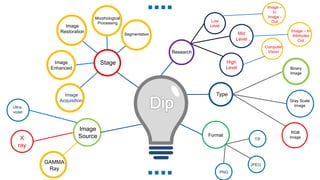
MIND MAPPING IN COMPUTER SCIENCE
Digital Image Processing
Contact : 99420 96 220 Email – shajunnisha78@gmail.com
Low
Level
Binary
Image
Gray Scale
Image
RGB
ImageTIF
JPEG
PNG
X
ray
GAMMA
Ray
Ultra-
violet
Image –
In
Image -
Out
Image – In
Attributes
Out
Computer
Vision
Mid
Level
High
Level
Stage
Research
Type
Format
Image
Source
Image
Acquisition
Image
Enhanced
Image
Restoration
Segmentation
Morphological
Processing
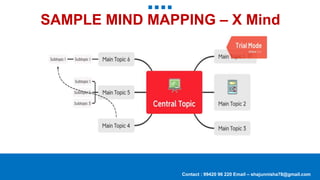
SAMPLE MIND MAPPING – X Mind
Contact : 99420 96 220 Email – shajunnisha78@gmail.com
E-Content
My Econtent
Contact : 99420 96 220 Email – shajunnisha78@gmail.com
Resource Making & Video Making
Digital Image Processing
• What is digital image processing?
• Why do we need image processing?
• Types of images
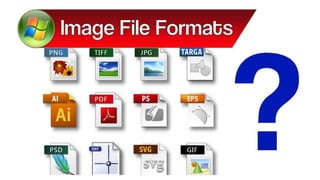
• Types of image format
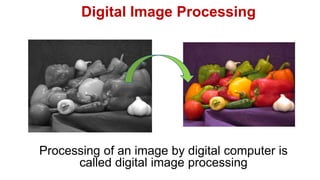
Digital Image Processing
Processing of an image by digital computer is
called digital image processing
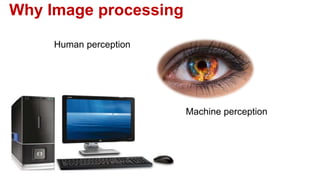
Why Image processing
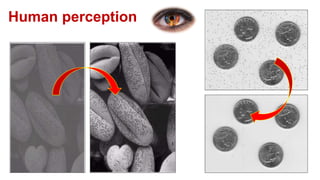
Human perception
Machine perception
Human perception
Machine perception
Types of images
Binary images
Grey level images
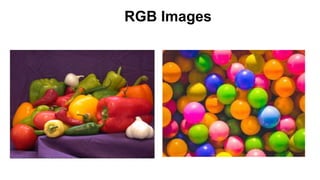
RGB Images
Binary Images
Grey level Images
RGB Images
TIFF
BMP
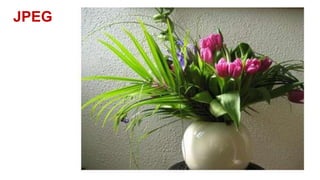
JPEG
GIF
PNG
Summation
of each
image
Format
Power Point to Videos
Contact : 99420 96 220 Email – shajunnisha78@gmail.com
YouTube
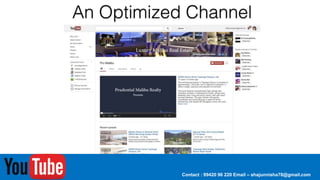
Creating and Optimizing a Channel Page
Introduction
 This presentation is a simple step-by-step guide to creating a YouTube channel.
 For more in-depth instructions and advice, sign up to get the eBook:
 “How to Create an Awesome YouTube Channel.”
 Access to companion instructional videos will also be included.
Contact : 99420 96 220 Email – shajunnisha78@gmail.com
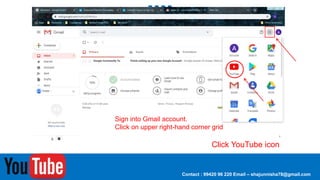
Sign into Gmail account.
Click on upper right-hand corner grid
Click YouTube icon
Contact : 99420 96 220 Email – shajunnisha78@gmail.com
It will Re-direct to YouTube Home Page
Contact : 99420 96 220 Email – shajunnisha78@gmail.com
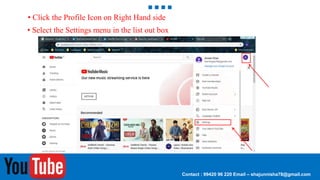
• Click the Profile Icon on Right Hand side
• Select the Settings menu in the list out box
Contact : 99420 96 220 Email – shajunnisha78@gmail.com
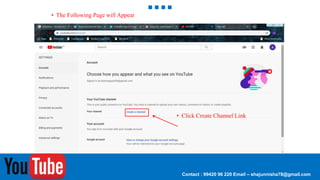
• The Following Page will Appear
• Click Create Channel Link
Contact : 99420 96 220 Email – shajunnisha78@gmail.com
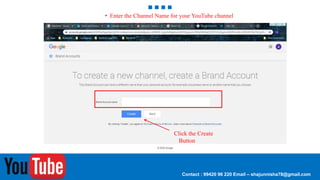
• Enter the Channel Name for your YouTube channel
Click the Create
Button
CHANNEL PAGE
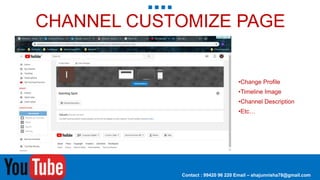
Select the Customize button
Contact : 99420 96 220 Email – shajunnisha78@gmail.com
CHANNEL CUSTOMIZE PAGE
•Change Profile
•Timeline Image
•Channel Description
•Etc…
Contact : 99420 96 220 Email – shajunnisha78@gmail.com
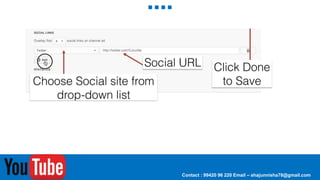
CHANNEL DESCRIPTION & LINKS
Contact : 99420 96 220 Email – shajunnisha78@gmail.com
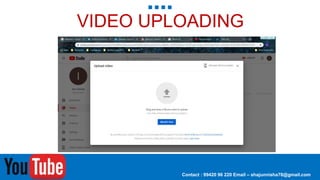
VIDEO UPLOADING
Contact : 99420 96 220 Email – shajunnisha78@gmail.com
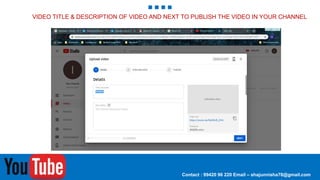
VIDEO TITLE & DESCRIPTION OF VIDEO AND NEXT TO PUBLISH THE VIDEO IN YOUR CHANNEL
Contact : 99420 96 220 Email – shajunnisha78@gmail.com
SLIDE SHARE
Contact : 99420 96 220 Email – shajunnisha78@gmail.com
CREATING A NEW SLIDE SHARE ACCOUNT
Contact : 99420 96 220 Email – shajunnisha78@gmail.com
1.Go to the site
slideshare.net
2. Sign-up on the upper right
cornet of the website.
CLICK JOIN LINKEDLN
Contact : 99420 96 220 Email – shajunnisha78@gmail.com
CONFIRM YOUR EMAIL.
Contact : 99420 96 220 Email – shajunnisha78@gmail.com
SLIDE
SHARE
After confirming, there will be a series of
information again that they want to know
about, but this part is optional, so you can skip.
Uploading a Presentation
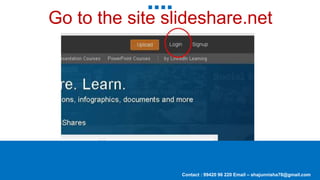
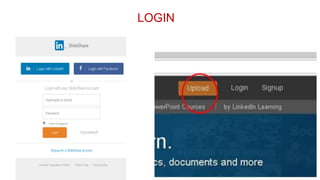
1. Go to slideshare.net
2. Click log- in
Contact : 99420 96 220 Email – shajunnisha78@gmail.com
Go to the site slideshare.net
LOGIN
Contact : 99420 96 220 Email – shajunnisha78@gmail.com
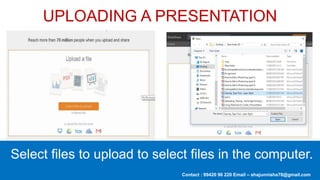
UPLOADING A PRESENTATION
Select files to upload to select files in the computer.
ADD TITLE,CATEGORY AND DESCRIPTION.
Contact : 99420 96 220 Email – shajunnisha78@gmail.com
TO SHARE A FILE:
Contact : 99420 96 220 Email – shajunnisha78@gmail.com
1.Go to slideshare.net
2. Go to the page of the
document or presentation you
want to share.
3. Click the Share button.
Learning can take place outside the traditional classroom.
The wisdom of seeing learning as not a chore, but as a critical and gratifying part
of their life which requires their proactive involvement.
EDUCATION BEYOND THE CLASSROOM
Contact : 99420 96 220 Email – shajunnisha78@gmail.com
Made with by
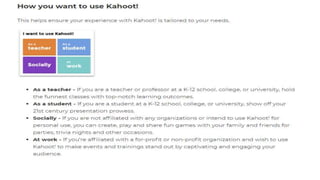
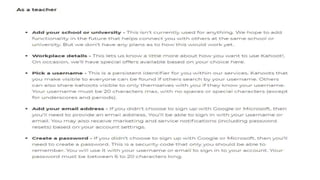
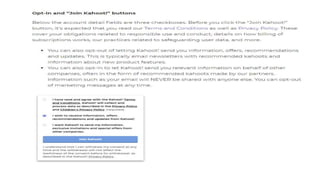
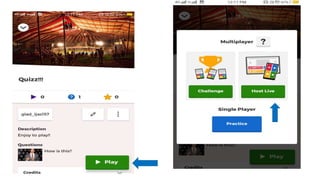
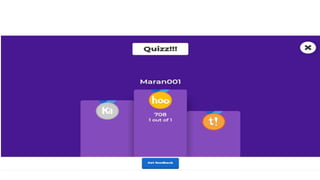
KAHOOT
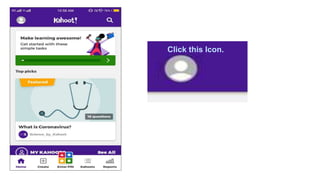
• Go to Play store and search kahoot.
• open the Kahoot.
Click this Icon.
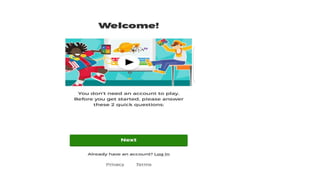
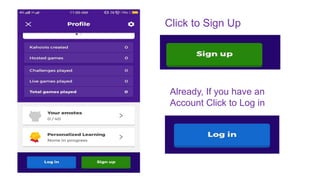
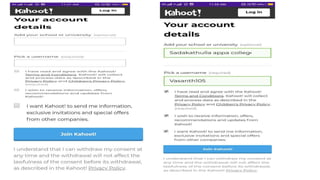
Click to Sign Up
Already, If you have an
Account Click to Log in
Click this Button
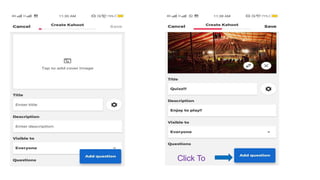
Click To
Click to
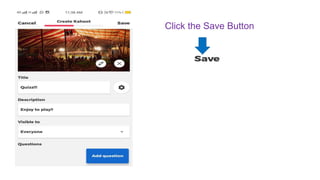
Click the Save Button
Made with by
Thank You !
E – shajunnisha78@gmail.com
C- 99 420 96 220

ICT tools

Editor's Notes

  • #95 © Copyright Showeet.com – Creative & Free PowerPoint Templates