Useful Business Analytics SQL
operators and more
Ajaykumar Gupte
IBM
1
4/9/15 2
AGENDA

Set Operators

Functionality, Basic Rules

Null Friendly Intersect and Minus

Usage

Execution Plans

Scenarios

ANSI JOIN Query improvements
4/9/15 3
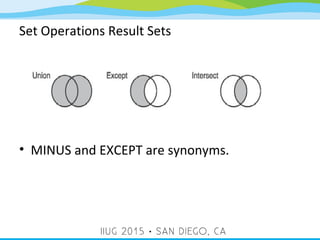
SET Operators

UNION Operator - Combines the rows from two or
more result sets into a single result set.

INTERSECT Operator - Computes a result set that
contains the common rows from two result sets.

MINUS/EXCEPT Operator - Evaluates two result sets and
returns all rows from the first set that are not also
contained in the second set.
Set Operations Result Sets
• MINUS and EXCEPT are synonyms.
4/9/15 5
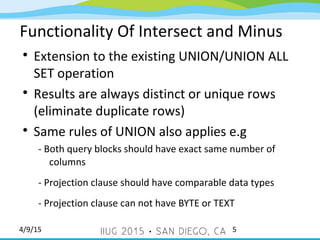
Functionality Of Intersect and Minus

Extension to the existing UNION/UNION ALL
SET operation

Results are always distinct or unique rows
(eliminate duplicate rows)

Same rules of UNION also applies e.g
- Both query blocks should have exact same number of
columns
- Projection clause should have comparable data types
- Projection clause can not have BYTE or TEXT
4/9/15 6
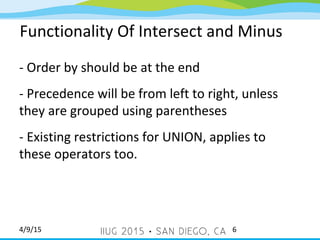
Functionality Of Intersect and Minus
- Order by should be at the end
- Precedence will be from left to right, unless
they are grouped using parentheses
- Existing restrictions for UNION, applies to
these operators too.
4/9/15 7
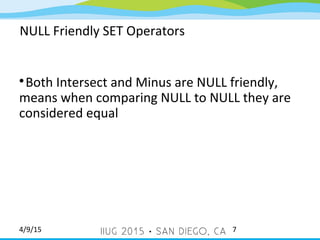
NULL Friendly SET Operators

Both Intersect and Minus are NULL friendly,
means when comparing NULL to NULL they are
considered equal
4/9/15 8
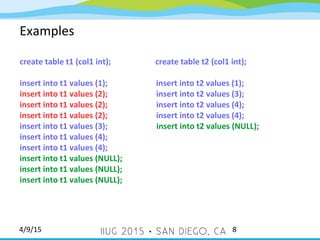
Examples
create table t1 (col1 int); create table t2 (col1 int);
insert into t1 values (1); insert into t2 values (1);
insert into t1 values (2); insert into t2 values (3);
insert into t1 values (2); insert into t2 values (4);
insert into t1 values (3); insert into t2 values (NULL);
insert into t1 values (4);
insert into t1 values (NULL);
4/9/15 9
Examples
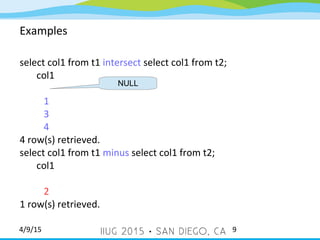
select col1 from t1 intersect select col1 from t2;
col1
1
3
4
4 row(s) retrieved.
select col1 from t1 minus select col1 from t2;
col1
2
1 row(s) retrieved.
NULL
4/9/15 10
Usage
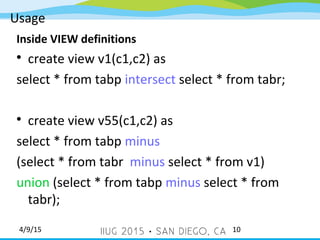
Inside VIEW definitions

create view v1(c1,c2) as
select * from tabp intersect select * from tabr;

create view v55(c1,c2) as
select * from tabp minus
(select * from tabr minus select * from v1)
union (select * from tabp minus select * from
tabr);
4/9/15 11
Usage
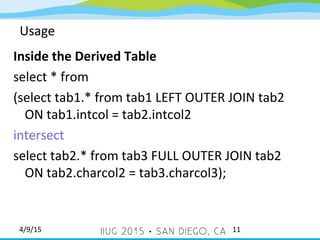
Inside the Derived Table
select * from
(select tab1.* from tab1 LEFT OUTER JOIN tab2
ON tab1.intcol = tab2.intcol2
intersect
select tab2.* from tab3 FULL OUTER JOIN tab2
ON tab2.charcol2 = tab3.charcol3);
4/9/15 12
Usage
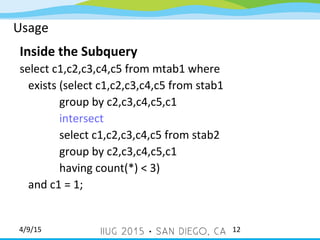
Inside the Subquery
select c1,c2,c3,c4,c5 from mtab1 where
exists (select c1,c2,c3,c4,c5 from stab1
group by c2,c3,c4,c5,c1
intersect
select c1,c2,c3,c4,c5 from stab2
group by c2,c3,c4,c5,c1
having count(*) < 3)
and c1 = 1;
4/9/15 13
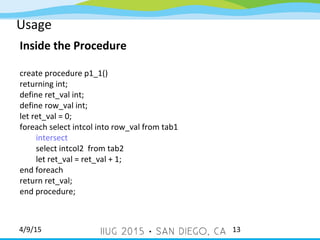
Usage
Inside the Procedure
create procedure p1_1()
returning int;
define ret_val int;
define row_val int;
let ret_val = 0;
foreach select intcol into row_val from tab1
intersect
select intcol2 from tab2
let ret_val = ret_val + 1;
end foreach
return ret_val;
end procedure;
4/9/15 14
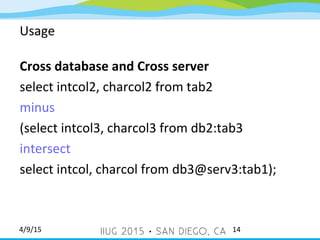
Usage
Cross database and Cross server
select intcol2, charcol2 from tab2
minus
(select intcol3, charcol3 from db2:tab3
intersect
select intcol, charcol from db3@serv3:tab1);
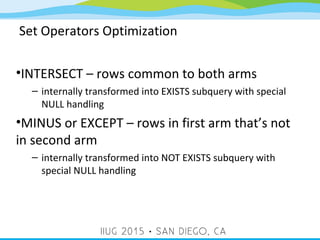
Set Operators Optimization
•INTERSECT – rows common to both arms
– internally transformed into EXISTS subquery with special
NULL handling
•MINUS or EXCEPT – rows in first arm that’s not
in second arm
– internally transformed into NOT EXISTS subquery with
special NULL handling
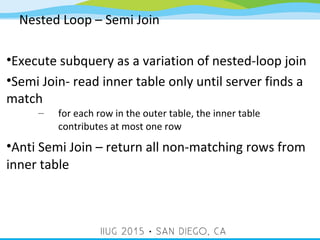
Nested Loop – Semi Join
•Execute subquery as a variation of nested-loop join
•Semi Join- read inner table only until server finds a
match
– for each row in the outer table, the inner table
contributes at most one row
•Anti Semi Join – return all non-matching rows from
inner table
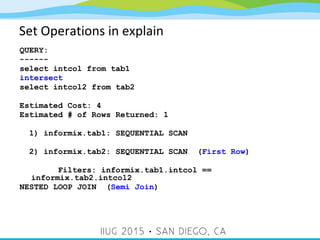
Set Operations in explain
QUERY:
------
select intcol from tab1
intersect
select intcol2 from tab2
Estimated Cost: 4
Estimated # of Rows Returned: 1
1) informix.tab1: SEQUENTIAL SCAN
2) informix.tab2: SEQUENTIAL SCAN (First Row)
Filters: informix.tab1.intcol ==
informix.tab2.intcol2
NESTED LOOP JOIN (Semi Join)
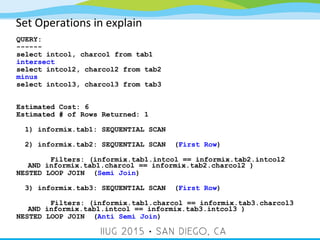
Set Operations in explain
QUERY:
------
select intcol, charcol from tab1
intersect
select intcol2, charcol2 from tab2
minus
select intcol3, charcol3 from tab3
Estimated Cost: 6
Estimated # of Rows Returned: 1
1) informix.tab1: SEQUENTIAL SCAN
2) informix.tab2: SEQUENTIAL SCAN (First Row)
Filters: (informix.tab1.intcol == informix.tab2.intcol2
AND informix.tab1.charcol == informix.tab2.charcol2 )
NESTED LOOP JOIN (Semi Join)
3) informix.tab3: SEQUENTIAL SCAN (First Row)
Filters: (informix.tab1.charcol == informix.tab3.charcol3
AND informix.tab1.intcol == informix.tab3.intcol3 )
NESTED LOOP JOIN (Anti Semi Join)
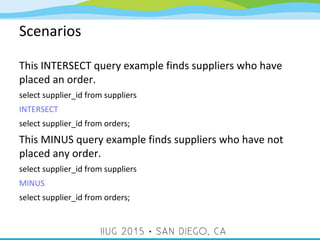
Scenarios
This INTERSECT query example finds suppliers who have
placed an order.
select supplier_id from suppliers
INTERSECT
select supplier_id from orders;
This MINUS query example finds suppliers who have not
placed any order.
select supplier_id from suppliers
MINUS
select supplier_id from orders;
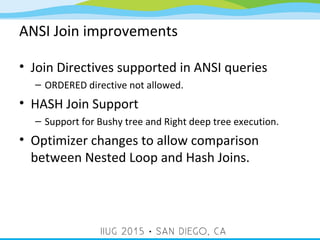
ANSI Join improvements
• Join Directives supported in ANSI queries
– ORDERED directive not allowed.
• HASH Join Support
– Support for Bushy tree and Right deep tree execution.
• Optimizer changes to allow comparison
between Nested Loop and Hash Joins.
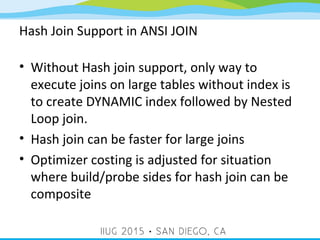
Hash Join Support in ANSI JOIN
• Without Hash join support, only way to
execute joins on large tables without index is
to create DYNAMIC index followed by Nested
Loop join.
• Hash join can be faster for large joins
• Optimizer costing is adjusted for situation
where build/probe sides for hash join can be
composite
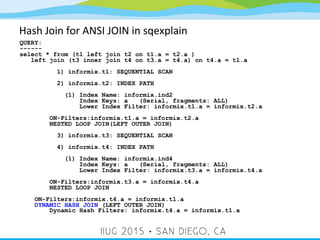
Hash Join for ANSI JOIN in sqexplain
QUERY:
------
select * from (t1 left join t2 on t1.a = t2.a )
left join (t3 inner join t4 on t3.a = t4.a) on t4.a = t1.a
1) informix.t1: SEQUENTIAL SCAN
2) informix.t2: INDEX PATH
(1) Index Name: informix.ind2
Index Keys: a (Serial, fragments: ALL)
Lower Index Filter: informix.t1.a = informix.t2.a
ON-Filters:informix.t1.a = informix.t2.a
NESTED LOOP JOIN(LEFT OUTER JOIN)
3) informix.t3: SEQUENTIAL SCAN
4) informix.t4: INDEX PATH
(1) Index Name: informix.ind4
Index Keys: a (Serial, fragments: ALL)
Lower Index Filter: informix.t3.a = informix.t4.a
ON-Filters:informix.t3.a = informix.t4.a
NESTED LOOP JOIN
ON-Filters:informix.t4.a = informix.t1.a
DYNAMIC HASH JOIN (LEFT OUTER JOIN)
Dynamic Hash Filters: informix.t4.a = informix.t1.a
Questions?
23

IBM Informix Database SQL Set operators and ANSI Hash Join

  • 1.
    Useful Business AnalyticsSQL operators and more Ajaykumar Gupte IBM 1
  • 2.
    4/9/15 2 AGENDA  Set Operators  Functionality,Basic Rules  Null Friendly Intersect and Minus  Usage  Execution Plans  Scenarios  ANSI JOIN Query improvements
  • 3.
    4/9/15 3 SET Operators  UNIONOperator - Combines the rows from two or more result sets into a single result set.  INTERSECT Operator - Computes a result set that contains the common rows from two result sets.  MINUS/EXCEPT Operator - Evaluates two result sets and returns all rows from the first set that are not also contained in the second set.
  • 4.
    Set Operations ResultSets • MINUS and EXCEPT are synonyms.
  • 5.
    4/9/15 5 Functionality OfIntersect and Minus  Extension to the existing UNION/UNION ALL SET operation  Results are always distinct or unique rows (eliminate duplicate rows)  Same rules of UNION also applies e.g - Both query blocks should have exact same number of columns - Projection clause should have comparable data types - Projection clause can not have BYTE or TEXT
  • 6.
    4/9/15 6 Functionality OfIntersect and Minus - Order by should be at the end - Precedence will be from left to right, unless they are grouped using parentheses - Existing restrictions for UNION, applies to these operators too.
  • 7.
    4/9/15 7 NULL FriendlySET Operators  Both Intersect and Minus are NULL friendly, means when comparing NULL to NULL they are considered equal
  • 8.
    4/9/15 8 Examples create tablet1 (col1 int); create table t2 (col1 int); insert into t1 values (1); insert into t2 values (1); insert into t1 values (2); insert into t2 values (3); insert into t1 values (2); insert into t2 values (4); insert into t1 values (2); insert into t2 values (4); insert into t1 values (3); insert into t2 values (NULL); insert into t1 values (4); insert into t1 values (4); insert into t1 values (NULL); insert into t1 values (NULL); insert into t1 values (NULL);
  • 9.
    4/9/15 9 Examples select col1from t1 intersect select col1 from t2; col1 1 3 4 4 row(s) retrieved. select col1 from t1 minus select col1 from t2; col1 2 1 row(s) retrieved. NULL
  • 10.
    4/9/15 10 Usage Inside VIEWdefinitions  create view v1(c1,c2) as select * from tabp intersect select * from tabr;  create view v55(c1,c2) as select * from tabp minus (select * from tabr minus select * from v1) union (select * from tabp minus select * from tabr);
  • 11.
    4/9/15 11 Usage Inside theDerived Table select * from (select tab1.* from tab1 LEFT OUTER JOIN tab2 ON tab1.intcol = tab2.intcol2 intersect select tab2.* from tab3 FULL OUTER JOIN tab2 ON tab2.charcol2 = tab3.charcol3);
  • 12.
    4/9/15 12 Usage Inside theSubquery select c1,c2,c3,c4,c5 from mtab1 where exists (select c1,c2,c3,c4,c5 from stab1 group by c2,c3,c4,c5,c1 intersect select c1,c2,c3,c4,c5 from stab2 group by c2,c3,c4,c5,c1 having count(*) < 3) and c1 = 1;
  • 13.
    4/9/15 13 Usage Inside theProcedure create procedure p1_1() returning int; define ret_val int; define row_val int; let ret_val = 0; foreach select intcol into row_val from tab1 intersect select intcol2 from tab2 let ret_val = ret_val + 1; end foreach return ret_val; end procedure;
  • 14.
    4/9/15 14 Usage Cross databaseand Cross server select intcol2, charcol2 from tab2 minus (select intcol3, charcol3 from db2:tab3 intersect select intcol, charcol from db3@serv3:tab1);
  • 15.
    Set Operators Optimization •INTERSECT– rows common to both arms – internally transformed into EXISTS subquery with special NULL handling •MINUS or EXCEPT – rows in first arm that’s not in second arm – internally transformed into NOT EXISTS subquery with special NULL handling
  • 16.
    Nested Loop –Semi Join •Execute subquery as a variation of nested-loop join •Semi Join- read inner table only until server finds a match – for each row in the outer table, the inner table contributes at most one row •Anti Semi Join – return all non-matching rows from inner table
  • 17.
    Set Operations inexplain QUERY: ------ select intcol from tab1 intersect select intcol2 from tab2 Estimated Cost: 4 Estimated # of Rows Returned: 1 1) informix.tab1: SEQUENTIAL SCAN 2) informix.tab2: SEQUENTIAL SCAN (First Row) Filters: informix.tab1.intcol == informix.tab2.intcol2 NESTED LOOP JOIN (Semi Join)
  • 18.
    Set Operations inexplain QUERY: ------ select intcol, charcol from tab1 intersect select intcol2, charcol2 from tab2 minus select intcol3, charcol3 from tab3 Estimated Cost: 6 Estimated # of Rows Returned: 1 1) informix.tab1: SEQUENTIAL SCAN 2) informix.tab2: SEQUENTIAL SCAN (First Row) Filters: (informix.tab1.intcol == informix.tab2.intcol2 AND informix.tab1.charcol == informix.tab2.charcol2 ) NESTED LOOP JOIN (Semi Join) 3) informix.tab3: SEQUENTIAL SCAN (First Row) Filters: (informix.tab1.charcol == informix.tab3.charcol3 AND informix.tab1.intcol == informix.tab3.intcol3 ) NESTED LOOP JOIN (Anti Semi Join)
  • 19.
    Scenarios This INTERSECT queryexample finds suppliers who have placed an order. select supplier_id from suppliers INTERSECT select supplier_id from orders; This MINUS query example finds suppliers who have not placed any order. select supplier_id from suppliers MINUS select supplier_id from orders;
  • 20.
    ANSI Join improvements •Join Directives supported in ANSI queries – ORDERED directive not allowed. • HASH Join Support – Support for Bushy tree and Right deep tree execution. • Optimizer changes to allow comparison between Nested Loop and Hash Joins.
  • 21.
    Hash Join Supportin ANSI JOIN • Without Hash join support, only way to execute joins on large tables without index is to create DYNAMIC index followed by Nested Loop join. • Hash join can be faster for large joins • Optimizer costing is adjusted for situation where build/probe sides for hash join can be composite
  • 22.
    Hash Join forANSI JOIN in sqexplain QUERY: ------ select * from (t1 left join t2 on t1.a = t2.a ) left join (t3 inner join t4 on t3.a = t4.a) on t4.a = t1.a 1) informix.t1: SEQUENTIAL SCAN 2) informix.t2: INDEX PATH (1) Index Name: informix.ind2 Index Keys: a (Serial, fragments: ALL) Lower Index Filter: informix.t1.a = informix.t2.a ON-Filters:informix.t1.a = informix.t2.a NESTED LOOP JOIN(LEFT OUTER JOIN) 3) informix.t3: SEQUENTIAL SCAN 4) informix.t4: INDEX PATH (1) Index Name: informix.ind4 Index Keys: a (Serial, fragments: ALL) Lower Index Filter: informix.t3.a = informix.t4.a ON-Filters:informix.t3.a = informix.t4.a NESTED LOOP JOIN ON-Filters:informix.t4.a = informix.t1.a DYNAMIC HASH JOIN (LEFT OUTER JOIN) Dynamic Hash Filters: informix.t4.a = informix.t1.a
  • 23.