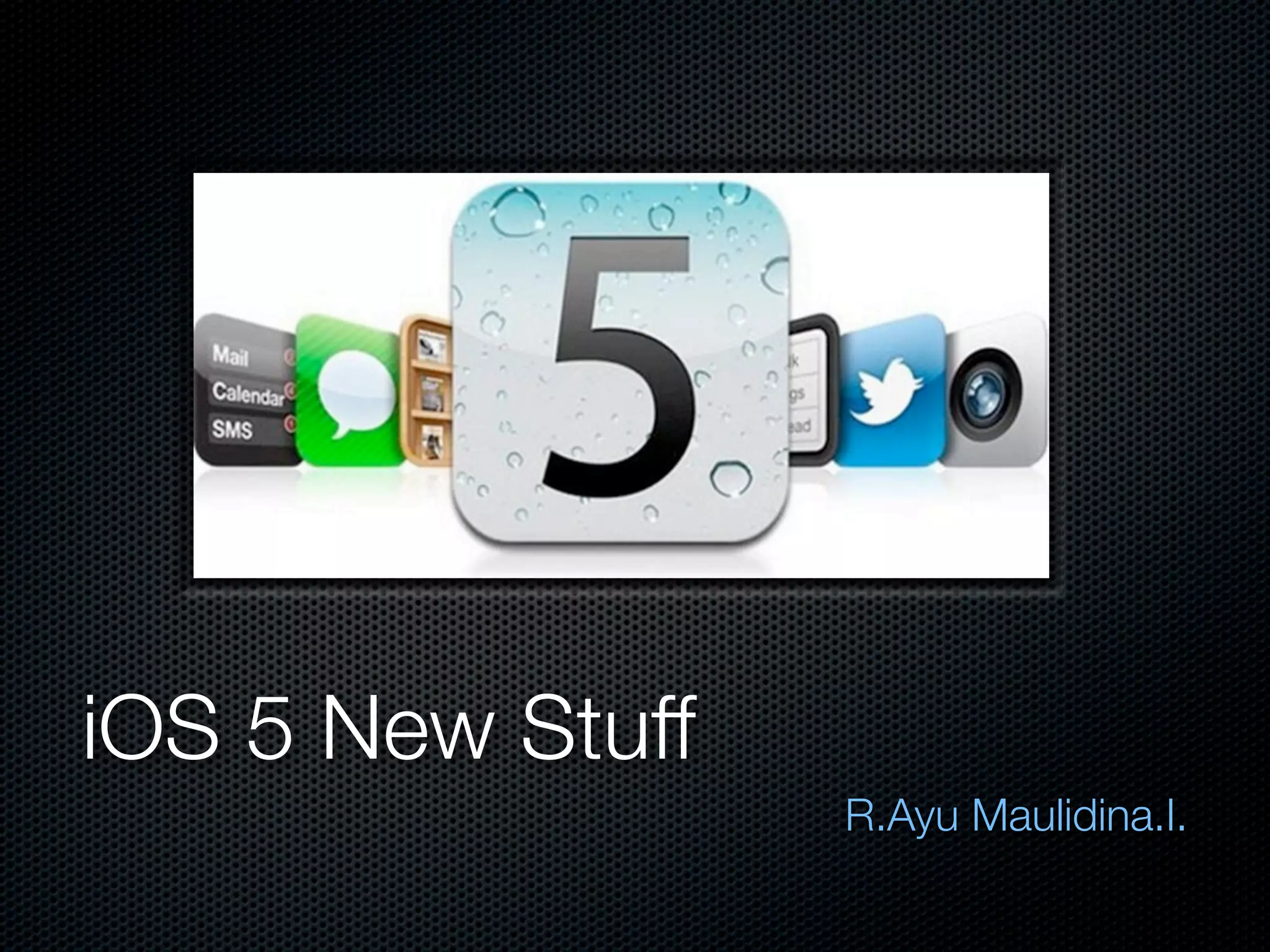
iOS 5 New Stuff
                  R.Ayu Maulidina.I.
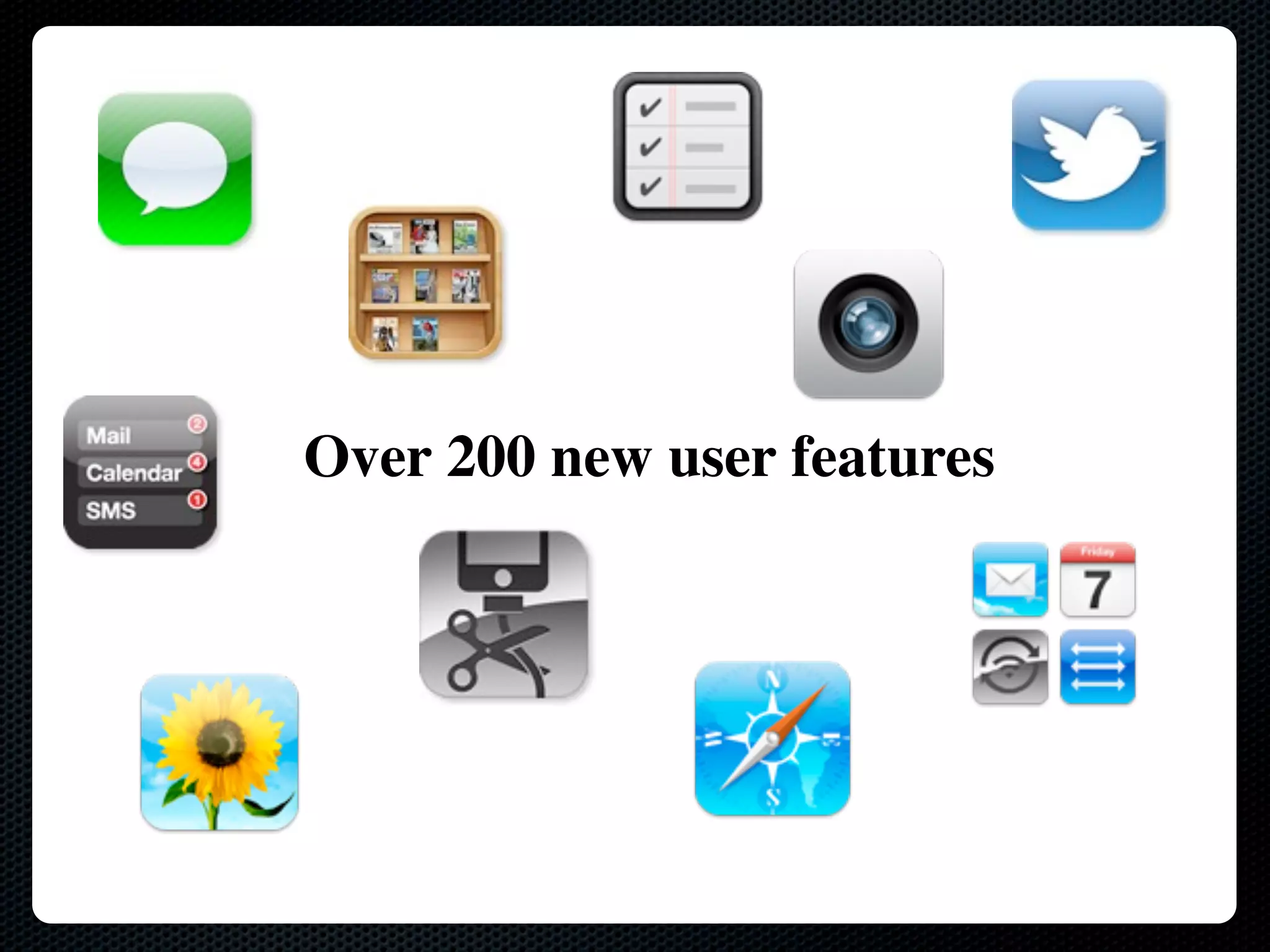
Over 200 new user features
SDK & Development tools?
over 1,500 new APIs and powerful new development tools
iCloud Storage API

     Apa itu iCloud?
 - Sync service
 - Transfers user data between devices
 - Runs in background
 - Per-app sandboxing (as usual)


 Keuntungannya Apa ?

- Gak perlu ‘sync server’ sendiri.
- Gak perlu ‘network protocol’ sendiri.
- Gak perlu bayar ‘storage/bandwidth’ sendiri.

      Intinya sih gak perlu repot-repot.
Konsep dan Ketentuan iCloud


                    Ubiquitous


Suatu keadaan yang memungkinkan manusia untuk berinteraksi dengan
       ‘komputer’ dimana saja, kapan saja dan bagaimana saja.
Sinkronisasi Background


Ubiquity daemon, ubd

Saat anda menyimpan perubahan, ubd mengirimkannya pada ‘cloud’

ubd akan mengunduhnya dari iCloud

Dimana itu berarti....
Data anda dapat berubah tanpa
         peringatan..
iCloud Containers


Lokasi untuk data aplikasi anda berada di iCloud
Setiap pengaktifan iCloud pada aplikasi setidaknya hanya
memiliki satu tempat.
Kontainer sesuai dengan direktori yang kita buat
File Coordinator


Data dapat diubah oleh aplikasi anda atau oleh ubd
(Ubiquity Daemon)
Membutuhkan ‘reader/writer lock’ untuk akses koordinasi
Menggunakan ‘NSFileCoordinator’ saat menulis atau
membacanya
File Presenter

Disertakan juga pada file koordinator
Menerapkan ‘NSFilePresenter’ agar mendapat
pemberitahuan akan adanya perubahan
Saat file koordinator membuat perubahan, maka ‘file
presenter’ ini akan dipanggil.
iCloud APIs


Key-value store
Core Data
Document
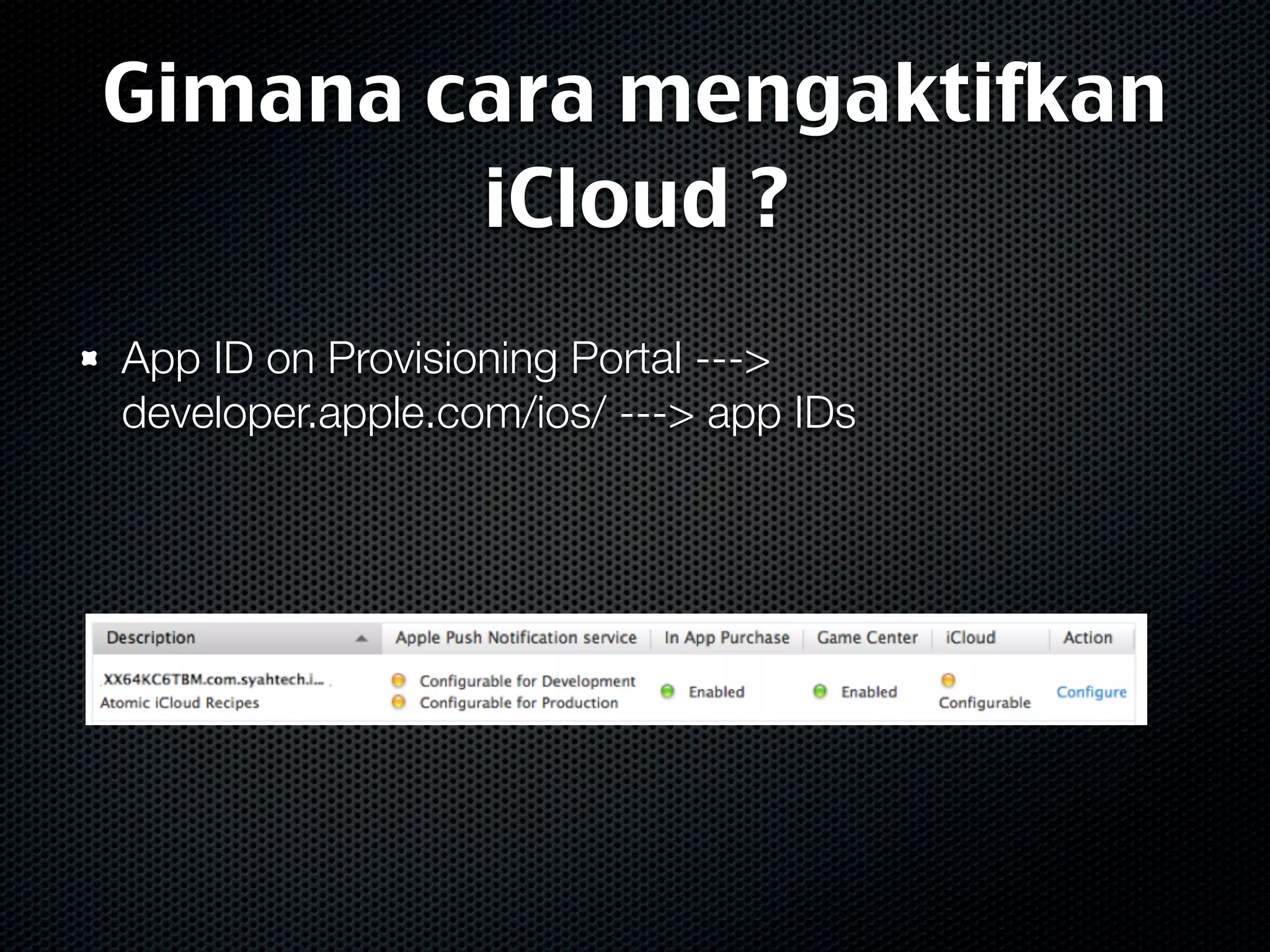
Gimana cara mengaktifkan
        iCloud ?
App ID on Provisioning Portal --->
developer.apple.com/ios/ ---> app IDs
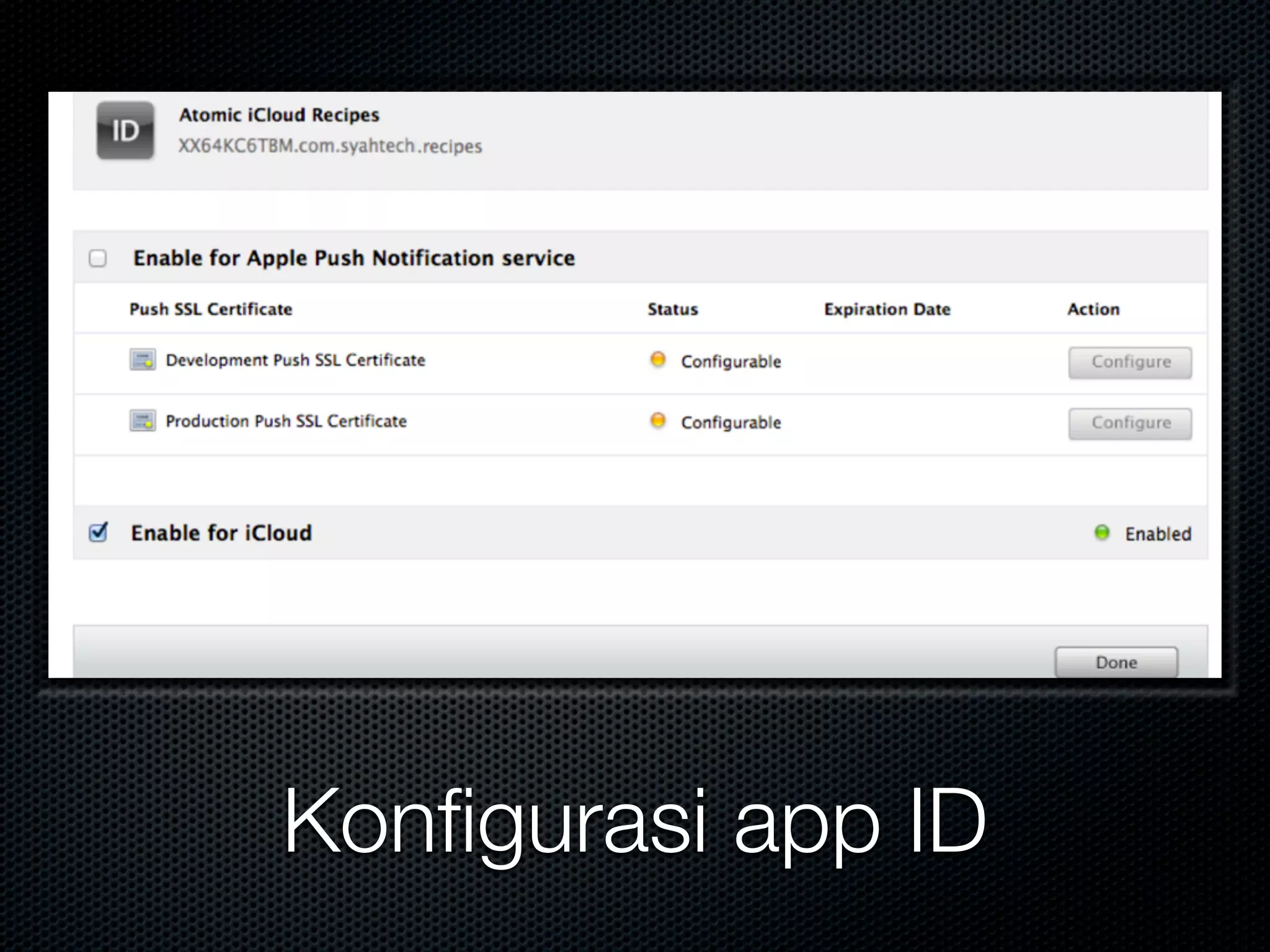
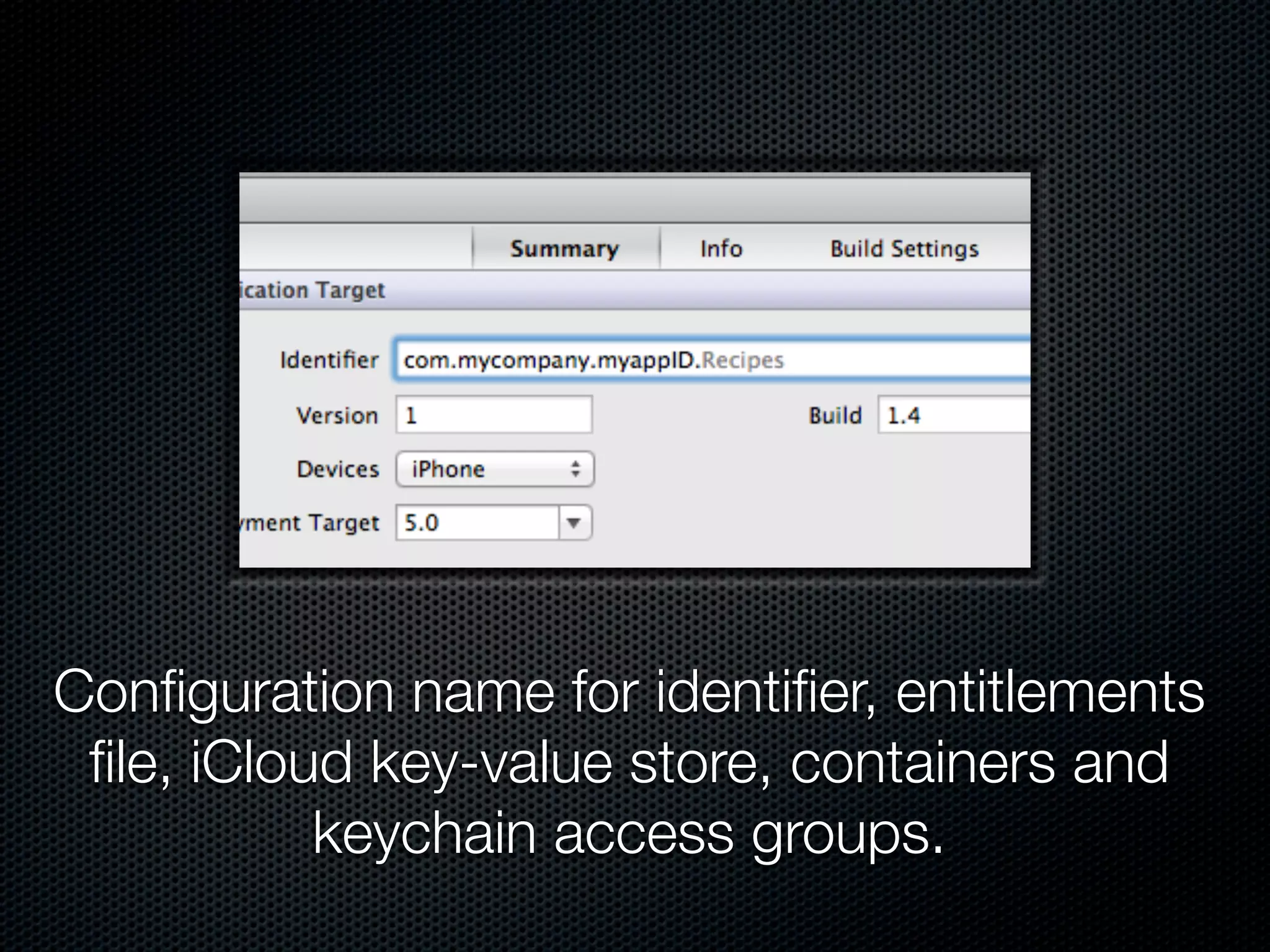
Konfigurasi app ID
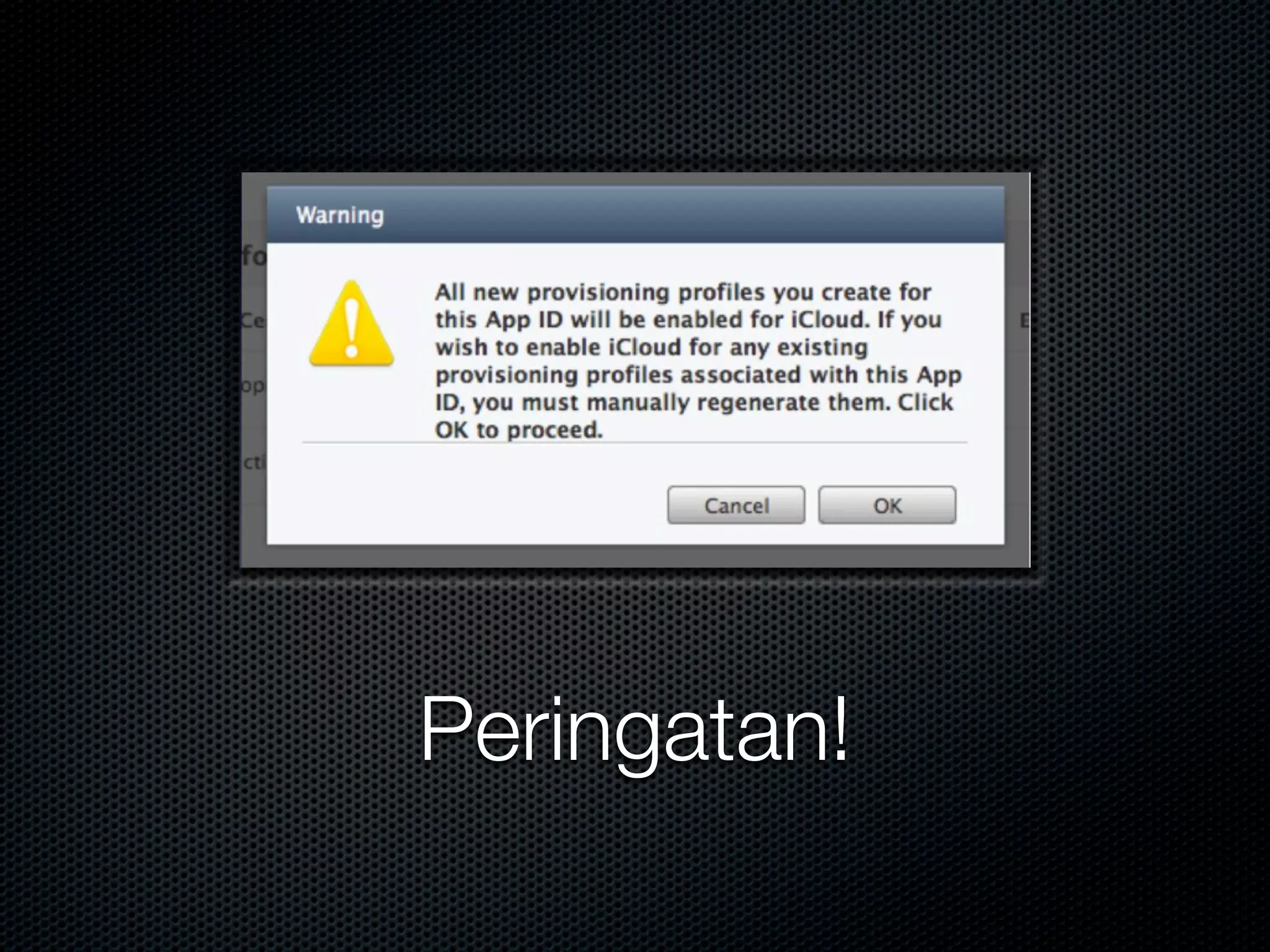
Peringatan!
Configuration name for identifier, entitlements
 file, iCloud key-value store, containers and
           keychain access groups.
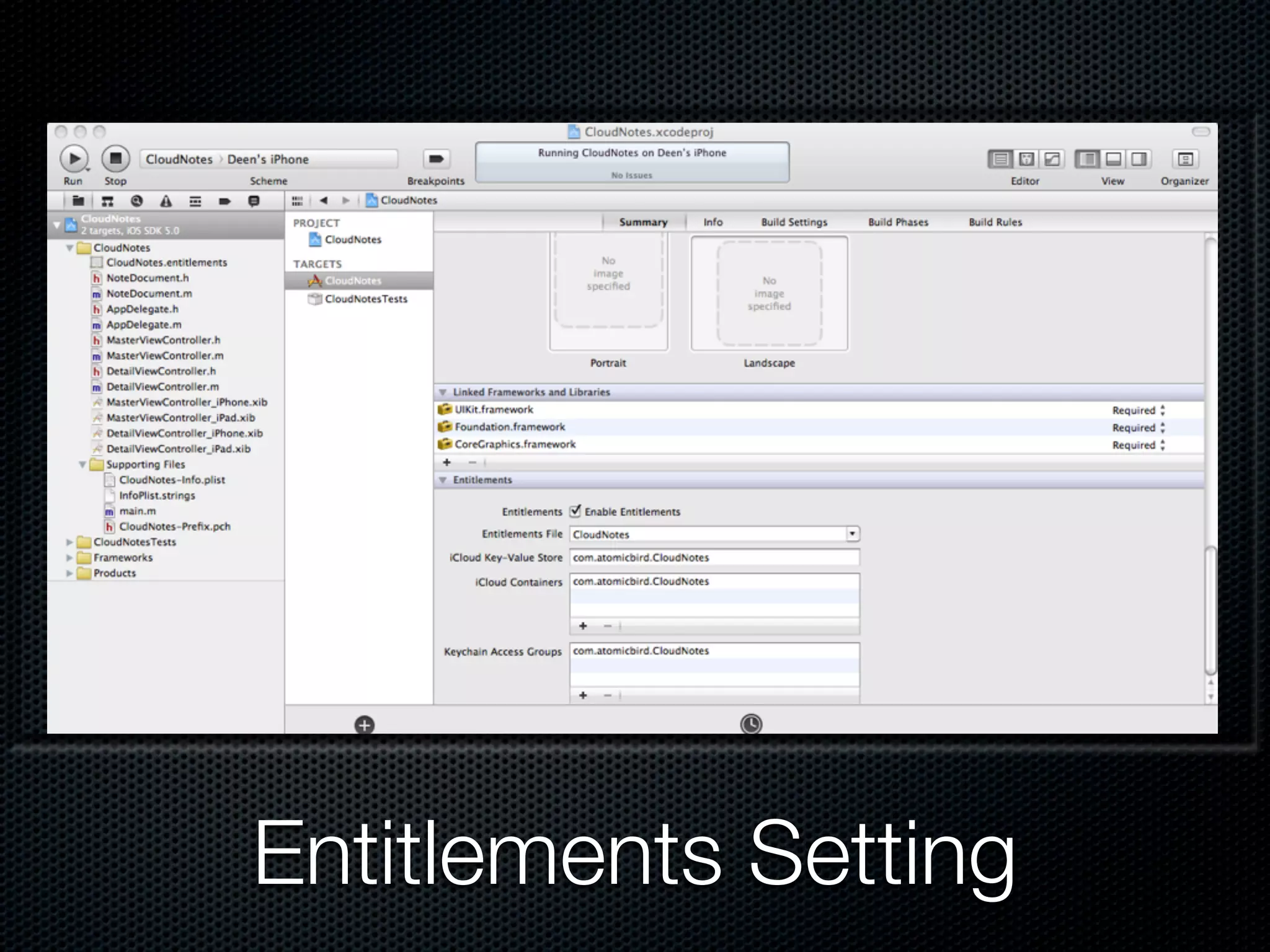
Entitlements Setting
Ubiquitous Documents
UIDocument


Asynchronous block-based reading and writing

Auto-saving

Flat file and file packages
UIDocument with iCloud


Acts as a file coordinator and presenter

Mendeteksi conflicts

- Notifications
- API to help resolve
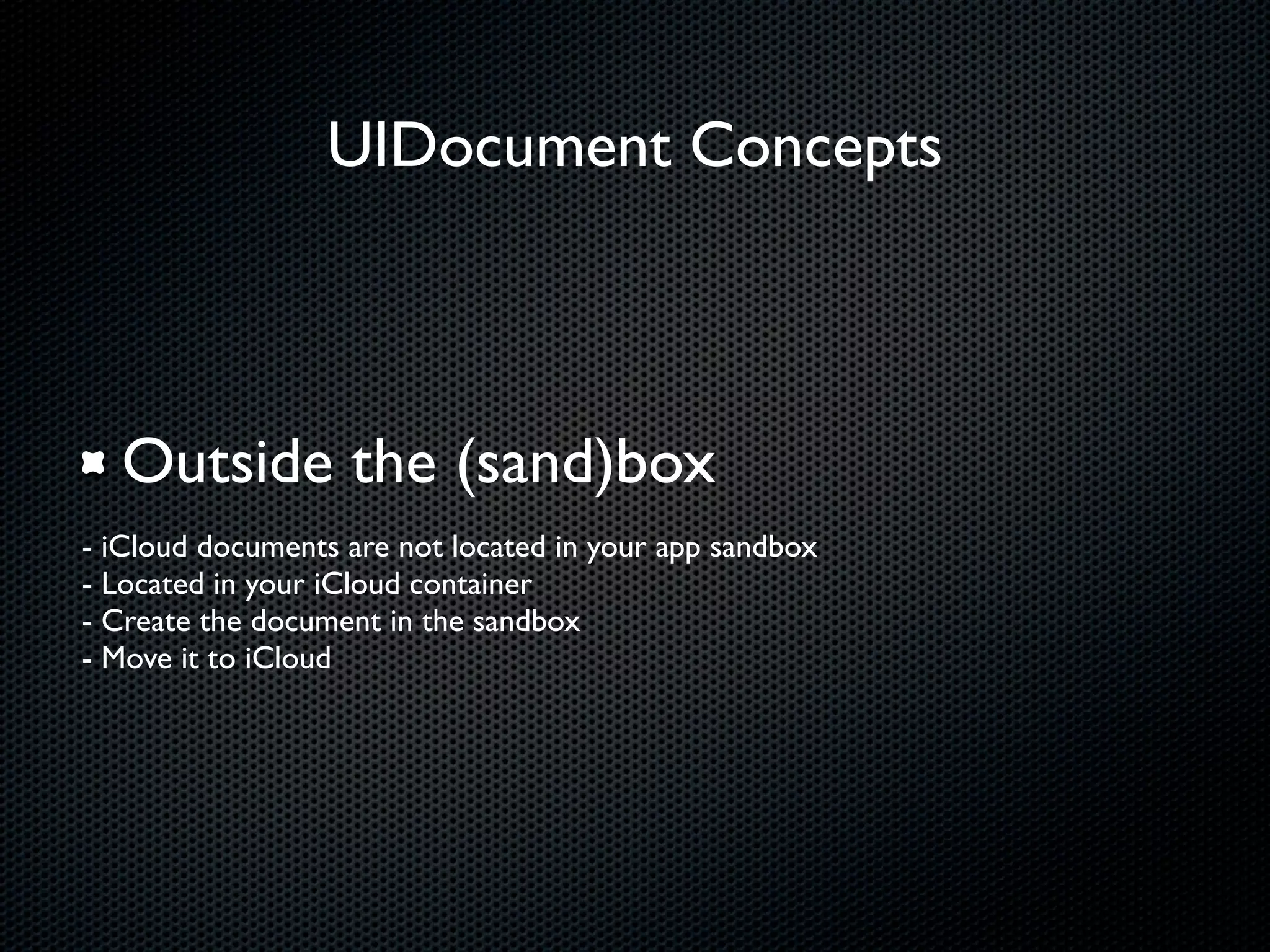
UIDocument Concepts


  Outside the (sand)box
- iCloud documents are not located in your app sandbox
- Located in your iCloud container
- Create the document in the sandbox
- Move it to iCloud
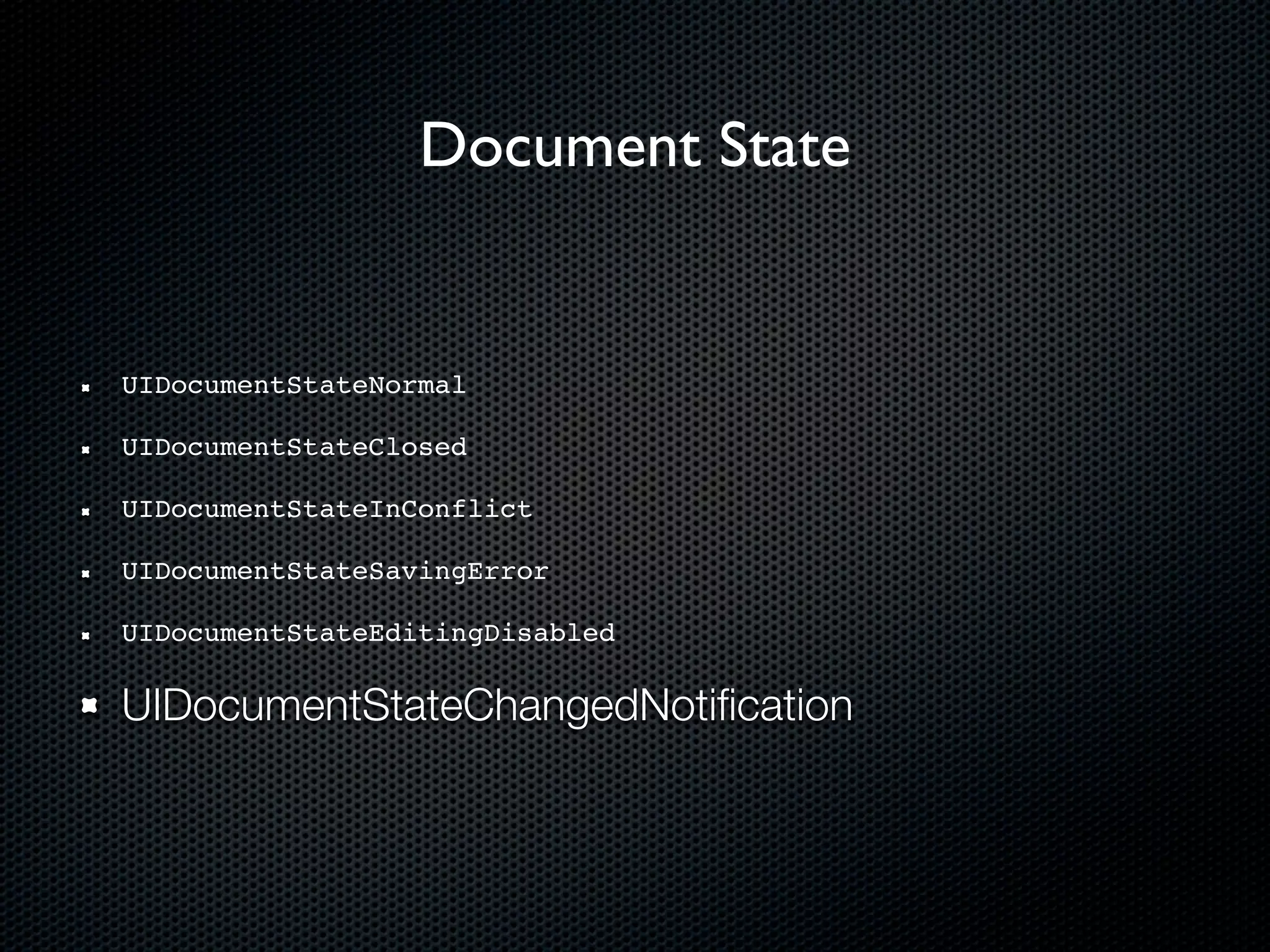
Document State


UIDocumentStateNormal

UIDocumentStateClosed

UIDocumentStateInConflict

UIDocumentStateSavingError

UIDocumentStateEditingDisabled

UIDocumentStateChangedNotification
Demo Code: CloudNotes
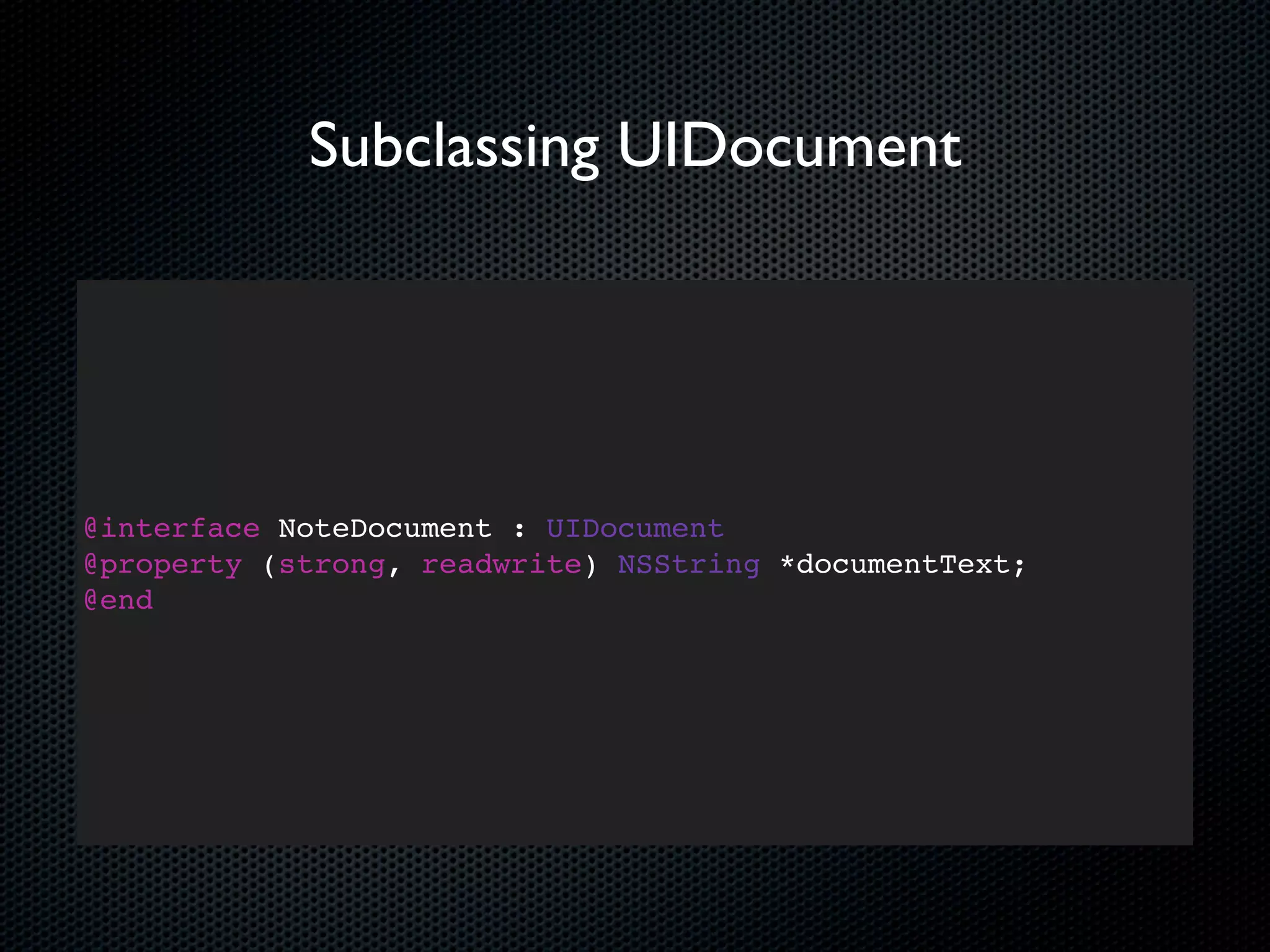
Subclassing UIDocument


@interface NoteDocument : UIDocument
@property (strong, readwrite) NSString *documentText;
@end
Subclassing UIDocument


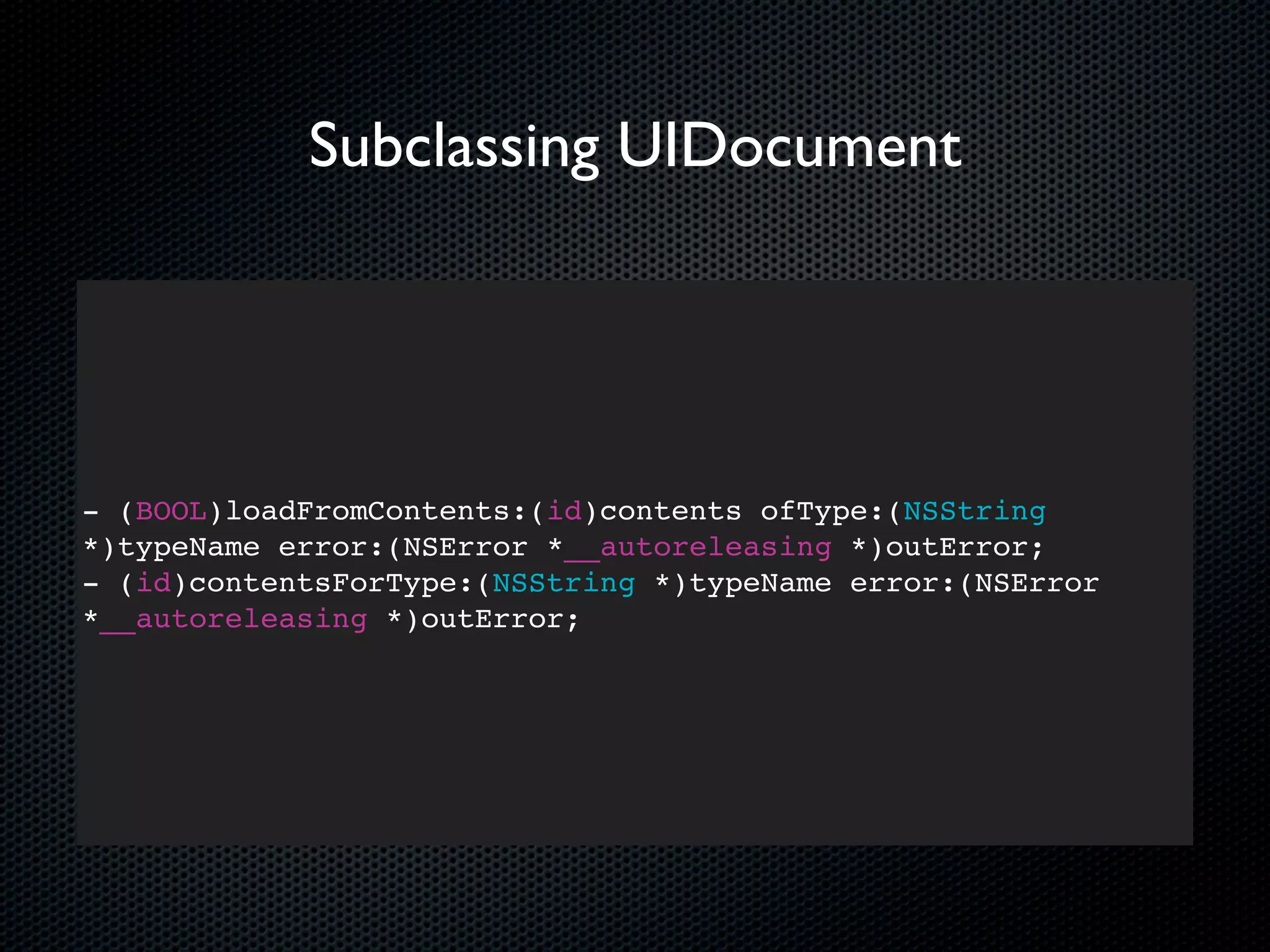
- (BOOL)loadFromContents:(id)contents ofType:(NSString
*)typeName error:(NSError *__autoreleasing *)outError;
- (id)contentsForType:(NSString *)typeName error:(NSError
*__autoreleasing *)outError;
- (BOOL)loadFromContents:(id)contents ofType:(NSString
*)typeName error:(NSError *__autoreleasing *)outError
{

  NSString *text = nil;
  if ([contents length] > 0) {
    text = [[NSString alloc] initWithBytes:[contents bytes]
    length:[contents length] encoding:NSUTF8StringEncoding];
  } else {
    text = @"";
  }

}
[self setDocumentText:text];
return YES;
- (id)contentsForType:(NSString *)typeName error:(NSError
*__autoreleasing *)outError {

    if ([[self documentText] length] == 0) {
    [self setDocumentText:@"New note"];
    }
    return [NSData dataWithBytes:[[self documentText]
    UTF8String] length:[[self documentText] length]];
}
Creating a NoteDocument
- (NSURL*)ubiquitousDocumentsDirectoryURL
{
    NSURL *ubiquitousContainerURL = [[NSFileManager defaultManager] URLForUbiquityContainerIdentifier:nil];

    NSURL *ubiquitousDocumentsURL = [ubiquitousContainerURL URLByAppendingPathComponent:@"Documents"];

    if (ubiquitousDocumentsURL != nil) {
        if (![[NSFileManager defaultManager] fileExistsAtPath:[ubiquitousDocumentsURL path]]) {
             NSError *createDirectoryError = nil;
             BOOL created = [[NSFileManager defaultManager] createDirectoryAtURL:ubiquitousDocumentsURL
                 withIntermediateDirectories:YES
                 attributes:0
                 error:&createDirectoryError];
             if (!created) {
                 NSLog(@"Error creating directory at %@: %@", ubiquitousDocumentsURL, createDirectoryError);
             }
        }
    } else {
        NSLog(@"Error getting ubiquitous container URL");
    }
    return ubiquitousDocumentsURL;
}
- (NSURL*)ubiquitousDocumentsDirectoryURL
{
    NSURL *ubiquitousContainerURL = [[NSFileManager defaultManager] URLForUbiquityContainerIdentifier:nil];

    NSURL *ubiquitousDocumentsURL = [ubiquitousContainerURL URLByAppendingPathComponent:@"Documents"];

    if (ubiquitousDocumentsURL != nil) {
        if (![[NSFileManager defaultManager] fileExistsAtPath:[ubiquitousDocumentsURL path]]) {
             NSError *createDirectoryError = nil;
             BOOL created = [[NSFileManager defaultManager] createDirectoryAtURL:ubiquitousDocumentsURL
                 withIntermediateDirectories:YES
                 attributes:0
                 error:&createDirectoryError];
             if (!created) {
                 NSLog(@"Error creating directory at %@: %@", ubiquitousDocumentsURL, createDirectoryError);
             }
        }
    } else {
        NSLog(@"Error getting ubiquitous container URL");
    }
    return ubiquitousDocumentsURL;
}
- (void)createFileNamed:(NSString *)filename
{
    NSURL *localFileURL = [[self localDocumentsDirectoryURL] URLByAppendingPathComponent:filename];

    NoteDocument *newDocument = [[NoteDocument alloc] initWithFileURL:localFileURL];

    [newDocument saveToURL:localFileURL
        forSaveOperation:UIDocumentSaveForCreating
        completionHandler:^(BOOL success) {

          if (success) {
             dispatch_async(dispatch_get_global_queue(DISPATCH_QUEUE_PRIORITY_DEFAULT, 0), ^{

                    NSURL *destinationURL = [[self ubiquitousDocumentsDirectoryURL]
                        URLByAppendingPathComponent:filename];

                    NSError *moveToCloudError = nil;
                    BOOL success = [[NSFileManager defaultManager]
                        setUbiquitous:YES
                        itemAtURL:[newDocument fileURL]
                        destinationURL:destinationURL
                        error:&moveToCloudError];

                    if (!success) {
                        NSLog(@"Error moving to iCloud: %@", moveToCloudError);
                    }
              });
          }
    }];
}
- (void)createFileNamed:(NSString *)filename
{
    NSURL *localFileURL = [[self localDocumentsDirectoryURL] URLByAppendingPathComponent:filename];

    NoteDocument *newDocument = [[NoteDocument alloc] initWithFileURL:localFileURL];

    [newDocument saveToURL:localFileURL
        forSaveOperation:UIDocumentSaveForCreating
        completionHandler:^(BOOL success) {

          if (success) {
             dispatch_async(dispatch_get_global_queue(DISPATCH_QUEUE_PRIORITY_DEFAULT, 0), ^{

                    NSURL *destinationURL = [[self ubiquitousDocumentsDirectoryURL]
                        URLByAppendingPathComponent:filename];

                    NSError *moveToCloudError = nil;
                    BOOL success = [[NSFileManager defaultManager]
                        setUbiquitous:YES
                        itemAtURL:[newDocument fileURL]
                        destinationURL:destinationURL
                        error:&moveToCloudError];

                    if (!success) {
                        NSLog(@"Error moving to iCloud: %@", moveToCloudError);
                    }
              });
          }
    }];
}
- (void)createFileNamed:(NSString *)filename
{
    NSURL *localFileURL = [[self localDocumentsDirectoryURL] URLByAppendingPathComponent:filename];

    NoteDocument *newDocument = [[NoteDocument alloc] initWithFileURL:localFileURL];

    [newDocument saveToURL:localFileURL
        forSaveOperation:UIDocumentSaveForCreating
        completionHandler:^(BOOL success) {

          if (success) {
             dispatch_async(dispatch_get_global_queue(DISPATCH_QUEUE_PRIORITY_DEFAULT, 0), ^{

                    NSURL *destinationURL = [[self ubiquitousDocumentsDirectoryURL]
                        URLByAppendingPathComponent:filename];

                    NSError *moveToCloudError = nil;
                    BOOL success = [[NSFileManager defaultManager]
                        setUbiquitous:YES
                        itemAtURL:[newDocument fileURL]
                        destinationURL:destinationURL
                        error:&moveToCloudError];

                    if (!success) {
                        NSLog(@"Error moving to iCloud: %@", moveToCloudError);
                    }
              });
          }
    }];
}
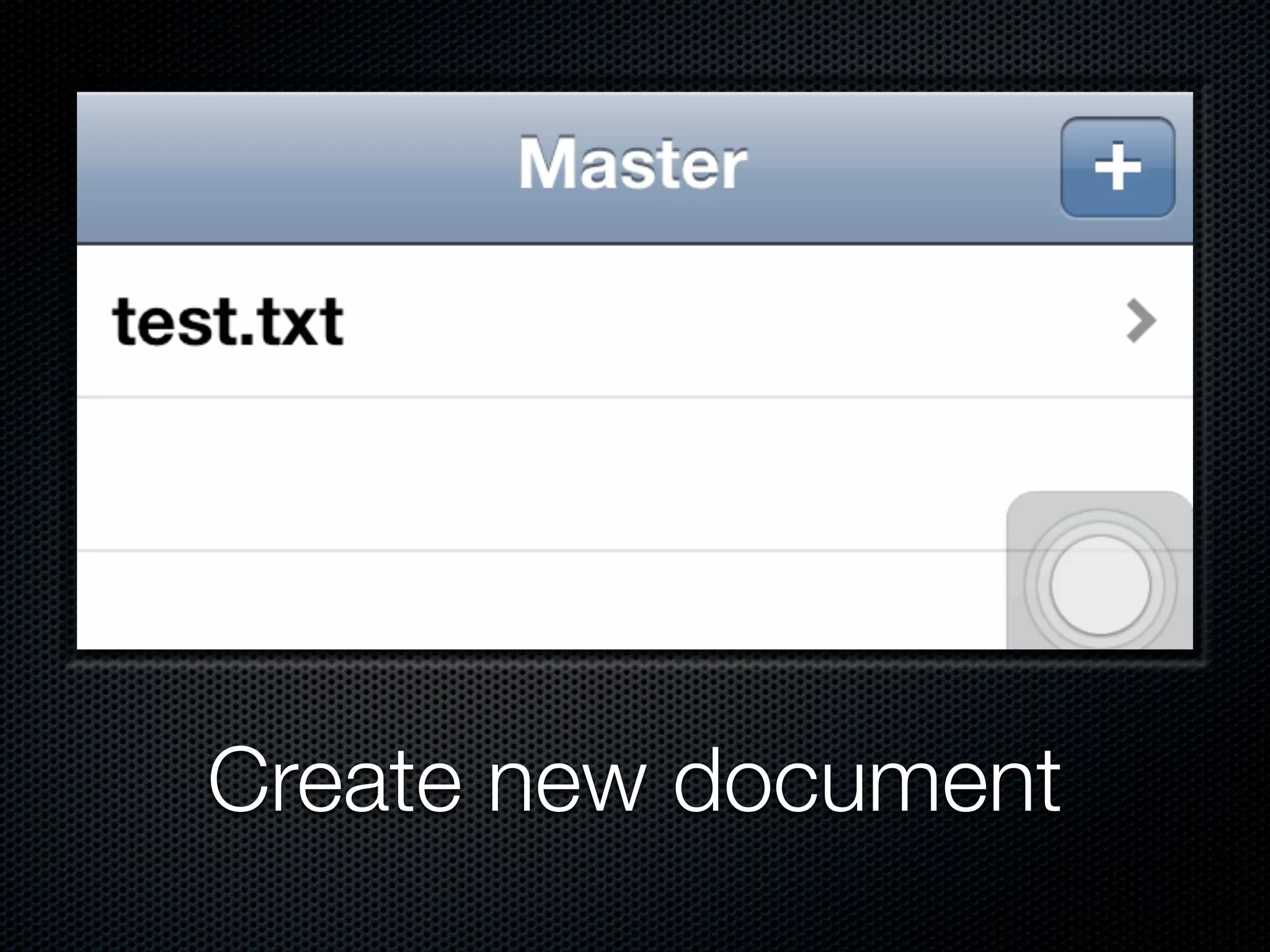
Create new document
Core Image
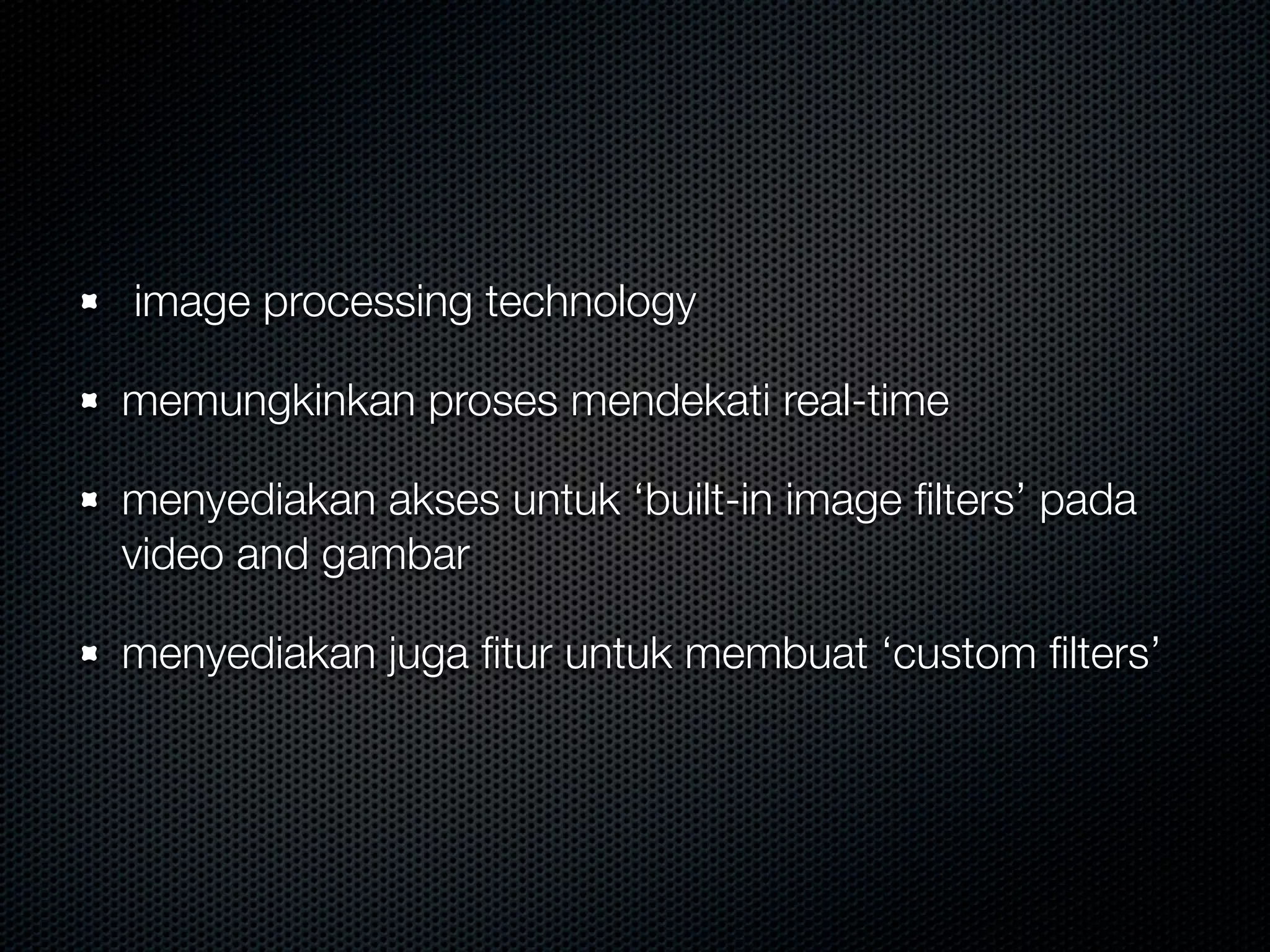
image processing technology

memungkinkan proses mendekati real-time

menyediakan akses untuk ‘built-in image filters’ pada
video and gambar

menyediakan juga fitur untuk membuat ‘custom filters’
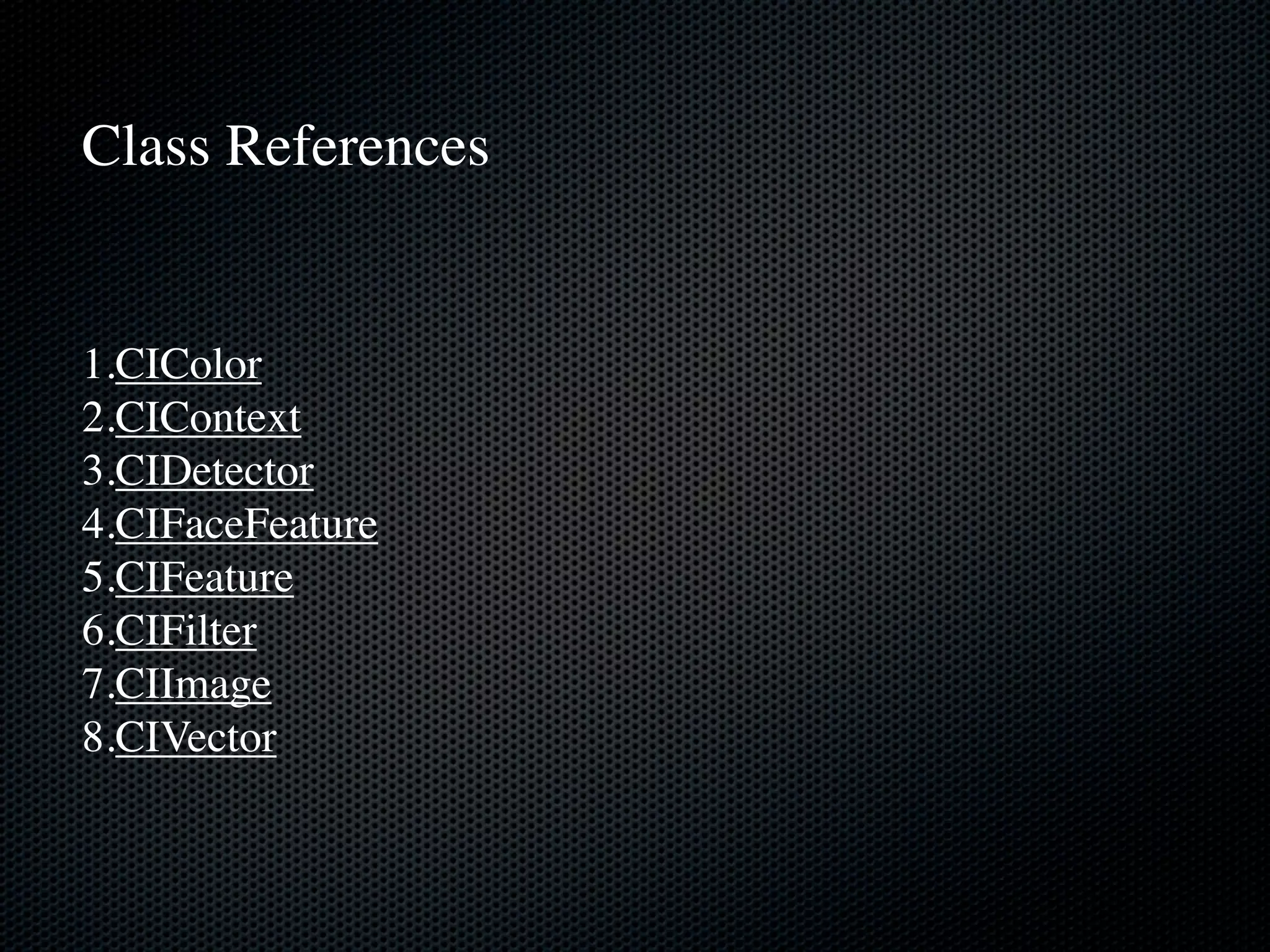
Class References


1.CIColor
2.CIContext
3.CIDetector
4.CIFaceFeature
5.CIFeature
6.CIFilter
7.CIImage
8.CIVector
Face Detection
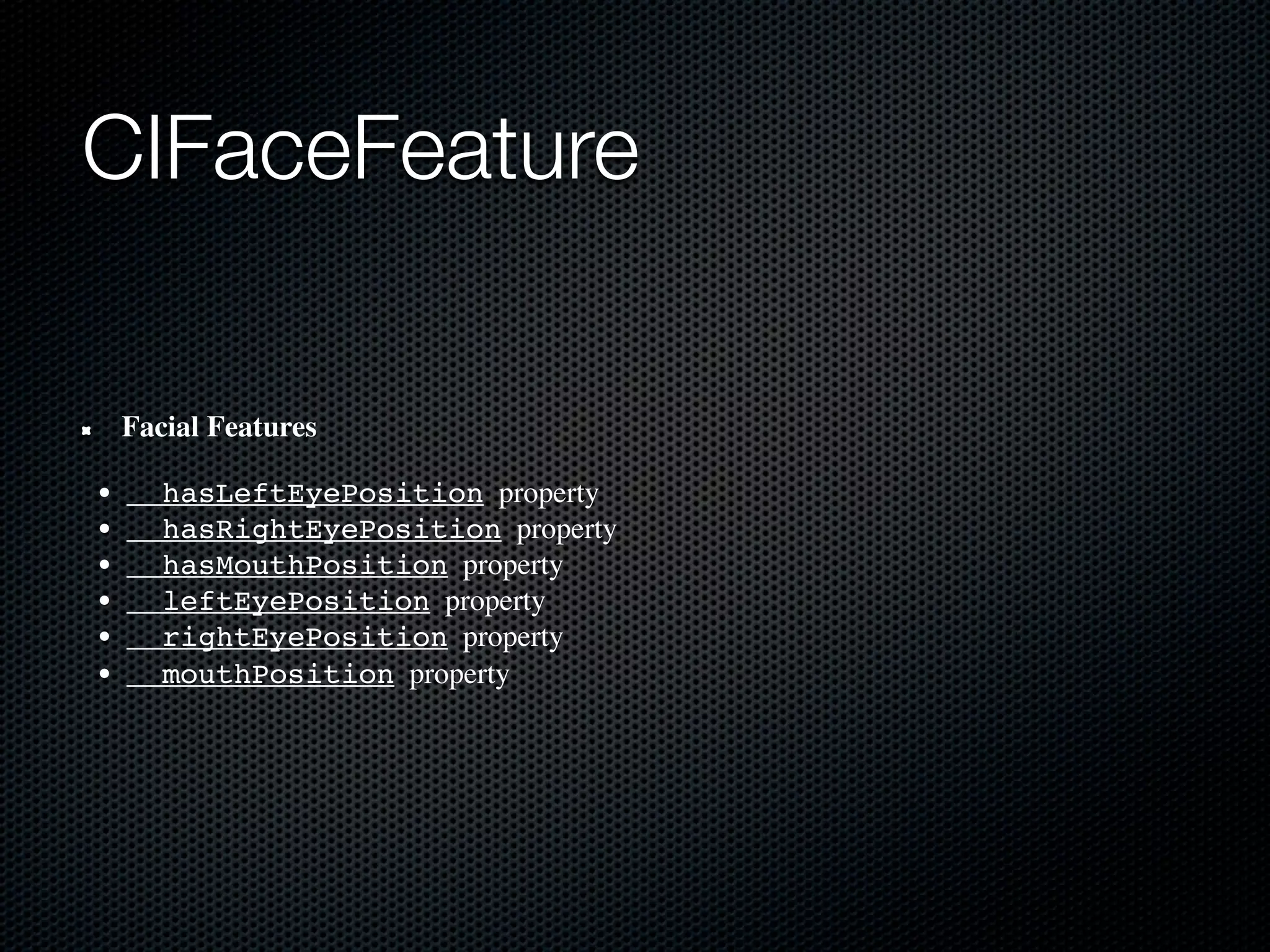
CIFaceFeature

    Facial Features

•     hasLeftEyePosition  property
•     hasRightEyePosition  property
•     hasMouthPosition  property
•     leftEyePosition  property
•     rightEyePosition  property
•     mouthPosition  property
Demo Code: Easy Face Detection
// we'll iterate through every detected face. CIFaceFeature provides us
    // with the width for the entire face, and the coordinates of each eye
    // and the mouth if detected. Also provided are BOOL's for the eye's and
    // mouth so we can check if they already exist.
    for(CIFaceFeature* faceFeature in features)
    {
        // get the width of the face
        CGFloat faceWidth = faceFeature.bounds.size.width;

        // create a UIView using the bounds of the face
        UIView* faceView = [[UIView alloc] initWithFrame:faceFeature.bounds];

        // add a border around the newly created UIView
        faceView.layer.borderWidth = 1;
        faceView.layer.borderColor = [[UIColor redColor] CGColor];

        // add the new view to create a box around the face
        [self.window addSubview:faceView];

        if(faceFeature.hasLeftEyePosition)
        {
            // create a UIView with a size based on the width of the face
            UIView* leftEyeView = [[UIView alloc] initWithFrame:CGRectMake(faceFeature.leftEyePosition.x-faceWidth*0.15,
faceFeature.leftEyePosition.y-faceWidth*0.15, faceWidth*0.3, faceWidth*0.3)];
            // change the background color of the eye view
            [leftEyeView setBackgroundColor:[[UIColor blueColor] colorWithAlphaComponent:0.3]];
            // set the position of the leftEyeView based on the face
            [leftEyeView setCenter:faceFeature.leftEyePosition];
            // round the corners
            leftEyeView.layer.cornerRadius = faceWidth*0.15;
            // add the view to the window
            [self.window addSubview:leftEyeView];
        }

        if(faceFeature.hasRightEyePosition)
        {
            // create a UIView with a size based on the width of the face
            UIView* leftEye = [[UIView alloc] initWithFrame:CGRectMake(faceFeature.rightEyePosition.x-faceWidth*0.15,
faceFeature.rightEyePosition.y-faceWidth*0.15, faceWidth*0.3, faceWidth*0.3)];
            // change the background color of the eye view
            [leftEye setBackgroundColor:[[UIColor blueColor] colorWithAlphaComponent:0.3]];
            // set the position of the rightEyeView based on the face
            [leftEye setCenter:faceFeature.rightEyePosition];
            // round the corners
            leftEye.layer.cornerRadius = faceWidth*0.15;
            // add the new view to the window
            [self.window addSubview:leftEye];
        }
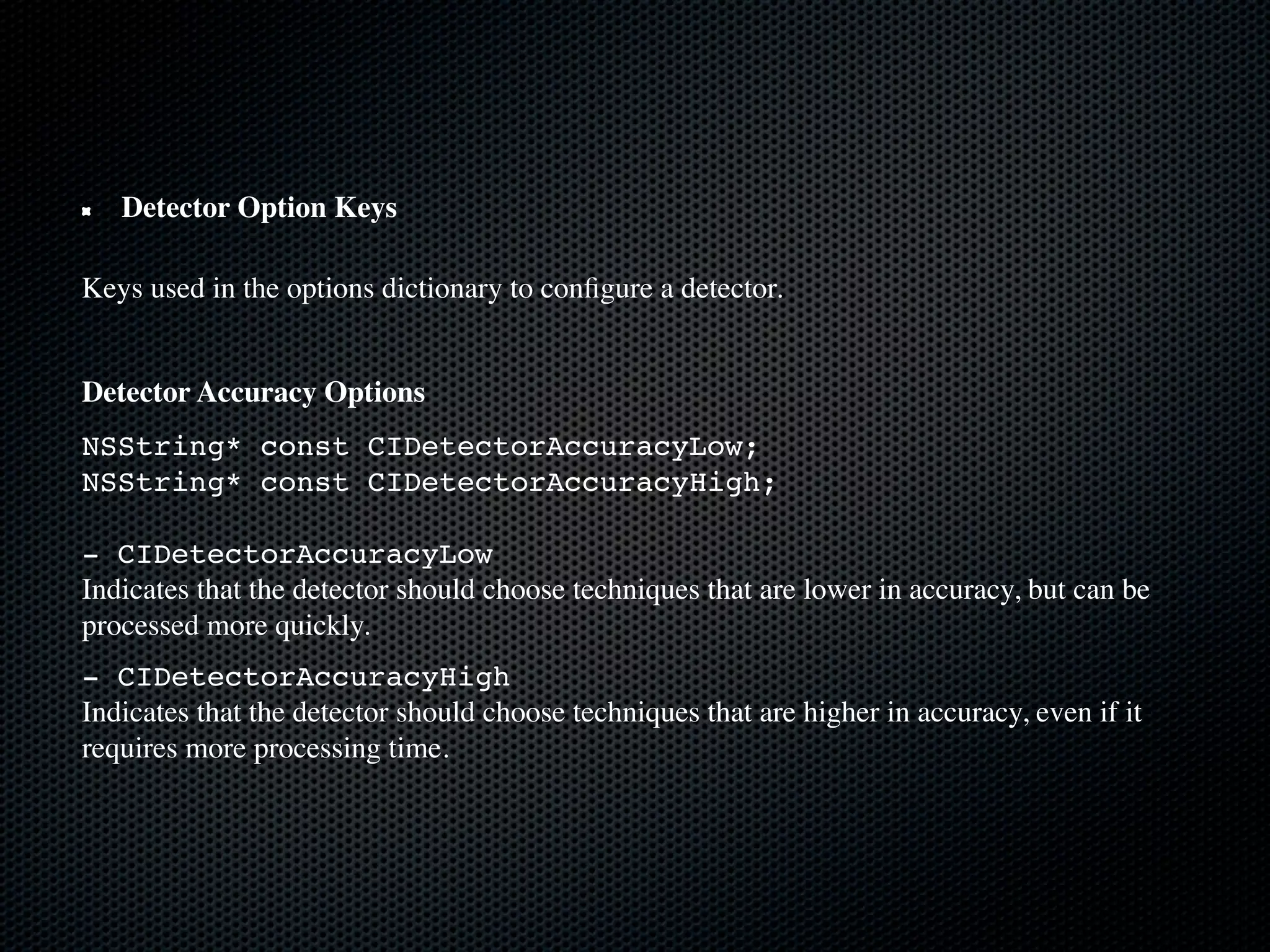
Detector Option Keys

Keys used in the options dictionary to configure a detector.


Detector Accuracy Options
NSString* const CIDetectorAccuracyLow;
NSString* const CIDetectorAccuracyHigh;

- CIDetectorAccuracyLow
Indicates that the detector should choose techniques that are lower in accuracy, but can be
processed more quickly.
- CIDetectorAccuracyHigh
Indicates that the detector should choose techniques that are higher in accuracy, even if it
requires more processing time.
Real-time Example by Erica
          Sadun
Newsstand
Newsstand for developer

Simpel dan mudah digunakan untuk konten majalah
dan surat kabar
Termasuk gratis berlangganan untuk pengguna iPhone,
iPod touch dan iPad
Menerbitkan edisi terbaru majalah dan surat kabar
langsung menggunakan Newsstand kit dan Store kit
framework
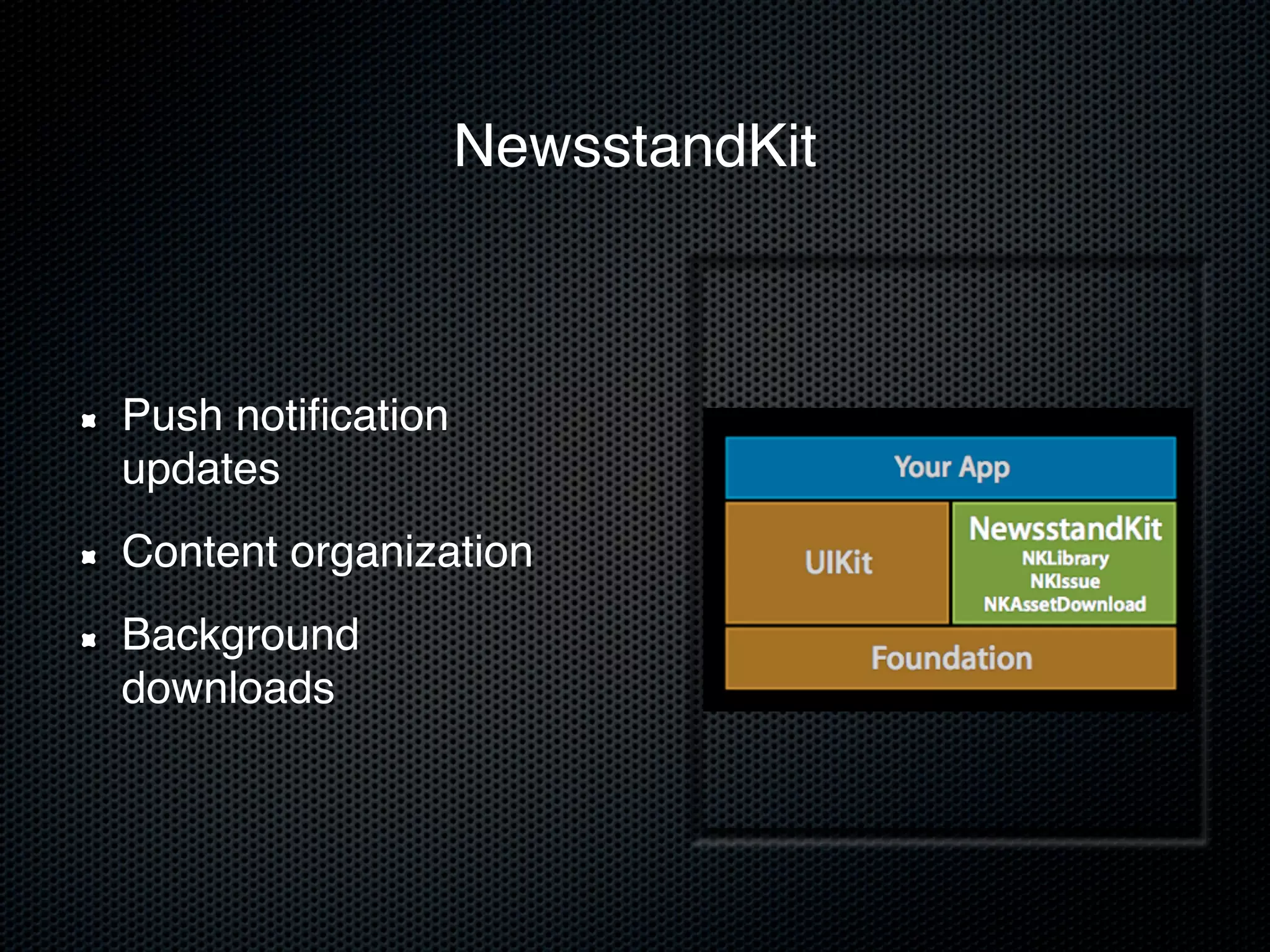
NewsstandKit


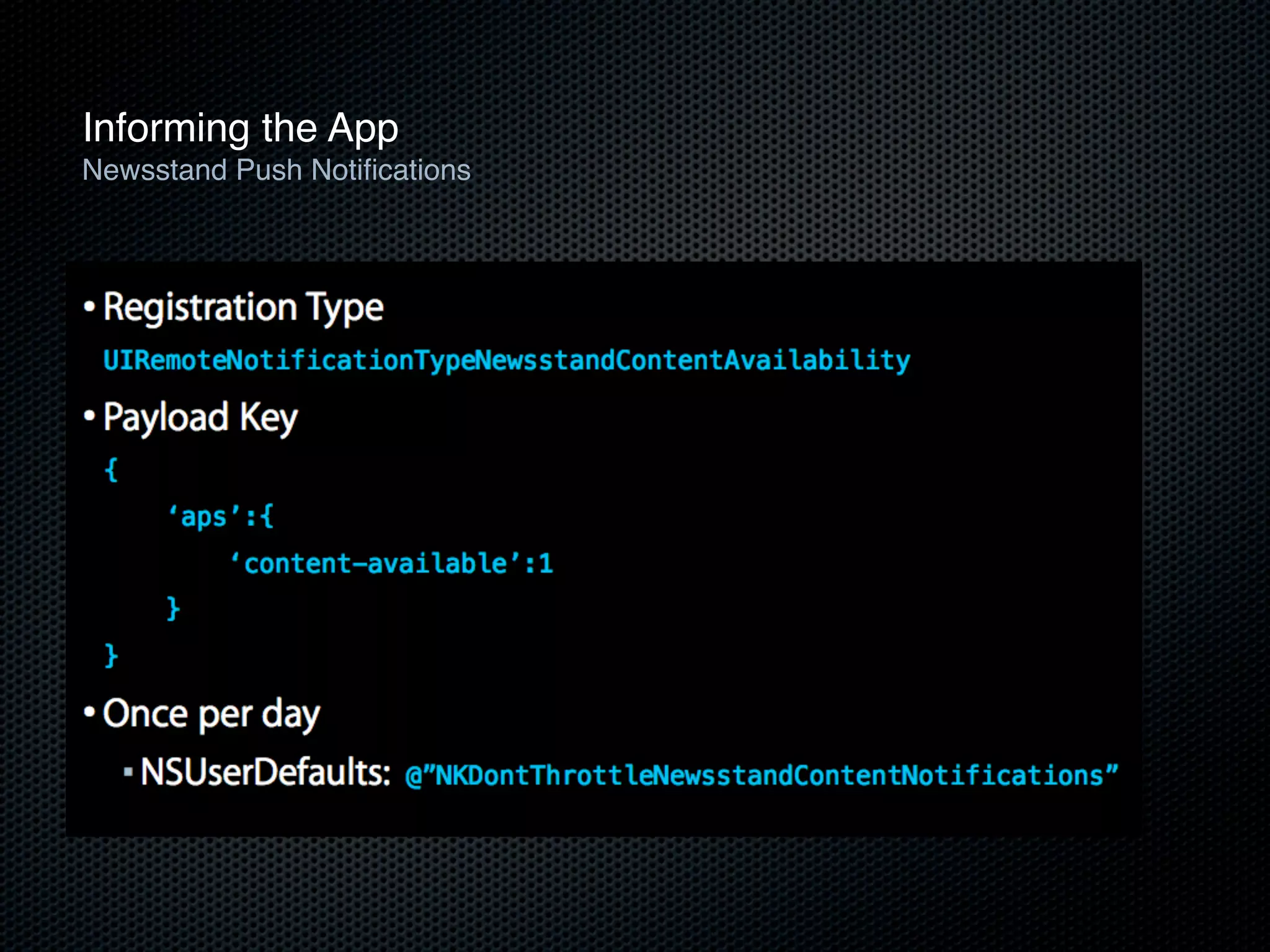
Push notification
updates
Content organization
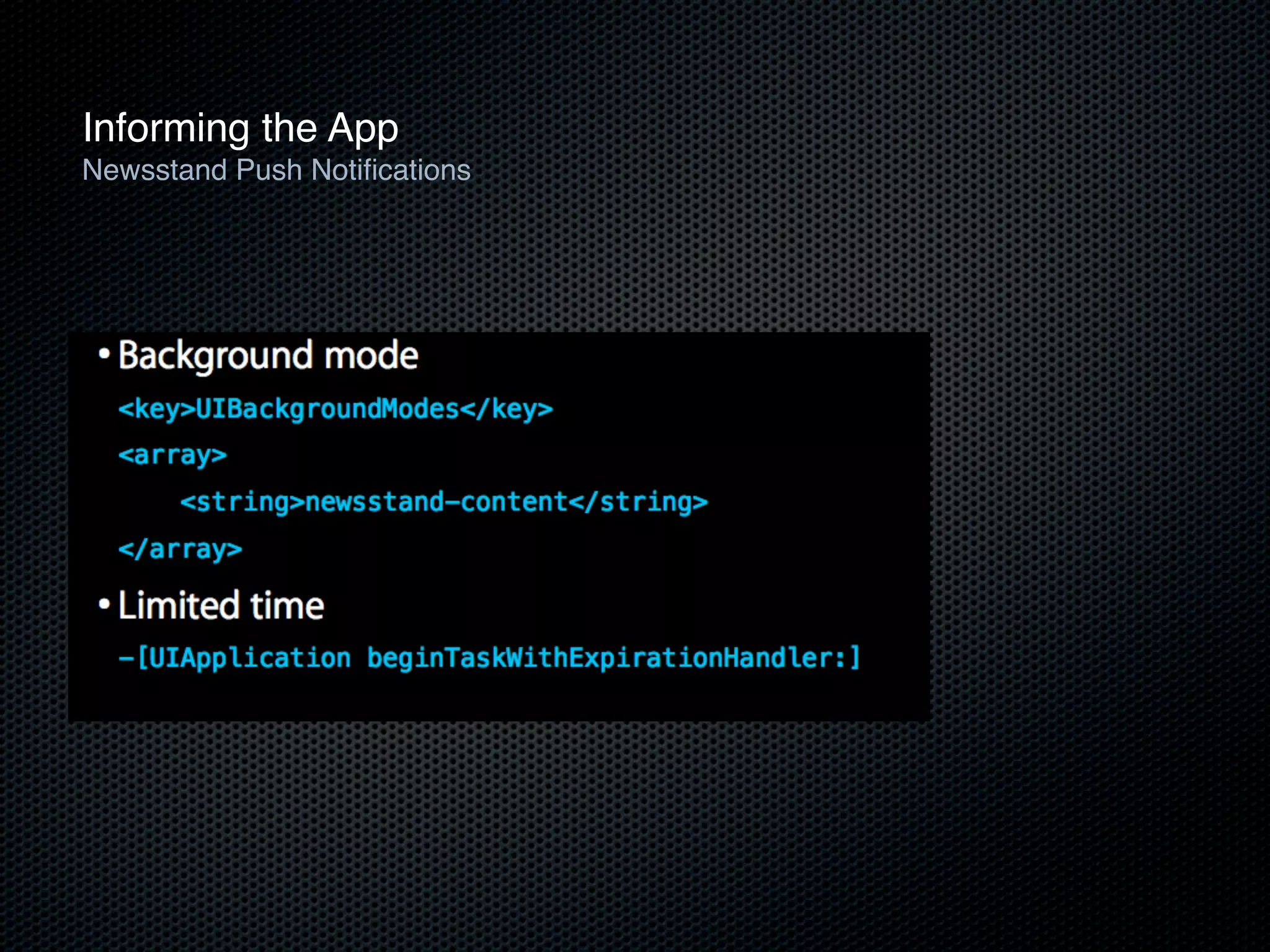
Background
downloads
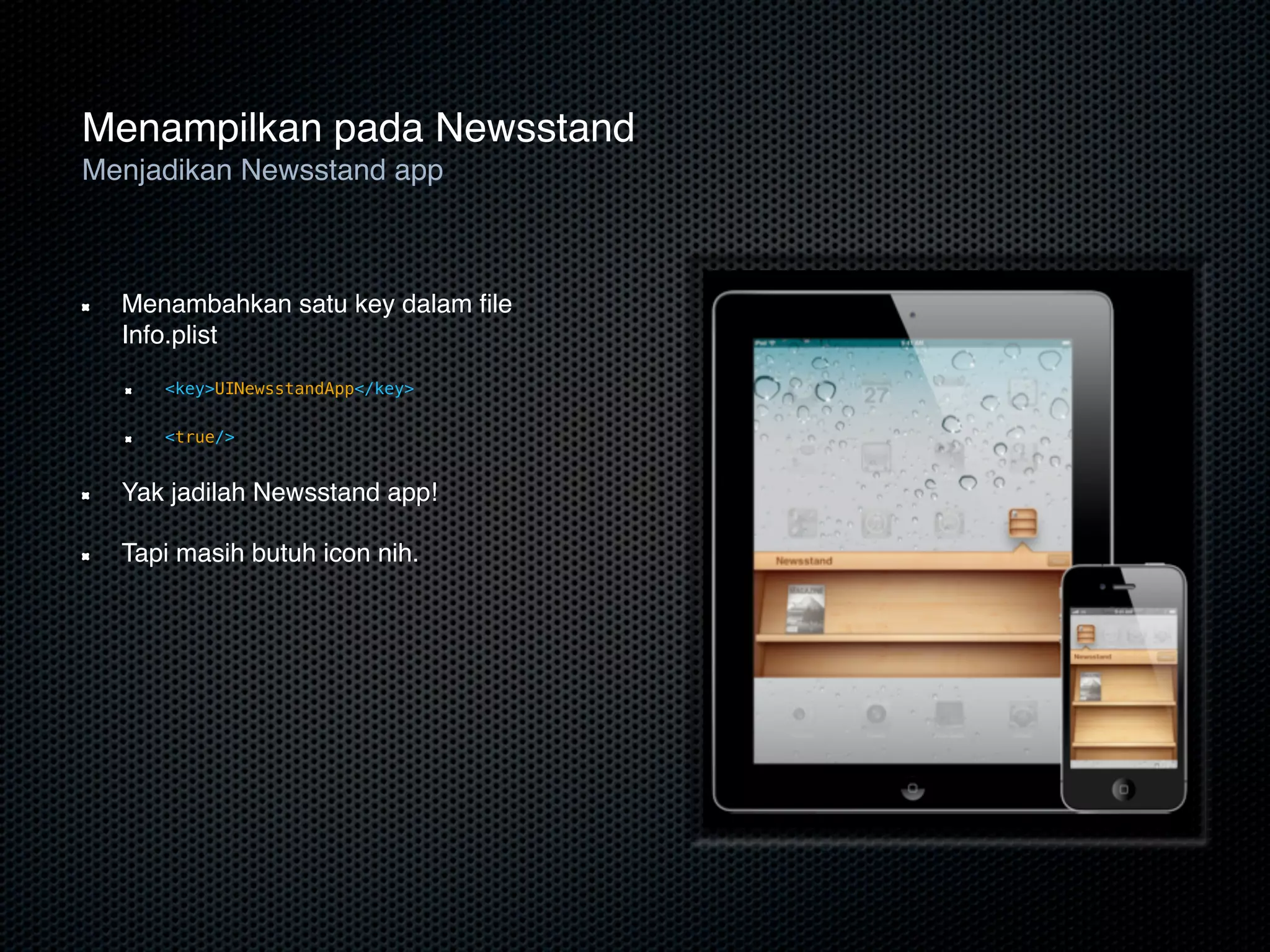
Menampilkan pada Newsstand
Menjadikan Newsstand app


  Menambahkan satu key dalam file
  Info.plist
     <key>UINewsstandApp</key>

     <true/>


  Yak jadilah Newsstand app!

  Tapi masih butuh icon nih.
Menampilkan pada Newsstand
Standard icon specification
                          Standard icon specification
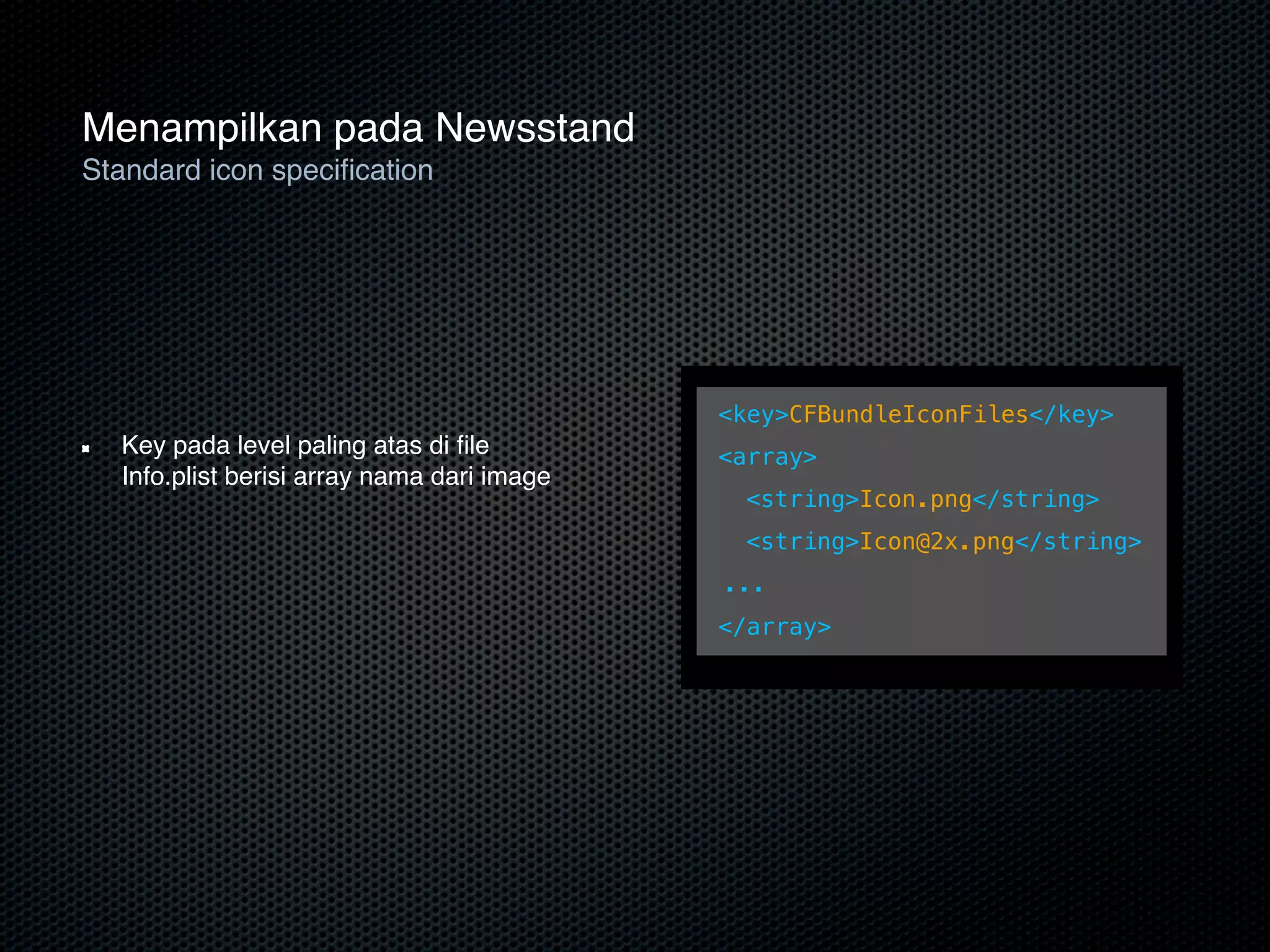
                          • Top-level key in your Info.plist with an array of image name


                                                <key>CFBundleIconFiles</key>
  Key pada level paling atas di file             <array>
  Info.plist berisi array nama dari image
                                                ! <string>Icon.png</string>
                                                ! <string>Icon@2x.png</string>
                                                 ...
                                                </array>
Menampilkan pada Newsstand
Updating your Info.plist
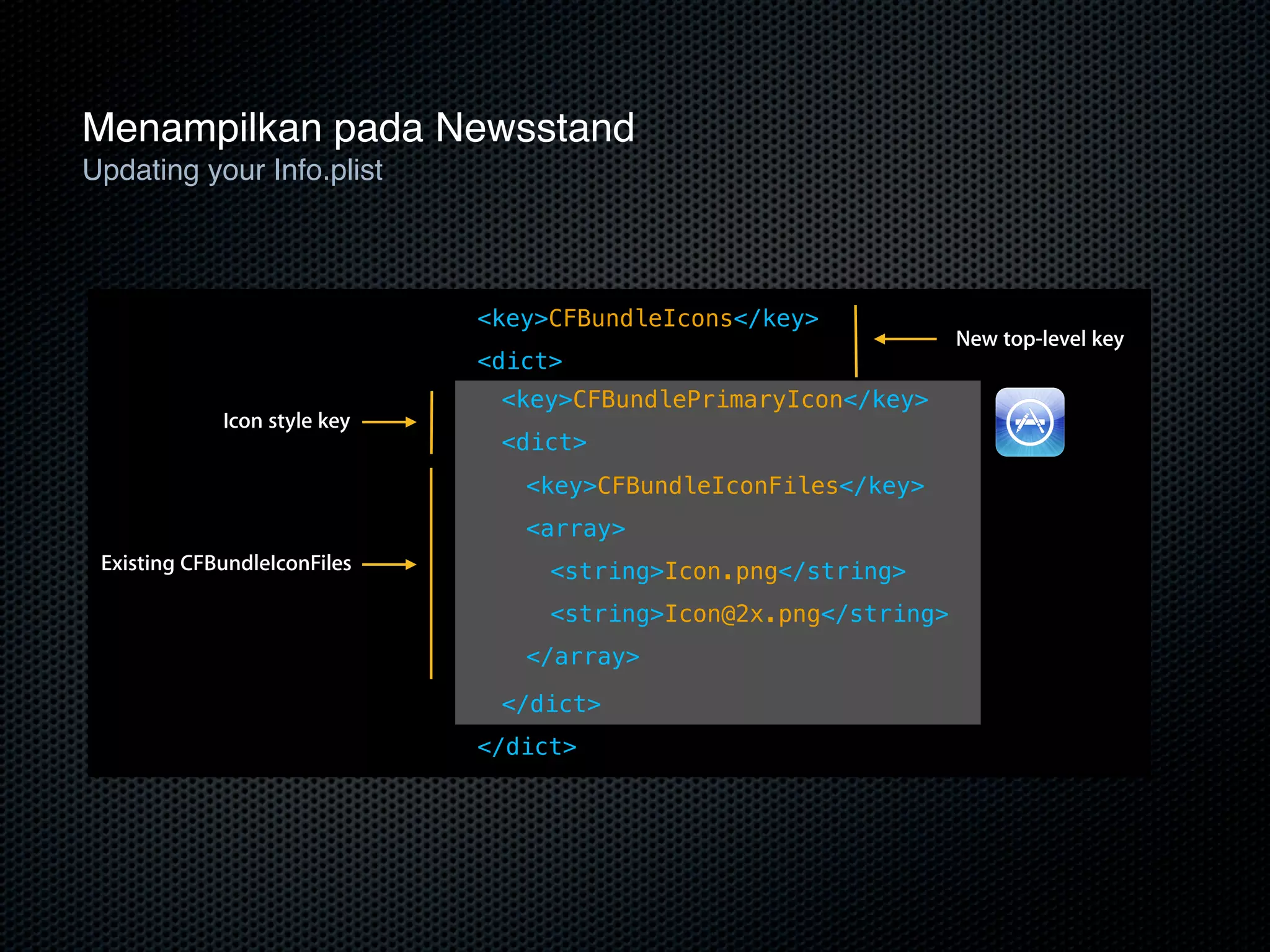
    Updating your Info.plist

                              <key>CFBundleIcons</key>
                                                                  New top-level key
                              <dict>
                               <key>CFBundlePrimaryIcon</key>
             Icon style key
                               <dict>
                                 <key>CFBundleIconFiles</key>
                                 <array>
 Existing CFBundleIconFiles        <string>Icon.png</string>
                                   <string>Icon@2x.png</string>
                                 </array>

                               </dict>
                              </dict>
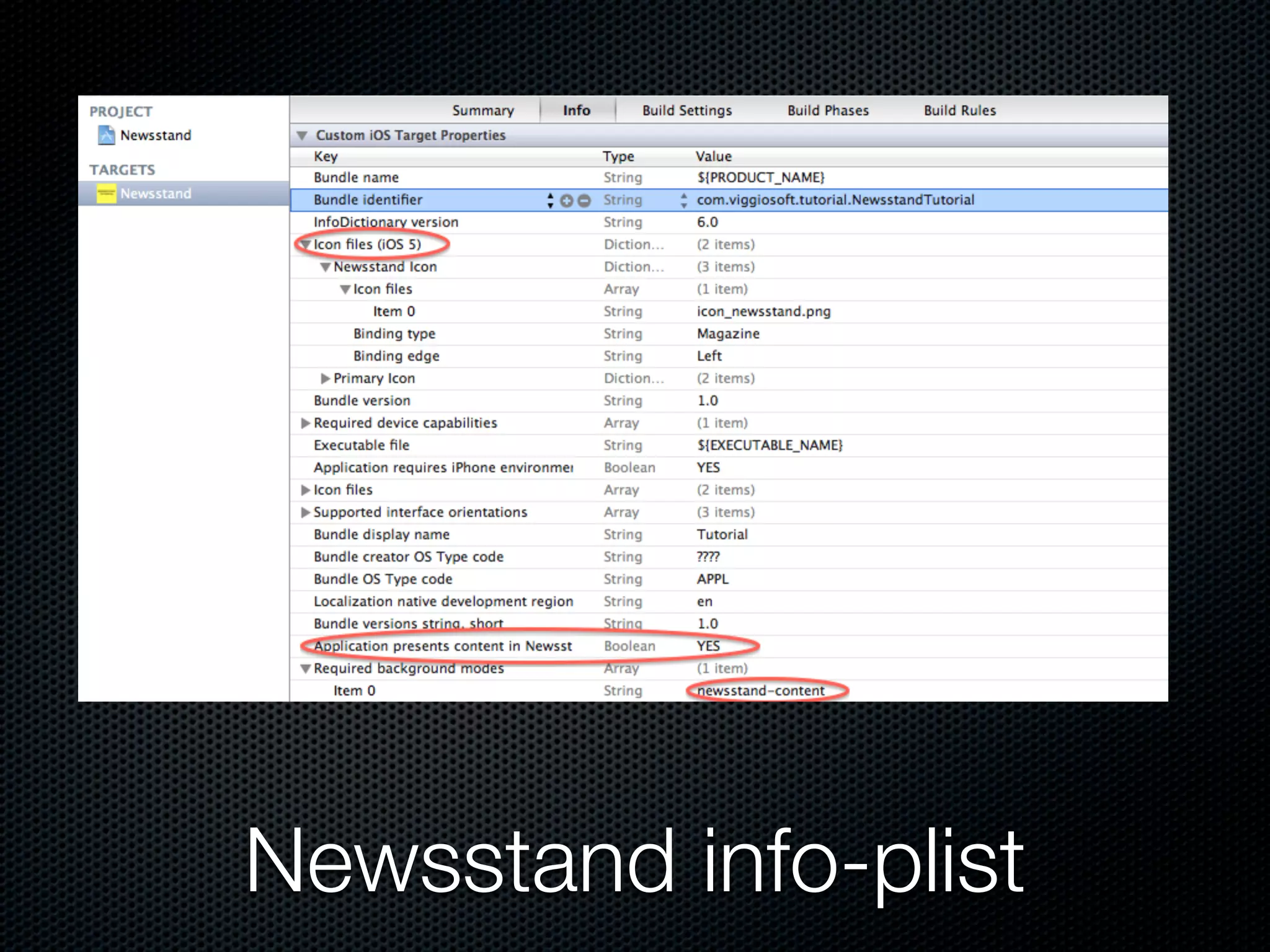
Newsstand info-plist
Handling Updates
Retrieving and presenting content


                     Retrieving and presenting content


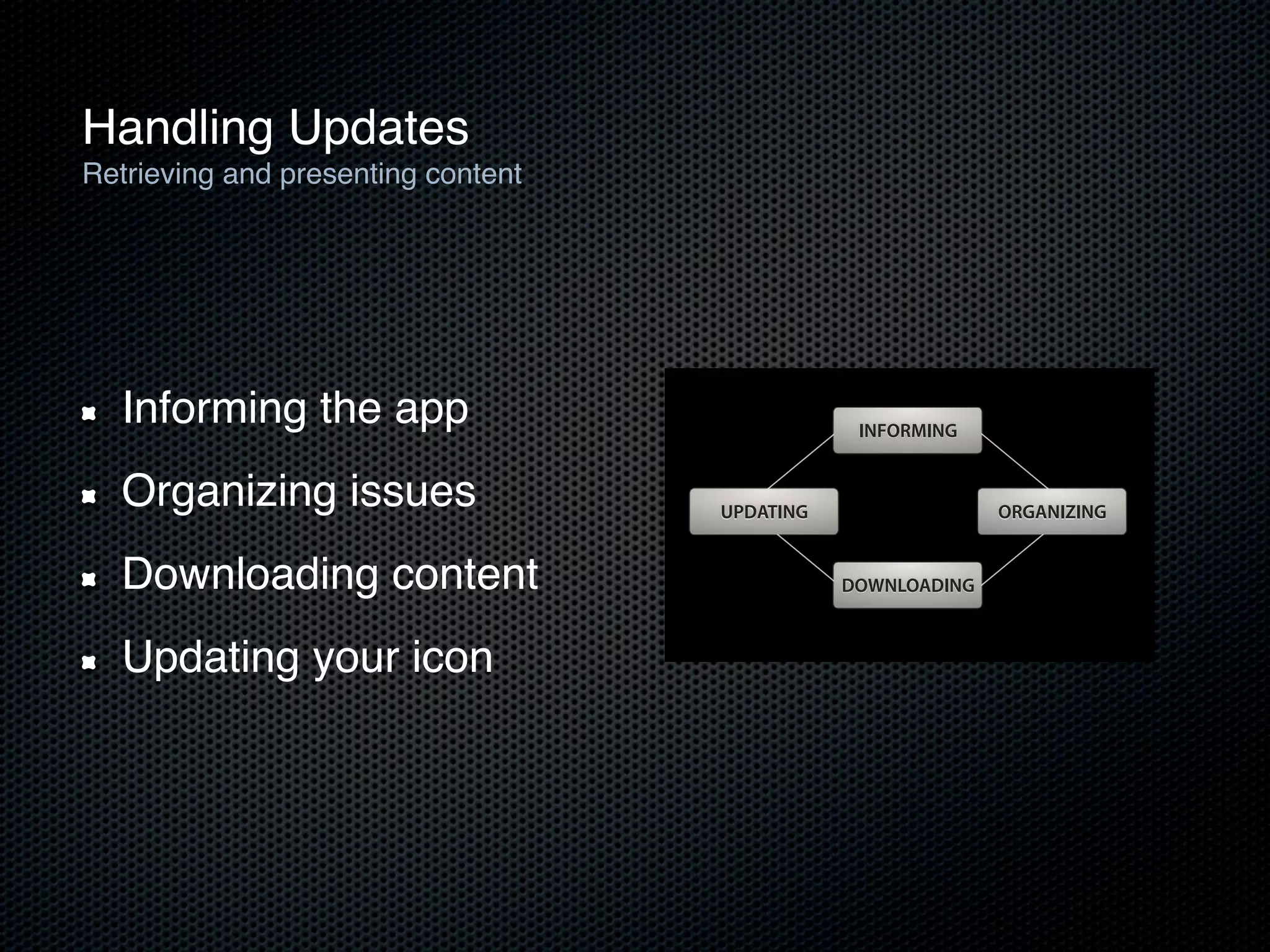
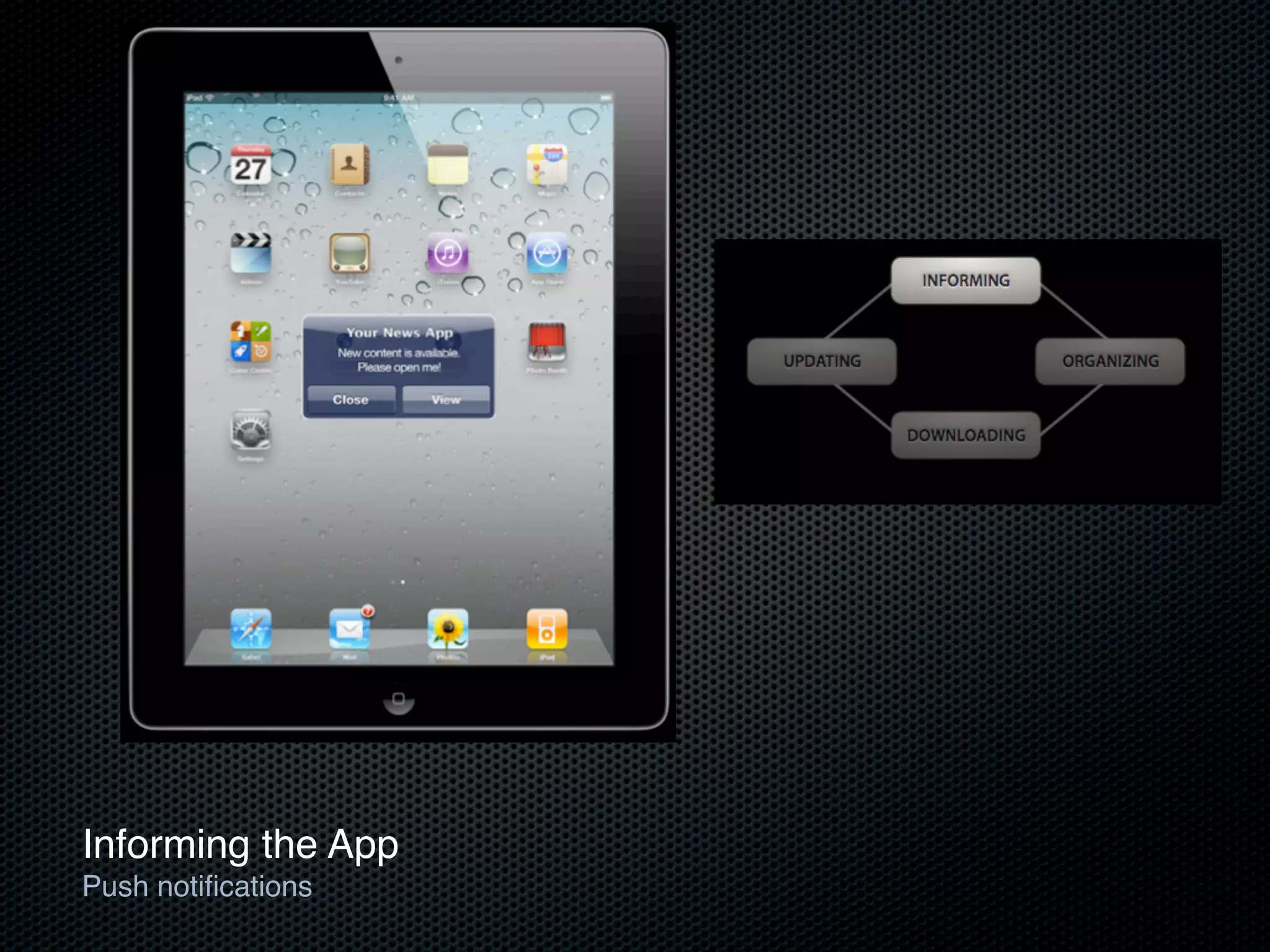
  Informing theInforming the app
              • app                                         INFORMING
                     • Organizing issues
  Organizing        issues content
                     • Downloading
                                                UPDATING                 ORGANIZING
                     • Updating your icon
  Downloading content                                      DOWNLOADING


  Updating your icon

                                                                                      27
Informing the App
Push notifications
Informing the App
Newsstand Push Notifications
Informing the App
Newsstand Push Notifications
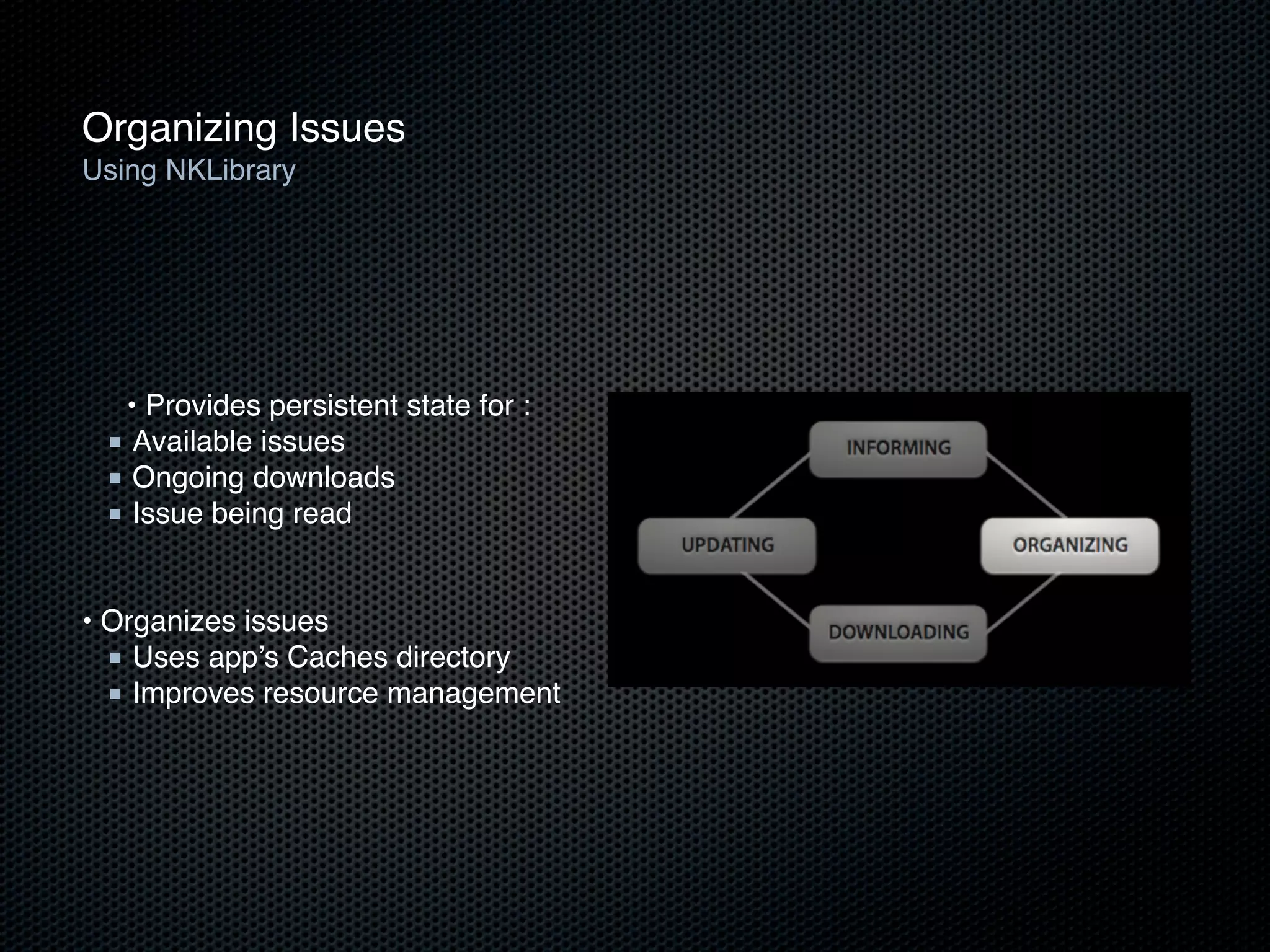
Organizing Issues
Using NKLibrary


  • Provides persistent state for :
 ■ Available issues
 ■ Ongoing downloads
 ■ Issue being read

!
• Organizes issues
  ■ Uses app’s Caches directory
  ■ Improves resource management
Organizing Issues
NKIssues


   • Creating issues

  ■ Penamaan yang unik

  ■ Tanggal publikasi
 NKIssue *myIssue = [myLibrary addIssueWithName:issueName date:issueDate];


 ■ Mengolah repository di dalam ‘library’
 NSURL *baseURL = [myIssue contentURL];


• Setting the current issue

[myLibrary setCurrentlyReadingIssue:myIssue];
Handling Updates
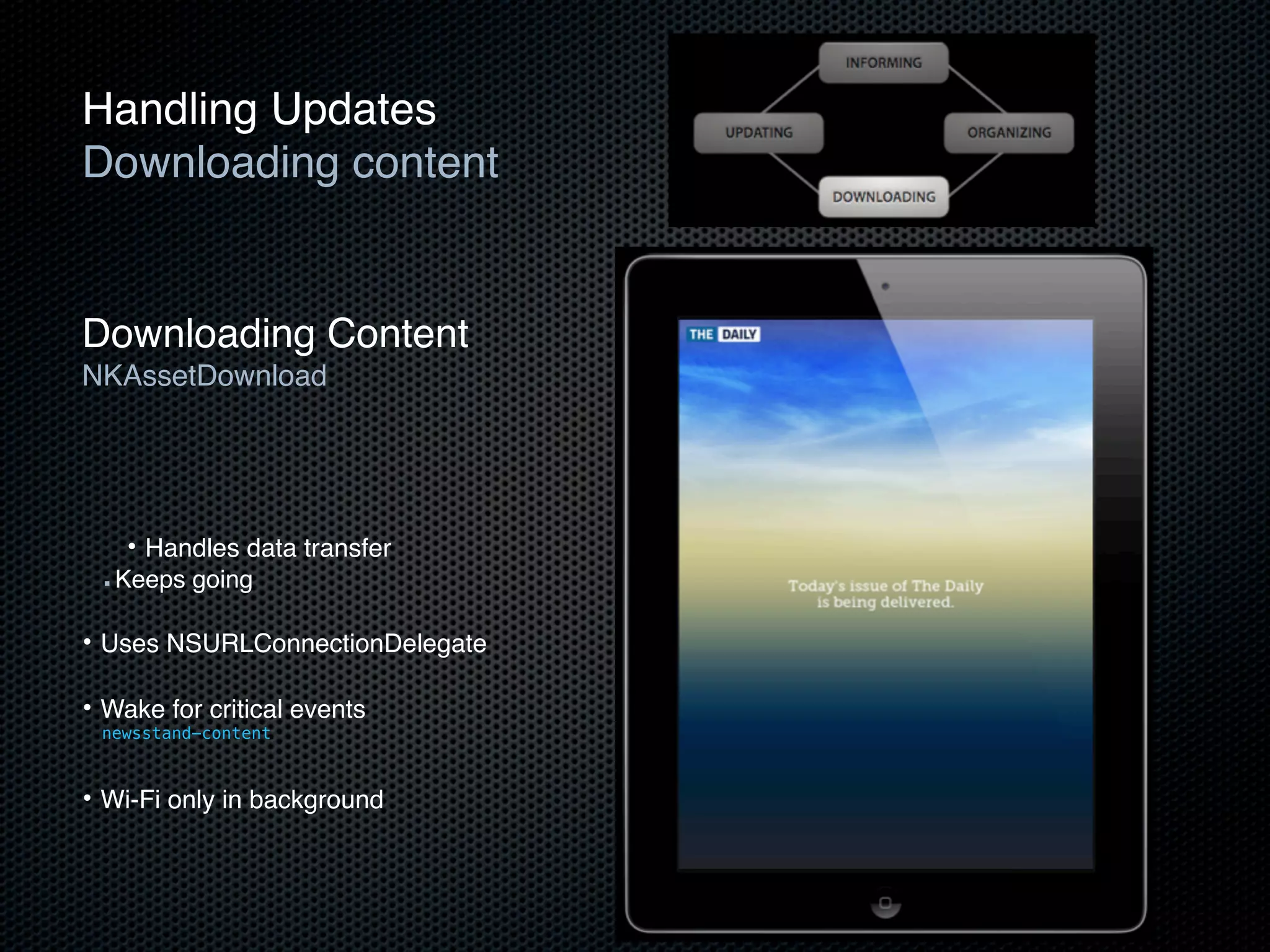
Downloading content


Downloading Content
NKAssetDownload


     • Handles data transfer
 ■   Keeps going

• Uses NSURLConnectionDelegate

• Wake for critical events
 newsstand-content


• Wi-Fi only in background
Downloading Content
Setup


    NSArray *itemsToDownload = !! query server for list of assets

    for (item in itemsToDownload) {
       NSURLRequest *downloadRequest = [item URLRequest];
       NKAssetDownload *asset = [issue addAssetWithRequest:downloadRequest];
       NSURLConnection *connection = [asset downloadWithDelegate:myDelegate];
    }
}
Downloading Content
NSURLConnectionDownloadDelegate


   [asset downloadWithDelegate:myDelegate];


• Implements NSURLConnectionDelegate
   ■ Status
   ■ Authentication
   ■ Completion

• Modifications
-connection:didWriteData:totalBytesWritten:expectedTotalBytesWritten:
-connectionDidResumeDownloading:totalBytesWritten:expectedTotalBytesWritten:
-connectionDidFinishDownloading:destinationURL: ---> required
Updating Your Newsstand Icon
  Update your icon and badge


   Simple!

   Update Icon
-[UIApplication setNewsstandIconImage:(UIImage*)]
• Bisa digunakan saat berjalan di background, jadi bisa diupdate kapanpun jika konten sudah siap.

  Update Badge

• Uses existing badge API
-[UIApplication setApplicationIconBadgeNumber:(NSInteger)]
Demo
Creating a Newsstand App
See you...

iOS5 NewStuff

  • 1.
    iOS 5 NewStuff R.Ayu Maulidina.I.
  • 2.
    Over 200 newuser features
  • 3.
    SDK & Developmenttools? over 1,500 new APIs and powerful new development tools
  • 4.
    iCloud Storage API Apa itu iCloud? - Sync service - Transfers user data between devices - Runs in background - Per-app sandboxing (as usual) Keuntungannya Apa ? - Gak perlu ‘sync server’ sendiri. - Gak perlu ‘network protocol’ sendiri. - Gak perlu bayar ‘storage/bandwidth’ sendiri. Intinya sih gak perlu repot-repot.
  • 5.
    Konsep dan KetentuaniCloud Ubiquitous Suatu keadaan yang memungkinkan manusia untuk berinteraksi dengan ‘komputer’ dimana saja, kapan saja dan bagaimana saja.
  • 6.
    Sinkronisasi Background Ubiquity daemon,ubd Saat anda menyimpan perubahan, ubd mengirimkannya pada ‘cloud’ ubd akan mengunduhnya dari iCloud Dimana itu berarti....
  • 7.
    Data anda dapatberubah tanpa peringatan..
  • 8.
    iCloud Containers Lokasi untukdata aplikasi anda berada di iCloud Setiap pengaktifan iCloud pada aplikasi setidaknya hanya memiliki satu tempat. Kontainer sesuai dengan direktori yang kita buat
  • 9.
    File Coordinator Data dapatdiubah oleh aplikasi anda atau oleh ubd (Ubiquity Daemon) Membutuhkan ‘reader/writer lock’ untuk akses koordinasi Menggunakan ‘NSFileCoordinator’ saat menulis atau membacanya
  • 10.
    File Presenter Disertakan jugapada file koordinator Menerapkan ‘NSFilePresenter’ agar mendapat pemberitahuan akan adanya perubahan Saat file koordinator membuat perubahan, maka ‘file presenter’ ini akan dipanggil.
  • 11.
  • 12.
    Gimana cara mengaktifkan iCloud ? App ID on Provisioning Portal ---> developer.apple.com/ios/ ---> app IDs
  • 13.
  • 14.
  • 15.
    Configuration name foridentifier, entitlements file, iCloud key-value store, containers and keychain access groups.
  • 16.
  • 17.
  • 18.
    UIDocument Asynchronous block-based readingand writing Auto-saving Flat file and file packages
  • 19.
    UIDocument with iCloud Actsas a file coordinator and presenter Mendeteksi conflicts - Notifications - API to help resolve
  • 20.
    UIDocument Concepts Outside the (sand)box - iCloud documents are not located in your app sandbox - Located in your iCloud container - Create the document in the sandbox - Move it to iCloud
  • 21.
  • 22.
  • 23.
    Subclassing UIDocument @interface NoteDocument: UIDocument @property (strong, readwrite) NSString *documentText; @end
  • 24.
    Subclassing UIDocument - (BOOL)loadFromContents:(id)contentsofType:(NSString *)typeName error:(NSError *__autoreleasing *)outError; - (id)contentsForType:(NSString *)typeName error:(NSError *__autoreleasing *)outError;
  • 25.
    - (BOOL)loadFromContents:(id)contents ofType:(NSString *)typeNameerror:(NSError *__autoreleasing *)outError { NSString *text = nil; if ([contents length] > 0) { text = [[NSString alloc] initWithBytes:[contents bytes] length:[contents length] encoding:NSUTF8StringEncoding]; } else { text = @""; } } [self setDocumentText:text]; return YES;
  • 26.
    - (id)contentsForType:(NSString *)typeNameerror:(NSError *__autoreleasing *)outError { if ([[self documentText] length] == 0) { [self setDocumentText:@"New note"]; } return [NSData dataWithBytes:[[self documentText] UTF8String] length:[[self documentText] length]]; }
  • 27.
  • 28.
    - (NSURL*)ubiquitousDocumentsDirectoryURL { NSURL *ubiquitousContainerURL = [[NSFileManager defaultManager] URLForUbiquityContainerIdentifier:nil]; NSURL *ubiquitousDocumentsURL = [ubiquitousContainerURL URLByAppendingPathComponent:@"Documents"]; if (ubiquitousDocumentsURL != nil) { if (![[NSFileManager defaultManager] fileExistsAtPath:[ubiquitousDocumentsURL path]]) { NSError *createDirectoryError = nil; BOOL created = [[NSFileManager defaultManager] createDirectoryAtURL:ubiquitousDocumentsURL withIntermediateDirectories:YES attributes:0 error:&createDirectoryError]; if (!created) { NSLog(@"Error creating directory at %@: %@", ubiquitousDocumentsURL, createDirectoryError); } } } else { NSLog(@"Error getting ubiquitous container URL"); } return ubiquitousDocumentsURL; }
  • 29.
    - (NSURL*)ubiquitousDocumentsDirectoryURL { NSURL *ubiquitousContainerURL = [[NSFileManager defaultManager] URLForUbiquityContainerIdentifier:nil]; NSURL *ubiquitousDocumentsURL = [ubiquitousContainerURL URLByAppendingPathComponent:@"Documents"]; if (ubiquitousDocumentsURL != nil) { if (![[NSFileManager defaultManager] fileExistsAtPath:[ubiquitousDocumentsURL path]]) { NSError *createDirectoryError = nil; BOOL created = [[NSFileManager defaultManager] createDirectoryAtURL:ubiquitousDocumentsURL withIntermediateDirectories:YES attributes:0 error:&createDirectoryError]; if (!created) { NSLog(@"Error creating directory at %@: %@", ubiquitousDocumentsURL, createDirectoryError); } } } else { NSLog(@"Error getting ubiquitous container URL"); } return ubiquitousDocumentsURL; }
  • 30.
    - (void)createFileNamed:(NSString *)filename { NSURL *localFileURL = [[self localDocumentsDirectoryURL] URLByAppendingPathComponent:filename]; NoteDocument *newDocument = [[NoteDocument alloc] initWithFileURL:localFileURL]; [newDocument saveToURL:localFileURL forSaveOperation:UIDocumentSaveForCreating completionHandler:^(BOOL success) { if (success) { dispatch_async(dispatch_get_global_queue(DISPATCH_QUEUE_PRIORITY_DEFAULT, 0), ^{ NSURL *destinationURL = [[self ubiquitousDocumentsDirectoryURL] URLByAppendingPathComponent:filename]; NSError *moveToCloudError = nil; BOOL success = [[NSFileManager defaultManager] setUbiquitous:YES itemAtURL:[newDocument fileURL] destinationURL:destinationURL error:&moveToCloudError]; if (!success) { NSLog(@"Error moving to iCloud: %@", moveToCloudError); } }); } }]; }
  • 31.
    - (void)createFileNamed:(NSString *)filename { NSURL *localFileURL = [[self localDocumentsDirectoryURL] URLByAppendingPathComponent:filename]; NoteDocument *newDocument = [[NoteDocument alloc] initWithFileURL:localFileURL]; [newDocument saveToURL:localFileURL forSaveOperation:UIDocumentSaveForCreating completionHandler:^(BOOL success) { if (success) { dispatch_async(dispatch_get_global_queue(DISPATCH_QUEUE_PRIORITY_DEFAULT, 0), ^{ NSURL *destinationURL = [[self ubiquitousDocumentsDirectoryURL] URLByAppendingPathComponent:filename]; NSError *moveToCloudError = nil; BOOL success = [[NSFileManager defaultManager] setUbiquitous:YES itemAtURL:[newDocument fileURL] destinationURL:destinationURL error:&moveToCloudError]; if (!success) { NSLog(@"Error moving to iCloud: %@", moveToCloudError); } }); } }]; }
  • 32.
    - (void)createFileNamed:(NSString *)filename { NSURL *localFileURL = [[self localDocumentsDirectoryURL] URLByAppendingPathComponent:filename]; NoteDocument *newDocument = [[NoteDocument alloc] initWithFileURL:localFileURL]; [newDocument saveToURL:localFileURL forSaveOperation:UIDocumentSaveForCreating completionHandler:^(BOOL success) { if (success) { dispatch_async(dispatch_get_global_queue(DISPATCH_QUEUE_PRIORITY_DEFAULT, 0), ^{ NSURL *destinationURL = [[self ubiquitousDocumentsDirectoryURL] URLByAppendingPathComponent:filename]; NSError *moveToCloudError = nil; BOOL success = [[NSFileManager defaultManager] setUbiquitous:YES itemAtURL:[newDocument fileURL] destinationURL:destinationURL error:&moveToCloudError]; if (!success) { NSLog(@"Error moving to iCloud: %@", moveToCloudError); } }); } }]; }
  • 33.
  • 34.
  • 35.
    image processing technology memungkinkanproses mendekati real-time menyediakan akses untuk ‘built-in image filters’ pada video and gambar menyediakan juga fitur untuk membuat ‘custom filters’
  • 36.
  • 37.
  • 38.
    CIFaceFeature Facial Features •   hasLeftEyePosition  property •   hasRightEyePosition  property •   hasMouthPosition  property •   leftEyePosition  property •   rightEyePosition  property •   mouthPosition  property
  • 39.
    Demo Code: EasyFace Detection
  • 40.
    // we'll iteratethrough every detected face. CIFaceFeature provides us // with the width for the entire face, and the coordinates of each eye // and the mouth if detected. Also provided are BOOL's for the eye's and // mouth so we can check if they already exist. for(CIFaceFeature* faceFeature in features) { // get the width of the face CGFloat faceWidth = faceFeature.bounds.size.width; // create a UIView using the bounds of the face UIView* faceView = [[UIView alloc] initWithFrame:faceFeature.bounds]; // add a border around the newly created UIView faceView.layer.borderWidth = 1; faceView.layer.borderColor = [[UIColor redColor] CGColor]; // add the new view to create a box around the face [self.window addSubview:faceView]; if(faceFeature.hasLeftEyePosition) { // create a UIView with a size based on the width of the face UIView* leftEyeView = [[UIView alloc] initWithFrame:CGRectMake(faceFeature.leftEyePosition.x-faceWidth*0.15, faceFeature.leftEyePosition.y-faceWidth*0.15, faceWidth*0.3, faceWidth*0.3)]; // change the background color of the eye view [leftEyeView setBackgroundColor:[[UIColor blueColor] colorWithAlphaComponent:0.3]]; // set the position of the leftEyeView based on the face [leftEyeView setCenter:faceFeature.leftEyePosition]; // round the corners leftEyeView.layer.cornerRadius = faceWidth*0.15; // add the view to the window [self.window addSubview:leftEyeView]; } if(faceFeature.hasRightEyePosition) { // create a UIView with a size based on the width of the face UIView* leftEye = [[UIView alloc] initWithFrame:CGRectMake(faceFeature.rightEyePosition.x-faceWidth*0.15, faceFeature.rightEyePosition.y-faceWidth*0.15, faceWidth*0.3, faceWidth*0.3)]; // change the background color of the eye view [leftEye setBackgroundColor:[[UIColor blueColor] colorWithAlphaComponent:0.3]]; // set the position of the rightEyeView based on the face [leftEye setCenter:faceFeature.rightEyePosition]; // round the corners leftEye.layer.cornerRadius = faceWidth*0.15; // add the new view to the window [self.window addSubview:leftEye]; }
  • 41.
    Detector Option Keys Keysused in the options dictionary to configure a detector. Detector Accuracy Options NSString* const CIDetectorAccuracyLow; NSString* const CIDetectorAccuracyHigh; - CIDetectorAccuracyLow Indicates that the detector should choose techniques that are lower in accuracy, but can be processed more quickly. - CIDetectorAccuracyHigh Indicates that the detector should choose techniques that are higher in accuracy, even if it requires more processing time.
  • 42.
  • 43.
  • 44.
    Newsstand for developer Simpeldan mudah digunakan untuk konten majalah dan surat kabar Termasuk gratis berlangganan untuk pengguna iPhone, iPod touch dan iPad Menerbitkan edisi terbaru majalah dan surat kabar langsung menggunakan Newsstand kit dan Store kit framework
  • 45.
  • 46.
    Menampilkan pada Newsstand MenjadikanNewsstand app Menambahkan satu key dalam file Info.plist <key>UINewsstandApp</key> <true/> Yak jadilah Newsstand app! Tapi masih butuh icon nih.
  • 47.
    Menampilkan pada Newsstand Standardicon specification Standard icon specification • Top-level key in your Info.plist with an array of image name <key>CFBundleIconFiles</key> Key pada level paling atas di file <array> Info.plist berisi array nama dari image ! <string>Icon.png</string> ! <string>Icon@2x.png</string> ... </array>
  • 48.
    Menampilkan pada Newsstand Updatingyour Info.plist Updating your Info.plist <key>CFBundleIcons</key> New top-level key <dict> <key>CFBundlePrimaryIcon</key> Icon style key <dict> <key>CFBundleIconFiles</key> <array> Existing CFBundleIconFiles <string>Icon.png</string> <string>Icon@2x.png</string> </array> </dict> </dict>
  • 49.
  • 50.
    Handling Updates Retrieving andpresenting content Retrieving and presenting content Informing theInforming the app • app INFORMING • Organizing issues Organizing issues content • Downloading UPDATING ORGANIZING • Updating your icon Downloading content DOWNLOADING Updating your icon 27
  • 51.
    Informing the App Pushnotifications
  • 52.
    Informing the App NewsstandPush Notifications
  • 53.
    Informing the App NewsstandPush Notifications
  • 54.
    Organizing Issues Using NKLibrary • Provides persistent state for : ■ Available issues ■ Ongoing downloads ■ Issue being read ! • Organizes issues ■ Uses app’s Caches directory ■ Improves resource management
  • 55.
    Organizing Issues NKIssues • Creating issues ■ Penamaan yang unik ■ Tanggal publikasi NKIssue *myIssue = [myLibrary addIssueWithName:issueName date:issueDate]; ■ Mengolah repository di dalam ‘library’ NSURL *baseURL = [myIssue contentURL]; • Setting the current issue [myLibrary setCurrentlyReadingIssue:myIssue];
  • 56.
    Handling Updates Downloading content DownloadingContent NKAssetDownload • Handles data transfer ■ Keeps going • Uses NSURLConnectionDelegate • Wake for critical events newsstand-content • Wi-Fi only in background
  • 57.
    Downloading Content Setup NSArray *itemsToDownload = !! query server for list of assets for (item in itemsToDownload) { NSURLRequest *downloadRequest = [item URLRequest]; NKAssetDownload *asset = [issue addAssetWithRequest:downloadRequest]; NSURLConnection *connection = [asset downloadWithDelegate:myDelegate]; } }
  • 58.
    Downloading Content NSURLConnectionDownloadDelegate [asset downloadWithDelegate:myDelegate]; • Implements NSURLConnectionDelegate ■ Status ■ Authentication ■ Completion • Modifications -connection:didWriteData:totalBytesWritten:expectedTotalBytesWritten: -connectionDidResumeDownloading:totalBytesWritten:expectedTotalBytesWritten: -connectionDidFinishDownloading:destinationURL: ---> required
  • 59.
    Updating Your NewsstandIcon Update your icon and badge Simple! Update Icon -[UIApplication setNewsstandIconImage:(UIImage*)] • Bisa digunakan saat berjalan di background, jadi bisa diupdate kapanpun jika konten sudah siap. Update Badge • Uses existing badge API -[UIApplication setApplicationIconBadgeNumber:(NSInteger)]
  • 60.
  • 61.