Cloud Code Tips & Tricks
Parse London Meetup - December 4, 2013
Héctor Ramos
@hectorramos
Cloud Code Tips & Tricks
• Validating data when objects are saved.

• Performing arbitrary actions whenever objects are saved.

• Keeping client apps updated automatically in the background. 

• Scheduling long running jobs.
Cloud Code Overview
• Hosted JavaScript environment.

• Access to all your Parse Data through the JavaScript SDK.

• Perform operations on a trusted environment.

• Cloud Code deployed with parse
• Hosting included.

deploy command.
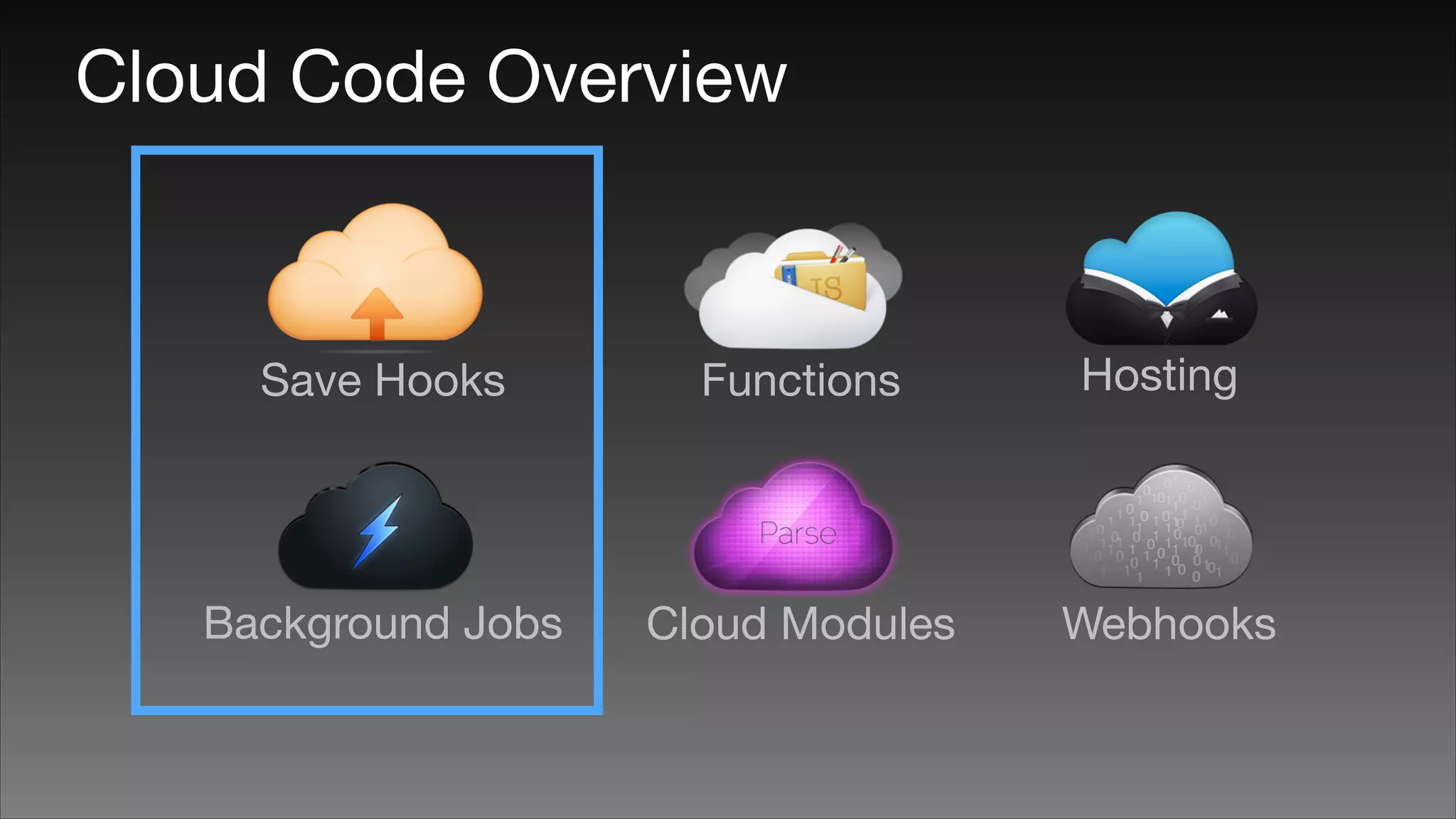
Cloud Code Overview

Save Hooks

Functions

Hosting

Background Jobs

Cloud Modules

Webhooks
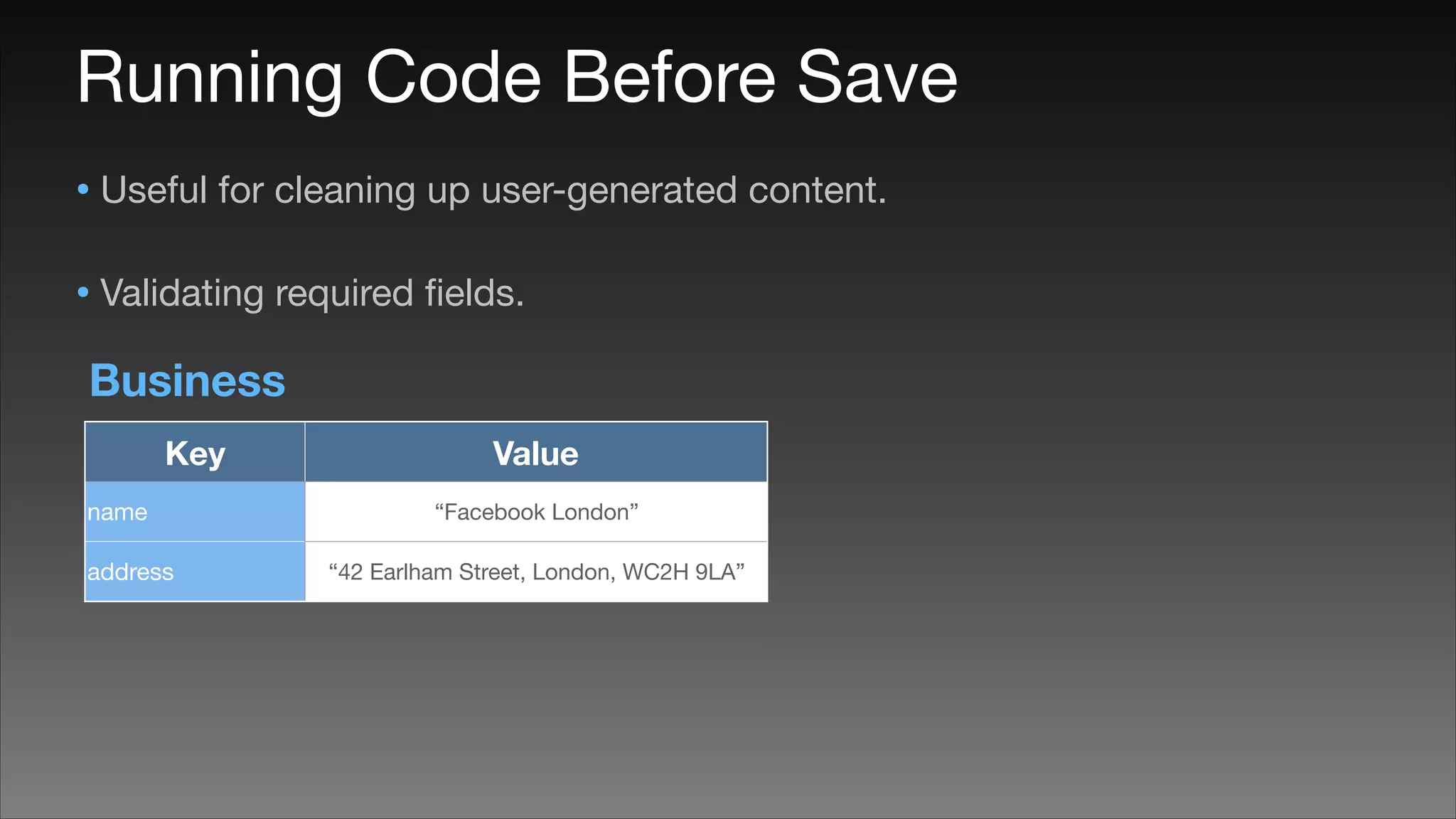
Running Code Before Save
• Useful for cleaning up user-generated content.

• Validating required fields.
Business
Key
name
address

Value
“Facebook London”
“42 Earlham Street, London, WC2H 9LA”
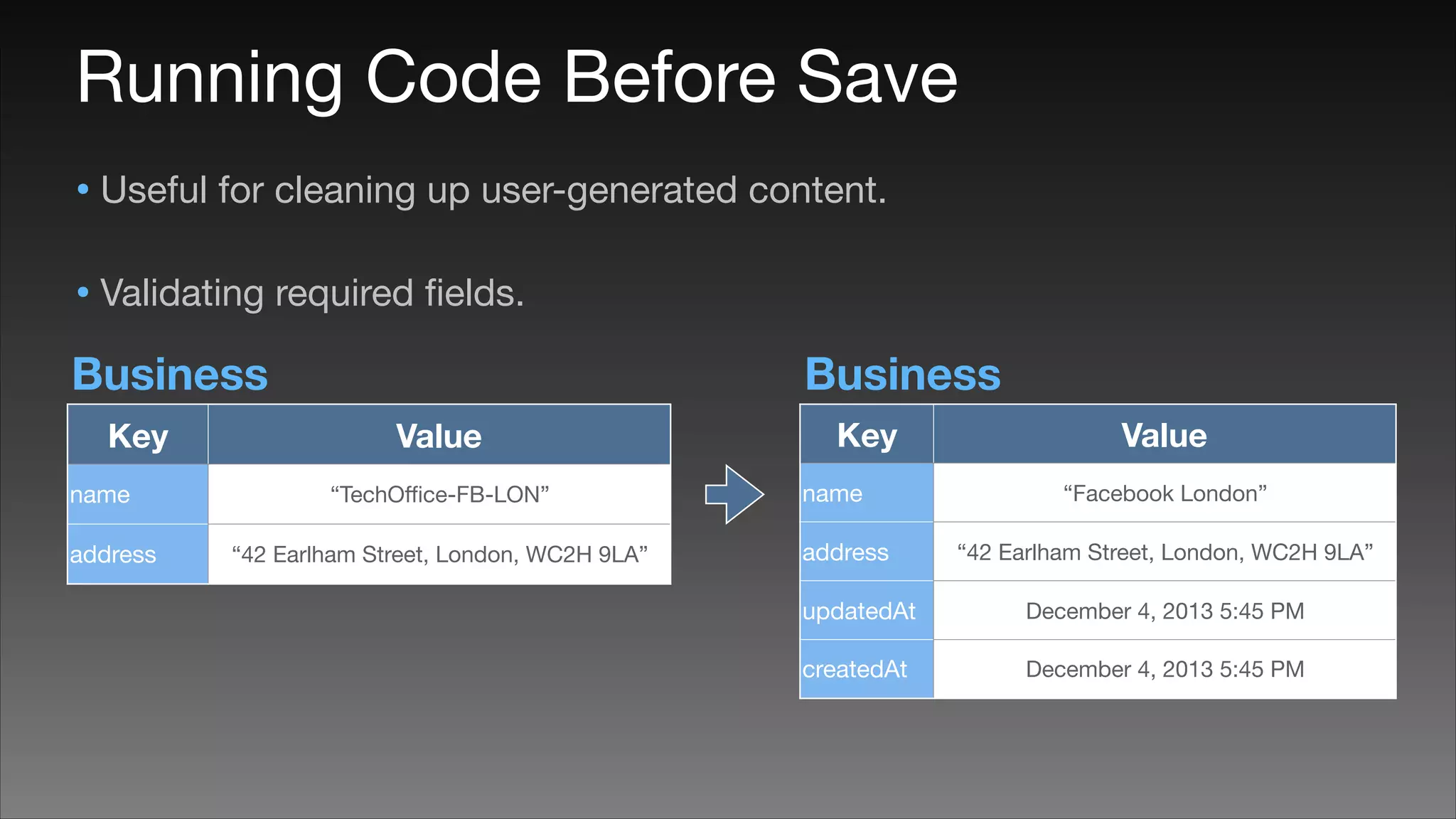
Running Code Before Save
• Useful for cleaning up user-generated content.

• Validating required fields.
Business
Key
name
address

Business
Value
“TechOffice-FB-LON”

“42 Earlham Street, London, WC2H 9LA”

Key
name
address

Value
“Facebook London”
“42 Earlham Street, London, WC2H 9LA”

updatedAt

December 4, 2013 5:45 PM

createdAt

December 4, 2013 5:45 PM
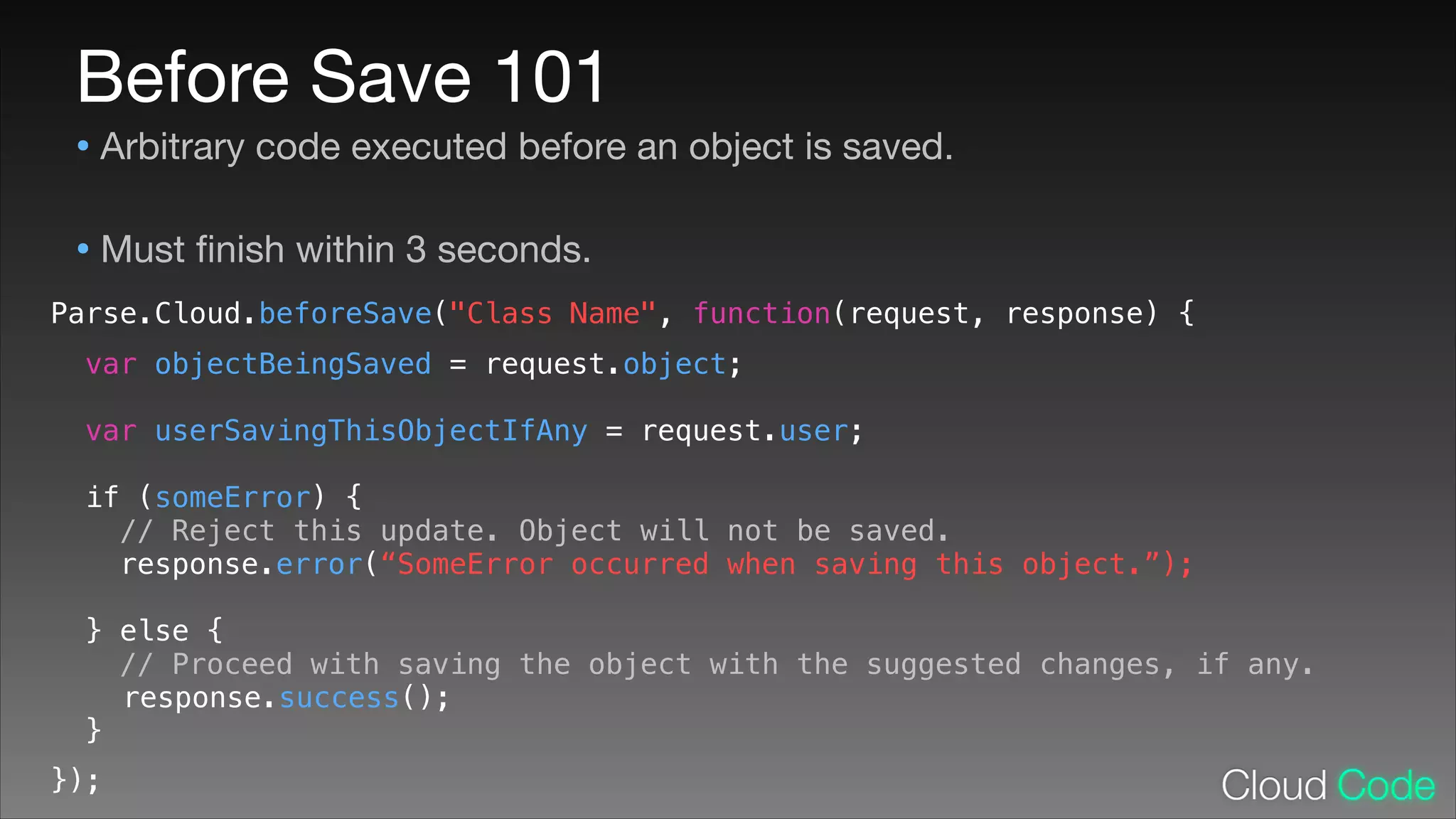
Before Save 101

• Arbitrary code executed before an object is saved.

• Must finish within 3 seconds.
Parse.Cloud.beforeSave("Class Name", function(request, response) {
!
!
!
!
!
!
!
!
!
!
!
!
!
!
!

var objectBeingSaved = request.object;
var userSavingThisObjectIfAny = request.user;
if (someError) {
// Reject this update. Object will not be saved.
response.error(“SomeError occurred when saving this object.”);
} else {
// Proceed with saving the object with the suggested changes, if any.
response.success();
}

});
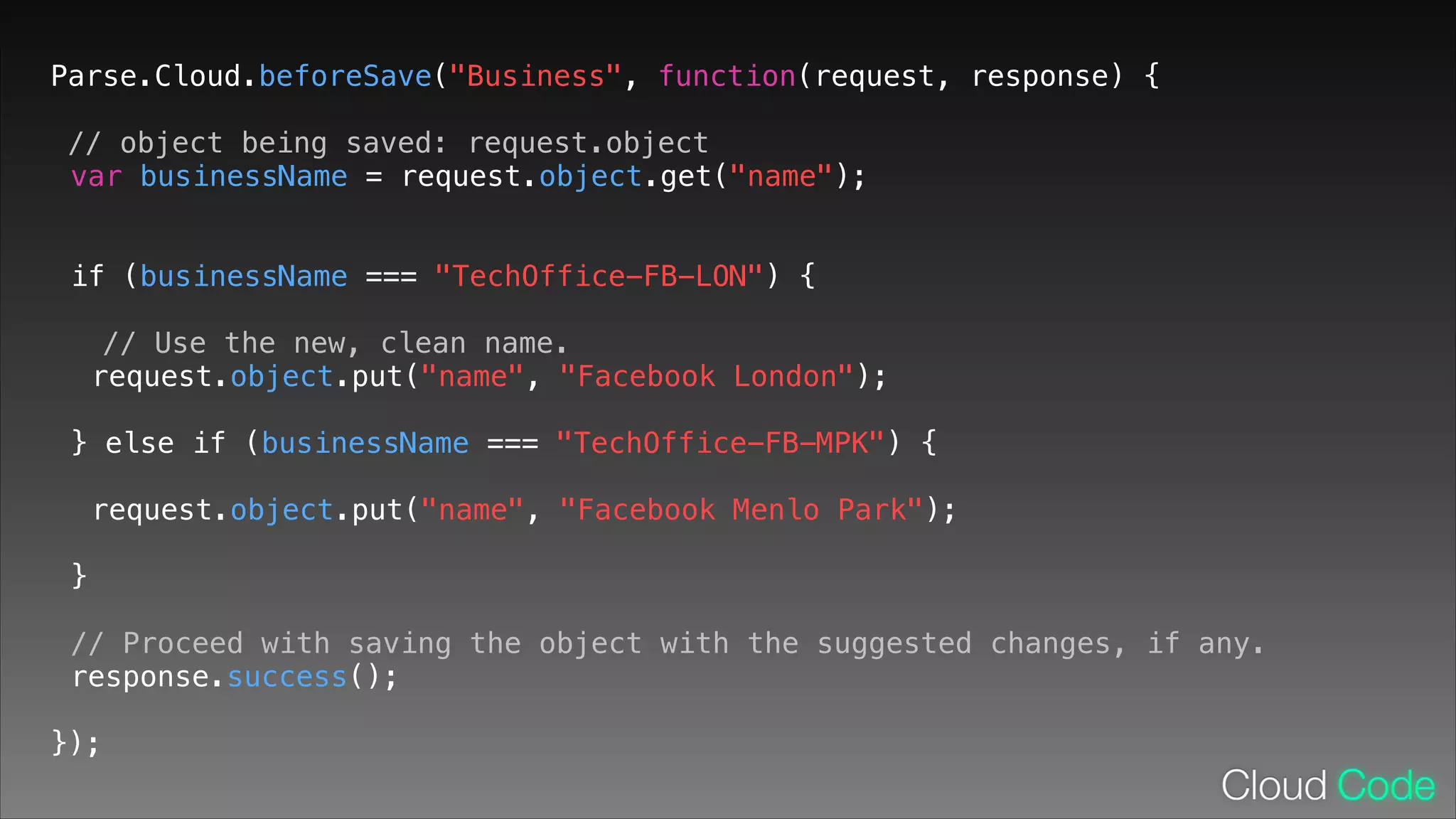
Parse.Cloud.beforeSave("Business", function(request, response) {
// object being saved: request.object
var businessName = request.object.get("name");
!

if (businessName === "TechOffice-FB-LON") {
!

// Use the new, clean name.
request.object.put("name", "Facebook London");
!

} else if (businessName === "TechOffice-FB-MPK") {
!

request.object.put("name", "Facebook Menlo Park");
!

}
!

// Proceed with saving the object with the suggested changes, if any.
response.success();
!

});
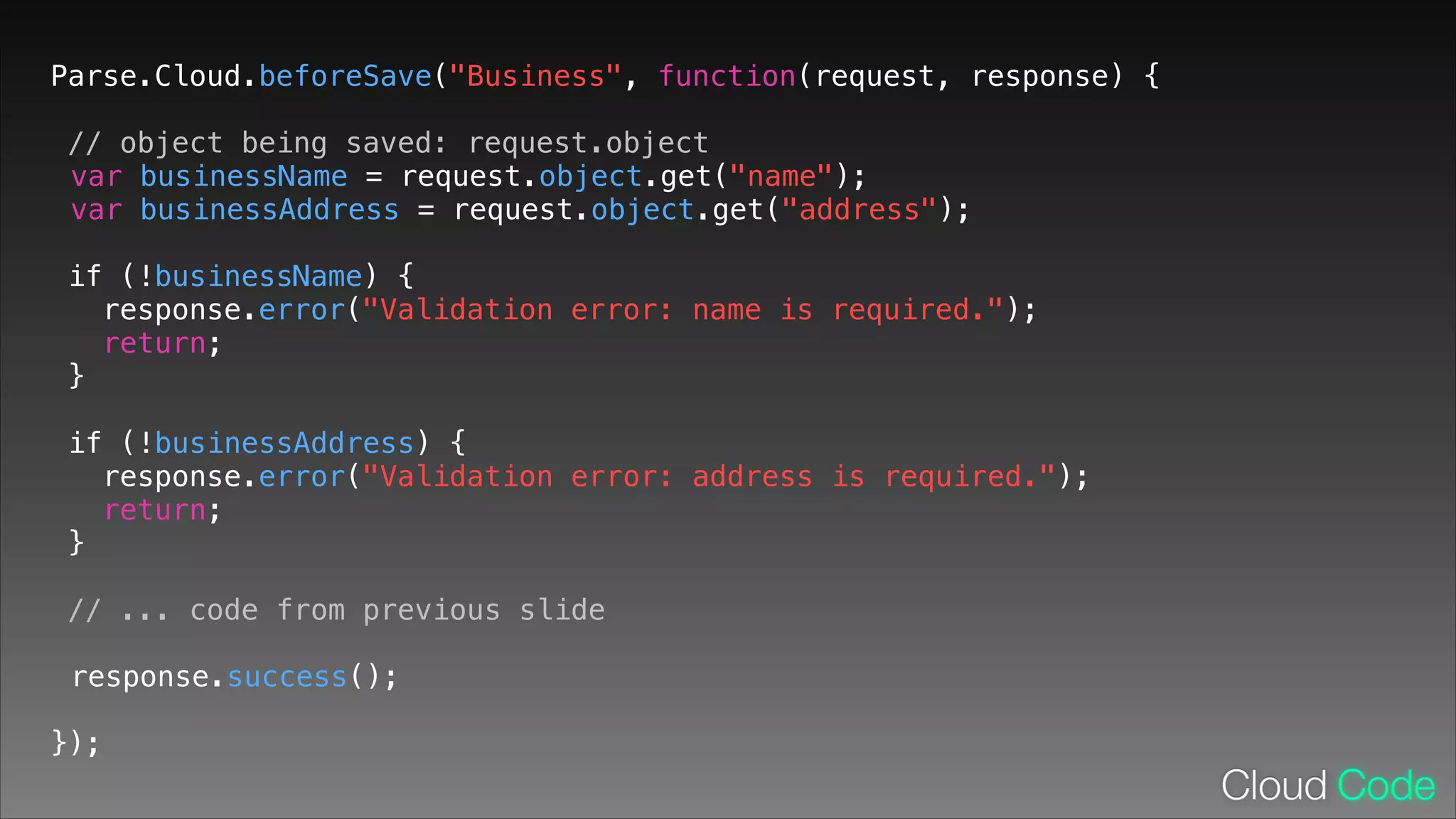
Parse.Cloud.beforeSave("Business", function(request, response) {
// object being saved: request.object
var businessName = request.object.get("name");
var businessAddress = request.object.get("address");
!

if (!businessName) {
response.error("Validation error: name is required.");
return;
}
!

if (!businessAddress) {
response.error("Validation error: address is required.");
return;
}
!

// ... code from previous slide
response.success();
!

});
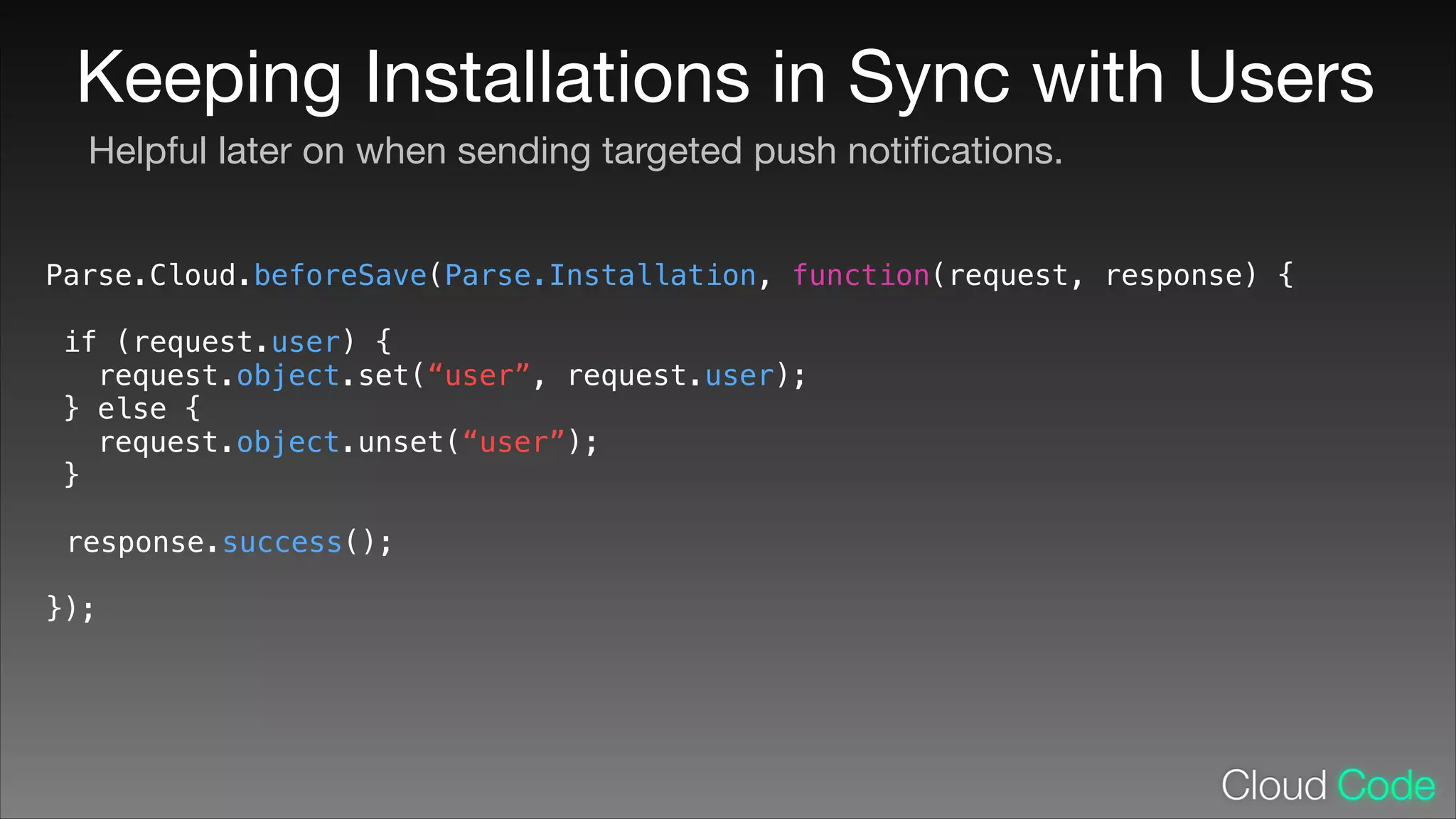
Keeping Installations in Sync with Users
Helpful later on when sending targeted push notifications.
Parse.Cloud.beforeSave(Parse.Installation, function(request, response) {
!

if (request.user) {
request.object.set(“user”, request.user);
} else {
request.object.unset(“user”);
}
!

response.success();
!

});
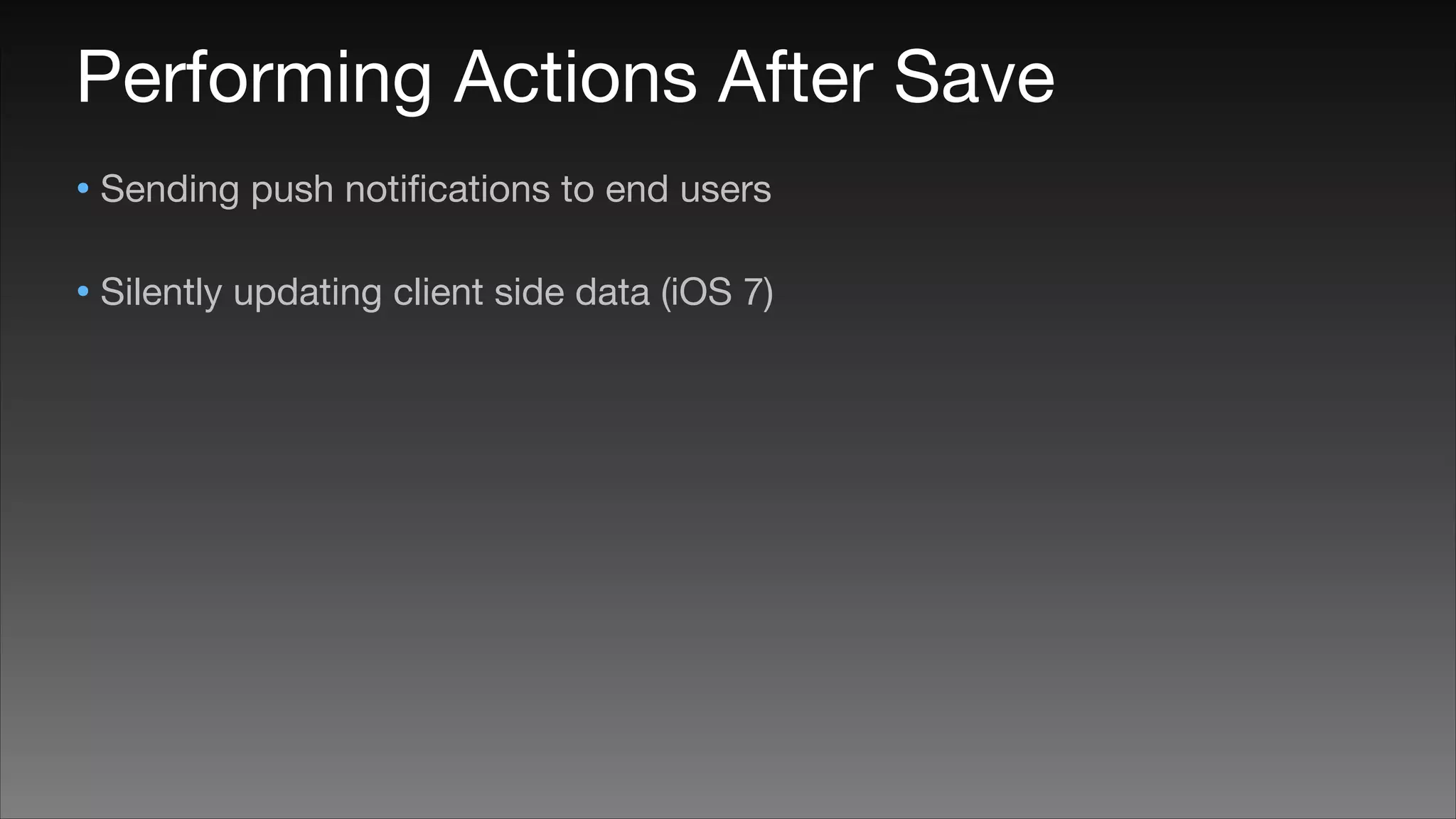
Performing Actions After Save
• Sending push notifications to end users

• Silently updating client side data (iOS 7)
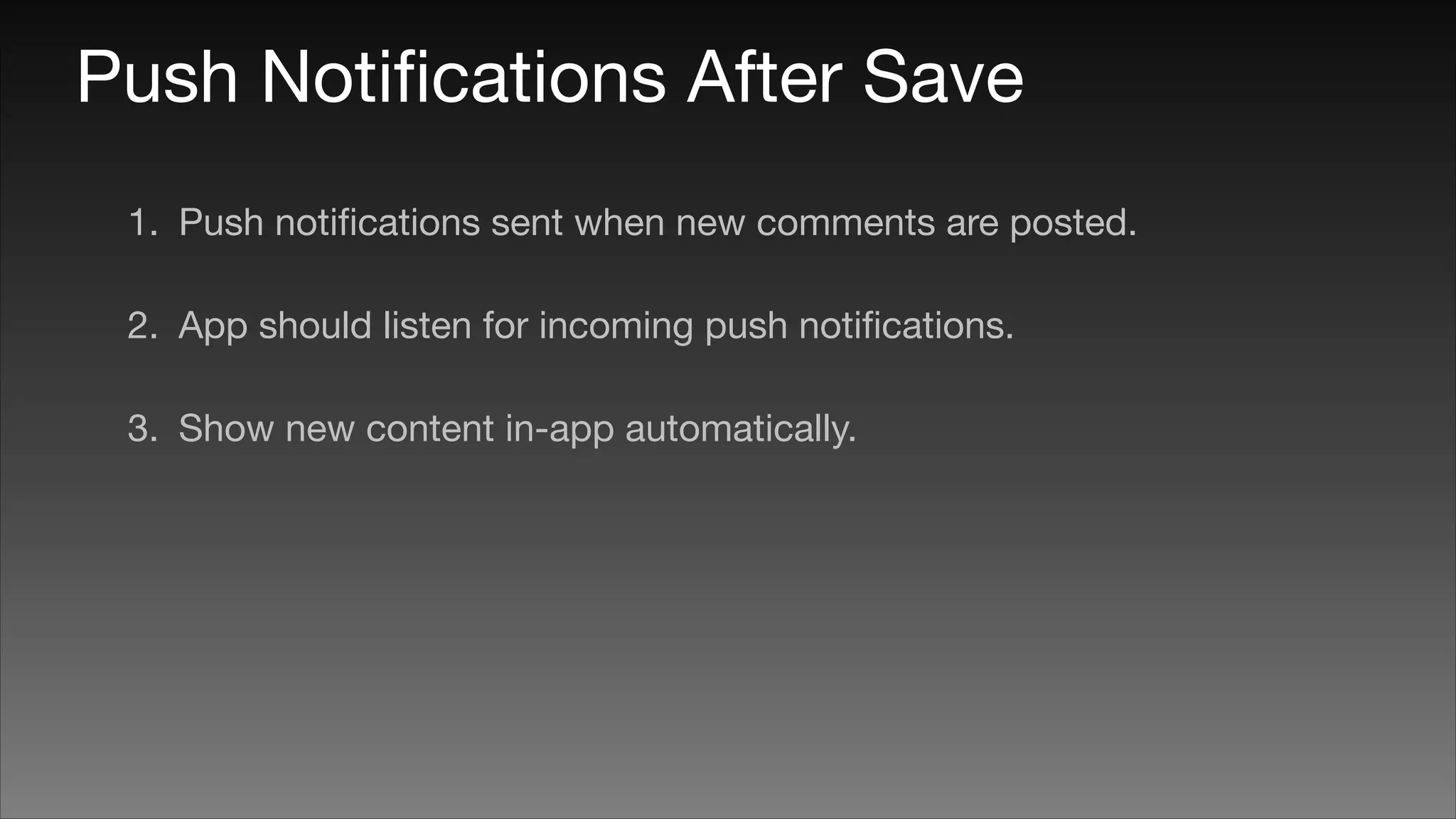
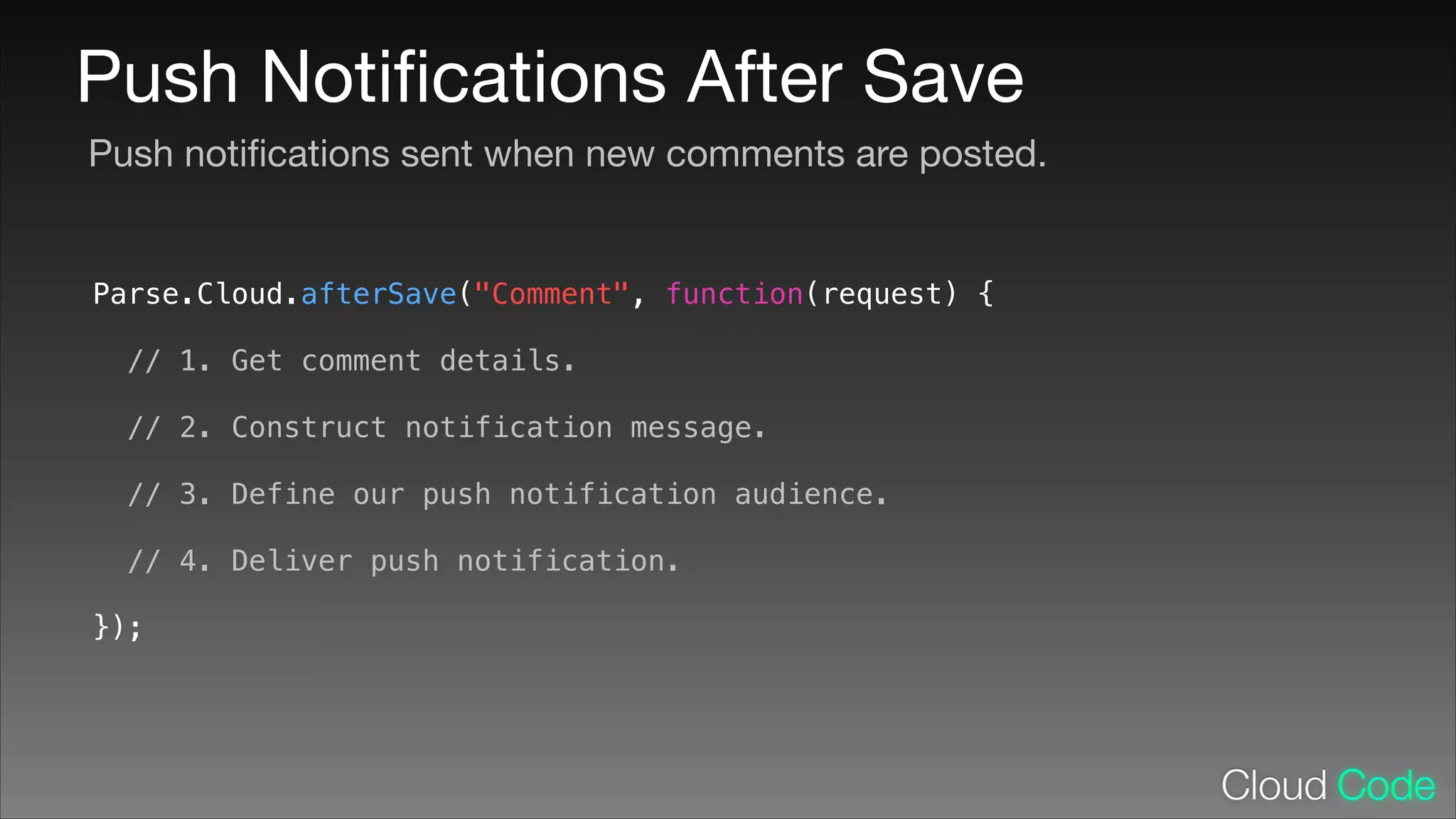
Push Notifications After Save
1. Push notifications sent when new comments are posted.

2. App should listen for incoming push notifications.

3. Show new content in-app automatically.
Push Notifications After Save
Push notifications sent when new comments are posted.

Parse.Cloud.afterSave("Comment", function(request) {
!

// 1. Get comment details.
!

// 2. Construct notification message.
!

// 3. Define our push notification audience.
!

// 4. Deliver push notification.
});
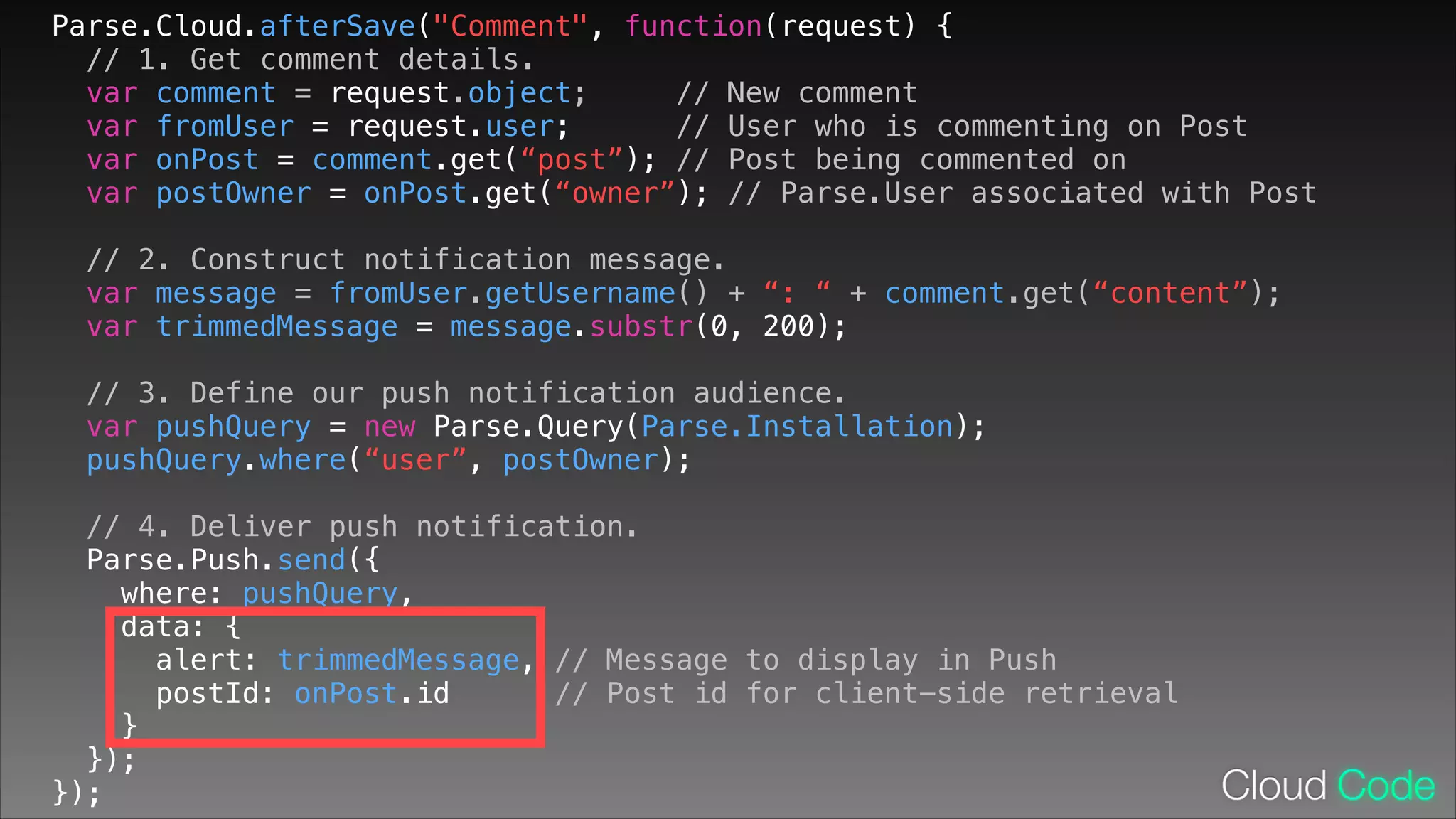
Parse.Cloud.afterSave("Comment", function(request) {
// 1. Get comment details.
var comment = request.object;
// New comment
var fromUser = request.user;
// User who is commenting on Post
var onPost = comment.get(“post”); // Post being commented on
var postOwner = onPost.get(“owner”); // Parse.User associated with Post
// 2. Construct notification message.
var message = fromUser.getUsername() + “: “ + comment.get(“content”);
var trimmedMessage = message.substr(0, 200);
!

// 3. Define our push notification audience.
var pushQuery = new Parse.Query(Parse.Installation);
pushQuery.where(“user”, postOwner);
// 4. Deliver push notification.
Parse.Push.send({
where: pushQuery,
data: {
alert: trimmedMessage, // Message to display in Push
postId: onPost.id
// Post id for client-side retrieval
}
});
});
Push Notifications After Save
Listening to incoming push notifications
- (BOOL)application:(UIApplication *)application didFinishLaunchingWithOptions:
(NSDictionary *)launchOptions {
NSDictionary *pushPayload =
launchOptions[UIApplicationLaunchOptionsRemoteNotificationKey];
!

}

// ...

- (void)application:(UIApplication *)application
didReceiveRemoteNotification:(NSDictionary *)userInfo {
// ...
!

}
Push Guide: Responding to the Payload

https://parse.com/docs/push_guide#receiving-responding
Push Notifications After Save
Showing in-app content automatically
- (void)application:(UIApplication *)application
didReceiveRemoteNotification:(NSDictionary *)userInfo {
NSString *postId = userInfo[@“postId"];
if (postId) {
// This is a push notification for an activity over a Post object
PFObject *post = [PFObject objectWithoutDataWithClassName:@"Post"
objectId:postId];
!

// Fetch the full Post object from Parse…
[post fetchInBackgroundWithBlock:^(PFObject *post, NSError *error) {
!

}

}

// …then we display this Post with any new data in the iPhone app.
PostsViewController *postsViewController = [PostsViewController new];
postsViewController.post = post;
[self.navigationController presentViewController:postsViewController
animated:YES completion:nil];
}];
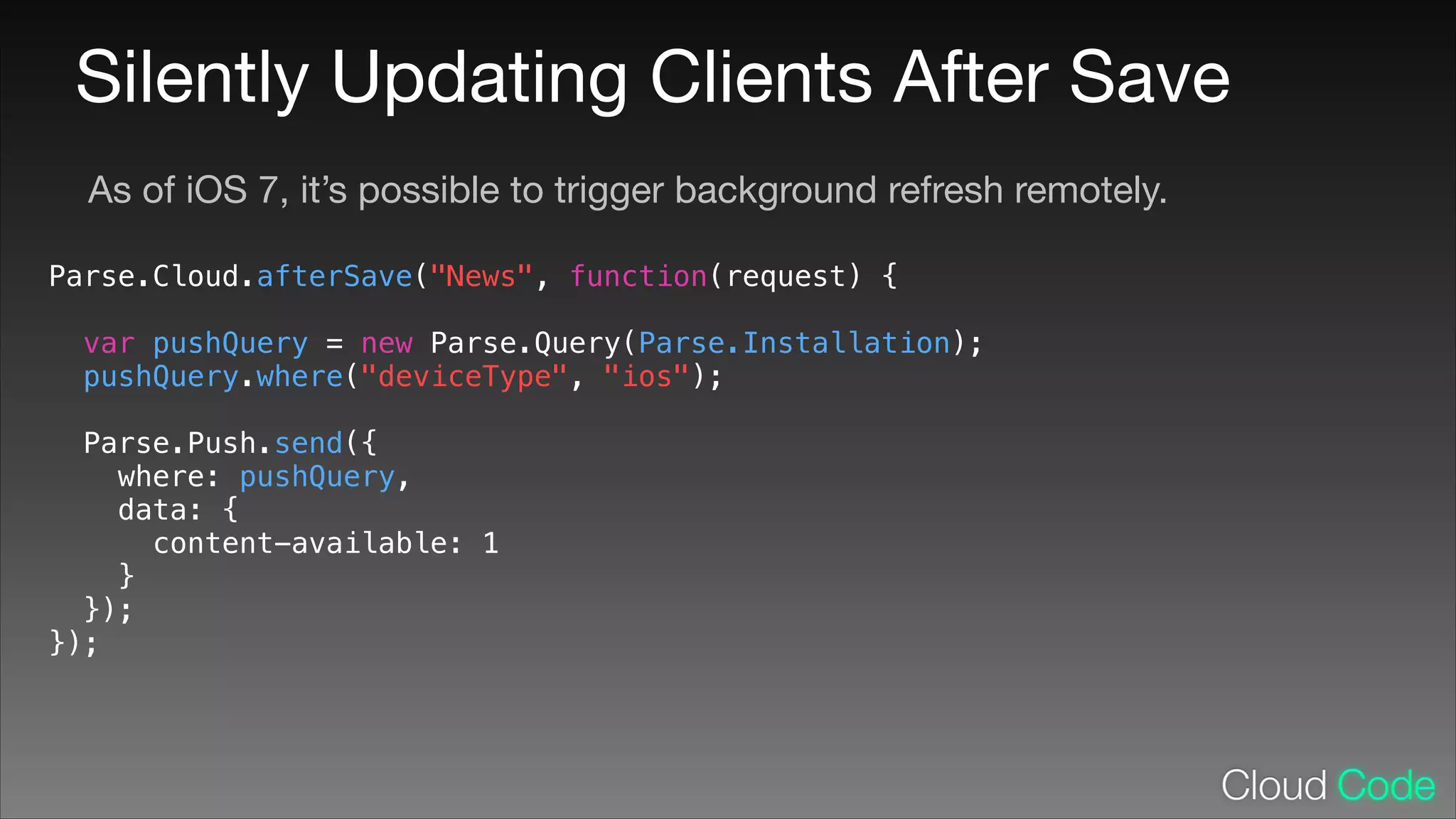
Silently Updating Clients After Save
As of iOS 7, it’s possible to trigger background refresh remotely.
Parse.Cloud.afterSave("News", function(request) {
!

var pushQuery = new Parse.Query(Parse.Installation);
pushQuery.where("deviceType", "ios");
Parse.Push.send({
where: pushQuery,
data: {
content-available: 1
}
});
});
Updating Query Cache
- (void)application:(UIApplication *)application
didReceiveRemoteNotification:(NSDictionary *)userInfo
fetchCompletionHandler:(void (^)(UIBackgroundFetchResult))completionHandler {
!

PFQuery *query = [PFQuery queryWithClassName:@"News"];
query.cachePolicy = kPFCachePolicyNetworkOnly;

}

[query findObjectsInBackgroundWithBlock:^(NSArray *objects, NSError *error) {
if (!error) {
completionHandler(UIBackgroundFetchResultNewData);
} else {
completionHandler(UIBackgroundFetchResultFailed);
}
}];
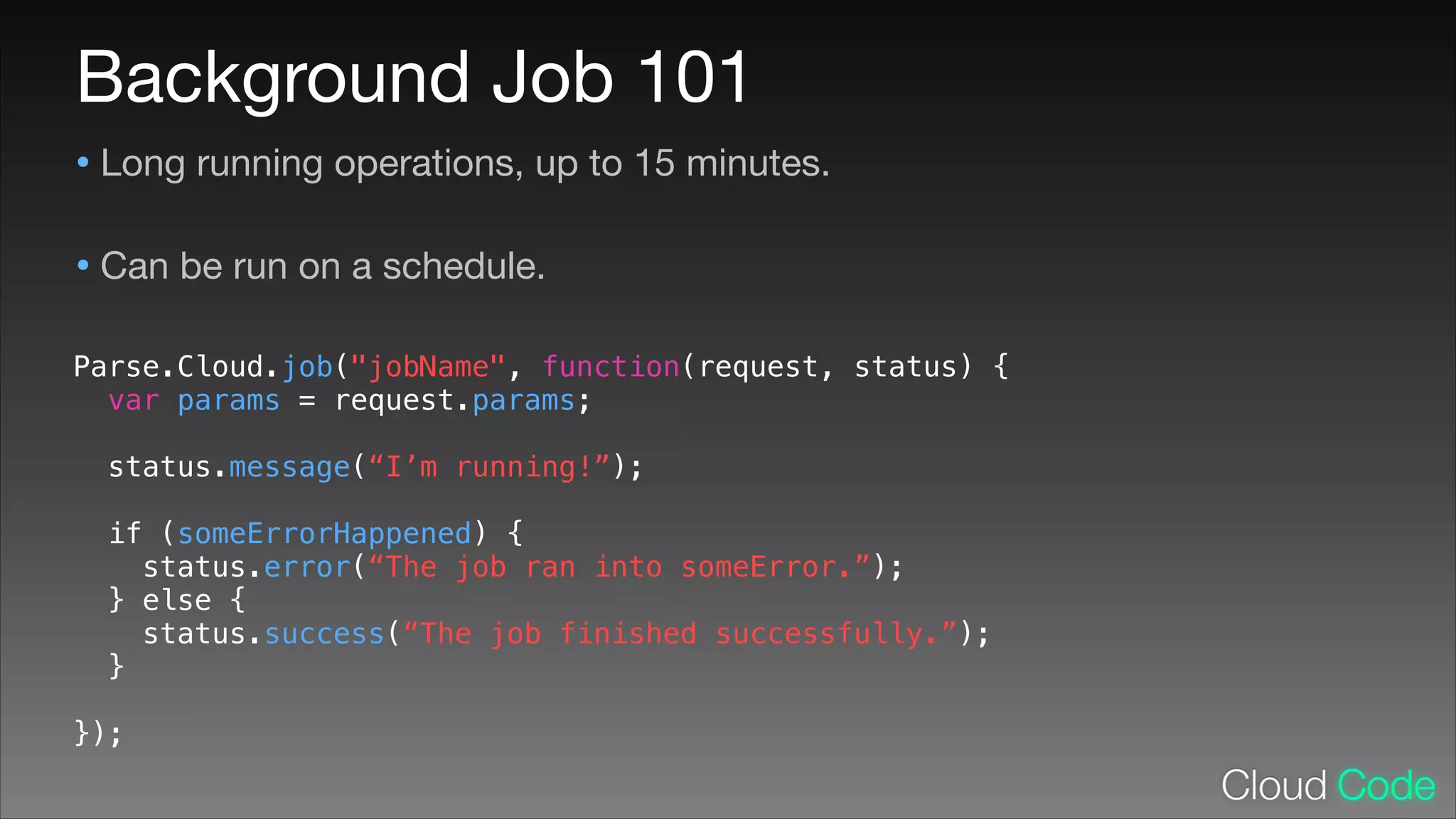
Background Job 101
• Long running operations, up to 15 minutes.

• Can be run on a schedule.

Parse.Cloud.job("jobName", function(request, status) {
var params = request.params;
!

status.message(“I’m running!”);
!

if (someErrorHappened) {
status.error(“The job ran into someError.”);
} else {
status.success(“The job finished successfully.”);
}
!

});
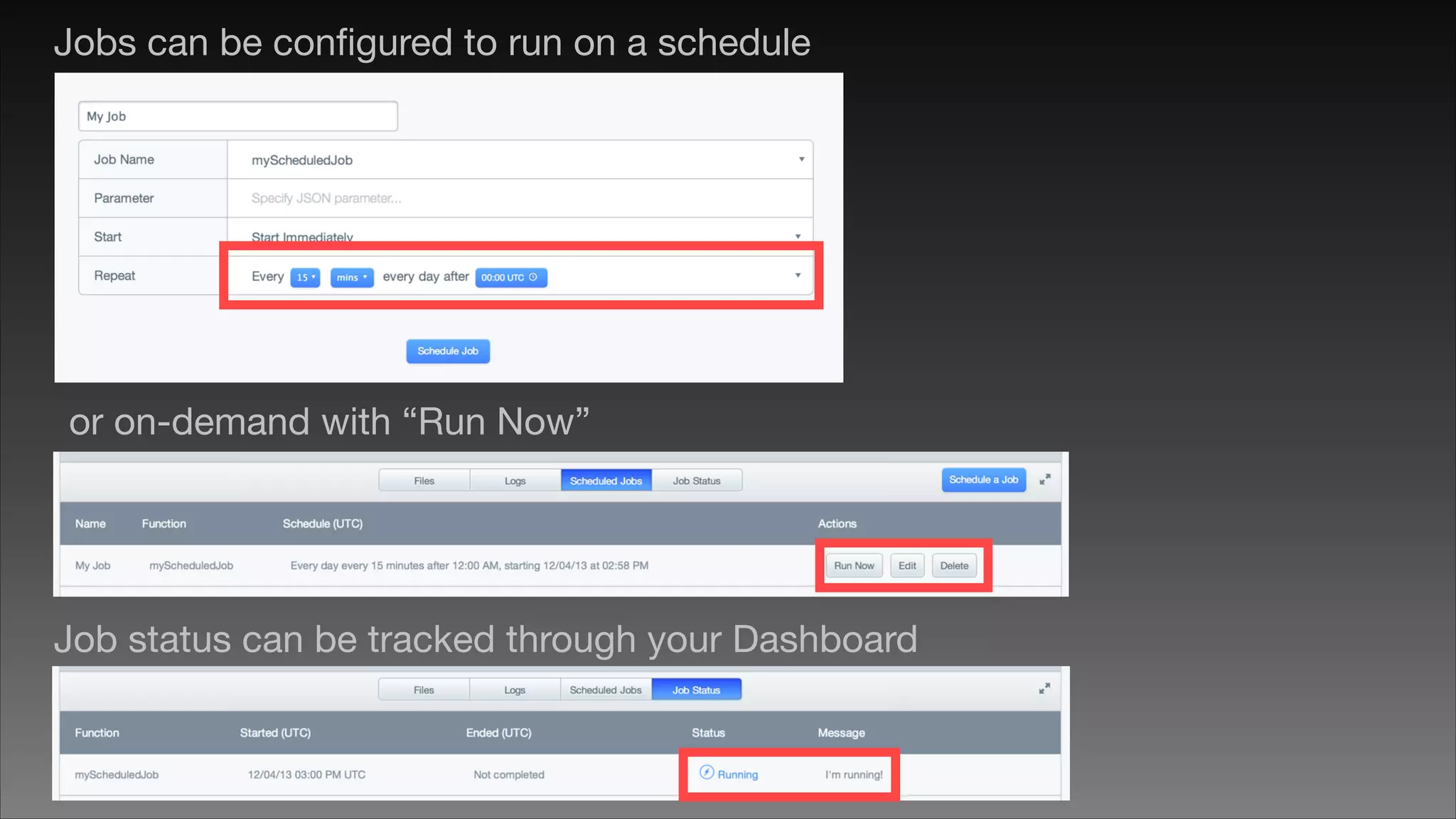
Jobs can be configured to run on a schedule

or on-demand with “Run Now”

Job status can be tracked through your Dashboard
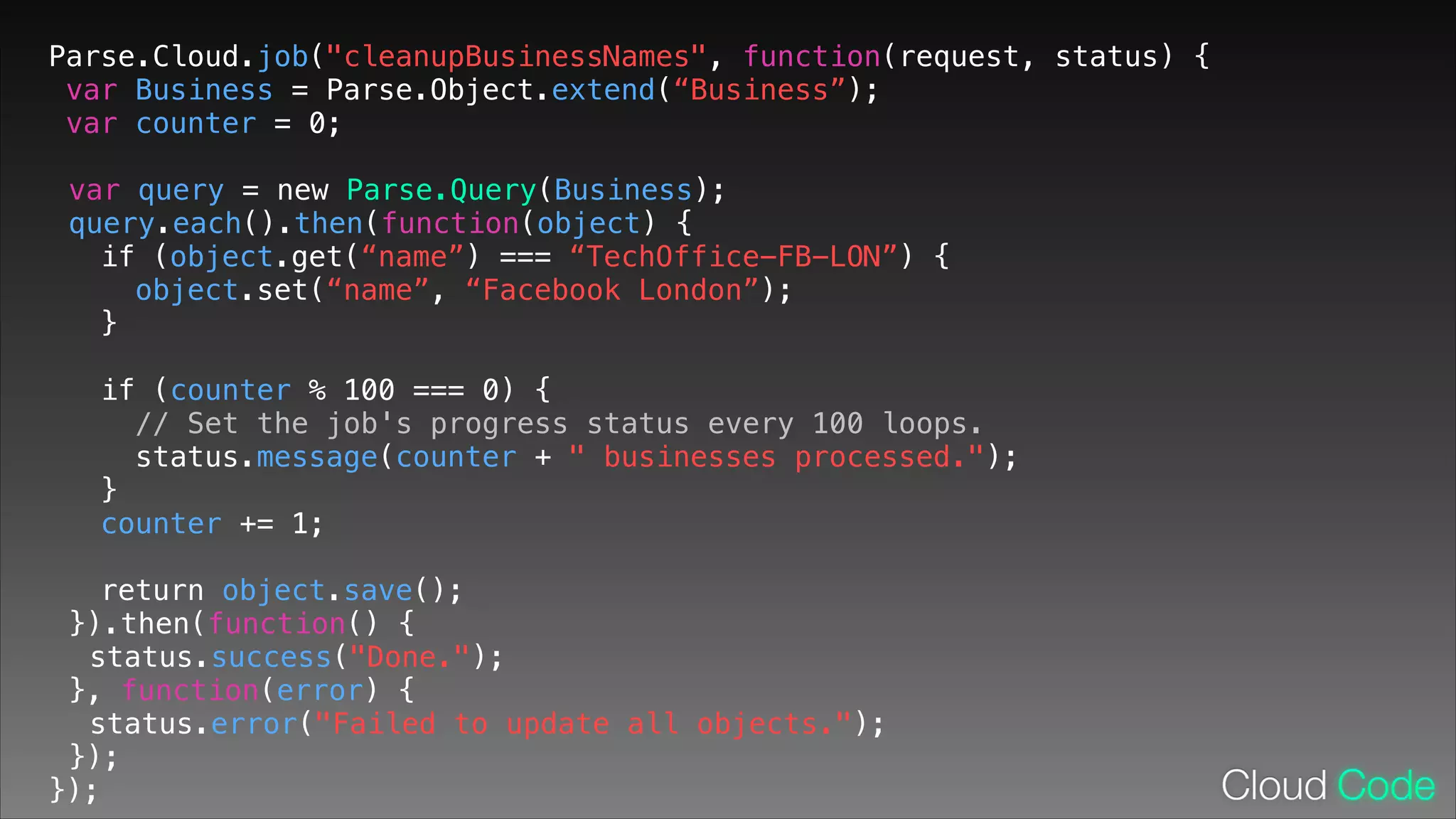
Parse.Cloud.job("cleanupBusinessNames", function(request, status) {
var Business = Parse.Object.extend(“Business”);
var counter = 0;
!

var query = new Parse.Query(Business);
query.each().then(function(object) {
if (object.get(“name”) === “TechOffice-FB-LON”) {
object.set(“name”, “Facebook London”);
}
!

if (counter % 100 === 0) {
// Set the job's progress status every 100 loops.
status.message(counter + " businesses processed.");
}
counter += 1;
return object.save();
}).then(function() {
status.success("Done.");
}, function(error) {
status.error("Failed to update all objects.");
});
});
Q&A

Parse London Meetup - Cloud Code Tips & Tricks

  • 1.
    Cloud Code Tips& Tricks Parse London Meetup - December 4, 2013 Héctor Ramos @hectorramos
  • 2.
    Cloud Code Tips& Tricks • Validating data when objects are saved. • Performing arbitrary actions whenever objects are saved. • Keeping client apps updated automatically in the background. • Scheduling long running jobs.
  • 3.
    Cloud Code Overview •Hosted JavaScript environment. • Access to all your Parse Data through the JavaScript SDK. • Perform operations on a trusted environment. • Cloud Code deployed with parse • Hosting included. deploy command.
  • 4.
    Cloud Code Overview SaveHooks Functions Hosting Background Jobs Cloud Modules Webhooks
  • 5.
    Running Code BeforeSave • Useful for cleaning up user-generated content. • Validating required fields. Business Key name address Value “Facebook London” “42 Earlham Street, London, WC2H 9LA”
  • 6.
    Running Code BeforeSave • Useful for cleaning up user-generated content. • Validating required fields. Business Key name address Business Value “TechOffice-FB-LON” “42 Earlham Street, London, WC2H 9LA” Key name address Value “Facebook London” “42 Earlham Street, London, WC2H 9LA” updatedAt December 4, 2013 5:45 PM createdAt December 4, 2013 5:45 PM
  • 7.
    Before Save 101 •Arbitrary code executed before an object is saved. • Must finish within 3 seconds. Parse.Cloud.beforeSave("Class Name", function(request, response) { ! ! ! ! ! ! ! ! ! ! ! ! ! ! ! var objectBeingSaved = request.object; var userSavingThisObjectIfAny = request.user; if (someError) { // Reject this update. Object will not be saved. response.error(“SomeError occurred when saving this object.”); } else { // Proceed with saving the object with the suggested changes, if any. response.success(); } });
  • 8.
    Parse.Cloud.beforeSave("Business", function(request, response){ // object being saved: request.object var businessName = request.object.get("name"); ! if (businessName === "TechOffice-FB-LON") { ! // Use the new, clean name. request.object.put("name", "Facebook London"); ! } else if (businessName === "TechOffice-FB-MPK") { ! request.object.put("name", "Facebook Menlo Park"); ! } ! // Proceed with saving the object with the suggested changes, if any. response.success(); ! });
  • 9.
    Parse.Cloud.beforeSave("Business", function(request, response){ // object being saved: request.object var businessName = request.object.get("name"); var businessAddress = request.object.get("address"); ! if (!businessName) { response.error("Validation error: name is required."); return; } ! if (!businessAddress) { response.error("Validation error: address is required."); return; } ! // ... code from previous slide response.success(); ! });
  • 10.
    Keeping Installations inSync with Users Helpful later on when sending targeted push notifications. Parse.Cloud.beforeSave(Parse.Installation, function(request, response) { ! if (request.user) { request.object.set(“user”, request.user); } else { request.object.unset(“user”); } ! response.success(); ! });
  • 11.
    Performing Actions AfterSave • Sending push notifications to end users • Silently updating client side data (iOS 7)
  • 12.
    Push Notifications AfterSave 1. Push notifications sent when new comments are posted. 2. App should listen for incoming push notifications. 3. Show new content in-app automatically.
  • 13.
    Push Notifications AfterSave Push notifications sent when new comments are posted. Parse.Cloud.afterSave("Comment", function(request) { ! // 1. Get comment details. ! // 2. Construct notification message. ! // 3. Define our push notification audience. ! // 4. Deliver push notification. });
  • 14.
    Parse.Cloud.afterSave("Comment", function(request) { //1. Get comment details. var comment = request.object; // New comment var fromUser = request.user; // User who is commenting on Post var onPost = comment.get(“post”); // Post being commented on var postOwner = onPost.get(“owner”); // Parse.User associated with Post // 2. Construct notification message. var message = fromUser.getUsername() + “: “ + comment.get(“content”); var trimmedMessage = message.substr(0, 200); ! // 3. Define our push notification audience. var pushQuery = new Parse.Query(Parse.Installation); pushQuery.where(“user”, postOwner); // 4. Deliver push notification. Parse.Push.send({ where: pushQuery, data: { alert: trimmedMessage, // Message to display in Push postId: onPost.id // Post id for client-side retrieval } }); });
  • 15.
    Push Notifications AfterSave Listening to incoming push notifications - (BOOL)application:(UIApplication *)application didFinishLaunchingWithOptions: (NSDictionary *)launchOptions { NSDictionary *pushPayload = launchOptions[UIApplicationLaunchOptionsRemoteNotificationKey]; ! } // ... - (void)application:(UIApplication *)application didReceiveRemoteNotification:(NSDictionary *)userInfo { // ... ! } Push Guide: Responding to the Payload https://parse.com/docs/push_guide#receiving-responding
  • 16.
    Push Notifications AfterSave Showing in-app content automatically - (void)application:(UIApplication *)application didReceiveRemoteNotification:(NSDictionary *)userInfo { NSString *postId = userInfo[@“postId"]; if (postId) { // This is a push notification for an activity over a Post object PFObject *post = [PFObject objectWithoutDataWithClassName:@"Post" objectId:postId]; ! // Fetch the full Post object from Parse… [post fetchInBackgroundWithBlock:^(PFObject *post, NSError *error) { ! } } // …then we display this Post with any new data in the iPhone app. PostsViewController *postsViewController = [PostsViewController new]; postsViewController.post = post; [self.navigationController presentViewController:postsViewController animated:YES completion:nil]; }];
  • 17.
    Silently Updating ClientsAfter Save As of iOS 7, it’s possible to trigger background refresh remotely. Parse.Cloud.afterSave("News", function(request) { ! var pushQuery = new Parse.Query(Parse.Installation); pushQuery.where("deviceType", "ios"); Parse.Push.send({ where: pushQuery, data: { content-available: 1 } }); });
  • 18.
    Updating Query Cache -(void)application:(UIApplication *)application didReceiveRemoteNotification:(NSDictionary *)userInfo fetchCompletionHandler:(void (^)(UIBackgroundFetchResult))completionHandler { ! PFQuery *query = [PFQuery queryWithClassName:@"News"]; query.cachePolicy = kPFCachePolicyNetworkOnly; } [query findObjectsInBackgroundWithBlock:^(NSArray *objects, NSError *error) { if (!error) { completionHandler(UIBackgroundFetchResultNewData); } else { completionHandler(UIBackgroundFetchResultFailed); } }];
  • 19.
    Background Job 101 •Long running operations, up to 15 minutes. • Can be run on a schedule. Parse.Cloud.job("jobName", function(request, status) { var params = request.params; ! status.message(“I’m running!”); ! if (someErrorHappened) { status.error(“The job ran into someError.”); } else { status.success(“The job finished successfully.”); } ! });
  • 20.
    Jobs can beconfigured to run on a schedule or on-demand with “Run Now” Job status can be tracked through your Dashboard
  • 21.
    Parse.Cloud.job("cleanupBusinessNames", function(request, status){ var Business = Parse.Object.extend(“Business”); var counter = 0; ! var query = new Parse.Query(Business); query.each().then(function(object) { if (object.get(“name”) === “TechOffice-FB-LON”) { object.set(“name”, “Facebook London”); } ! if (counter % 100 === 0) { // Set the job's progress status every 100 loops. status.message(counter + " businesses processed."); } counter += 1; return object.save(); }).then(function() { status.success("Done."); }, function(error) { status.error("Failed to update all objects."); }); });
  • 22.