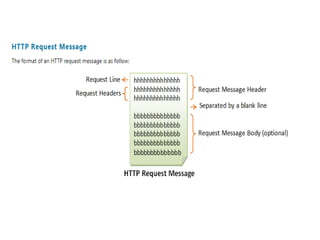
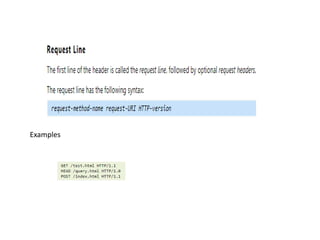
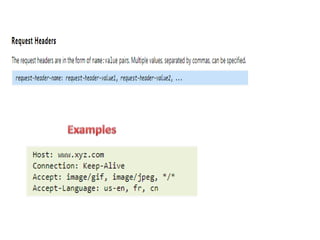
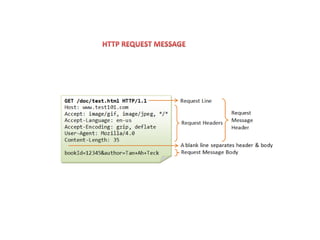
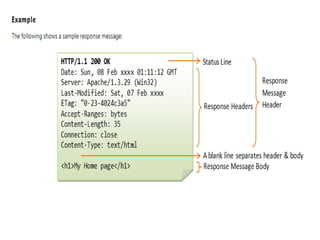
Examples
HTTP Request Methods
GET: A client can use the GET request to get a web resource from the server.
HEAD: A client can use the HEAD request to get the header that a GET request
would have obtained. Since the header contains the last-modified date of the
data, this can be used to check against the local cache copy.
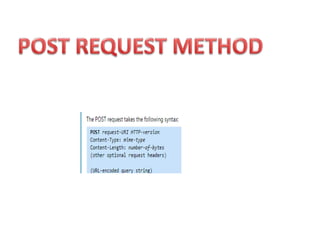
POST: Used to post data up to the web server.
PUT: Ask the server to store the data.
DELETE: Ask the server to delete the data.
TRACE: Ask the server to return a diagnostic trace of the actions it takes.
OPTIONS: Ask the server to return the list of request methods it supports.
CONNECT: Used to tell a proxy to make a connection to another host and
simply reply the content, without attempting to parse or cache it. This is often
used to make SSL connection through the proxy.
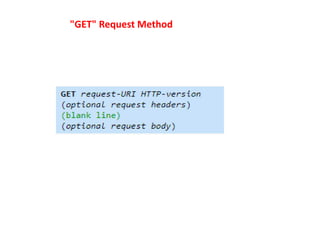
"GET" Request Method
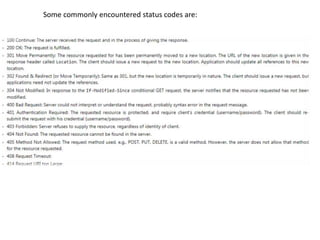
Some commonly encountered status codes are:
http explanation and process flow in javascript

http explanation and process flow in javascript

  • 4.
  • 11.
  • 12.
    GET: A clientcan use the GET request to get a web resource from the server. HEAD: A client can use the HEAD request to get the header that a GET request would have obtained. Since the header contains the last-modified date of the data, this can be used to check against the local cache copy. POST: Used to post data up to the web server. PUT: Ask the server to store the data. DELETE: Ask the server to delete the data. TRACE: Ask the server to return a diagnostic trace of the actions it takes. OPTIONS: Ask the server to return the list of request methods it supports. CONNECT: Used to tell a proxy to make a connection to another host and simply reply the content, without attempting to parse or cache it. This is often used to make SSL connection through the proxy.
  • 13.
  • 14.
    Some commonly encounteredstatus codes are: