WHAT IS HTML? 
Hypertext Markup Language 
A standardized system for tagging text 
files to achieve font, color, graphic, and 
hyperlink effects on World Wide Web 
pages. 
-The skeleton of any website
HTML ELEMENTS 
Written with a start and ending tag 
Ex: Beginning a paragraph 
<p>beginning tag </p> ending tag 
Content goes in the middle 
<p>Content</p>
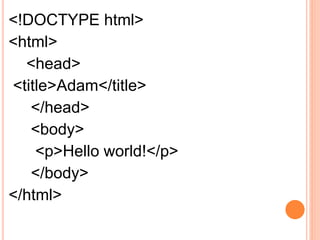
<!DOCTYPE html> 
<html> 
<head> 
<title>Adam</title> 
</head> 
<body> 
<p>Hello world!</p> 
</body> 
</html>
SO HOW DOES THIS ALL WORK? 
 You can create a website using most any text 
editor. 
 WYSIWYG- Adobe Dreamweaver & Blue Griffon 
 Pictures are referenced from a location on your 
computer or the Internet.
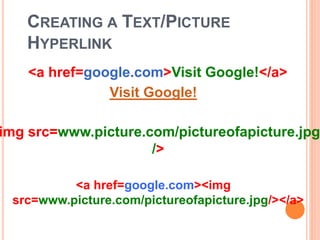
CREATING A TEXT/PICTURE 
HYPERLINK 
<a href=google.com>Visit Google!</a> 
Visit Google! 
img src=www.picture.com/pictureofapicture.jpg 
/> 
<a href=google.com><img 
src=www.picture.com/pictureofapicture.jpg/></a>
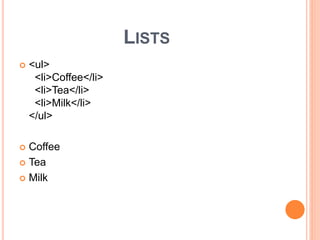
LISTS 
 <ul> 
<li>Coffee</li> 
<li>Tea</li> 
<li>Milk</li> 
</ul> 
 Coffee 
 Tea 
 Milk

Html&css pp

  • 2.
    WHAT IS HTML? Hypertext Markup Language A standardized system for tagging text files to achieve font, color, graphic, and hyperlink effects on World Wide Web pages. -The skeleton of any website
  • 3.
    HTML ELEMENTS Writtenwith a start and ending tag Ex: Beginning a paragraph <p>beginning tag </p> ending tag Content goes in the middle <p>Content</p>
  • 4.
    <!DOCTYPE html> <html> <head> <title>Adam</title> </head> <body> <p>Hello world!</p> </body> </html>
  • 7.
    SO HOW DOESTHIS ALL WORK?  You can create a website using most any text editor.  WYSIWYG- Adobe Dreamweaver & Blue Griffon  Pictures are referenced from a location on your computer or the Internet.
  • 8.
    CREATING A TEXT/PICTURE HYPERLINK <a href=google.com>Visit Google!</a> Visit Google! img src=www.picture.com/pictureofapicture.jpg /> <a href=google.com><img src=www.picture.com/pictureofapicture.jpg/></a>
  • 9.
    LISTS  <ul> <li>Coffee</li> <li>Tea</li> <li>Milk</li> </ul>  Coffee  Tea  Milk