What is HTML?
•HTML stands for Hyper Text Markup Language
•HTML is the standard markup language for creating
Web pages
•HTML describes the structure of a Web page
•HTML consists of a series of elements
•HTML elements tell the browser how to display the
content
Example Explained
•The <!DOCTYPE html> declaration defines
that this document is an HTML5 document
•The <html> element is the root element of an
HTML page
•The <head> element contains meta
information about the HTML page
Example Explained
•The <title> element specifies a title for the HTML page
(which is shown in the browser's title bar or in the
page's tab)
•The <body> element defines the document's body, and
is a container for all the visible contents, such as
headings, paragraphs, images, hyperlinks, tables, lists,
etc.
•The <h1> element defines a large heading
•The <p> element defines a paragraph
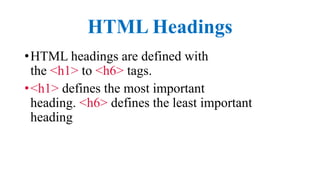
HTML Headings
•HTML headings are defined with
the <h1> to <h6> tags.
•<h1> defines the most important
heading. <h6> defines the least important
heading
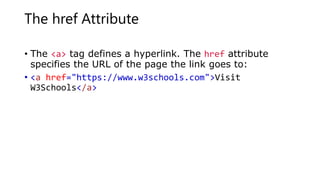
The href Attribute
• The <a> tag defines a hyperlink. The href attribute
specifies the URL of the page the link goes to:
• <a href="https://www.w3schools.com">Visit
W3Schools</a>
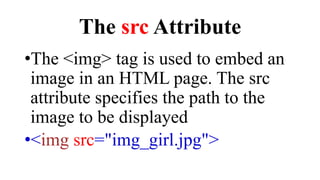
The src Attribute
•The <img> tag is used to embed an
image in an HTML page. The src
attribute specifies the path to the
image to be displayed
•<img src="img_girl.jpg">
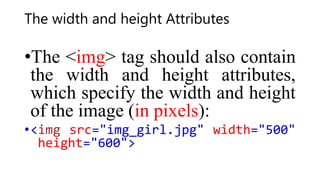
The width and height Attributes
•The <img> tag should also contain
the width and height attributes,
which specify the width and height
of the image (in pixels):
•<img src="img_girl.jpg" width="500"
height="600">

html tags chapter 1.pptx

  • 1.
    What is HTML? •HTMLstands for Hyper Text Markup Language •HTML is the standard markup language for creating Web pages •HTML describes the structure of a Web page •HTML consists of a series of elements •HTML elements tell the browser how to display the content
  • 2.
    Example Explained •The <!DOCTYPEhtml> declaration defines that this document is an HTML5 document •The <html> element is the root element of an HTML page •The <head> element contains meta information about the HTML page
  • 3.
    Example Explained •The <title>element specifies a title for the HTML page (which is shown in the browser's title bar or in the page's tab) •The <body> element defines the document's body, and is a container for all the visible contents, such as headings, paragraphs, images, hyperlinks, tables, lists, etc. •The <h1> element defines a large heading •The <p> element defines a paragraph
  • 4.
    HTML Headings •HTML headingsare defined with the <h1> to <h6> tags. •<h1> defines the most important heading. <h6> defines the least important heading
  • 5.
    The href Attribute •The <a> tag defines a hyperlink. The href attribute specifies the URL of the page the link goes to: • <a href="https://www.w3schools.com">Visit W3Schools</a>
  • 6.
    The src Attribute •The<img> tag is used to embed an image in an HTML page. The src attribute specifies the path to the image to be displayed •<img src="img_girl.jpg">
  • 7.
    The width andheight Attributes •The <img> tag should also contain the width and height attributes, which specify the width and height of the image (in pixels): •<img src="img_girl.jpg" width="500" height="600">