HTML
• HyperText MarkupLanguage
• Set of Text commands that can be used to
format how a web is displayed.
3
4.
Tags:
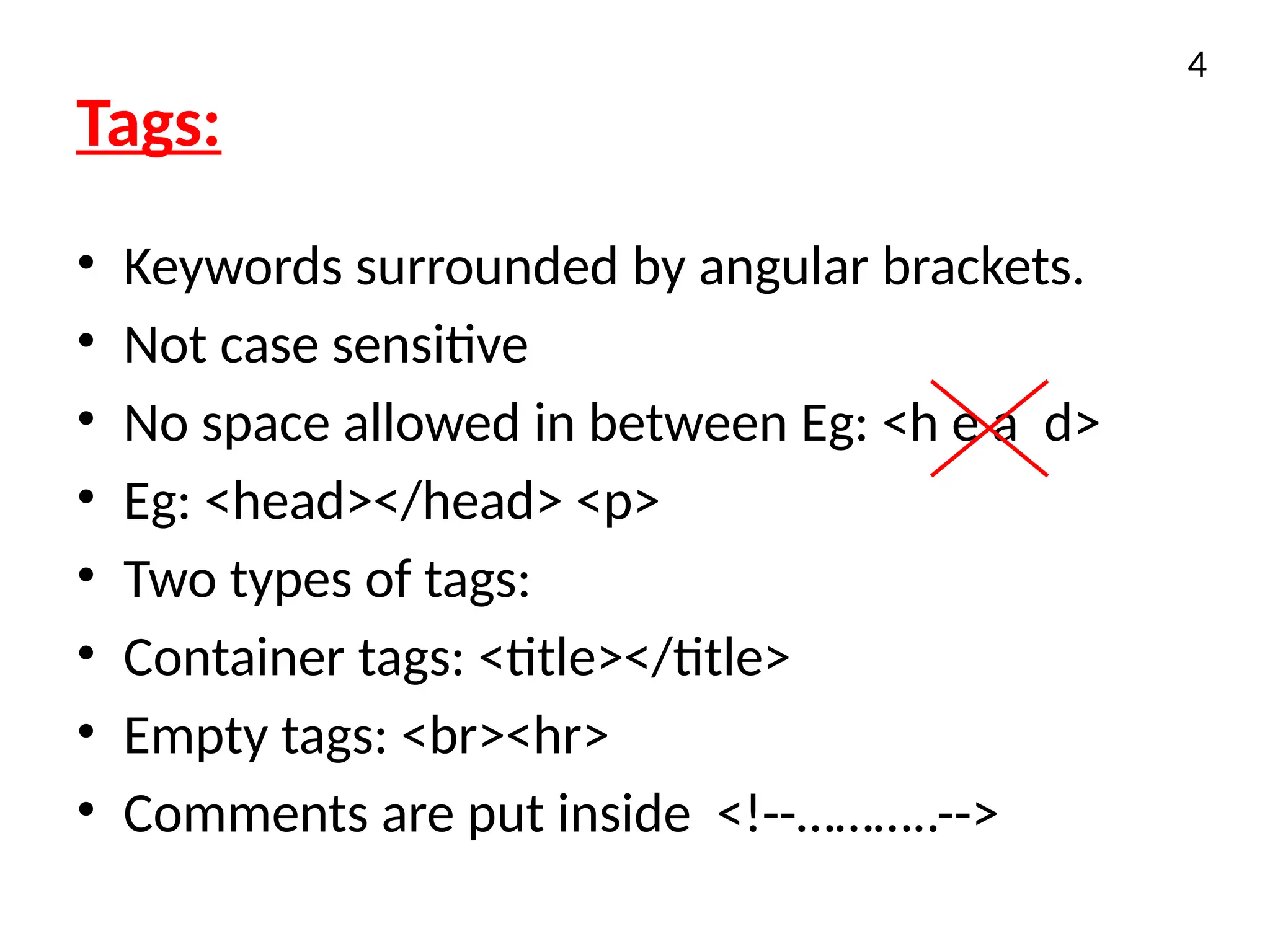
• Keywords surroundedby angular brackets.
• Not case sensitive
• No space allowed in between Eg: <h e a d>
• Eg: <head></head> <p>
• Two types of tags:
• Container tags: <title></title>
• Empty tags: <br><hr>
• Comments are put inside <!--………..-->
4
5.
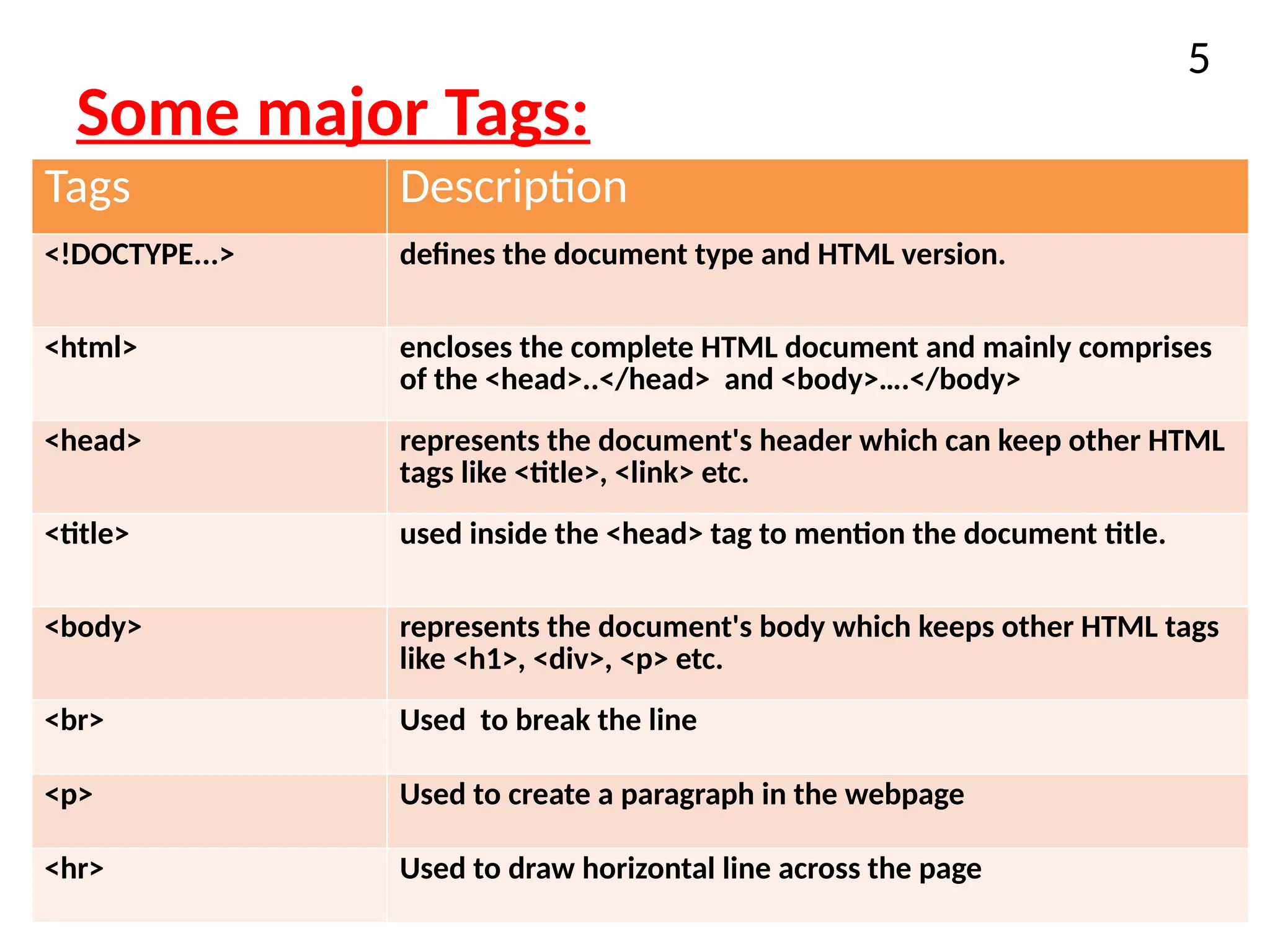
Some major Tags:
5
TagsDescription
<!DOCTYPE...> defines the document type and HTML version.
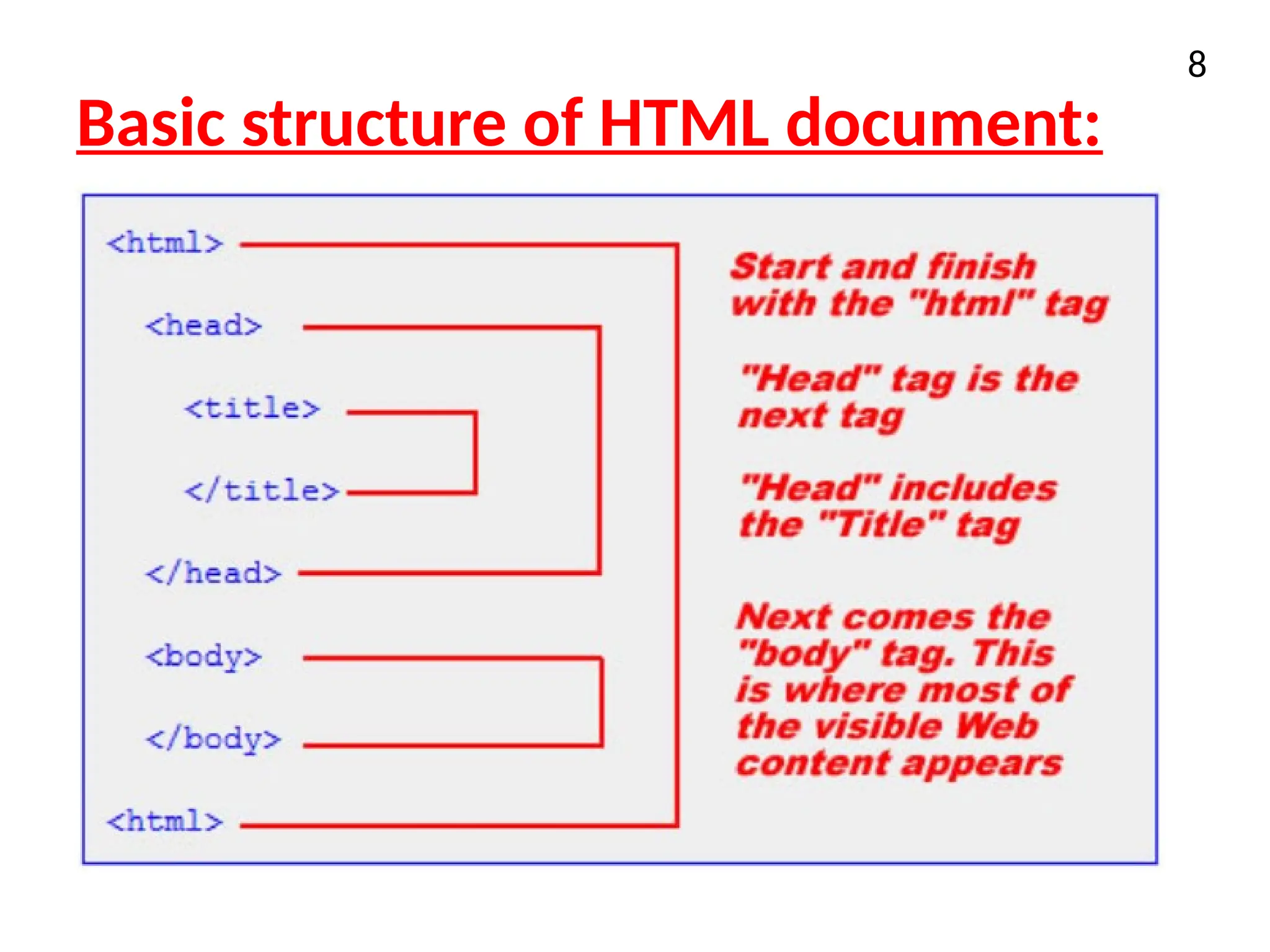
<html> encloses the complete HTML document and mainly comprises
of the <head>..</head> and <body>….</body>
<head> represents the document's header which can keep other HTML
tags like <title>, <link> etc.
<title> used inside the <head> tag to mention the document title.
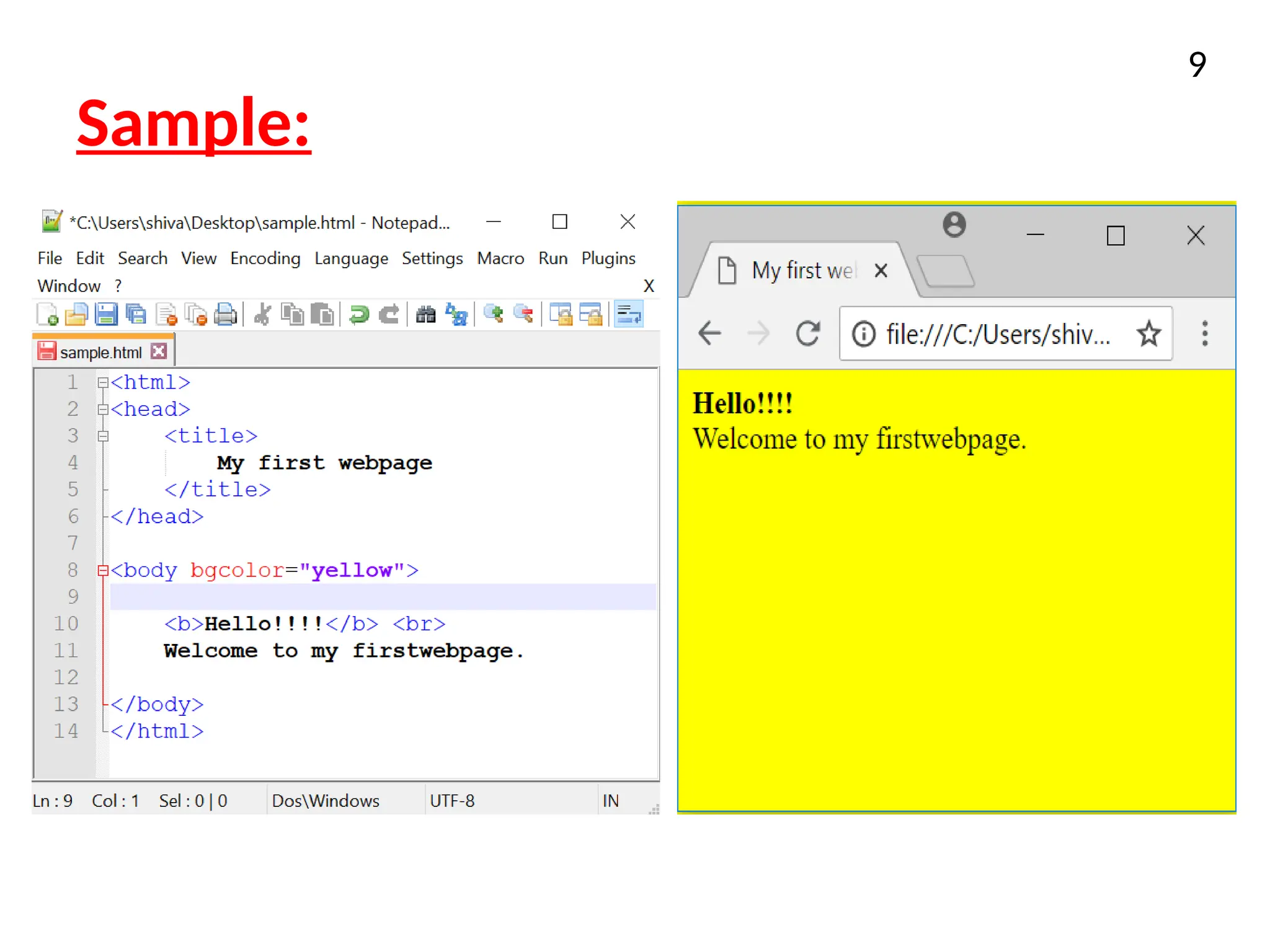
<body> represents the document's body which keeps other HTML tags
like <h1>, <div>, <p> etc.
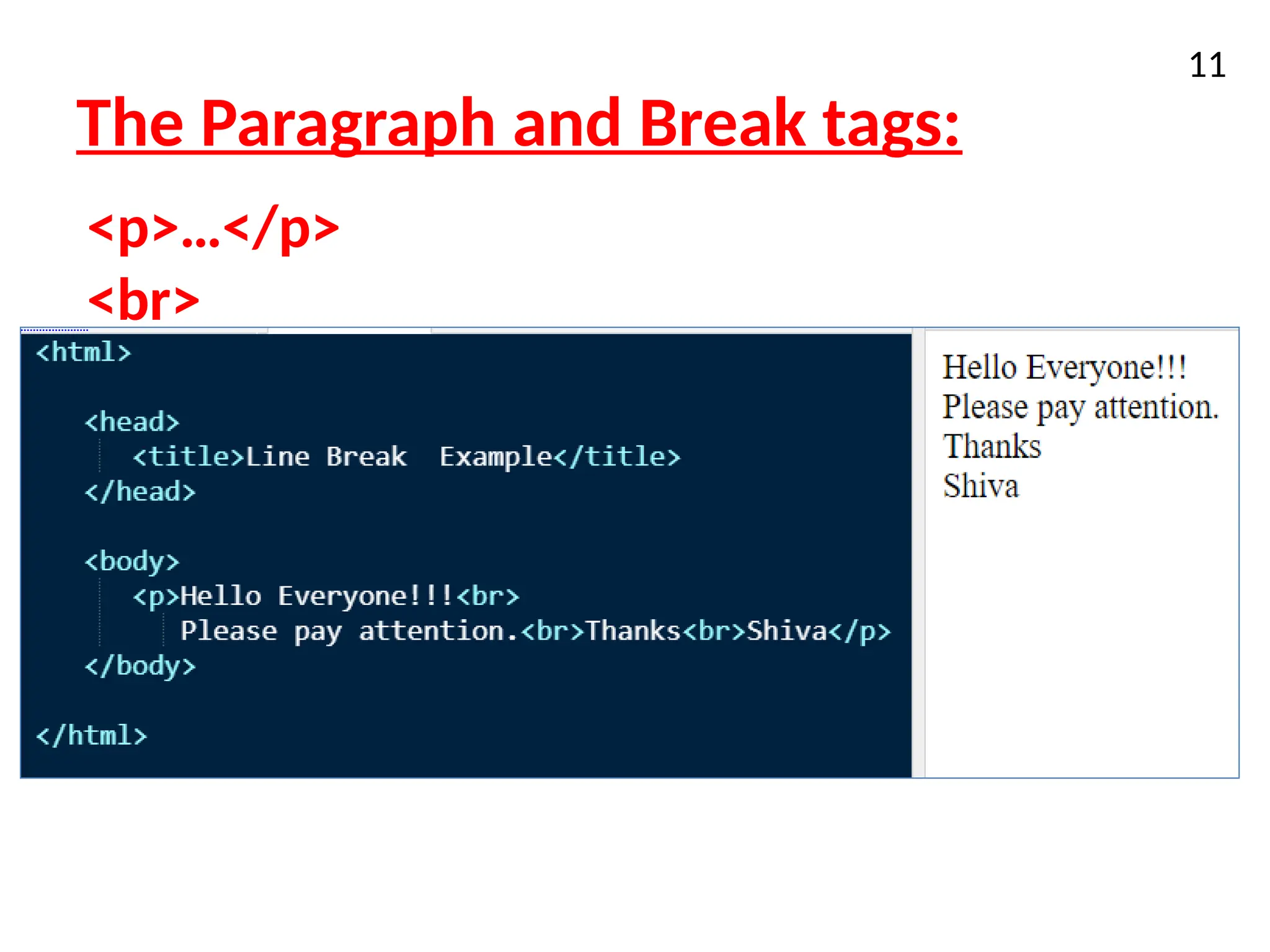
<br> Used to break the line
<p> Used to create a paragraph in the webpage
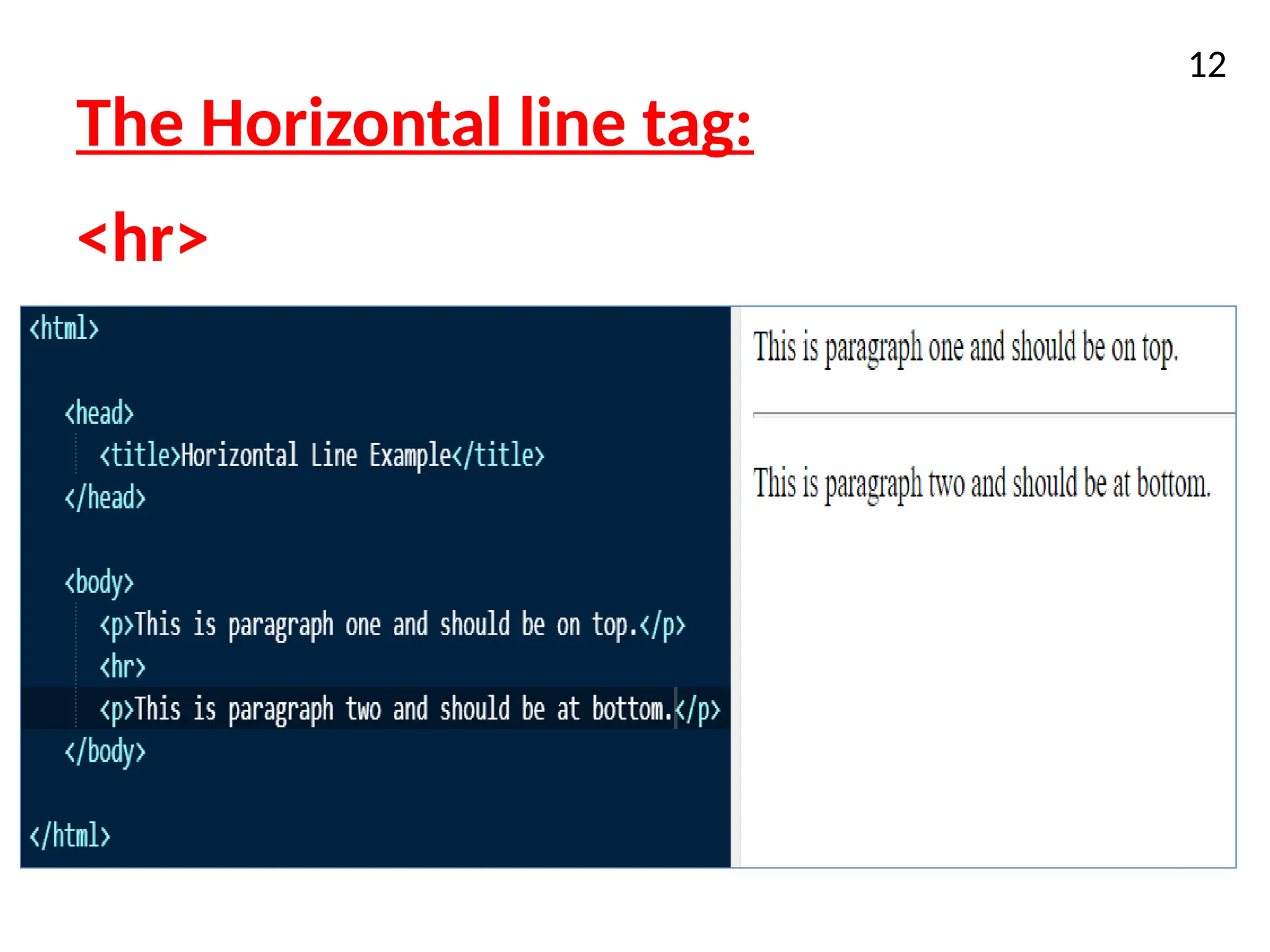
<hr> Used to draw horizontal line across the page
6.
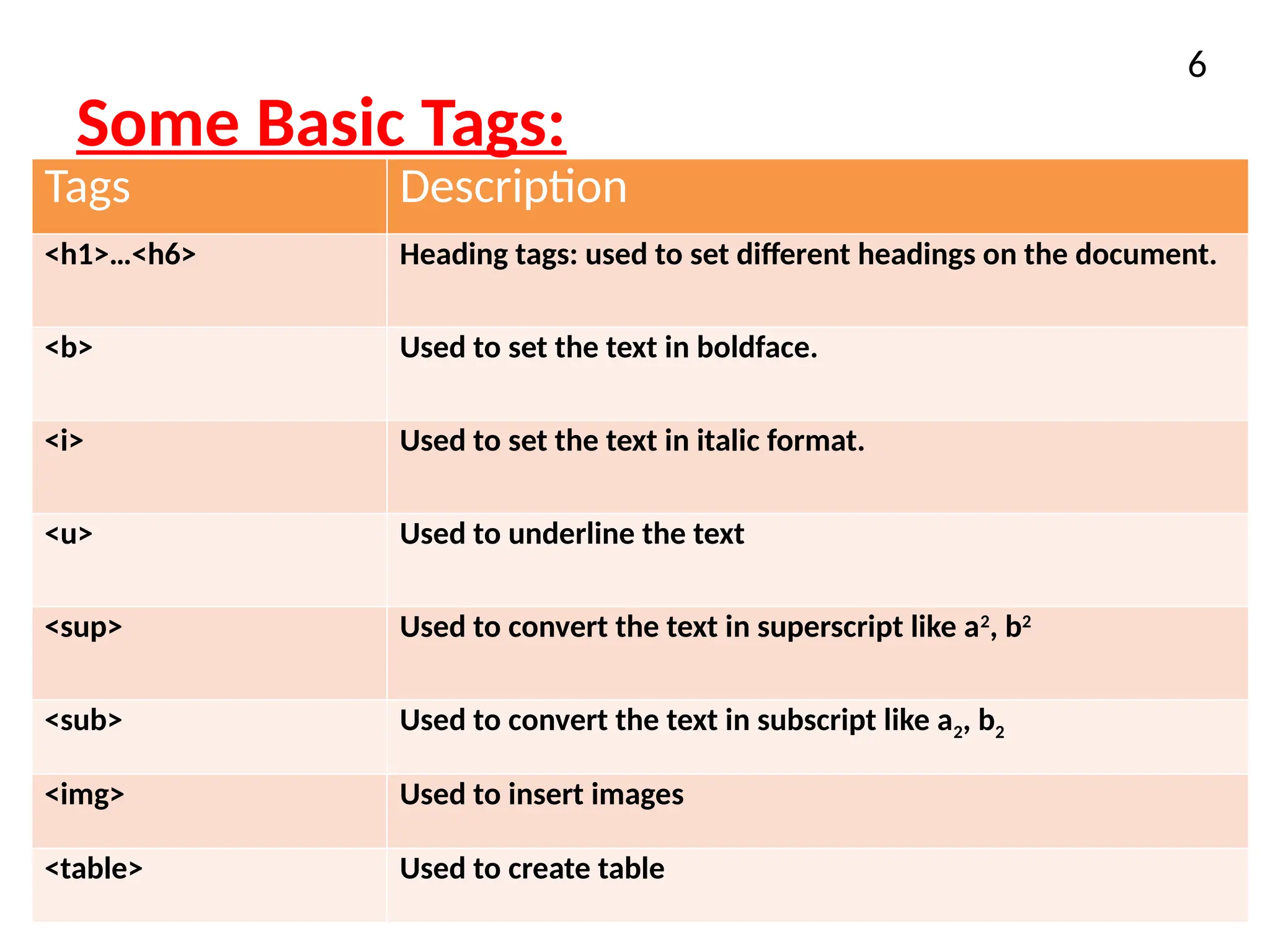
Some Basic Tags:
6
TagsDescription
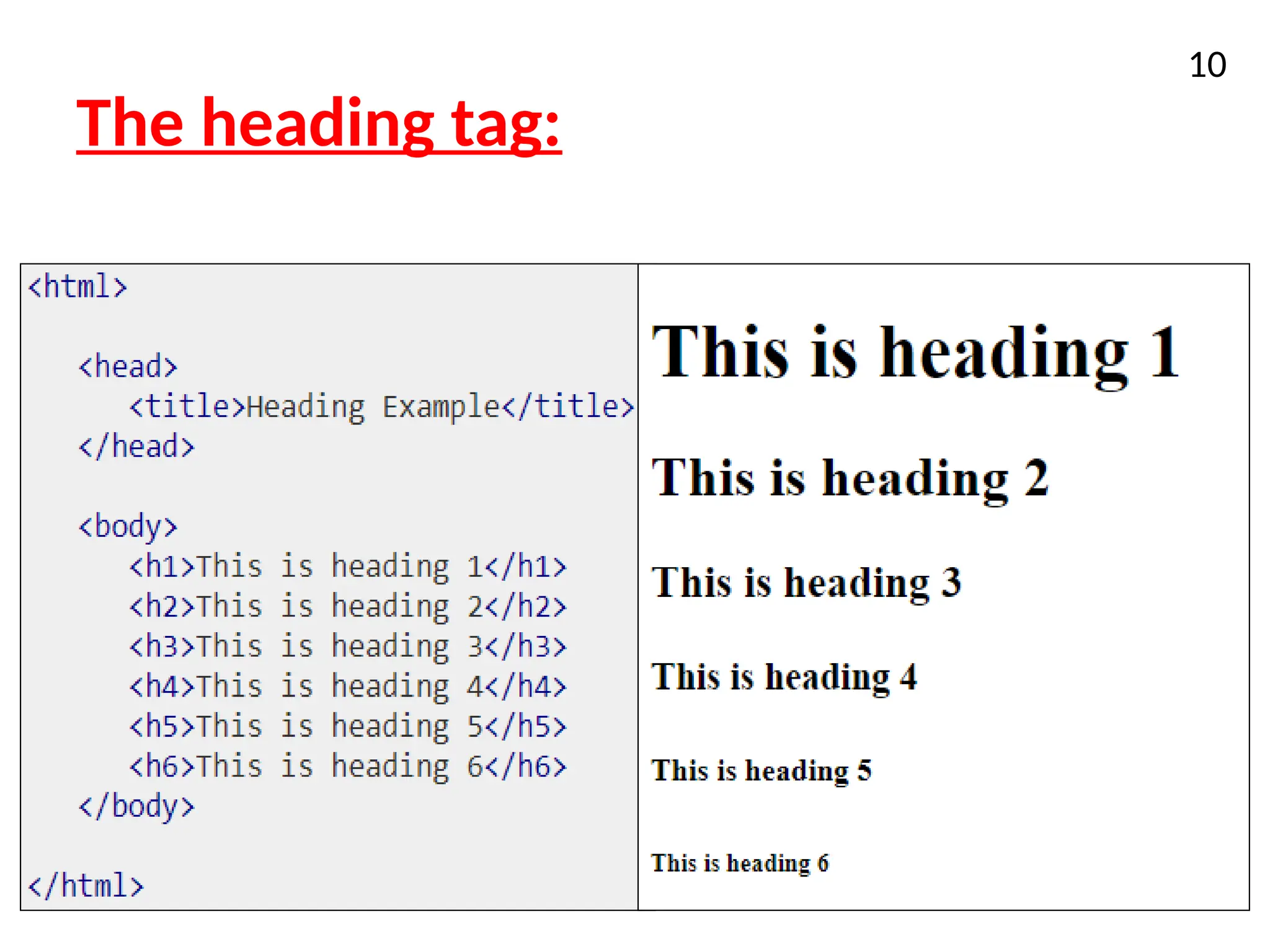
<h1>…<h6> Heading tags: used to set different headings on the document.
<b> Used to set the text in boldface.
<i> Used to set the text in italic format.
<u> Used to underline the text
<sup> Used to convert the text in superscript like a2
, b2
<sub> Used to convert the text in subscript like a2, b2
<img> Used to insert images
<table> Used to create table
7.
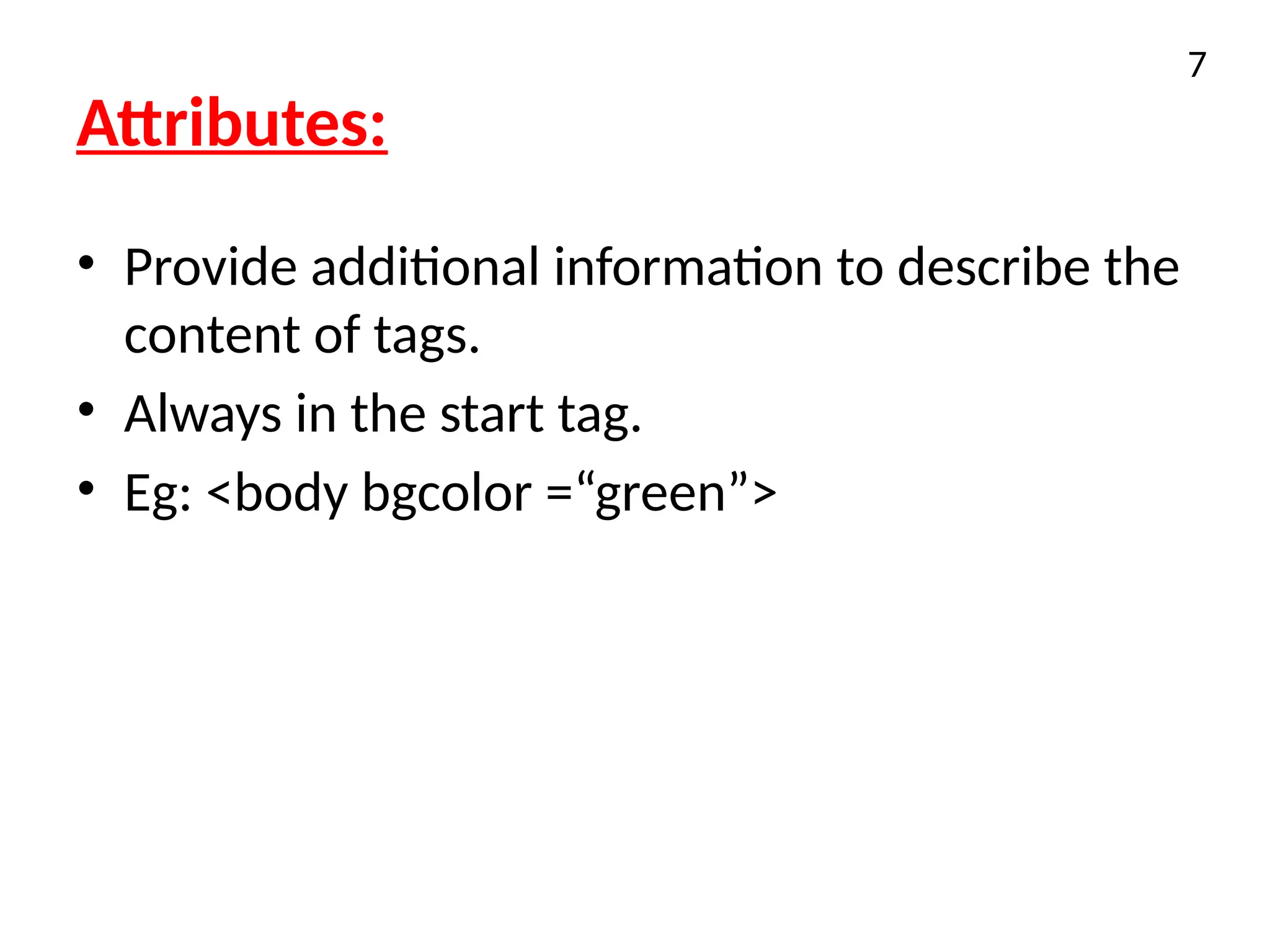
Attributes:
• Provide additionalinformation to describe the
content of tags.
• Always in the start tag.
• Eg: <body bgcolor =“green”>
7
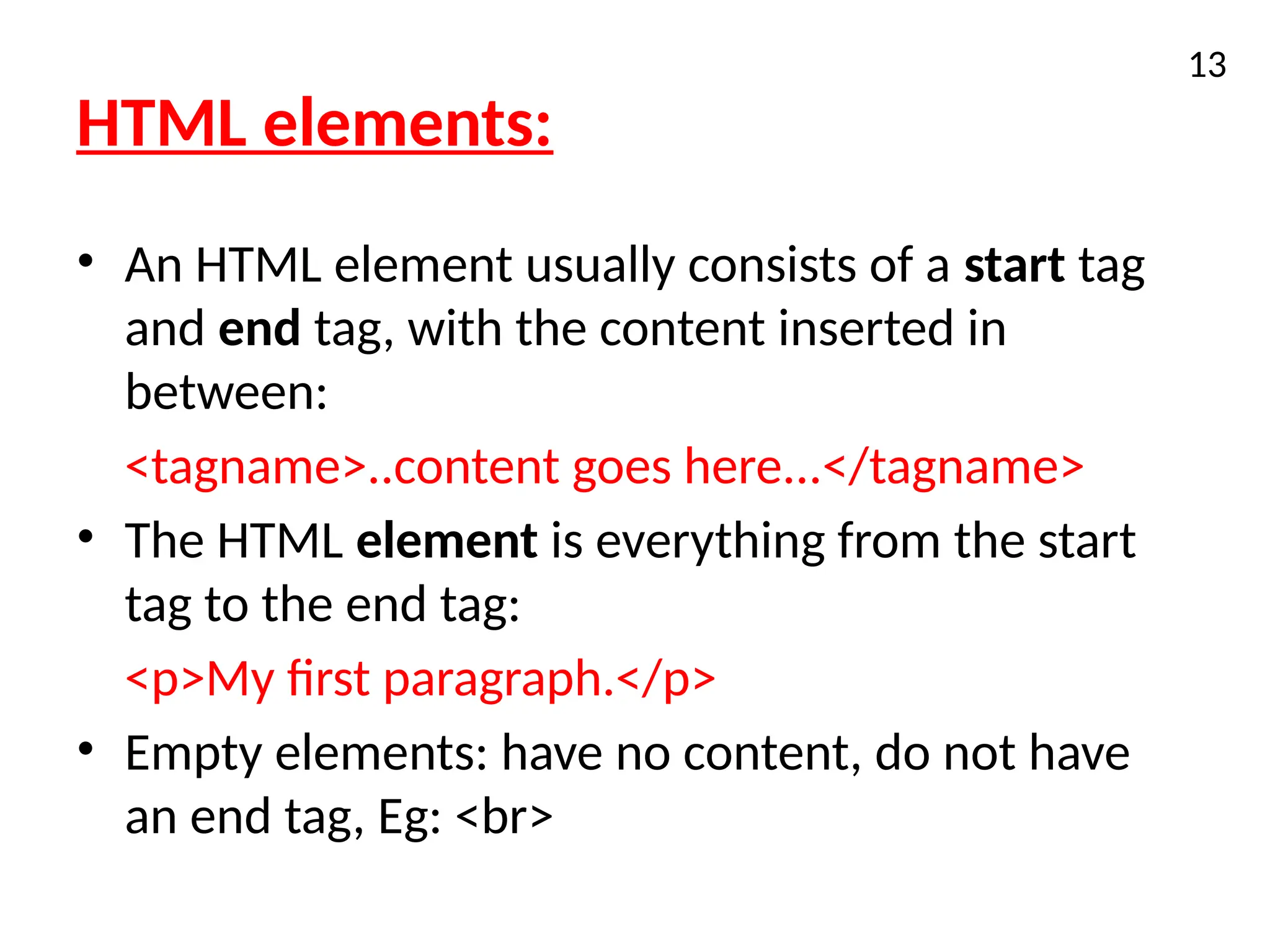
HTML elements:
• AnHTML element usually consists of a start tag
and end tag, with the content inserted in
between:
<tagname>..content goes here...</tagname>
• The HTML element is everything from the start
tag to the end tag:
<p>My first paragraph.</p>
• Empty elements: have no content, do not have
an end tag, Eg: <br>
13
14.
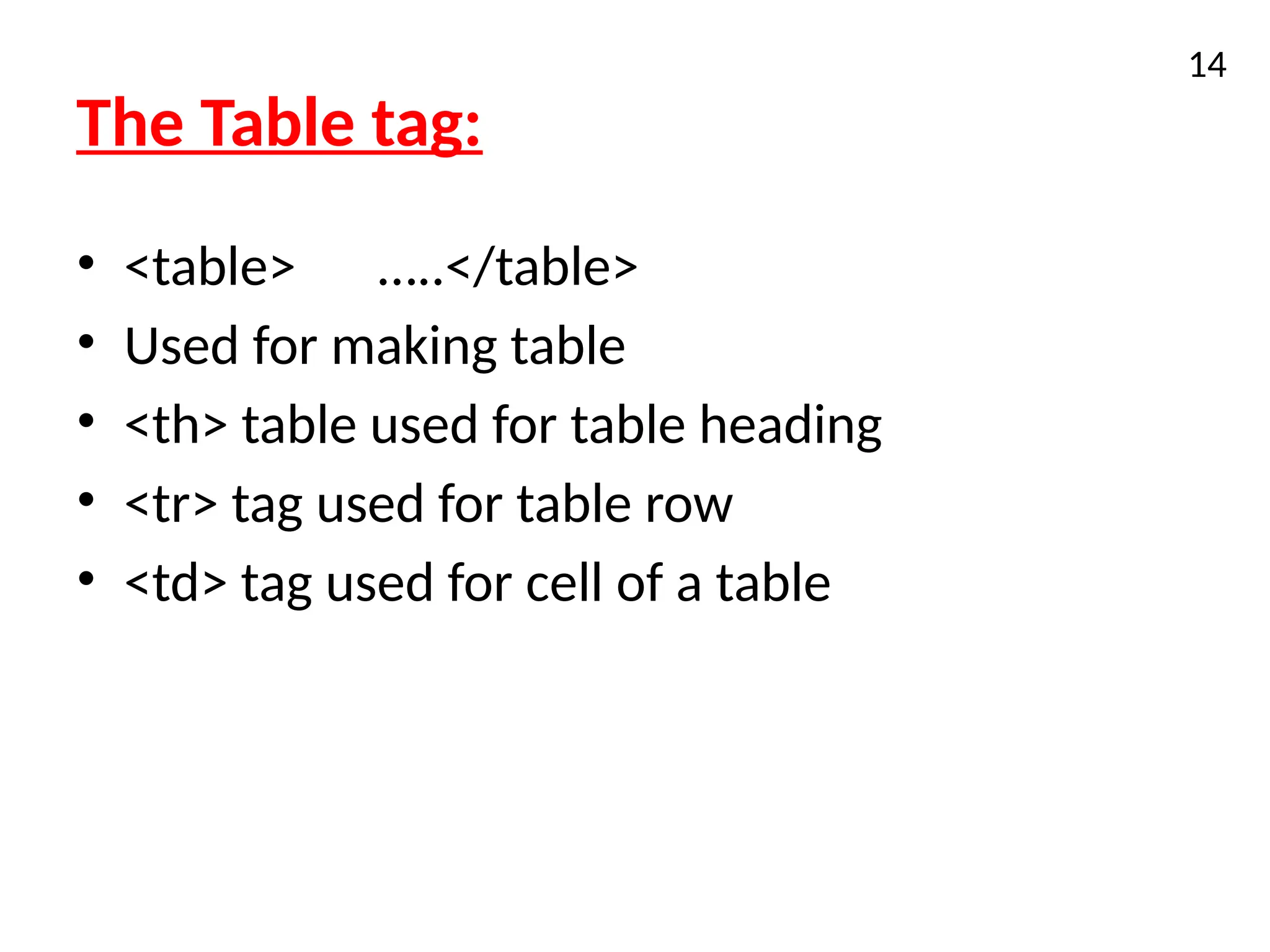
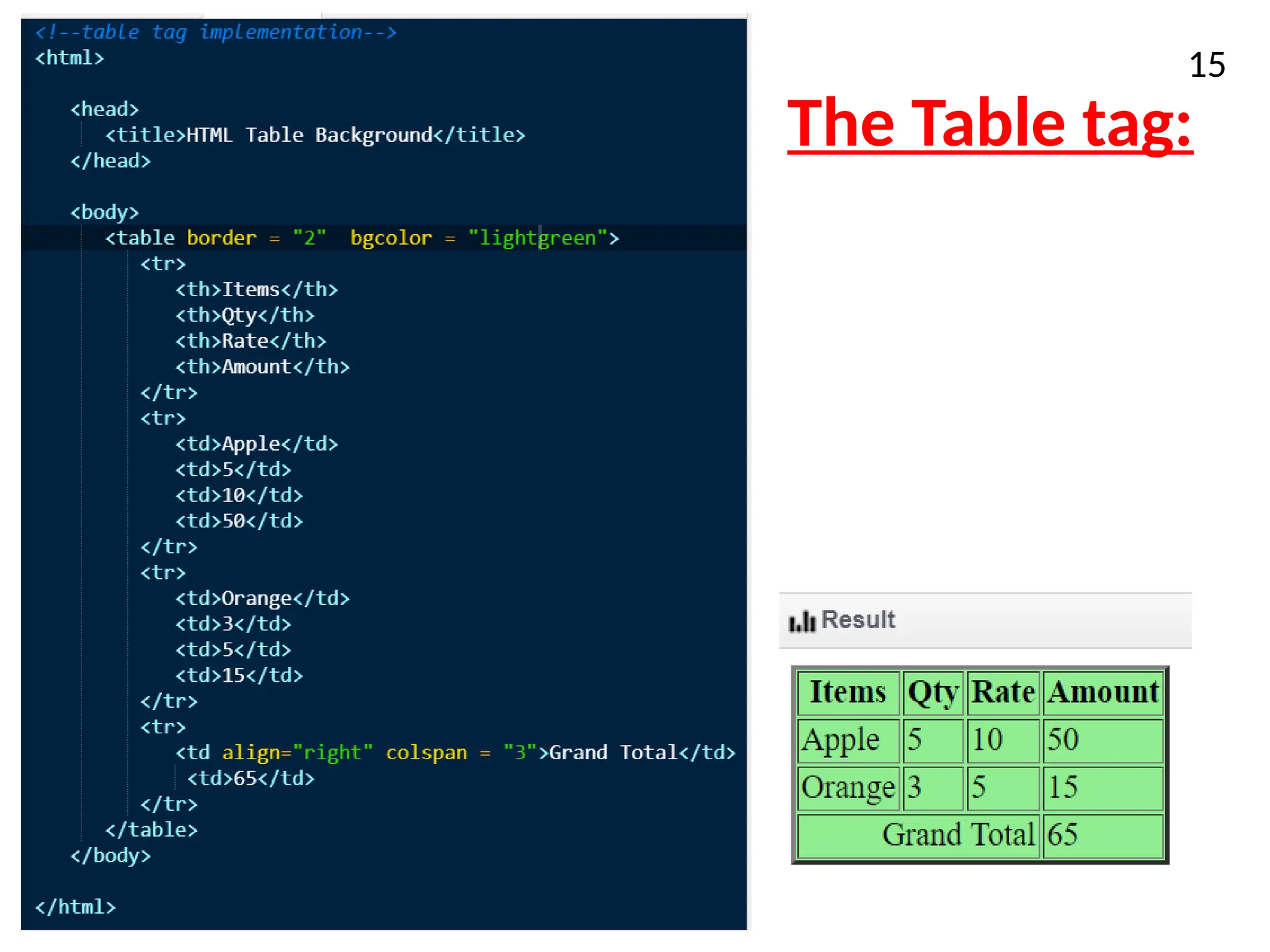
The Table tag:
•<table> …..</table>
• Used for making table
• <th> table used for table heading
• <tr> tag used for table row
• <td> tag used for cell of a table
14
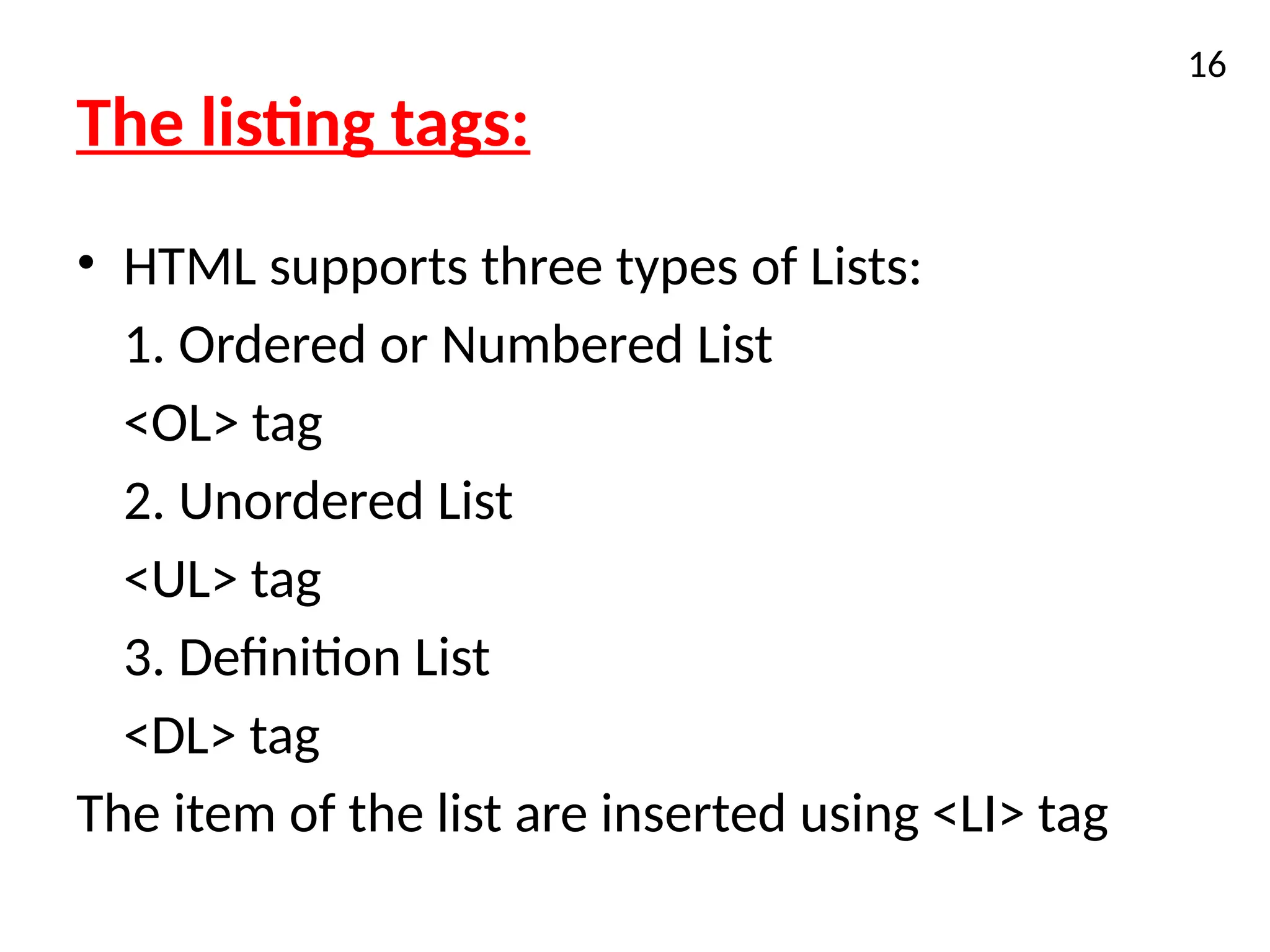
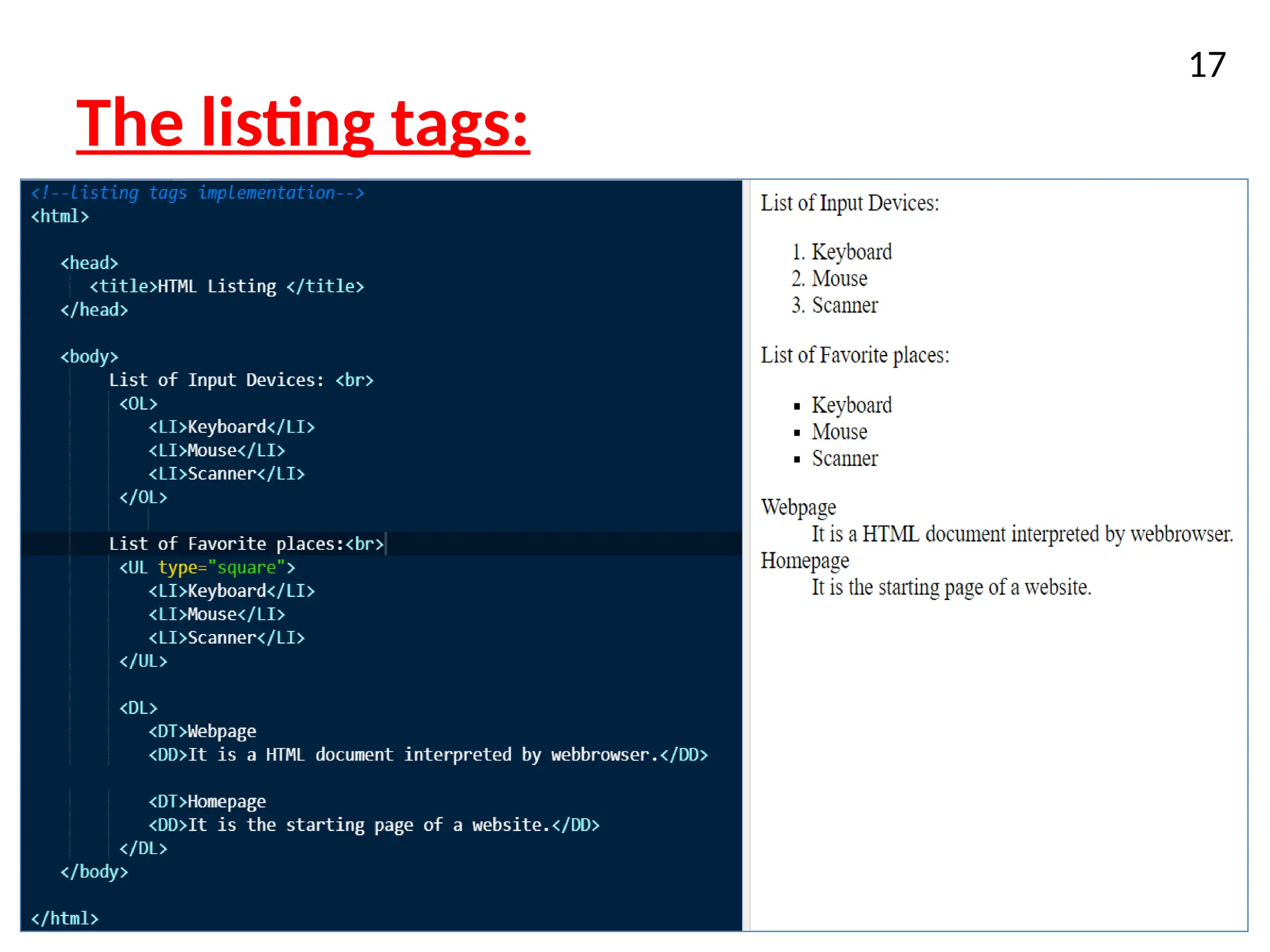
The listing tags:
•HTML supports three types of Lists:
1. Ordered or Numbered List
<OL> tag
2. Unordered List
<UL> tag
3. Definition List
<DL> tag
The item of the list are inserted using <LI> tag
16
Form Element
• Aform is container that holds multiple
controls.
• Forms collect data from site visitor and post it
back to back-end application.
18
19.
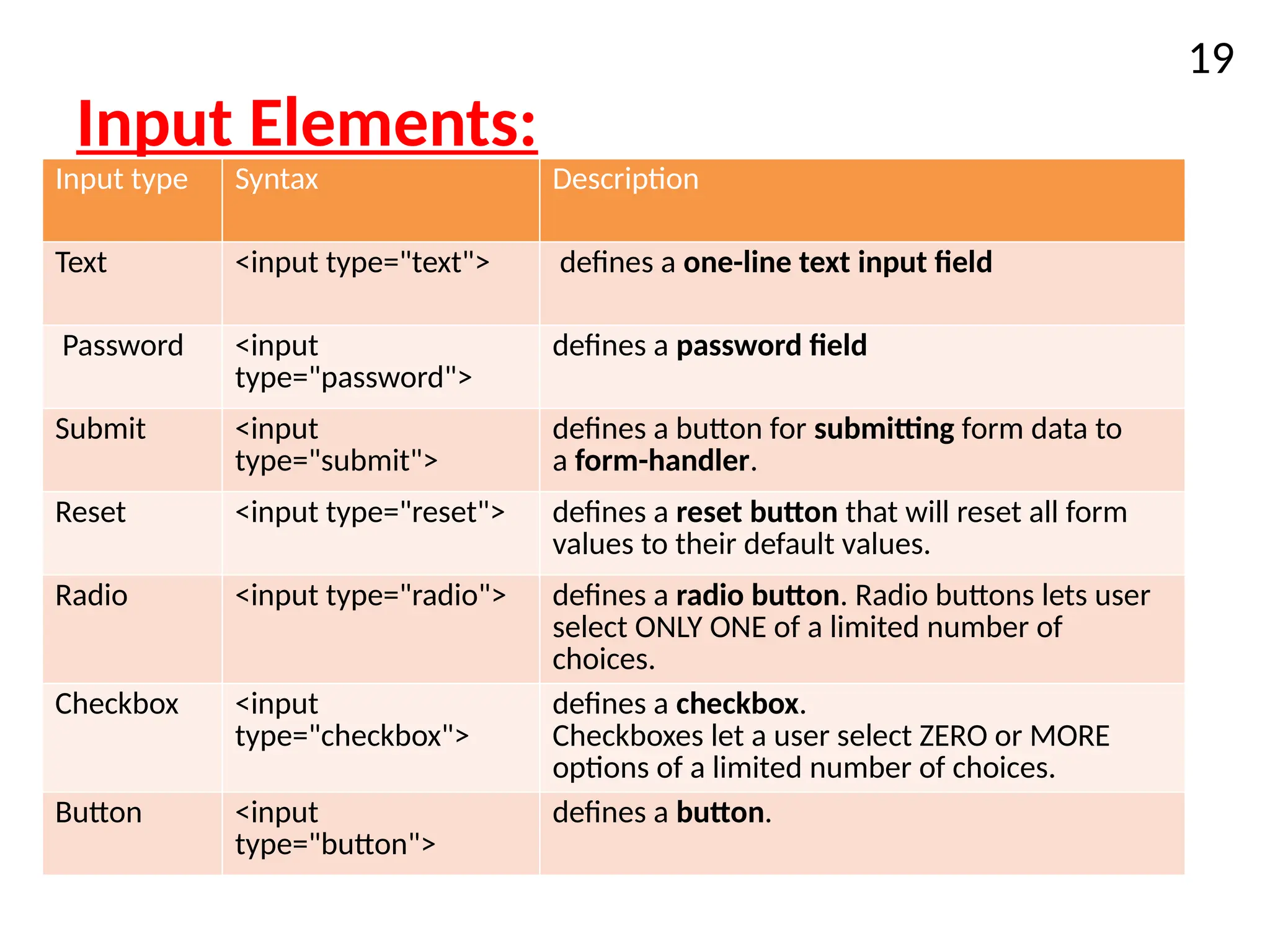
Input Elements:
Input typeSyntax Description
Text <input type="text"> defines a one-line text input field
Password <input
type="password">
defines a password field
Submit <input
type="submit">
defines a button for submitting form data to
a form-handler.
Reset <input type="reset"> defines a reset button that will reset all form
values to their default values.
Radio <input type="radio"> defines a radio button. Radio buttons lets user
select ONLY ONE of a limited number of
choices.
Checkbox <input
type="checkbox">
defines a checkbox.
Checkboxes let a user select ZERO or MORE
options of a limited number of choices.
Button <input
type="button">
defines a button.
19
20.
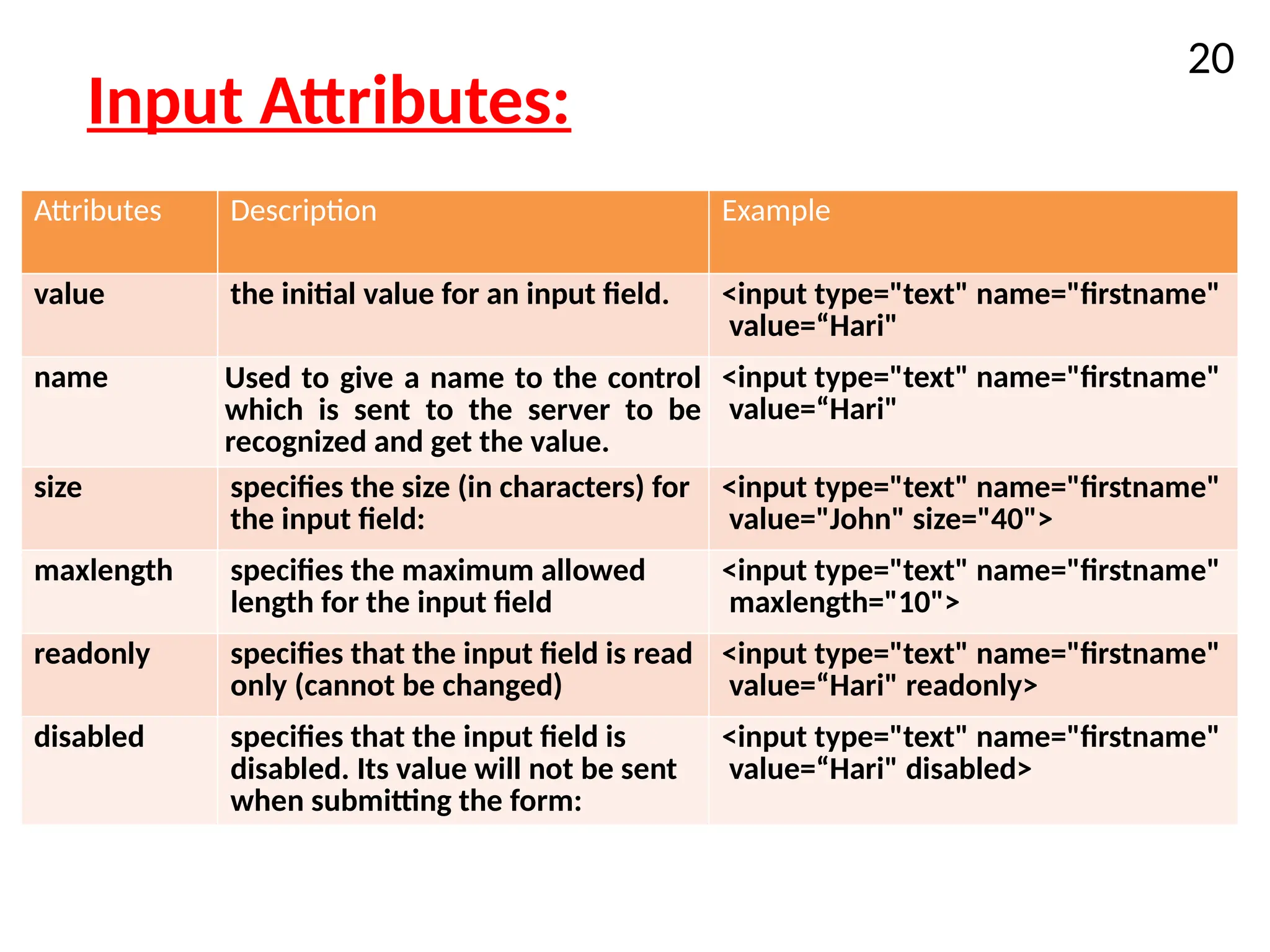
Input Attributes:
Attributes DescriptionExample
value the initial value for an input field. <input type="text" name="firstname"
value=“Hari"
name Used to give a name to the control
which is sent to the server to be
recognized and get the value.
<input type="text" name="firstname"
value=“Hari"
size specifies the size (in characters) for
the input field:
<input type="text" name="firstname"
value="John" size="40">
maxlength specifies the maximum allowed
length for the input field
<input type="text" name="firstname"
maxlength="10">
readonly specifies that the input field is read
only (cannot be changed)
<input type="text" name="firstname"
value=“Hari" readonly>
disabled specifies that the input field is
disabled. Its value will not be sent
when submitting the form:
<input type="text" name="firstname"
value=“Hari" disabled>
20
21.
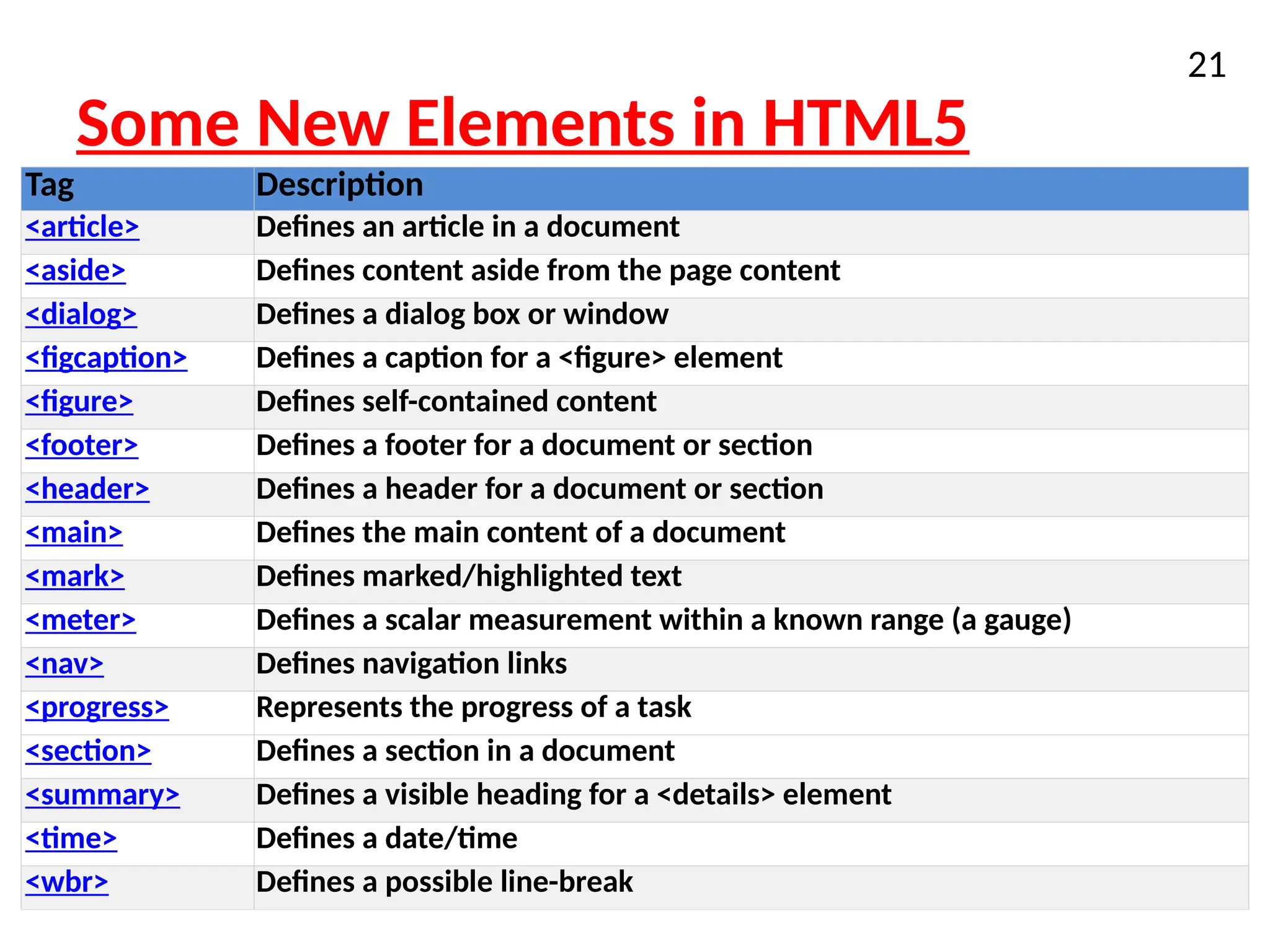
Some New Elementsin HTML5
21
Tag Description
<article> Defines an article in a document
<aside> Defines content aside from the page content
<dialog> Defines a dialog box or window
<figcaption> Defines a caption for a <figure> element
<figure> Defines self-contained content
<footer> Defines a footer for a document or section
<header> Defines a header for a document or section
<main> Defines the main content of a document
<mark> Defines marked/highlighted text
<meter> Defines a scalar measurement within a known range (a gauge)
<nav> Defines navigation links
<progress> Represents the progress of a task
<section> Defines a section in a document
<summary> Defines a visible heading for a <details> element
<time> Defines a date/time
<wbr> Defines a possible line-break
22.
New features inHTML 5
• Built-in audio and video support (without plugins)
• Vector graphics and animation
• Enhanced form controls and attributes
• The Canvas (a way to draw directly on a web
page)
• Drag and Drop functionality
• Support for CSS3 (the newer and more powerful
version of CSS)
• More advanced features for web developers, such
as data storage and offline applications.
22
23.
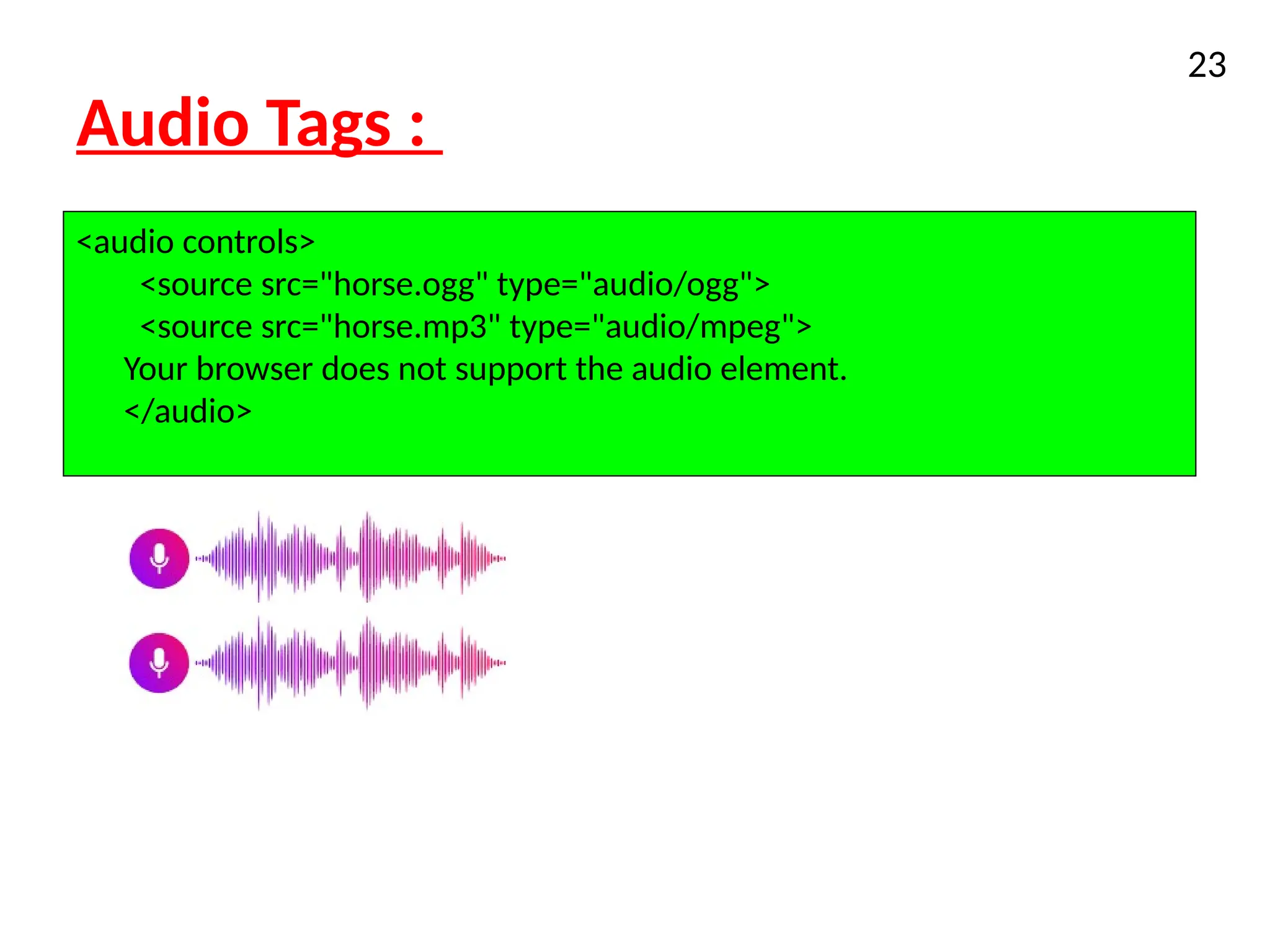
Audio Tags :
XHTML
23
<audiocontrols>
<source src="horse.ogg" type="audio/ogg">
<source src="horse.mp3" type="audio/mpeg">
Your browser does not support the audio element.
</audio>
Video Tags:
25
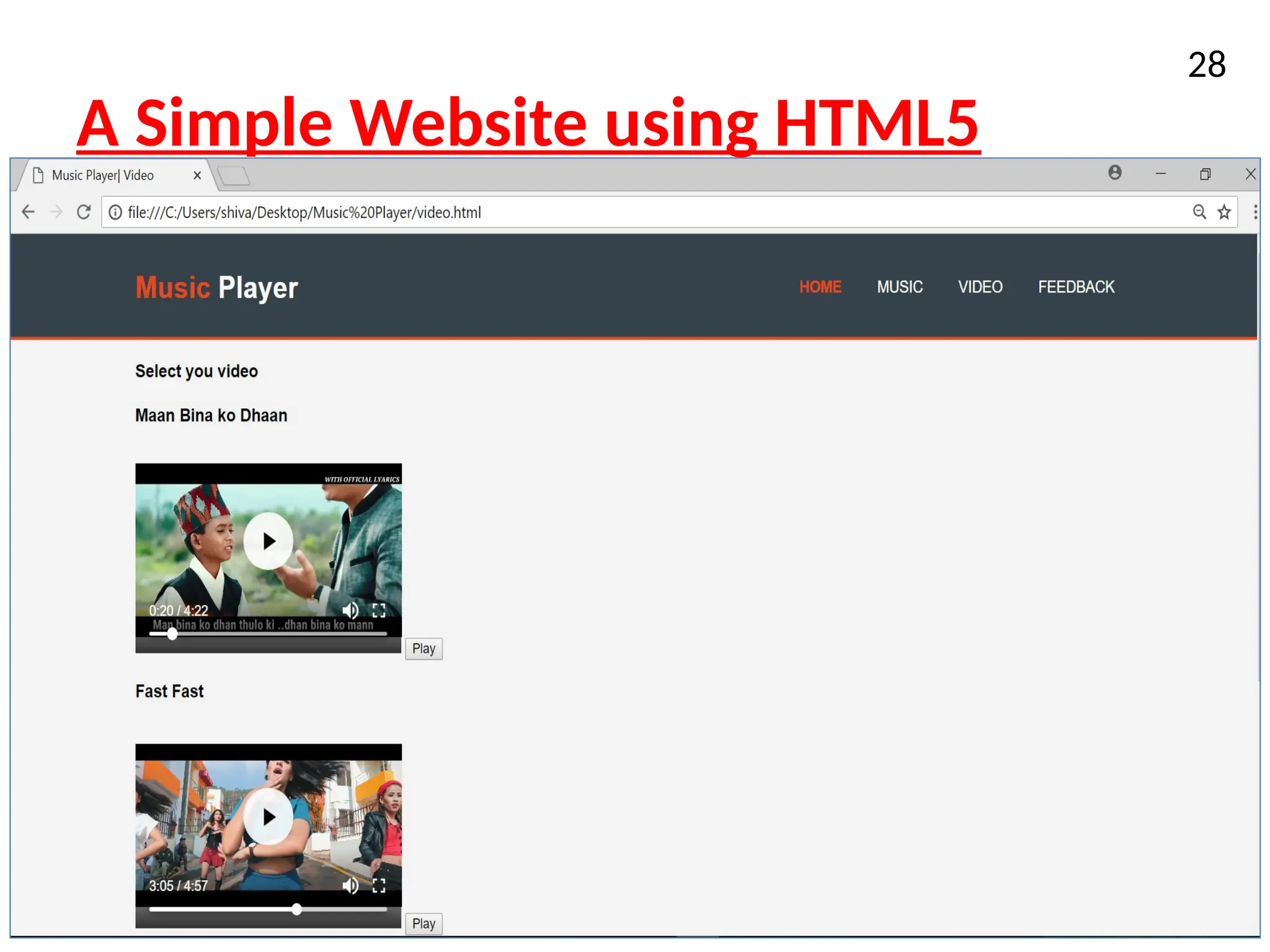
<video width="320"height="240" controls>
<source src="movie.mp4" type="video/mp4">
<source src="movie.ogg" type="video/ogg">
Your browser does not support the video tag.
</video>


![Vibe Coding vs. Spec-Driven Development [Free Meetup]](https://cdn.slidesharecdn.com/ss_thumbnails/vibecodingvsspecdrivendevelopment-251209105622-43f455e7-thumbnail.jpg?width=640&height=640&fit=bounds)


