A Vision of K-12 Students Today
Icyte Bookmarking site that allows you to save, annotate and organize all your research securely in the cloud.  It allows students to collaborate, add highlighting and additional notes on the screen. Did you ever get frustrated because you bookmarked a site on your home computer and now you’re in school and can’t find the site.  Now you can bookmark everything in Icyte and it will travel with you.
Icyte https://www.icyte.com/education
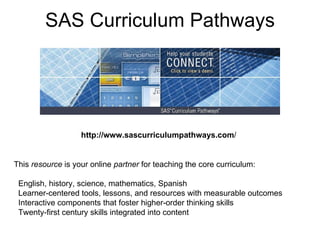
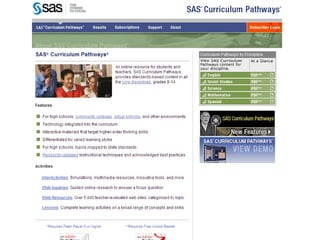
SAS Curriculum Pathways http://www.sascurriculumpathways.com / This  resource  is your online  partner  for teaching the core curriculum:    English, history, science, mathematics, Spanish   Learner-centered tools, lessons, and resources with measurable outcomes   Interactive components that foster higher-order thinking skills    Twenty-first century skills integrated into content
 
SAS Curriculum Pathways / Students can work individually,  in groups, in whole class Can be a homework assignment Provides lesson guides offering  learning objectives,  assessment criteria, answer  sheets, etc.
SAS Curriculum Pathways a) LOGIN URL: http://www.sascurriculumpathways.com/login b) FACULTY/STAFF USER NAME:  start5note   FACULTY/STAFF PASSWORD:  flow9grew c) Complete the registration form, creating a    personal user name and password. d) Reply to the e-mail from SAS Curriculum  Pathways, verifying your e-mail address if  possible. e) STUDENT USER NAME:  purpleknights
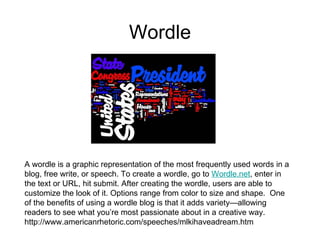
Wordle A wordle is a graphic representation of the most frequently used words in a blog, free write, or speech. To create a wordle, go to  Wordle.net , enter in the text or URL, hit submit. After creating the wordle, users are able to customize the look of it. Options range from color to size and shape.  One of the benefits of using a wordle blog is that it adds variety—allowing readers to see what you’re most passionate about in a creative way.    http://www.americanrhetoric.com/speeches/mlkihaveadream.htm
Wordle How would you use Wordle in a lesson? Take an article and make a wordle out of it Have students analyze what the article is about Use as text analysis. Analyze famous speeches Analyze students’ personal narratives Have students all write about the same thing, put it into wordle and see the commonality The I have a Dream  speech  produces a wordle where the most prominent Word is Freedom not Dream
Death by Powerpoint Instead of using Powerpoint consider creating a Prezi or a Digital Photo Story.
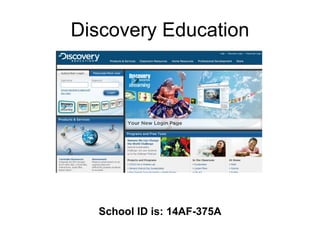
Discovery Education School ID is: 14AF-375A
Discovery Education Lesson Plans Free Activities Puzzles Interactive Maps Thematic Focus Lesson Builder
PBS Teachers Similar to Discovery Education More commercialized Example:  MLK Road to Memphis
Podcasting There are many products that you can use for podcasting: 1. Audacity 2. Podomatic 3. GarageBand (MAC) Why use Podcasting? 1. It gives students an audience for their work 2. Students can be creative 3. Authentic Podcasting refers to recording audio of yourself about a subject then putting it online for others to download.  Itunes is a form of podcasting.
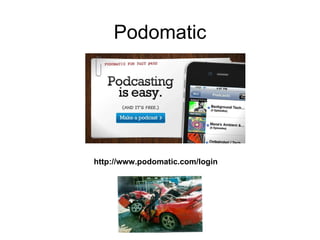
Podomatic http://www.podomatic.com/login
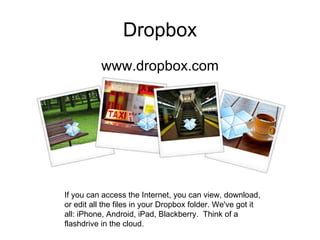
Dropbox www.dropbox.com If you can access the Internet, you can view, download, or edit all the files in your Dropbox folder. We've got it all: iPhone, Android, iPad, Blackberry.  Think of a flashdrive in the cloud.
Edmodo Edmodo is a classroom social network tool.  Post assignments and share reminders "Hand-in" assignments virtually Ask each other for help with projects, homework, etc.
Edmodo Social Networking for classrooms. Yet teacher controlled Students set up their own account with the class code the teacher provides. Teachers can publish assignments. Students can check to find out up coming assignment (so can parents) Students can have notification for assignments sent to their email and/or cell phone Students that are absent know what tonight’s assignment is. Students can check the class calendar Students can post their completion of assignment Parent accounts – only for grades and assignments
Edmodo Teachers can create polls Teachers can connect to the community of their subject and make connections to classes around the country Teachers can create groups for each period but also share the groups. Teachers can send messages to the entire class or to an individual student Students can only post to the entire class or directly to the teacher. Students CANNOT send private messages to each other.
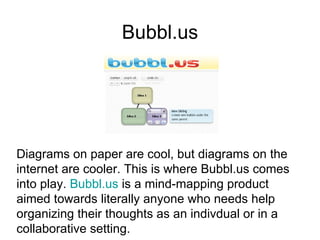
Bubbl.us Diagrams on paper are cool, but diagrams on the internet are cooler. This is where Bubbl.us comes into play.  Bubbl.us  is a mind-mapping product  aimed towards literally anyone who needs help  organizing their thoughts as an indivdual or in a  collaborative setting.

HSPA Workshop

  • 1.
    A Vision ofK-12 Students Today
  • 2.
    Icyte Bookmarking sitethat allows you to save, annotate and organize all your research securely in the cloud. It allows students to collaborate, add highlighting and additional notes on the screen. Did you ever get frustrated because you bookmarked a site on your home computer and now you’re in school and can’t find the site. Now you can bookmark everything in Icyte and it will travel with you.
  • 3.
  • 4.
    SAS Curriculum Pathwayshttp://www.sascurriculumpathways.com / This resource is your online partner for teaching the core curriculum: English, history, science, mathematics, Spanish Learner-centered tools, lessons, and resources with measurable outcomes Interactive components that foster higher-order thinking skills Twenty-first century skills integrated into content
  • 5.
  • 6.
    SAS Curriculum Pathways/ Students can work individually, in groups, in whole class Can be a homework assignment Provides lesson guides offering learning objectives, assessment criteria, answer sheets, etc.
  • 7.
    SAS Curriculum Pathwaysa) LOGIN URL: http://www.sascurriculumpathways.com/login b) FACULTY/STAFF USER NAME: start5note FACULTY/STAFF PASSWORD: flow9grew c) Complete the registration form, creating a personal user name and password. d) Reply to the e-mail from SAS Curriculum Pathways, verifying your e-mail address if possible. e) STUDENT USER NAME: purpleknights
  • 8.
    Wordle A wordleis a graphic representation of the most frequently used words in a blog, free write, or speech. To create a wordle, go to Wordle.net , enter in the text or URL, hit submit. After creating the wordle, users are able to customize the look of it. Options range from color to size and shape.  One of the benefits of using a wordle blog is that it adds variety—allowing readers to see what you’re most passionate about in a creative way.   http://www.americanrhetoric.com/speeches/mlkihaveadream.htm
  • 9.
    Wordle How wouldyou use Wordle in a lesson? Take an article and make a wordle out of it Have students analyze what the article is about Use as text analysis. Analyze famous speeches Analyze students’ personal narratives Have students all write about the same thing, put it into wordle and see the commonality The I have a Dream speech produces a wordle where the most prominent Word is Freedom not Dream
  • 10.
    Death by PowerpointInstead of using Powerpoint consider creating a Prezi or a Digital Photo Story.
  • 11.
  • 12.
    Discovery Education LessonPlans Free Activities Puzzles Interactive Maps Thematic Focus Lesson Builder
  • 13.
    PBS Teachers Similarto Discovery Education More commercialized Example: MLK Road to Memphis
  • 14.
    Podcasting There aremany products that you can use for podcasting: 1. Audacity 2. Podomatic 3. GarageBand (MAC) Why use Podcasting? 1. It gives students an audience for their work 2. Students can be creative 3. Authentic Podcasting refers to recording audio of yourself about a subject then putting it online for others to download. Itunes is a form of podcasting.
  • 15.
  • 16.
    Dropbox www.dropbox.com Ifyou can access the Internet, you can view, download, or edit all the files in your Dropbox folder. We've got it all: iPhone, Android, iPad, Blackberry. Think of a flashdrive in the cloud.
  • 17.
    Edmodo Edmodo isa classroom social network tool. Post assignments and share reminders "Hand-in" assignments virtually Ask each other for help with projects, homework, etc.
  • 18.
    Edmodo Social Networkingfor classrooms. Yet teacher controlled Students set up their own account with the class code the teacher provides. Teachers can publish assignments. Students can check to find out up coming assignment (so can parents) Students can have notification for assignments sent to their email and/or cell phone Students that are absent know what tonight’s assignment is. Students can check the class calendar Students can post their completion of assignment Parent accounts – only for grades and assignments
  • 19.
    Edmodo Teachers cancreate polls Teachers can connect to the community of their subject and make connections to classes around the country Teachers can create groups for each period but also share the groups. Teachers can send messages to the entire class or to an individual student Students can only post to the entire class or directly to the teacher. Students CANNOT send private messages to each other.
  • 20.
    Bubbl.us Diagrams onpaper are cool, but diagrams on the internet are cooler. This is where Bubbl.us comes into play. Bubbl.us is a mind-mapping product aimed towards literally anyone who needs help organizing their thoughts as an indivdual or in a collaborative setting.

Editor's Notes

  • #4 If you cite it and then enter someone’s email, they have it. It’s also embedable. If you did this with bookmarks you wouldn’t have the pictures to remind you of the site. If you go to setup at the bottom of the home page you can add the icyte quick launch Even if the page doesn’t exist any more Icyte has kept it.
  • #9 Give teachers a site. Students were asked the same question so they had a better chance of using the same word. Variances in words and repititions. If a piece does not have words repeating it won’t produce a good wordle
  • #10 To put a wordle into powerpoint. Print screen, paste into product and crop. If you want two words connected into your wordle ie: Mrs. Walstein add a tilda. Analyze your writing. You use the word “therefore” 17 times.
  • #19 Do something that ensures that all students have signed up – such as standing over them in a computer room until it is done! Post something on it EVERY DAY when you first start out, so that students get in the habit of checking it. Talk about it in class – “I have posted the topics on Edmodo”, “your homework will be posted on Edmodo by 4pm”, etc. Ensure that you do actually respond to students in a reasonably timely manner, particularly when you first start using it with a class, otherwise they will consider Edmodo as “not working” and a waste of time, and will stop using it. Prior to an assignment, set boundaries for your time e.g. “I will be checking Edmodo every few hours across the weekend” so they don’t expect instant responses, and “I will be signing off at 10pm on Sunday night – no further answers after that” so they don’t expect to continue talking to you until the wee hours while they catch up on the work they procrastinated about doing earlier.
  • #20 Do something that ensures that all students have signed up – such as standing over them in a computer room until it is done! Post something on it EVERY DAY when you first start out, so that students get in the habit of checking it. Talk about it in class – “I have posted the topics on Edmodo”, “your homework will be posted on Edmodo by 4pm”, etc. Ensure that you do actually respond to students in a reasonably timely manner, particularly when you first start using it with a class, otherwise they will consider Edmodo as “not working” and a waste of time, and will stop using it. Prior to an assignment, set boundaries for your time e.g. “I will be checking Edmodo every few hours across the weekend” so they don’t expect instant responses, and “I will be signing off at 10pm on Sunday night – no further answers after that” so they don’t expect to continue talking to you until the wee hours while they catch up on the work they procrastinated about doing earlier.