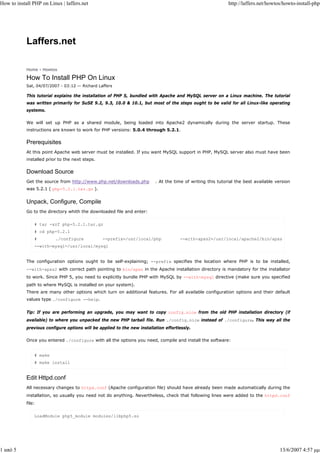
How to install PHP on Linux | laffers.net                                                                    http://laffers.net/howtos/howto-install-php


            Laffers.net

            Home › Howtos

            How To Install PHP On Linux
            Sat, 04/07/2007 - 03:12 — Richard Laffers

            This tutorial explains the installation of PHP 5, bundled with Apache and MySQL server on a Linux machine. The tutorial
            was written primarily for SuSE 9.2, 9.3, 10.0 & 10.1, but most of the steps ought to be valid for all Linux-like operating
            systems.

            We will set up PHP as a shared module, being loaded into Apache2 dynamically during the server startup. These
            instructions are known to work for PHP versions: 5.0.4 through 5.2.1.

            Prerequisites
            At this point Apache web server must be installed. If you want MySQL support in PHP, MySQL server also must have been
            installed prior to the next steps.

            Download Source
            Get the source from http://www.php.net/downloads.php          . At the time of writing this tutorial the best available version
            was 5.2.1 ( php-5.2.1.tar.gz ).


            Unpack, Configure, Compile
            Go to the directory whith the downloaded file and enter:

                # tar -xzf php-5.2.1.tar.gz
                # cd php-5.2.1
                #         ./configure            --prefix=/usr/local/php              --with-apxs2=/usr/local/apache2/bin/apxs
                --with-mysql=/usr/local/mysql


            The configuration options ought to be self-explaining; --prefix specifies the location where PHP is to be installed,
            --with-apxs2 with correct path pointing to bin/apxs in the Apache installation directory is mandatory for the installator
            to work. Since PHP 5, you need to explicitly bundle PHP with MySQL by --with-mysql directive (make sure you specified
            path to where MySQL is installed on your system).
            There are many other options which turn on additional features. For all available configuration options and their default
            values type ./configure --help.


            Tip: If you are performing an upgrade, you may want to copy config.nice from the old PHP installation directory (if
            available) to where you unpacked the new PHP tarball file. Run ./config.nice instead of ./configure. This way all the
            previous configure options will be applied to the new installation effortlessly.

            Once you entered ./configure with all the options you need, compile and install the software:


                # make
                # make install


            Edit Httpd.conf
            All necessary changes to httpd.conf (Apache configuration file) should have already been made automatically during the
            installation, so usually you need not do anything. Nevertheless, check that following lines were added to the httpd.conf
            file:

                LoadModule php5_module modules/libphp5.so


1 από 5                                                                                                                               13/6/2007 4:57 μμ
How to install PHP on Linux | laffers.net                                                                        http://laffers.net/howtos/howto-install-php


                AddType application/x-httpd-php .php


            If not, add them manually.

            Create Php.ini File
            Importanly, you have to create a php.ini configuration file. Choose one of the pre-made files (preferably
            php.ini-recommended) residing inside the php-5.2.1/ directory (it's the folder to which the downloaded archive was
            extracted). Copy the file to the lib/ directory in the PHP installation directory.


                # cp php-5.2.1/php.ini-recommended /usr/local/php/lib/php.ini


            If you need to, edit the php.ini file:


                # vi /usr/local/php/lib/php.ini


            However, the default settings should work for everyone in most cases.

            Restart Apache Server
            After everything is set up, restart Apache:


                # /usr/local/bin/apachectl restart


            Further Reading
            PHP Manual

            Do you have an idea how to make these instructions better? Did you run into any problems or have any tips? You are
            welcome to share your experience in the comments.


             ‹ How to install Apache on Linux                                up

            Printer-friendly version         Add new comment                                            howto    linux   php    suse    tutorial


            Comments

            » Posted on Tue, 04/04/2006 - 13:37 — Virgil

            Thanks for the information ... Help me very much.


            reply


            » Posted on Fri, 05/05/2006 - 07:36 — Helen McCarthy

            This is great!! Thanks, a lot.


            Helen


            reply


            » Posted on Tue, 06/06/2006 - 00:49 — exkludge

            Bravo! This is a very good and valuable source of information... thank you!


            reply


            » Posted on Tue, 06/06/2006 - 03:36 — Hans

            I hv followed every steps from this how-to. I got mysql, apache and php installed. BUT, why my php script dosnt work? Even phpinfo()


2 από 5                                                                                                                                   13/6/2007 4:57 μμ
How to install PHP on Linux | laffers.net                                                                             http://laffers.net/howtos/howto-install-php


            shows nothing. Only html can be shown. :(


            reply


                 » Posted on Tue, 06/06/2006 - 07:59 — Richard Laffers

                 I would first make sure that .php extension is registered in your httpd.conf - you must have


                     LoadModule php5_module modules/libphp5.so
                     AddType application/x-httpd-php .php


                 somewhere in it. Also, check apache error log to see if any errors/warnings are generated during starting of the server.


                 reply


            » Posted on Tue, 06/06/2006 - 06:07 — PowerEdge

            This is very nice tut, but doesn't really help when you just want to upgrade your php 4.4 to 5.x ... as apache2 is by default in SUSE
            installed under /etc/apache2 and there is neither bin nor apxs folder ... same is for MySQL. Could you please address this issue for
            default SUSE installation paths for both Apache2 and MySQL servers .. thanks :)


            reply


                 » Posted 1 month ago — Richard Laffers

                 I'm afraid you will have to uninstall both PHP and Apache first (using YaST) to start from scratch. Then follow my MySQL, Apache
                 and PHP tutorials.


                 reply


            » Posted 6 days ago — Y2Beck

            A+ article for simple startups. I was having trouble all day installing the "Big 3" until I came across this article. Good documentation as
            well. PLEASE let us know if you are going to work on an advanced article focusing on optimalization and security for small, medium and
            big installs!!!


            reply


                 » Posted on Tue, 06/06/2006 - 21:52 — Richard Laffers

                 Thanks. I haven't much experience with server optimalization, however, I would recommend studying this:


                 http://httpd.apache.org/docs/2.2/misc/security_tips.html

                 http://httpd.apache.org/docs/2.2/misc/perf-tuning.html


                 Also, it is possible to specify 'Resource limits' in php.ini. MySQL distribution contains pre-made configuration files for
                 small/medium/large/huge servers. Hope this helps.


                 reply


            » Posted on Tue, 06/06/2006 - 08:05 — Petrov

            You, my friend, are a legend :) Thank you so much for helping make this task MUCH easier! This is the first time I've compiled from
            source rather than using RPM's and it actually worked! Cheers!


            reply


3 από 5                                                                                                                                          13/6/2007 4:57 μμ
How to install PHP on Linux | laffers.net                                                                          http://laffers.net/howtos/howto-install-php


            » Posted 11 months ago — Valter

            I'm totally new with Linux, but this is what I've got from php.net   :


            "MySQL is not enabled by default, nor is the MySQL library bundled with PHP. Read this FAQ for details on why. Use the
            --with-mysql[=DIR] configure option to include MySQL support. You can download headers and libraries fromMySQL."


            reply


            » Posted 9 months ago — DxJaK

            No problems with the installation , but when I want to open say http://localhost/hello.php   firefox & konqueror want to save the file.
            Have you got any suggestions??


            reply


                » Posted 9 months ago — Richard Laffers

                Make sure that the following line has been added in httpd.conf: AddType application/x-httpd-php .php


                reply


            » Posted 7 months ago — John

            Great instructions for all three apps (Apache, PHP, & MySql). All were successfully loaded up and running. I'm able to call PHP scripts
            fm my HTML files. However, passing variables fm HTML to PHP is unsuccessful. Any thoughts?


            reply


                » Posted 7 months ago — Anonymous

                The variables are passed to $_POST and $_GET superglobal arrays. Look for them in those.


                reply


            » Posted 6 months ago — Jason

            Thanks for the great tutorial. I've leased dedicated servers before, but recently set up my own suse home server, and woah, its a
            whole new ball game when you have to set everything up! Thanks for the concise instructions. Im relatively new to linux
            administration, but I found this guide very easy to follow. Have you thought about putting up a paypal donation button? :)


            reply


                » Posted 6 months ago — Richard Laffers

                I'm glad you find this guide useful. As for the donations, the real gratitude should be directed towards the MySQL, Apache and PHP
                developers. :-)


                reply


            » Posted 6 months ago — SteveMac

            For confirmation, I have just installed the three key apps onto SuSE 10.0. The versions used were: mySQL: 5.0.27 Apache: 2.2.3 PHP:
            5.2.0 Which proves that the tutorials still work with some later versions. (The only thing I needed to add was the curses/termcap for
            mySQL compilation, and the libxml2-devel for PHP compilation. This was done using the yast2 software management utility and the
            distribution CD. Thanks for all the help.


4 από 5                                                                                                                                      13/6/2007 4:57 μμ
How to install PHP on Linux | laffers.net                                                                        http://laffers.net/howtos/howto-install-php


            Steve


            reply


            » Posted 5 months ago — ieee488

            Any articles on how to add phpMyAdmin to the mix? MySQL, Apache2, and PHP5 are working, but I keep getting #2002 - The server is
            not responding (or the local MySQL server's socket is not correctly configured) which appears to be a common problem.


            reply


                                                   © 2005-2007 Richard Laffers. All rights reserved.


5 από 5                                                                                                                                  13/6/2007 4:57 μμ

How%20to%20install%20PHP%20on%20Linux%20_%20laffers

  • 1.
    How to installPHP on Linux | laffers.net http://laffers.net/howtos/howto-install-php Laffers.net Home › Howtos How To Install PHP On Linux Sat, 04/07/2007 - 03:12 — Richard Laffers This tutorial explains the installation of PHP 5, bundled with Apache and MySQL server on a Linux machine. The tutorial was written primarily for SuSE 9.2, 9.3, 10.0 & 10.1, but most of the steps ought to be valid for all Linux-like operating systems. We will set up PHP as a shared module, being loaded into Apache2 dynamically during the server startup. These instructions are known to work for PHP versions: 5.0.4 through 5.2.1. Prerequisites At this point Apache web server must be installed. If you want MySQL support in PHP, MySQL server also must have been installed prior to the next steps. Download Source Get the source from http://www.php.net/downloads.php . At the time of writing this tutorial the best available version was 5.2.1 ( php-5.2.1.tar.gz ). Unpack, Configure, Compile Go to the directory whith the downloaded file and enter: # tar -xzf php-5.2.1.tar.gz # cd php-5.2.1 # ./configure --prefix=/usr/local/php --with-apxs2=/usr/local/apache2/bin/apxs --with-mysql=/usr/local/mysql The configuration options ought to be self-explaining; --prefix specifies the location where PHP is to be installed, --with-apxs2 with correct path pointing to bin/apxs in the Apache installation directory is mandatory for the installator to work. Since PHP 5, you need to explicitly bundle PHP with MySQL by --with-mysql directive (make sure you specified path to where MySQL is installed on your system). There are many other options which turn on additional features. For all available configuration options and their default values type ./configure --help. Tip: If you are performing an upgrade, you may want to copy config.nice from the old PHP installation directory (if available) to where you unpacked the new PHP tarball file. Run ./config.nice instead of ./configure. This way all the previous configure options will be applied to the new installation effortlessly. Once you entered ./configure with all the options you need, compile and install the software: # make # make install Edit Httpd.conf All necessary changes to httpd.conf (Apache configuration file) should have already been made automatically during the installation, so usually you need not do anything. Nevertheless, check that following lines were added to the httpd.conf file: LoadModule php5_module modules/libphp5.so 1 από 5 13/6/2007 4:57 μμ
  • 2.
    How to installPHP on Linux | laffers.net http://laffers.net/howtos/howto-install-php AddType application/x-httpd-php .php If not, add them manually. Create Php.ini File Importanly, you have to create a php.ini configuration file. Choose one of the pre-made files (preferably php.ini-recommended) residing inside the php-5.2.1/ directory (it's the folder to which the downloaded archive was extracted). Copy the file to the lib/ directory in the PHP installation directory. # cp php-5.2.1/php.ini-recommended /usr/local/php/lib/php.ini If you need to, edit the php.ini file: # vi /usr/local/php/lib/php.ini However, the default settings should work for everyone in most cases. Restart Apache Server After everything is set up, restart Apache: # /usr/local/bin/apachectl restart Further Reading PHP Manual Do you have an idea how to make these instructions better? Did you run into any problems or have any tips? You are welcome to share your experience in the comments. ‹ How to install Apache on Linux up Printer-friendly version Add new comment howto linux php suse tutorial Comments » Posted on Tue, 04/04/2006 - 13:37 — Virgil Thanks for the information ... Help me very much. reply » Posted on Fri, 05/05/2006 - 07:36 — Helen McCarthy This is great!! Thanks, a lot. Helen reply » Posted on Tue, 06/06/2006 - 00:49 — exkludge Bravo! This is a very good and valuable source of information... thank you! reply » Posted on Tue, 06/06/2006 - 03:36 — Hans I hv followed every steps from this how-to. I got mysql, apache and php installed. BUT, why my php script dosnt work? Even phpinfo() 2 από 5 13/6/2007 4:57 μμ
  • 3.
    How to installPHP on Linux | laffers.net http://laffers.net/howtos/howto-install-php shows nothing. Only html can be shown. :( reply » Posted on Tue, 06/06/2006 - 07:59 — Richard Laffers I would first make sure that .php extension is registered in your httpd.conf - you must have LoadModule php5_module modules/libphp5.so AddType application/x-httpd-php .php somewhere in it. Also, check apache error log to see if any errors/warnings are generated during starting of the server. reply » Posted on Tue, 06/06/2006 - 06:07 — PowerEdge This is very nice tut, but doesn't really help when you just want to upgrade your php 4.4 to 5.x ... as apache2 is by default in SUSE installed under /etc/apache2 and there is neither bin nor apxs folder ... same is for MySQL. Could you please address this issue for default SUSE installation paths for both Apache2 and MySQL servers .. thanks :) reply » Posted 1 month ago — Richard Laffers I'm afraid you will have to uninstall both PHP and Apache first (using YaST) to start from scratch. Then follow my MySQL, Apache and PHP tutorials. reply » Posted 6 days ago — Y2Beck A+ article for simple startups. I was having trouble all day installing the "Big 3" until I came across this article. Good documentation as well. PLEASE let us know if you are going to work on an advanced article focusing on optimalization and security for small, medium and big installs!!! reply » Posted on Tue, 06/06/2006 - 21:52 — Richard Laffers Thanks. I haven't much experience with server optimalization, however, I would recommend studying this: http://httpd.apache.org/docs/2.2/misc/security_tips.html http://httpd.apache.org/docs/2.2/misc/perf-tuning.html Also, it is possible to specify 'Resource limits' in php.ini. MySQL distribution contains pre-made configuration files for small/medium/large/huge servers. Hope this helps. reply » Posted on Tue, 06/06/2006 - 08:05 — Petrov You, my friend, are a legend :) Thank you so much for helping make this task MUCH easier! This is the first time I've compiled from source rather than using RPM's and it actually worked! Cheers! reply 3 από 5 13/6/2007 4:57 μμ
  • 4.
    How to installPHP on Linux | laffers.net http://laffers.net/howtos/howto-install-php » Posted 11 months ago — Valter I'm totally new with Linux, but this is what I've got from php.net : "MySQL is not enabled by default, nor is the MySQL library bundled with PHP. Read this FAQ for details on why. Use the --with-mysql[=DIR] configure option to include MySQL support. You can download headers and libraries fromMySQL." reply » Posted 9 months ago — DxJaK No problems with the installation , but when I want to open say http://localhost/hello.php firefox & konqueror want to save the file. Have you got any suggestions?? reply » Posted 9 months ago — Richard Laffers Make sure that the following line has been added in httpd.conf: AddType application/x-httpd-php .php reply » Posted 7 months ago — John Great instructions for all three apps (Apache, PHP, & MySql). All were successfully loaded up and running. I'm able to call PHP scripts fm my HTML files. However, passing variables fm HTML to PHP is unsuccessful. Any thoughts? reply » Posted 7 months ago — Anonymous The variables are passed to $_POST and $_GET superglobal arrays. Look for them in those. reply » Posted 6 months ago — Jason Thanks for the great tutorial. I've leased dedicated servers before, but recently set up my own suse home server, and woah, its a whole new ball game when you have to set everything up! Thanks for the concise instructions. Im relatively new to linux administration, but I found this guide very easy to follow. Have you thought about putting up a paypal donation button? :) reply » Posted 6 months ago — Richard Laffers I'm glad you find this guide useful. As for the donations, the real gratitude should be directed towards the MySQL, Apache and PHP developers. :-) reply » Posted 6 months ago — SteveMac For confirmation, I have just installed the three key apps onto SuSE 10.0. The versions used were: mySQL: 5.0.27 Apache: 2.2.3 PHP: 5.2.0 Which proves that the tutorials still work with some later versions. (The only thing I needed to add was the curses/termcap for mySQL compilation, and the libxml2-devel for PHP compilation. This was done using the yast2 software management utility and the distribution CD. Thanks for all the help. 4 από 5 13/6/2007 4:57 μμ
  • 5.
    How to installPHP on Linux | laffers.net http://laffers.net/howtos/howto-install-php Steve reply » Posted 5 months ago — ieee488 Any articles on how to add phpMyAdmin to the mix? MySQL, Apache2, and PHP5 are working, but I keep getting #2002 - The server is not responding (or the local MySQL server's socket is not correctly configured) which appears to be a common problem. reply © 2005-2007 Richard Laffers. All rights reserved. 5 από 5 13/6/2007 4:57 μμ