Tips for when you are creating your
masthead
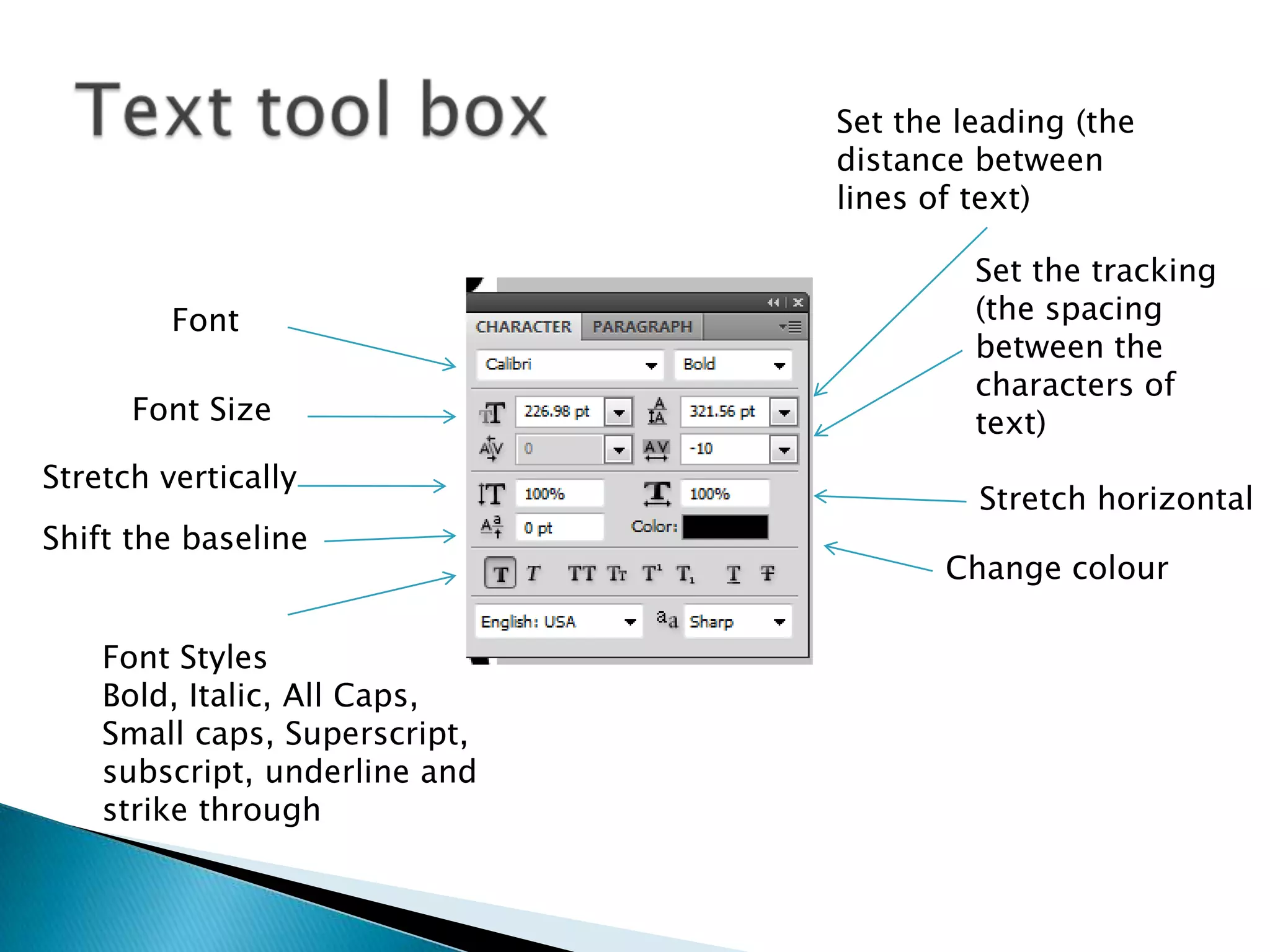
Set the leading (the
distance between
lines of text)

Font

Font Size
Stretch vertically
Shift the baseline
Font Styles
Bold, Italic, All Caps,
Small caps, Superscript,
subscript, underline and
strike through

Set the tracking
(the spacing
between the
characters of
text)
Stretch horizontal
Change colour
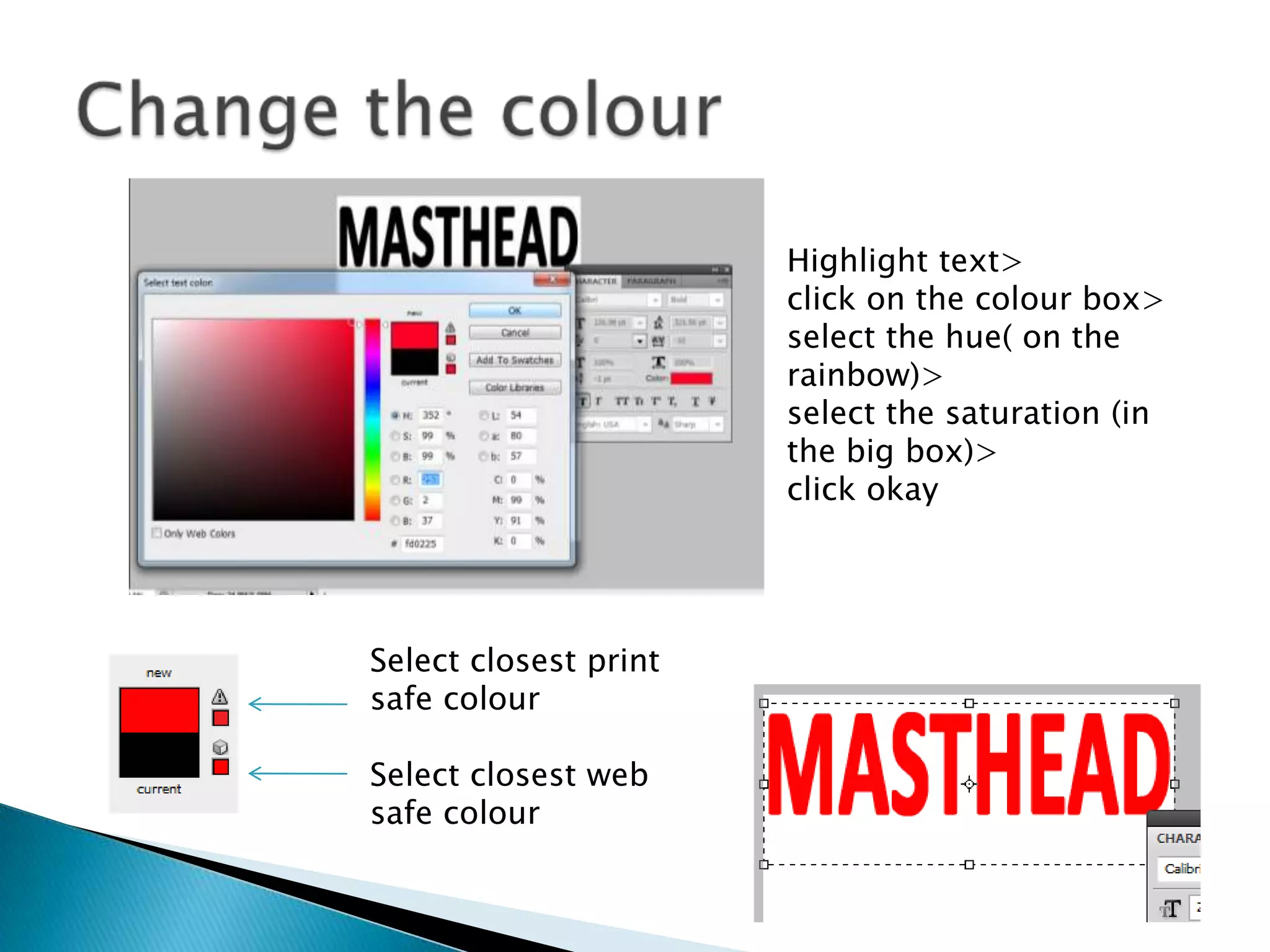
Highlight text>
click on the colour box>
select the hue( on the
rainbow)>
select the saturation (in
the big box)>
click okay

Select closest print
safe colour
Select closest web
safe colour
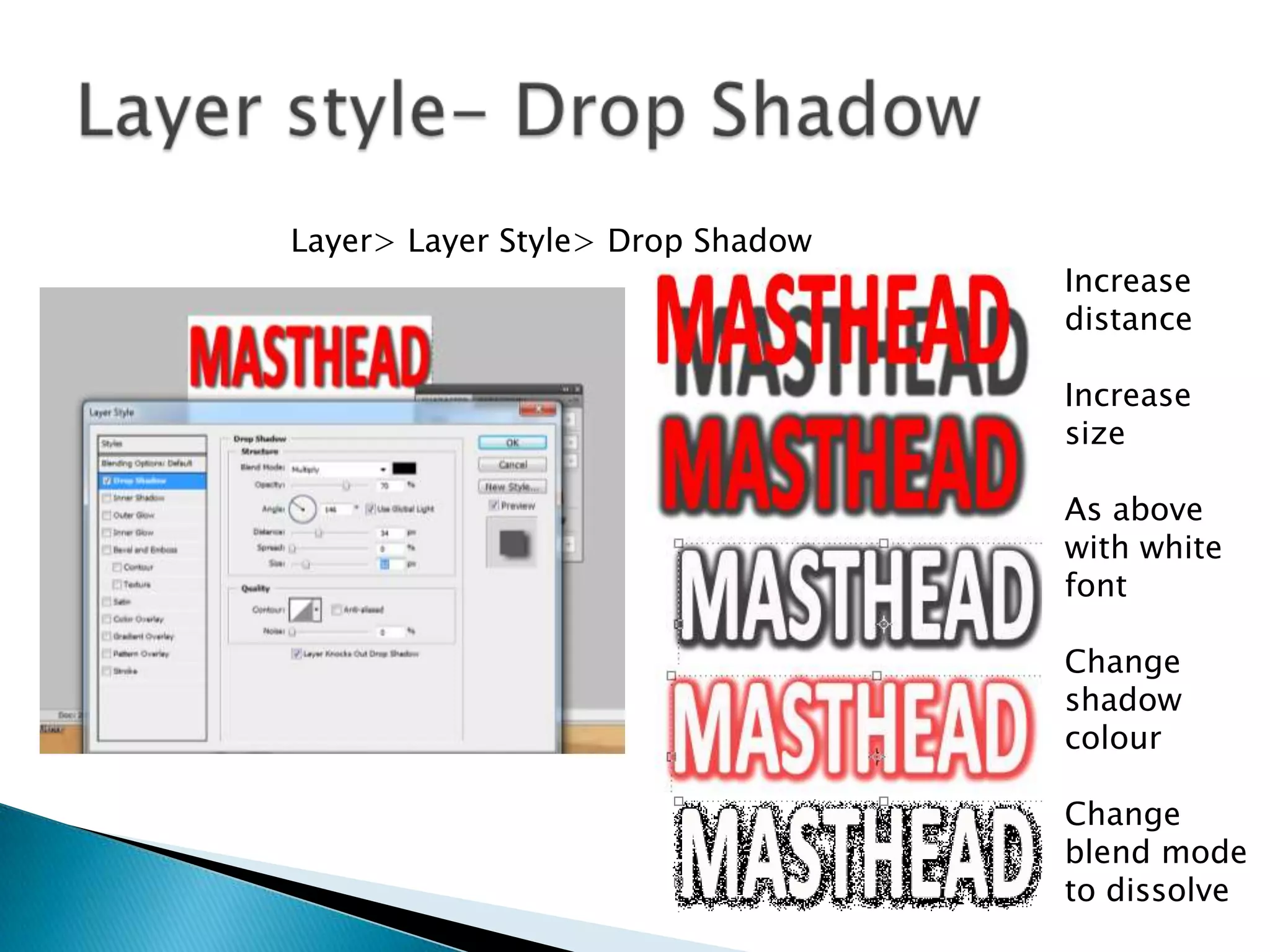
Layer> Layer Style> Drop Shadow

Increase
distance
Increase
size
As above
with white
font
Change
shadow
colour
Change
blend mode
to dissolve
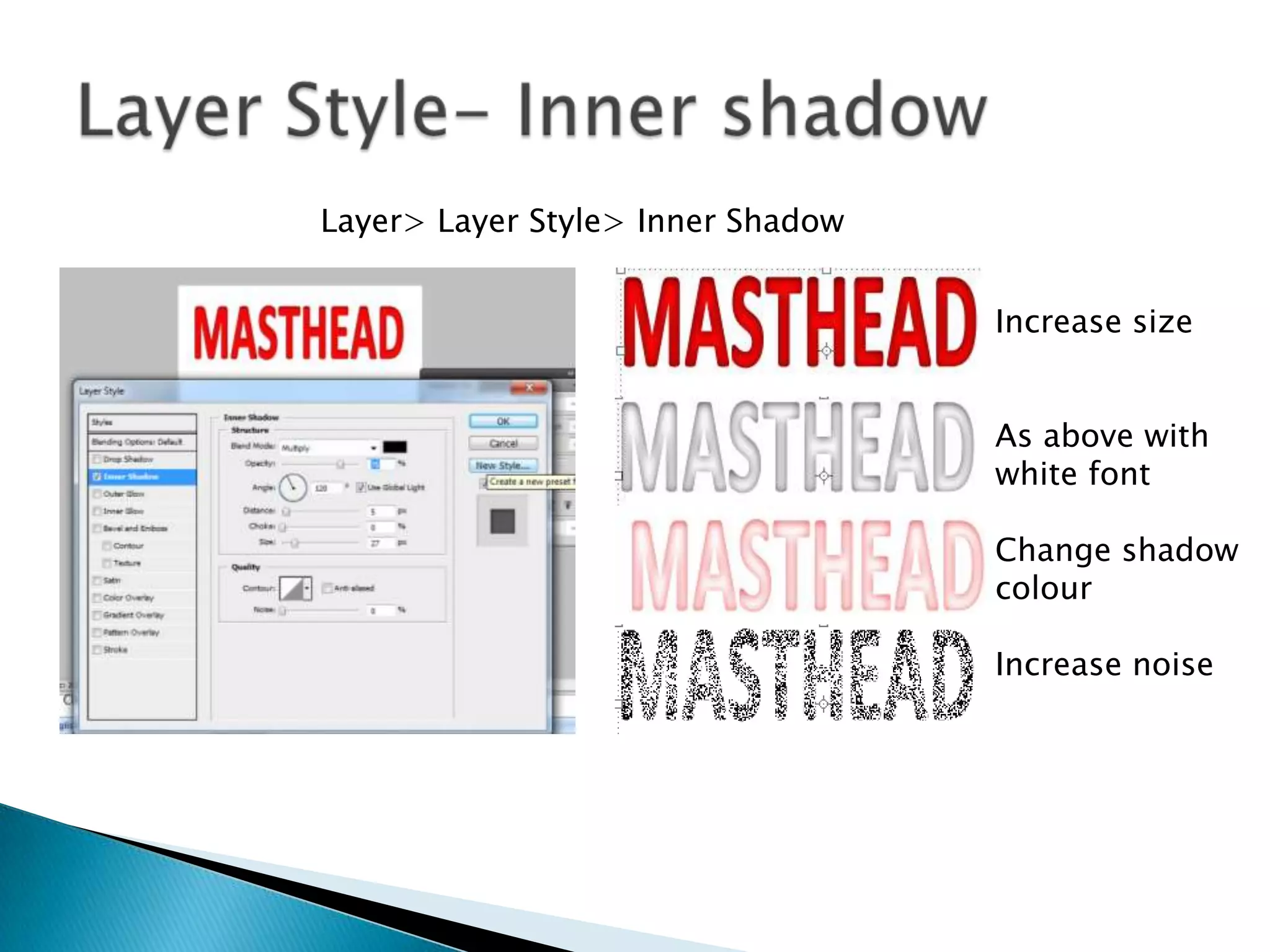
Layer> Layer Style> Inner Shadow
Increase size
As above with
white font
Change shadow
colour
Increase noise
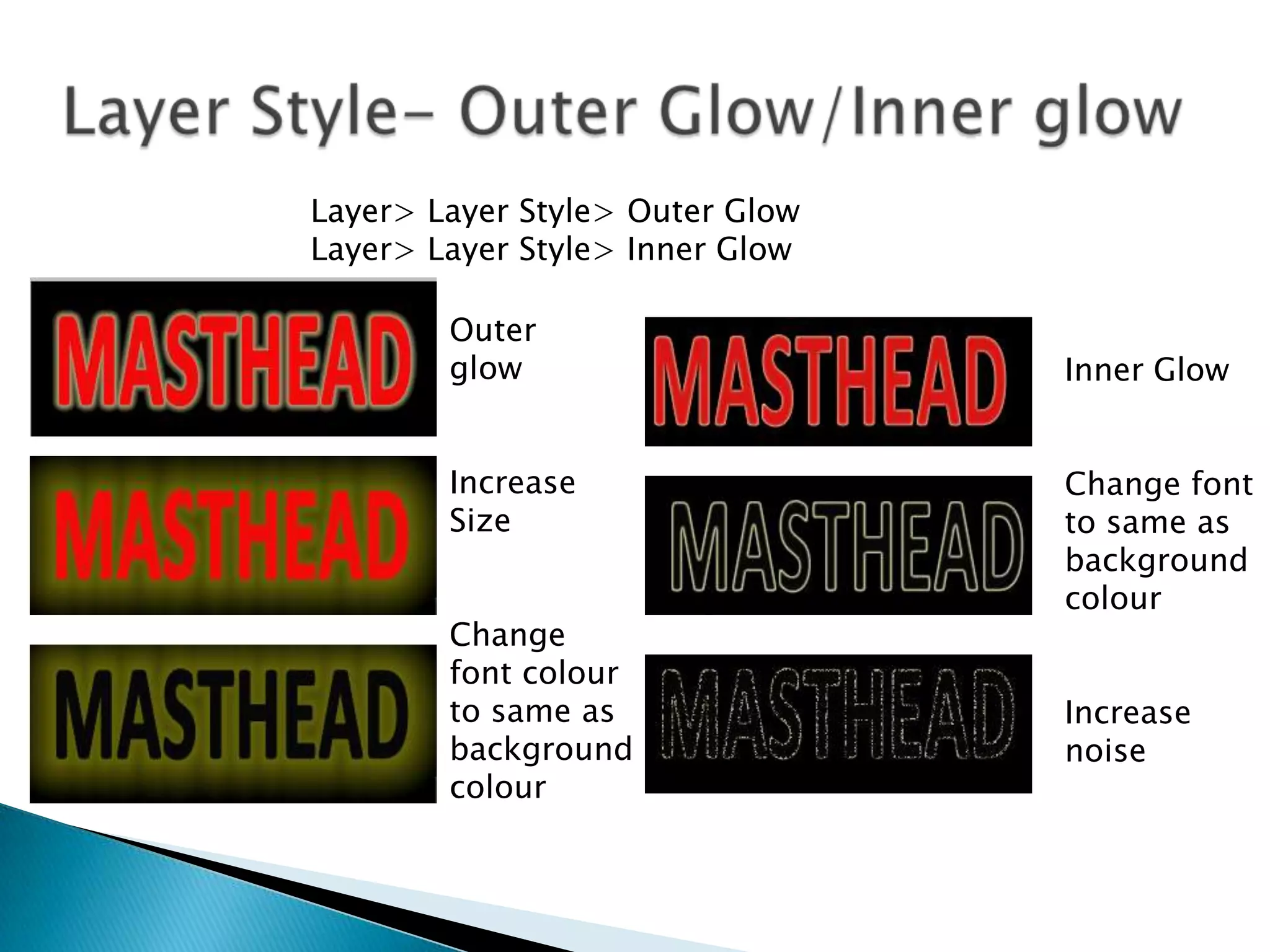
Layer> Layer Style> Outer Glow
Layer> Layer Style> Inner Glow
Outer
glow
Increase
Size

Change
font colour
to same as
background
colour

Inner Glow
Change font
to same as
background
colour
Increase
noise
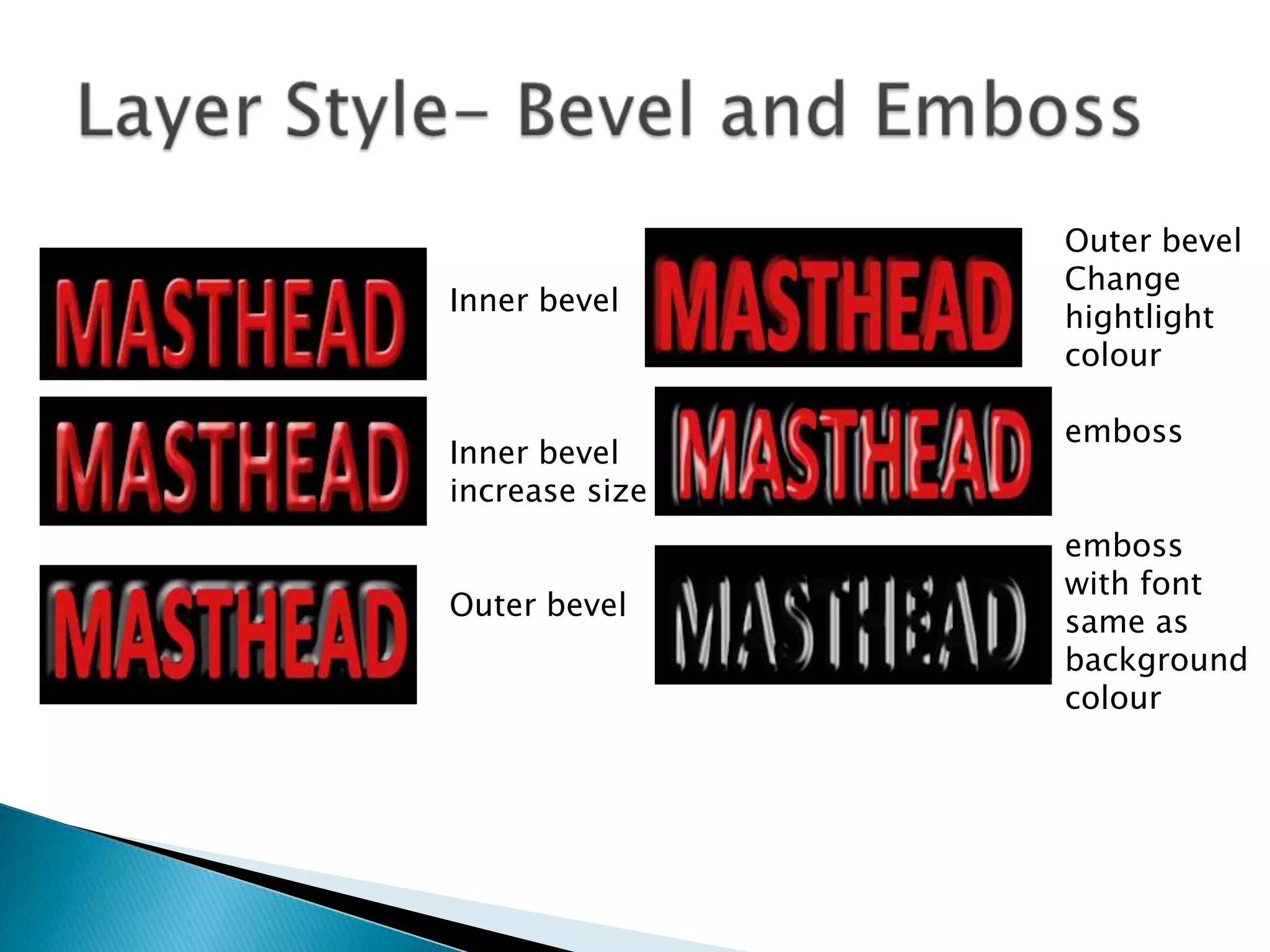
Inner bevel

Inner bevel
increase size
Outer bevel

Outer bevel
Change
hightlight
colour
emboss
emboss
with font
same as
background
colour

How to use fonts in photoshop

  • 1.
    Tips for whenyou are creating your masthead
  • 3.
    Set the leading(the distance between lines of text) Font Font Size Stretch vertically Shift the baseline Font Styles Bold, Italic, All Caps, Small caps, Superscript, subscript, underline and strike through Set the tracking (the spacing between the characters of text) Stretch horizontal Change colour
  • 4.
    Highlight text> click onthe colour box> select the hue( on the rainbow)> select the saturation (in the big box)> click okay Select closest print safe colour Select closest web safe colour
  • 5.
    Layer> Layer Style>Drop Shadow Increase distance Increase size As above with white font Change shadow colour Change blend mode to dissolve
  • 6.
    Layer> Layer Style>Inner Shadow Increase size As above with white font Change shadow colour Increase noise
  • 7.
    Layer> Layer Style>Outer Glow Layer> Layer Style> Inner Glow Outer glow Increase Size Change font colour to same as background colour Inner Glow Change font to same as background colour Increase noise
  • 8.
    Inner bevel Inner bevel increasesize Outer bevel Outer bevel Change hightlight colour emboss emboss with font same as background colour