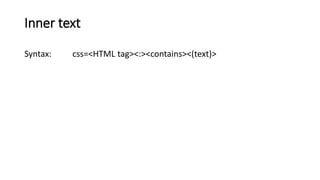
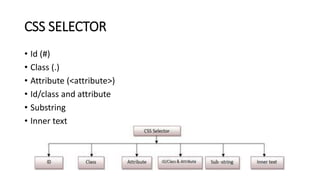
The document provides guidelines for using CSS selectors to identify web elements in Selenium scripts, detailing syntax for selecting by ID, class, and attributes. It includes examples of how to combine different selectors, such as using substrings and inner text in the CSS syntax. Additionally, it emphasizes the flexibility of combining multiple attributes in selectors.
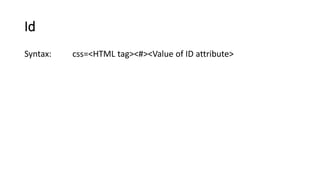
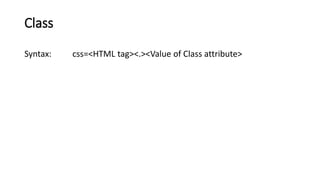
![Syntax: css=<HTML tag><[attribute=‘Value of attribute’]>
Attribute](https://image.slidesharecdn.com/seleniumcsswebelementsselectorstesting-180322013409/85/How-to-use-CSS-Selector-to-identify-Web-Elements-for-selenium-scripts-5-320.jpg)
![Syntax: css=<HTML tag><. Or #><value of Class or ID
attribute><[attribute=‘Value of attribute’]>
Note: Two or more attributes can also be furnished in the syntax.
For example,
“css=input#Passwd[type=’password’][name=’Passwd’]”.
Id/Class and Attribute](https://image.slidesharecdn.com/seleniumcsswebelementsselectorstesting-180322013409/85/How-to-use-CSS-Selector-to-identify-Web-Elements-for-selenium-scripts-6-320.jpg)
![Syntax:
Prefix: css=<HTML tag><[attribute^=prefix of the string]>
Suffix: css=<HTML tag><[attribute$=suffix of the string]>
Substring: css=<HTML tag><[attribute*=sub string]>
Substring](https://image.slidesharecdn.com/seleniumcsswebelementsselectorstesting-180322013409/85/How-to-use-CSS-Selector-to-identify-Web-Elements-for-selenium-scripts-7-320.jpg)