





![www.edureka.co
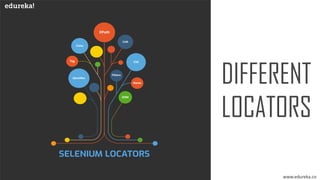
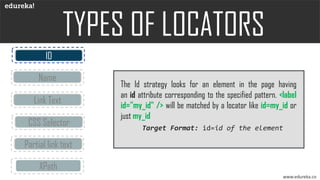
CSS Selector
Link Text
Partial link text
ID
Name
XPath
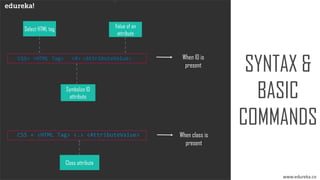
Locating by CSS Selector using an HTML tag and a class name
is similar to using a tag and ID, but in this case, a dot (.) is used
instead of a hash sign.
Target Format:css=tag.class[attribute=value]](https://image.slidesharecdn.com/cssselctor-190513084348/85/CSS-Selector-in-Selenium-WebDriver-Edureka-11-320.jpg)
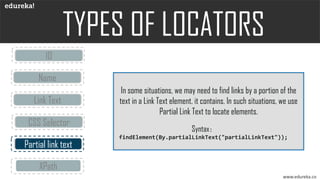
![www.edureka.co
CSS Selector
Link Text
Partial link text
ID
Name
XPath is designed to allow the navigation of XML documents,
with the purpose of selecting individual elements, attributes, or
some other part of an XML document for specific processing.
Xpath=//tagname[@Attribute=‘Value’]
XPath](https://image.slidesharecdn.com/cssselctor-190513084348/85/CSS-Selector-in-Selenium-WebDriver-Edureka-13-320.jpg)
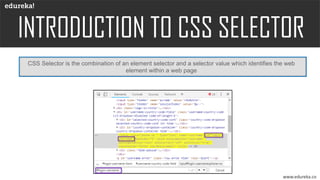

![CH
SYNTAX &
BASIC
COMMANDS
www.edureka.co
Partial values
HTML tag [ locator * = ‘value’ ]
For substrings,
HTML tag [ locator ^ = ‘value’ ]
HTML tag [ locator $ = ‘value’ ]
HTML tag <:> <contains> <(text)>](https://image.slidesharecdn.com/cssselctor-190513084348/85/CSS-Selector-in-Selenium-WebDriver-Edureka-18-320.jpg)


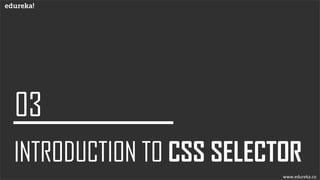
The document details various element locators used in Selenium for uniquely identifying web elements on a webpage. It covers XPath, CSS selectors, ID, name, link text, and partial link text strategies, explaining their syntax and usage. Each locator method allows for different approaches to locate elements efficiently in web automation testing.


![Getting Started with Apache Spark: Big Data Made Simple [Free Meetup]](https://cdn.slidesharecdn.com/ss_thumbnails/apachesparkgettingstarted-260203175547-8361bcc3-thumbnail.jpg?width=640&height=640&fit=bounds)


