CSS stands for Cascading Style Sheets
CSS is a style sheet language which describes the
presentation of the HTML document
CSS Selectors are used to target the HTML elements on
web page
Syntax: tagName[AttributeName='AttributeValue']
Example: input[id=first_name]
WHAT IS CSS AND CSS SELECTOR?
(BASIC CSS SELECTOR SYNTAX)
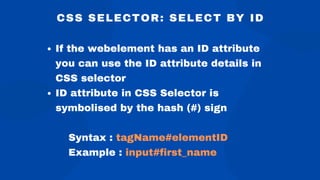
CSS SELECTOR: SELECT BY ID
If the webelement has an ID attribute
you can use the ID attribute details in
CSS selector
ID attribute in CSS Selector is
symbolised by the hash (#) sign
Syntax : tagName#elementID
Example : input#first_name
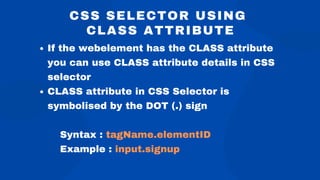
CSS SELECTOR USING
CLASS ATTRIBUTE
If the webelement has the CLASS attribute
you can use CLASS attribute details in CSS
selector
CLASS attribute in CSS Selector is
symbolised by the DOT (.) sign
Syntax : tagName.elementID
Example : input.signup
CSS SELECTOR USING OTHER
WEBELEMENT ATTRIBUTES
Syntax: tagName[AttributeName='AttributeValue']
You can create CSS selector for webelements which
have other attributes as well, like "type", "placeholder",
"value" etc.
Example: input[value='Sign me up']
ADVANCED CSS SELECTORS
(USING MIX OF TAG, ID AND CLASSNAME)
tagName#idValue[AttributeName='AttributeValue']
input#submit_btn[type='submit'][value='Sign me up ']
You can write CSS selector using mix of ID or CLASSNAME and other
attributes of webelement
Syntax: tagName.classValue[AttributeName='AttributeValue']
Examples: input.signup[type='submit'][value='Sign me up ']
CSS SELECTOR - SUB-STRING
Sub-string matches are very helpful in identifying
dynamic webelements with the help of partial
string matches
The 3 important special characters in css sub-
string selectors are:
'^' Sign - Signify's the prefix of the text
'$' Sign - Signify's the suffix of the text
'*' Sign - Signify's the sub-string of the text
CSS SELECTOR - SUB-STRING
EXAMPLES
Match prefix of the text
input[name^='country_c']
Match suffix of the text
input[name$='y_client']
Match sub-string of the text
input[name*='try_cl']
FINDING CHILD OR SUBCHILD ELEMENTS
Direct Child
Child combinator (>) is used to select direct child
Syntax: tagName[AttributeName='AttributeValue'] > tagName[AttributeName='AttributeValue']
Example: select#country > option[value='AU']
Child or Subchild
Descendant combinator ( ) is used to select Child or
Subchild
Syntax: tagName[AttributeName='AttributeValue'] tagName[AttributeName='AttributeValue']
Example: form#deorg_form div
CSS SELECTOR - NEXT SIBLING
Sibling elements are located using the + operator
Adjacent sibling combinator (+) separates two CSS
selectors and matches the second webelement only if
it immediately follows the first webelement, and both
are the child of same parent webelement.
Format:
tagName[AttributeName='AttributeValue']+tagName[AttributeName='AttributeValue']
CSS SELECTOR PSEUDO-CLASSES
FIRST-CHILD, LAST-CHILD, NTH-CHILD,
NTH-LAST-CHILD
A CSS pseudo-class is a keyword added to a selector that specifies a
special state of the selected webelement
first-child - Returns first element from the group of sibling elements
last-child - Returns last element from the group of sibling elements
nth-child() - Returns elements based on their position in a group of siblings
nth-last-child() - Returns elements based on their position among a group of
siblings, counting from the end
www.rcvacademy.com
www.softwaretestingmentor.com
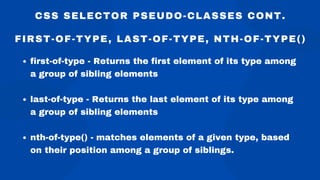
first-of-type - Returns the first element of its type among
a group of sibling elements
last-of-type - Returns the last element of its type among
a group of sibling elements
nth-of-type() - matches elements of a given type, based
on their position among a group of siblings.
CSS SELECTOR PSEUDO-CLASSES CONT.
FIRST-OF-TYPE, LAST-OF-TYPE, NTH-OF-TYPE()

CSS+Selector+Tutorial+Slides.pdf

  • 1.
    CSS stands forCascading Style Sheets CSS is a style sheet language which describes the presentation of the HTML document CSS Selectors are used to target the HTML elements on web page Syntax: tagName[AttributeName='AttributeValue'] Example: input[id=first_name] WHAT IS CSS AND CSS SELECTOR? (BASIC CSS SELECTOR SYNTAX)
  • 2.
    CSS SELECTOR: SELECTBY ID If the webelement has an ID attribute you can use the ID attribute details in CSS selector ID attribute in CSS Selector is symbolised by the hash (#) sign Syntax : tagName#elementID Example : input#first_name
  • 3.
    CSS SELECTOR USING CLASSATTRIBUTE If the webelement has the CLASS attribute you can use CLASS attribute details in CSS selector CLASS attribute in CSS Selector is symbolised by the DOT (.) sign Syntax : tagName.elementID Example : input.signup
  • 4.
    CSS SELECTOR USINGOTHER WEBELEMENT ATTRIBUTES Syntax: tagName[AttributeName='AttributeValue'] You can create CSS selector for webelements which have other attributes as well, like "type", "placeholder", "value" etc. Example: input[value='Sign me up']
  • 5.
    ADVANCED CSS SELECTORS (USINGMIX OF TAG, ID AND CLASSNAME) tagName#idValue[AttributeName='AttributeValue'] input#submit_btn[type='submit'][value='Sign me up '] You can write CSS selector using mix of ID or CLASSNAME and other attributes of webelement Syntax: tagName.classValue[AttributeName='AttributeValue'] Examples: input.signup[type='submit'][value='Sign me up ']
  • 6.
    CSS SELECTOR -SUB-STRING Sub-string matches are very helpful in identifying dynamic webelements with the help of partial string matches The 3 important special characters in css sub- string selectors are: '^' Sign - Signify's the prefix of the text '$' Sign - Signify's the suffix of the text '*' Sign - Signify's the sub-string of the text
  • 7.
    CSS SELECTOR -SUB-STRING EXAMPLES Match prefix of the text input[name^='country_c'] Match suffix of the text input[name$='y_client'] Match sub-string of the text input[name*='try_cl']
  • 8.
    FINDING CHILD ORSUBCHILD ELEMENTS Direct Child Child combinator (>) is used to select direct child Syntax: tagName[AttributeName='AttributeValue'] > tagName[AttributeName='AttributeValue'] Example: select#country > option[value='AU'] Child or Subchild Descendant combinator ( ) is used to select Child or Subchild Syntax: tagName[AttributeName='AttributeValue'] tagName[AttributeName='AttributeValue'] Example: form#deorg_form div
  • 9.
    CSS SELECTOR -NEXT SIBLING Sibling elements are located using the + operator Adjacent sibling combinator (+) separates two CSS selectors and matches the second webelement only if it immediately follows the first webelement, and both are the child of same parent webelement. Format: tagName[AttributeName='AttributeValue']+tagName[AttributeName='AttributeValue']
  • 10.
    CSS SELECTOR PSEUDO-CLASSES FIRST-CHILD,LAST-CHILD, NTH-CHILD, NTH-LAST-CHILD A CSS pseudo-class is a keyword added to a selector that specifies a special state of the selected webelement first-child - Returns first element from the group of sibling elements last-child - Returns last element from the group of sibling elements nth-child() - Returns elements based on their position in a group of siblings nth-last-child() - Returns elements based on their position among a group of siblings, counting from the end www.rcvacademy.com www.softwaretestingmentor.com
  • 11.
    first-of-type - Returnsthe first element of its type among a group of sibling elements last-of-type - Returns the last element of its type among a group of sibling elements nth-of-type() - matches elements of a given type, based on their position among a group of siblings. CSS SELECTOR PSEUDO-CLASSES CONT. FIRST-OF-TYPE, LAST-OF-TYPE, NTH-OF-TYPE()