HOW TO EFFECTIVELY USE
Why use BidClerk?
 BidClerk is a leader in providing construction data in the United States.
 Their mission is to connect construction professionals with business
opportunities at all stages of the construction process at a value unmatched by
the competition.
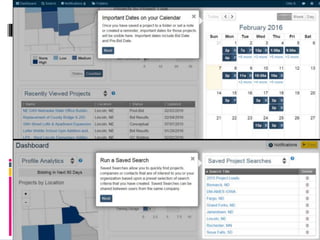
 BidClerk provides unique tools that give subscribers visibility of the project
lifecycle, from planning stages to bidding to completion.
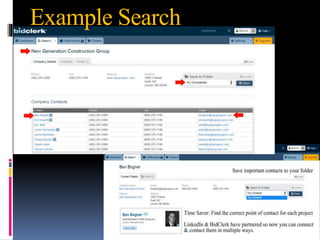
 Industry-leading contact directory, including LinkedIn integration that allows
stronger & more qualified business relationships.
 You receive access to an online database of planned commercial construction
activity, private and public.
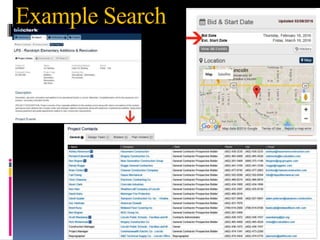
 You receive project details as well as information for the contacts handling the
projects
 Phone, fax, email, mailing address, first and last name for project principals
 Owners, tenants, architects, developers, project managers and contractors.
 Also provide project documents, maps and site photos (bidders lists & plans)
How to use BidClerk?
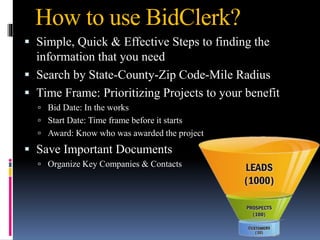
 Simple, Quick & Effective Steps to finding the
information that you need
 Search by State-County-Zip Code-Mile Radius
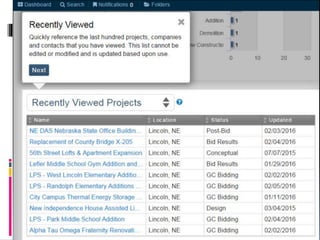
 Time Frame: Prioritizing Projects to your benefit
 Bid Date: In the works
 Start Date: Time frame before it starts
 Award: Know who was awarded the project
 Save Important Documents
 Organize Key Companies & Contacts
Steps to an effective search
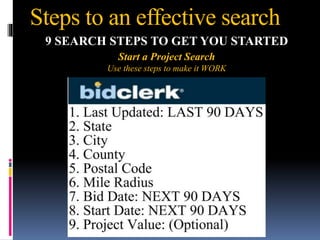
9 SEARCH STEPS TO GET YOU STARTED
Start a Project Search
Use these steps to make it WORK
Steps to an effective search
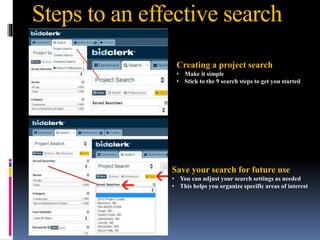
Creating a project search
• Make it simple
• Stick to the 9 search steps to get you started
Save your search for future use
• You can adjust your search settings as needed
• This helps you organize specific areas of interest
Steps to an effective search
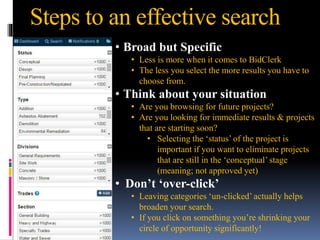
• Broad but Specific
• Less is more when it comes to BidClerk
• The less you select the more results you have to
choose from.
• Think about your situation
• Are you browsing for future projects?
• Are you looking for immediate results & projects
that are starting soon?
• Selecting the ‘status’ of the project is
important if you want to eliminate projects
that are still in the ‘conceptual’ stage
(meaning; not approved yet)
• Don’t ‘over-click’
• Leaving categories ‘un-clicked’ actually helps
broaden your search.
• If you click on something you’re shrinking your
circle of opportunity significantly!
Steps to an effective search
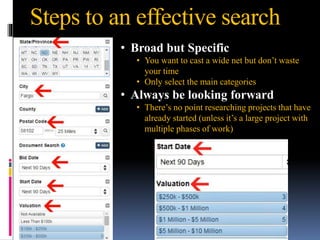
• Broad but Specific
• You want to cast a wide net but don’t waste
your time
• Only select the main categories
• Always be looking forward
• There’s no point researching projects that have
already started (unless it’s a large project with
multiple phases of work)
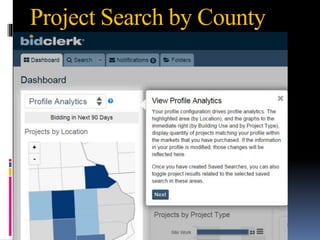
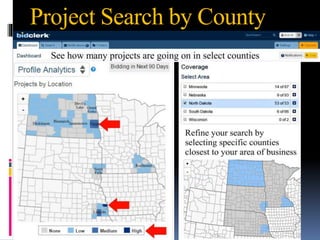
Project Search by County
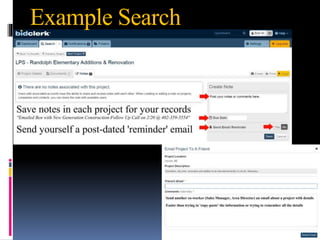
Example Search
Example Search
Example Search

How to use BidClerk

  • 1.
  • 2.
    Why use BidClerk? BidClerk is a leader in providing construction data in the United States.  Their mission is to connect construction professionals with business opportunities at all stages of the construction process at a value unmatched by the competition.  BidClerk provides unique tools that give subscribers visibility of the project lifecycle, from planning stages to bidding to completion.  Industry-leading contact directory, including LinkedIn integration that allows stronger & more qualified business relationships.  You receive access to an online database of planned commercial construction activity, private and public.  You receive project details as well as information for the contacts handling the projects  Phone, fax, email, mailing address, first and last name for project principals  Owners, tenants, architects, developers, project managers and contractors.  Also provide project documents, maps and site photos (bidders lists & plans)
  • 3.
    How to useBidClerk?  Simple, Quick & Effective Steps to finding the information that you need  Search by State-County-Zip Code-Mile Radius  Time Frame: Prioritizing Projects to your benefit  Bid Date: In the works  Start Date: Time frame before it starts  Award: Know who was awarded the project  Save Important Documents  Organize Key Companies & Contacts
  • 4.
    Steps to aneffective search 9 SEARCH STEPS TO GET YOU STARTED Start a Project Search Use these steps to make it WORK
  • 5.
    Steps to aneffective search Creating a project search • Make it simple • Stick to the 9 search steps to get you started Save your search for future use • You can adjust your search settings as needed • This helps you organize specific areas of interest
  • 6.
    Steps to aneffective search • Broad but Specific • Less is more when it comes to BidClerk • The less you select the more results you have to choose from. • Think about your situation • Are you browsing for future projects? • Are you looking for immediate results & projects that are starting soon? • Selecting the ‘status’ of the project is important if you want to eliminate projects that are still in the ‘conceptual’ stage (meaning; not approved yet) • Don’t ‘over-click’ • Leaving categories ‘un-clicked’ actually helps broaden your search. • If you click on something you’re shrinking your circle of opportunity significantly!
  • 7.
    Steps to aneffective search • Broad but Specific • You want to cast a wide net but don’t waste your time • Only select the main categories • Always be looking forward • There’s no point researching projects that have already started (unless it’s a large project with multiple phases of work)
  • 8.
  • 9.
  • 12.
  • 13.
  • 14.