
How to Research TMS Library 2009
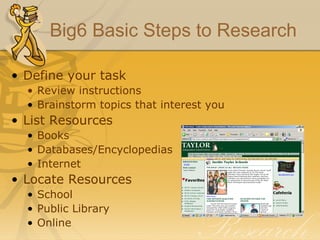
Big6 Basic Steps to Research Define your task Review instructions Brainstorm topics that interest you List Resources Books Databases/Encyclopedias Internet Locate Resources School Public Library Online
Big6 Basic Steps to Research Use Resources wisely Take notes Cite sources Synthesize information Review instructions Organize info. – use writing process steps Include bibliography Evaluate yourself
Researching using books Search the OPAC Locate the index Look for specific names, dates Widen to regions, time periods, types Look at the table of contents Reference titles are often multi-volume Find the volume with the alphabet Or the index for the entire set Skim for key words, don’t read every page
Researching using databases TISD subscribes to several databases Step One: get on the internet and go to the TISD website –  www.taylorisd.org Scroll down to “More Links” section and click on “Digital Knowledge Central” Click on “Encyclopedia Britannica” Username: taylorhis Password: Ktwelve See handout for other database resources
Researching using Internet Google search tips Put “” around specific phrases – “Galveston hurricane” Use Advanced search to narrow results Use Google news archive for newspaper stories Pay attention to the source-Is it free? Is it unbiased? .com .org .gov

How To Research

  • 1.
    How to ResearchTMS Library 2009
  • 2.
    Big6 Basic Stepsto Research Define your task Review instructions Brainstorm topics that interest you List Resources Books Databases/Encyclopedias Internet Locate Resources School Public Library Online
  • 3.
    Big6 Basic Stepsto Research Use Resources wisely Take notes Cite sources Synthesize information Review instructions Organize info. – use writing process steps Include bibliography Evaluate yourself
  • 4.
    Researching using booksSearch the OPAC Locate the index Look for specific names, dates Widen to regions, time periods, types Look at the table of contents Reference titles are often multi-volume Find the volume with the alphabet Or the index for the entire set Skim for key words, don’t read every page
  • 5.
    Researching using databasesTISD subscribes to several databases Step One: get on the internet and go to the TISD website – www.taylorisd.org Scroll down to “More Links” section and click on “Digital Knowledge Central” Click on “Encyclopedia Britannica” Username: taylorhis Password: Ktwelve See handout for other database resources
  • 6.
    Researching using InternetGoogle search tips Put “” around specific phrases – “Galveston hurricane” Use Advanced search to narrow results Use Google news archive for newspaper stories Pay attention to the source-Is it free? Is it unbiased? .com .org .gov