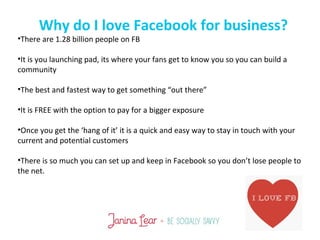
Why do I love Facebook for business?
•There are 1.28 billion people on FB
•It is you launching pad, its where your fans get to know you so you can build a
community
•The best and fastest way to get something “out there”
•It is FREE with the option to pay for a bigger exposure
•Once you get the ‘hang of it’ it is a quick and easy way to stay in touch with your
current and potential customers
•There is so much you can set up and keep in Facebook so you don’t lose people to
the net.
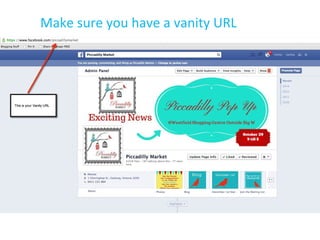
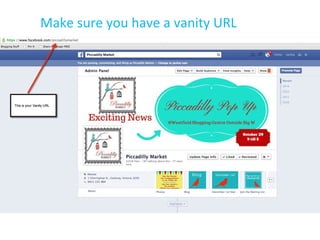
Make sure you have a vanity URL
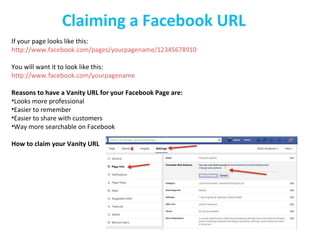
Claiming a Facebook URL
If your page looks like this:
http://www.facebook.com/pages/yourpagename/12345678910
You will want it to look like this:
http://www.facebook.com/yourpagename
Reasons to have a Vanity URL for your Facebook Page are:
•Looks more professional
•Easier to remember
•Easier to share with customers
•Way more searchable on Facebook
How to claim your Vanity URL
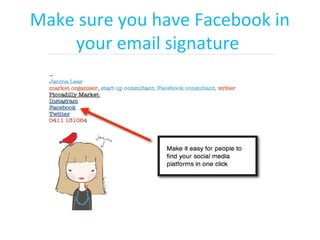
Make sure you have Facebook in
your email signature
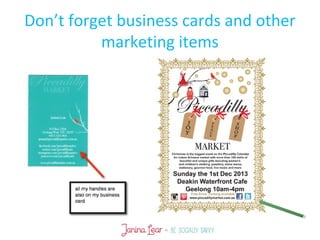
Don’t forget business cards and other
marketing items
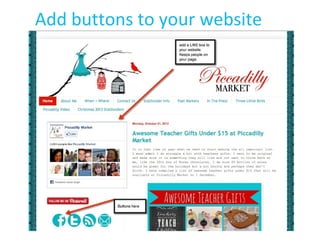
Add buttons to your website
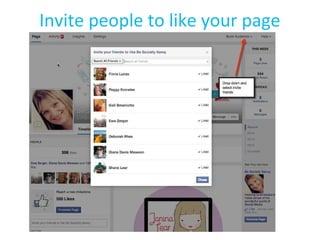
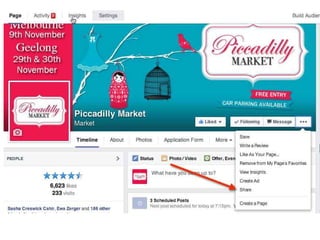
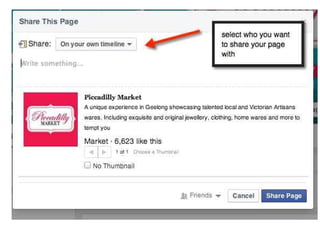
Invite people to like your page
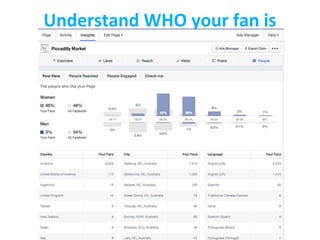
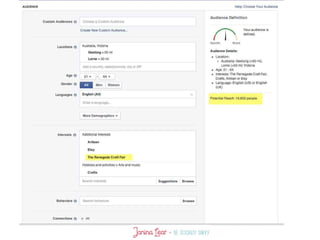
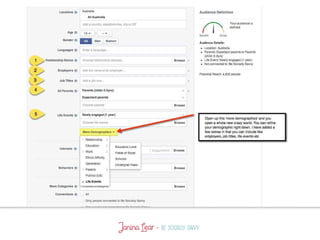
Understand WHO your fan is
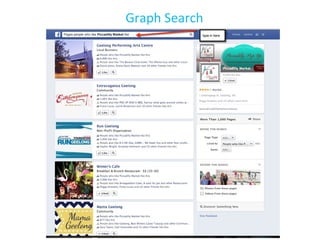
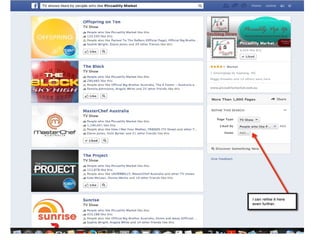
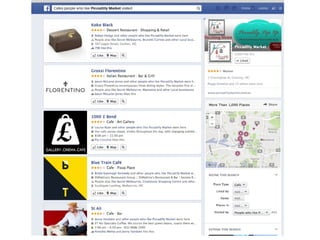
Graph Search
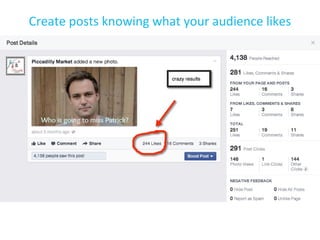
Create posts knowing what your audience likes
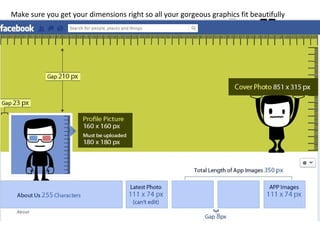
Make sure you get your dimensions right so all your gorgeous graphics fit beautifully
and look professional.
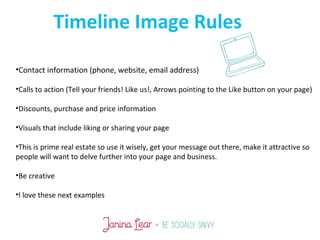
•Contact information (phone, website, email address)
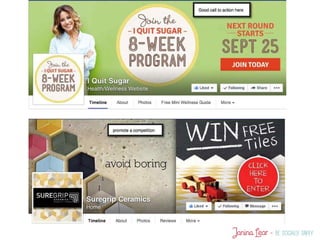
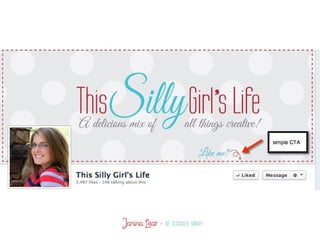
•Calls to action (Tell your friends! Like us!, Arrows pointing to the Like button on your page)
•Discounts, purchase and price information
•Visuals that include liking or sharing your page
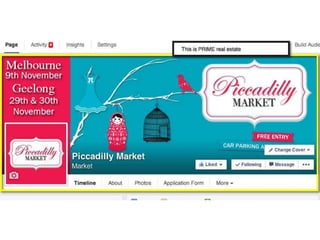
•This is prime real estate so use it wisely, get your message out there, make it attractive so
people will want to delve further into your page and business.
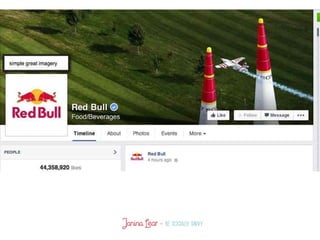
•Be creative
•I love these next examples
Timeline Image Rules
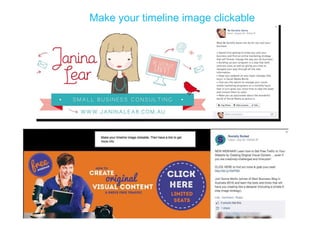
Make your timeline image clickable
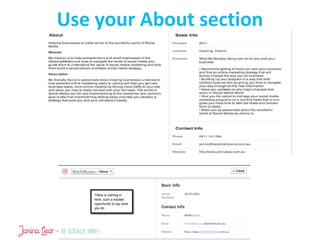
Use your About section
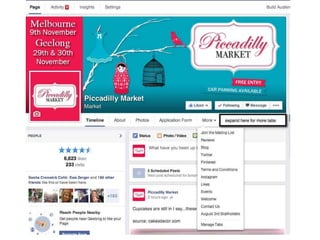
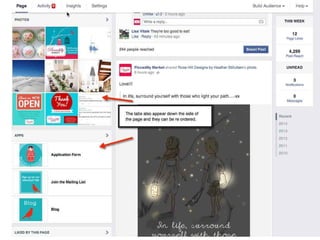
How do I create tabs?
Connect everything you do like Pinterest, Instagram, Mailing lists etc
It is super easy to do, much easier than when I started out.
The 2 best apps I can recommend are:
www.woobox.com Free for free apps like Pinterest, Instagram, Twitter etc
www.shortstack.com Free for up to 2000 fans for most simple things and then they
increase to $30 a month
Both are great and will give your page a good professional look
If you a good at creating your own html code I can recommend using an app through
Facebook called static HTML iframe app, you can identify it by the star.
If you have a blog as I do, I can simply cut and paste my html coding and drop it straight
Into the tab….voila!!!!!
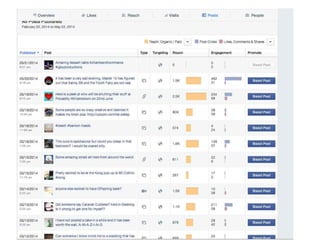
What is reach anyway?
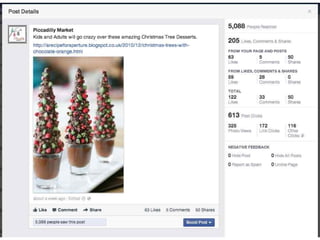
Organic Reach – This is the number of [unique] people who saw* your post in their News Feed, Ticker,
or on your Page. This is the most common way Page posts reach Facebook users.
Paid Reach – This is the number of [unique] people who saw* your post in an ad or sponsored
story. Any post you see with the ‘Sponsored’ label at the bottom or in the right-hand column falls
into this category.
Total Reach – This is the number of [unique] people who saw* your post. This is a bit trickier than
just adding up the previous two because it’s the number of unique people. Keep in mind that
someone could be reached organically, or through ads, but would only count as 1 toward total
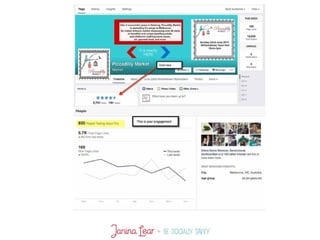
reach.
Just a little text on an
image looks great and is
very sharable
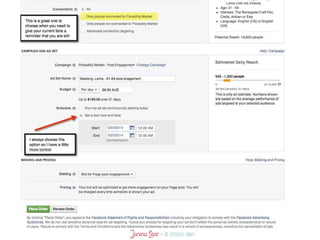
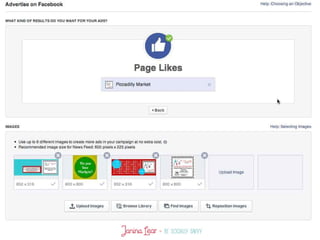
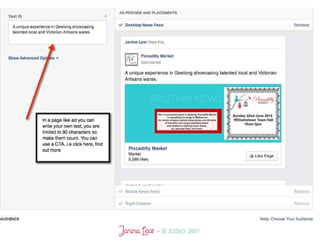
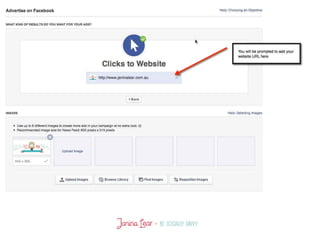
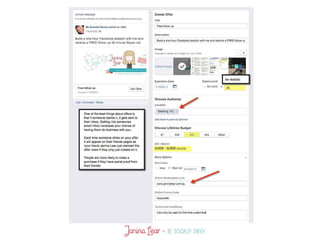
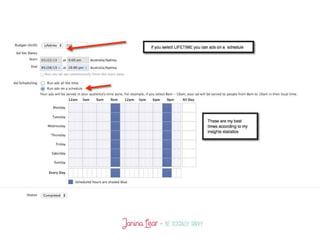
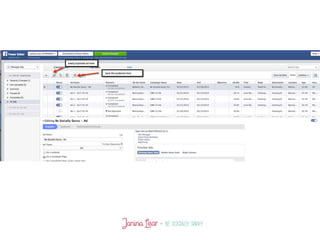
What is your advertising objective?
According to Citigroup, Facebook owns what's approaching about 20%
market share in terms of web activity in the world. It's an unbelievable
number.
•Are you starting out or simply just need to build your audience?
•Do you want people to come to an event?
•Do you want people to click through to your website?
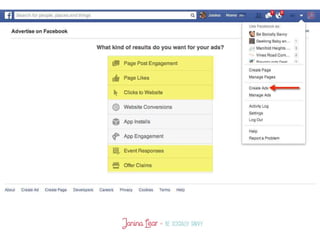
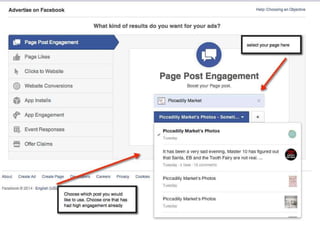
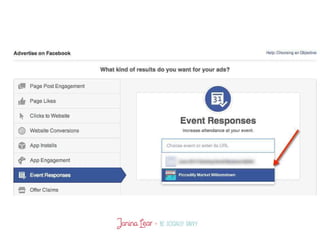
Types of Ads
•Clicks to Website: Get people to visit your website.
•Website Conversions: Promote specific conversions for your website.
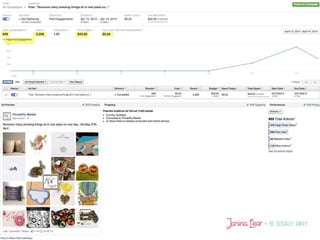
•Page Post Engagement: Promote your Page posts.
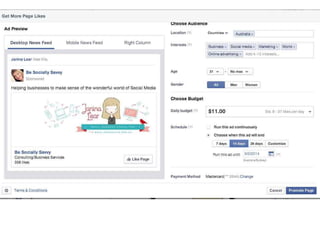
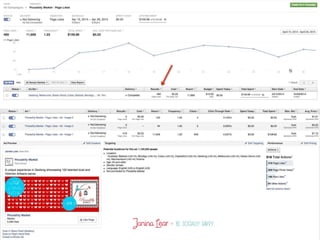
•Page Likes: Get Page likes to grow your audience and build your brand
•App Installs: Get people to install your mobile or desktop app.
•App Engagement: Get people to use your desktop app.
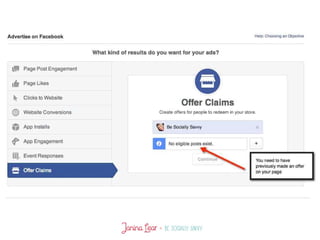
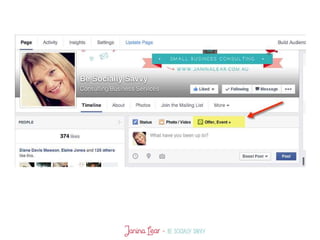
•Offer Claims: Create offers for people to redeem in your store.
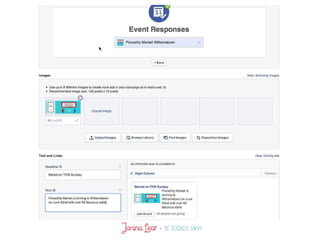
•Event Responses: Increase attendance at your event.
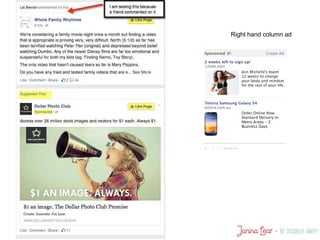
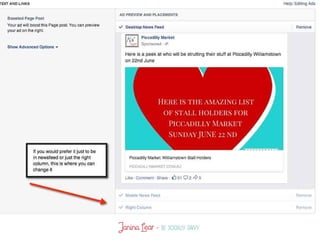
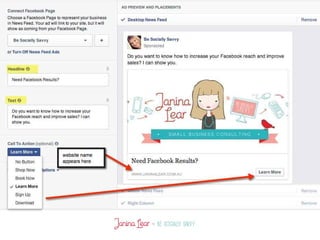
Right hand column ad
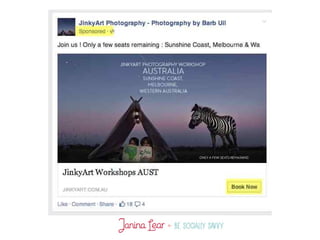
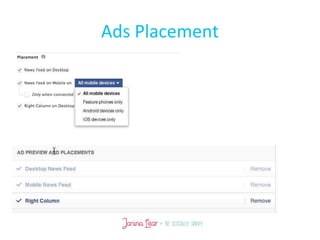
Ads Placement
How to leverage facebook for your business

How to leverage facebook for your business

  • 3.
    Why do Ilove Facebook for business? •There are 1.28 billion people on FB •It is you launching pad, its where your fans get to know you so you can build a community •The best and fastest way to get something “out there” •It is FREE with the option to pay for a bigger exposure •Once you get the ‘hang of it’ it is a quick and easy way to stay in touch with your current and potential customers •There is so much you can set up and keep in Facebook so you don’t lose people to the net.
  • 7.
    Make sure youhave a vanity URL
  • 8.
    Make sure youhave a vanity URL
  • 9.
    Claiming a FacebookURL If your page looks like this: http://www.facebook.com/pages/yourpagename/12345678910 You will want it to look like this: http://www.facebook.com/yourpagename Reasons to have a Vanity URL for your Facebook Page are: •Looks more professional •Easier to remember •Easier to share with customers •Way more searchable on Facebook How to claim your Vanity URL
  • 10.
    Make sure youhave Facebook in your email signature
  • 11.
    Don’t forget businesscards and other marketing items
  • 12.
    Add buttons toyour website
  • 13.
    Invite people tolike your page
  • 17.
  • 18.
  • 20.
    Create posts knowingwhat your audience likes
  • 24.
    Make sure youget your dimensions right so all your gorgeous graphics fit beautifully and look professional.
  • 25.
    •Contact information (phone,website, email address) •Calls to action (Tell your friends! Like us!, Arrows pointing to the Like button on your page) •Discounts, purchase and price information •Visuals that include liking or sharing your page •This is prime real estate so use it wisely, get your message out there, make it attractive so people will want to delve further into your page and business. •Be creative •I love these next examples Timeline Image Rules
  • 29.
    Make your timelineimage clickable
  • 30.
  • 33.
    How do Icreate tabs? Connect everything you do like Pinterest, Instagram, Mailing lists etc It is super easy to do, much easier than when I started out. The 2 best apps I can recommend are: www.woobox.com Free for free apps like Pinterest, Instagram, Twitter etc www.shortstack.com Free for up to 2000 fans for most simple things and then they increase to $30 a month Both are great and will give your page a good professional look If you a good at creating your own html code I can recommend using an app through Facebook called static HTML iframe app, you can identify it by the star. If you have a blog as I do, I can simply cut and paste my html coding and drop it straight Into the tab….voila!!!!!
  • 39.
    What is reachanyway? Organic Reach – This is the number of [unique] people who saw* your post in their News Feed, Ticker, or on your Page. This is the most common way Page posts reach Facebook users. Paid Reach – This is the number of [unique] people who saw* your post in an ad or sponsored story. Any post you see with the ‘Sponsored’ label at the bottom or in the right-hand column falls into this category. Total Reach – This is the number of [unique] people who saw* your post. This is a bit trickier than just adding up the previous two because it’s the number of unique people. Keep in mind that someone could be reached organically, or through ads, but would only count as 1 toward total reach.
  • 42.
    Just a littletext on an image looks great and is very sharable
  • 45.
    What is youradvertising objective? According to Citigroup, Facebook owns what's approaching about 20% market share in terms of web activity in the world. It's an unbelievable number. •Are you starting out or simply just need to build your audience? •Do you want people to come to an event? •Do you want people to click through to your website?
  • 47.
    Types of Ads •Clicksto Website: Get people to visit your website. •Website Conversions: Promote specific conversions for your website. •Page Post Engagement: Promote your Page posts. •Page Likes: Get Page likes to grow your audience and build your brand •App Installs: Get people to install your mobile or desktop app. •App Engagement: Get people to use your desktop app. •Offer Claims: Create offers for people to redeem in your store. •Event Responses: Increase attendance at your event.
  • 48.
  • 70.

Editor's Notes

  • #10 Things to remember Choose a name that is easy to remember, You can only change it once so be careful with typos etc, choose a name as close to your business name, Add it to your email signature, business card, on promotional material, direct people from your blog to facebook but more on that later.
  • #25 This is all in your hand out so no need to write down.
  • #26 Need a great timeline image
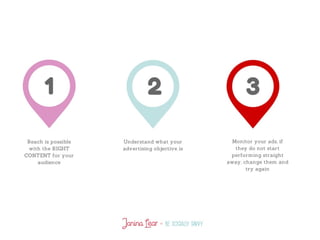
  • #41 Everyone is talking about the declining reach and although it is a lot harder than years gone past, if you have the correct content for your audience then you will still be able to have a good reach. How to keep your page engaging is a whole different session but I have given you the link to another slide show that has some good tips