How to increase traffic to your
WordPress website.
How to increase traffic on your
WordPress website.
Step 1 – Create
Step 2 – Push
Step 3 – Optimize
Step 4 – Measure
Step 1 - Create
Your website
should be a “hub”
for your customers.
Step 1 - Create
New ideas for your blog:
•  Lists or top 10s
•  Events
•  Announcements and press
•  Advice
•  Case studies
•  Portfolio debuts
•  Podcasts
•  Videos
•  SlideShare
•  Infographics
		Create valuable content for your website.
For more ideas check out:
http://www.liquisdesign.com/10-ways-to-use-your-small-business-blog/
Step 2 - Push
So you have better content, Great!
Now you just need
someone to see it.
Step 2 - Push
Basic ways to share your content:
•  Manually sharing
•  Share buttons on your site
•  Newsletters
Step 2 - Push
Where to share your content matters.
Choosing the right social media platform for your industry
and content:
•  Google+ (Anything that links back to your site will help SEO)
•  Facebook, Twitter, LinkedIn (All information types)
•  Instagram (Pictures and video)
•  SlideShare (B2B resources)
Step 3 - Optimize
Increase your organic
and paid traffic.
Step 3 - Optimize
Search Engine Optimization (SEO).
•  How does it all work
•  Simple steps to improve your rankings
•  Helpful tools
Note: These bullet points were elaborated on conversationally by Brad
Ball at Liquis Design at a WordPress workshop. For more information
about how SEO can help your website give him a holler.
Step 3 - Optimize
Advertising your content.
•  Find your best platforms (social media vs. AdWords)
•  Target your audience
•  Remarketing
•  A/B testing
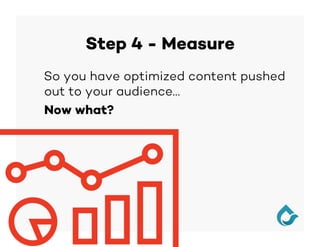
Step 4 - Measure
So you have optimized content pushed
out to your audience…
Now what?
Step 4 - Measure
Learn what’s working, and what’s not.
•  Is there a certain type of content that your audience
responds to more than others?
•  Is there a platform where your content is getting
more interaction?
•  Are your posts ranking organically?
•  Are there different ads that drive more traffic than
others?
Step 4 - Measure
Tools to help you answer these questions:
•  Google Analytics
•  Google Analytics Chrome Extension
•  Bit.ly
•  Mailchimp
•  Webmaster Tools
•  Advertising Analytics
Setting up your website for Success
How to set up your website to convert
visitors into customers:
•  Build credibility through remarkable design
•  Be in compliance with current website requirements.
–  A responsive, mobile friendly, site is now required by Google for search
rankings, and expected by your audience.
•  Have the right tools installed and configured to execute and
measure your actions.
•  Have the right call-to-actions in the right place.
–  Considering user experience and marketing funnels on your website can help
you build business.
Thank You!

How to increase traffic to your WordPress website.

  • 1.
    How to increasetraffic to your WordPress website.
  • 2.
    How to increasetraffic on your WordPress website. Step 1 – Create Step 2 – Push Step 3 – Optimize Step 4 – Measure
  • 3.
    Step 1 -Create Your website should be a “hub” for your customers.
  • 4.
    Step 1 -Create New ideas for your blog: •  Lists or top 10s •  Events •  Announcements and press •  Advice •  Case studies •  Portfolio debuts •  Podcasts •  Videos •  SlideShare •  Infographics Create valuable content for your website. For more ideas check out: http://www.liquisdesign.com/10-ways-to-use-your-small-business-blog/
  • 5.
    Step 2 -Push So you have better content, Great! Now you just need someone to see it.
  • 6.
    Step 2 -Push Basic ways to share your content: •  Manually sharing •  Share buttons on your site •  Newsletters
  • 7.
    Step 2 -Push Where to share your content matters. Choosing the right social media platform for your industry and content: •  Google+ (Anything that links back to your site will help SEO) •  Facebook, Twitter, LinkedIn (All information types) •  Instagram (Pictures and video) •  SlideShare (B2B resources)
  • 8.
    Step 3 -Optimize Increase your organic and paid traffic.
  • 9.
    Step 3 -Optimize Search Engine Optimization (SEO). •  How does it all work •  Simple steps to improve your rankings •  Helpful tools Note: These bullet points were elaborated on conversationally by Brad Ball at Liquis Design at a WordPress workshop. For more information about how SEO can help your website give him a holler.
  • 10.
    Step 3 -Optimize Advertising your content. •  Find your best platforms (social media vs. AdWords) •  Target your audience •  Remarketing •  A/B testing
  • 11.
    Step 4 -Measure So you have optimized content pushed out to your audience… Now what?
  • 12.
    Step 4 -Measure Learn what’s working, and what’s not. •  Is there a certain type of content that your audience responds to more than others? •  Is there a platform where your content is getting more interaction? •  Are your posts ranking organically? •  Are there different ads that drive more traffic than others?
  • 13.
    Step 4 -Measure Tools to help you answer these questions: •  Google Analytics •  Google Analytics Chrome Extension •  Bit.ly •  Mailchimp •  Webmaster Tools •  Advertising Analytics
  • 14.
    Setting up yourwebsite for Success How to set up your website to convert visitors into customers: •  Build credibility through remarkable design •  Be in compliance with current website requirements. –  A responsive, mobile friendly, site is now required by Google for search rankings, and expected by your audience. •  Have the right tools installed and configured to execute and measure your actions. •  Have the right call-to-actions in the right place. –  Considering user experience and marketing funnels on your website can help you build business.
  • 15.