
Getting more from your      Rich Murphy
Project Server Deployment   rmurphy@epmlive.com
Today’s Agenda

 EPMLive Background
 Product Line overview
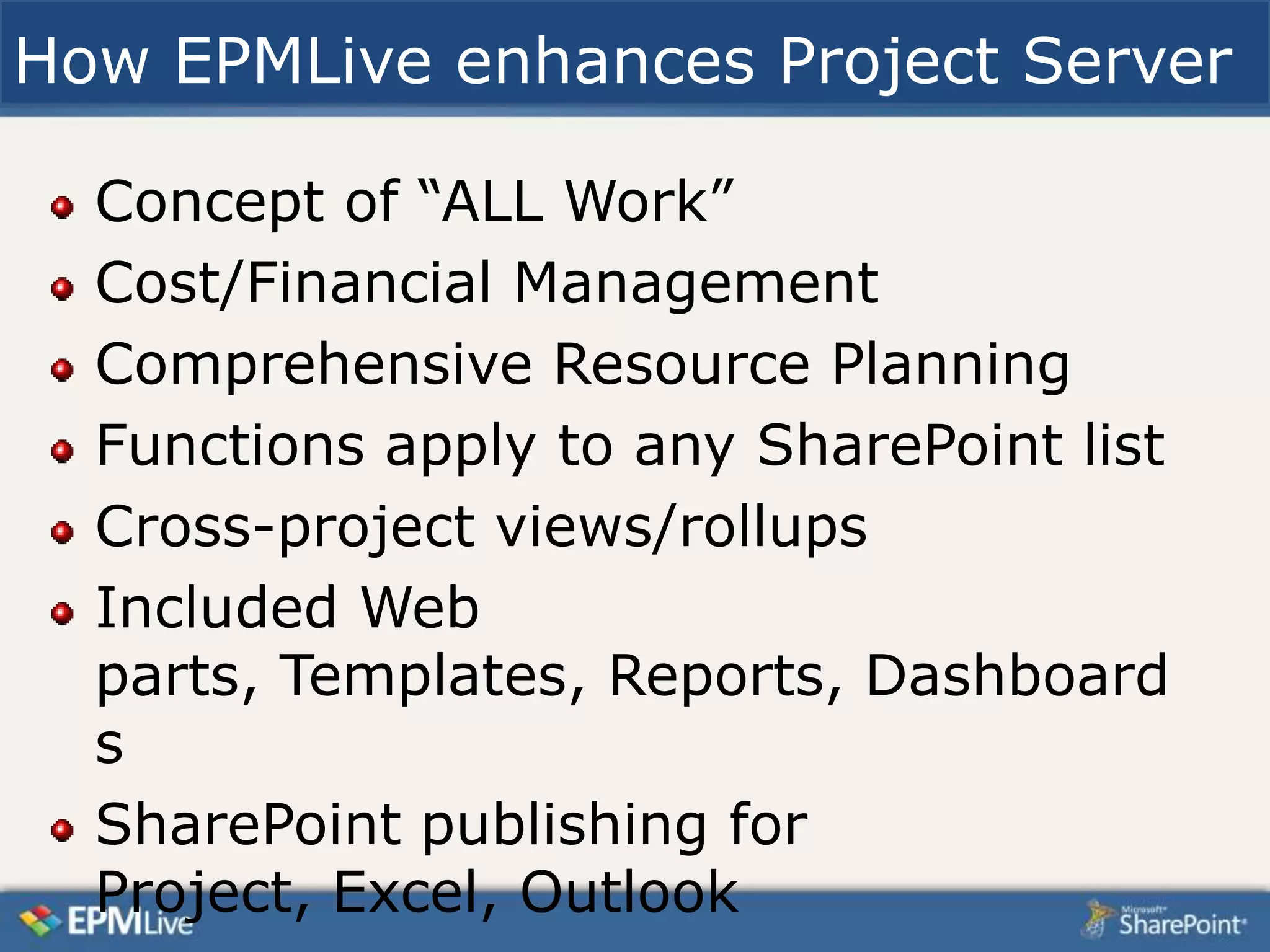
 How EPMLive enhances Project Server
 One customer’s implementation
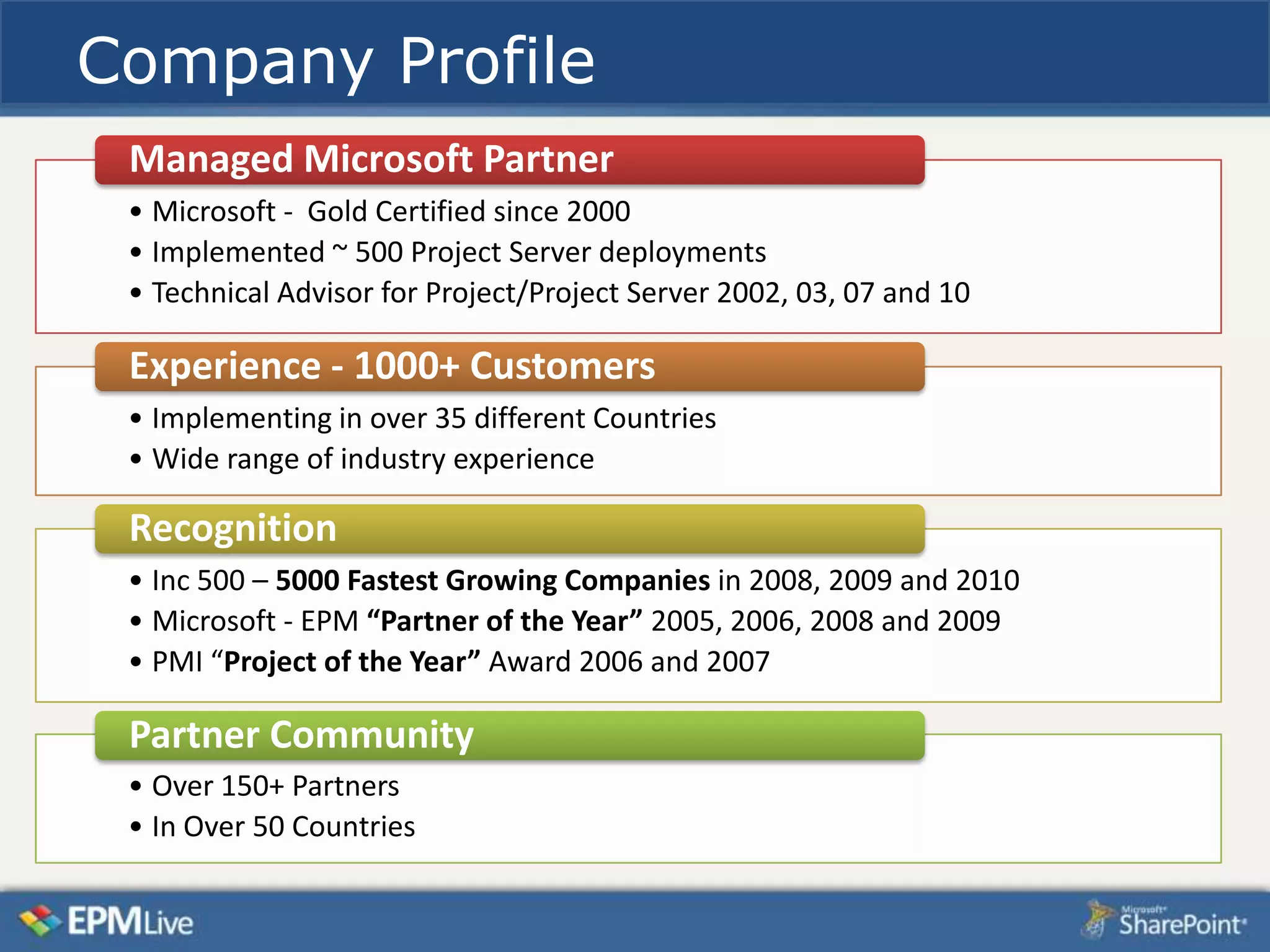
Company Profile
 Managed Microsoft Partner
 • Microsoft - Gold Certified since 2000
 • Implemented ~ 500 Project Server deployments
 • Technical Advisor for Project/Project Server 2002, 03, 07 and 10

 Experience - 1000+ Customers
 • Implementing in over 35 different Countries
 • Wide range of industry experience

 Recognition
 • Inc 500 – 5000 Fastest Growing Companies in 2008, 2009 and 2010
 • Microsoft - EPM “Partner of the Year” 2005, 2006, 2008 and 2009
 • PMI “Project of the Year” Award 2006 and 2007

 Partner Community
 • Over 150+ Partners
 • In Over 50 Countries
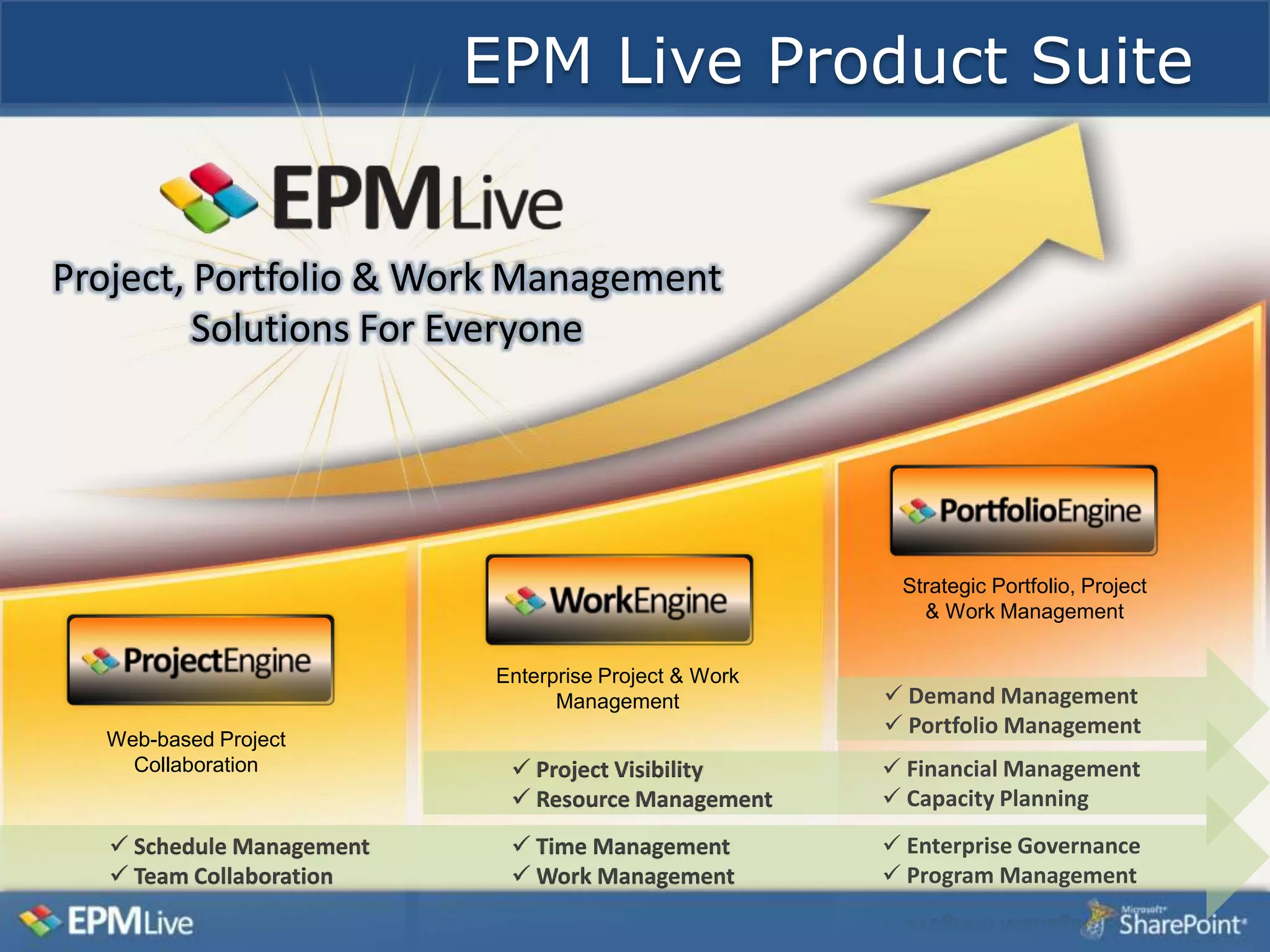
EPM Live Product Suite


Project, Portfolio & Work Management
         Solutions For Everyone


                                                         Strategic Portfolio, Project
                                                           & Work Management


                            Enterprise Project & Work
                                  Management             Demand Management
                                                         Portfolio Management
  Web-based Project
    Collaboration             Project Visibility        Financial Management
                              Resource Management       Capacity Planning
    Schedule Management      Time Management           Enterprise Governance
    Team Collaboration       Work Management           Program Management
Project Server 2010 Strengths

 Enterprise Global enforces standards
 Enterprise custom fields – no limit
 Project Workspaces
 Can be extended via PSI
How EPMLive enhances Project Server

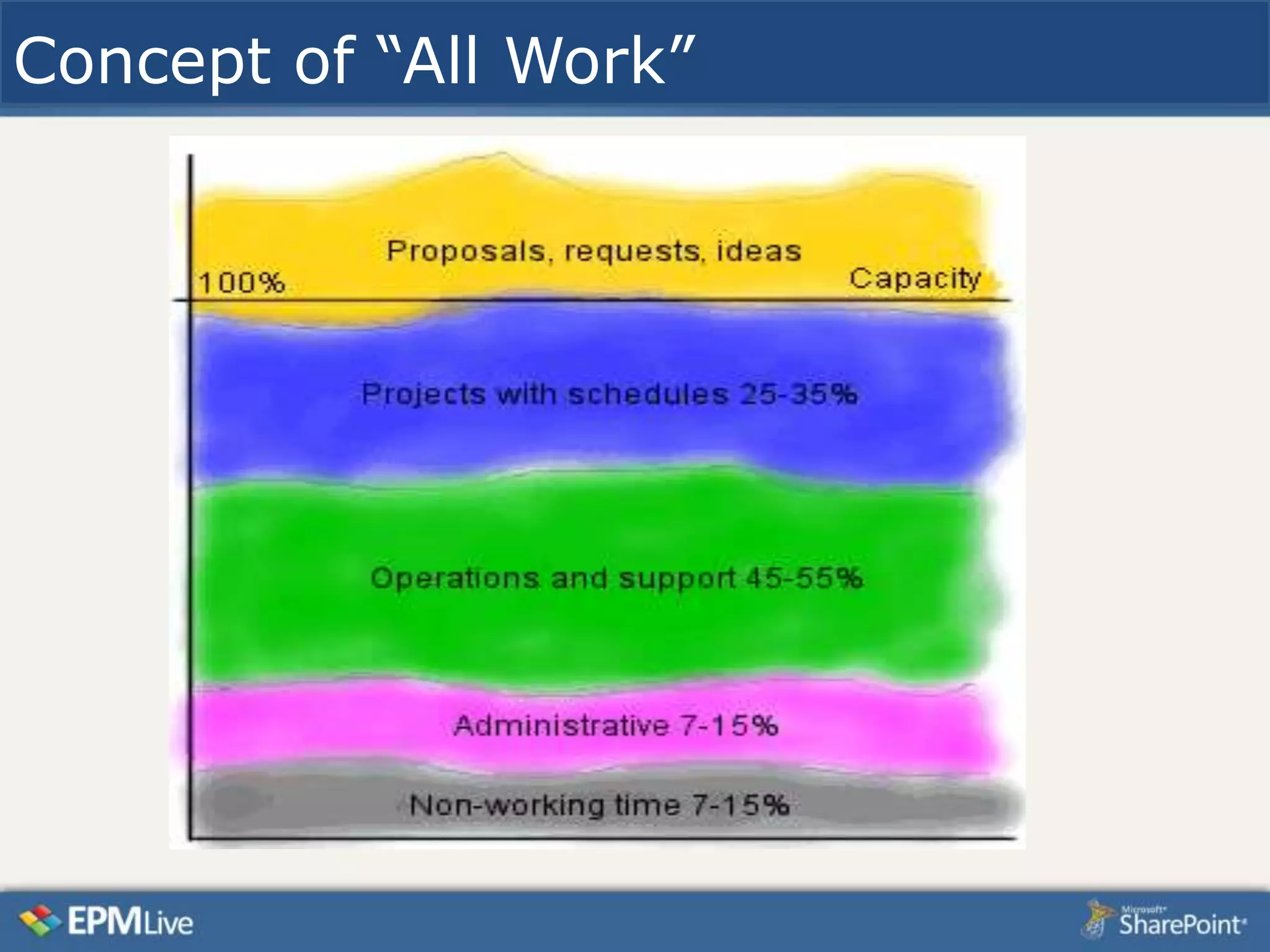
  Concept of “ALL Work”
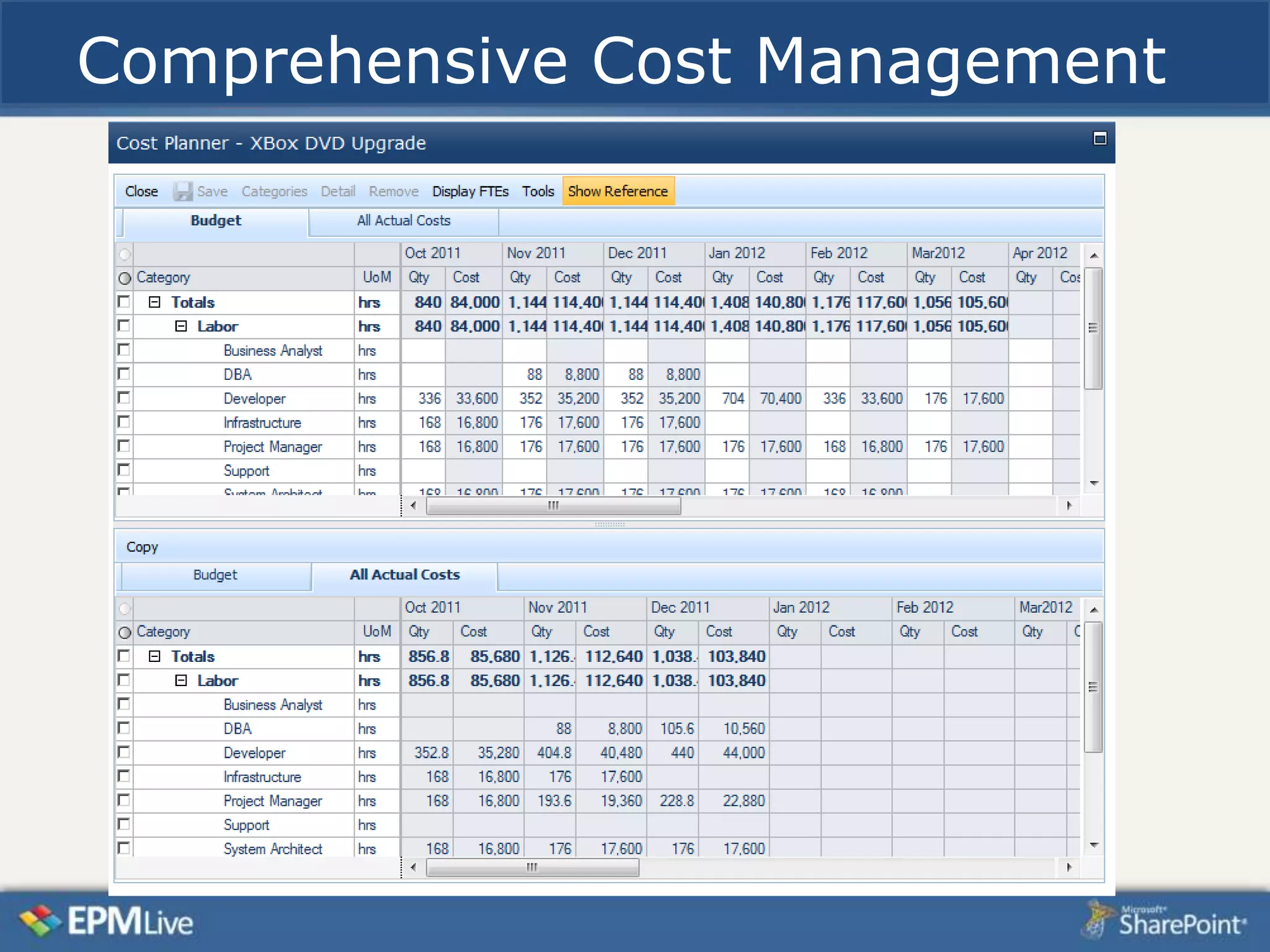
  Cost/Financial Management
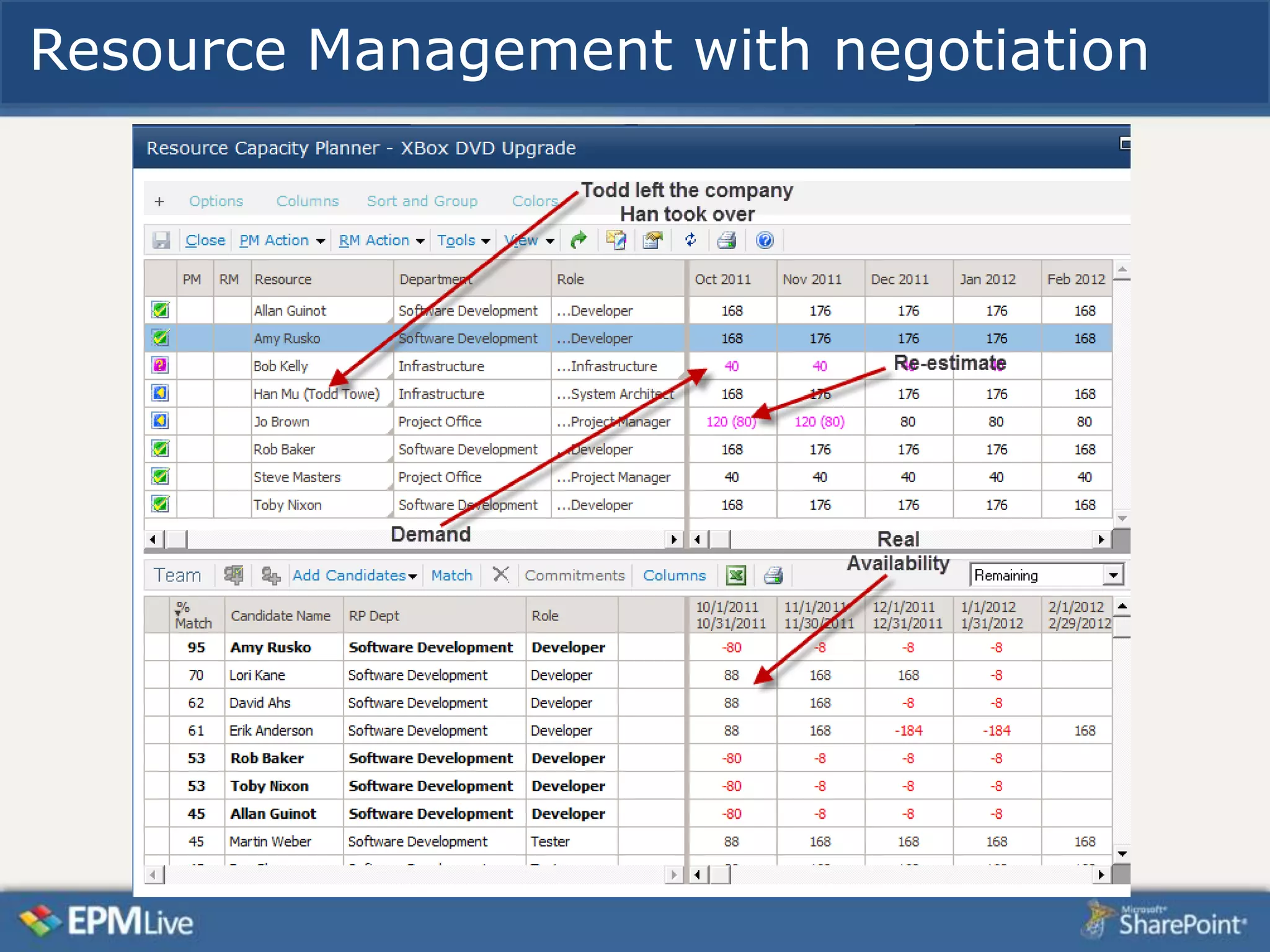
  Comprehensive Resource Planning
  Functions apply to any SharePoint list
  Cross-project views/rollups
  Included Web
  parts, Templates, Reports, Dashboard
  s
  SharePoint publishing for
  Project, Excel, Outlook
Concept of “All Work”
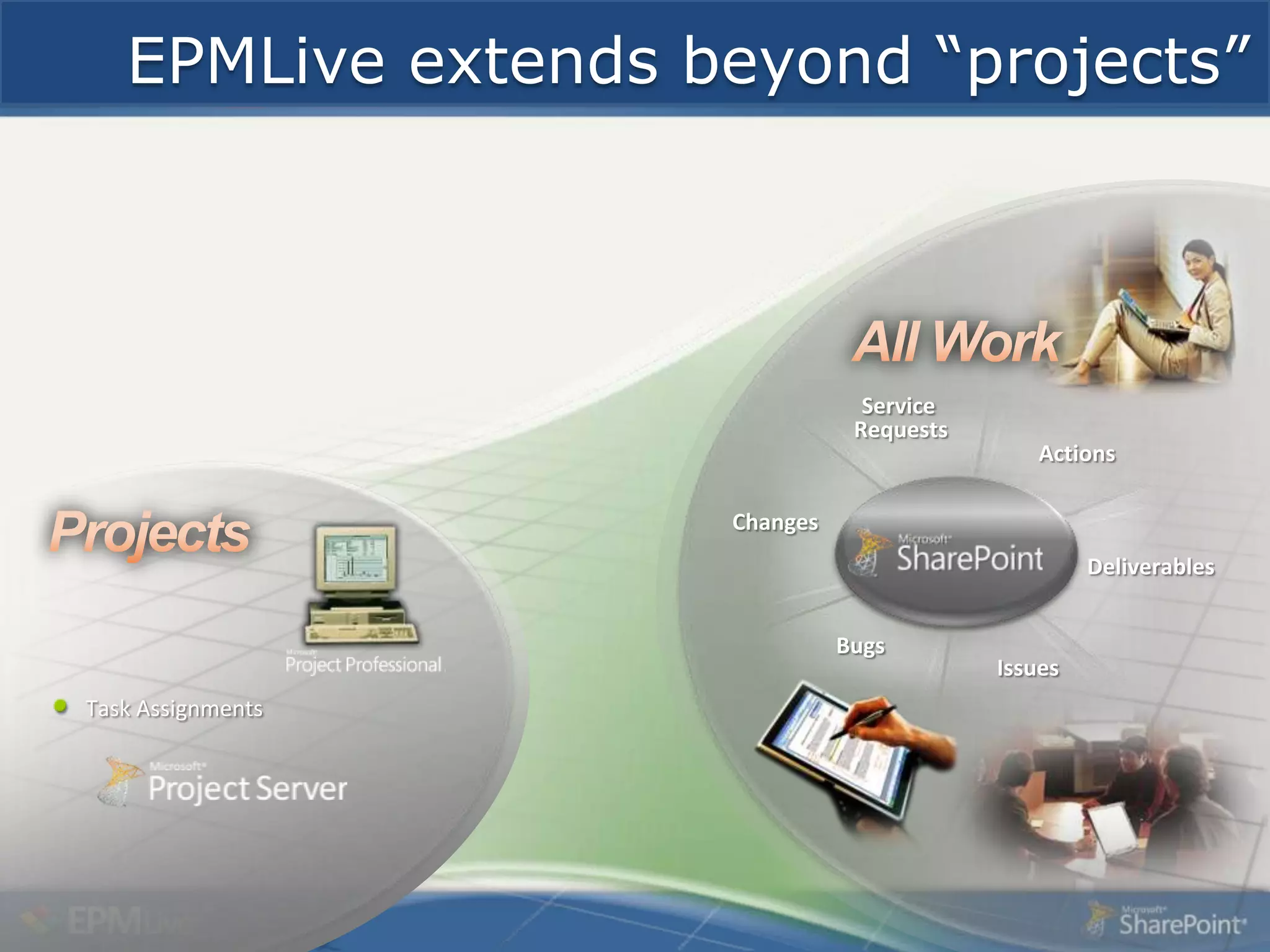
EPMLive extends beyond “projects”
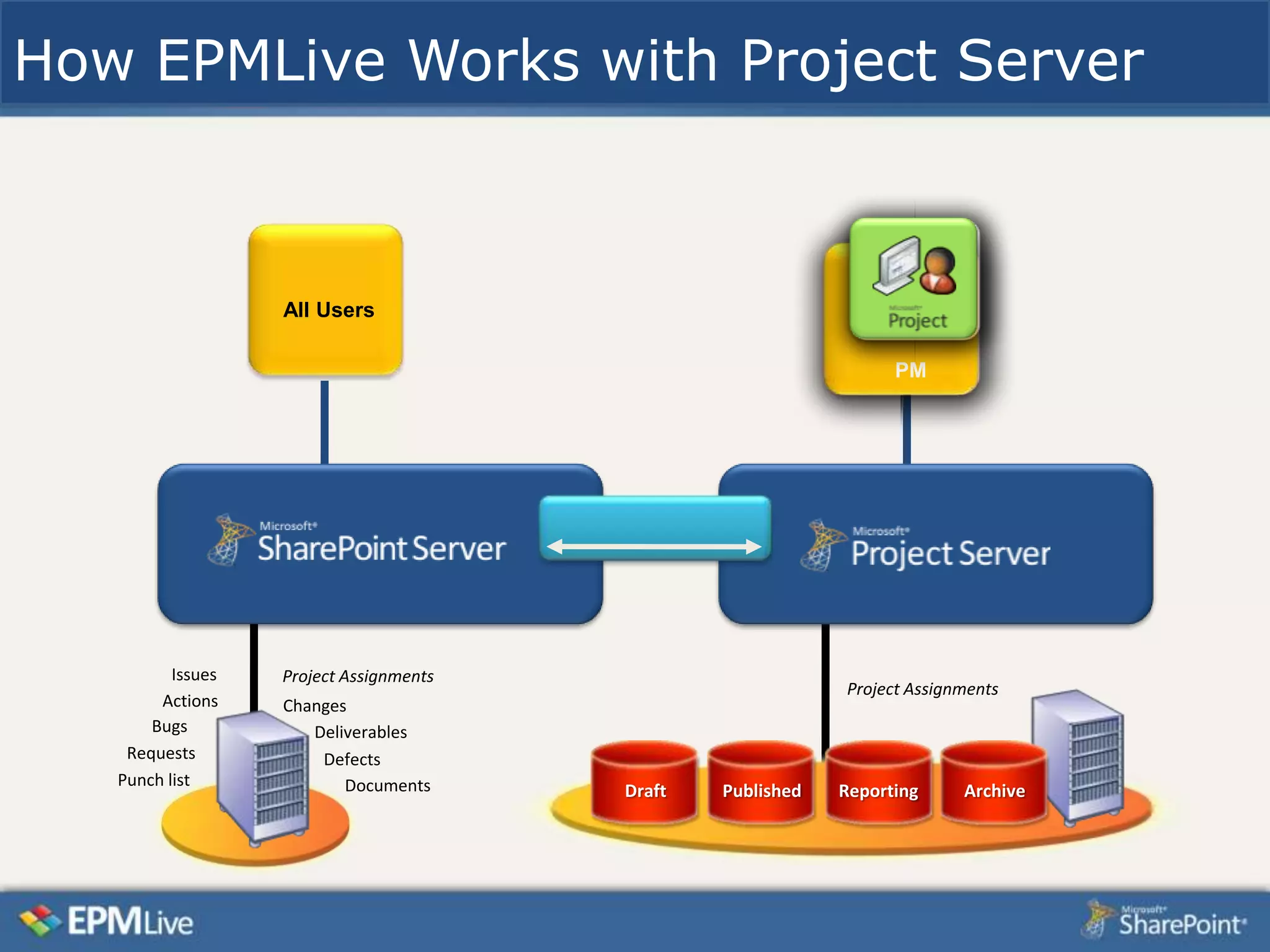
How EPMLive Works with Project Server


                   All Users

                                                                   PM


          Issues   Project Assignments
                                                             Project Assignments
        Actions    Changes
       Bugs           Deliverables
    Requests           Defects
   Punch list             Documents      Draft   Published   Reporting     Archive
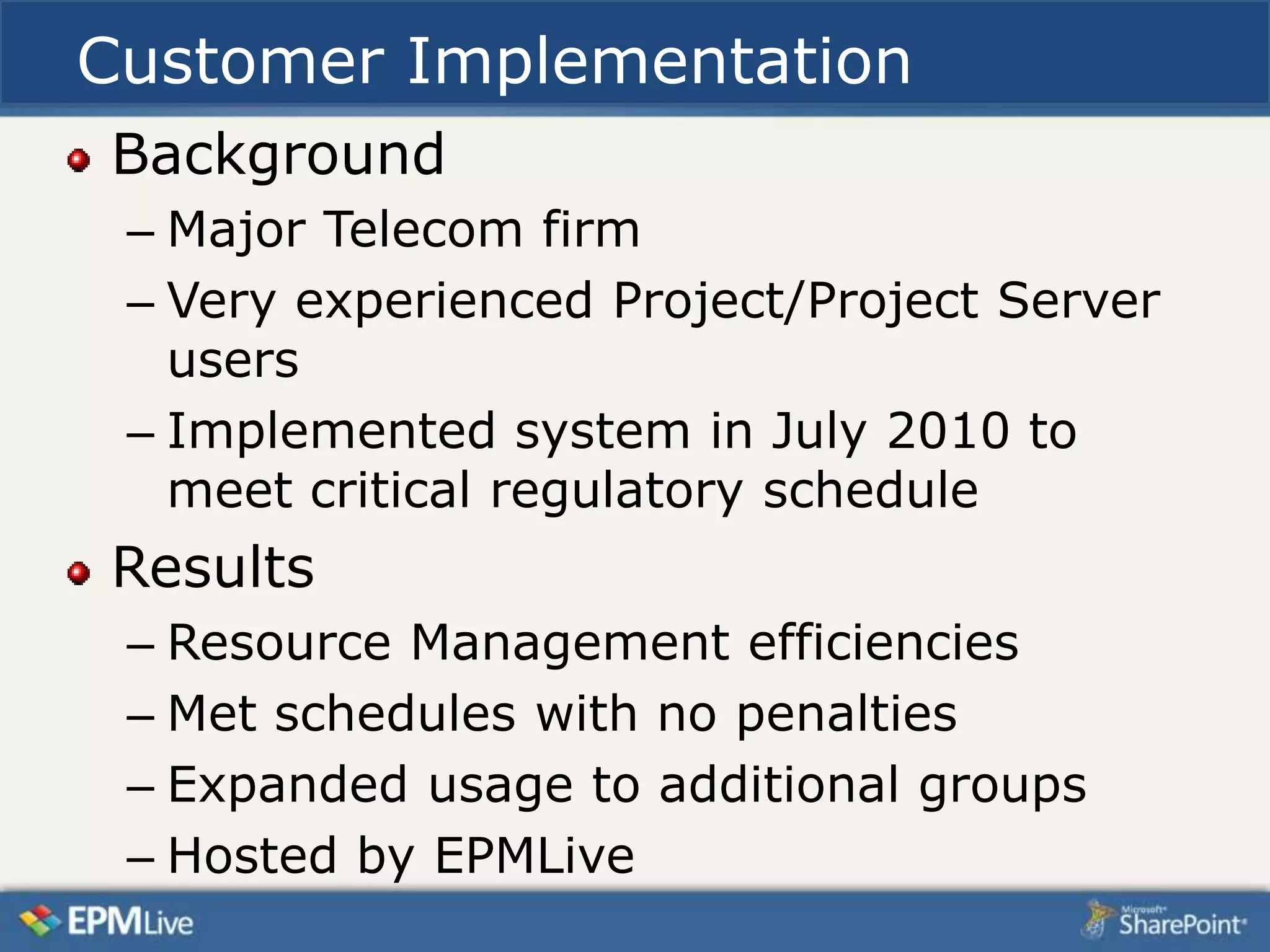
Customer Implementation
Background
 – Major Telecom firm
 – Very experienced Project/Project Server
   users
 – Implemented system in July 2010 to
   meet critical regulatory schedule
Results
 – Resource Management efficiencies
 – Met schedules with no penalties
 – Expanded usage to additional groups
 – Hosted by EPMLive
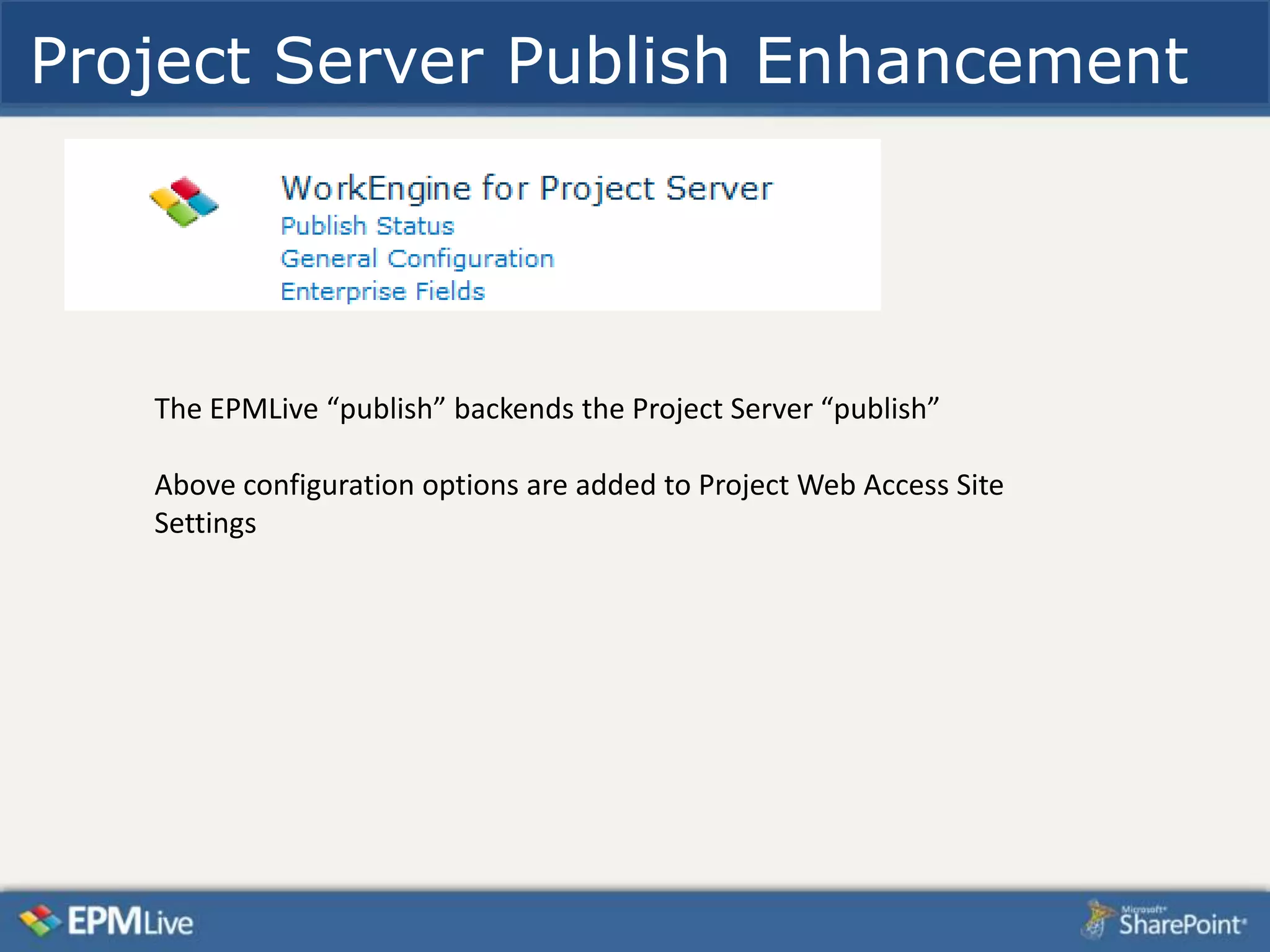
Project Server Publish Enhancement


   The EPMLive “publish” backends the Project Server “publish”

   Above configuration options are added to Project Web Access Site
   Settings
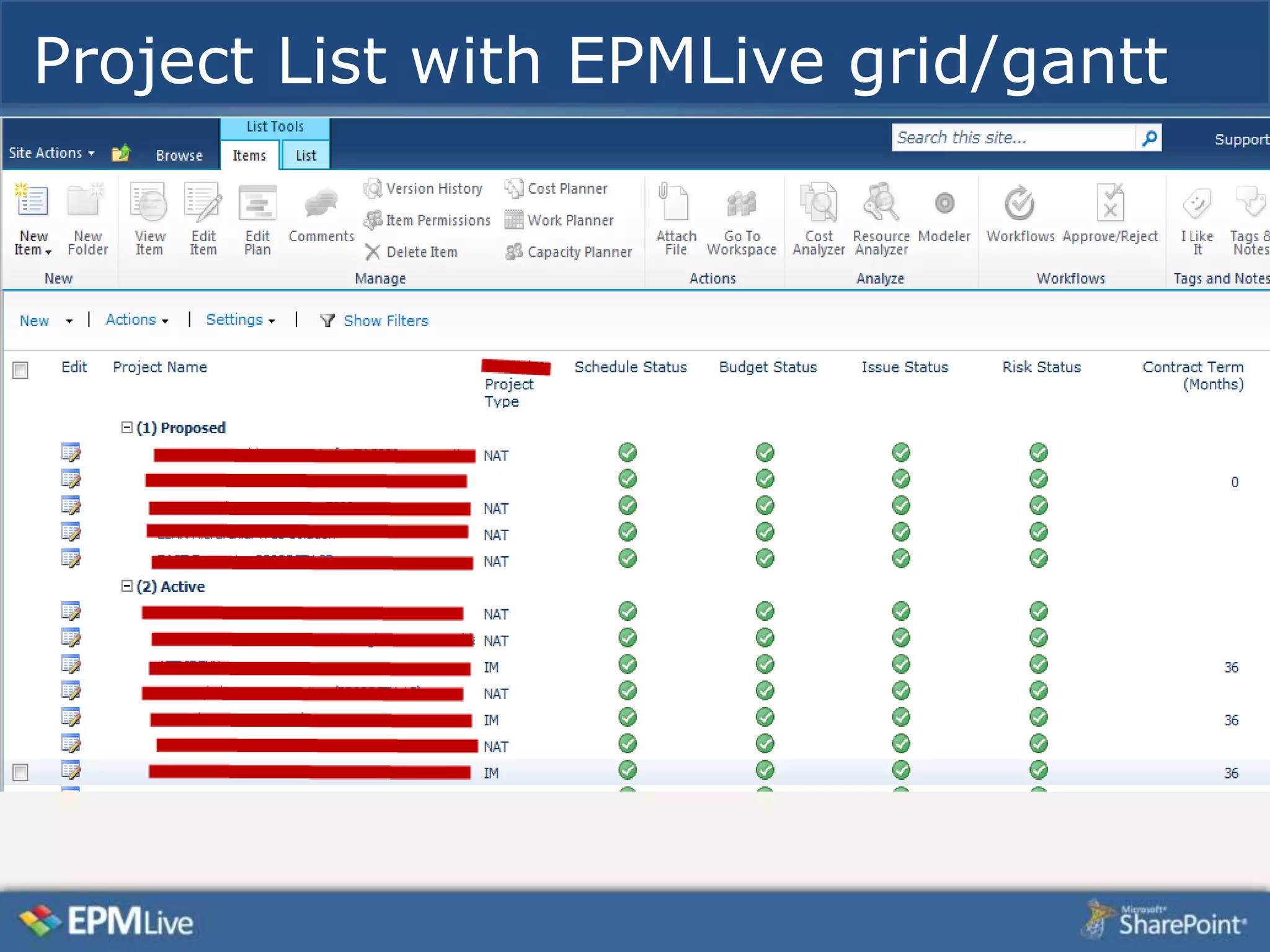
Project List with EPMLive grid/gantt
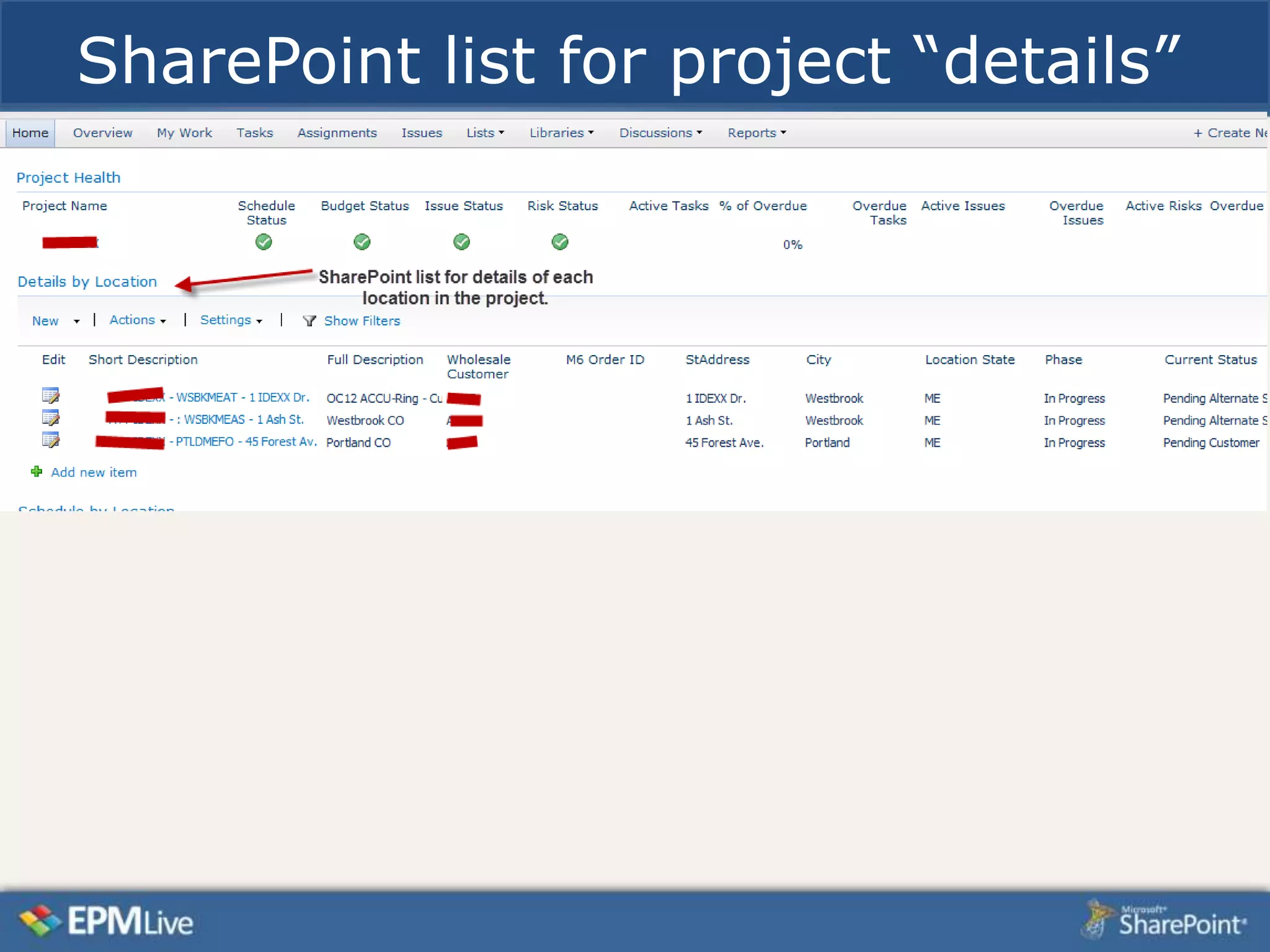
SharePoint list for project “details”
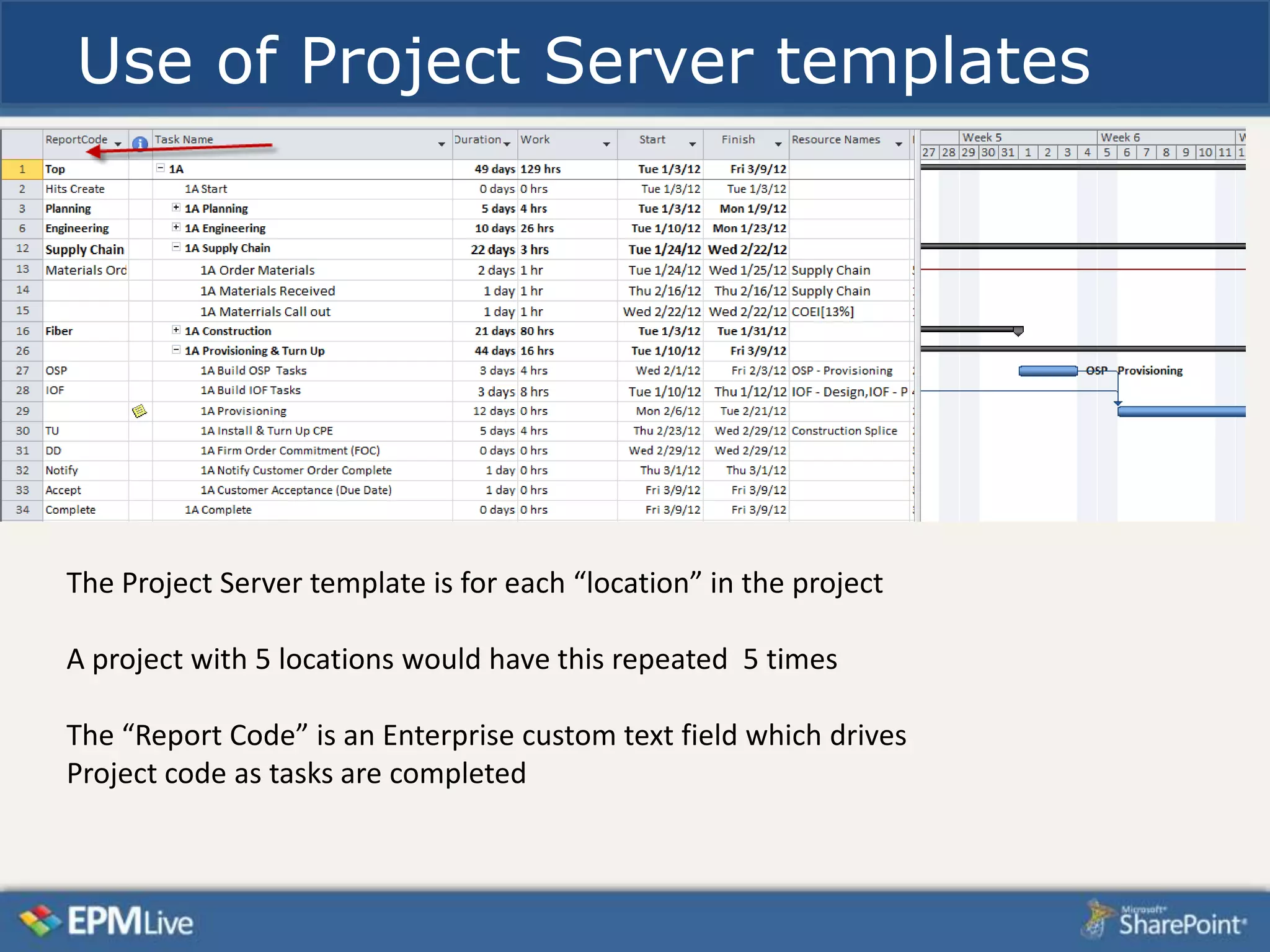
Use of Project Server templates


The Project Server template is for each “location” in the project

A project with 5 locations would have this repeated 5 times

The “Report Code” is an Enterprise custom text field which drives
Project code as tasks are completed
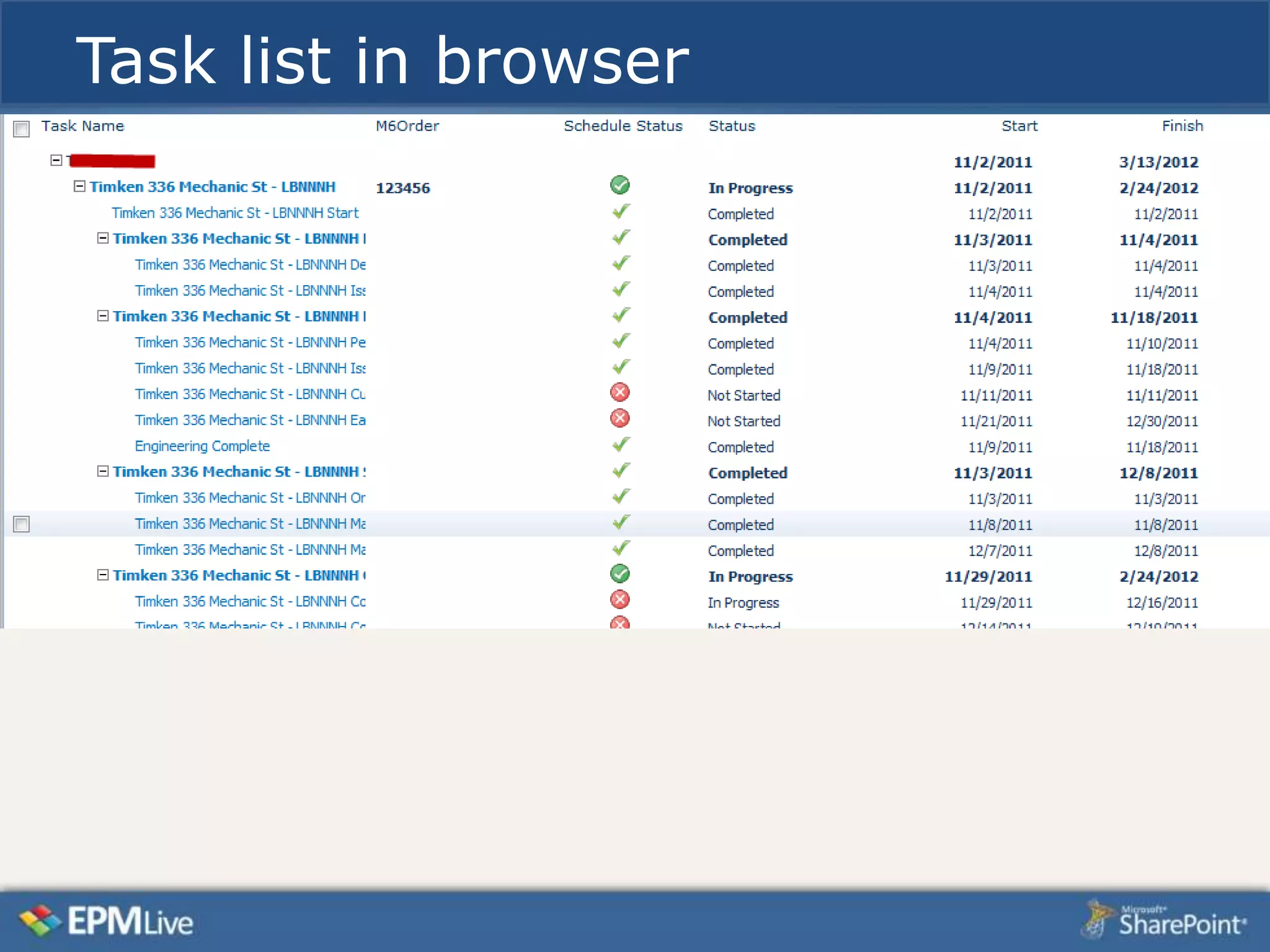
Task list in browser
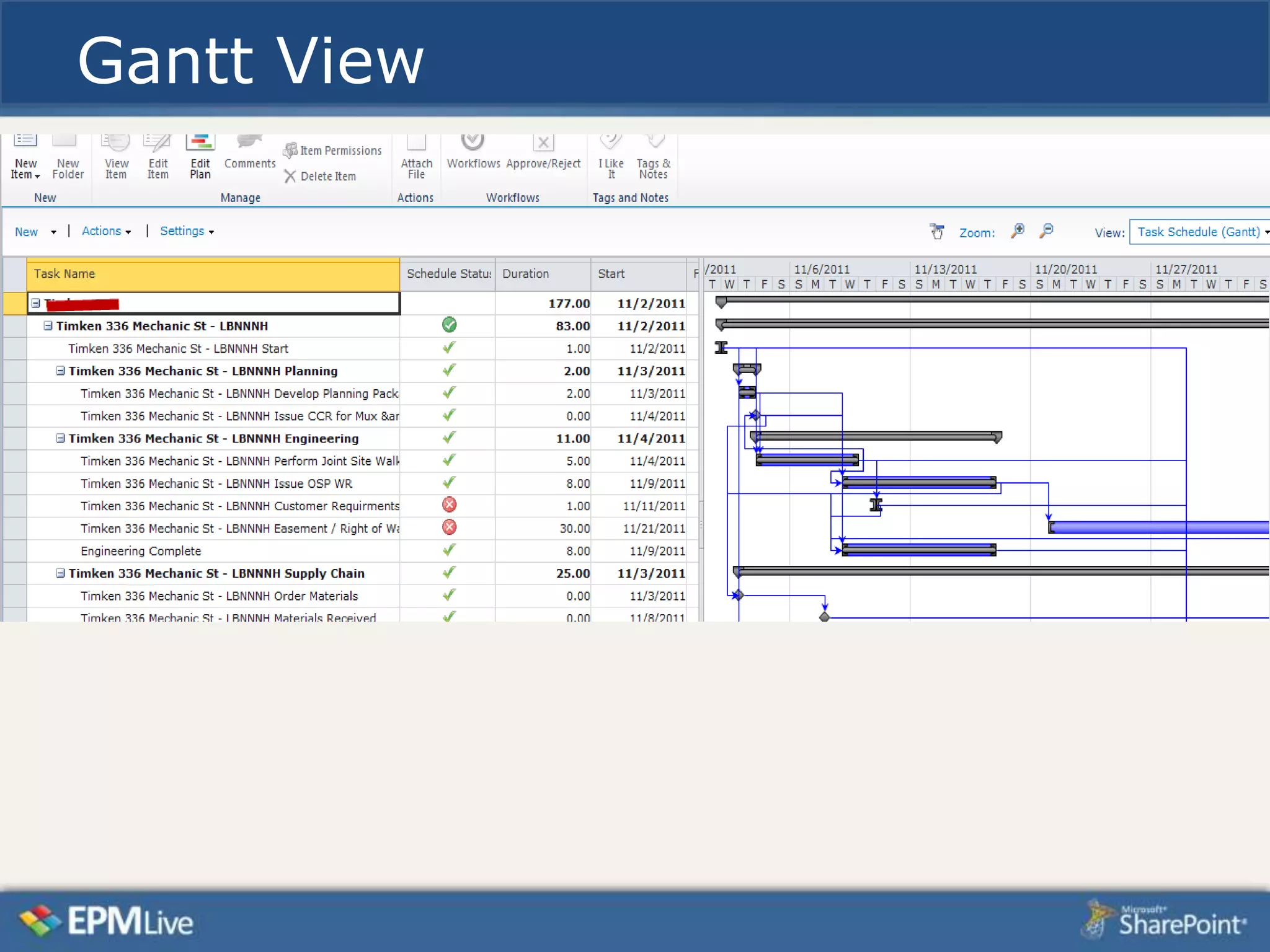
Gantt View
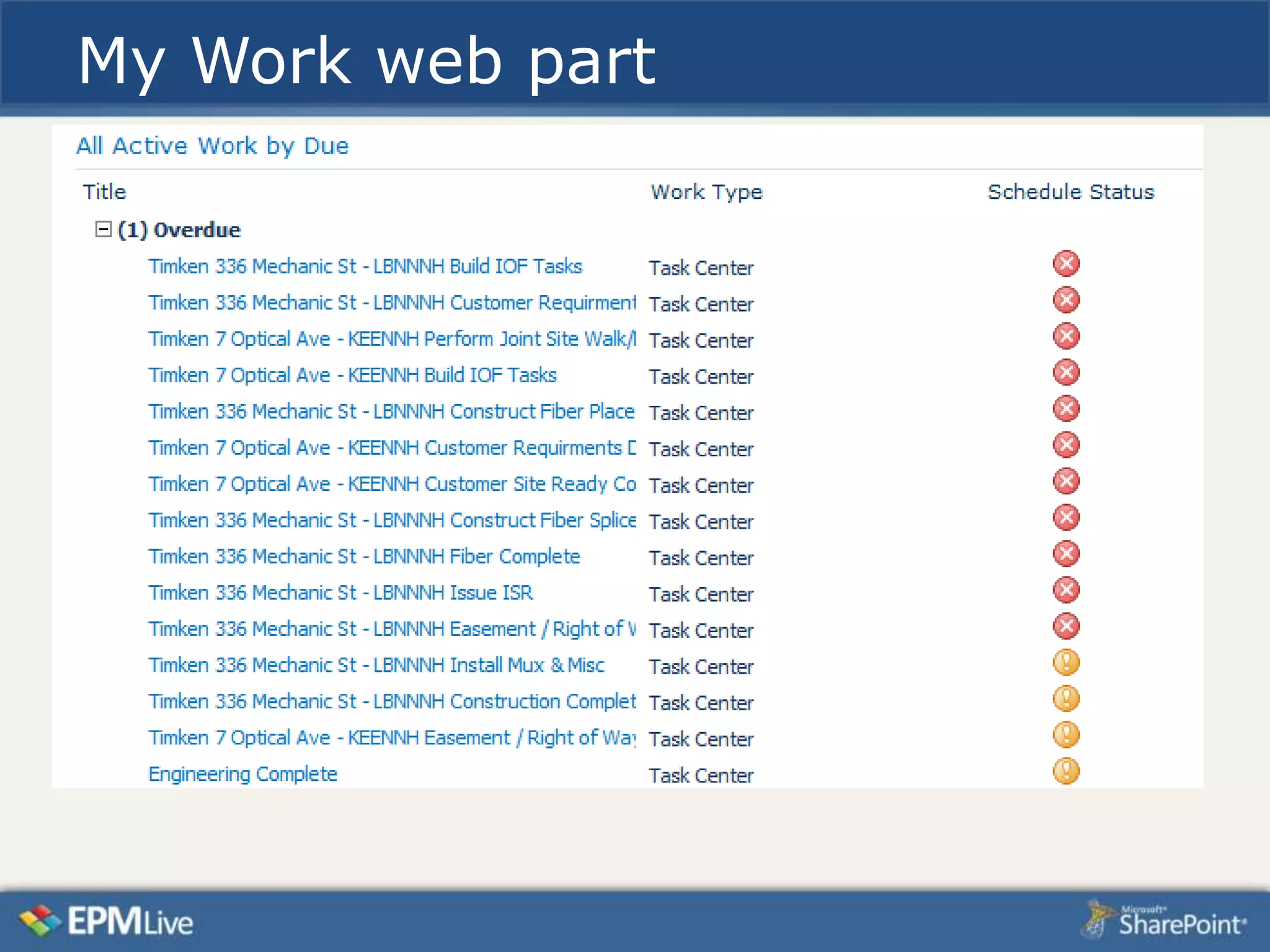
My Work web part
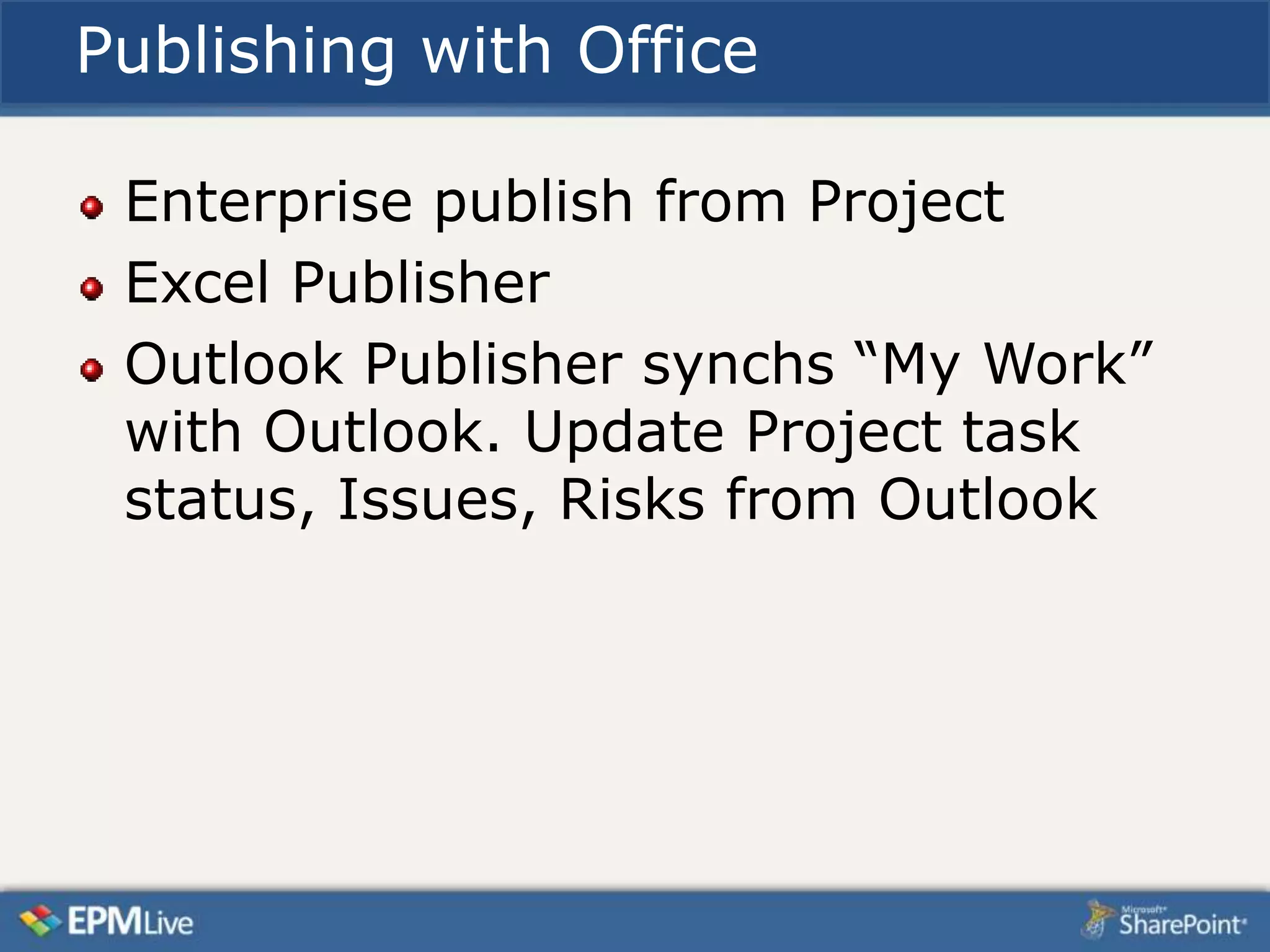
Publishing with Office

 Enterprise publish from Project
 Excel Publisher
 Outlook Publisher synchs “My Work”
 with Outlook. Update Project task
 status, Issues, Risks from Outlook
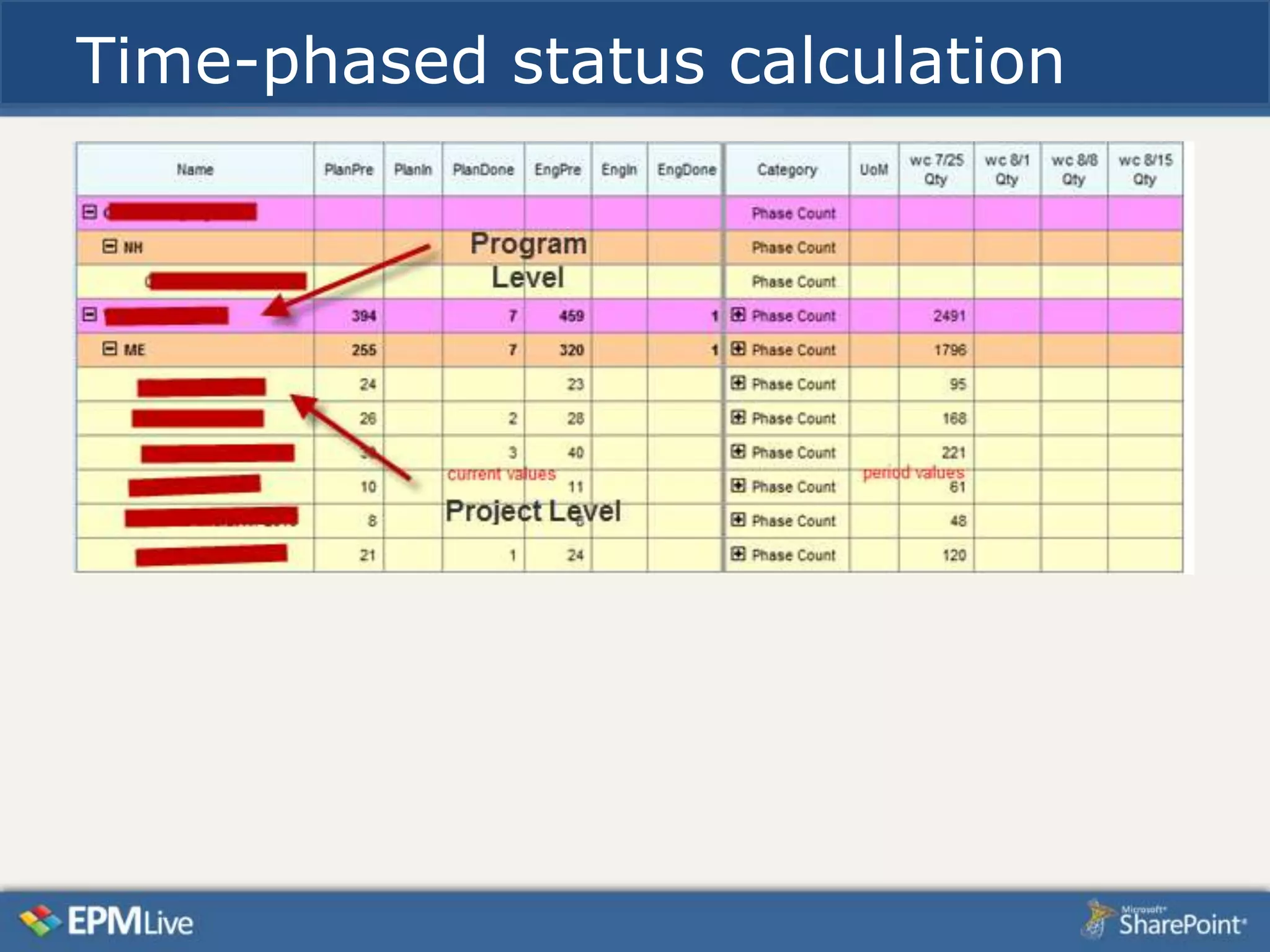
Time-phased status calculation
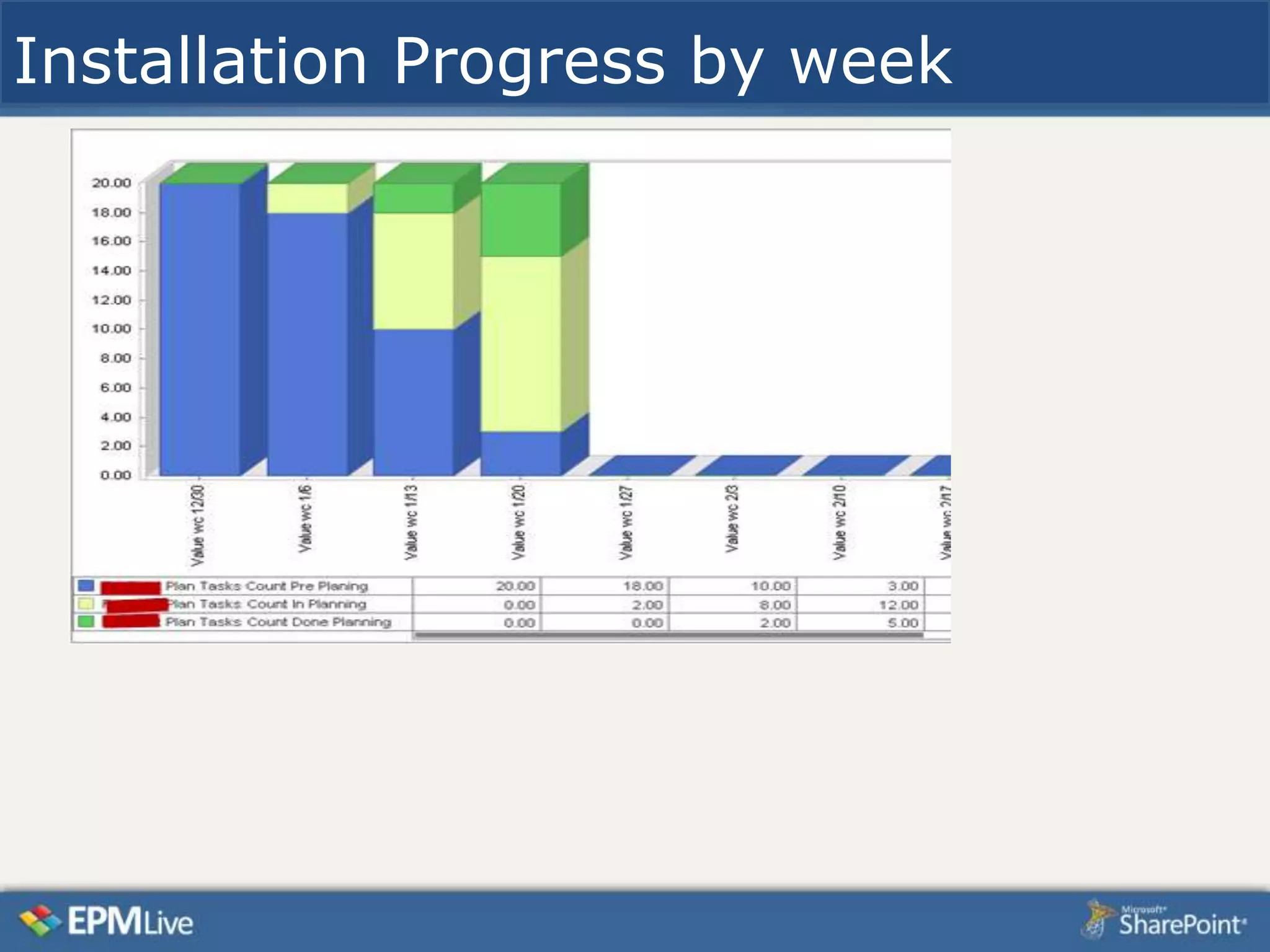
Installation Progress by week
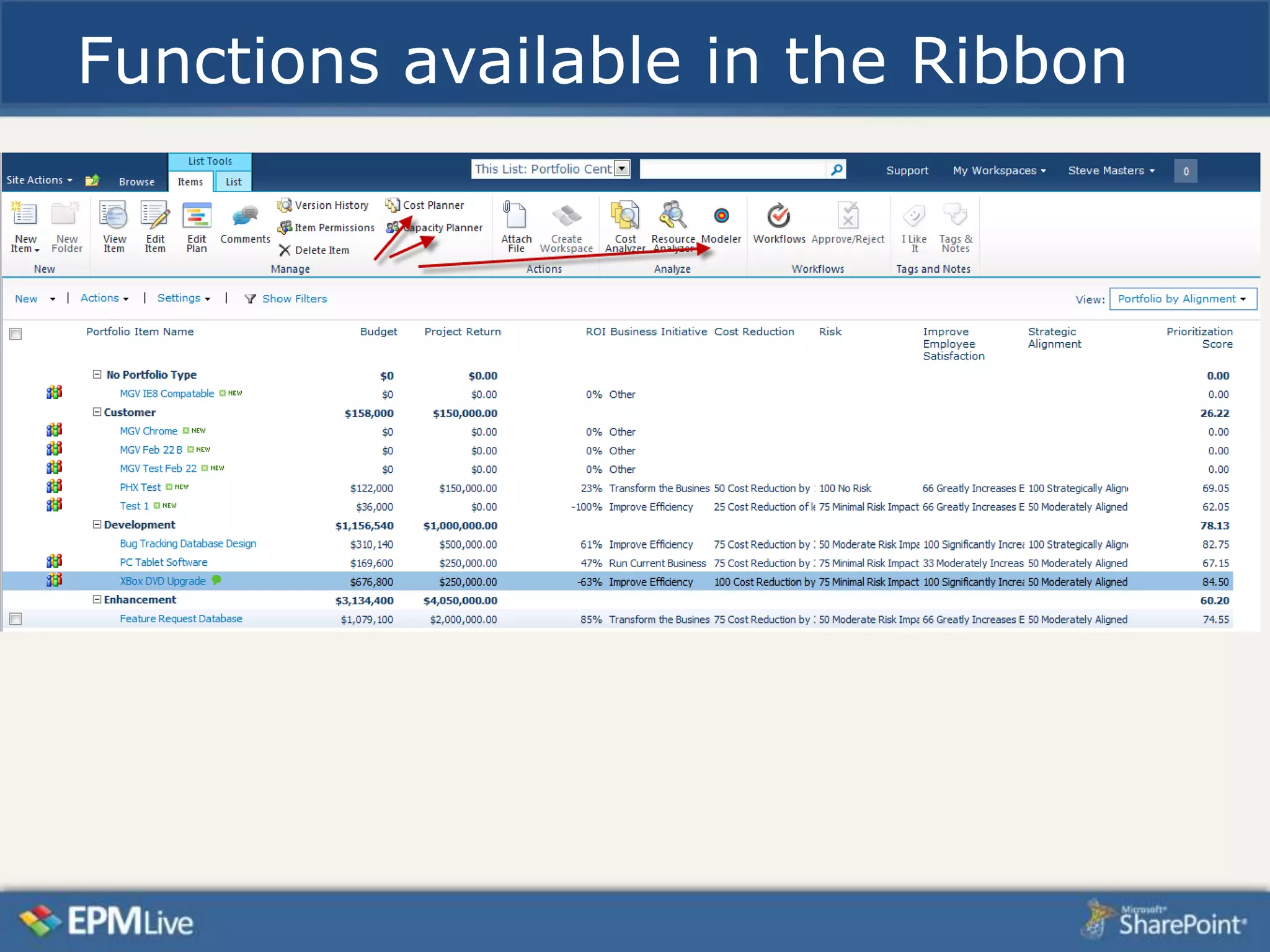
Functions available in the Ribbon
Comprehensive Cost Management
Resource Management with negotiation
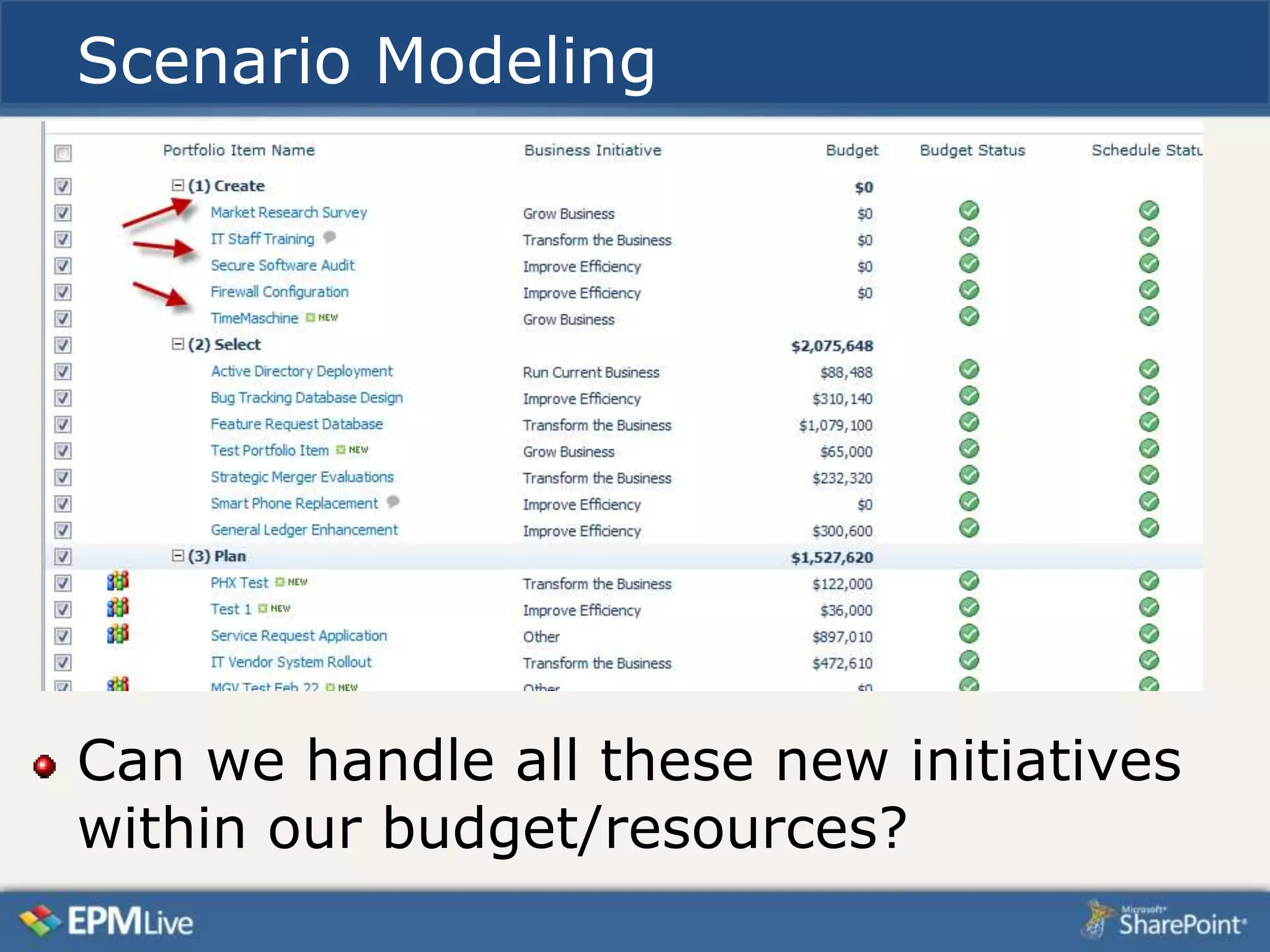
Scenario Modeling


Can we handle all these new initiatives
within our budget/resources?
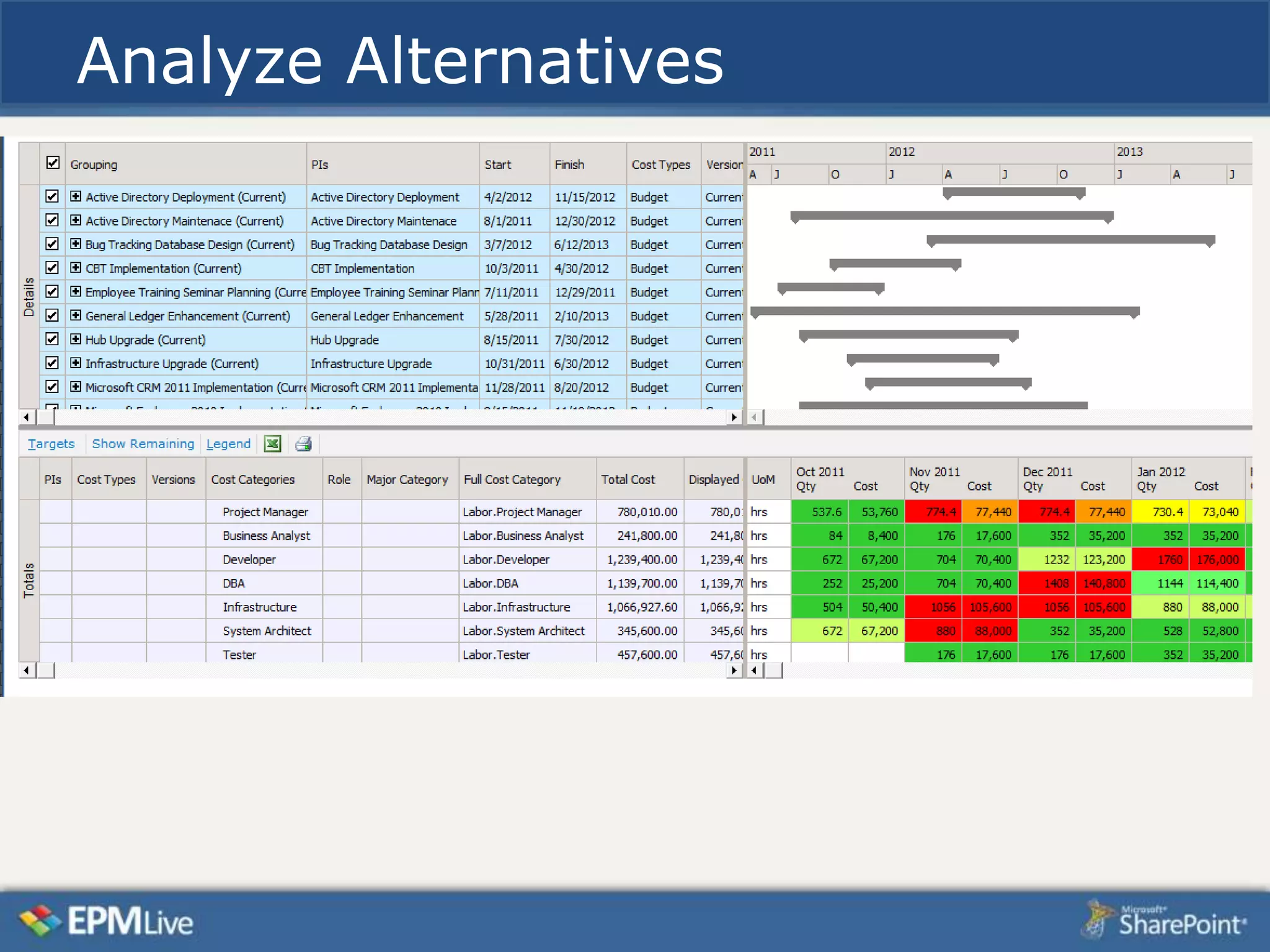
Analyze Alternatives
Pre-built Workspace Templates
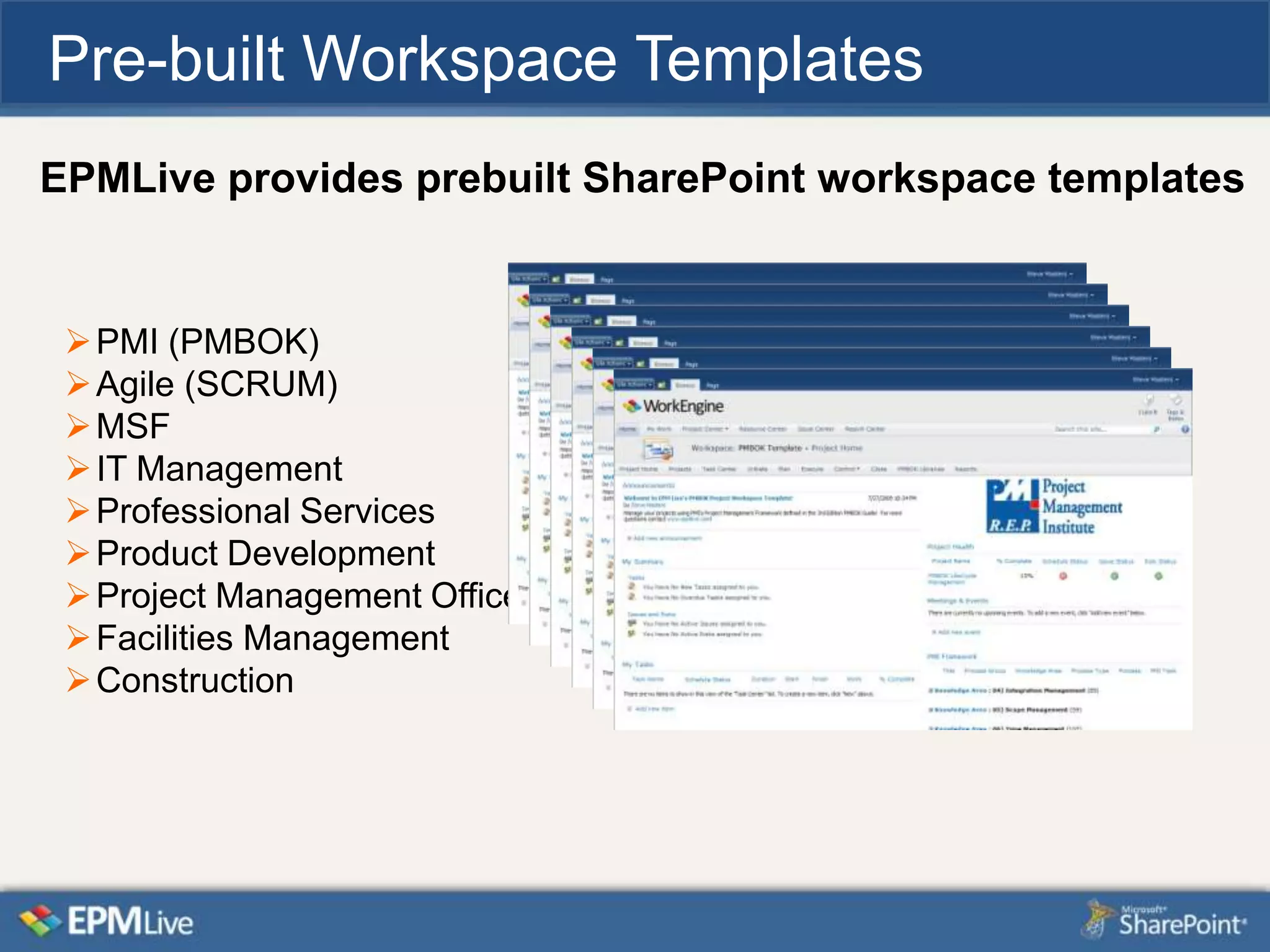
EPMLive provides prebuilt SharePoint workspace templates


  PMI (PMBOK)
  Agile (SCRUM)
  MSF
  IT Management
  Professional Services
  Product Development
  Project Management Office
  Facilities Management
  Construction
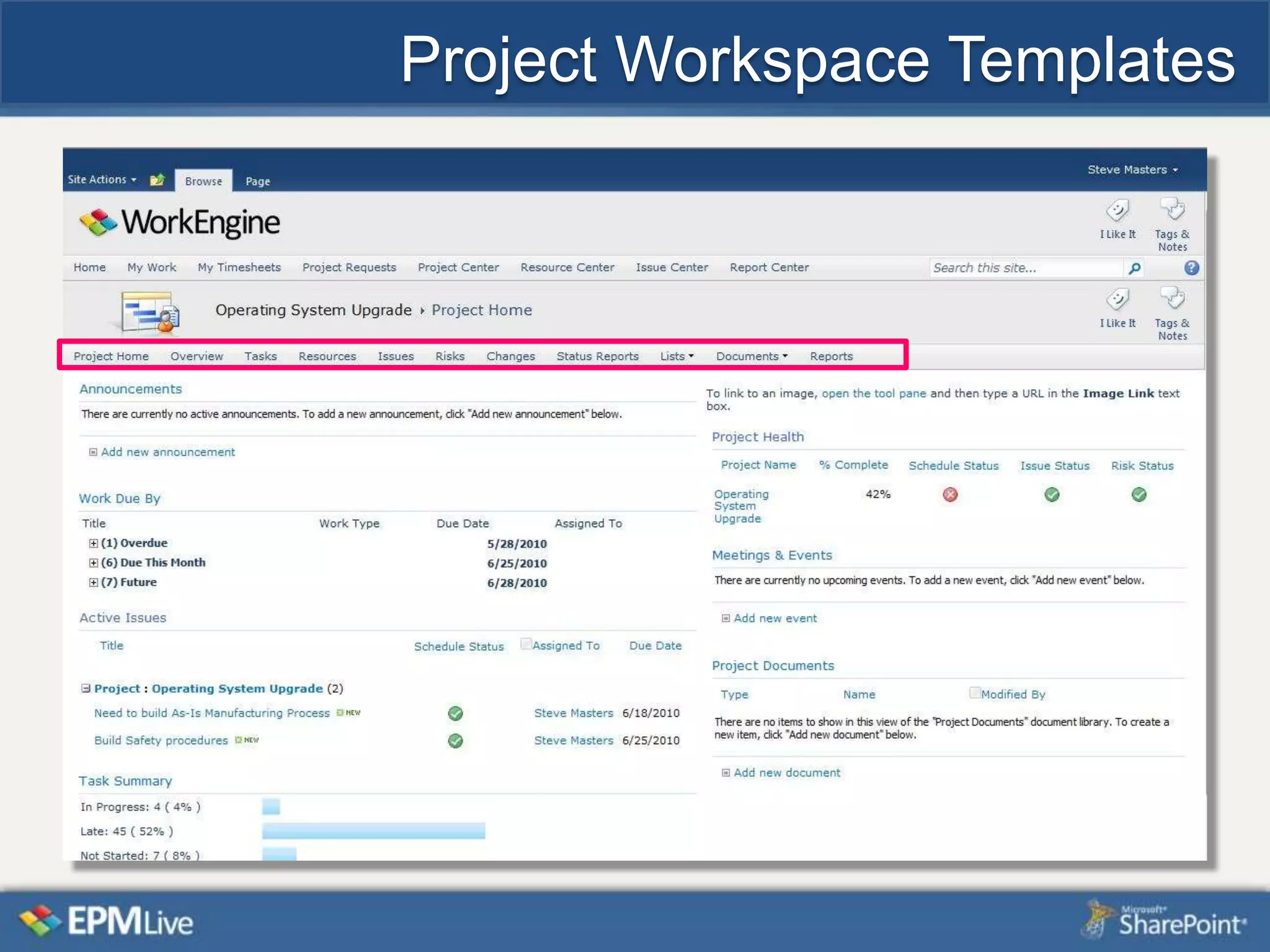
Project Workspace Templates
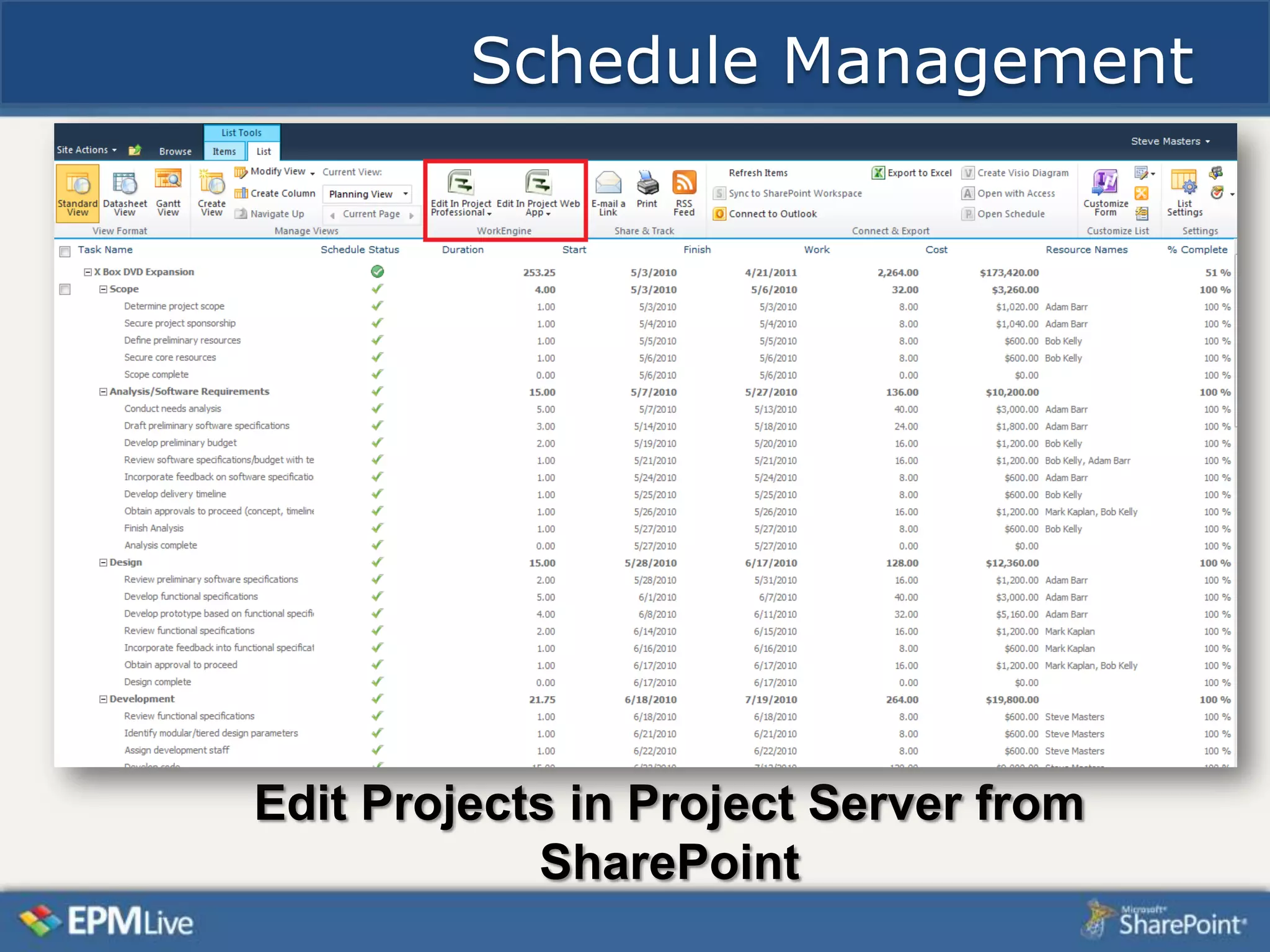
Schedule Management


Edit Projects in Project Server from
            SharePoint

How to get more from your project server deployment

  • 1.
    Getting more fromyour Rich Murphy Project Server Deployment rmurphy@epmlive.com
  • 2.
    Today’s Agenda EPMLiveBackground Product Line overview How EPMLive enhances Project Server One customer’s implementation
  • 3.
    Company Profile ManagedMicrosoft Partner • Microsoft - Gold Certified since 2000 • Implemented ~ 500 Project Server deployments • Technical Advisor for Project/Project Server 2002, 03, 07 and 10 Experience - 1000+ Customers • Implementing in over 35 different Countries • Wide range of industry experience Recognition • Inc 500 – 5000 Fastest Growing Companies in 2008, 2009 and 2010 • Microsoft - EPM “Partner of the Year” 2005, 2006, 2008 and 2009 • PMI “Project of the Year” Award 2006 and 2007 Partner Community • Over 150+ Partners • In Over 50 Countries
  • 4.
    EPM Live ProductSuite Project, Portfolio & Work Management Solutions For Everyone Strategic Portfolio, Project & Work Management Enterprise Project & Work Management  Demand Management  Portfolio Management Web-based Project Collaboration  Project Visibility  Financial Management  Resource Management  Capacity Planning  Schedule Management  Time Management  Enterprise Governance  Team Collaboration  Work Management  Program Management
  • 5.
    Project Server 2010Strengths Enterprise Global enforces standards Enterprise custom fields – no limit Project Workspaces Can be extended via PSI
  • 6.
    How EPMLive enhancesProject Server Concept of “ALL Work” Cost/Financial Management Comprehensive Resource Planning Functions apply to any SharePoint list Cross-project views/rollups Included Web parts, Templates, Reports, Dashboard s SharePoint publishing for Project, Excel, Outlook
  • 7.
  • 8.
    EPMLive extends beyond“projects”
  • 9.
    How EPMLive Workswith Project Server All Users PM Issues Project Assignments Project Assignments Actions Changes Bugs Deliverables Requests Defects Punch list Documents Draft Published Reporting Archive
  • 10.
    Customer Implementation Background –Major Telecom firm – Very experienced Project/Project Server users – Implemented system in July 2010 to meet critical regulatory schedule Results – Resource Management efficiencies – Met schedules with no penalties – Expanded usage to additional groups – Hosted by EPMLive
  • 11.
    Project Server PublishEnhancement The EPMLive “publish” backends the Project Server “publish” Above configuration options are added to Project Web Access Site Settings
  • 12.
    Project List withEPMLive grid/gantt
  • 13.
    SharePoint list forproject “details”
  • 14.
    Use of ProjectServer templates The Project Server template is for each “location” in the project A project with 5 locations would have this repeated 5 times The “Report Code” is an Enterprise custom text field which drives Project code as tasks are completed
  • 15.
    Task list inbrowser
  • 16.
  • 17.
  • 18.
    Publishing with Office Enterprise publish from Project Excel Publisher Outlook Publisher synchs “My Work” with Outlook. Update Project task status, Issues, Risks from Outlook
  • 19.
  • 20.
  • 21.
  • 22.
  • 23.
  • 24.
    Scenario Modeling Can wehandle all these new initiatives within our budget/resources?
  • 25.
  • 26.
    Pre-built Workspace Templates EPMLiveprovides prebuilt SharePoint workspace templates  PMI (PMBOK)  Agile (SCRUM)  MSF  IT Management  Professional Services  Product Development  Project Management Office  Facilities Management  Construction
  • 27.
  • 28.
    Schedule Management Edit Projectsin Project Server from SharePoint