
How to Build and
 Manage a Thriving
Facebook Community
     Presented By
     Andrea Vahl


                                                                 July 20, 2012

           Design ©2011 Social Media Examiner • Content Copyrighted by Presenter
What is a Community?


  A group of interacting people
  Shares a common interest or value
  Do things for each other
  Sense of belonging


                   ©2011 Social Media Examiner • Do NOT distribute   Page 2
Why build Community?

   Facebook is not a broadcasting tool
   Most effective when conversation is flowing
      Better visibility
      Higher Edgerank
      More connection
      More fun!
   Know, Like, Trust factor


                    ©2011 Social Media Examiner • Do NOT distribute   Page 3
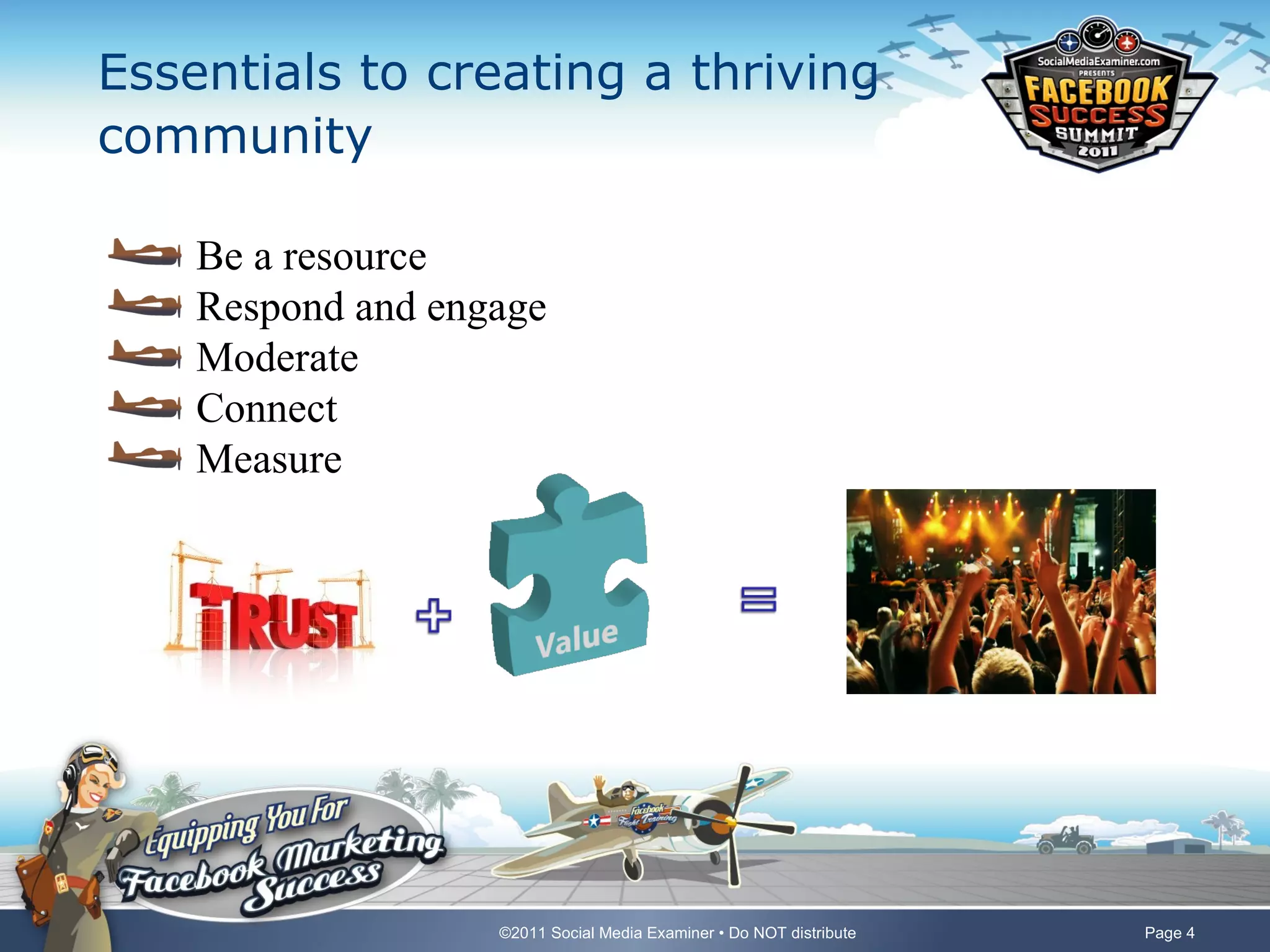
Essentials to creating a thriving
community

    Be a resource
    Respond and engage
    Moderate
    Connect
    Measure


                   ©2011 Social Media Examiner • Do NOT distribute   Page 4
Poll – How many Facebook Pages do you
manage?


     One – my own company Page
     Several – all my own Pages
     One – manage for another company
     Several for other companies and some of my own
     None yet, still learning


                     ©2011 Social Media Examiner • Do NOT distribute   Page 5
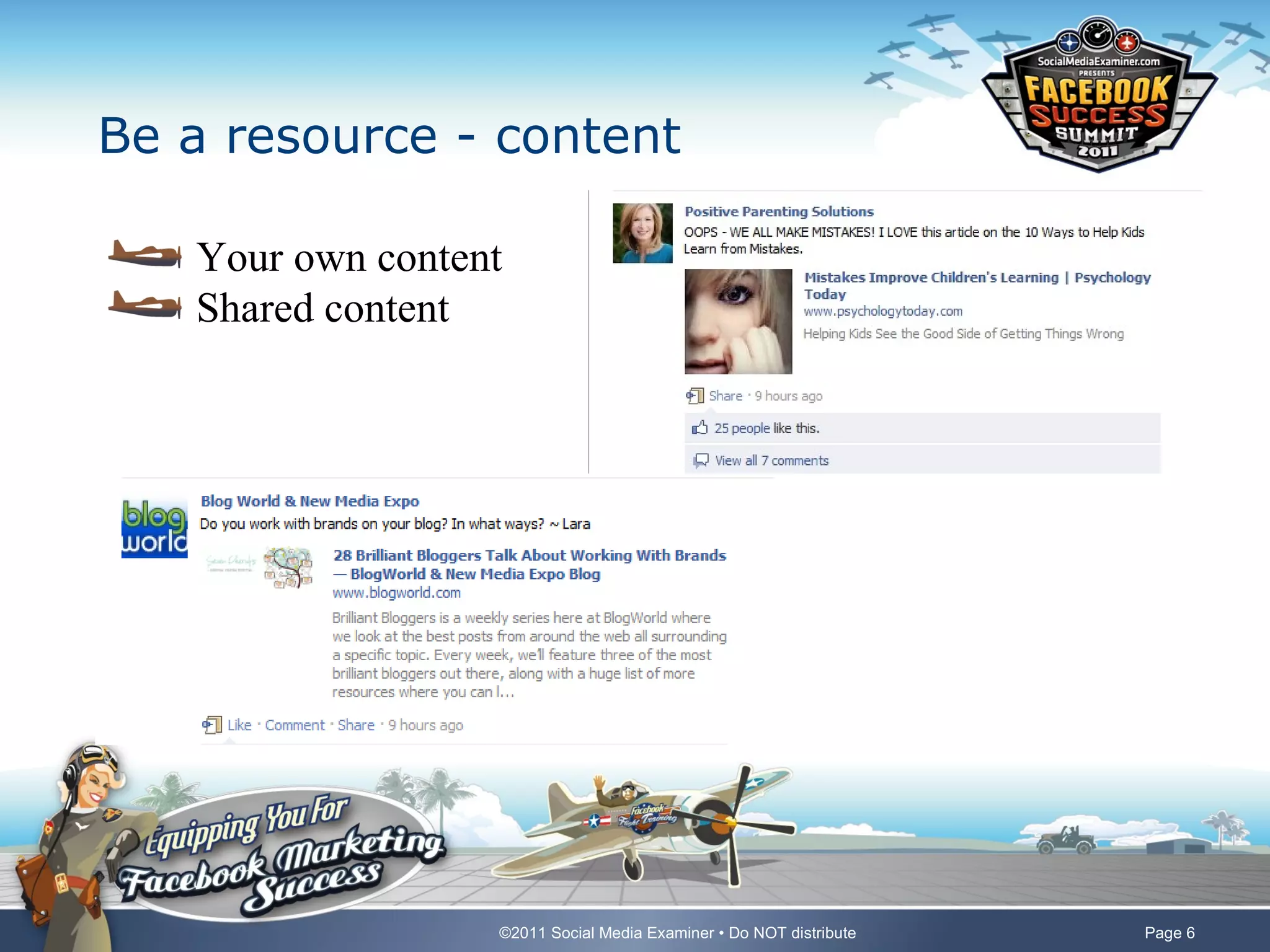
Be a resource - content

   Your own content
   Shared content


                  ©2011 Social Media Examiner • Do NOT distribute   Page 6
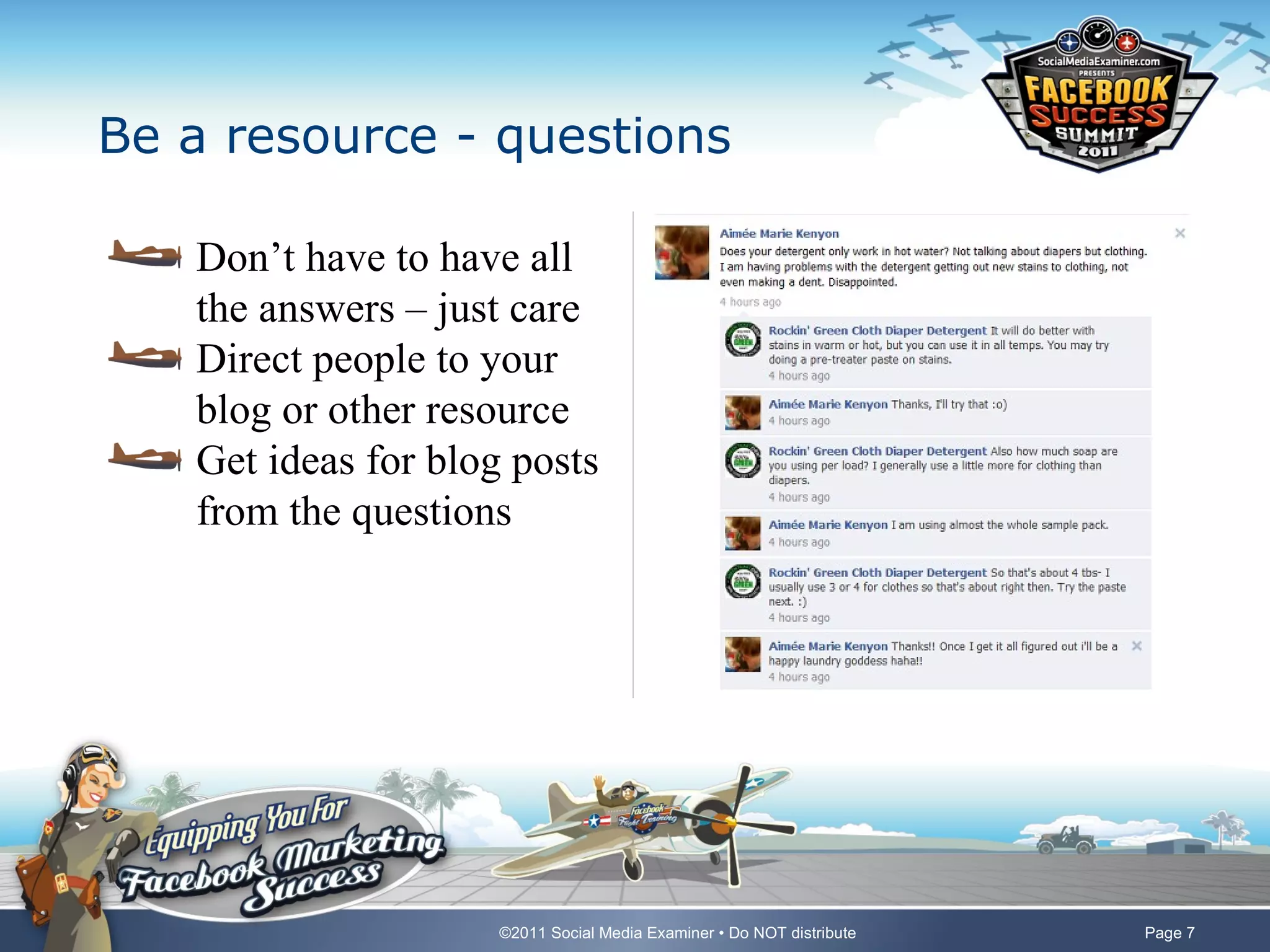
Be a resource - questions

   Don’t have to have all
   the answers – just care
   Direct people to your
   blog or other resource
   Get ideas for blog posts
   from the questions


                     ©2011 Social Media Examiner • Do NOT distribute   Page 7
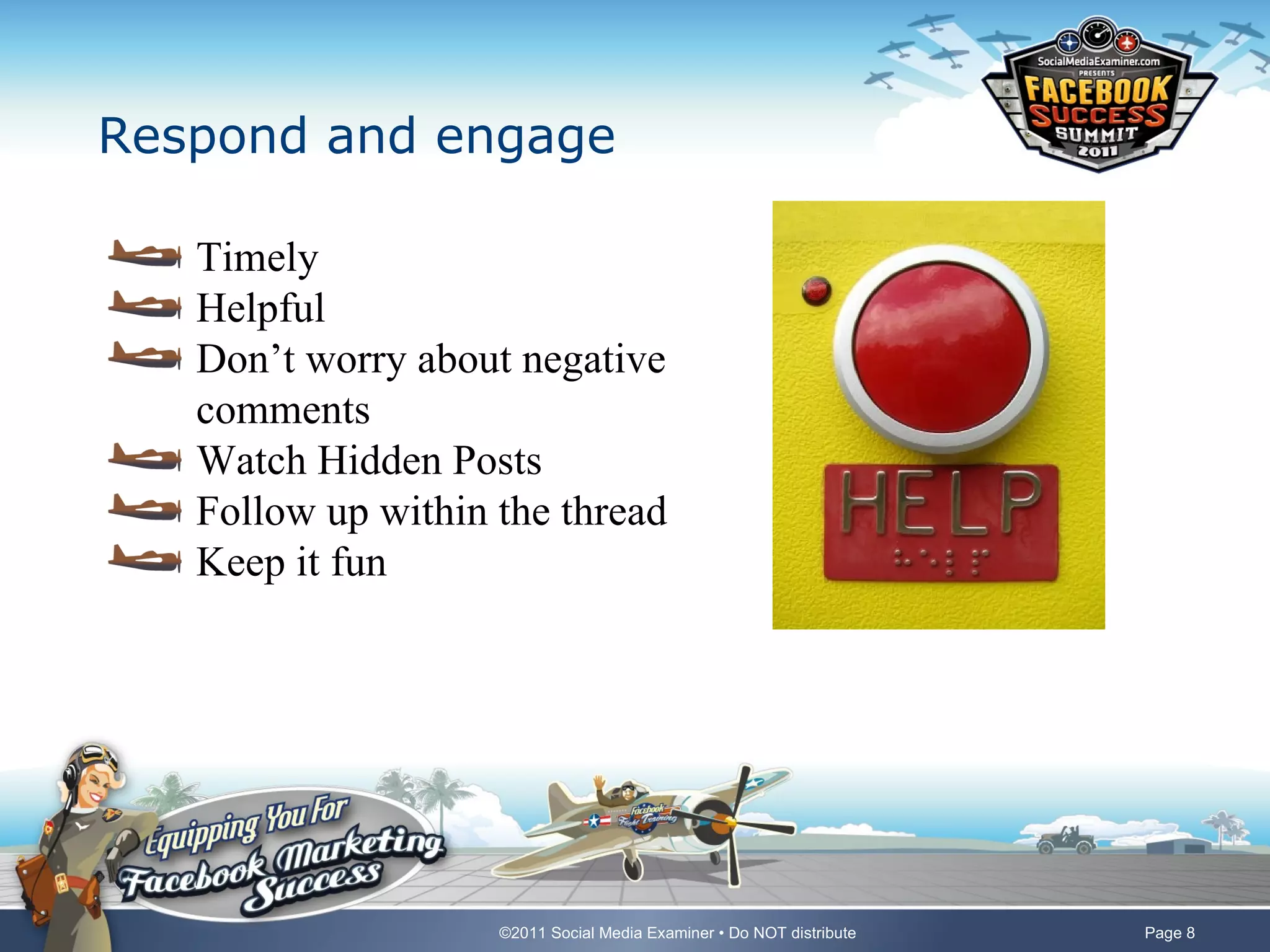
Respond and engage

   Timely
   Helpful
   Don’t worry about negative
   comments
   Watch Hidden Posts
   Follow up within the thread
   Keep it fun


                    ©2011 Social Media Examiner • Do NOT distribute   Page 8
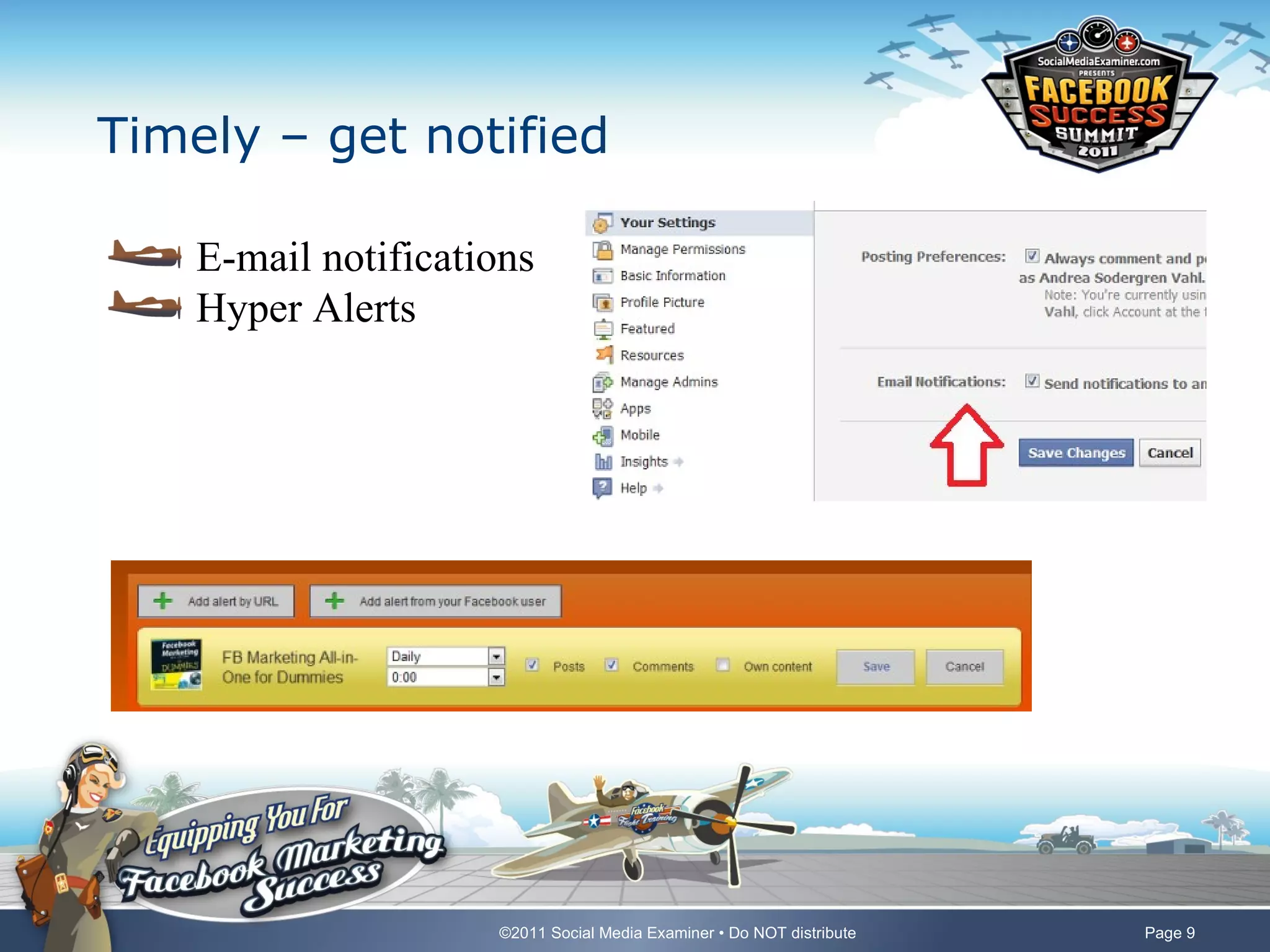
Timely – get notified

    E-mail notifications
    Hyper Alerts


                     ©2011 Social Media Examiner • Do NOT distribute   Page 9
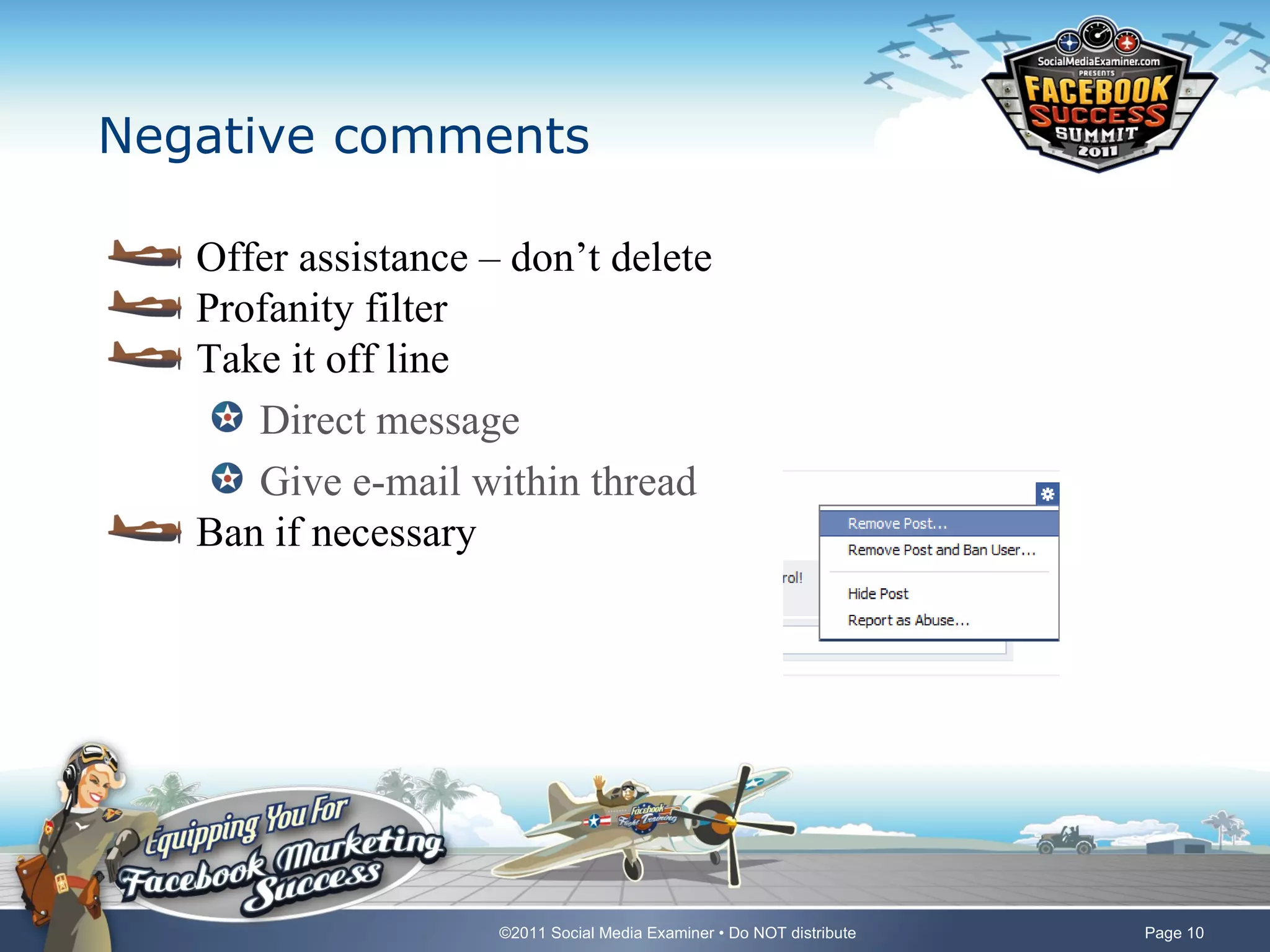
Negative comments

   Offer assistance – don’t delete
   Profanity filter
   Take it off line
      Direct message
      Give e-mail within thread
   Ban if necessary


                     ©2011 Social Media Examiner • Do NOT distribute   Page 10
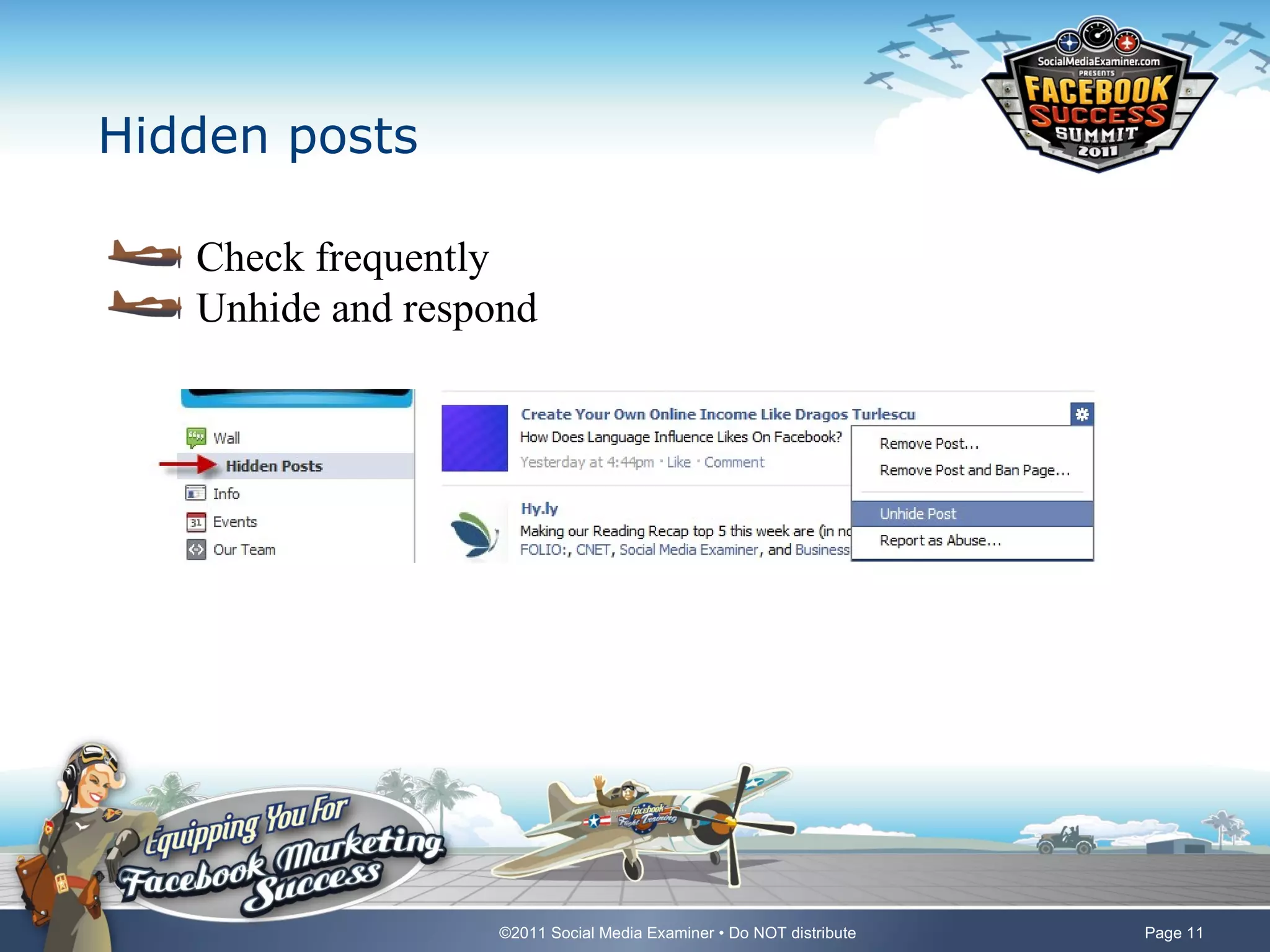
Hidden posts

   Check frequently
   Unhide and respond


                  ©2011 Social Media Examiner • Do NOT distribute   Page 11
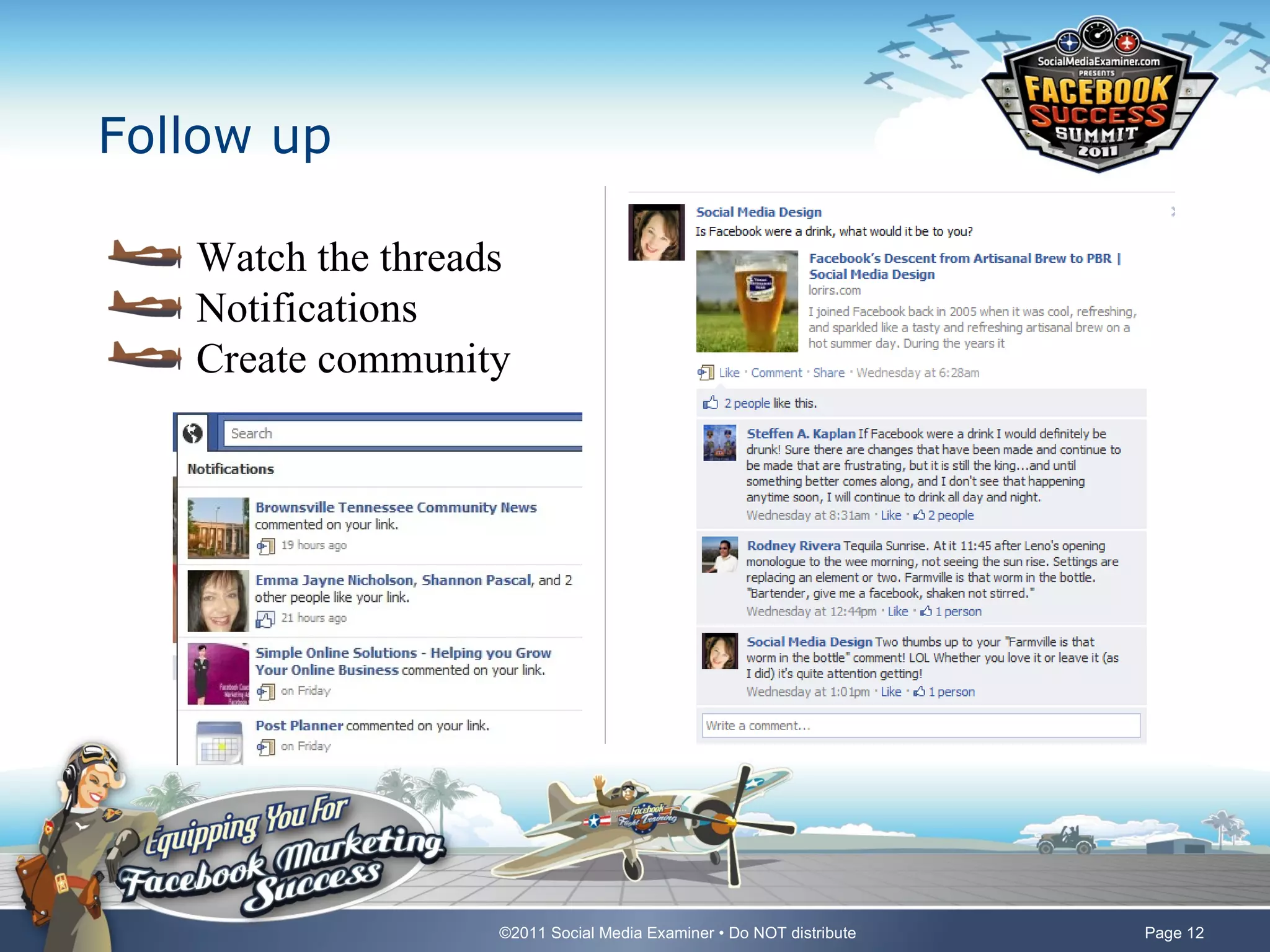
Follow up

   Watch the threads
   Notifications
   Create community


                   ©2011 Social Media Examiner • Do NOT distribute   Page 12
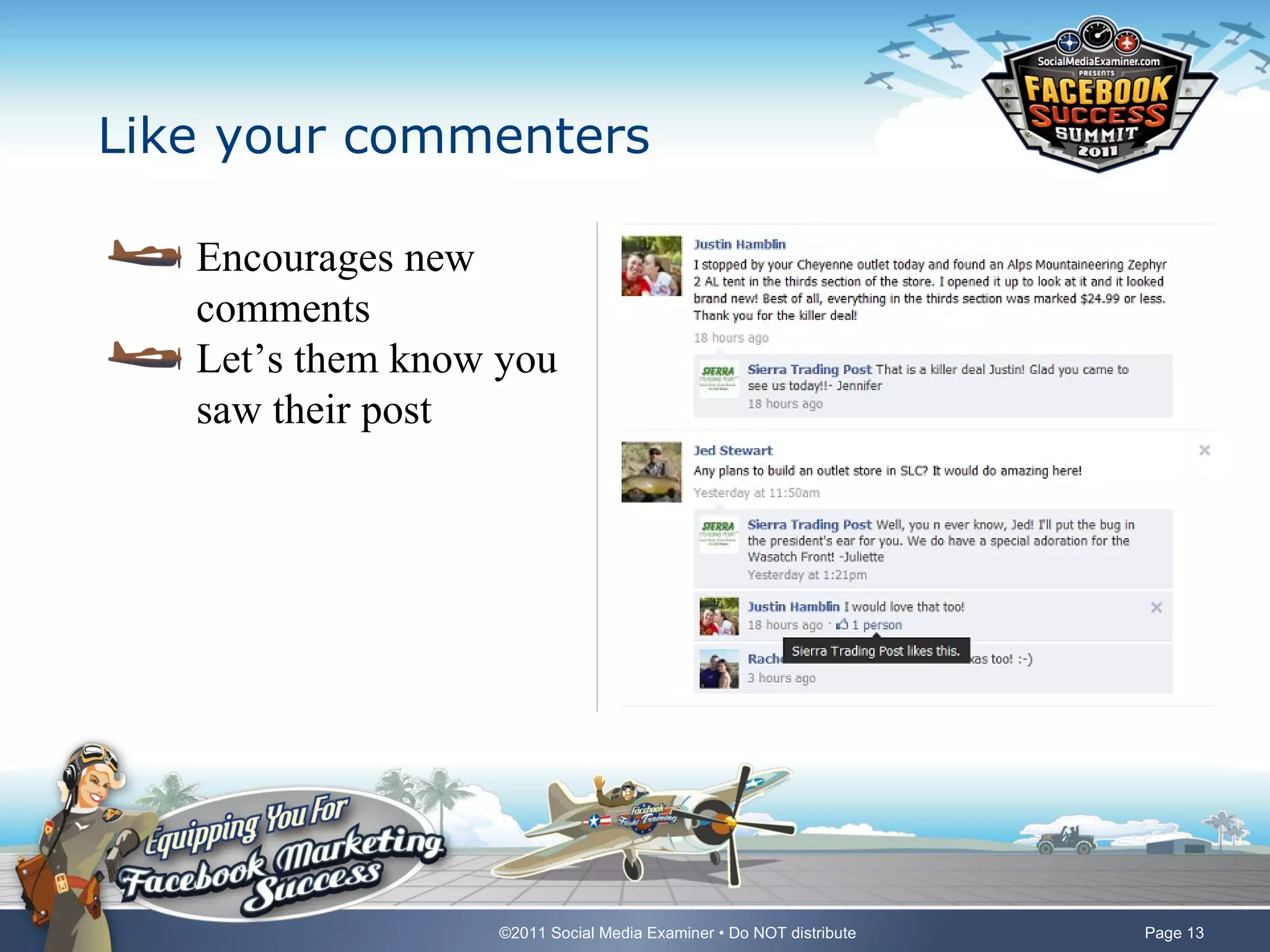
Like your commenters

   Encourages new
   comments
   Let’s them know you
   saw their post


                  ©2011 Social Media Examiner • Do NOT distribute   Page 13
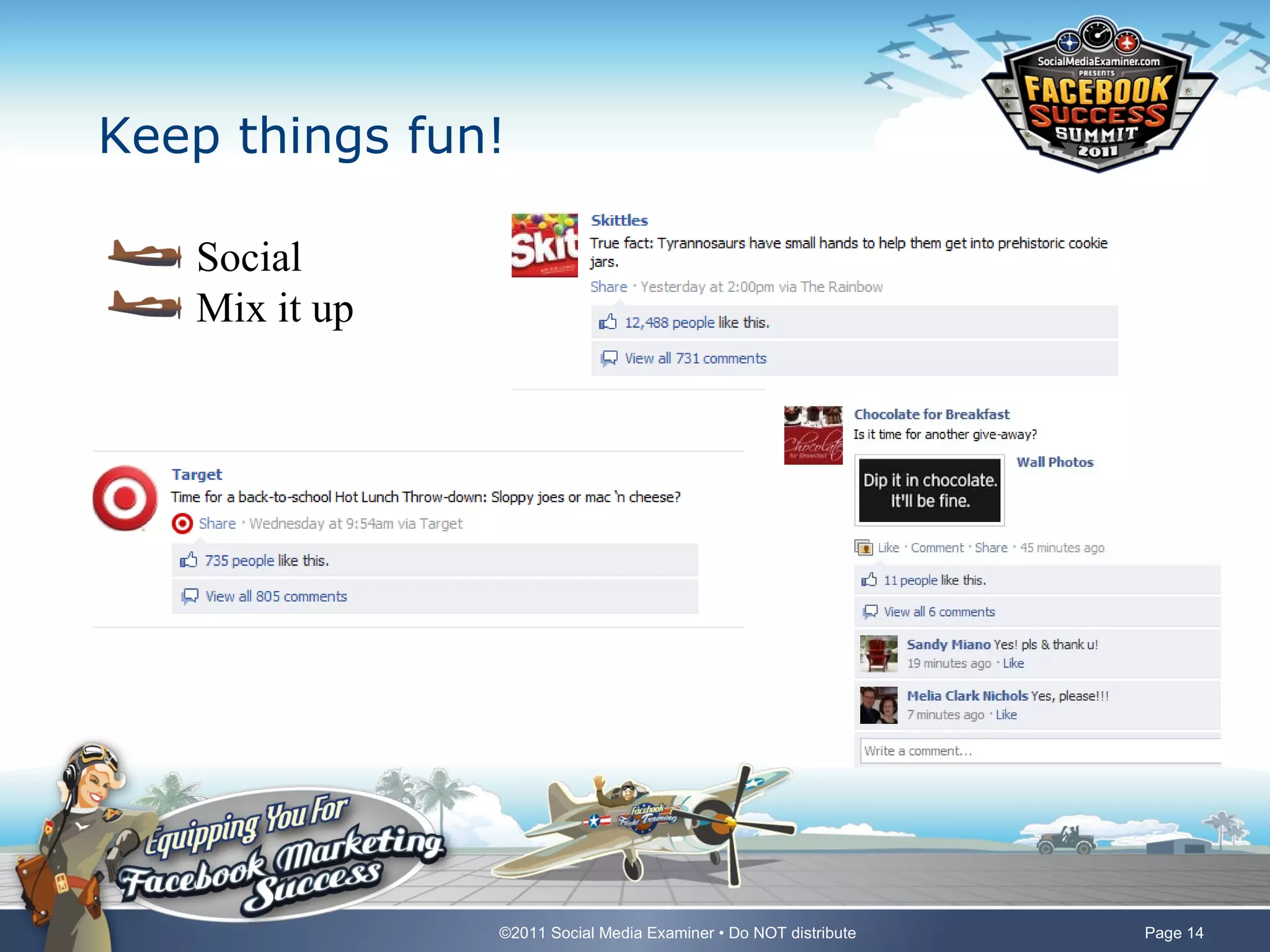
Keep things fun!

   Social
   Mix it up


               ©2011 Social Media Examiner • Do NOT distribute   Page 14
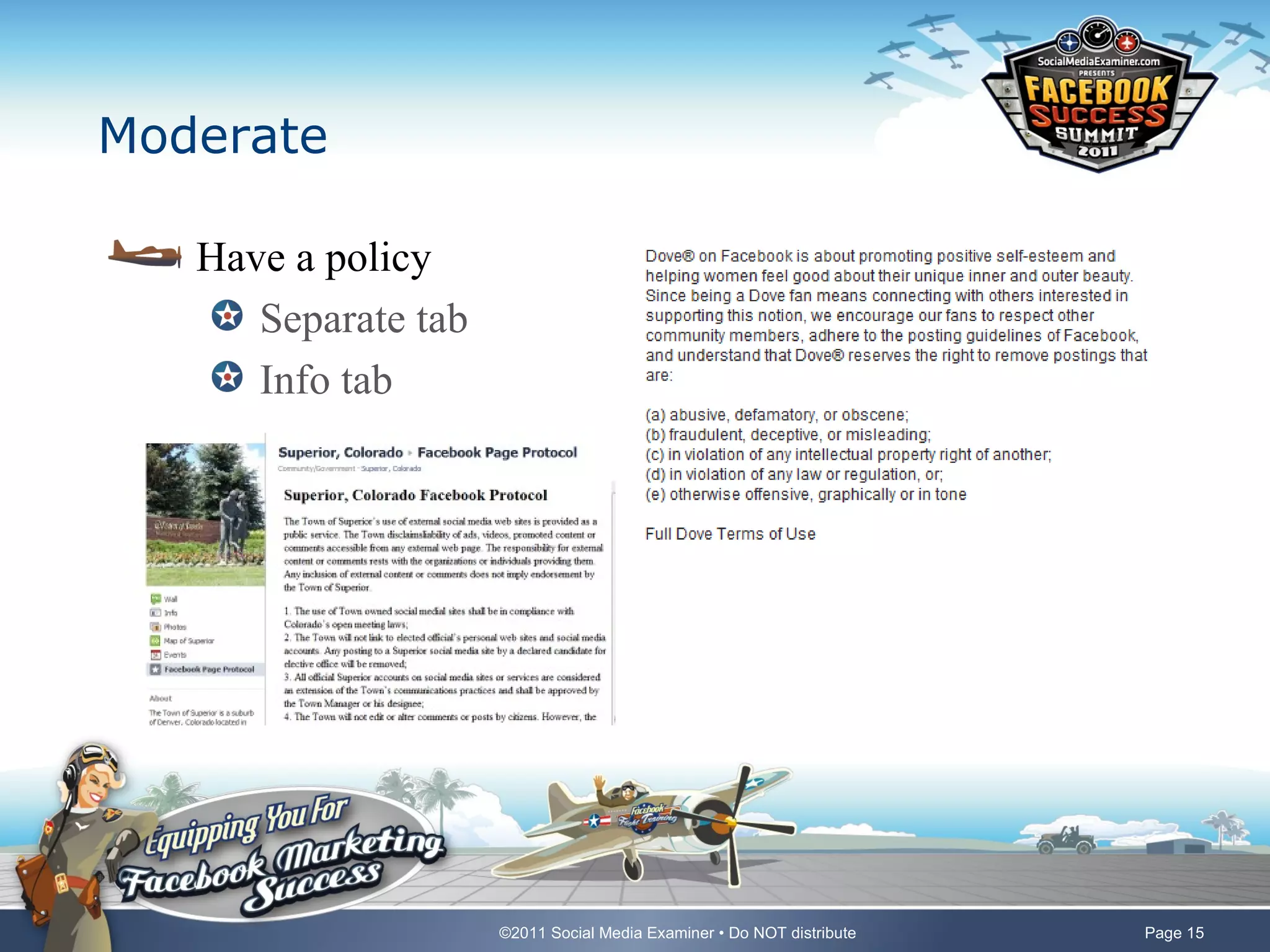
Moderate

   Have a policy
      Separate tab
      Info tab


                     ©2011 Social Media Examiner • Do NOT distribute   Page 15
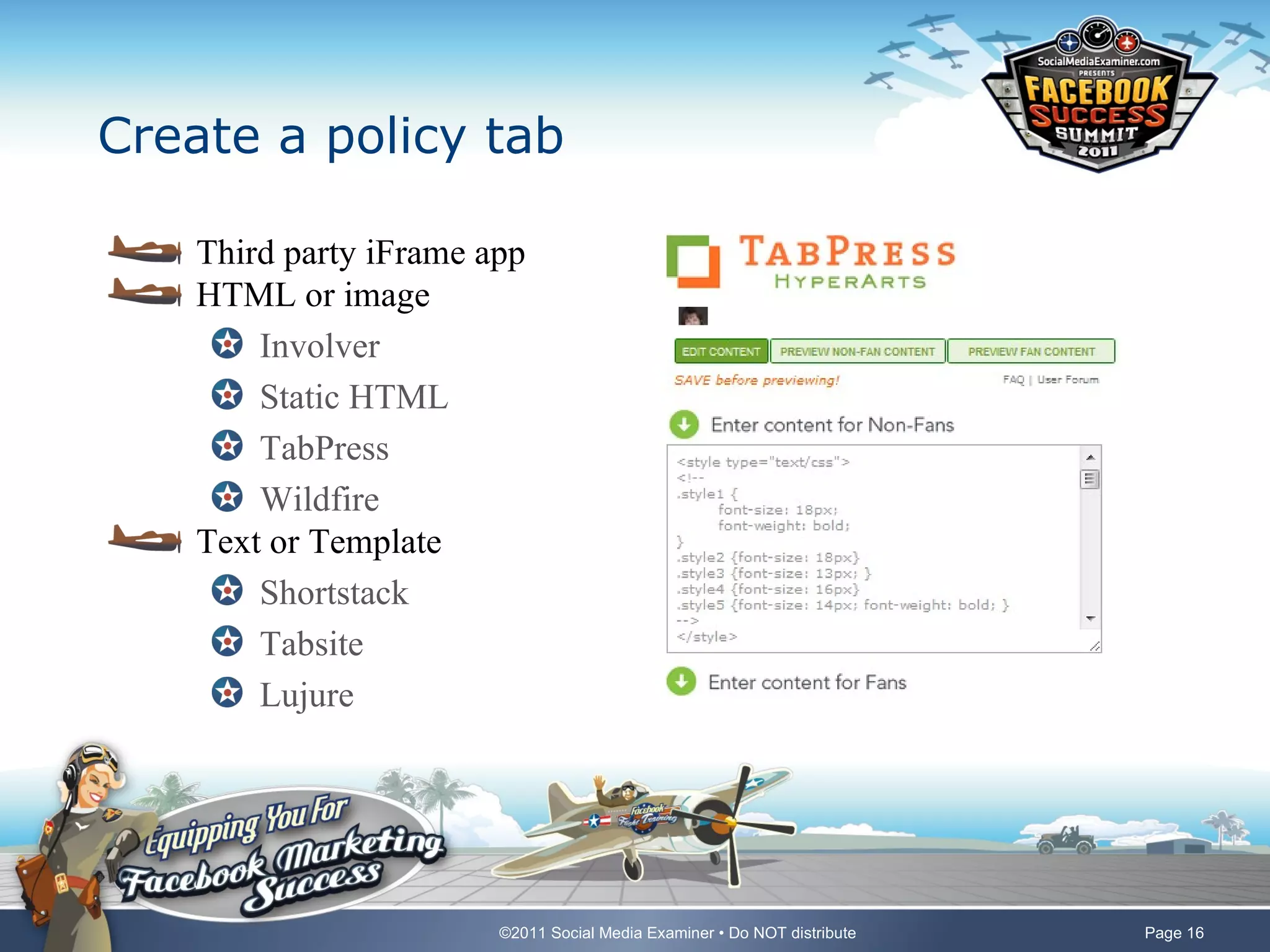
Create a policy tab

    Third party iFrame app
    HTML or image
        Involver
        Static HTML
        TabPress
        Wildfire
    Text or Template
        Shortstack
        Tabsite
        Lujure


                        ©2011 Social Media Examiner • Do NOT distribute   Page 16
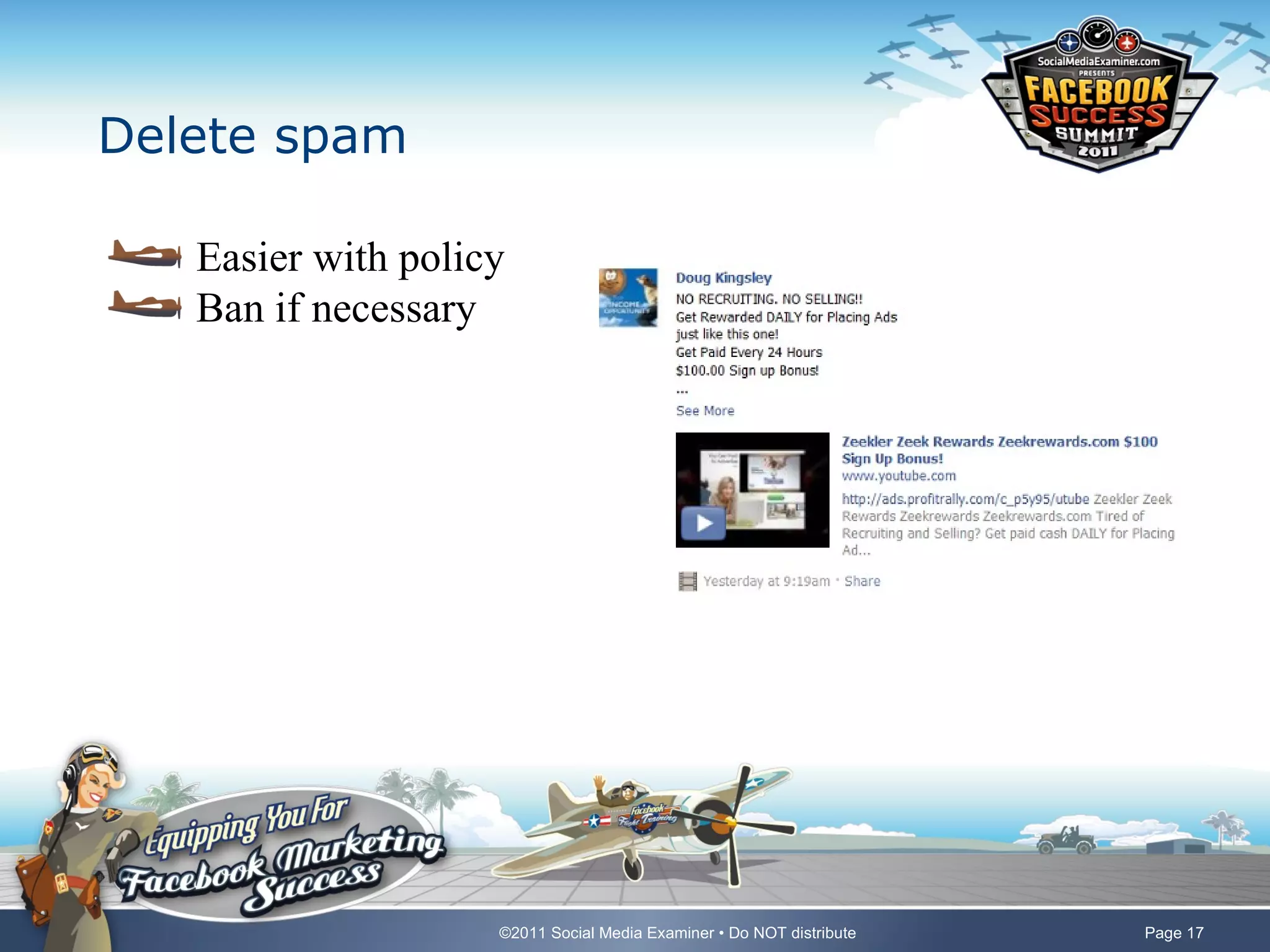
Delete spam

   Easier with policy
   Ban if necessary


                    ©2011 Social Media Examiner • Do NOT distribute   Page 17
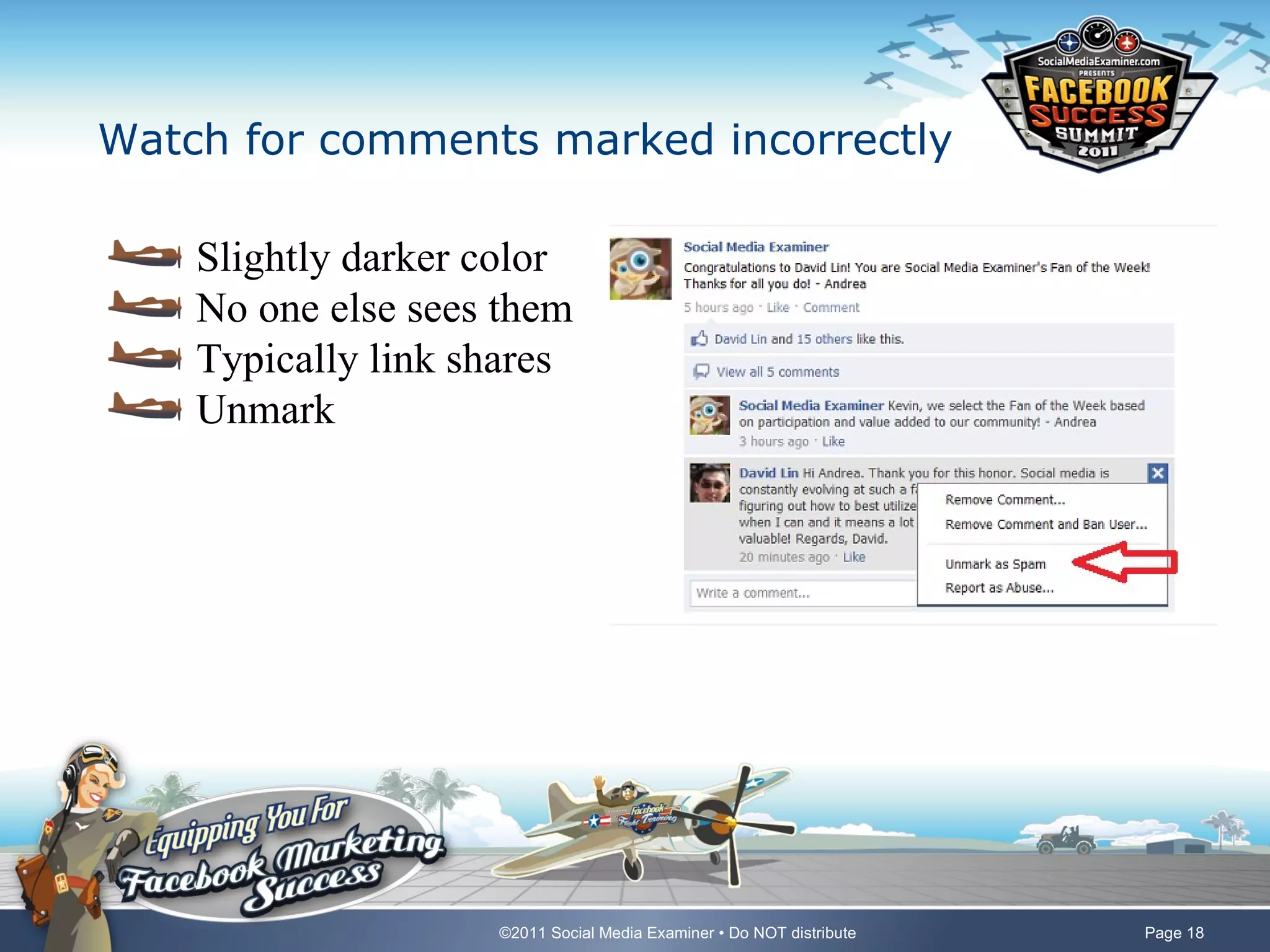
Watch for comments marked incorrectly

    Slightly darker color
    No one else sees them
    Typically link shares
    Unmark


                    ©2011 Social Media Examiner • Do NOT distribute   Page 18
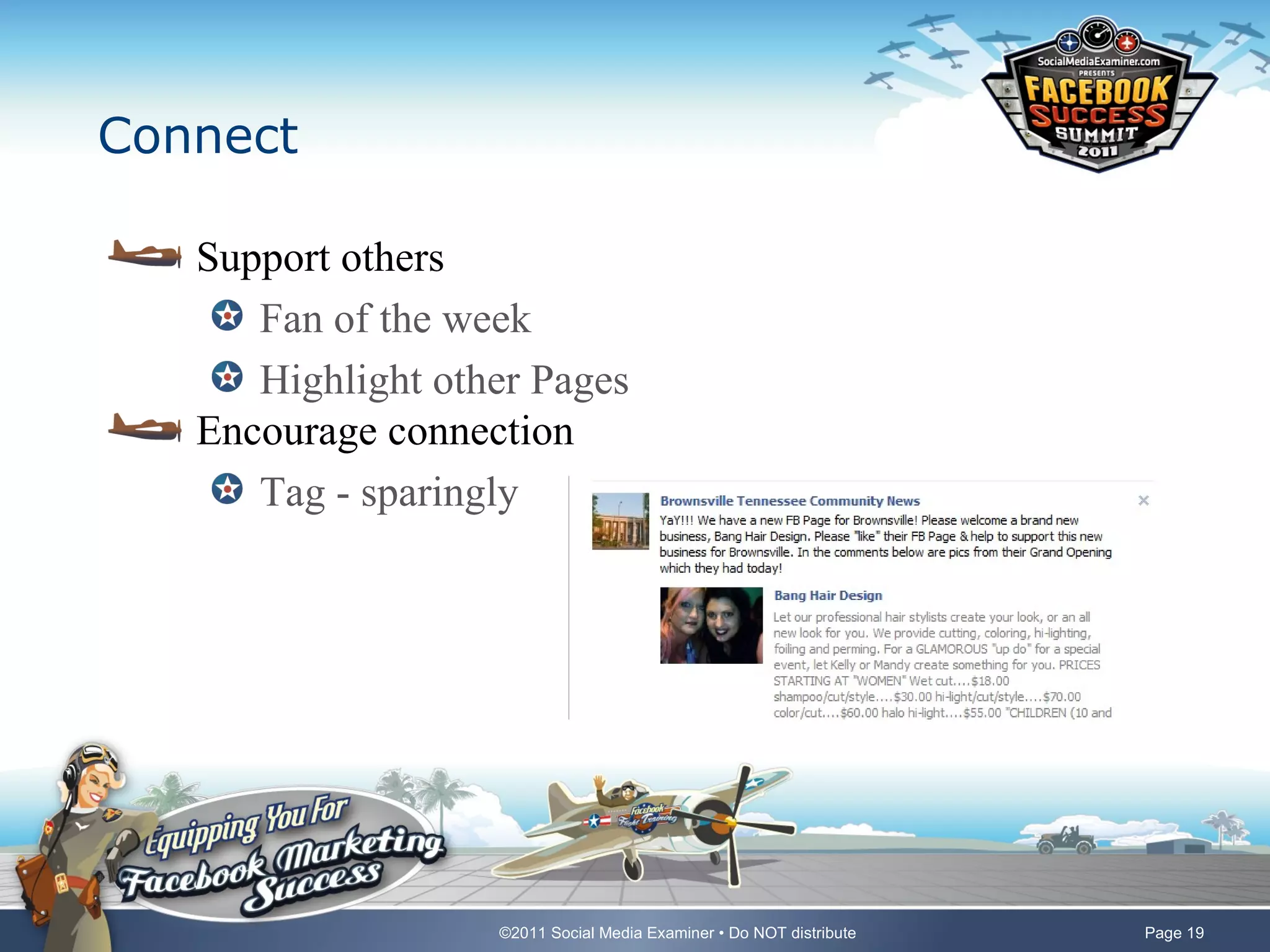
Connect

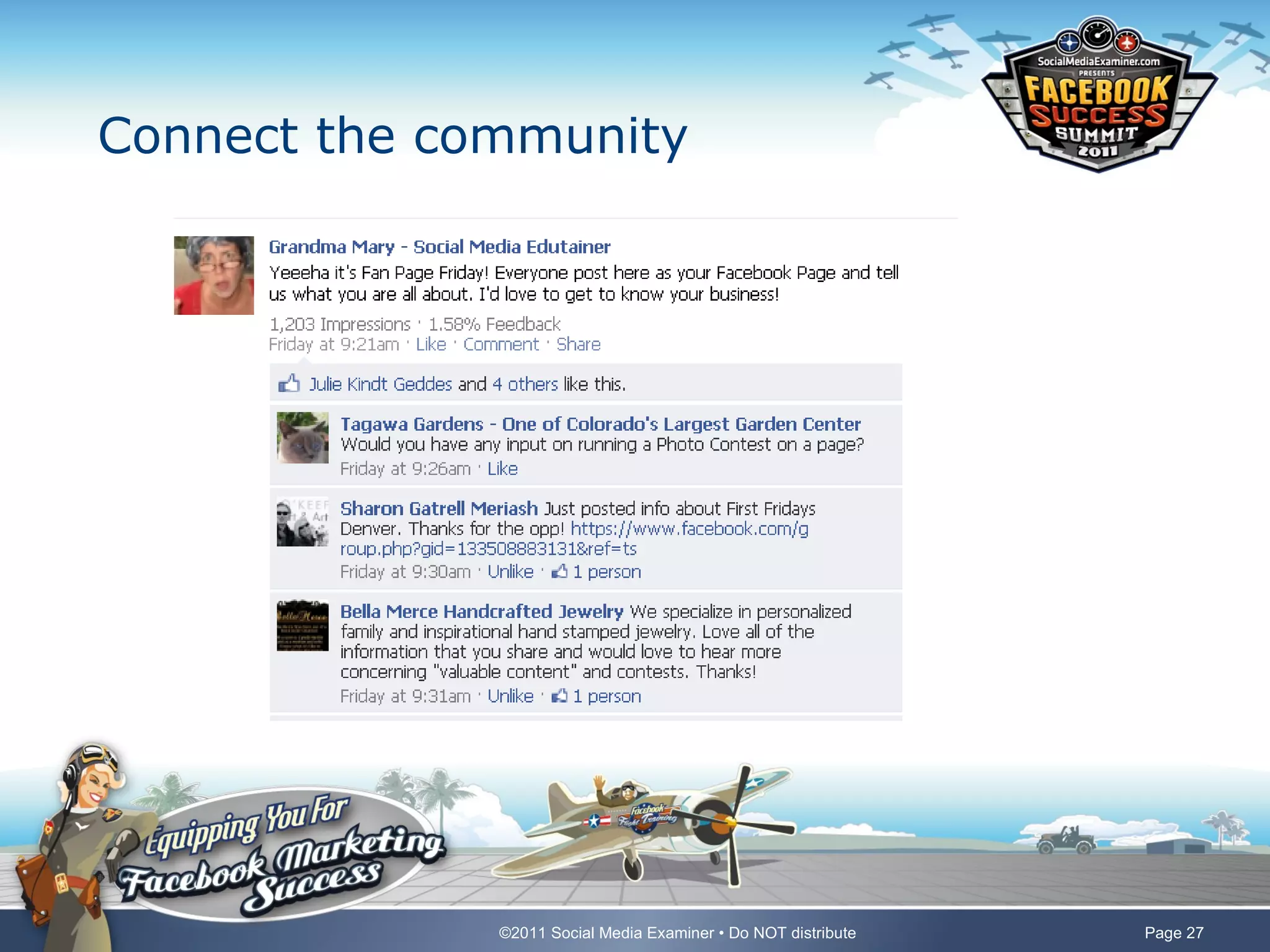
   Support others
      Fan of the week
      Highlight other Pages
   Encourage connection
      Tag - sparingly


                   ©2011 Social Media Examiner • Do NOT distribute   Page 19
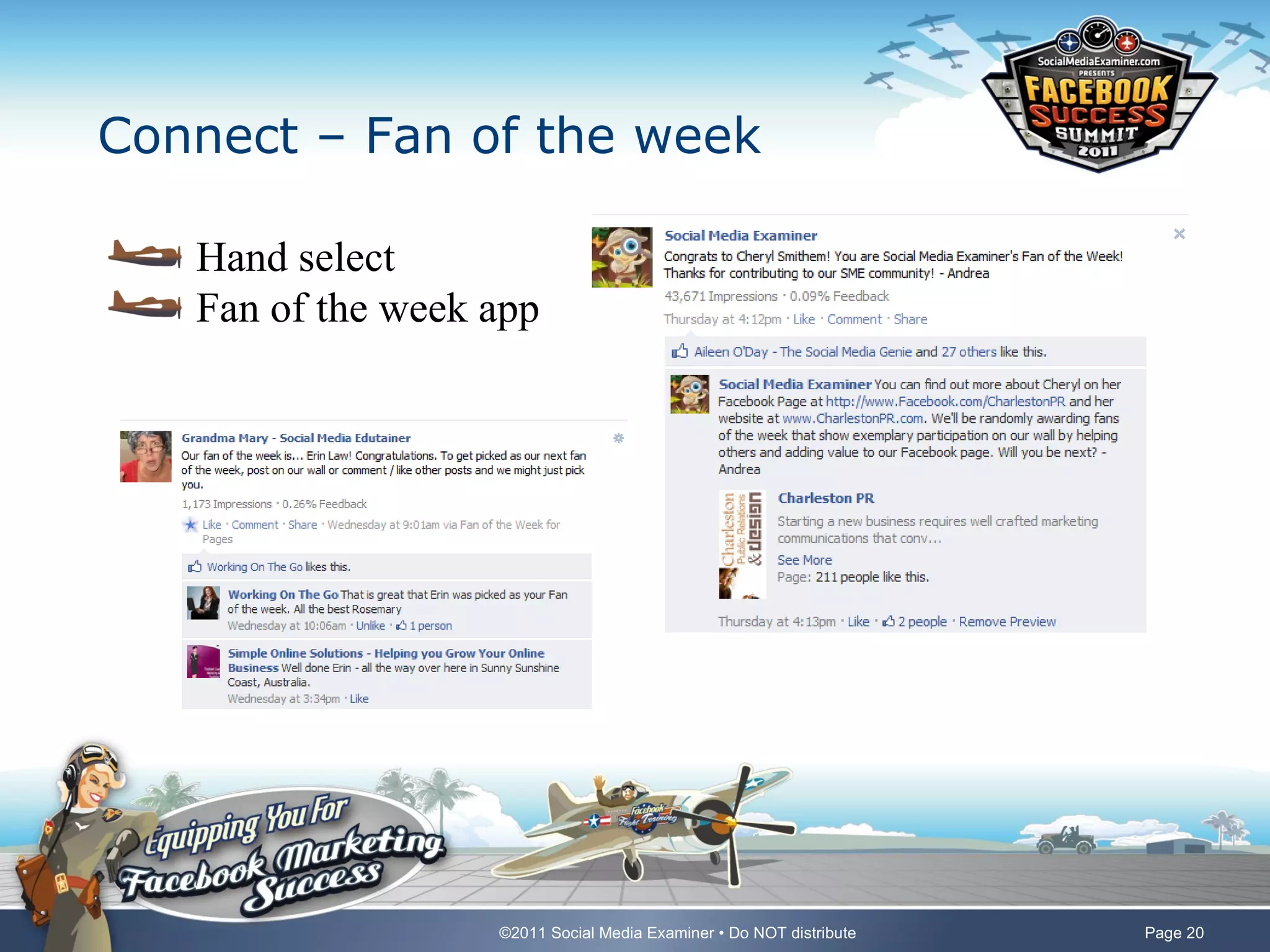
Connect – Fan of the week

   Hand select
   Fan of the week app


                   ©2011 Social Media Examiner • Do NOT distribute   Page 20
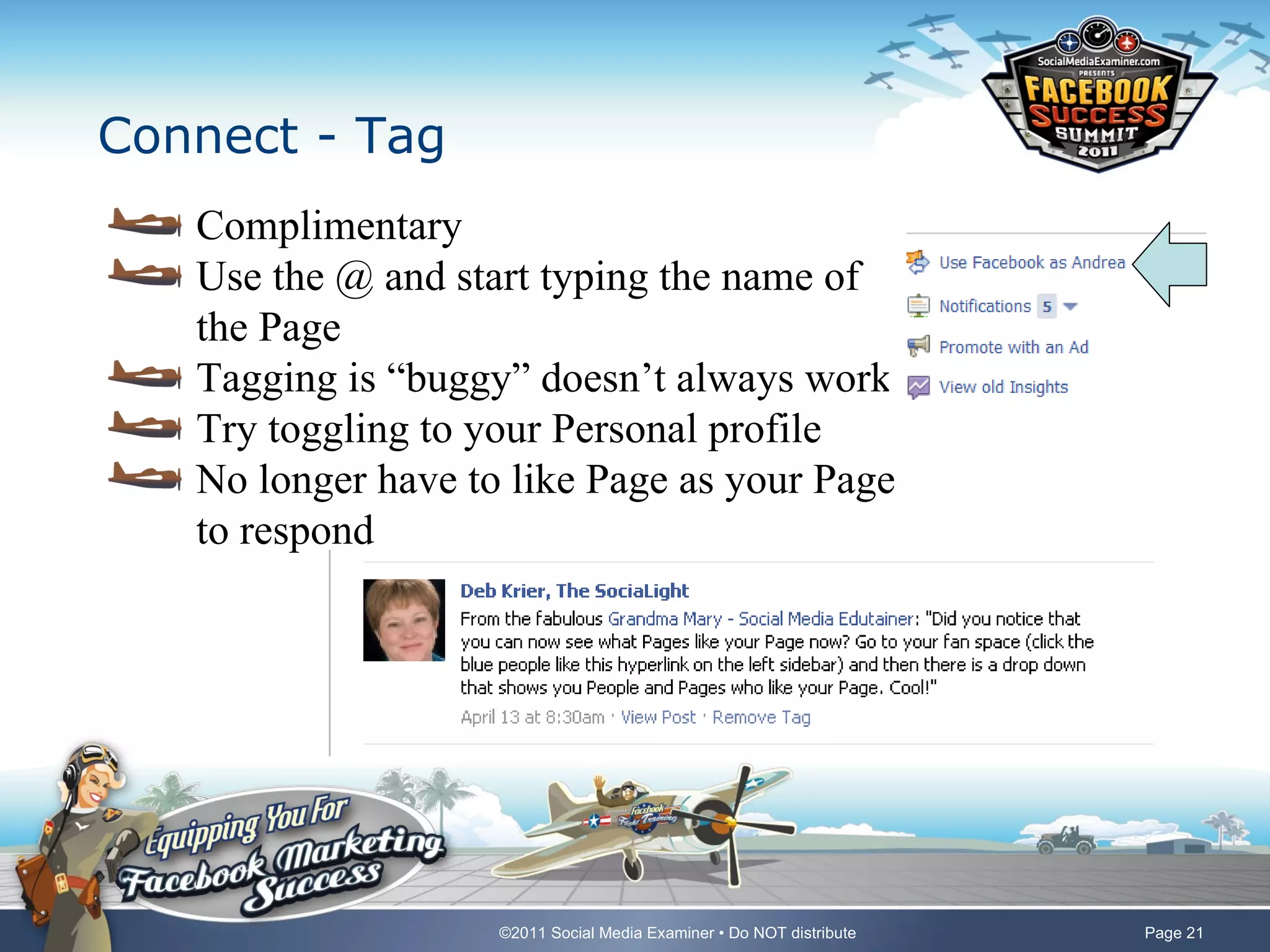
Connect - Tag
   Complimentary
   Use the @ and start typing the name of
   the Page
   Tagging is “buggy” doesn’t always work
   Try toggling to your Personal profile
   No longer have to like Page as your Page
   to respond


                    ©2011 Social Media Examiner • Do NOT distribute   Page 21
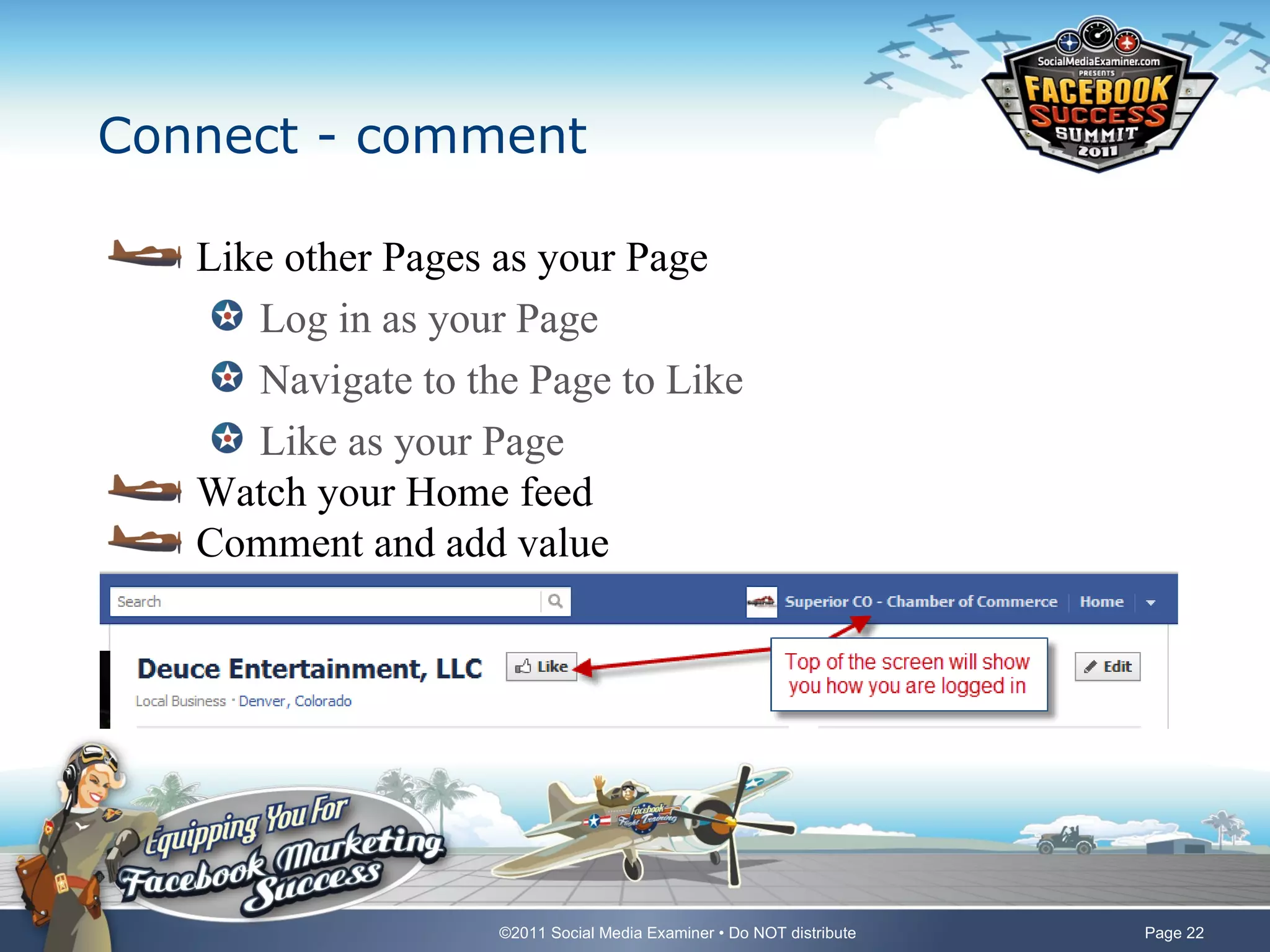
Connect - comment

   Like other Pages as your Page
      Log in as your Page
      Navigate to the Page to Like
      Like as your Page
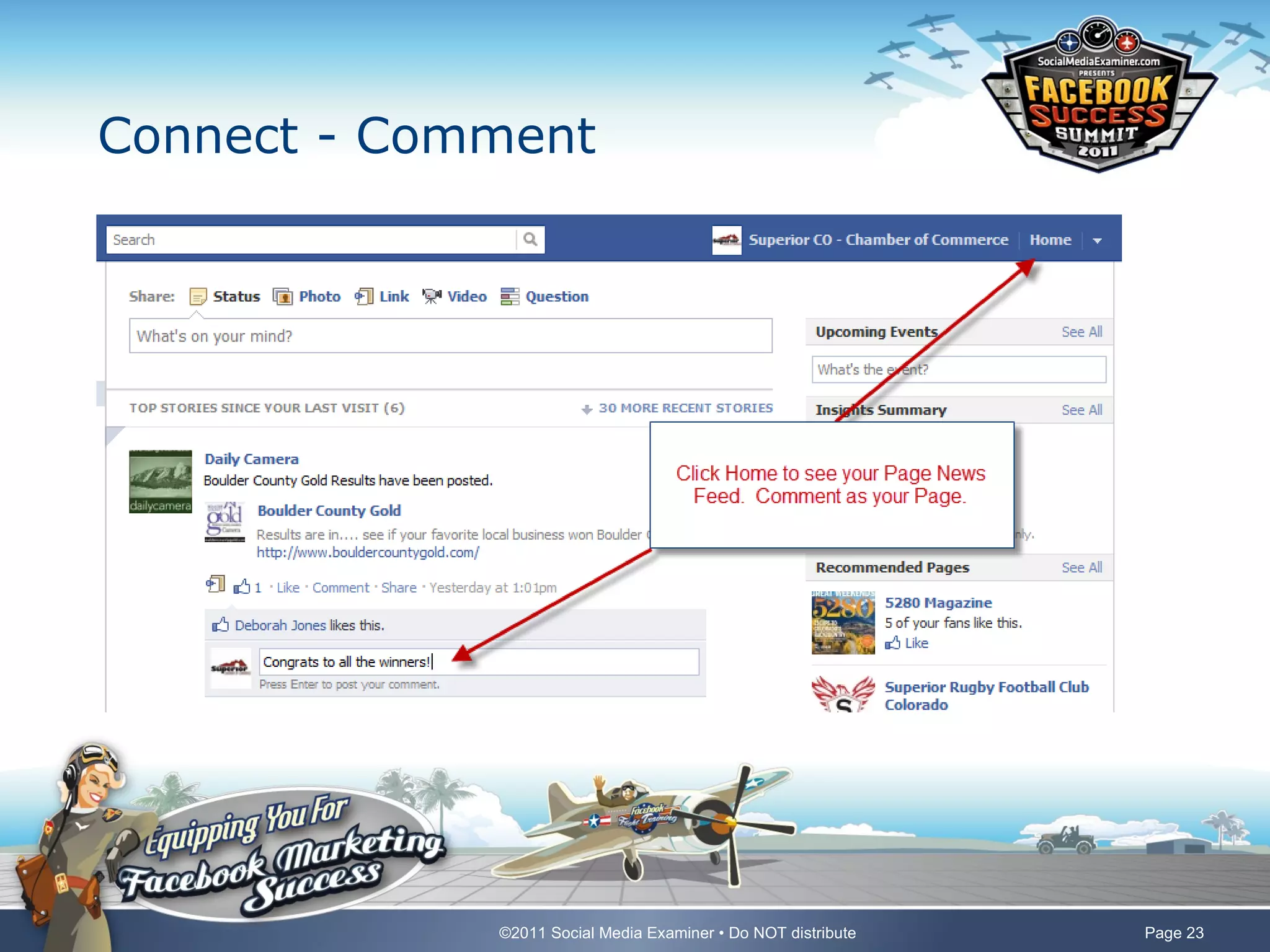
   Watch your Home feed
   Comment and add value


                    ©2011 Social Media Examiner • Do NOT distribute   Page 22
Connect - Comment


             ©2011 Social Media Examiner • Do NOT distribute   Page 23
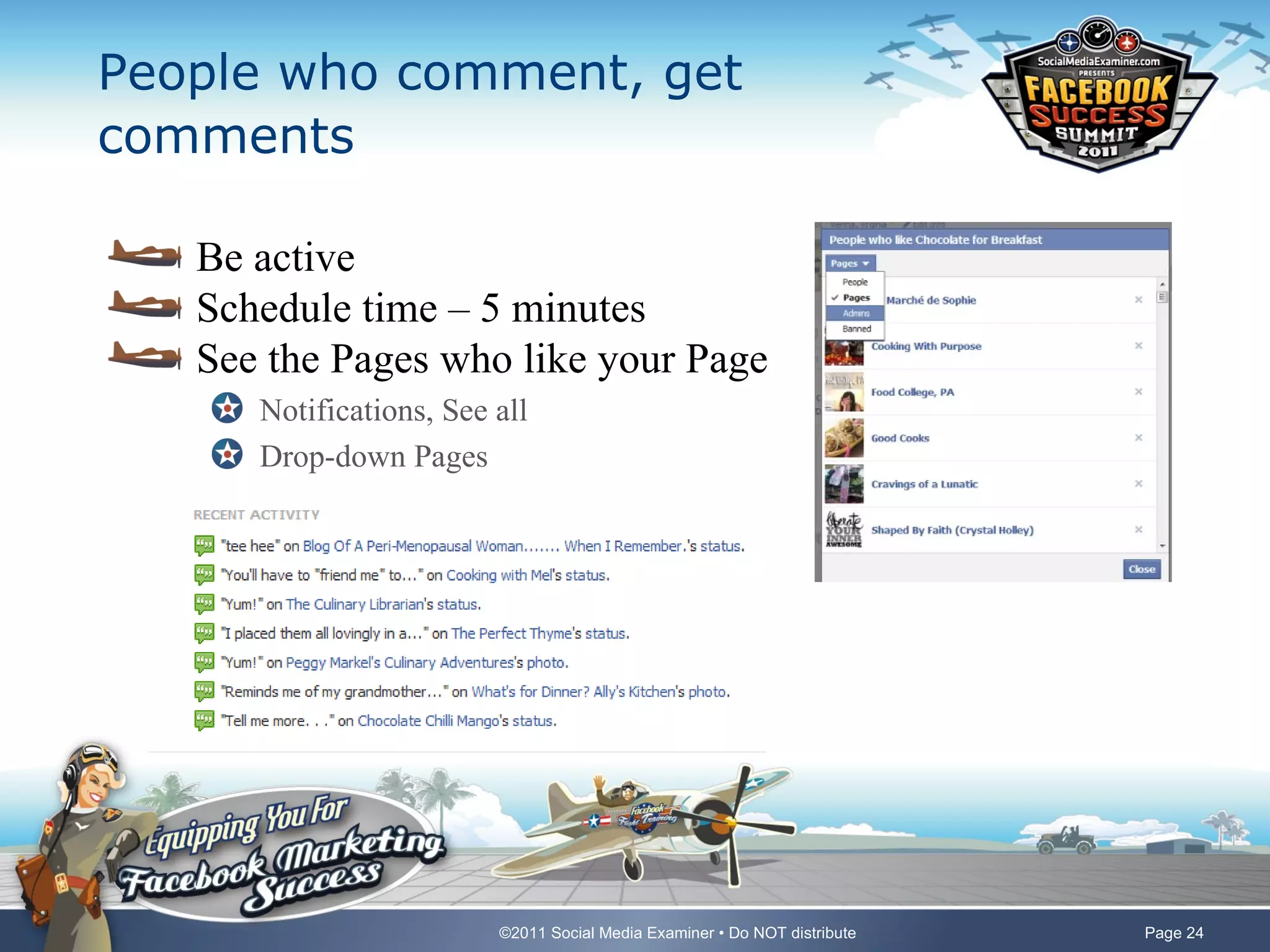
People who comment, get
comments

   Be active
   Schedule time – 5 minutes
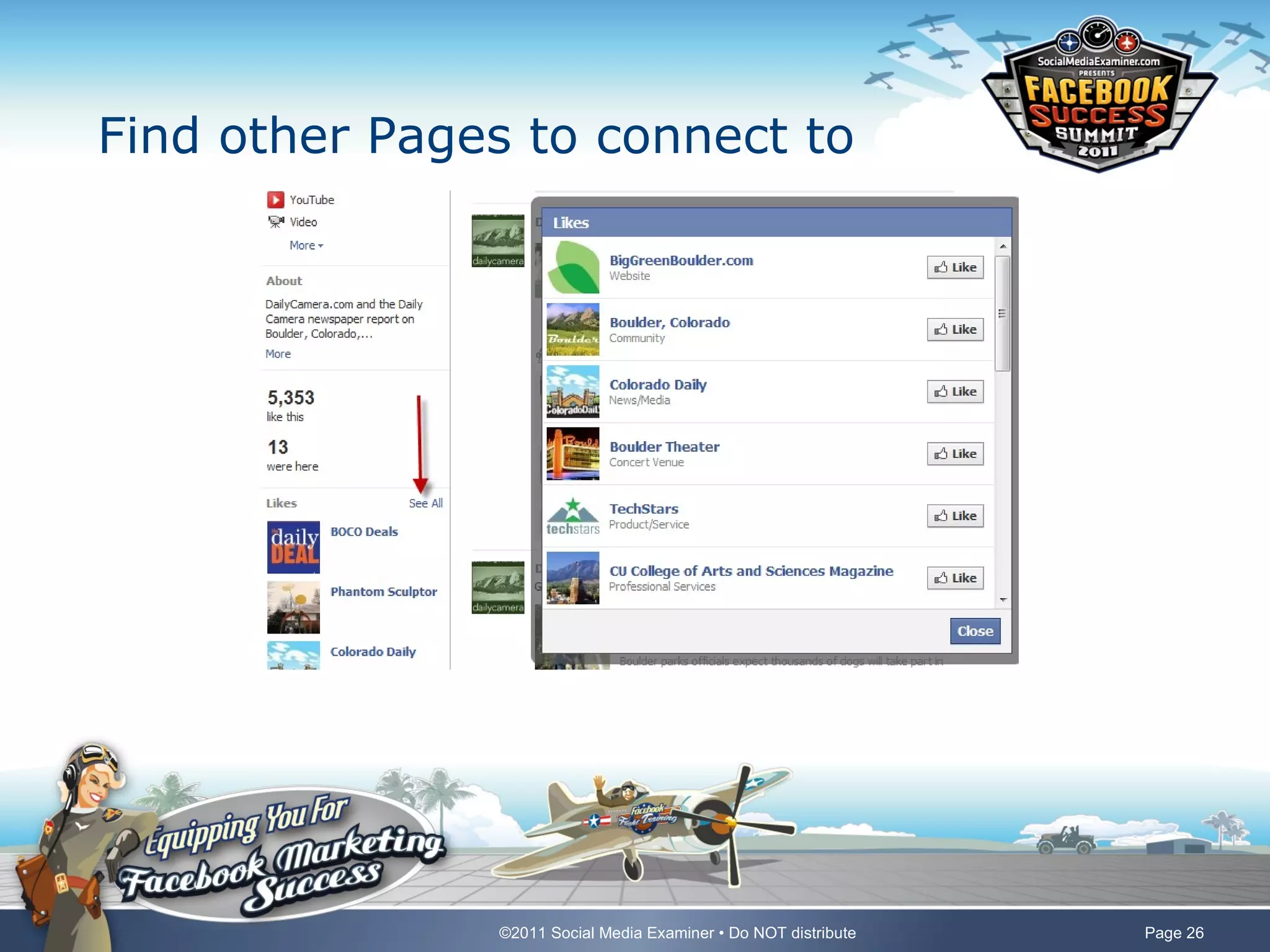
   See the Pages who like your Page
      Notifications, See all
      Drop-down Pages


                         ©2011 Social Media Examiner • Do NOT distribute   Page 24
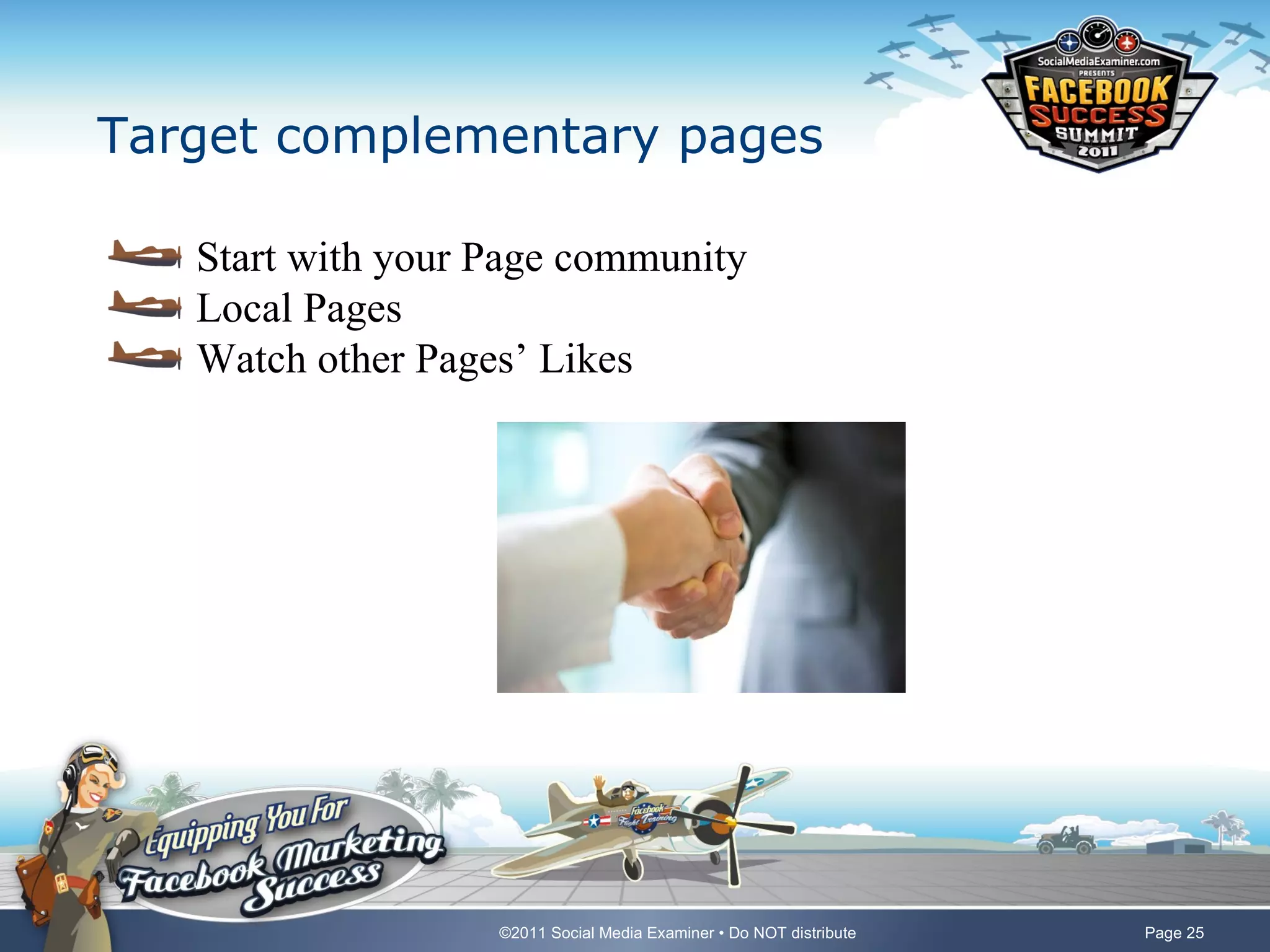
Target complementary pages

   Start with your Page community
   Local Pages
   Watch other Pages’ Likes


                   ©2011 Social Media Examiner • Do NOT distribute   Page 25
Find other Pages to connect to


               ©2011 Social Media Examiner • Do NOT distribute   Page 26
Connect the community


              ©2011 Social Media Examiner • Do NOT distribute   Page 27
Measure

   Drill into insights
   Assess the health of the community
   Download stats


                    ©2011 Social Media Examiner • Do NOT distribute   Page 28
7 Insights to watch

   Post Feedback/Post Virality (new!)
   Likes/Unlikes
   Page Activity/People Talking About This (new!)
   Demographics
   Like Sources
   Facebook Shares
   Edgerank


                   ©2011 Social Media Examiner • Do NOT distribute   Page 29
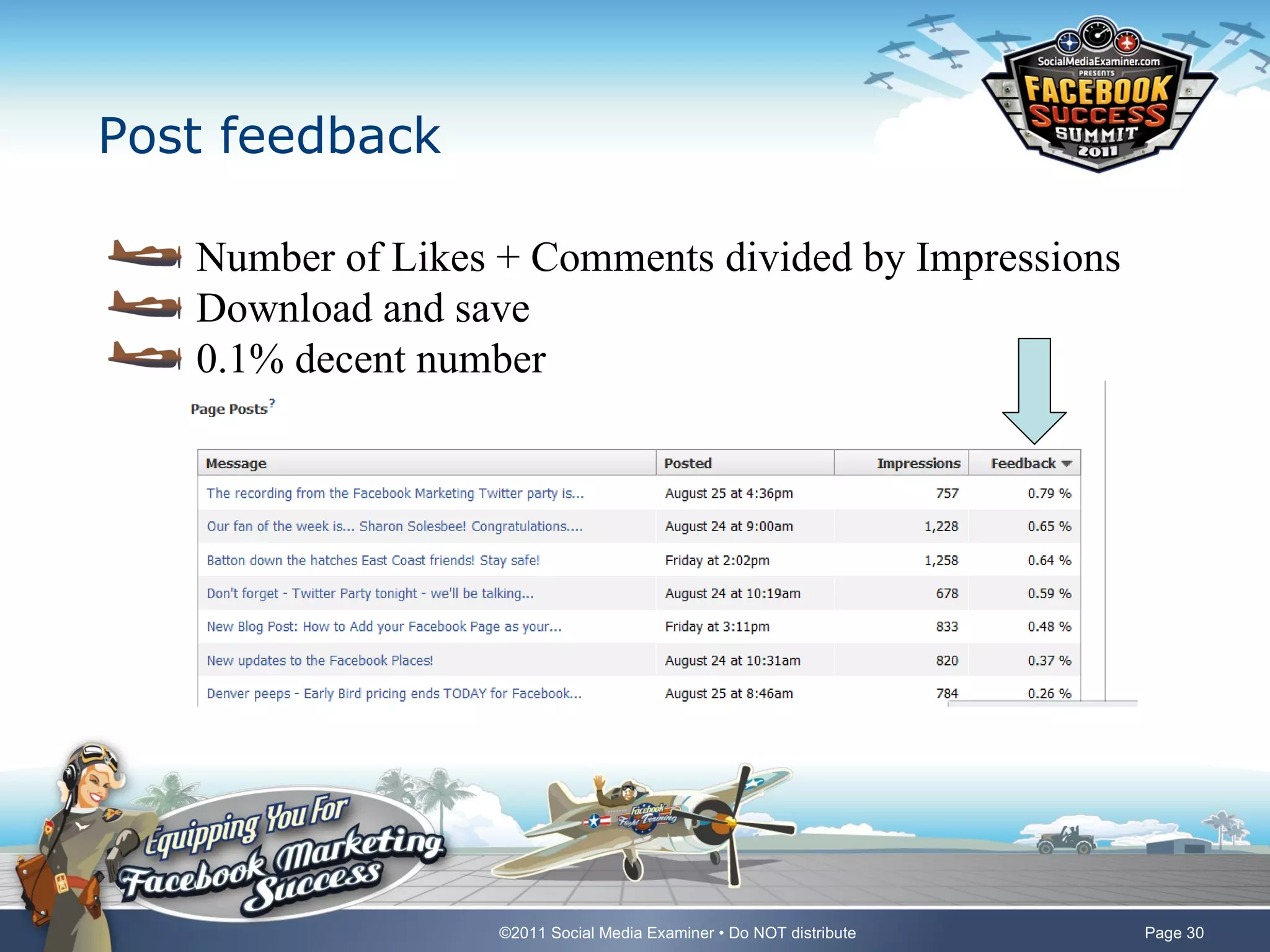
Post feedback

   Number of Likes + Comments divided by Impressions
   Download and save
   0.1% decent number


                   ©2011 Social Media Examiner • Do NOT distribute   Page 30
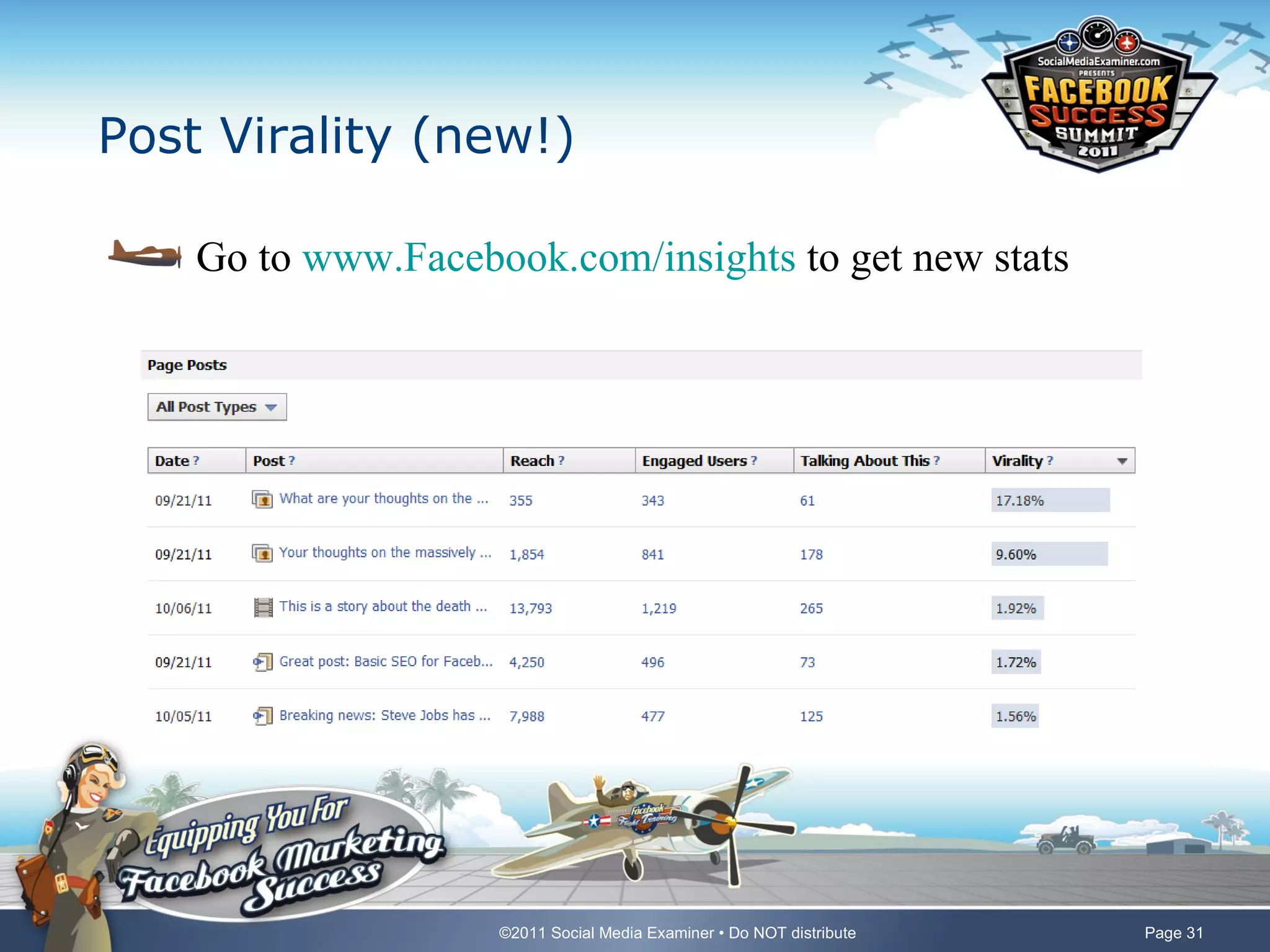
Post Virality (new!)

    Go to www.Facebook.com/insights to get new stats


                    ©2011 Social Media Examiner • Do NOT distribute   Page 31
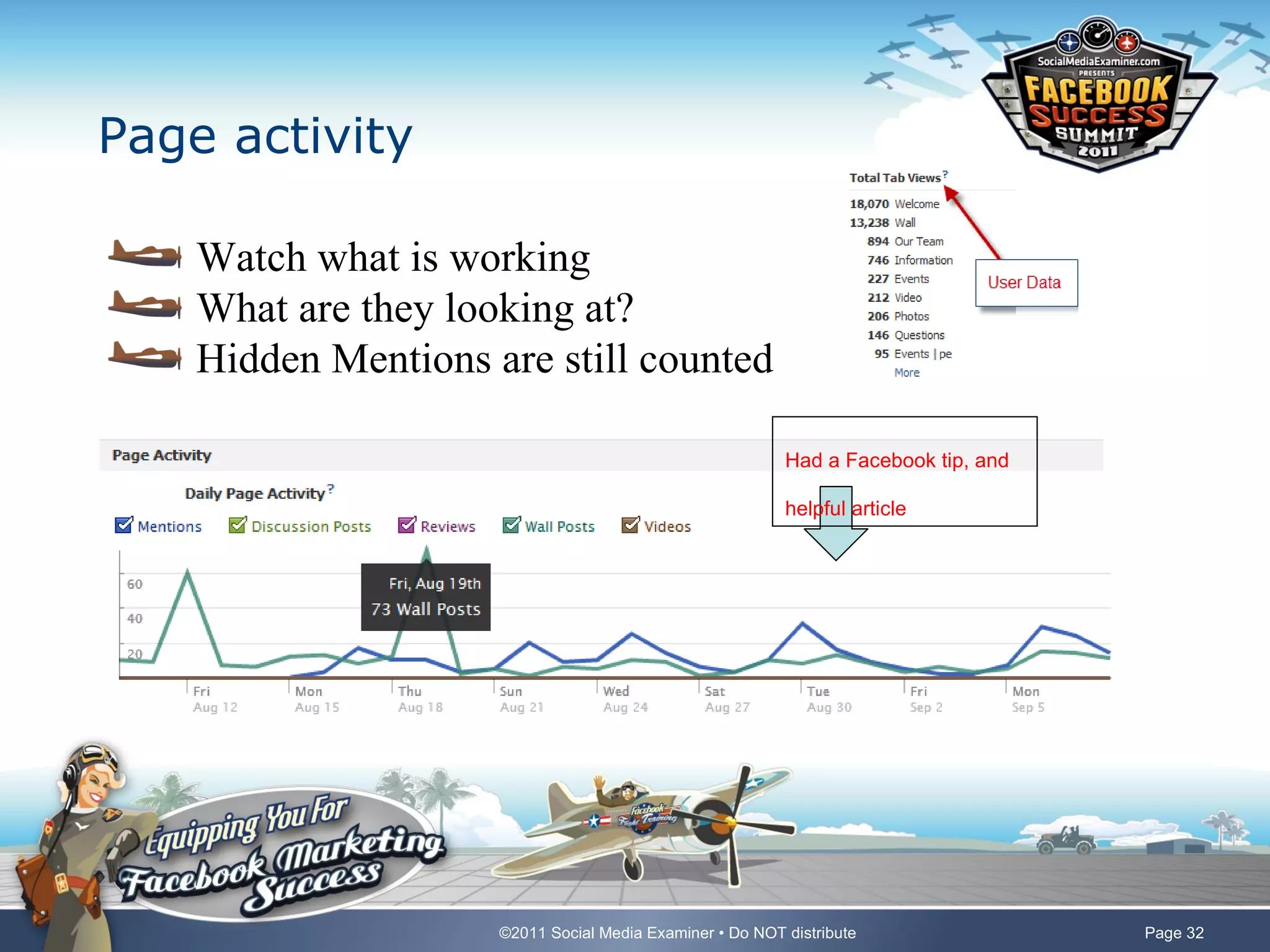
Page activity

    Watch what is working
    What are they looking at?
    Hidden Mentions are still counted

                                                          Had a Facebook tip, and

                                                          helpful article


                     ©2011 Social Media Examiner • Do NOT distribute                Page 32
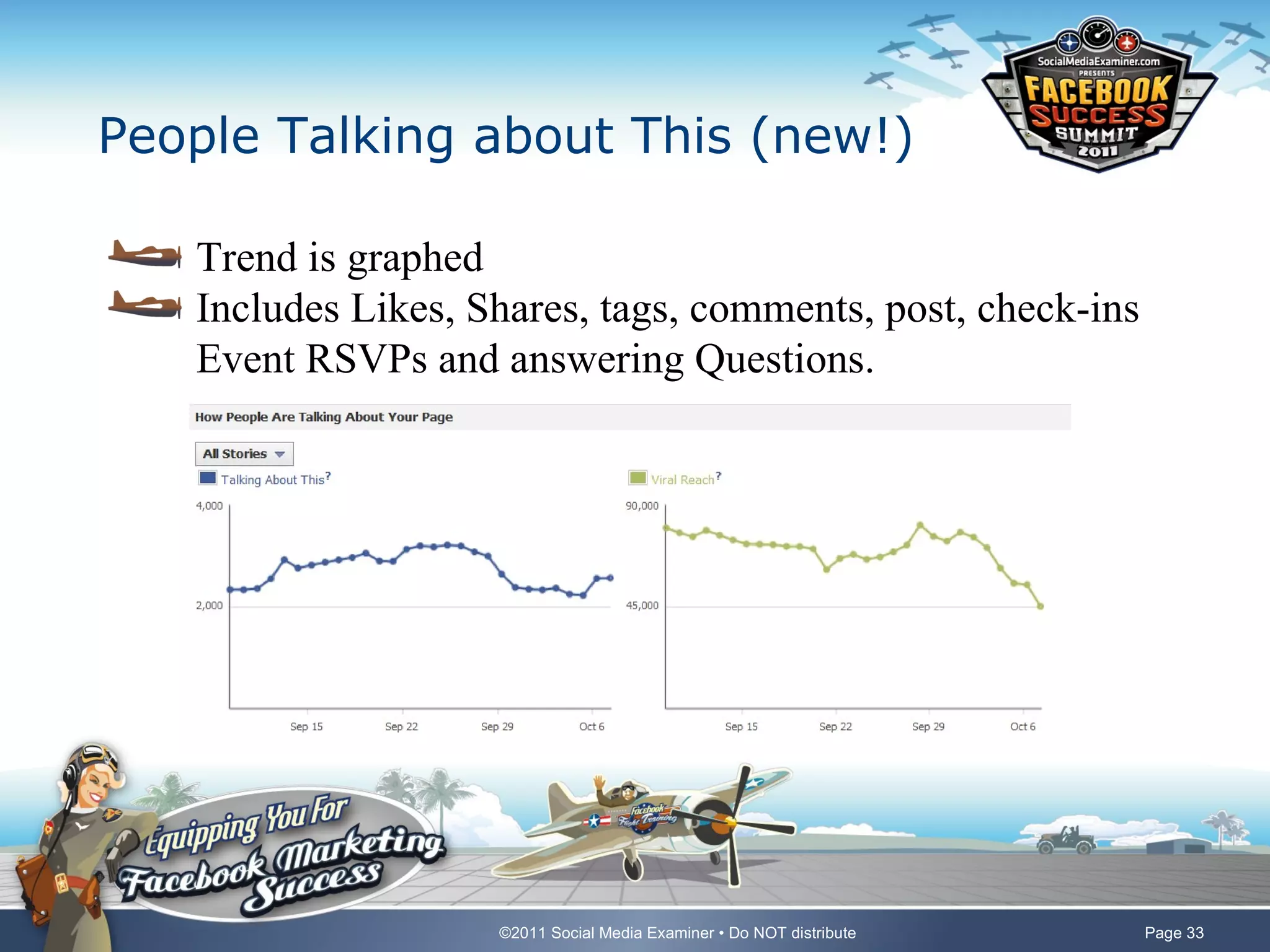
People Talking about This (new!)

   Trend is graphed
   Includes Likes, Shares, tags, comments, post, check-ins
   Event RSVPs and answering Questions.


                    ©2011 Social Media Examiner • Do NOT distribute   Page 33
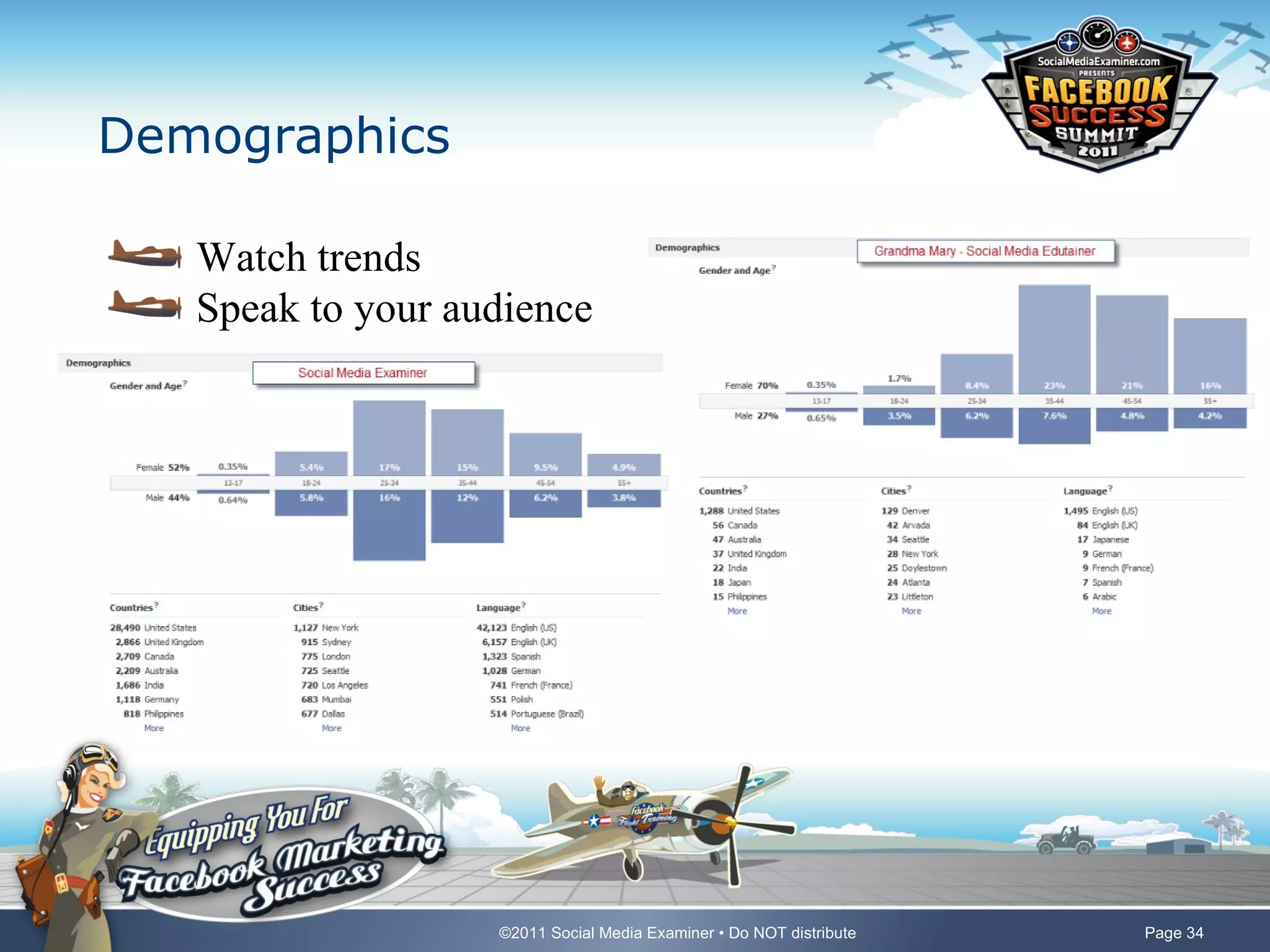
Demographics

   Watch trends
   Speak to your audience


                   ©2011 Social Media Examiner • Do NOT distribute   Page 34
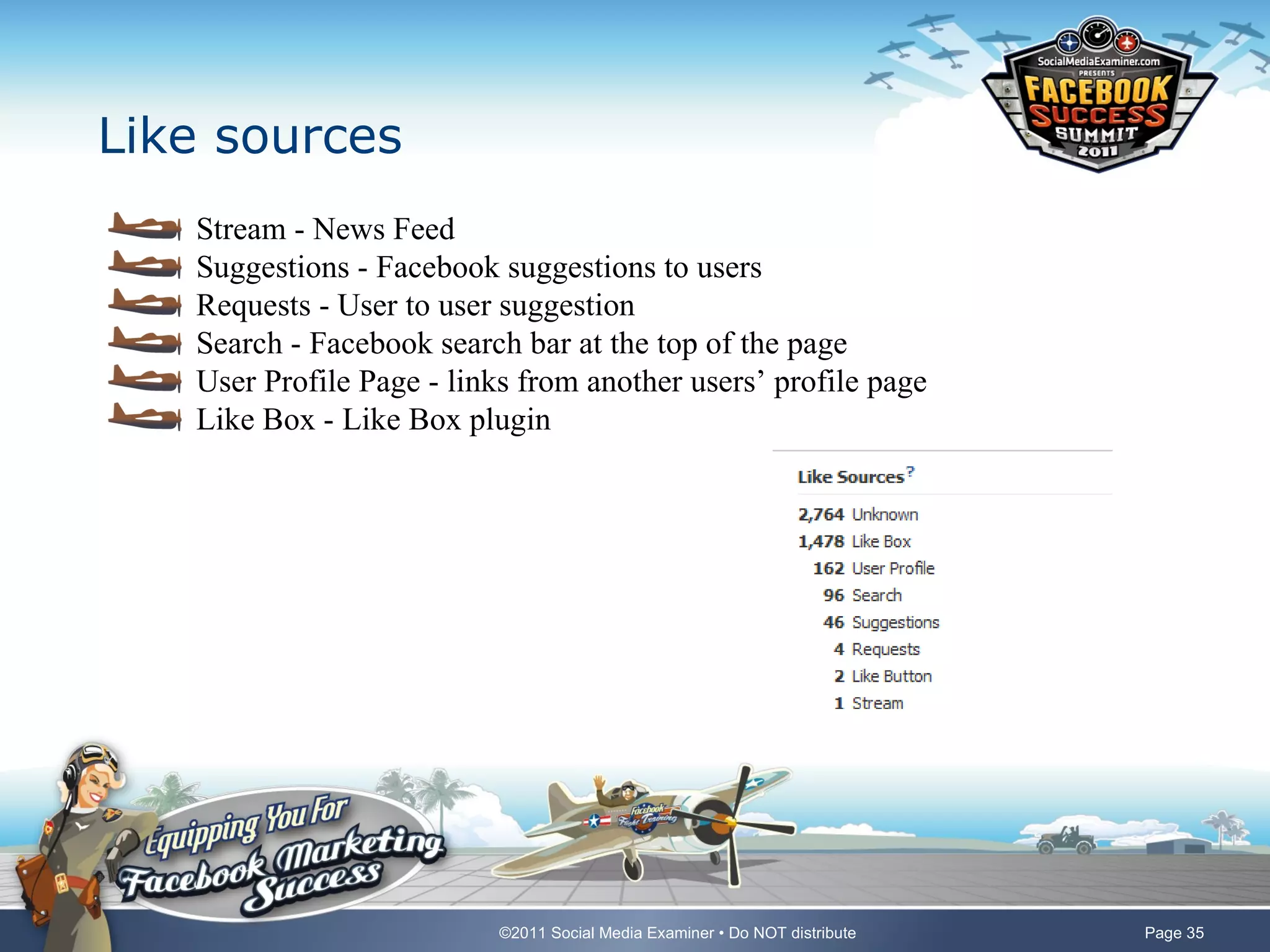
Like sources
   Stream - News Feed
   Suggestions - Facebook suggestions to users
   Requests - User to user suggestion
   Search - Facebook search bar at the top of the page
   User Profile Page - links from another users’ profile page
   Like Box - Like Box plugin


                           ©2011 Social Media Examiner • Do NOT distribute   Page 35
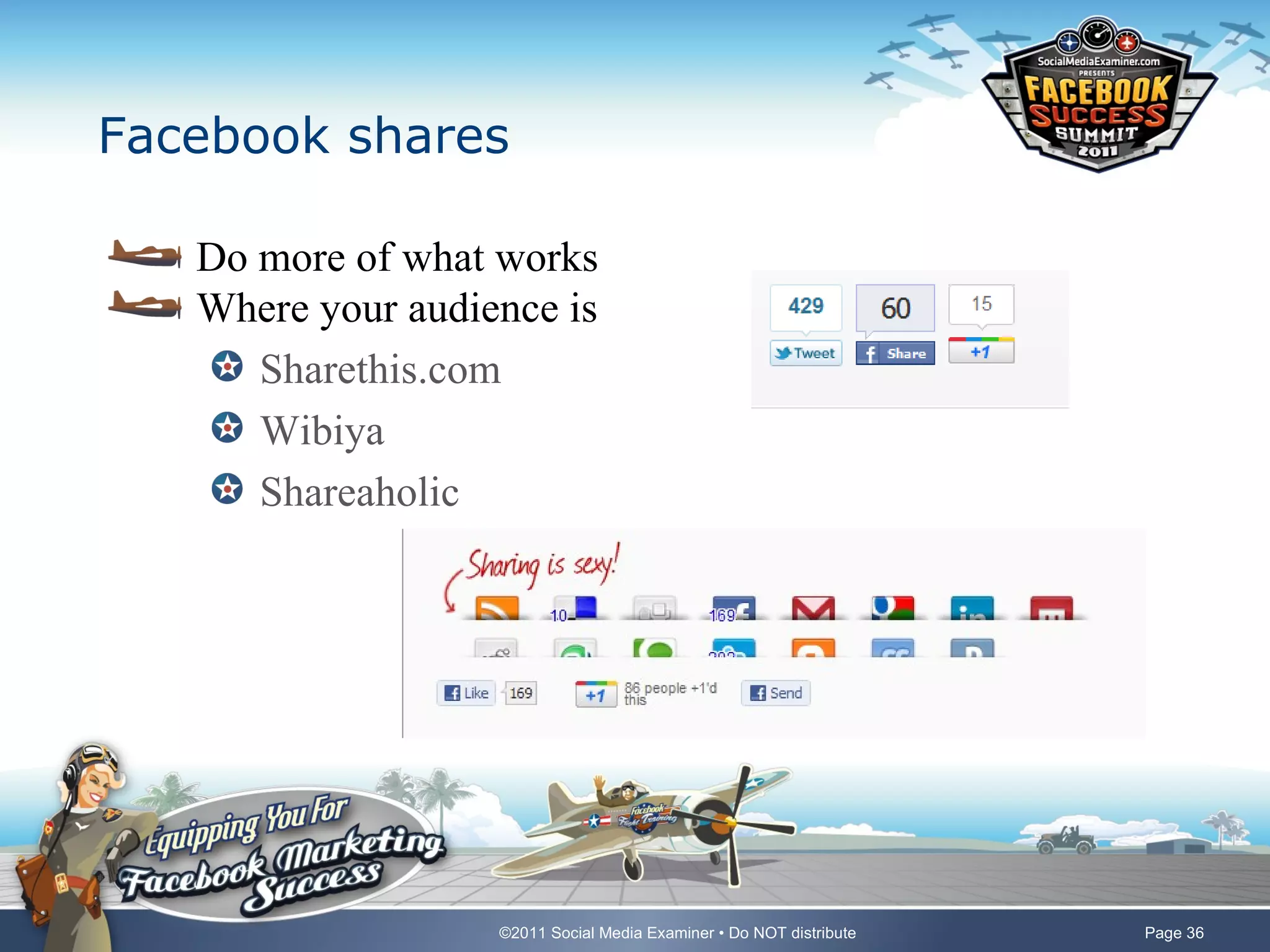
Facebook shares

   Do more of what works
   Where your audience is
      Sharethis.com
      Wibiya
      Shareaholic


                   ©2011 Social Media Examiner • Do NOT distribute   Page 36
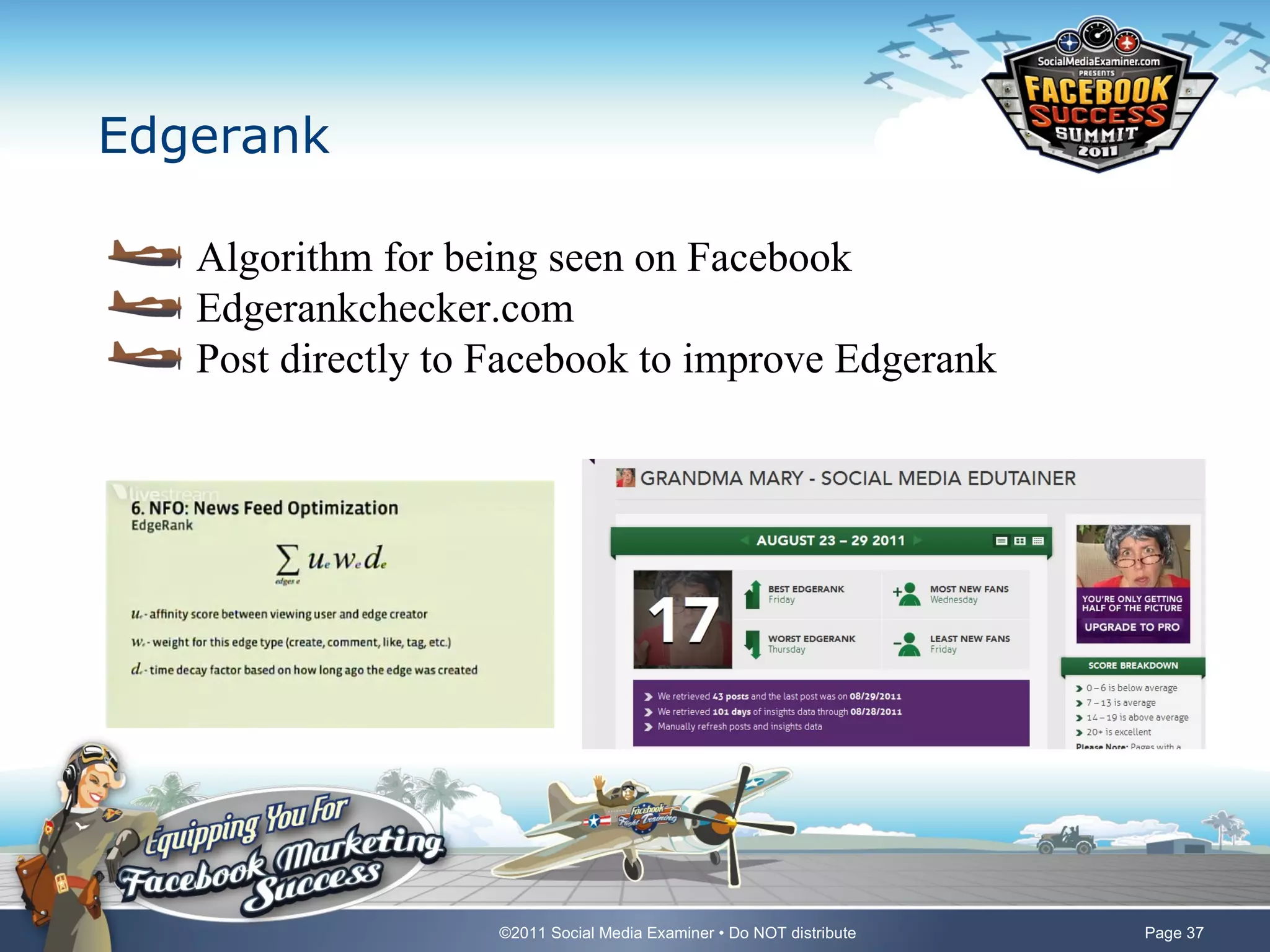
Edgerank

   Algorithm for being seen on Facebook
   Edgerankchecker.com
   Post directly to Facebook to improve Edgerank


                    ©2011 Social Media Examiner • Do NOT distribute   Page 37
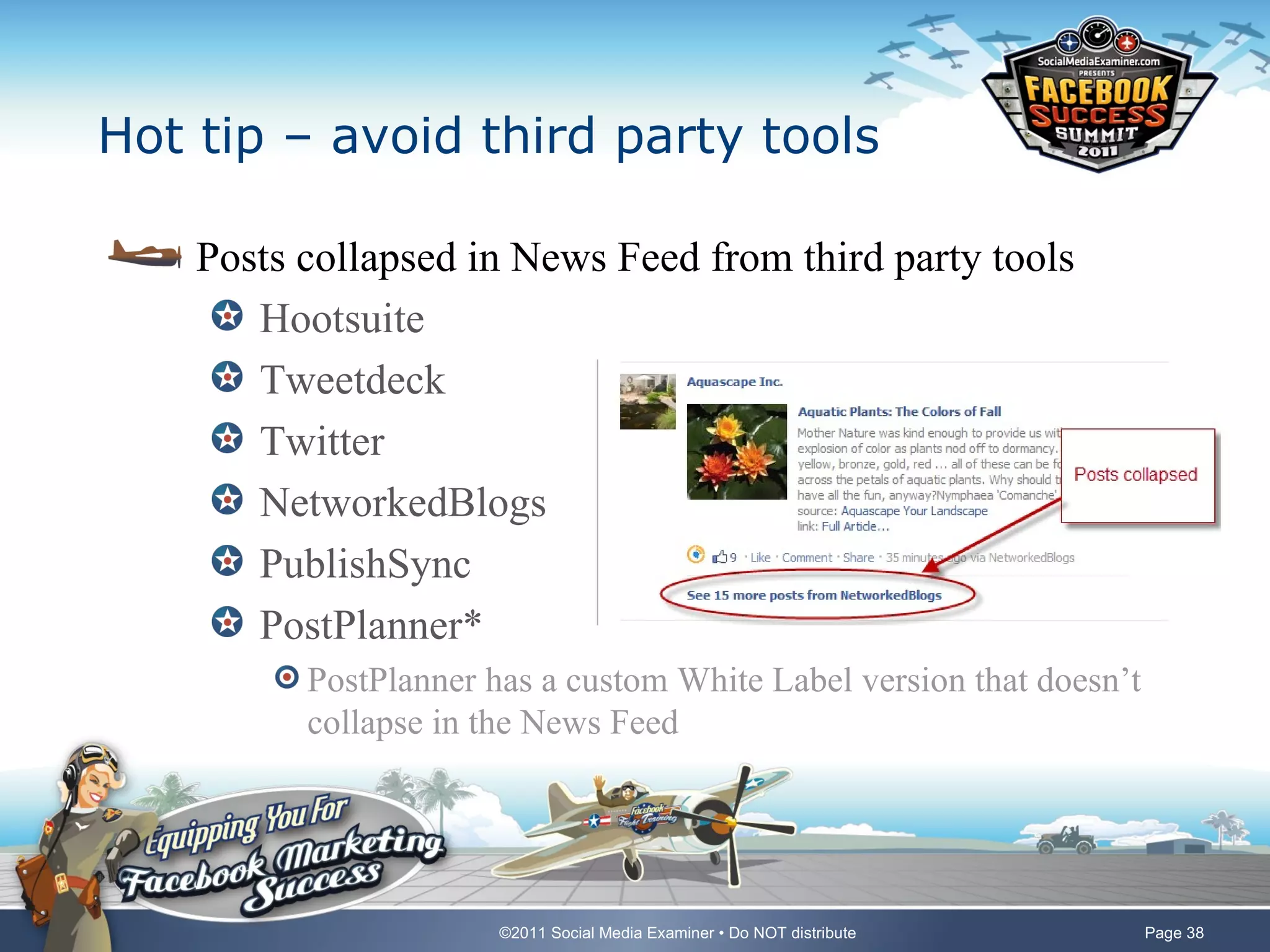
Hot tip – avoid third party tools

    Posts collapsed in News Feed from third party tools
       Hootsuite
       Tweetdeck
       Twitter
       NetworkedBlogs
       PublishSync
       PostPlanner*
          PostPlanner has a custom White Label version that doesn’t
          collapse in the News Feed


                       ©2011 Social Media Examiner • Do NOT distribute   Page 38
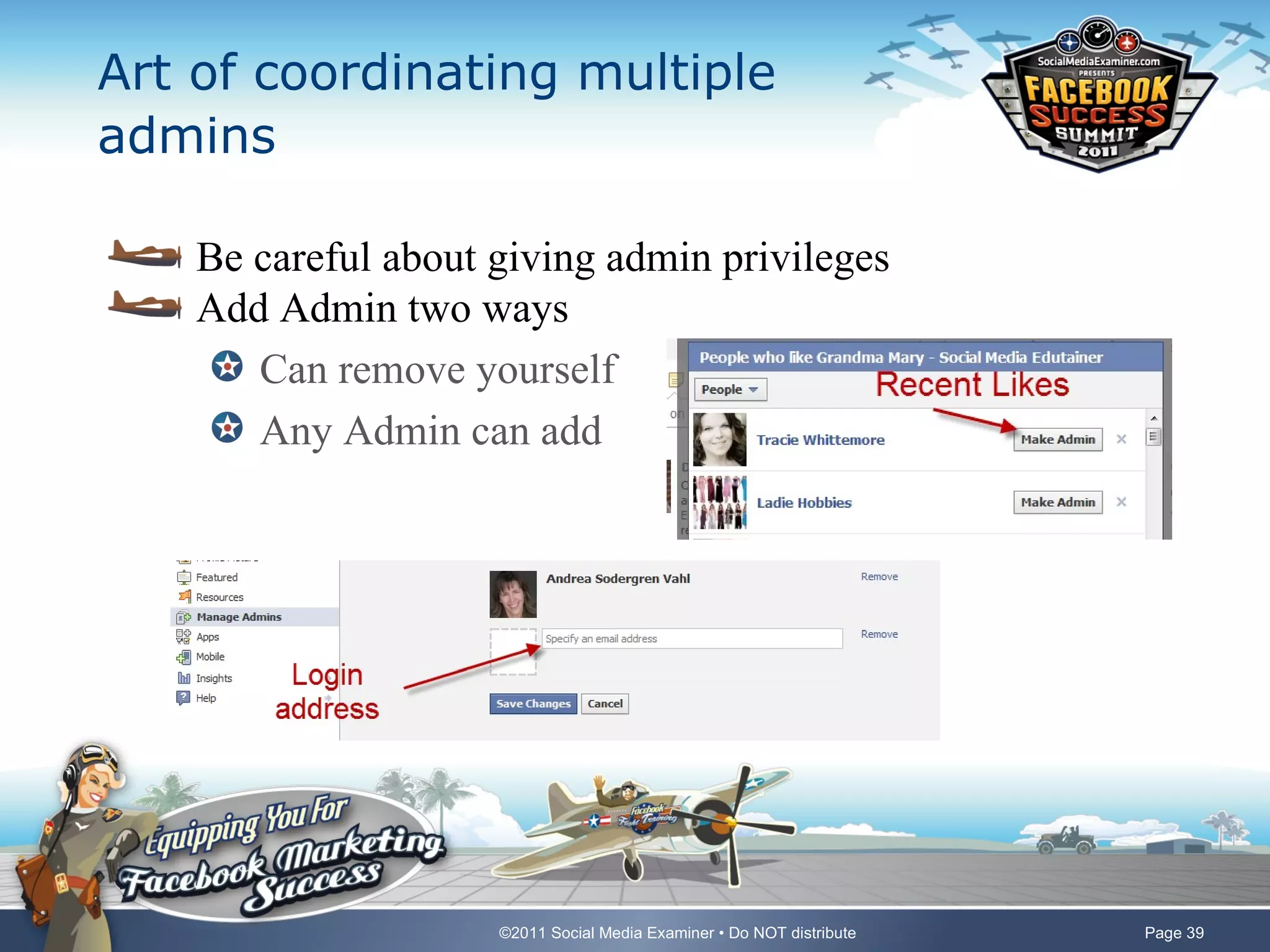
Art of coordinating multiple
admins

    Be careful about giving admin privileges
    Add Admin two ways
       Can remove yourself
       Any Admin can add


                     ©2011 Social Media Examiner • Do NOT distribute   Page 39
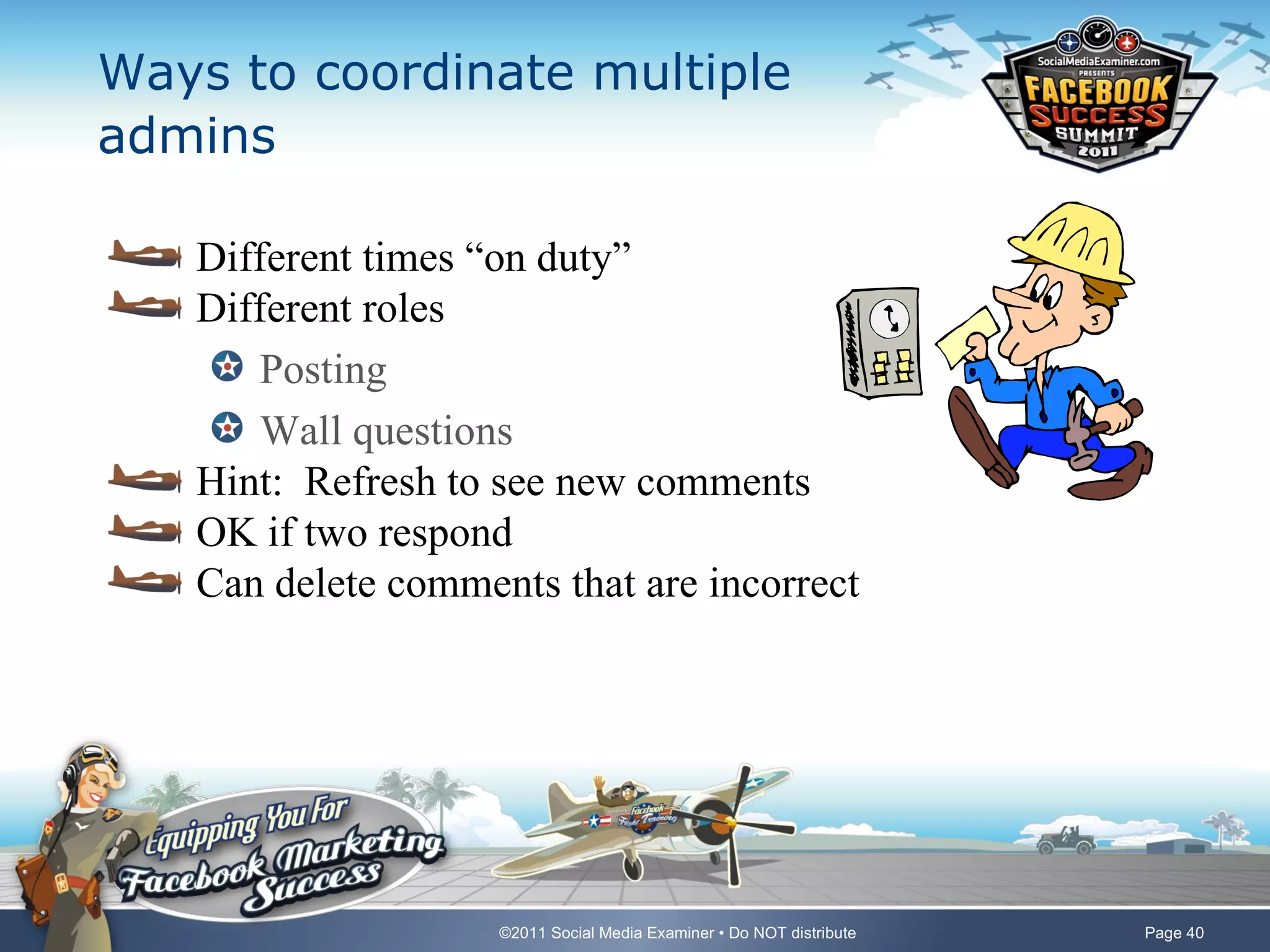
Ways to coordinate multiple
admins

   Different times “on duty”
   Different roles
      Posting
      Wall questions
   Hint: Refresh to see new comments
   OK if two respond
   Can delete comments that are incorrect


                    ©2011 Social Media Examiner • Do NOT distribute   Page 40
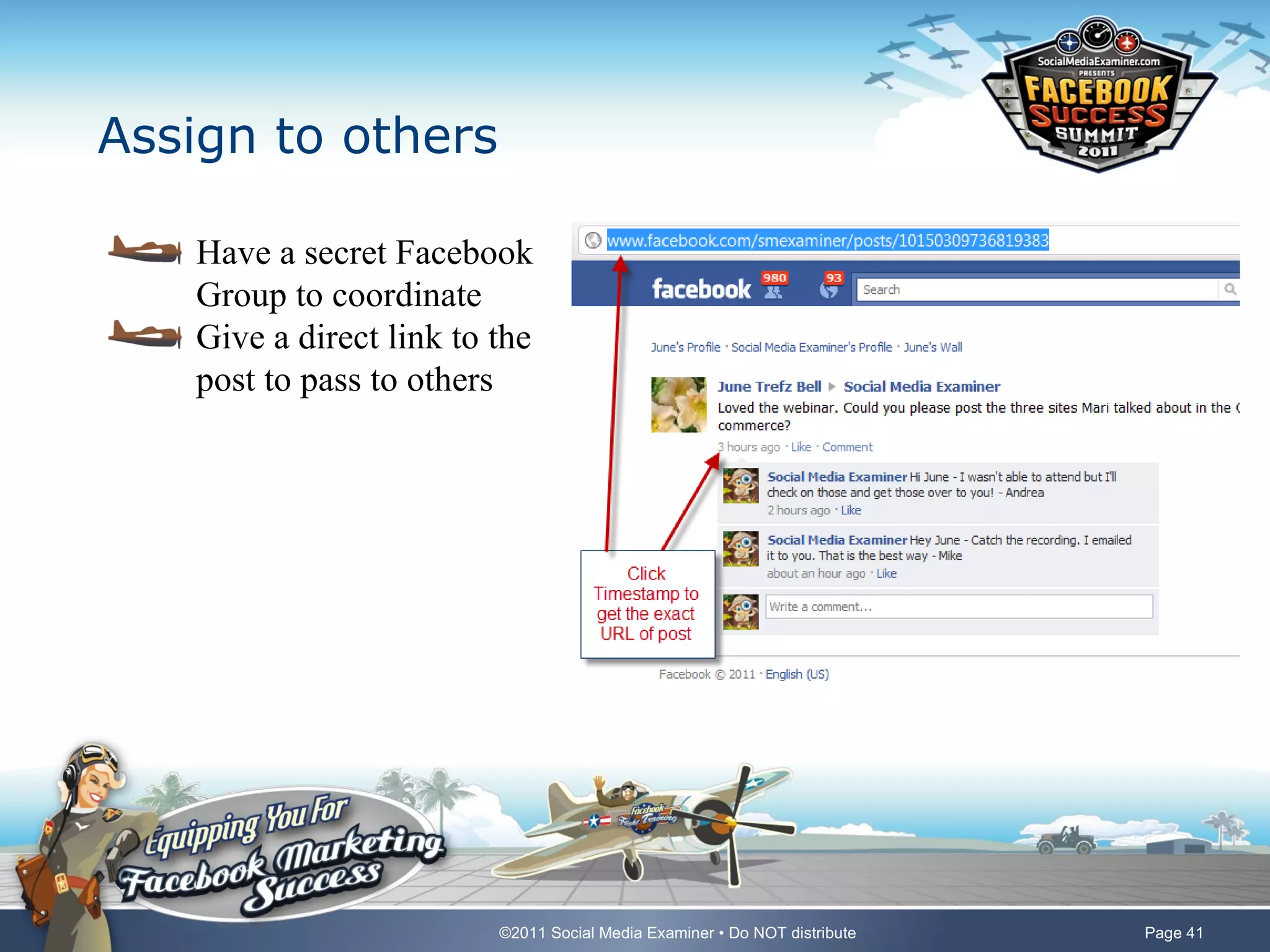
Assign to others

   Have a secret Facebook
   Group to coordinate
   Give a direct link to the
   post to pass to others


                         ©2011 Social Media Examiner • Do NOT distribute   Page 41
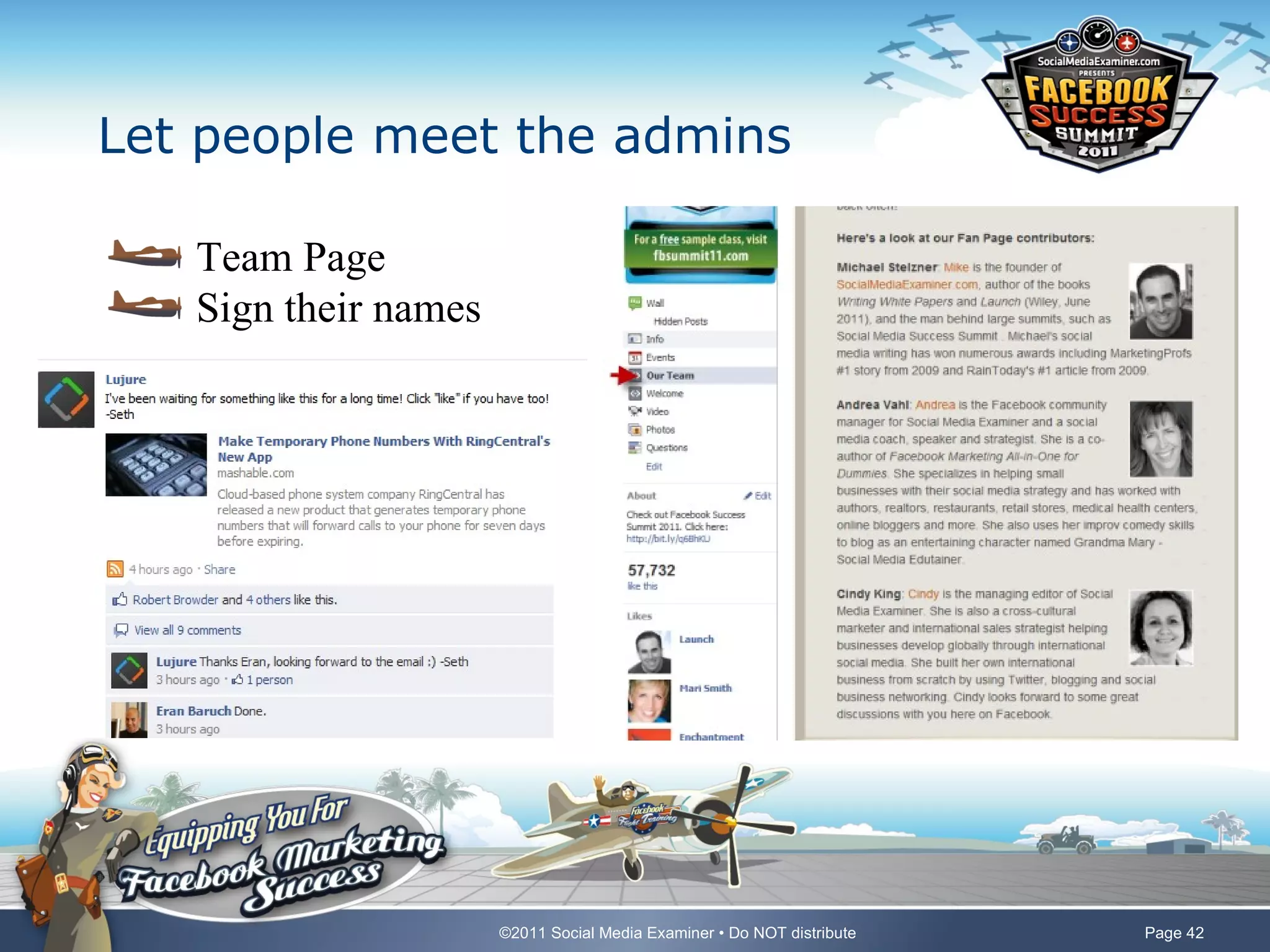
Let people meet the admins

   Team Page
   Sign their names


                      ©2011 Social Media Examiner • Do NOT distribute   Page 42
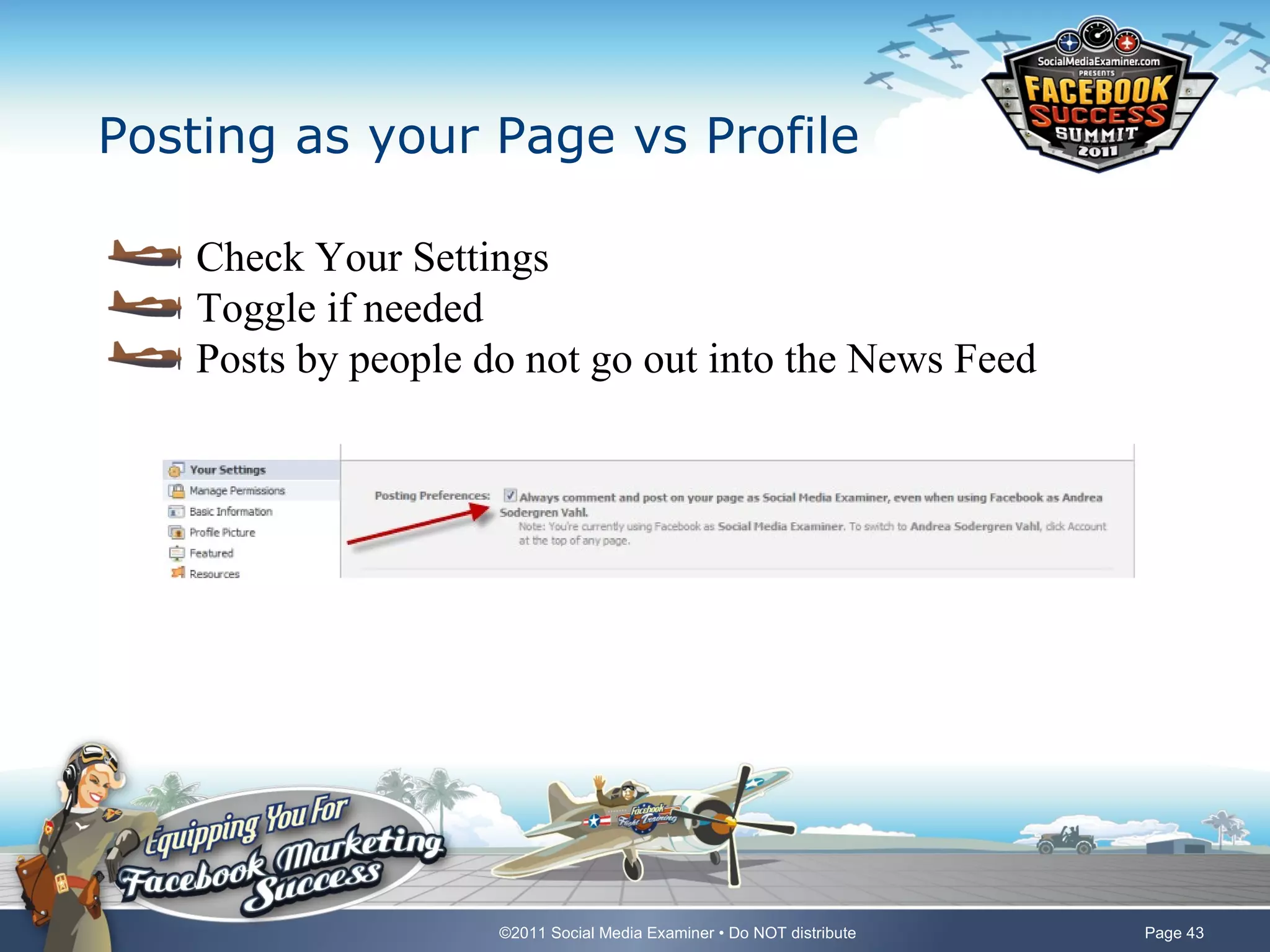
Posting as your Page vs Profile

    Check Your Settings
    Toggle if needed
    Posts by people do not go out into the News Feed


                     ©2011 Social Media Examiner • Do NOT distribute   Page 43
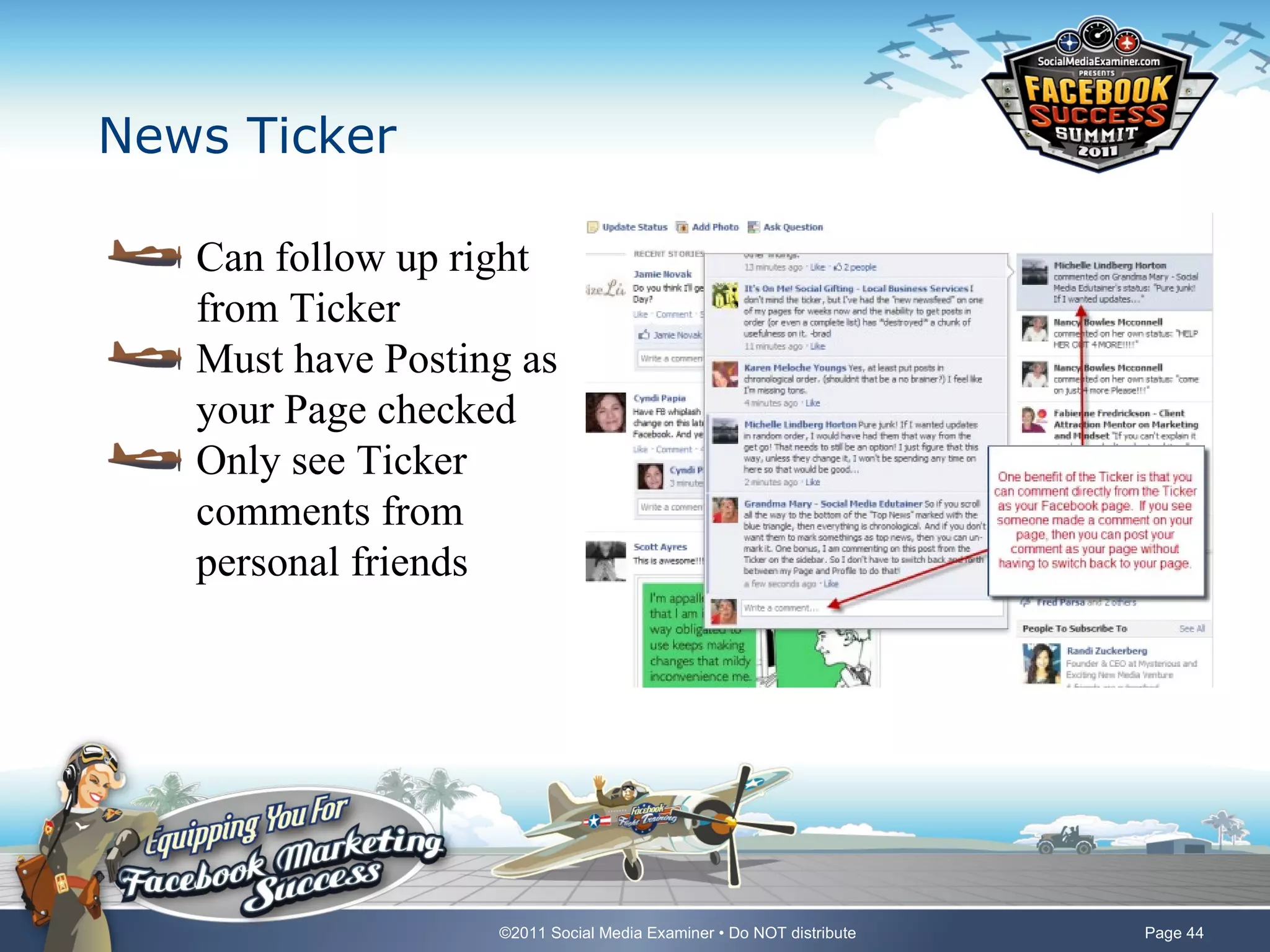
News Ticker

   Can follow up right
   from Ticker
   Must have Posting as
   your Page checked
   Only see Ticker
   comments from
   personal friends


                   ©2011 Social Media Examiner • Do NOT distribute   Page 44
Lastly a few more hot tips on
engagement

    Ask questions anyone can answer
    Make it personal
    Don’t be afraid to use your voice
    Watch and steal ideas
    Change it up
    Have fun!


                     ©2011 Social Media Examiner • Do NOT distribute   Page 45
Connect with me

   www.AndreaVahl.com
   Visit me on the Social Media Examiner Page:
   www.facebook.com/smexaminer
   Email andrea@andreavahl.com
   You can also connect with Grandma Mary – Social Media Edutainer
   at www.facebook.com/GrandmaMaryShow


                      ©2011 Social Media Examiner • Do NOT distribute   Page 46

How to Build and Manage a Thriving Facebook Community

  • 1.
    How to Buildand Manage a Thriving Facebook Community Presented By Andrea Vahl July 20, 2012 Design ©2011 Social Media Examiner • Content Copyrighted by Presenter
  • 2.
    What is aCommunity? A group of interacting people Shares a common interest or value Do things for each other Sense of belonging ©2011 Social Media Examiner • Do NOT distribute Page 2
  • 3.
    Why build Community? Facebook is not a broadcasting tool Most effective when conversation is flowing Better visibility Higher Edgerank More connection More fun! Know, Like, Trust factor ©2011 Social Media Examiner • Do NOT distribute Page 3
  • 4.
    Essentials to creatinga thriving community Be a resource Respond and engage Moderate Connect Measure ©2011 Social Media Examiner • Do NOT distribute Page 4
  • 5.
    Poll – Howmany Facebook Pages do you manage? One – my own company Page Several – all my own Pages One – manage for another company Several for other companies and some of my own None yet, still learning ©2011 Social Media Examiner • Do NOT distribute Page 5
  • 6.
    Be a resource- content Your own content Shared content ©2011 Social Media Examiner • Do NOT distribute Page 6
  • 7.
    Be a resource- questions Don’t have to have all the answers – just care Direct people to your blog or other resource Get ideas for blog posts from the questions ©2011 Social Media Examiner • Do NOT distribute Page 7
  • 8.
    Respond and engage Timely Helpful Don’t worry about negative comments Watch Hidden Posts Follow up within the thread Keep it fun ©2011 Social Media Examiner • Do NOT distribute Page 8
  • 9.
    Timely – getnotified E-mail notifications Hyper Alerts ©2011 Social Media Examiner • Do NOT distribute Page 9
  • 10.
    Negative comments Offer assistance – don’t delete Profanity filter Take it off line Direct message Give e-mail within thread Ban if necessary ©2011 Social Media Examiner • Do NOT distribute Page 10
  • 11.
    Hidden posts Check frequently Unhide and respond ©2011 Social Media Examiner • Do NOT distribute Page 11
  • 12.
    Follow up Watch the threads Notifications Create community ©2011 Social Media Examiner • Do NOT distribute Page 12
  • 13.
    Like your commenters Encourages new comments Let’s them know you saw their post ©2011 Social Media Examiner • Do NOT distribute Page 13
  • 14.
    Keep things fun! Social Mix it up ©2011 Social Media Examiner • Do NOT distribute Page 14
  • 15.
    Moderate Have a policy Separate tab Info tab ©2011 Social Media Examiner • Do NOT distribute Page 15
  • 16.
    Create a policytab Third party iFrame app HTML or image Involver Static HTML TabPress Wildfire Text or Template Shortstack Tabsite Lujure ©2011 Social Media Examiner • Do NOT distribute Page 16
  • 17.
    Delete spam Easier with policy Ban if necessary ©2011 Social Media Examiner • Do NOT distribute Page 17
  • 18.
    Watch for commentsmarked incorrectly Slightly darker color No one else sees them Typically link shares Unmark ©2011 Social Media Examiner • Do NOT distribute Page 18
  • 19.
    Connect Support others Fan of the week Highlight other Pages Encourage connection Tag - sparingly ©2011 Social Media Examiner • Do NOT distribute Page 19
  • 20.
    Connect – Fanof the week Hand select Fan of the week app ©2011 Social Media Examiner • Do NOT distribute Page 20
  • 21.
    Connect - Tag Complimentary Use the @ and start typing the name of the Page Tagging is “buggy” doesn’t always work Try toggling to your Personal profile No longer have to like Page as your Page to respond ©2011 Social Media Examiner • Do NOT distribute Page 21
  • 22.
    Connect - comment Like other Pages as your Page Log in as your Page Navigate to the Page to Like Like as your Page Watch your Home feed Comment and add value ©2011 Social Media Examiner • Do NOT distribute Page 22
  • 23.
    Connect - Comment ©2011 Social Media Examiner • Do NOT distribute Page 23
  • 24.
    People who comment,get comments Be active Schedule time – 5 minutes See the Pages who like your Page Notifications, See all Drop-down Pages ©2011 Social Media Examiner • Do NOT distribute Page 24
  • 25.
    Target complementary pages Start with your Page community Local Pages Watch other Pages’ Likes ©2011 Social Media Examiner • Do NOT distribute Page 25
  • 26.
    Find other Pagesto connect to ©2011 Social Media Examiner • Do NOT distribute Page 26
  • 27.
    Connect the community ©2011 Social Media Examiner • Do NOT distribute Page 27
  • 28.
    Measure Drill into insights Assess the health of the community Download stats ©2011 Social Media Examiner • Do NOT distribute Page 28
  • 29.
    7 Insights towatch Post Feedback/Post Virality (new!) Likes/Unlikes Page Activity/People Talking About This (new!) Demographics Like Sources Facebook Shares Edgerank ©2011 Social Media Examiner • Do NOT distribute Page 29
  • 30.
    Post feedback Number of Likes + Comments divided by Impressions Download and save 0.1% decent number ©2011 Social Media Examiner • Do NOT distribute Page 30
  • 31.
    Post Virality (new!) Go to www.Facebook.com/insights to get new stats ©2011 Social Media Examiner • Do NOT distribute Page 31
  • 32.
    Page activity Watch what is working What are they looking at? Hidden Mentions are still counted Had a Facebook tip, and helpful article ©2011 Social Media Examiner • Do NOT distribute Page 32
  • 33.
    People Talking aboutThis (new!) Trend is graphed Includes Likes, Shares, tags, comments, post, check-ins Event RSVPs and answering Questions. ©2011 Social Media Examiner • Do NOT distribute Page 33
  • 34.
    Demographics Watch trends Speak to your audience ©2011 Social Media Examiner • Do NOT distribute Page 34
  • 35.
    Like sources Stream - News Feed Suggestions - Facebook suggestions to users Requests - User to user suggestion Search - Facebook search bar at the top of the page User Profile Page - links from another users’ profile page Like Box - Like Box plugin ©2011 Social Media Examiner • Do NOT distribute Page 35
  • 36.
    Facebook shares Do more of what works Where your audience is Sharethis.com Wibiya Shareaholic ©2011 Social Media Examiner • Do NOT distribute Page 36
  • 37.
    Edgerank Algorithm for being seen on Facebook Edgerankchecker.com Post directly to Facebook to improve Edgerank ©2011 Social Media Examiner • Do NOT distribute Page 37
  • 38.
    Hot tip –avoid third party tools Posts collapsed in News Feed from third party tools Hootsuite Tweetdeck Twitter NetworkedBlogs PublishSync PostPlanner* PostPlanner has a custom White Label version that doesn’t collapse in the News Feed ©2011 Social Media Examiner • Do NOT distribute Page 38
  • 39.
    Art of coordinatingmultiple admins Be careful about giving admin privileges Add Admin two ways Can remove yourself Any Admin can add ©2011 Social Media Examiner • Do NOT distribute Page 39
  • 40.
    Ways to coordinatemultiple admins Different times “on duty” Different roles Posting Wall questions Hint: Refresh to see new comments OK if two respond Can delete comments that are incorrect ©2011 Social Media Examiner • Do NOT distribute Page 40
  • 41.
    Assign to others Have a secret Facebook Group to coordinate Give a direct link to the post to pass to others ©2011 Social Media Examiner • Do NOT distribute Page 41
  • 42.
    Let people meetthe admins Team Page Sign their names ©2011 Social Media Examiner • Do NOT distribute Page 42
  • 43.
    Posting as yourPage vs Profile Check Your Settings Toggle if needed Posts by people do not go out into the News Feed ©2011 Social Media Examiner • Do NOT distribute Page 43
  • 44.
    News Ticker Can follow up right from Ticker Must have Posting as your Page checked Only see Ticker comments from personal friends ©2011 Social Media Examiner • Do NOT distribute Page 44
  • 45.
    Lastly a fewmore hot tips on engagement Ask questions anyone can answer Make it personal Don’t be afraid to use your voice Watch and steal ideas Change it up Have fun! ©2011 Social Media Examiner • Do NOT distribute Page 45
  • 46.
    Connect with me www.AndreaVahl.com Visit me on the Social Media Examiner Page: www.facebook.com/smexaminer Email andrea@andreavahl.com You can also connect with Grandma Mary – Social Media Edutainer at www.facebook.com/GrandmaMaryShow ©2011 Social Media Examiner • Do NOT distribute Page 46