PREPARING FOR THE PARCC
Are you ready?
HAVE WE PREPARED OUR
STUDENTS?
 PARCC Field Pilot Sample
Assessment
 Sample test providing sample
questions , response types, and
resources
 PARCC Field Test Samples:
 (http://parcc.pearson.com/)
Grade 3-5 test , Grade 6-8 test,
and high school test Image courtesy of stockimages /
FreeDigitalPhotos.net
BASIC WAYS TO PREPARE
 Drag and drop
 Multiple Selection
 Typed Response
 Highlight
 Select
 Complete
 Create
 Enter
 Plot
 Show
 Explain
Give Assessments Online that include the following
types of questions and answers
Implement one online assessment a week
HOW DO I CREATE ASSESSMENTS ONLINE?
PARCC Practice Tests
http://parcc.pearson.com/practice-
tests/
Free online quiz creators
There are many different options to
choose from
Online Learning Management
Systems
Have built in online quiz/test creators
Time to use your device!
Go to www.schoology.com
If this is your first time to Schoology....
1.Click “Sign-up”
2.Click “Instructor”
3.Fill out your information
4.Click “Register”
5.Enter this access code HHMGQ-WDMBF
If you already have a Schoology account
Log in
1.Click “Courses” (at the top of the page)
2.At the bottom of the drop down menu click “Join”
3.Enter this access code HHMGQ-WDMBF
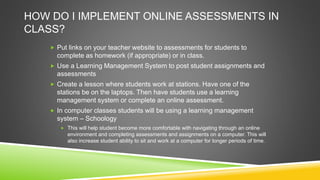
HOW DO I IMPLEMENT ONLINE ASSESSMENTS IN
CLASS?
 Put links on your teacher website to assessments for students to
complete as homework (if appropriate) or in class.
 Use a Learning Management System to post student assignments and
assessments
 Create a lesson where students work at stations. Have one of the
stations be on the laptops. Then have students use a learning
management system or complete an online assessment.
 In computer classes students will be using a learning management
system – Schoology
 This will help student become more comfortable with navigating through an online
environment and completing assessments and assignments on a computer. This will
also increase student ability to sit and work at a computer for longer periods of time.
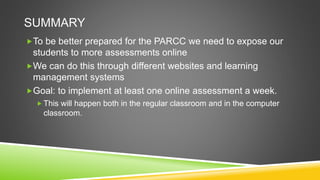
SUMMARY
To be better prepared for the PARCC we need to expose our
students to more assessments online
We can do this through different websites and learning
management systems
Goal: to implement at least one online assessment a week.
 This will happen both in the regular classroom and in the computer
classroom.
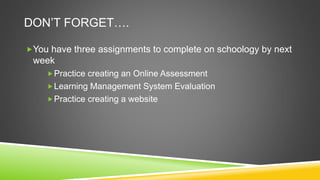
DON’T FORGET….
You have three assignments to complete on schoology by next
week
Practice creating an Online Assessment
Learning Management System Evaluation
Practice creating a website
HTTPS://WWW.SURVEYMONKEY.COM/S/PQW29GP
Please take a few minutes to fill out a survey about this
professional development
QUESTIONS?
CONTACT ME
Email
techycornelius@gmail.com
Or visit my website
http://corneliuscomputers.weebly.co
m

How do we prepare for the parcc

  • 1.
    PREPARING FOR THEPARCC Are you ready?
  • 2.
    HAVE WE PREPAREDOUR STUDENTS?  PARCC Field Pilot Sample Assessment  Sample test providing sample questions , response types, and resources  PARCC Field Test Samples:  (http://parcc.pearson.com/) Grade 3-5 test , Grade 6-8 test, and high school test Image courtesy of stockimages / FreeDigitalPhotos.net
  • 3.
    BASIC WAYS TOPREPARE  Drag and drop  Multiple Selection  Typed Response  Highlight  Select  Complete  Create  Enter  Plot  Show  Explain Give Assessments Online that include the following types of questions and answers Implement one online assessment a week
  • 4.
    HOW DO ICREATE ASSESSMENTS ONLINE? PARCC Practice Tests http://parcc.pearson.com/practice- tests/ Free online quiz creators There are many different options to choose from Online Learning Management Systems Have built in online quiz/test creators
  • 5.
    Time to useyour device! Go to www.schoology.com If this is your first time to Schoology.... 1.Click “Sign-up” 2.Click “Instructor” 3.Fill out your information 4.Click “Register” 5.Enter this access code HHMGQ-WDMBF If you already have a Schoology account Log in 1.Click “Courses” (at the top of the page) 2.At the bottom of the drop down menu click “Join” 3.Enter this access code HHMGQ-WDMBF
  • 6.
    HOW DO IIMPLEMENT ONLINE ASSESSMENTS IN CLASS?  Put links on your teacher website to assessments for students to complete as homework (if appropriate) or in class.  Use a Learning Management System to post student assignments and assessments  Create a lesson where students work at stations. Have one of the stations be on the laptops. Then have students use a learning management system or complete an online assessment.  In computer classes students will be using a learning management system – Schoology  This will help student become more comfortable with navigating through an online environment and completing assessments and assignments on a computer. This will also increase student ability to sit and work at a computer for longer periods of time.
  • 7.
    SUMMARY To be betterprepared for the PARCC we need to expose our students to more assessments online We can do this through different websites and learning management systems Goal: to implement at least one online assessment a week.  This will happen both in the regular classroom and in the computer classroom.
  • 8.
    DON’T FORGET…. You havethree assignments to complete on schoology by next week Practice creating an Online Assessment Learning Management System Evaluation Practice creating a website
  • 9.
    HTTPS://WWW.SURVEYMONKEY.COM/S/PQW29GP Please take afew minutes to fill out a survey about this professional development
  • 10.
    QUESTIONS? CONTACT ME Email techycornelius@gmail.com Or visitmy website http://corneliuscomputers.weebly.co m