HospitalityandGaming
Strategies for Constructing
Presentation Slides
Ed Nagelhout
Professor of Rhetoric and Writing
http://akashkaria.com/wp-content/uploads/2014/04/proximity.png
Preview
1. Keep It Simple
http://www.presentationzen.com/presentationzen/images/maeda_slide_1.jpg
1. Keep It Simple
2. Know Your Message
http://www.presentationzen.com/presentationzen/images/maeda_slide_1.jpg
Preview
1. Keep It Simple
2. Know Your Message
3. Present One Point Per Slide
http://www.presentationzen.com/presentationzen/images/maeda_slide_1.jpg
Preview
1. Keep It Simple
2. Know Your Message
3. Present One Point Per Slide
4. Repeat Important Information on
Multiple Levels and Multiple Slides
http://www.presentationzen.com/presentationzen/images/maeda_slide_1.jpg
Preview
1. Keep It Simple
2. Know Your Message
3. Present One Point Per Slide
4. Repeat Important Information on
Multiple Levels and Multiple Slides
5. Follow a Process
http://www.presentationzen.com/presentationzen/images/maeda_slide_1.jpg
Preview
http://www.debutideas.com/wp-content/themes/daily/images/index_zen.jpg
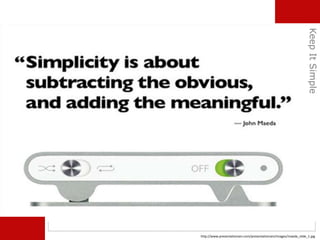
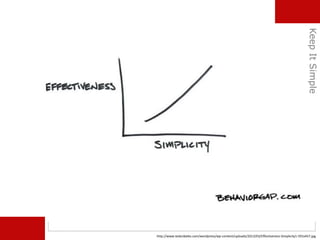
Keep It Simple
http://www.presentationzen.com/presentationzen/images/maeda_slide_1.jpg
KeepItSimple
http://www.tedxcibeles.com/wordpress/wp-content/uploads/2013/03/Effectiveness-Simplicity1-591x457.jpg
KeepItSimple
KeepItSimple
Stupid
http://www.debutideas.com/wp-content/themes/daily/images/index_zen.jpg
Know Your Message
KnowYourMessage
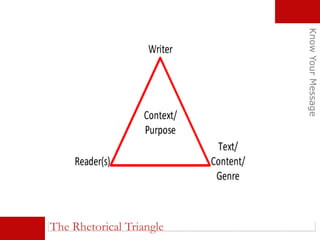
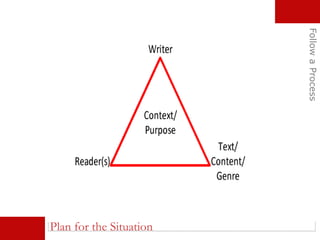
The Rhetorical Triangle
http://andytuttle.com/wp-content/uploads/2015/08/maze.jpg
Does your message match your expertise?
KnowYourMessage
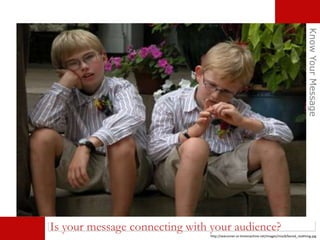
http://searunner.sv-timemachine.net/images/misc8/bored_realthing.jpg
Is your message connecting with your audience?
KnowYourMessage
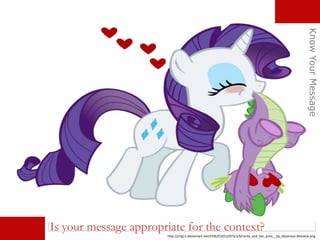
http://orig11.deviantart.net/4196/f/2012/073/3/b/rarity_and_her_prize__by_dlazerous-d4snetw.png
Is your message appropriate for the context?
KnowYourMessage
Is your message clear?
KnowYourMessage
http://orig09.deviantart.net/fe5e/f/2008/034/5/f/humor___motivational_poster_by_aoieemesai.jpg
http://www.debutideas.com/wp-content/themes/daily/images/index_zen.jpg
Present One Point Per Slide
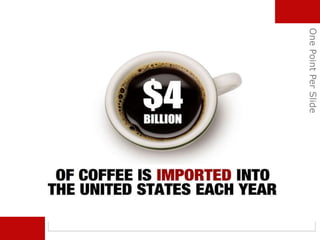
OnePointPerSlide
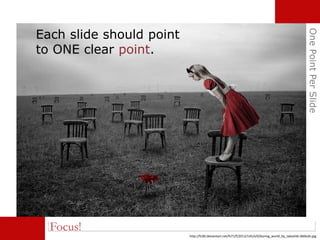
Focus!
Each slide should point
to ONE clear point.
http://fc00.deviantart.net/fs71/f/2013/145/e/0/boring_world_by_takashi6-d66kz6i.jpg
OnePointPerSlide
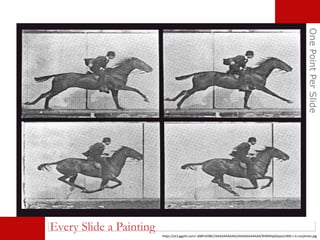
Every Slide a Painting
https://yt3.ggpht.com/-idi8PvE0BEI/AAAAAAAAAAI/AAAAAAAAAAA/RIWRHpkQspo/s900-c-k-no/photo.jpg
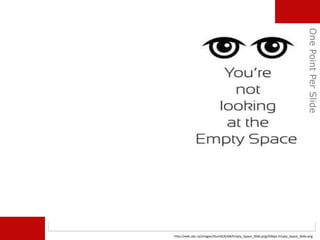
http://wiki.ubc.ca/images/thumb/6/68/Empty_Space_Slide.png/500px-Empty_Space_Slide.png
OnePointPerSlide
OnePointPerSlide
OnePointPerSlide
http://www.debutideas.com/wp-content/themes/daily/images/index_zen.jpg
Repeat Important Information on
Multiple Levels and Multiple Slides
RepeatImportantInfo
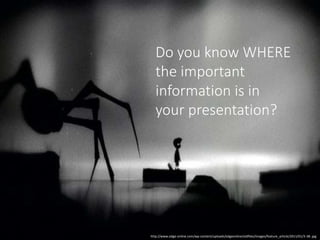
Do you know WHERE
the important
information is in
your presentation?
http://www.edge-online.com/wp-content/uploads/edgeonline/oldfiles/images/feature_article/2011/01/3-38-.jpg
RepeatImportantInfo
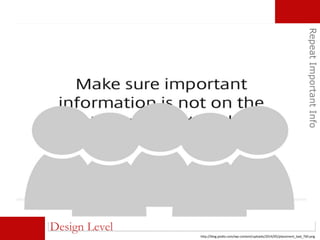
Design Level
http://blog.podio.com/wp-content/uploads/2014/05/placement_bad_760.png
RepeatImportantInfo
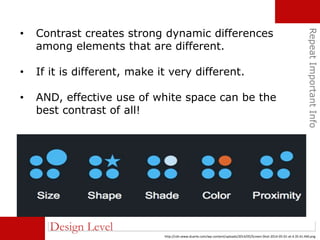
Design Level
• Contrast creates strong dynamic differences
among elements that are different.
• If it is different, make it very different.
• AND, effective use of white space can be the
best contrast of all!
http://cdn.www.duarte.com/wp-content/uploads/2014/05/Screen-Shot-2014-05-01-at-4.35.41-AM.png
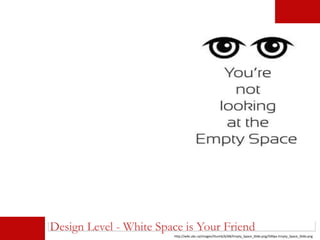
http://wiki.ubc.ca/images/thumb/6/68/Empty_Space_Slide.png/500px-Empty_Space_Slide.png
Design Level - White Space is Your Friend
RepeatImportantInfo
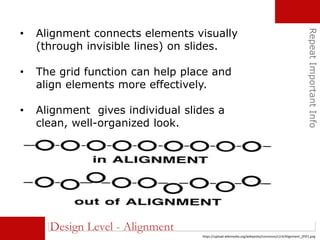
Design Level - Alignment
• Alignment connects elements visually
(through invisible lines) on slides.
• The grid function can help place and
align elements more effectively.
• Alignment gives individual slides a
clean, well-organized look.
https://upload.wikimedia.org/wikipedia/commons/c/c4/Alignment_(PSF).png
RepeatImportantInfo
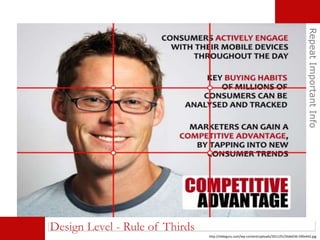
Design Level - Rule of Thirds
http://slideguru.com/wp-content/uploads/2011/01/Slide036-590x442.jpg
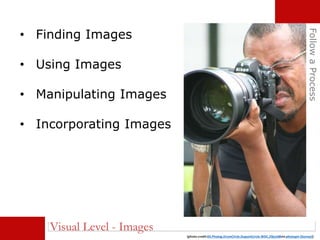
• Finding Images
• Using Images
• Manipulating Images
• Incorporating Images
FollowaProcess
(photo credit:03.Photog.DrumCircle.DupontCircle.WDC.29jun08via photopin (license))
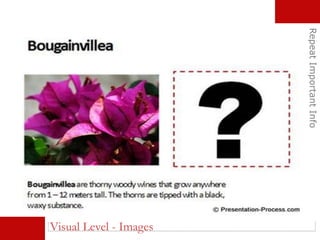
Visual Level - Images
RepeatImportantInfo
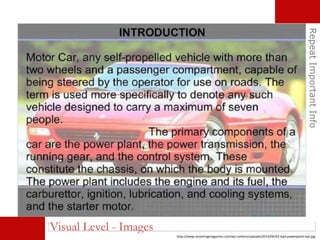
Visual Level - Images
http://www.smashingmagazine.com/wp-content/uploads/2014/06/02-bad-powerpoint-opt.jpg
RepeatImportantInfo
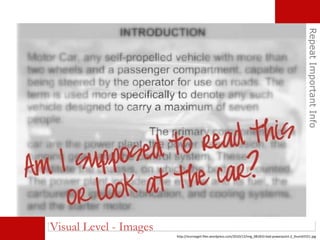
Visual Level - Images
http://murraygirl.files.wordpress.com/2010/12/img_081810-bad-powerpoint-2_thumb5551.jpg
RepeatImportantInfo
Visual Level - Images
RepeatImportantInfo
Visual Level - Images
RepeatImportantInfo
Visual Level - Videos
Tim Weninger: https://www.youtube.com/watch?v=hNENiG7LAnc
RepeatImportantInfo
Visual Level - Videos
https://www.youtube.com/watch?v=X78i13q-atk
RepeatImportantInfo
Visual Level - Videos and Audio
bradley landry https://vimeo.com/32570572Flogging Molly - Worst Day Since Yesterday - https://www.youtube.com/watch?v=sDSud7vAH_0
RepeatImportantInfo
Visual Level - Audio
Why am I here?
Stuart RankinDavid Bowie - Changes - https://www.youtube.com/watch?v=pl3vxEudif8
RepeatImportantInfo
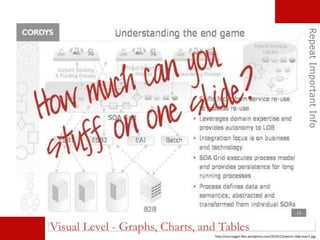
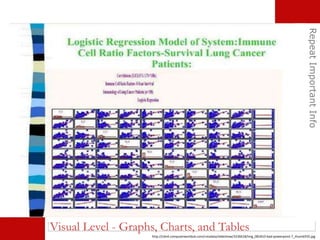
http://murraygirl.files.wordpress.com/2010/12/worst-slide-ever1.jpg
Visual Level - Graphs, Charts, and Tables
RepeatImportantInfo
http://cdn4.computerworlduk.com/cmsdata/slideshow/3236618/img_081810-bad-powerpoint-7_thumb555.jpg
Visual Level - Graphs, Charts, and Tables
RepeatImportantInfo
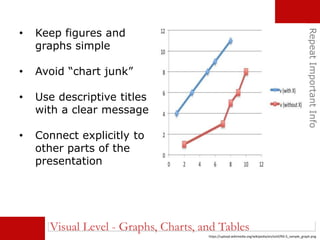
• Keep figures and
graphs simple
• Avoid “chart junk”
• Use descriptive titles
with a clear message
• Connect explicitly to
other parts of the
presentation
Visual Level - Graphs, Charts, and Tables
https://upload.wikimedia.org/wikipedia/en/e/ef/RD-S_sample_graph.png
RepeatImportantInfo
Visual Level - Graphs, Charts, and Tables
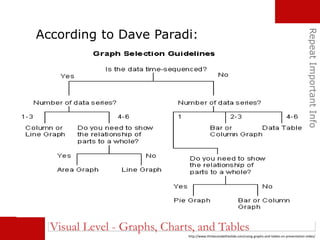
According to Dave Paradi:
http://www.thinkoutsidetheslide.com/using-graphs-and-tables-on-presentation-slides/
RepeatImportantInfo
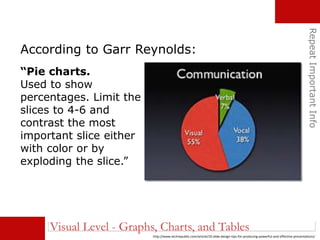
According to Garr Reynolds:
http://www.techrepublic.com/article/10-slide-design-tips-for-producing-powerful-and-effective-presentations/
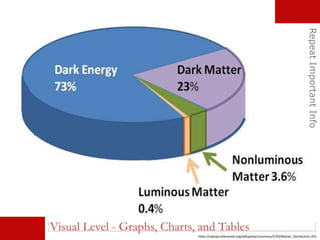
“Pie charts.
Used to show
percentages. Limit the
slices to 4-6 and
contrast the most
important slice either
with color or by
exploding the slice.”
Visual Level - Graphs, Charts, and Tables
RepeatImportantInfo
https://upload.wikimedia.org/wikipedia/commons/5/50/Matter_Distribution.JPG
Visual Level - Graphs, Charts, and Tables
RepeatImportantInfo
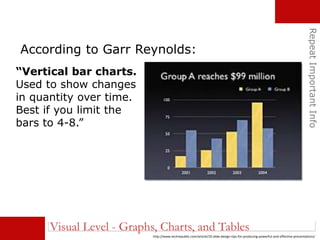
According to Garr Reynolds:
http://www.techrepublic.com/article/10-slide-design-tips-for-producing-powerful-and-effective-presentations/
“Vertical bar charts.
Used to show changes
in quantity over time.
Best if you limit the
bars to 4-8.”
Visual Level - Graphs, Charts, and Tables
RepeatImportantInfo
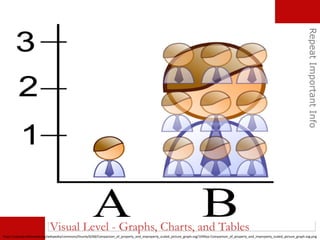
https://upload.wikimedia.org/wikipedia/commons/thumb/6/68/Comparison_of_properly_and_improperly_scaled_picture_graph.svg/1049px-Comparison_of_properly_and_improperly_scaled_picture_graph.svg.png
Visual Level - Graphs, Charts, and Tables
RepeatImportantInfo
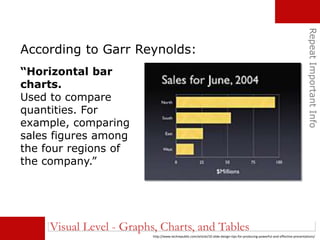
According to Garr Reynolds:
http://www.techrepublic.com/article/10-slide-design-tips-for-producing-powerful-and-effective-presentations/
“Horizontal bar
charts.
Used to compare
quantities. For
example, comparing
sales figures among
the four regions of
the company.”
Visual Level - Graphs, Charts, and Tables
RepeatImportantInfo
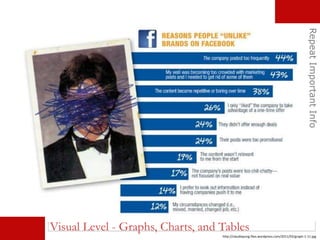
http://claudiayung.files.wordpress.com/2011/02/graph-1-11.jpg
Visual Level - Graphs, Charts, and Tables
RepeatImportantInfo
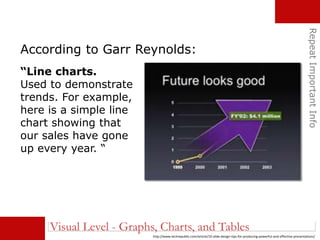
According to Garr Reynolds:
http://www.techrepublic.com/article/10-slide-design-tips-for-producing-powerful-and-effective-presentations/
“Line charts.
Used to demonstrate
trends. For example,
here is a simple line
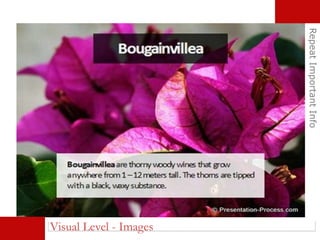
chart showing that
our sales have gone
up every year. “
Visual Level - Graphs, Charts, and Tables
RepeatImportantInfo
Visual Level - Graphs, Charts, and Tables
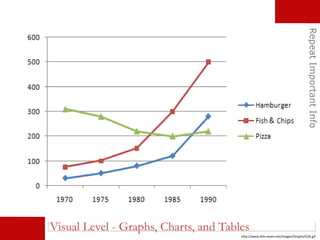
http://www.ielts-exam.net/images/Graphs/G36.gif
RepeatImportantInfo
According to Garr Reynolds:
http://www.techrepublic.com/article/10-slide-design-tips-for-producing-powerful-and-effective-presentations/
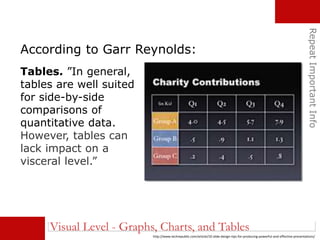
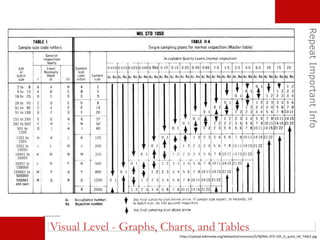
Tables. ”In general,
tables are well suited
for side-by-side
comparisons of
quantitative data.
However, tables can
lack impact on a
visceral level.”
Visual Level - Graphs, Charts, and Tables
RepeatImportantInfo
https://upload.wikimedia.org/wikipedia/commons/5/58/MIL-STD-105_D_quick_ref_TABLE.jpg
Visual Level - Graphs, Charts, and Tables
RepeatImportantInfo
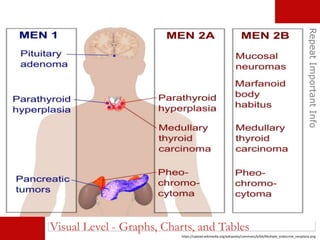
https://upload.wikimedia.org/wikipedia/commons/b/bb/Multiple_endocrine_neoplasia.png
Visual Level - Graphs, Charts, and Tables
RepeatImportantInfo
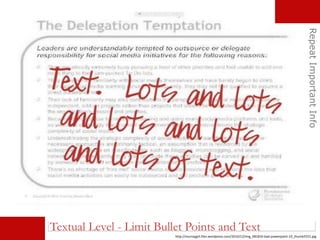
Textual Level - Limit Bullet Points and Text
http://murraygirl.files.wordpress.com/2010/12/img_081810-bad-powerpoint-10_thumb5551.jpg
RepeatImportantInfo
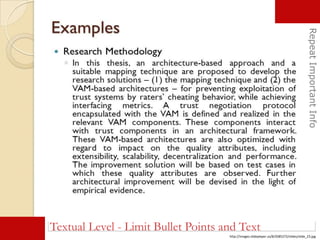
Textual Level - Limit Bullet Points and Text
http://images.slideplayer.us/8/2085272/slides/slide_23.jpg
RepeatImportantInfo
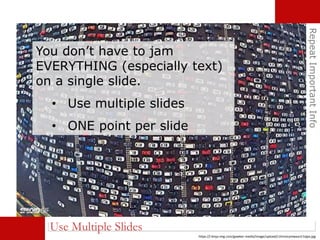
Use Multiple Slides
You don’t have to jam
EVERYTHING (especially text)
on a single slide.
• Use multiple slides
• ONE point per slide
https://i.kinja-img.com/gawker-media/image/upload/c1hmocyrewazctr1qlps.jpg
http://www.debutideas.com/wp-content/themes/daily/images/index_zen.jpg
Follow a Process
FollowaProcess
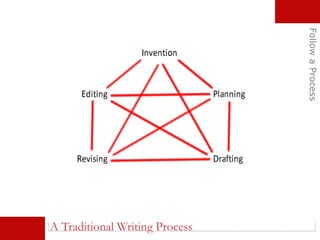
A Traditional Writing Process
Plan for the Situation
FollowaProcess
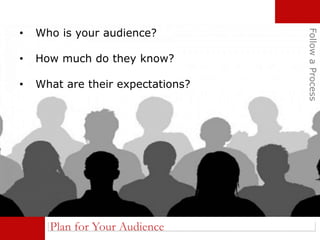
Plan for Your Audience
FollowaProcess
• Who is your audience?
• How much do they know?
• What are their expectations?
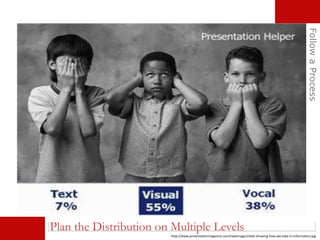
Plan the Distribution on Multiple Levels
FollowaProcess
http://www.presentationmagazine.com/newimages/slide-showing-how-we-take-in-information.jpg
Plan the Theme
FollowaProcess
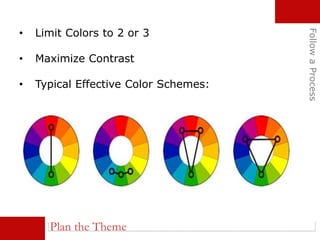
• Limit Colors to 2 or 3
• Maximize Contrast
• Typical Effective Color Schemes:
Plan the Theme
FollowaProcess
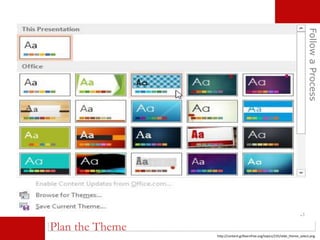
http://content.gcflearnfree.org/topics/235/slide_theme_select.png
Plan the Theme
FollowaProcess
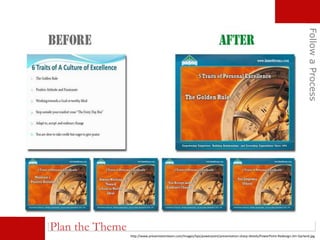
http://www.presentationteam.com/images/tips/powerpoint/presentation-sharp-details/PowerPoint-Redesign-Jim-Garland.jpg
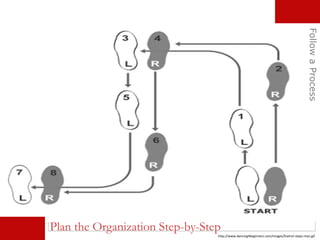
Plan the Organization Step-by-Step
FollowaProcess
http://www.dancing4beginners.com/images/foxtrot-steps-man.gif
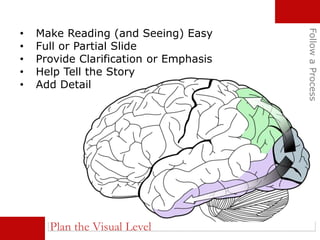
Plan the Visual Level
• Make Reading (and Seeing) Easy
• Full or Partial Slide
• Provide Clarification or Emphasis
• Help Tell the Story
• Add Detail
FollowaProcess
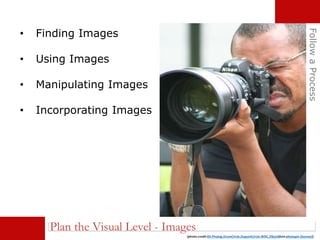
• Finding Images
• Using Images
• Manipulating Images
• Incorporating Images
FollowaProcess
(photo credit:03.Photog.DrumCircle.DupontCircle.WDC.29jun08via photopin (license))
Plan the Visual Level - Images
FollowaProcess
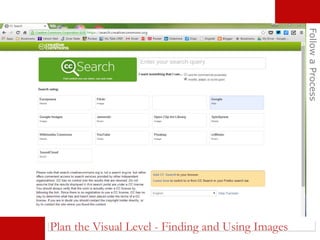
Plan the Visual Level - Finding and Using Images
FollowaProcess
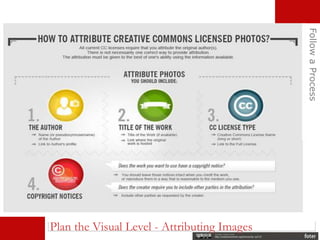
Plan the Visual Level - Attributing Images
FollowaProcess
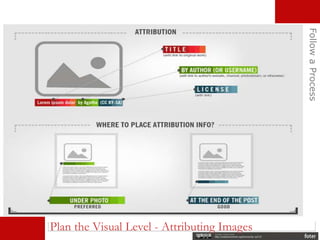
Plan the Visual Level - Attributing Images
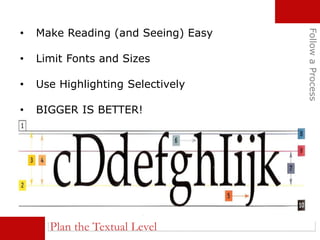
Plan the Textual Level
• Make Reading (and Seeing) Easy
• Limit Fonts and Sizes
• Use Highlighting Selectively
• BIGGER IS BETTER!
FollowaProcess
FollowaProcess
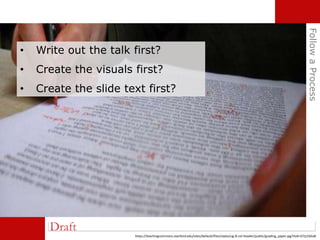
Draft
https://teachingcommons.stanford.edu/sites/default/files/styles/ug-8-col-header/public/grading_paper.jpg?itok=D7p1GKaB
• Write out the talk first?
• Create the visuals first?
• Create the slide text first?
FollowaProcess
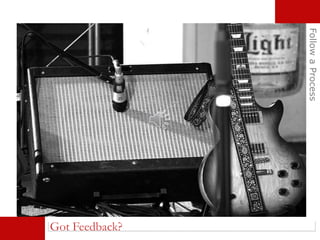
Got Feedback?
FollowaProcess
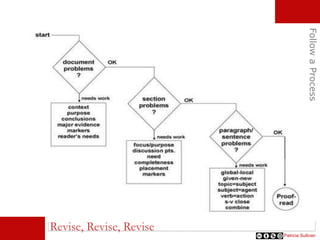
Revise, Revise, Revise
Patricia Sullivan
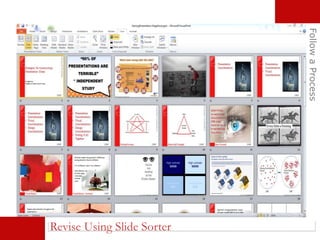
Revise Using Slide Sorter
FollowaProcess
FollowaProcess
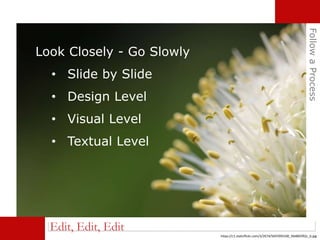
Edit, Edit, Edit
Look Closely - Go Slowly
• Slide by Slide
• Design Level
• Visual Level
• Textual Level
https://c1.staticflickr.com/3/2674/5697093100_94d865f92c_b.jpg
Top Ten Slide Tips - Garr Reynolds
http://www.garrreynolds.com/preso-tips/design/
10 Before and After Slide Examples
http://www.slideshare.net/adamnoar/10-before-and-after-
slides-slideshare
HospitalityandGaming
For More Information
PPT Tutorials on Lynda.com
https://oit.unlv.edu/lynda
Use your UNLV ACE Account to log in
If you have any questions/comments/
insights, please contact me by email:
ed.nagelhout@unlv.edu
For a copy of the slides, see
Thinking with Crash:
http://ednagelhout.blogspot.com/
HospitalityandGaming

Hospitality presentation nagelhout