SYNCHRONOS 
HOME AUTOMATION
WELCOME TO HOME 
AUTOMATION EXPERIENCE 
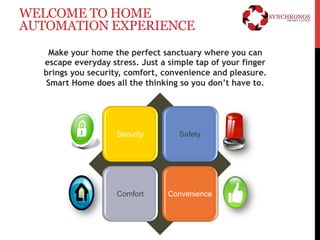
Make your home the perfect sanctuary where you can 
escape everyday stress. Just a simple tap of your finger 
brings you security, comfort, convenience and pleasure. 
Smart Home does all the thinking so you don’t have to. 
Security Safety 
Comfort Convenience
SECURITY 
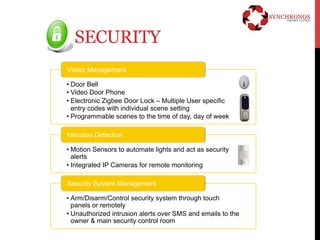
Visitor Management 
• Door Bell 
• Video Door Phone 
• Electronic Zigbee Door Lock – Multiple User specific 
entry codes with individual scene setting 
• Programmable scenes to the time of day, day of week 
Intrusion Detection 
• Motion Sensors to automate lights and act as security 
alerts 
• Integrated IP Cameras for remote monitoring 
Security System Management 
• Arm/Disarm/Control security system through touch 
panels or remotely 
• Unauthorized intrusion alerts over SMS and emails to the 
owner & main security control room
SAFETY 
Gas 
• LPG gas leak detection. 
• Auto gas shut off. 
Fire 
• Smoke detection. 
Emergency 
• Panic Button & alert.
COMFORT 
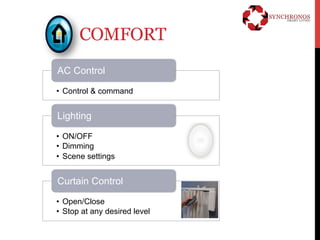
AC Control 
• Control & command 
Lighting 
• ON/OFF 
• Dimming 
• Scene settings 
Curtain Control 
• Open/Close 
• Stop at any desired level
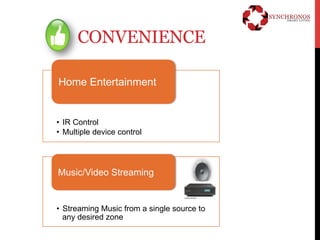
CONVENIENCE 
Home Entertainment 
• IR Control 
• Multiple device control 
Music/Video Streaming 
• Streaming Music from a single source to 
any desired zone
VISITOR MANAGEMENT 
The Owner ensures that only authorized or known 
persons enter the House. Any attempt to break in 
will set off alerts thereby preventing unauthorized 
intrusion 
Devices Used User Experience 
Video Door Station • Owner can hear the door bell on the touch panel. 
The visitor at the door can be seen on the touch 
panel screen and the Owner can speak with the 
visitor prior to granting access. 
• Owner can remotely open the door from the touch 
panel or remote control unit 
• If the door lock is tampered with or if number of 
attempts to unlock the door exceed the 
predefined number, then alerts can be sent to the 
security control room or Owner by way of SMS and 
Email 
Touch Panel 
Door Lock
VIDEO MANAGEMENT 
Streaming of Video to the various zones (rooms) within the 
Suite from various media devices are possible 
Devices Used User Experience 
Media Devices : NAS 
contents, Set Top 
Box channels, DVD / 
Blue Ray Player. 
• It is possible to stream video to various rooms from a 
single source on the network. The content on the TV 
can be seamlessly changed by a single touch from UI. 
For eg: Channels/Movies can be browsed and can be 
selected from the app rather than selecting the 
channel by numbers. 
• Video can be played in the particular room from the 
touch panel or the universal remote or by setting 
different scenes such as – movie scene. 
• Single touch can change the content on the TV from 
the Satellite TV to the movie on the network or the 
blue ray content 
Touch Panel, Remote 
Control Unit
AUDIO MANAGEMENT 
Streaming of Audio to the various zones (rooms) within the 
House from various media devices are also possible 
Devices Used User Experience 
Media Devices 
• It is possible to stream audio in various rooms from a 
single source on the network. The same music can be 
carried or distributed to other rooms. OR different 
music can be played in different areas. 
• Audio from the various sources such as Media Player, I 
Pod, & Blue Ray disc player can be managed from a 
single touch panel or UI 
• Zone amplifiers or the regular amplifier/receiver 
speakers shall be used for this use case. 
Touch Panel, Remote 
Control Unit 
Amplifiers & 
Speakers
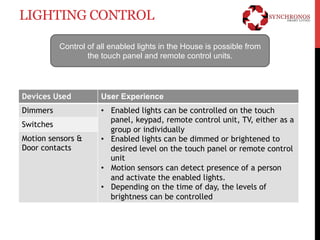
LIGHTING CONTROL 
Control of all enabled lights in the House is possible from 
the touch panel and remote control units. 
Devices Used User Experience 
Dimmers • Enabled lights can be controlled on the touch 
panel, keypad, remote control unit, TV, either as a 
group or individually 
• Enabled lights can be dimmed or brightened to 
desired level on the touch panel or remote control 
unit 
• Motion sensors can detect presence of a person 
and activate the enabled lights. 
• Depending on the time of day, the levels of 
brightness can be controlled 
Switches 
Motion sensors & 
Door contacts
SCENE COMBINING FUNCTIONS 
SYNCHRONOS solutions capability is demonstrated by the scene setting 
feature. It allows different home systems, like lighting, music, door locks, etc. 
to be controlled together thorough the touch of one button. Some examples 
of scene setting are described below 
Devices Used User Experience 
Touch Panel • Scene 1 – Welcome Mode - All lights ON, or have 
some of them come on at predetermined times to 
provide appearance of occupancy, AC is switched 
ON, Music turns ON along with the Shades Opening 
to welcome. 
• Scene 2- Goodnight Mode - Turns off all lights in 
the House & selectively dims a few lights. Motion 
sensor is enabled. There is also a corresponding 
wake up mode, where the TV or music, heating and 
lights can turn on at a predefined time of day. 
Any Device/UI
No. 1115, 1st Floor, 26th B Main, 41st Cross, Jayanagar 9th Block, Bangalore – 560 069 
P: +91 80 4168 0001 P: +91 80 5080 3000 M: +91 98 8087 3000 
E: info@synchronos.in W: www.synchronos.in

Home Automation - SYNCHRONOS

  • 1.
  • 2.
    WELCOME TO HOME AUTOMATION EXPERIENCE Make your home the perfect sanctuary where you can escape everyday stress. Just a simple tap of your finger brings you security, comfort, convenience and pleasure. Smart Home does all the thinking so you don’t have to. Security Safety Comfort Convenience
  • 3.
    SECURITY Visitor Management • Door Bell • Video Door Phone • Electronic Zigbee Door Lock – Multiple User specific entry codes with individual scene setting • Programmable scenes to the time of day, day of week Intrusion Detection • Motion Sensors to automate lights and act as security alerts • Integrated IP Cameras for remote monitoring Security System Management • Arm/Disarm/Control security system through touch panels or remotely • Unauthorized intrusion alerts over SMS and emails to the owner & main security control room
  • 4.
    SAFETY Gas •LPG gas leak detection. • Auto gas shut off. Fire • Smoke detection. Emergency • Panic Button & alert.
  • 5.
    COMFORT AC Control • Control & command Lighting • ON/OFF • Dimming • Scene settings Curtain Control • Open/Close • Stop at any desired level
  • 6.
    CONVENIENCE Home Entertainment • IR Control • Multiple device control Music/Video Streaming • Streaming Music from a single source to any desired zone
  • 7.
    VISITOR MANAGEMENT TheOwner ensures that only authorized or known persons enter the House. Any attempt to break in will set off alerts thereby preventing unauthorized intrusion Devices Used User Experience Video Door Station • Owner can hear the door bell on the touch panel. The visitor at the door can be seen on the touch panel screen and the Owner can speak with the visitor prior to granting access. • Owner can remotely open the door from the touch panel or remote control unit • If the door lock is tampered with or if number of attempts to unlock the door exceed the predefined number, then alerts can be sent to the security control room or Owner by way of SMS and Email Touch Panel Door Lock
  • 8.
    VIDEO MANAGEMENT Streamingof Video to the various zones (rooms) within the Suite from various media devices are possible Devices Used User Experience Media Devices : NAS contents, Set Top Box channels, DVD / Blue Ray Player. • It is possible to stream video to various rooms from a single source on the network. The content on the TV can be seamlessly changed by a single touch from UI. For eg: Channels/Movies can be browsed and can be selected from the app rather than selecting the channel by numbers. • Video can be played in the particular room from the touch panel or the universal remote or by setting different scenes such as – movie scene. • Single touch can change the content on the TV from the Satellite TV to the movie on the network or the blue ray content Touch Panel, Remote Control Unit
  • 9.
    AUDIO MANAGEMENT Streamingof Audio to the various zones (rooms) within the House from various media devices are also possible Devices Used User Experience Media Devices • It is possible to stream audio in various rooms from a single source on the network. The same music can be carried or distributed to other rooms. OR different music can be played in different areas. • Audio from the various sources such as Media Player, I Pod, & Blue Ray disc player can be managed from a single touch panel or UI • Zone amplifiers or the regular amplifier/receiver speakers shall be used for this use case. Touch Panel, Remote Control Unit Amplifiers & Speakers
  • 10.
    LIGHTING CONTROL Controlof all enabled lights in the House is possible from the touch panel and remote control units. Devices Used User Experience Dimmers • Enabled lights can be controlled on the touch panel, keypad, remote control unit, TV, either as a group or individually • Enabled lights can be dimmed or brightened to desired level on the touch panel or remote control unit • Motion sensors can detect presence of a person and activate the enabled lights. • Depending on the time of day, the levels of brightness can be controlled Switches Motion sensors & Door contacts
  • 11.
    SCENE COMBINING FUNCTIONS SYNCHRONOS solutions capability is demonstrated by the scene setting feature. It allows different home systems, like lighting, music, door locks, etc. to be controlled together thorough the touch of one button. Some examples of scene setting are described below Devices Used User Experience Touch Panel • Scene 1 – Welcome Mode - All lights ON, or have some of them come on at predetermined times to provide appearance of occupancy, AC is switched ON, Music turns ON along with the Shades Opening to welcome. • Scene 2- Goodnight Mode - Turns off all lights in the House & selectively dims a few lights. Motion sensor is enabled. There is also a corresponding wake up mode, where the TV or music, heating and lights can turn on at a predefined time of day. Any Device/UI
  • 12.
    No. 1115, 1stFloor, 26th B Main, 41st Cross, Jayanagar 9th Block, Bangalore – 560 069 P: +91 80 4168 0001 P: +91 80 5080 3000 M: +91 98 8087 3000 E: info@synchronos.in W: www.synchronos.in

Editor's Notes

  • #8 Visitor Management Features: Also known as access control provides Security and safety - Creates a safe and secure environment for the home and community
  • #9 Facilitates an enhanced lifestyle and the luxury of convenience by offering a personalized home experience
  • #10 Facilitates an enhanced lifestyle and the luxury of convenience by offering a personalized home experience
  • #11 Lighting Control enables environmental sustainability andgreen awareness as well as facilitates an enhanced lifestyle and the luxury of convenience by offering a personalized home experience.
  • #12 Cisco Smart+Connected Home Facilitates an enhanced lifestyle and the luxury of convenience by offering a personalized home experience and future allows new end devices,applications and services to be easily added as they become available.