High Performance Infrastructure
David Mytton

Woop Japan!
Server Density Infrastructure

•150 servers
Server Density Infrastructure

•150 servers

• June 2009 - 4yrs
Server Density Infrastructure

•150 servers

• June 2009 - 4yrs

•MySQL -> MongoDB
Server Density Infrastructure

•150 servers

• June 2009 - 4yrs

•MySQL -> MongoDB

•25TB data per month
Performance

• Fast network

Picture is unrelated! Mmm, ice cream.
Performance

• Fast network
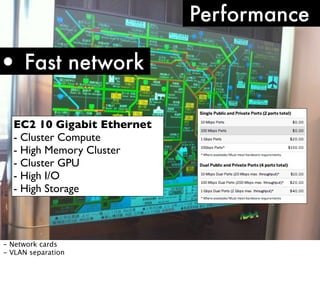
EC2 10 Gigabit Ethernet
- Cluster Compute
- High Memory Cluster
- Cluster GPU
- High I/O
- High Storage

- Network cards
- VLAN separation
Performance

• Fast network
Workload: Read/Write?
What is being stored?
Result set size
- Read / write: adds to replication oplog
- Images? Web pages? Tiny documents?
- What is being returned? Optimised to return certain fields?
Performance

• Fast network
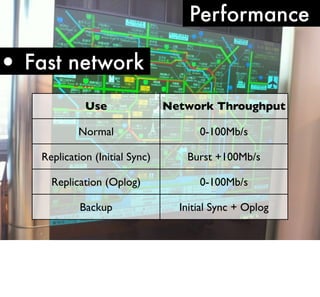
Use

Network Throughput

Normal

0-100Mb/s

Replication (Initial Sync)

Burst +100Mb/s

Replication (Oplog)

0-100Mb/s

Backup

Initial Sync + Oplog
Performance

• Fast network
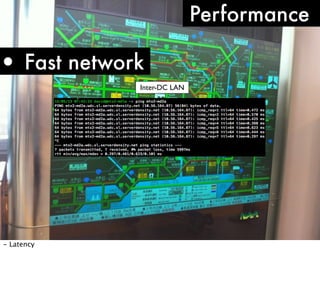
Inter-DC LAN

- Latency
Performance

• Fast network
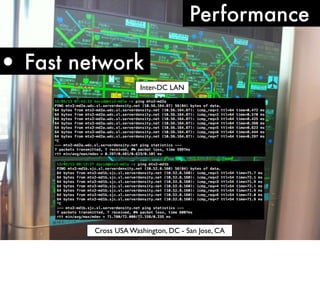
Inter-DC LAN

Cross USA Washington, DC - San Jose, CA
Performance

• Fast network
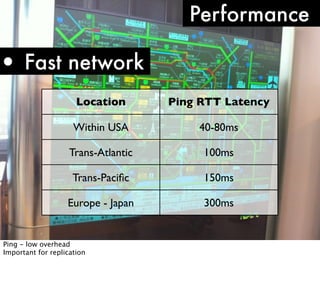
Location

Ping RTT Latency

Within USA

40-80ms

Trans-Atlantic

100ms

Trans-Pacific

150ms

Europe - Japan

300ms

Ping - low overhead
Important for replication
•Replication

Failover
Failover

•Replication
•Master/slave

- One master accepts all writes
- Many slaves staying up to date with master
- Can read from slaves
Failover

•Replication
•Master/slave
•Min 3 nodes

Minimum of 3 nodes to form a majority in case one goes down.
All store data.
Odd number otherwise != majority
Arbiter
Failover

•Replication
•Master/slave
•Min 3 nodes
•Automatic failover
Drivers handle automatic failover. First query after a failure will fail which will trigger a
reconnect. Need to handle retries
Performance

•Replication lag
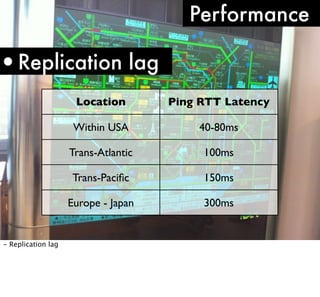
Location
Within USA

40-80ms

Trans-Atlantic

100ms

Trans-Pacific

150ms

Europe - Japan

- Replication lag

Ping RTT Latency

300ms
Replication Lag

1. Reads: eventual consistency
Replication Lag

1. Reads: eventual consistency

2. Failover: slave behind
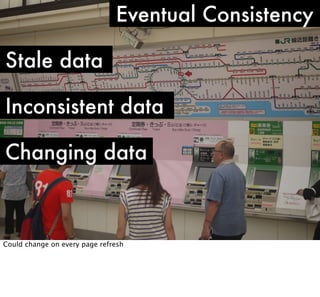
Eventual Consistency
Stale data

Not what the user submitted?
Eventual Consistency
Stale data
Inconsistent data

Doesn’t reflect the truth
Eventual Consistency
Stale data
Inconsistent data
Changing data

Could change on every page refresh
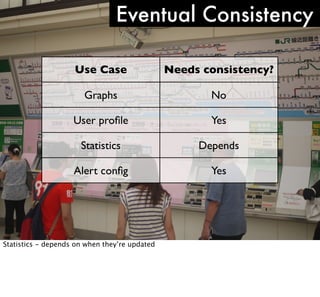
Eventual Consistency
Use Case

Needs consistency?

Graphs

No

User profile

Yes

Statistics

Depends

Alert config

Yes

Statistics - depends on when they’re updated
Replication Lag

1. Reads: eventual consistency

2. Failover: slave behind
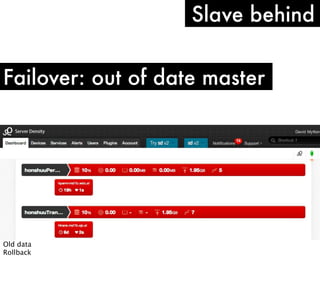
Slave behind
Failover: out of date master

Old data
Rollback
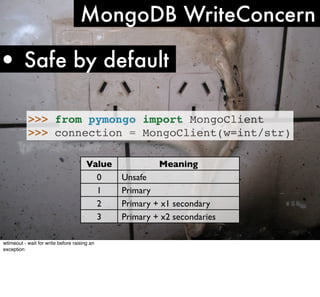
MongoDB WriteConcern

• Safe by default
>>> from pymongo import MongoClient
>>> connection = MongoClient(w=int/str)
Value
0
1
2
3
wtimeout - wait for write before raising an
exception

Meaning
Unsafe
Primary
Primary + x1 secondary
Primary + x2 secondaries
Performance

• Fast network

•More RAM

Picture is unrelated! Mmm, ice cream.
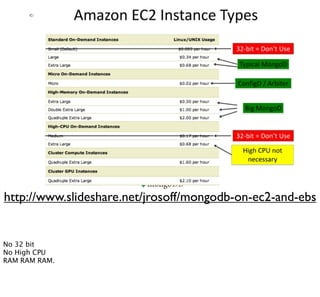
http://www.slideshare.net/jrosoff/mongodb-on-ec2-and-ebs

No 32 bit
No High CPU
RAM RAM RAM.
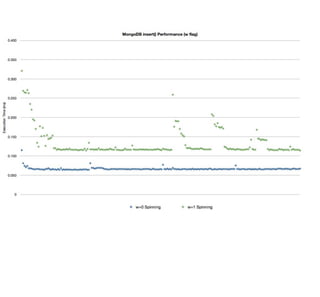
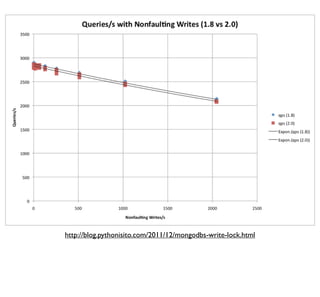
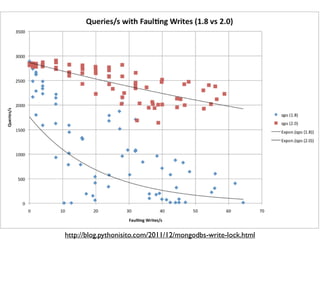
http://blog.pythonisito.com/2011/12/mongodbs-write-lock.html
Performance
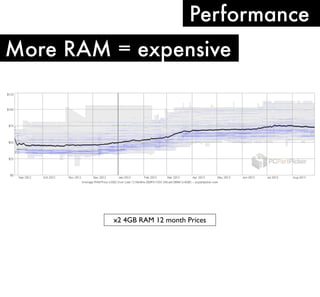
More RAM = expensive

x2 4GB RAM 12 month Prices
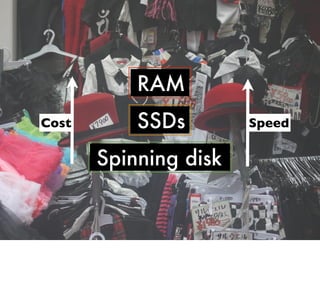
RAM
Cost

SSDs
Spinning disk

Speed
Performance
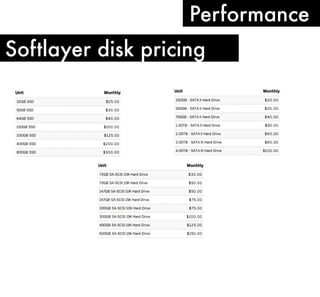
Softlayer disk pricing
Performance
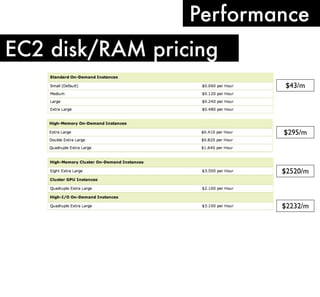
EC2 disk/RAM pricing
$43/m

$295/m

$2520/m

$2232/m
Performance
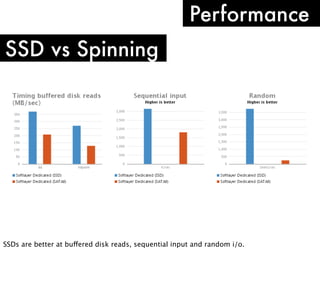
SSD vs Spinning

SSDs are better at buffered disk reads, sequential input and random i/o.
Performance
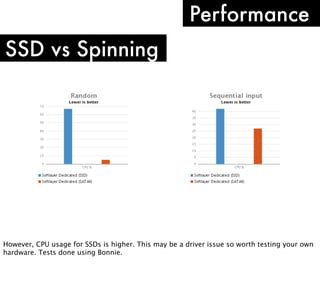
SSD vs Spinning

However, CPU usage for SSDs is higher. This may be a driver issue so worth testing your own
hardware. Tests done using Bonnie.
Cloud?
•Elastic workloads

Cloud?
•Elastic workloads

•Demand spikes

Cloud?
•Elastic workloads

•Demand spikes

•Unknown requirements

Cloud?
Dedicated?
Dedicated?

•Hardware replacement
Dedicated?

•Hardware replacement

•Managed/support
Dedicated?

•Hardware replacement

•Managed/support

•Networking
Colo?
•Hardware spec/value

Colo?
•Hardware spec/value

•Total cost

Colo?
•Hardware spec/value

•Total cost

•Internal skills?

Colo?
•Hardware spec/value

•Total cost

•Internal skills?

•More fun?!

Colo?
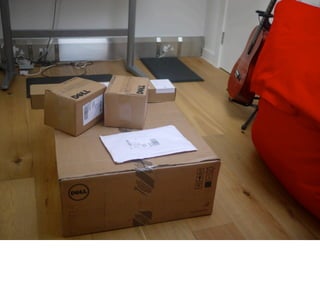
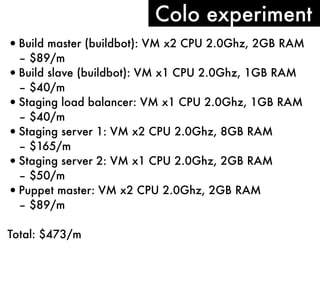
Colo experiment
• Build master (buildbot): VM x2 CPU 2.0Ghz, 2GB RAM
– $89/m
• Build slave (buildbot): VM x1 CPU 2.0Ghz, 1GB RAM
– $40/m
• Staging load balancer: VM x1 CPU 2.0Ghz, 1GB RAM
– $40/m
• Staging server 1: VM x2 CPU 2.0Ghz, 8GB RAM
– $165/m
• Staging server 2: VM x1 CPU 2.0Ghz, 2GB RAM
– $50/m
• Puppet master: VM x2 CPU 2.0Ghz, 2GB RAM
– $89/m
Total: $473/m
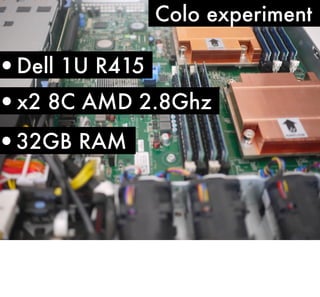
Colo experiment

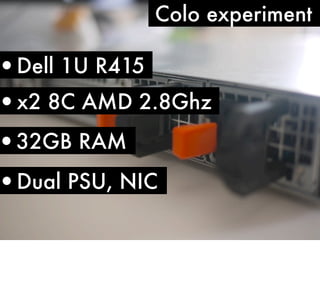
•Dell 1U R415
•x2 8C AMD 2.8Ghz

•32GB RAM
Colo experiment

•Dell 1U R415
•x2 8C AMD 2.8Ghz

•32GB RAM

•Dual PSU, NIC
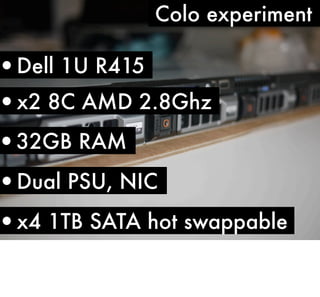
Colo experiment

•Dell 1U R415
•x2 8C AMD 2.8Ghz

•32GB RAM

•Dual PSU, NIC

•x4 1TB SATA hot swappable
Colo: Networking

•10-50Mbps: £20-25/Mbps/m

•51-100Mbps: £15/Mbps/m

•100+Mbps: £13/Mbps/m
Colo: Metro

•100Mbps: £300/m

•1000Mbps: £750/m
•£300-350/kWh/m

•4.5A = £520/m

•9A = £900/m

Colo: Power
Tips: rand()

•Field names

-Field names take up space
Tips: rand()

•Field names

•Covered indexes

- Get everything from the index
Tips: rand()

•Field names

•Covered indexes

•Collections / databases
- Dropping collections faster than remove()
- Split use cases across databases to avoid locking
- Put databases onto different disks / types e.g. SSDs
Backups
What is the use case?
Backups
What is the use case?
Fixing user errors?
Point in time restore?
Disaster recovery?
Backups

•Disaster recovery
Offsite

- What kind of disaster?
- Store backups offsite
Backups

•Disaster recovery
Offsite
Age

How log do you keep the backups for?
How far do they go back?
How recent are they?
Backups

•Disaster recovery
Offsite
Age
Restore time
Latency issue - further away geographically, slower the transfer time
Partition backups to get critical data restored first
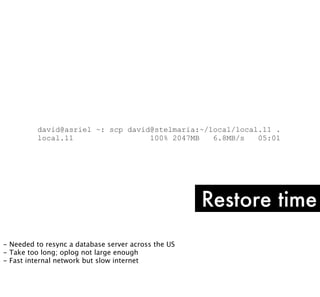
david@asriel ~: scp david@stelmaria:~/local/local.11 .
local.11
100% 2047MB
6.8MB/s
05:01

Restore time
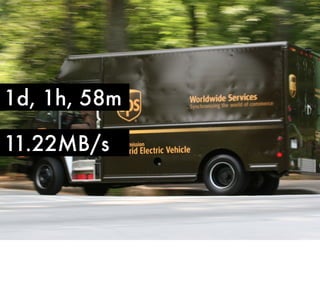
- Needed to resync a database server across the US
- Take too long; oplog not large enough
- Fast internal network but slow internet
1d, 1h, 58m
11.22MB/s
Backups
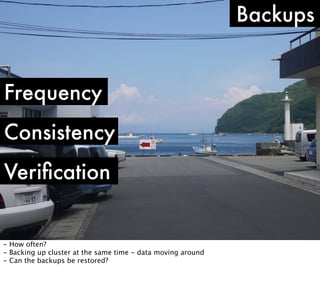
Frequency
Consistency
Verification

- How often?
- Backing up cluster at the same time - data moving around
- Can the backups be restored?
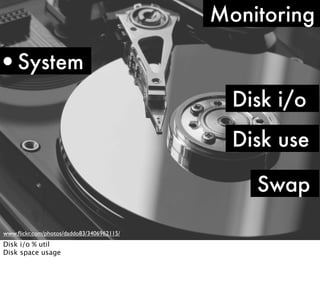
Monitoring

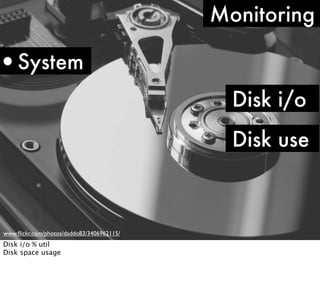
•System
Disk i/o
Disk use

www.flickr.com/photos/daddo83/3406962115/

Disk i/o % util
Disk space usage
david@pan ~: df -a
Filesystem
/dev/sda1
proc
none
none
none
binfmt_misc
david@pan ~: df -ah
Filesystem
/dev/sda1
proc
none
none
none

1K-blocks
Used Available Use% Mounted on
156882796 148489776
423964 100% /
0
0
0
- /proc
0
0
0
- /dev/pts
2097260
0
2097260
0% /dev/shm
0
0
0
- /proc/sys/fs/

Size
150G
0
0
2.1G
0

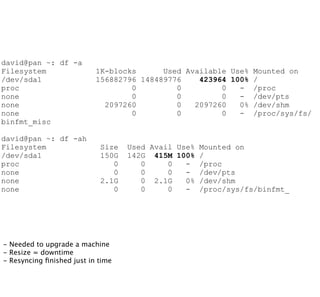
- Needed to upgrade a machine
- Resize = downtime
- Resyncing finished just in time

Used Avail Use% Mounted on
142G 415M 100% /
0
0
- /proc
0
0
- /dev/pts
0 2.1G
0% /dev/shm
0
0
- /proc/sys/fs/binfmt_
Monitoring

•System
Disk i/o
Disk use
Swap
www.flickr.com/photos/daddo83/3406962115/

Disk i/o % util
Disk space usage
Monitoring

•Replication
Slave lag
State

www.flickr.com/photos/daddo83/3406962115/
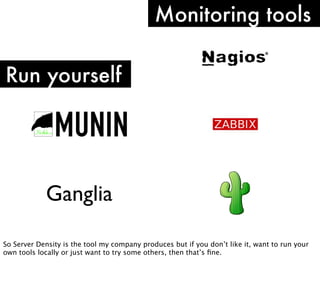
Monitoring tools
Run yourself

Ganglia
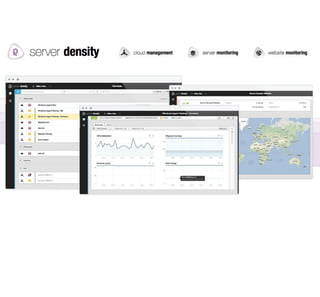
So Server Density is the tool my company produces but if you don’t like it, want to run your
own tools locally or just want to try some others, then that’s fine.
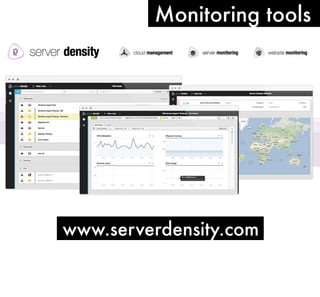
Monitoring tools

www.serverdensity.com
Dealing with humans

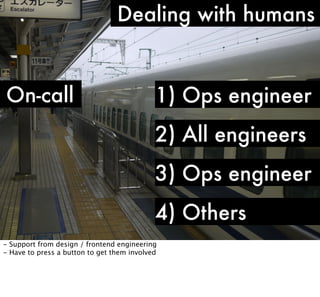
On-call

-

Sharing out the responsibility
Determining level of response: 24/7 real monitoring or first responder
24/7 real monitoring for HA environments, real people at a screen at all times
First responder: people at the end of a phone
Dealing with humans

On-call

1) Ops engineer

- During working hours our dedicated ops engineers take the first level
- Avoids interrupting product engineers for initial fire fighting
Dealing with humans

On-call

1) Ops engineer
2) All engineers

- Out of hours we rotate every engineer, product and ops
- Rotation every 7 days on a Tuesday
Dealing with humans

On-call

1) Ops engineer
2) All engineers
3) Ops engineer

- Always have a secondary
- This is always an ops engineer
- Thinking is if the issue needs to be escalated then it’s likely a bigger problem that needs
additional systems expertise
Dealing with humans

On-call

1) Ops engineer
2) All engineers
3) Ops engineer
4) Others

- Support from design / frontend engineering
- Have to press a button to get them involved
Dealing with humans

Off-call

- Responders to an incident get next 24 hours off-call
- Social issues to deal with
Dealing with humans

On-call CEO

- I receive push notifications + e-mails for all outages
Dealing with humans
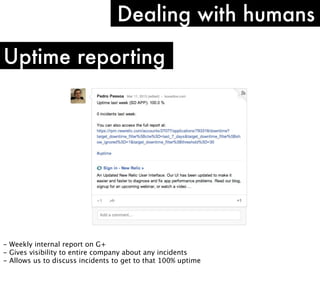
Uptime reporting

- Weekly internal report on G+
- Gives visibility to entire company about any incidents
- Allows us to discuss incidents to get to that 100% uptime
Dealing with humans

Social issues

-

How quickly can you get to a computer?
Are they out drinking on a Friday?
What happens if someone is ill?
What if there’s a sudden emergency: accident? family emergency?
Do they have enough phone battery?
Can you hear the ringtone?
Dealing with humans

Backup responder

-

Backup responder
Time out the initial responder
Escalate difficult problems
Essentially human redundancy: phone provider, geographic area, internet connectivity
Dealing with outages

Expected

- Outages are going to happen, especially at the beginning
- Costs money for redundancy
- How you deal with them
Dealing with outages
Communication

Externally

- Telling people what is happening
- Frequently
- Dependent on audience - we can go into more detail because our customers are techies
- Github do a good job of providing incident writeups but don’t provide a good idea of what
is happening right now
- Generally Amazon and Heroku are good and go into more detail
Dealing with outages
Communication

Internally

- Open Skype conferences between the responders
- Usually mostly silence or the sound of the keyboard, but simulates being in the situation
room
- Faster than typing
Dealing with outages

Really test your vendors

-

Shows up flaws in vendor support processes
Frustrating when waiting on someone else
You want as much information as possible
Major outage? Everyone will be calling them
Dealing with outages

Simulations

- Try and avoid unncessary problems
- Do servers come back up from boot?
- Can hot spares handle the load?
- Test failover: databases, HA firewalls
- Regularly reboot servers
- Wargames can happen at another stage: startups are usually too focused on building things
first
David Mytton
@davidmytton
david@serverdensity.com
blog.serverdensity.com

Woop Japan!

High performance Infrastructure Oct 2013