Handing in Work on the iPad
Brenda Hauff
Naming a document on the iPad
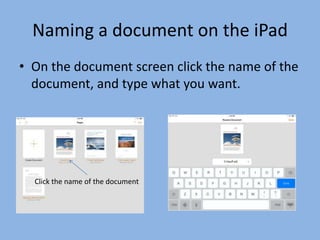
• On the document screen click the name of the
document, and type what you want.

Click the name of the document
Edmodo
• Very similar to WebDav
• Log into Edmodo app and leave open
• Open the app you want to save from (Pages,
Numbers, Keynote)
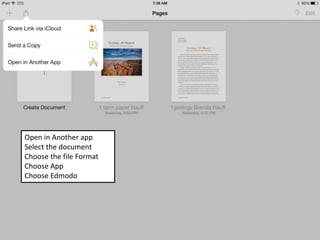
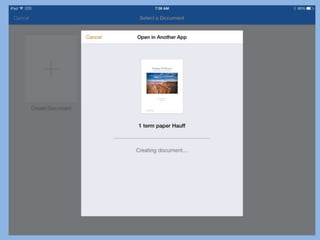
Open in Another app
Select the document
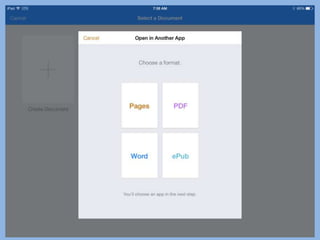
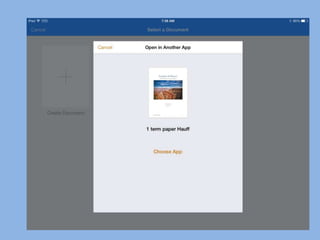
Choose the file Format
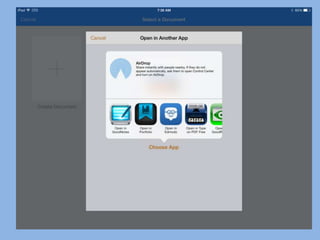
Choose App
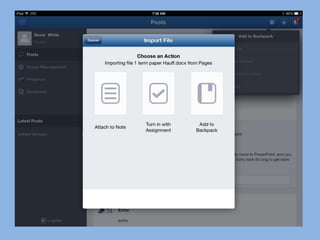
Choose Edmodo
Handing in Work on iPad with Edmodo

Handing in Work on iPad with Edmodo

  • 1.
    Handing in Workon the iPad Brenda Hauff
  • 2.
    Naming a documenton the iPad • On the document screen click the name of the document, and type what you want. Click the name of the document
  • 3.
    Edmodo • Very similarto WebDav • Log into Edmodo app and leave open • Open the app you want to save from (Pages, Numbers, Keynote)
  • 4.
    Open in Anotherapp Select the document Choose the file Format Choose App Choose Edmodo