Hadoop in the cloud –
The what, why and how from the experts
Nishant Thacker
Technical Product Manager – Big Data
Microsoft
@nishantthacker
Hadoop in the
Cloud
2
Hadoop in the
Cloud
3
Traditional Hadoop Clusters
4
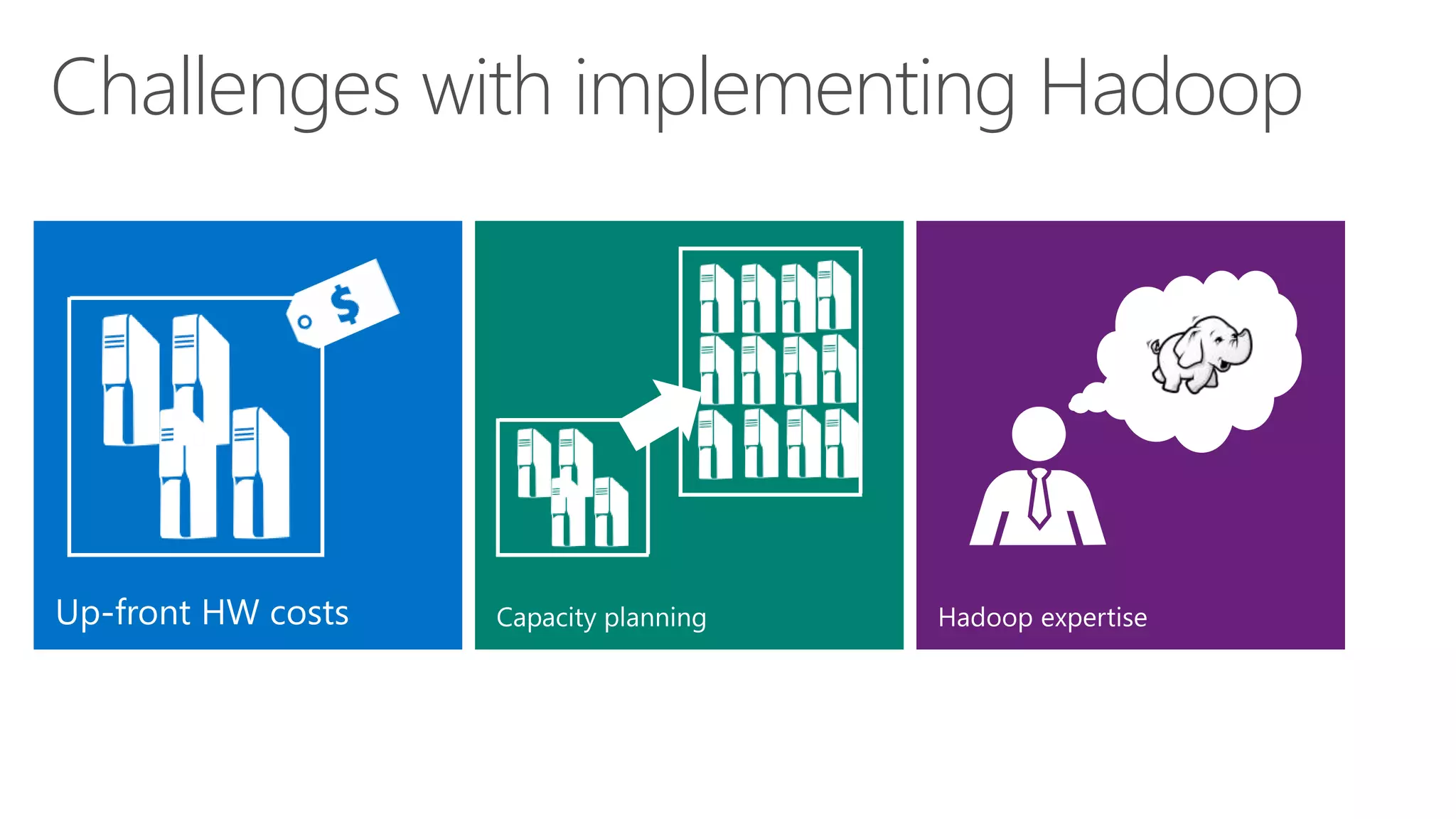
Challenges with implementing Hadoop
Hadoop Clusters in the Cloud
6
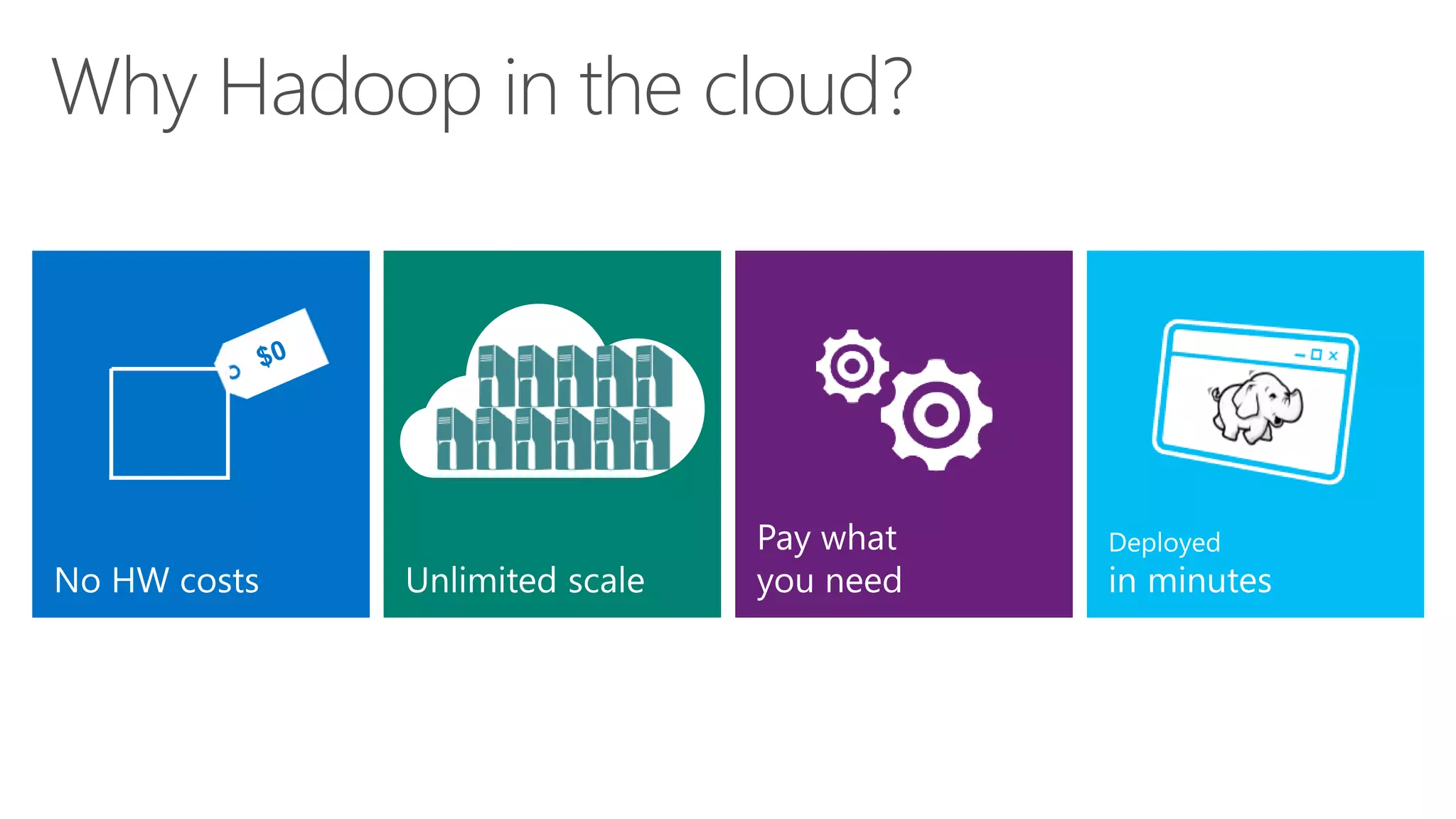
Why Hadoop in the cloud?
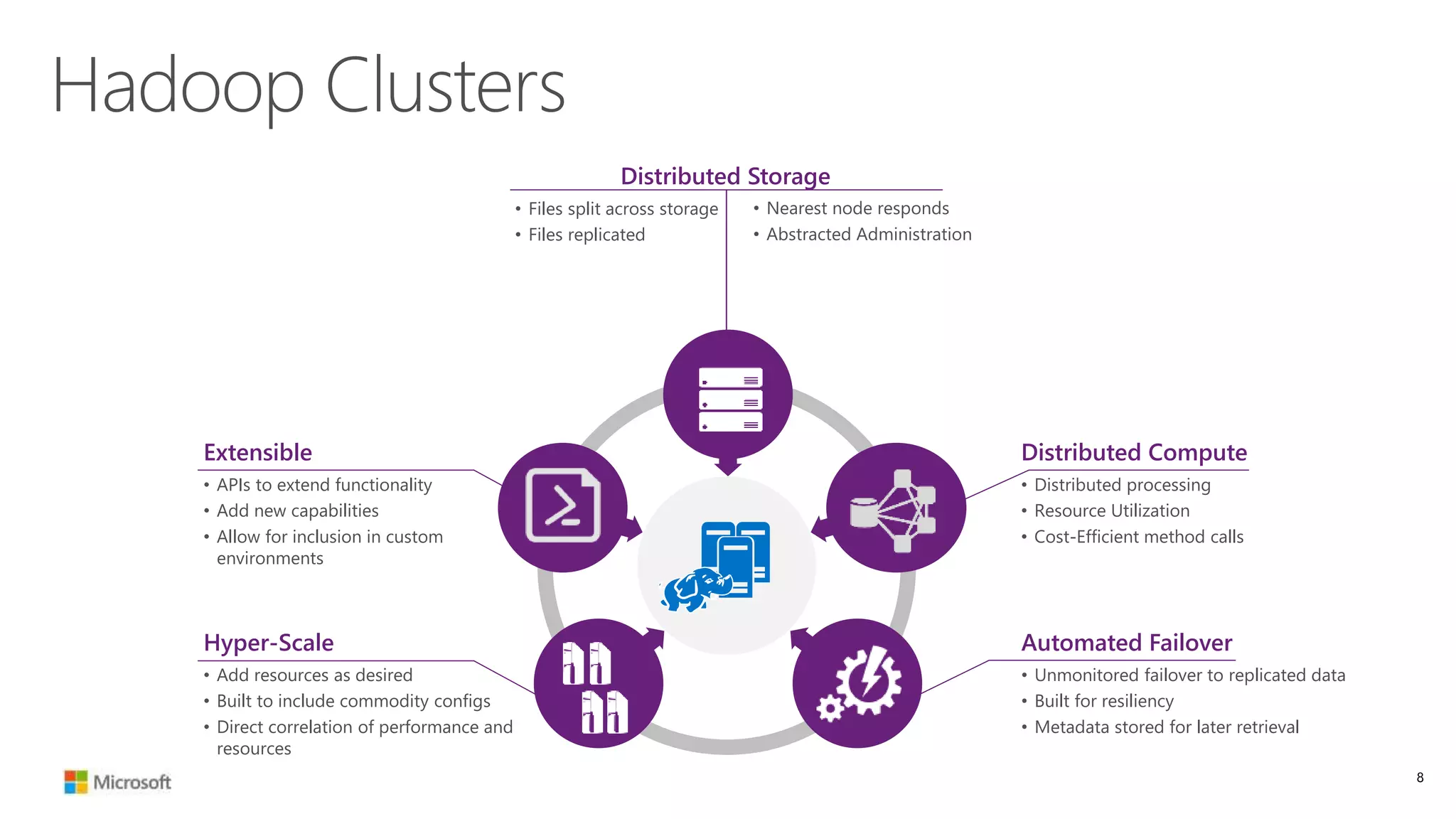
Distributed Storage
• Files split across storage
• Files replicated
• Nearest node responds
• Abstracted Administration
Hadoop Clusters
Extensible
• APIs to extend functionality
• Add new capabilities
• Allow for inclusion in custom
environments
Automated Failover
• Unmonitored failover to replicated data
• Built for resiliency
• Metadata stored for later retrieval
Hyper-Scale
• Add resources as desired
• Built to include commodity configs
• Direct correlation of performance and
resources
Distributed Compute
• Distributed processing
• Resource Utilization
• Cost-Efficient method calls
8
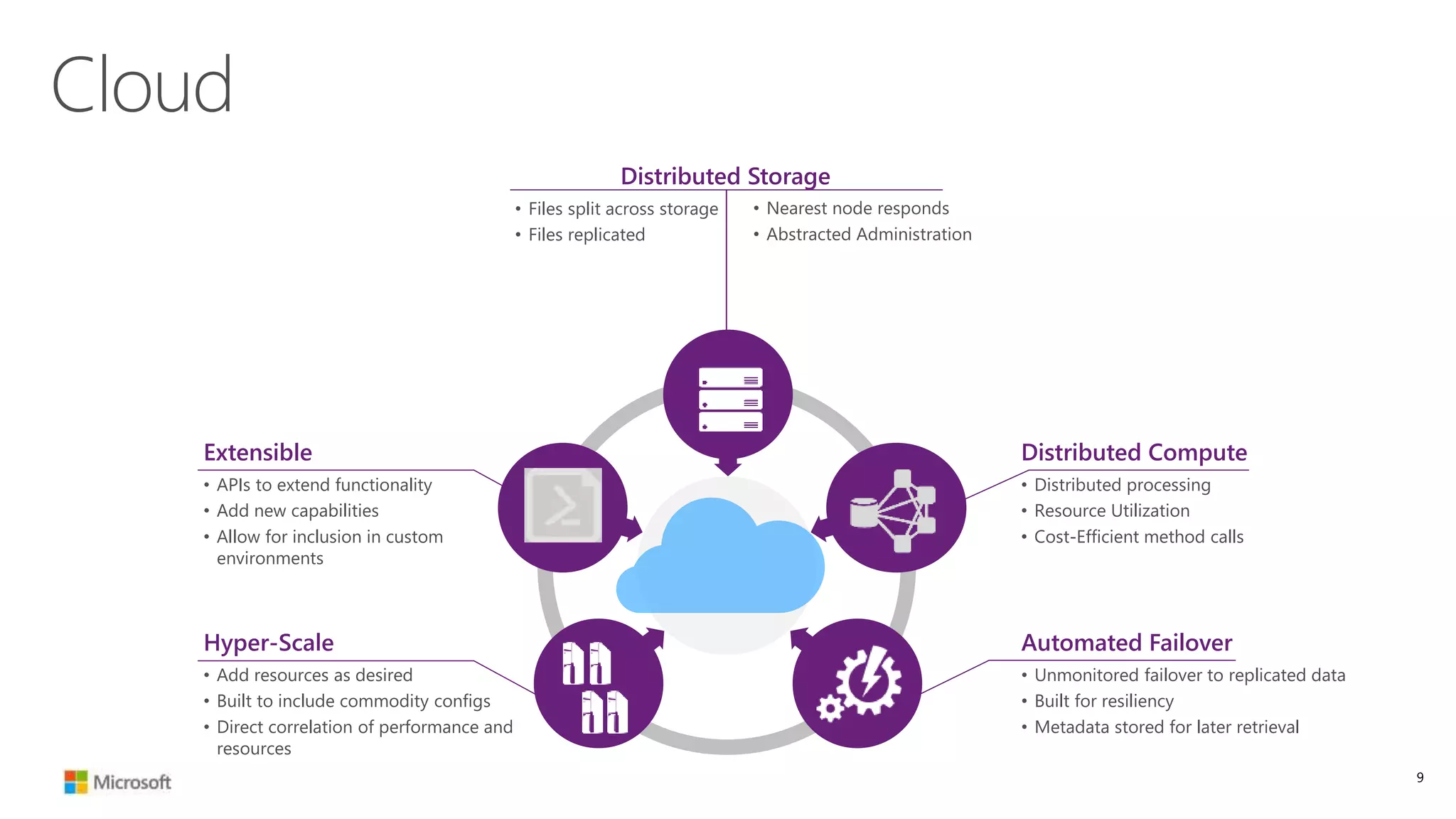
Distributed Storage
• Files split across storage
• Files replicated
• Nearest node responds
• Abstracted Administration
Cloud
Extensible
• APIs to extend functionality
• Add new capabilities
• Allow for inclusion in custom
environments
Automated Failover
• Unmonitored failover to replicated data
• Built for resiliency
• Metadata stored for later retrieval
Hyper-Scale
• Add resources as desired
• Built to include commodity configs
• Direct correlation of performance and
resources
Distributed Compute
• Distributed processing
• Resource Utilization
• Cost-Efficient method calls
9
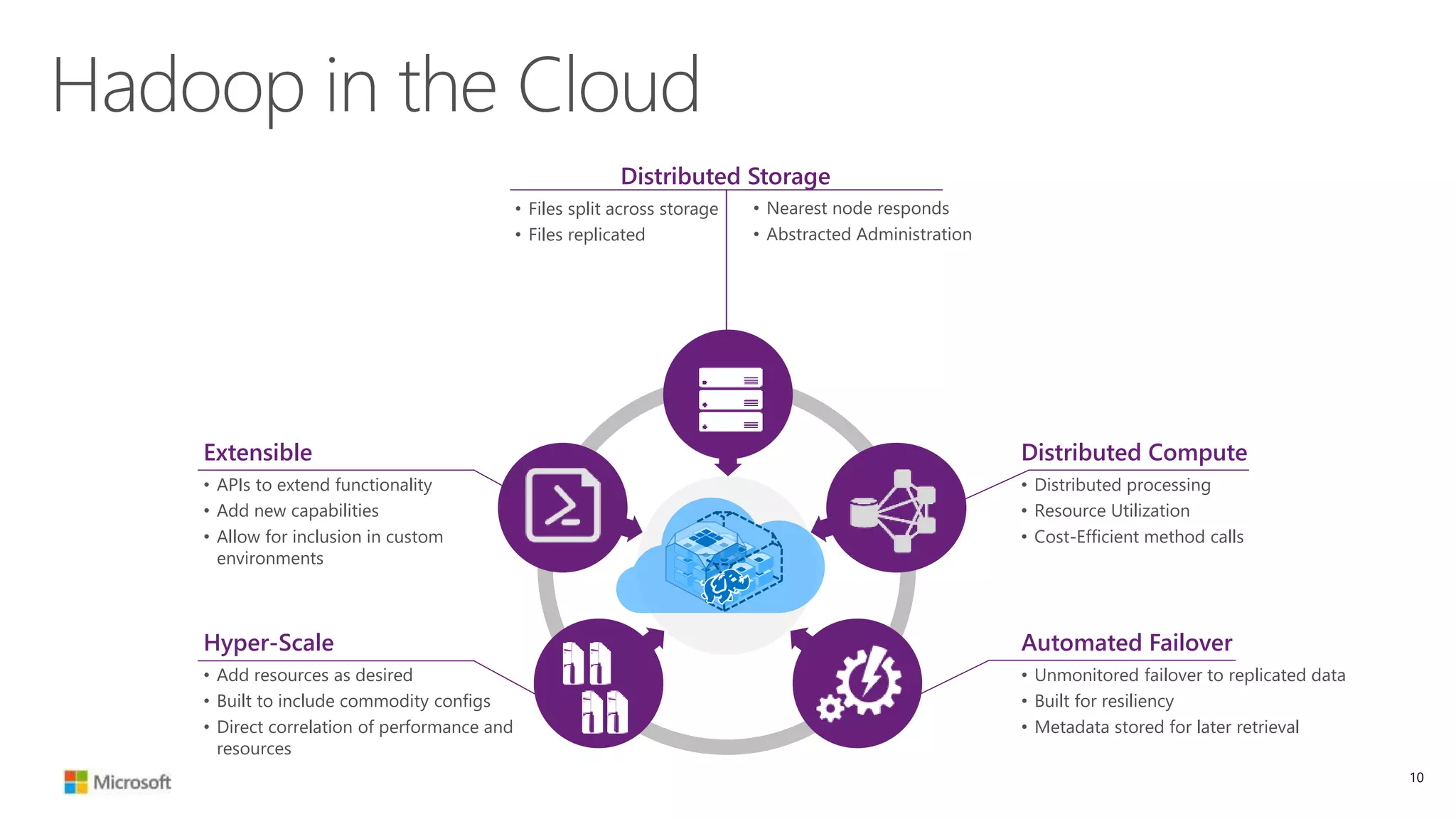
Distributed Storage
• Files split across storage
• Files replicated
• Nearest node responds
• Abstracted Administration
Hadoop in the Cloud
Extensible
• APIs to extend functionality
• Add new capabilities
• Allow for inclusion in custom
environments
Automated Failover
• Unmonitored failover to replicated data
• Built for resiliency
• Metadata stored for later retrieval
Hyper-Scale
• Add resources as desired
• Built to include commodity configs
• Direct correlation of performance and
resources
Distributed Compute
• Distributed processing
• Resource Utilization
• Cost-Efficient method calls
10
Hadoop in the
Cloud
11
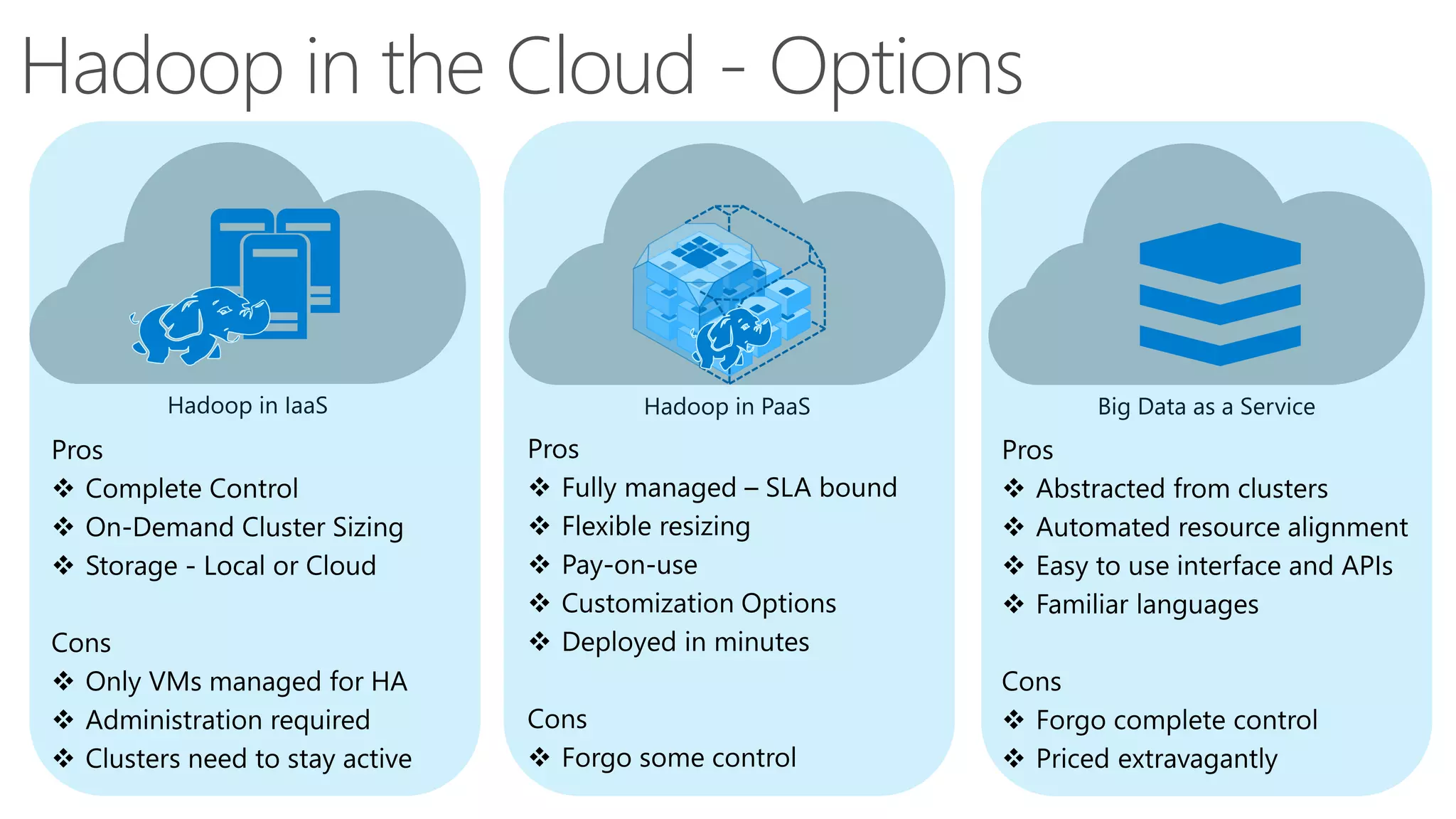
Hadoop in the Cloud - Options
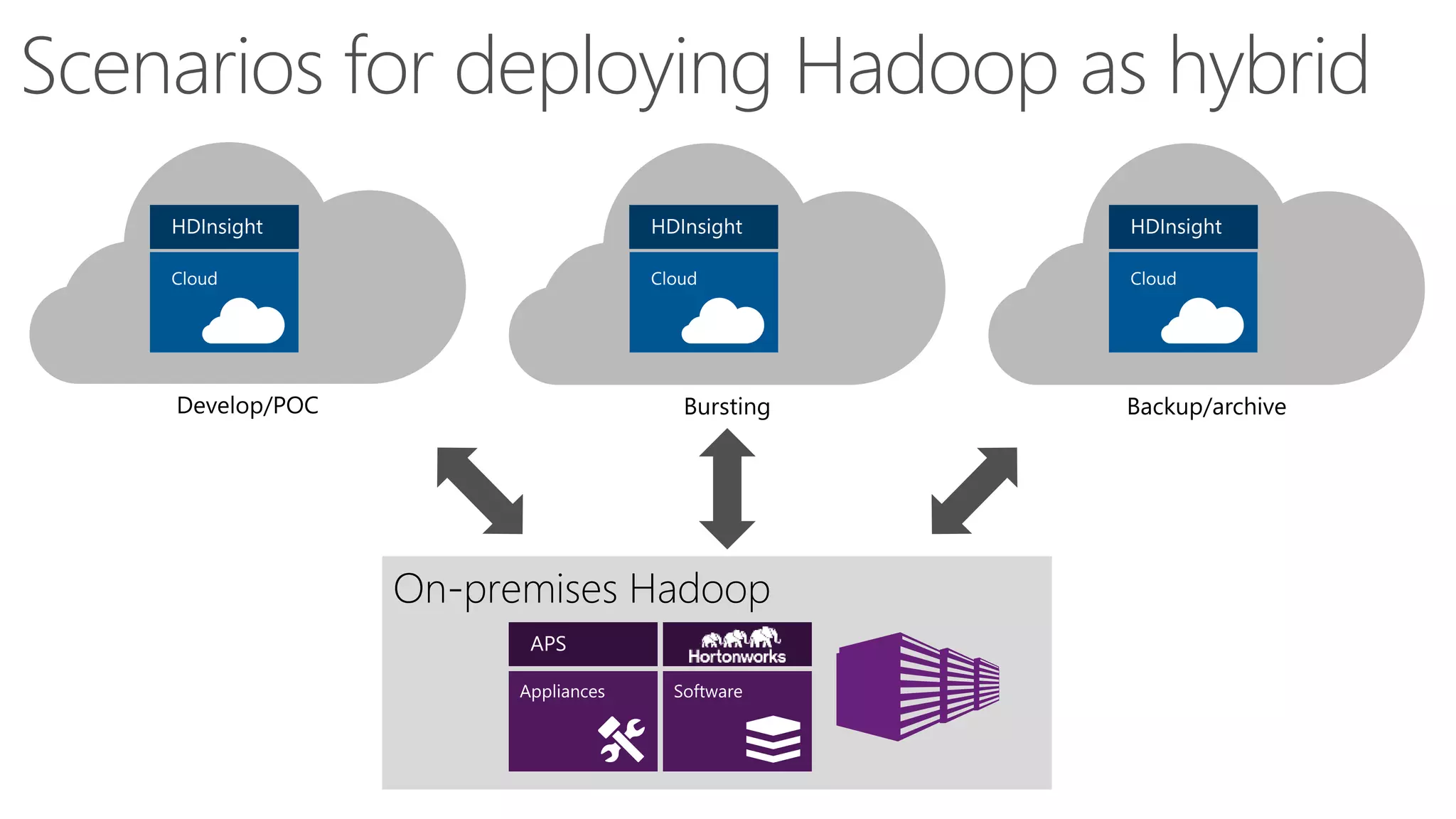
Scenarios for deploying Hadoop as hybrid
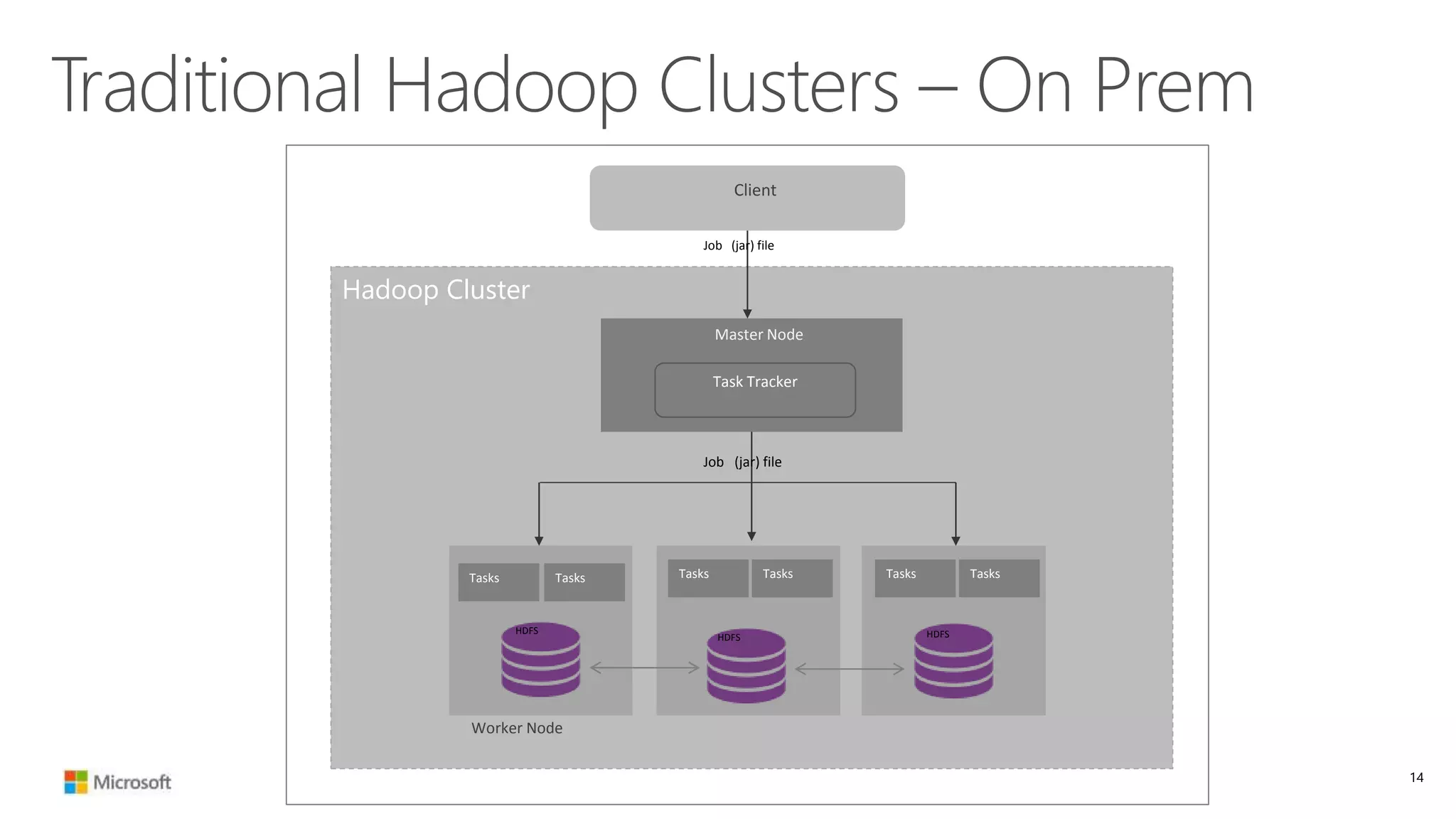
Traditional Hadoop Clusters – On Prem
14
Hadoop Cluster
Worker Node
HDFS
HDFS HDFS
Tasks Tasks Tasks Tasks Tasks Tasks
Task Tracker
Master Node
Client
Job (jar) file
Job (jar) file
Hadoop Clusters in the Cloud
10
01
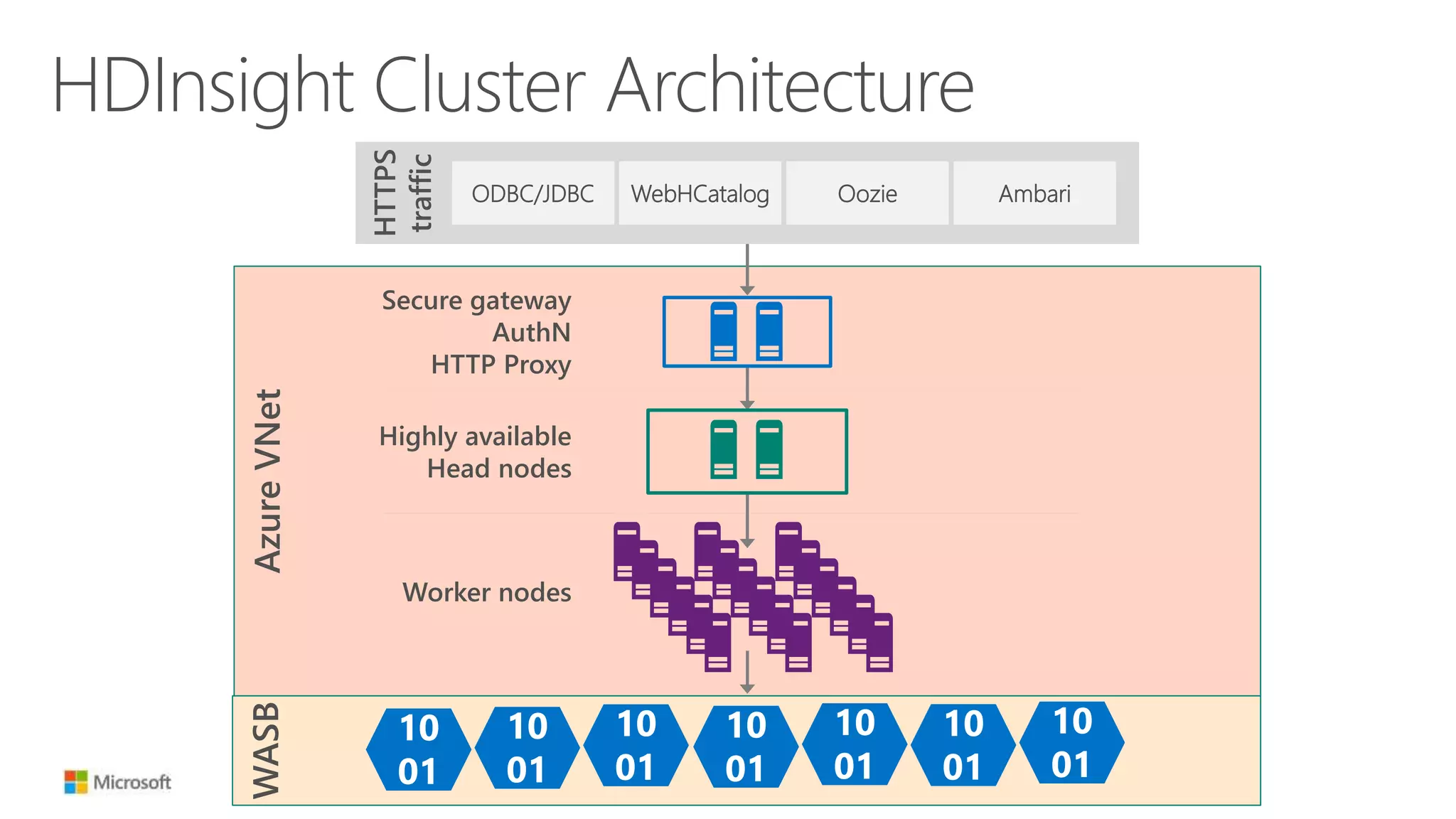
HDInsight Cluster Architecture
AzureVNet
HTTPS
traffic
ODBC/JDBC WebHCatalog Oozie Ambari
Secure gateway
AuthN
HTTP Proxy
Highly available
Head nodes
Worker nodes
WASB
10
01
10
01
10
01
10
01
10
01
10
01
10
01
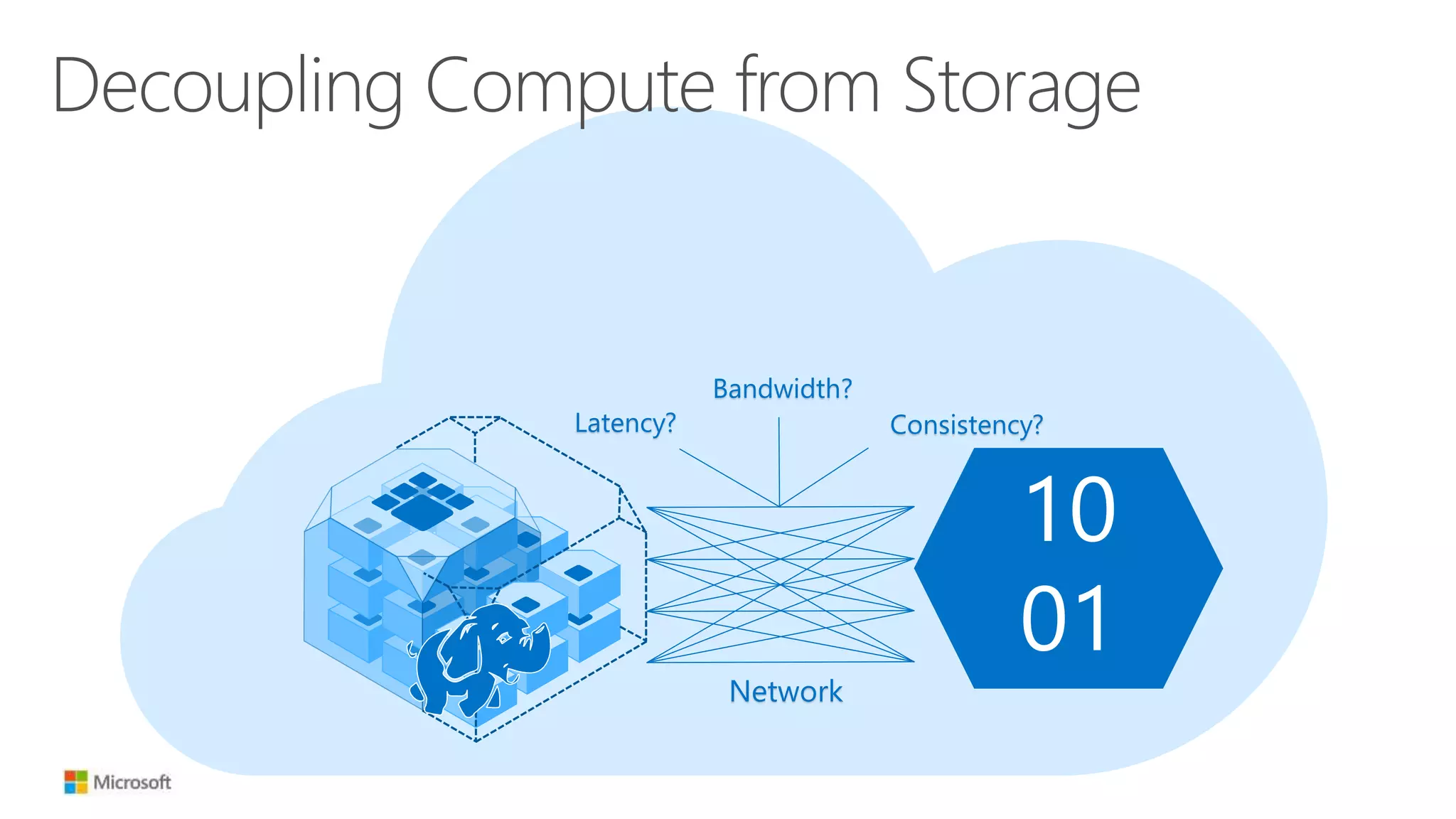
Decoupling Compute from Storage
10
01
Latency? Consistency?
Bandwidth?
Network
Decoupling Compute from Storage
10
01
Network
HDD-like latency
50 Tb+ aggregate
bandwidth[1]
Strong consistency
[1] Azure Flat Network Architecture
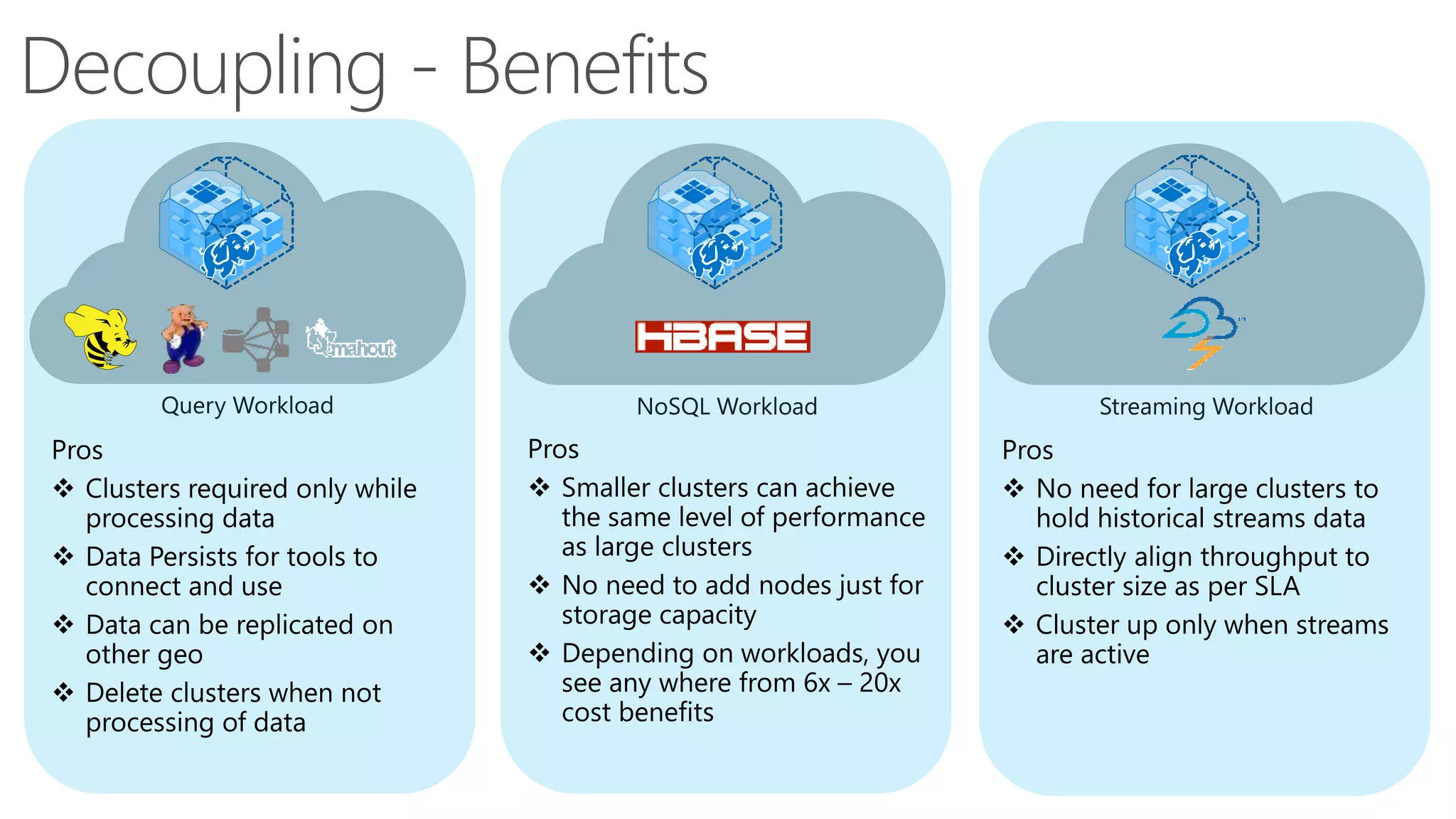
Decoupling - Benefits
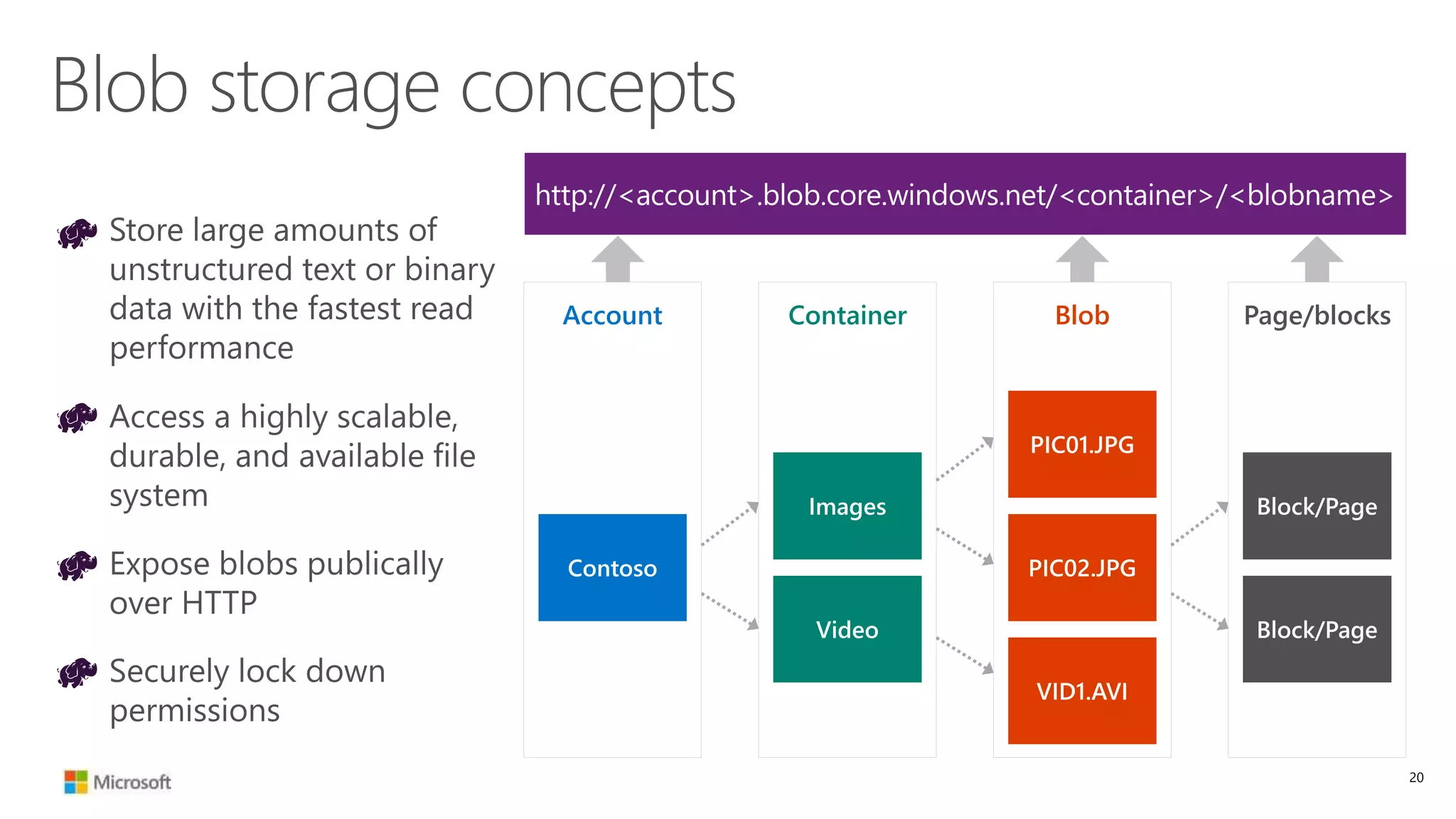
Blob storage concepts
Container Page/blocksBlobAccount
20
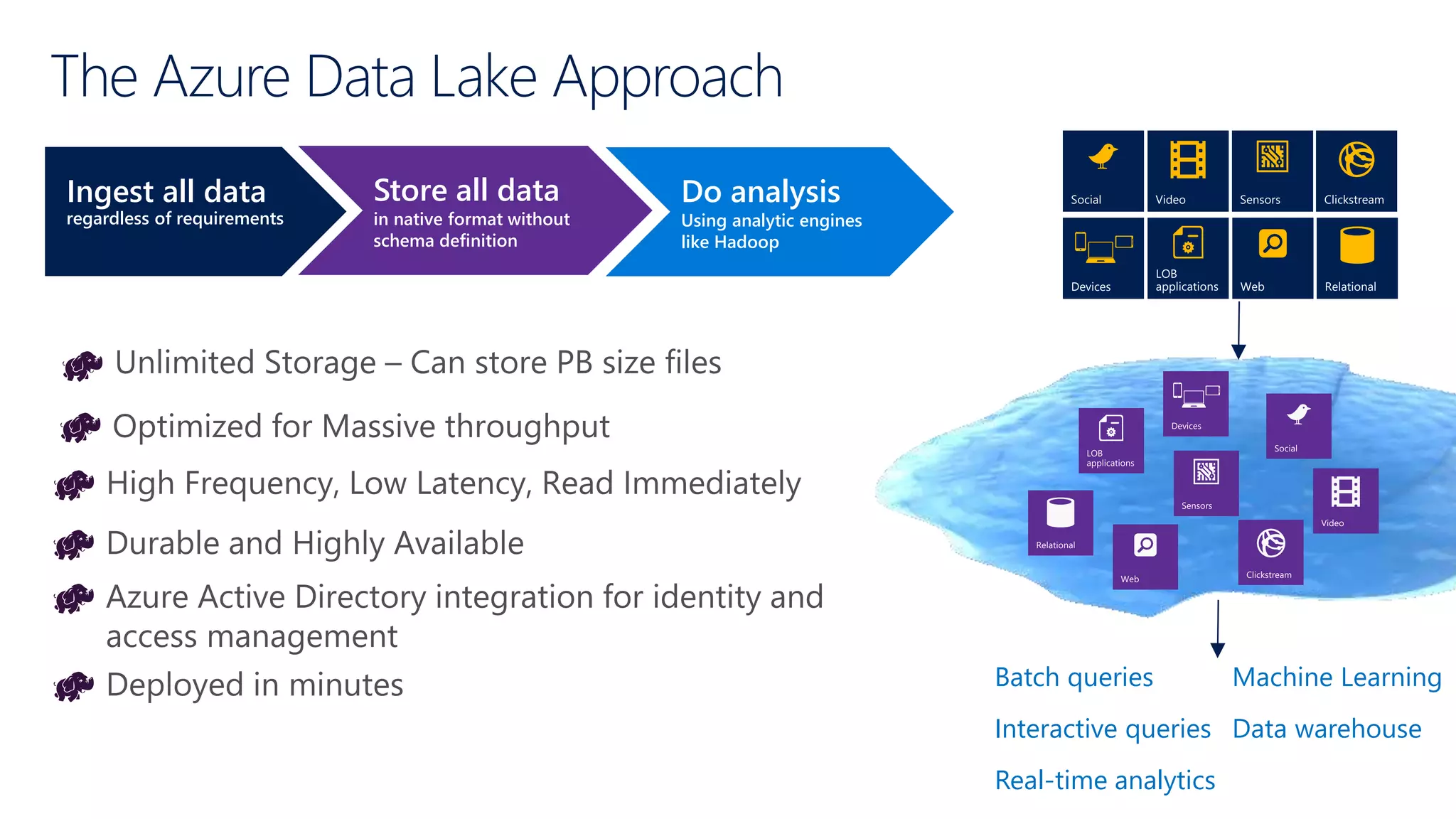
The Azure Data Lake Approach
Ingest all data
regardless of requirements
Store all data
in native format without
schema definition
Do analysis
Using analytic engines
like Hadoop
Interactive queries
Batch queries Machine Learning
Data warehouse
Real-time analytics
Devices
Customize
cluster?
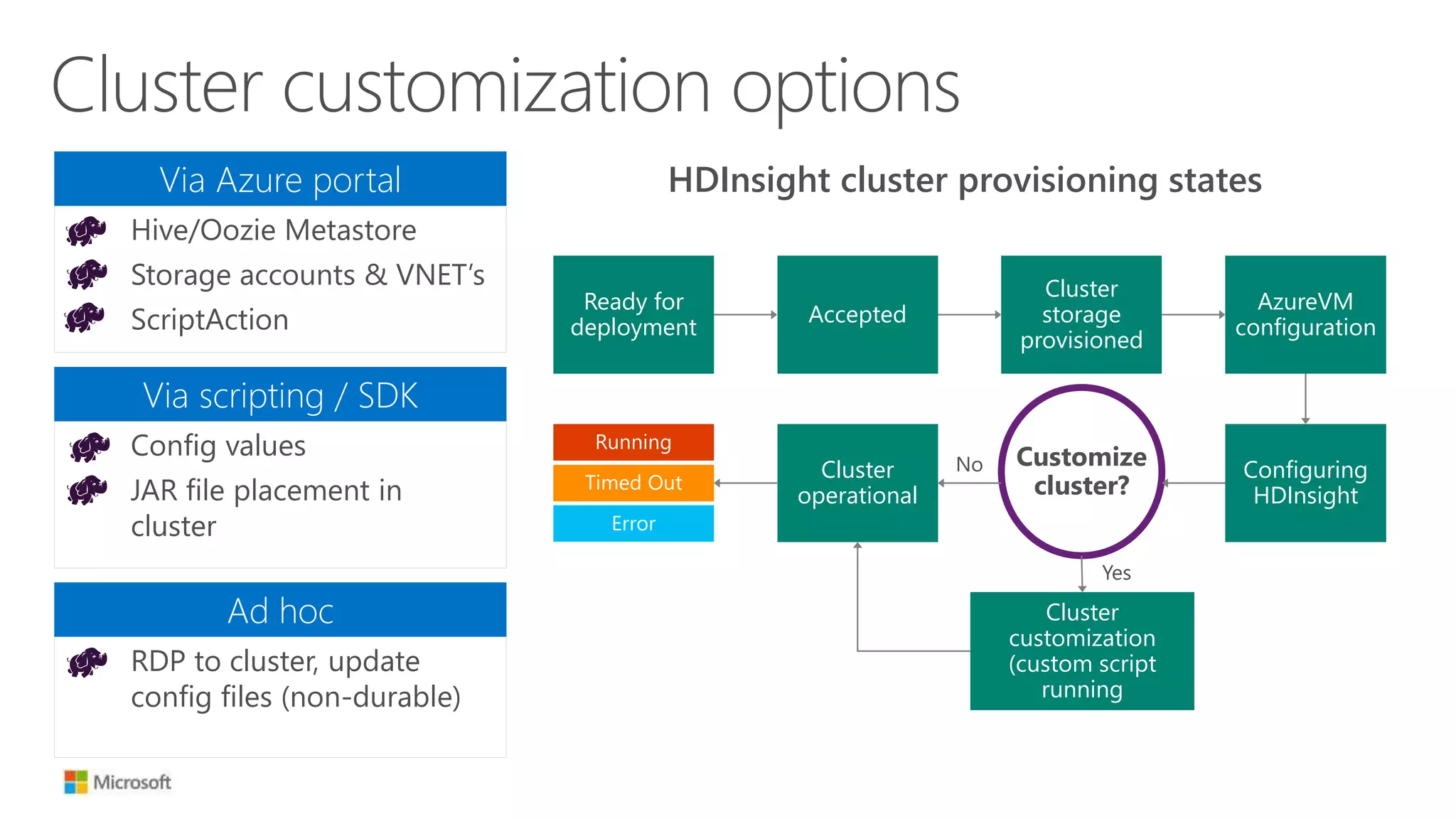
HDInsight cluster provisioning states
RDP to cluster, update
config files (non-durable)
Ad hoc
Cluster customization options
Hive/Oozie Metastore
Storage accounts & VNET’s
ScriptAction
Via Azure portal
Ready for
deployment
Accepted
Cluster
storage
provisioned
AzureVM
configuration
Running
Timed Out
Error
Cluster
operational
Configuring
HDInsight
Cluster
customization
(custom script
running
Config values
JAR file placement in
cluster
Via scripting / SDK
No
Yes
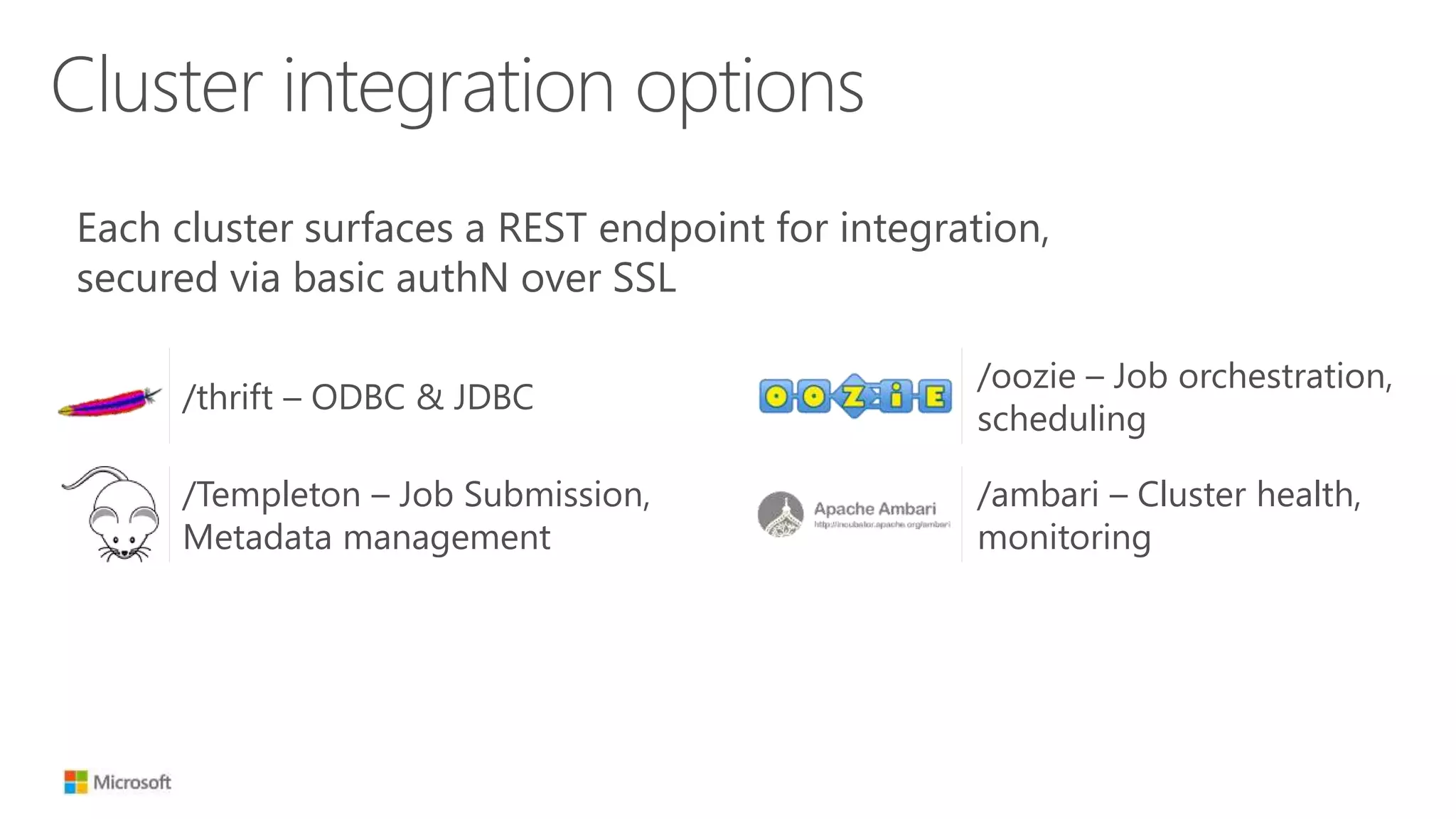
Cluster integration options
Each cluster surfaces a REST endpoint for integration,
secured via basic authN over SSL
/thrift – ODBC & JDBC
/Templeton – Job Submission,
Metadata management
/ambari – Cluster health,
monitoring
/oozie – Job orchestration,
scheduling
Hadoop in the
Cloud
24
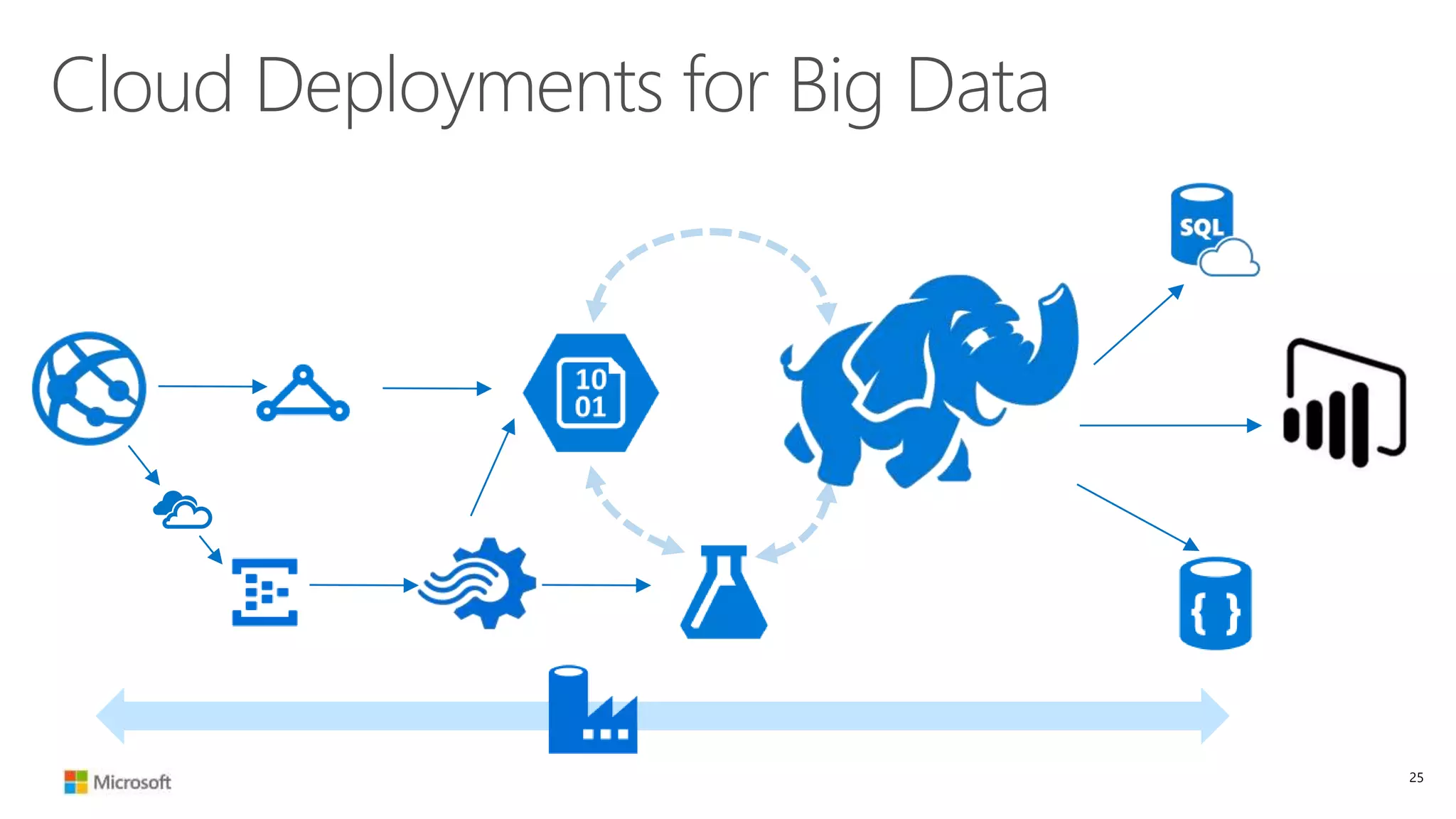
Cloud Deployments for Big Data
25
Data Usage
SSRS
SharePoint
BI
Excel BI
Power BI
Azure
Marketplace
Data ProcessingStorageEvent ProcessingData Generation
MAHOUT
HIVE
HIVE
OOZIE
SQOOP PIG
SQL Server
Analysis Services
Azure HDInsight
(Hadoop)
Azure Machine
Learning
Data WarehouseAzure
Document DB
Azure SQL DB
HBase on
Azure
HDInsight
Azure Blob Storage
Datamarts and other
transactional systems
Big Data Sources (Raw Unstructured)
Log files
Azure Website
Azure Event
Hubs
Storm on Azure
HDInsight
Azure Stream Analytics
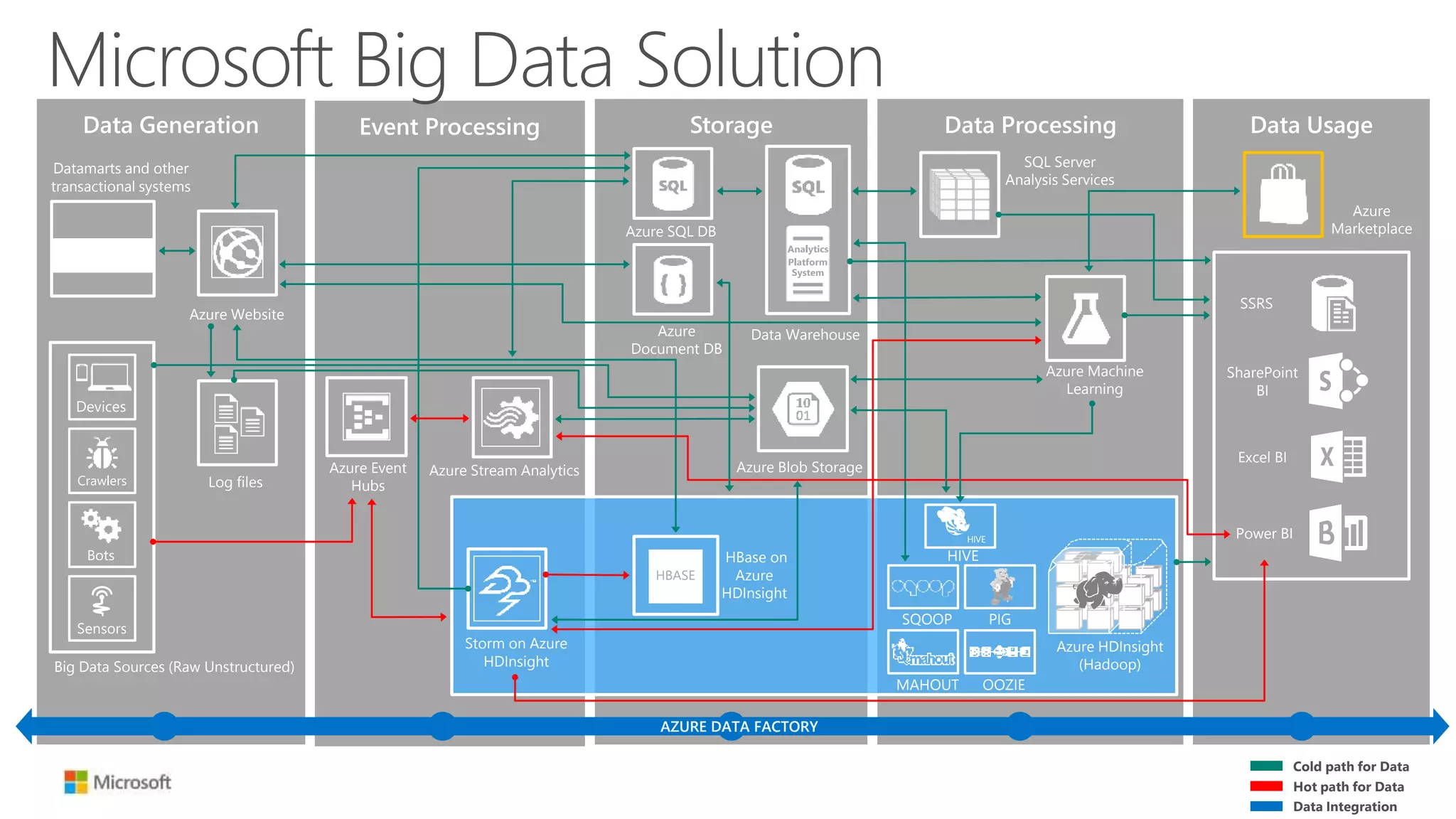
Microsoft Big Data Solution
Cold path for Data
Hot path for Data
Data Integration
AZURE DATA FACTORY
Summary
27
 For more information visit: http://azure.com/hdinsight
 Questions, Feedback or Follow-up: nishant.thacker@microsoft.com

Hadoop in the cloud – The what, why and how from the experts

  • 1.
    Hadoop in thecloud – The what, why and how from the experts Nishant Thacker Technical Product Manager – Big Data Microsoft @nishantthacker
  • 2.
  • 3.
  • 4.
  • 5.
  • 6.
    Hadoop Clusters inthe Cloud 6
  • 7.
    Why Hadoop inthe cloud?
  • 8.
    Distributed Storage • Filessplit across storage • Files replicated • Nearest node responds • Abstracted Administration Hadoop Clusters Extensible • APIs to extend functionality • Add new capabilities • Allow for inclusion in custom environments Automated Failover • Unmonitored failover to replicated data • Built for resiliency • Metadata stored for later retrieval Hyper-Scale • Add resources as desired • Built to include commodity configs • Direct correlation of performance and resources Distributed Compute • Distributed processing • Resource Utilization • Cost-Efficient method calls 8
  • 9.
    Distributed Storage • Filessplit across storage • Files replicated • Nearest node responds • Abstracted Administration Cloud Extensible • APIs to extend functionality • Add new capabilities • Allow for inclusion in custom environments Automated Failover • Unmonitored failover to replicated data • Built for resiliency • Metadata stored for later retrieval Hyper-Scale • Add resources as desired • Built to include commodity configs • Direct correlation of performance and resources Distributed Compute • Distributed processing • Resource Utilization • Cost-Efficient method calls 9
  • 10.
    Distributed Storage • Filessplit across storage • Files replicated • Nearest node responds • Abstracted Administration Hadoop in the Cloud Extensible • APIs to extend functionality • Add new capabilities • Allow for inclusion in custom environments Automated Failover • Unmonitored failover to replicated data • Built for resiliency • Metadata stored for later retrieval Hyper-Scale • Add resources as desired • Built to include commodity configs • Direct correlation of performance and resources Distributed Compute • Distributed processing • Resource Utilization • Cost-Efficient method calls 10
  • 11.
  • 12.
    Hadoop in theCloud - Options
  • 13.
    Scenarios for deployingHadoop as hybrid
  • 14.
    Traditional Hadoop Clusters– On Prem 14 Hadoop Cluster Worker Node HDFS HDFS HDFS Tasks Tasks Tasks Tasks Tasks Tasks Task Tracker Master Node Client Job (jar) file Job (jar) file
  • 15.
    Hadoop Clusters inthe Cloud 10 01
  • 16.
    HDInsight Cluster Architecture AzureVNet HTTPS traffic ODBC/JDBCWebHCatalog Oozie Ambari Secure gateway AuthN HTTP Proxy Highly available Head nodes Worker nodes WASB 10 01 10 01 10 01 10 01 10 01 10 01 10 01
  • 17.
    Decoupling Compute fromStorage 10 01 Latency? Consistency? Bandwidth? Network
  • 18.
    Decoupling Compute fromStorage 10 01 Network HDD-like latency 50 Tb+ aggregate bandwidth[1] Strong consistency [1] Azure Flat Network Architecture
  • 19.
  • 20.
    Blob storage concepts ContainerPage/blocksBlobAccount 20
  • 21.
    The Azure DataLake Approach Ingest all data regardless of requirements Store all data in native format without schema definition Do analysis Using analytic engines like Hadoop Interactive queries Batch queries Machine Learning Data warehouse Real-time analytics Devices
  • 22.
    Customize cluster? HDInsight cluster provisioningstates RDP to cluster, update config files (non-durable) Ad hoc Cluster customization options Hive/Oozie Metastore Storage accounts & VNET’s ScriptAction Via Azure portal Ready for deployment Accepted Cluster storage provisioned AzureVM configuration Running Timed Out Error Cluster operational Configuring HDInsight Cluster customization (custom script running Config values JAR file placement in cluster Via scripting / SDK No Yes
  • 23.
    Cluster integration options Eachcluster surfaces a REST endpoint for integration, secured via basic authN over SSL /thrift – ODBC & JDBC /Templeton – Job Submission, Metadata management /ambari – Cluster health, monitoring /oozie – Job orchestration, scheduling
  • 24.
  • 25.
  • 26.
    Data Usage SSRS SharePoint BI Excel BI PowerBI Azure Marketplace Data ProcessingStorageEvent ProcessingData Generation MAHOUT HIVE HIVE OOZIE SQOOP PIG SQL Server Analysis Services Azure HDInsight (Hadoop) Azure Machine Learning Data WarehouseAzure Document DB Azure SQL DB HBase on Azure HDInsight Azure Blob Storage Datamarts and other transactional systems Big Data Sources (Raw Unstructured) Log files Azure Website Azure Event Hubs Storm on Azure HDInsight Azure Stream Analytics Microsoft Big Data Solution Cold path for Data Hot path for Data Data Integration AZURE DATA FACTORY
  • 27.
  • 28.
     For moreinformation visit: http://azure.com/hdinsight  Questions, Feedback or Follow-up: nishant.thacker@microsoft.com

Editor's Notes

  • #6 Hardware acquisition (Capex up front) Scale constrained to on-premise procurement (resource and capacity planning) Skilled Hadoop Expertise Tuning + Maintenance
  • #8  Why Hadoop in the cloud? You can deploy Hadoop in a traditional on-site datacenter. Some companies–including Microsoft–also offer Hadoop as a cloud-based service. One obvious question is: why use Hadoop in the cloud? Here's why a growing number of organizations are choosing this option. The cloud saves time and money Open source doesn't mean free. Deploying Hadoop on-premises still requires servers and skilled Hadoop experts to set up, tune, and maintain them. A cloud service lets you spin up a Hadoop cluster in minutes without up-front costs. See how Virginia Tech is using Microsoft's cloud instead of spending millions of dollars to establish their own supercomputing center. The cloud is flexible and scales fast In the Microsoft Azure cloud, you pay only for the compute and storage you use, when you use it. Spin up a Hadoop cluster, analyze your data, then shut it down to stop the meter. We quickly spun up the Azure HDInsight cluster and processed six years worth of data in just a few hours, and then we shut it down&ellipsis; processing the data in the cloud made it very affordable. –Paul Henderson, National Health Service (U.K.) The cloud makes you nimble Create a Hadoop cluster in minutes–and add nodes on-demand. The cloud offers organizations immediate time to value. It was simply so much faster to do this in the cloud with Windows Azure. We were able to implement the solution and start working with data in less than a week. –Morten Meldgaard, Chr. Hansen
  • #9 This topic explores how you can get data into your Big Data solution. It describes several different but typical data ingestion techniques that are generally applicable to any Big Data solution. These techniques include ways to handle streaming data and for automating the ingestion process. While the focus is primarily on Microsoft Azure HDInsight, many of the techniques described here are equally relevant to solutions built on other Big Data frameworks and platforms. The figure shows an overview of the techniques and technologies covered in this section of the guide.
  • #10 This topic explores how you can get data into your Big Data solution. It describes several different but typical data ingestion techniques that are generally applicable to any Big Data solution. These techniques include ways to handle streaming data and for automating the ingestion process. While the focus is primarily on Microsoft Azure HDInsight, many of the techniques described here are equally relevant to solutions built on other Big Data frameworks and platforms. The figure shows an overview of the techniques and technologies covered in this section of the guide.
  • #11 This topic explores how you can get data into your Big Data solution. It describes several different but typical data ingestion techniques that are generally applicable to any Big Data solution. These techniques include ways to handle streaming data and for automating the ingestion process. While the focus is primarily on Microsoft Azure HDInsight, many of the techniques described here are equally relevant to solutions built on other Big Data frameworks and platforms. The figure shows an overview of the techniques and technologies covered in this section of the guide.
  • #16 This topic explores how you can get data into your Big Data solution. It describes several different but typical data ingestion techniques that are generally applicable to any Big Data solution. These techniques include ways to handle streaming data and for automating the ingestion process. While the focus is primarily on Microsoft Azure HDInsight, many of the techniques described here are equally relevant to solutions built on other Big Data frameworks and platforms. The figure shows an overview of the techniques and technologies covered in this section of the guide.
  • #18 This topic explores how you can get data into your Big Data solution. It describes several different but typical data ingestion techniques that are generally applicable to any Big Data solution. These techniques include ways to handle streaming data and for automating the ingestion process. While the focus is primarily on Microsoft Azure HDInsight, many of the techniques described here are equally relevant to solutions built on other Big Data frameworks and platforms. The figure shows an overview of the techniques and technologies covered in this section of the guide.
  • #19 This topic explores how you can get data into your Big Data solution. It describes several different but typical data ingestion techniques that are generally applicable to any Big Data solution. These techniques include ways to handle streaming data and for automating the ingestion process. While the focus is primarily on Microsoft Azure HDInsight, many of the techniques described here are equally relevant to solutions built on other Big Data frameworks and platforms. The figure shows an overview of the techniques and technologies covered in this section of the guide.
  • #21 Given that Azure HDInsight implements Hadoop MapReduce on top of Azure Blobs, the concept of Blob Storage is important. Let’s now take a look at the hierarchy of Blob storage The Blob service provides storage for entities, such as binary files and text files. The REST API for the Blob service exposes two resources: Containers Blobs. A container is a set of blobs; every blob must belong to a container. The Blob service defines two types of blobs: Block blobs, which are optimized for streaming. Page blobs, which are optimized for random read/write operations and which provide the ability to write to a range of bytes in a blob. Blobs can be read by calling the Get Blob operation. A client may read the entire blob, or an arbitrary range of bytes. Block blobs less than or equal to 64 MB in size can be uploaded by calling the Put Blob operation. Block blobs larger than 64 MB must be uploaded as a set of blocks, each of which must be less than or equal to 4 MB in size. Page blobs are created and initialized with a maximum size with a call to Put Blob. To write content to a page blob, you call the Put Page operation. The maximum size currently supported for a page blob is 1 TB. Codeplex tools like the Azure Storage Explorer make managing blobs easy. There is also a rich API build to manage storage with PowerShell via the Rest based API. Note: HDInsight currently only supports block blobs. Key Points: The Blob service defines two types of blobs: Block blobs, and Page blobs Accessible via REST APIs, Azure Storage Client library or using Azure drives Stores large amounts of unstructured text or binary data with the fastest read performance Highly scalable, durable, and available file system References: Get Blob: http://msdn.microsoft.com/en-us/library/dd179440.aspx Put Blob: http://msdn.microsoft.com/en-us/library/dd179451.aspx Put Page: http://msdn.microsoft.com/en-us/library/ee691975.aspx Data Management and Business Analytics: http://azure.microsoft.com/en-us/documentation/articles/fundamentals-data-management-business-analytics/#blob
  • #22 The data lake on the other hand leverages a bottoms-up approach. A data lake is an enterprise wide repository of every type of data collected in a single place. Data of all types can be arbitrarily stored in the data lake prior to any formal definition of requirements or schema for the purposes of operational and exploratory analytics. Advanced analytics can be done using Hadoop, Machine Learning tools, or act as a lower cost data preparation location prior to moving curated data into a data warehouse. In these cases, customers would load data into the data lake prior to defining any transformation logic. This is bottoms up because data is collected first and the data itself gives you the insight and helps derive conclusions or predictive models.