Essentials Webinar
Guide to Reference
Essentials Webinar
Welcome

Today we’ll introduce you to Guide to
Reference, a foundational tool for
librarians, teachers, researchers,
students, and other library users. We’ll
show you how it can help you in your
work.
Our goal today
We’ll show you how to leverage Guide
to Reference to support your work in
the following areas:

»   Reference
»   Collection development
»   Teaching and training
Who we are

James Hennelly
Managing Editor
ALA Digital Reference

Troy Linker
Publisher, ALA Digital Reference

Dan Kaplan
Marketing Manager
ALA Publishing
Special Guest


Denise Beaubien Bennett
General Editor of Guide to Reference
Preliminaries
If you have questions, please submit them
through the public chat function during the
presentation.

We’ll collect your questions and answer them
during the webinar and during the Q&A at the
end.
For any technical difficulties, please send a
private chat to Dan Kaplan.
Guide to Reference is

―(1) a reference manual . . . ; (2) a selection
aid for the librarian; (3) a textbook for the
student who . . . is pursuing a systematic
study of reference books.‖

                         Constance Winchell
              Preface to the 8th edition, 1967
A gateway to reference
sources
»   A comprehensive collection of sources
»   Answers reference questions
»   Directs researchers to resources
»   Creates local instructional materials
»   Inventories and develops reference
    collections
»   Educates and trains students and
    reference staff
A long & distinguished history
»   First published in 1902 as Guide to the
    Study and Use of Reference Books: A
    Manual for Librarians, Teachers, and
    Students
»   Published in 11 print editions between 1902
    and 1996
»   Known by previous editor names: Mudge,
    Winchell, Sheehy, and Balay
»   In 2008, Guide to Reference goes online
The premier evaluative
bibliography
»   One of the main cornerstones of reference
    librarianship since 1902
»   Reflects the accumulated knowledge and
    wisdom of the reference community over
    many years
»   Continues to serve as a center for learning
    about and practicing reference
    librarianship
»   Some call it ―the Bible‖ of reference
    sources
How does the Guide do it?
»   It’s selective and broad in coverage
»   It gives you nearly 17,000 of the best and
    most authoritative reference sources in 56
    disciplines arranged under 6 major subject
    divisions, with in-depth annotations
»   It’s kept up-to-date by an Editorial Board
    and 70+ contributing editors—your
    colleagues and peers in the reference
    community
Selection criteria
»   Usefulness – How useful? How often used?
»   Breadth of scope – How broadly focused?
»   Quality – How accurate and complete?
»   Imprint date – How current?
»   Language – In English?
Traditional strengths
»   Titles are chosen by reference librarians
    and subject experts
»   In-depth evaluative annotations
»   Broad subject coverage: General
    Reference Works; Humanities; Social and
    Behavioral Sciences; History and Area
    Studies; Science, Technology, and
    Medicine
New strengths
»   Sources include cutting-edge online
    resources and websites, free and licensed
»   Powerful and versatile search and browse
»   Interactive features that let you save and
    share your work
»   New interdisciplinary fields: Cognitive
    Science; Communication/Media Studies;
    Environmental, Cultural, and Gender
    Studies
Our goal restated
We’ll show you how to leverage Guide
to Reference to support your work in
the following areas:

»   Reference
»   Collection development
»   Teaching and training
The advantages of being
online
»   Quickly browse and search in many
    subject areas
»   Customize and save your searches
»   Create lists of resources and share
»   Add notes/comments to titles and share
»   Hyperlink among titles inside and outside
    the Guide
»   Connect to local holdings via WorldCat
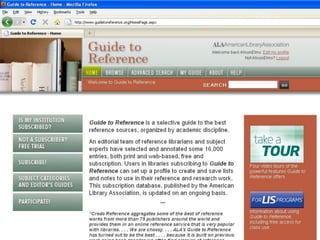
Three major points of entry
»   Home page – take a trial; subscribe;
    participate and connect

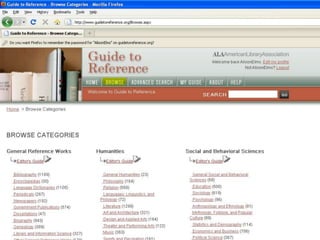
»   Browse page – see the subject
    organization of the Guide at a glance

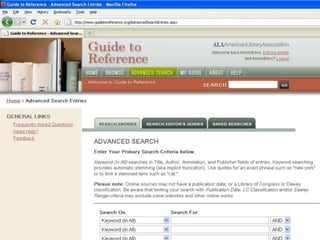
»   Advanced Search page – construct and
    manage your searches
Doing Reference work
»   Direct library users to best/authoritative
    sources for answers

»   Train and orient new reference staff and
    students/paraprofessional staff

»   Create subject bibliographies and finding
    aids.
Let’s talk about your work
Reference
»   Direct library users to best and most
    authoritative sources for answers

»   Train and orient new reference staff and
    students/paraprofessional staff

»   Create subject bibliographies, finding
    aids, and instructional materials
Current challenges
»   Reference questions are fewer but
    ―harder‖

»   More questions require subject or content
    knowledge

»   Too much dependence on Google and
    other search engines
How the Guide can help
»   Find best sources quickly by drilling down
    into taxonomy and by refining searches
»   Use Editor’s Guides for orientation
»   Use annotations for guidance
»   Create lists of resources for bibliographies
    and finding aids
»   Save your best searches for regular use
Collection development
»   Evaluate your collection:
     » What’s missing
     » What needs to be updated
     » What should be retired


»   Build collections for new programs and for
    special libraries (law, medicine,
    corporate)
Current challenges
»   Making do with less: Budget cuts

»   Print vs. online sources

»   Buying for library staff vs. library users

»   Small collection development staff; limited
    staff time
How the Guide can help
»   Use Editor’s Guides to understand shape
    and direction of reference literature
»   Use annotations to compare resources
»   Create lists of titles for possible purchase
    and share with colleagues
»   Add notes/comments to titles that should
    be updated or retired
»   Customize and save searches to run at
    regular intervals
Teaching and training
»   Introduce next generation of reference
    librarians to reference sources and
    reference practices

»   Differentiate among types of reference
    sources and their value and use

»   Communicate nature of information-
    seeking and reference process
Current challenges
»   Value of bibliographies and traditional
    reference works in an online world

»   Difference between print and online
    sources

»   Too much dependence on Google and
    other search engines
How the Guide can help
»   Orient students to the taxonomy
»   Ask students to read Editor’s Guides
»   Ask students to evaluate different
    resources based on their annotations
»   Ask students to find best resources for
    answering questions
»   Ask students to create subject guides
»   Create lists of resources for class projects
Let’s take a look at the Guide
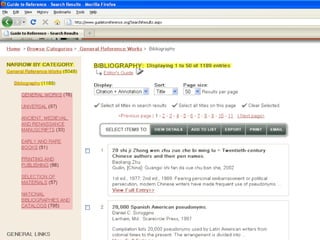
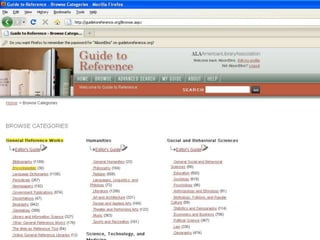
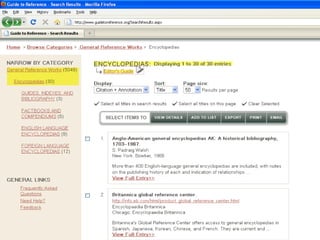
Begin with Browse
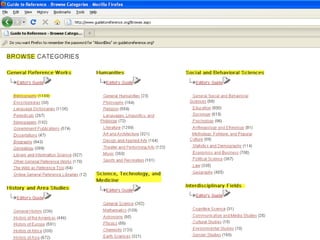
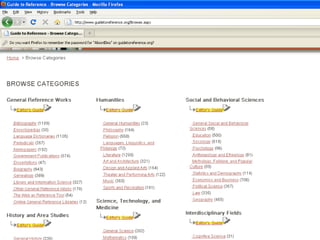
»   Orient yourself to complete taxonomy on
    Browse page; 6 major subject divisions
    and 56 subject categories
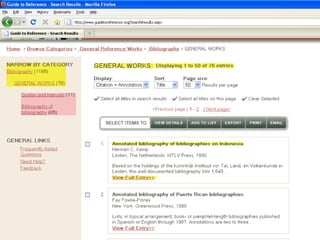
»   Drill down into different subject categories
»   Move through deeper levels of subject
    categories to refine search
»   Pay attention to Editor’s Guides along the
    way
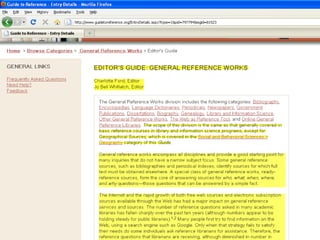
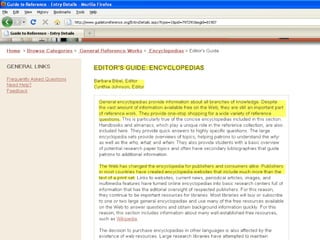
Take advantage of Editor’s
Guides
»   They discuss overall shape of reference
    literature in different subject areas
»   They discuss characteristics of the
    literature outside the scope of annotations
»   They discuss changes to publishing and
    research patterns caused by the online
    revolution
»   They’re written by the Editorial Board and
    contributing editors
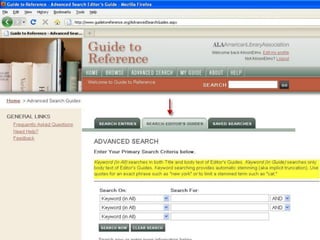
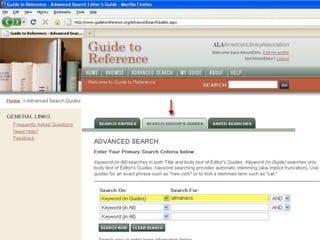
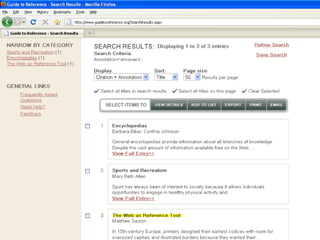
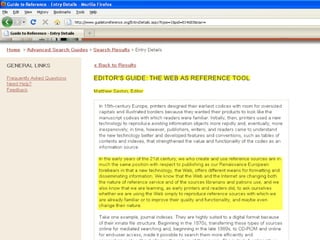
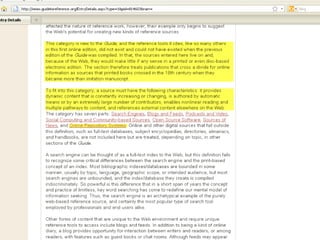
You can search for Editor’s
Guides
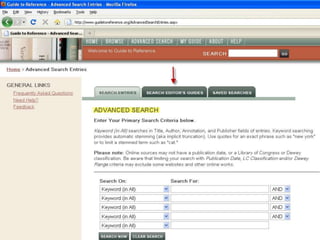
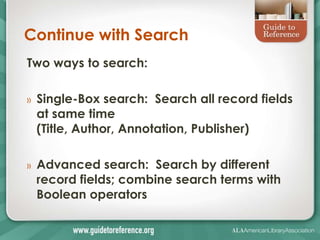
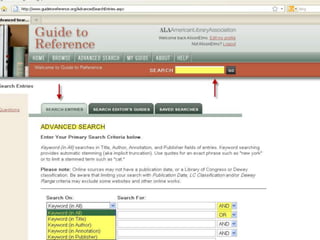
Continue with Search
Two ways to search:

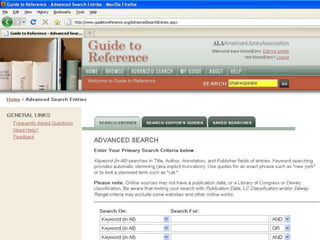
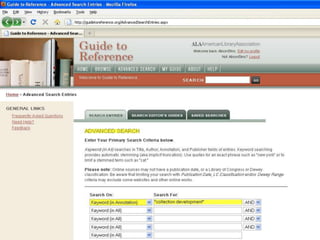
»   Single-Box search: Search all record fields
    at same time
    (Title, Author, Annotation, Publisher)

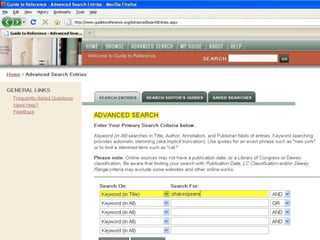
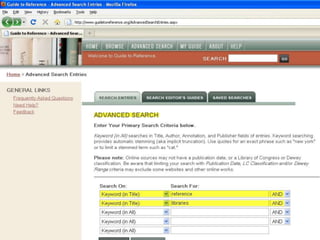
»   Advanced search: Search by different
    record fields; combine search terms with
    Boolean operators
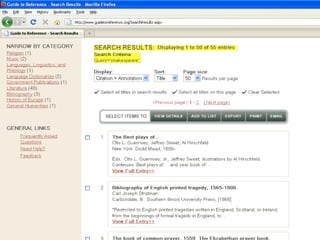
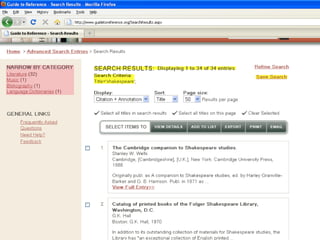
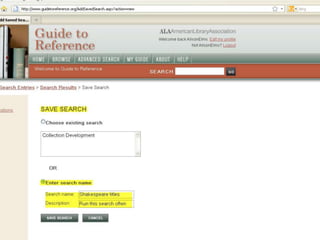
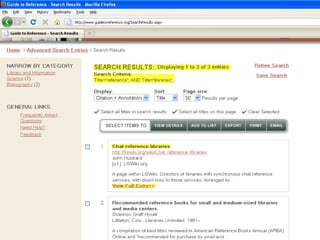
If you like your search, save it
and run it later
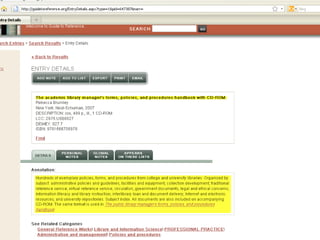
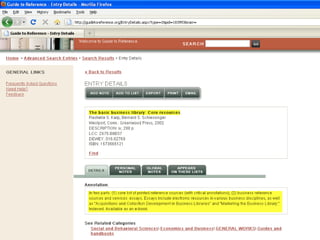
Rely on the Annotations
»   Annotations are written by experts
»   They describe and evaluate essential
    features of reference sources
     » Intention
     » Coverage
     » Content
     » Arrangement
Annotations will help you
»   Understand the history of a resource
»   Understand the utility of a resource
»   Understand the value and reputation
    of a resource
»   Compare and contrast resources

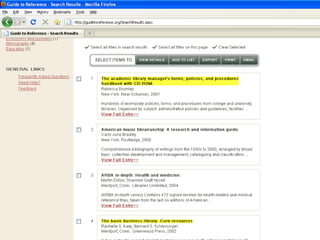
»   You can search for annotations by
    keyword
Make the Guide your own
with Interactive Features
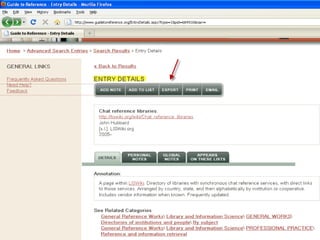
»   Create a User Profile so you can save
    your work
»   Customize and save your searches
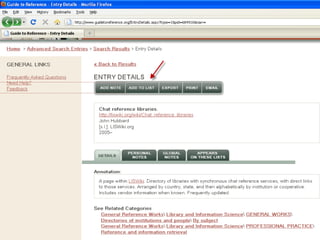
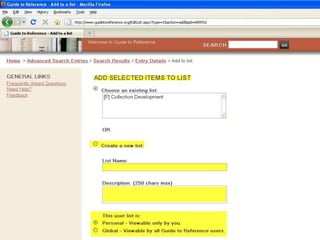
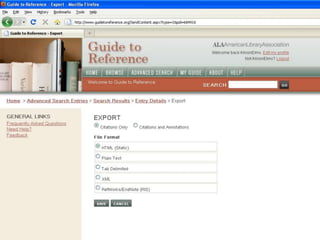
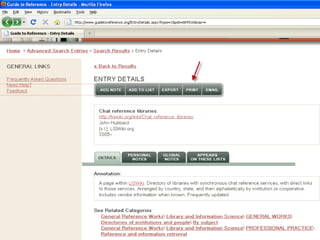
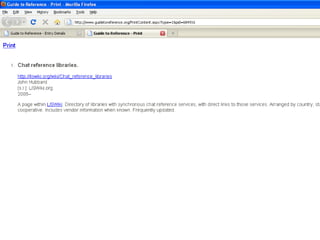
»   Create lists of titles and share/export
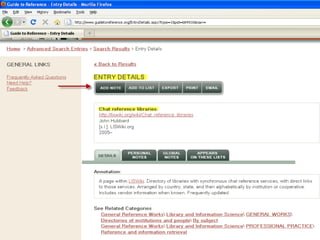
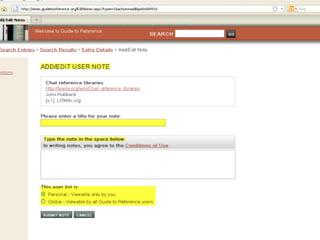
»   Add your notes/comments to titles
    and share with your colleagues
»   Create your own mini-Guide by
    saving a subset of your favorite titles
Q&A


We’re ready to answer your questions
Wrapping up


»   Taking a trial
»   Subscribing
»   Special offer for LIS programs

»   We’ll archive this webinar
Guide to Reference Essentials
Webinars
»   Recurring series of webinars every
    other month
»   Please tell your colleagues about the
    webinars
»   Join us again
»   We welcome any feedback
»   Contact us at:
    guidetoreference@ala.org

Guide to reference essentials webinar presentation 5.24

  • 1.
  • 2.
    Guide to Reference EssentialsWebinar Welcome Today we’ll introduce you to Guide to Reference, a foundational tool for librarians, teachers, researchers, students, and other library users. We’ll show you how it can help you in your work.
  • 3.
    Our goal today We’llshow you how to leverage Guide to Reference to support your work in the following areas: » Reference » Collection development » Teaching and training
  • 4.
    Who we are JamesHennelly Managing Editor ALA Digital Reference Troy Linker Publisher, ALA Digital Reference Dan Kaplan Marketing Manager ALA Publishing
  • 5.
    Special Guest Denise BeaubienBennett General Editor of Guide to Reference
  • 6.
    Preliminaries If you havequestions, please submit them through the public chat function during the presentation. We’ll collect your questions and answer them during the webinar and during the Q&A at the end. For any technical difficulties, please send a private chat to Dan Kaplan.
  • 7.
    Guide to Referenceis ―(1) a reference manual . . . ; (2) a selection aid for the librarian; (3) a textbook for the student who . . . is pursuing a systematic study of reference books.‖ Constance Winchell Preface to the 8th edition, 1967
  • 8.
    A gateway toreference sources » A comprehensive collection of sources » Answers reference questions » Directs researchers to resources » Creates local instructional materials » Inventories and develops reference collections » Educates and trains students and reference staff
  • 9.
    A long &distinguished history » First published in 1902 as Guide to the Study and Use of Reference Books: A Manual for Librarians, Teachers, and Students » Published in 11 print editions between 1902 and 1996 » Known by previous editor names: Mudge, Winchell, Sheehy, and Balay » In 2008, Guide to Reference goes online
  • 10.
    The premier evaluative bibliography » One of the main cornerstones of reference librarianship since 1902 » Reflects the accumulated knowledge and wisdom of the reference community over many years » Continues to serve as a center for learning about and practicing reference librarianship » Some call it ―the Bible‖ of reference sources
  • 11.
    How does theGuide do it? » It’s selective and broad in coverage » It gives you nearly 17,000 of the best and most authoritative reference sources in 56 disciplines arranged under 6 major subject divisions, with in-depth annotations » It’s kept up-to-date by an Editorial Board and 70+ contributing editors—your colleagues and peers in the reference community
  • 12.
    Selection criteria » Usefulness – How useful? How often used? » Breadth of scope – How broadly focused? » Quality – How accurate and complete? » Imprint date – How current? » Language – In English?
  • 13.
    Traditional strengths » Titles are chosen by reference librarians and subject experts » In-depth evaluative annotations » Broad subject coverage: General Reference Works; Humanities; Social and Behavioral Sciences; History and Area Studies; Science, Technology, and Medicine
  • 14.
    New strengths » Sources include cutting-edge online resources and websites, free and licensed » Powerful and versatile search and browse » Interactive features that let you save and share your work » New interdisciplinary fields: Cognitive Science; Communication/Media Studies; Environmental, Cultural, and Gender Studies
  • 15.
    Our goal restated We’llshow you how to leverage Guide to Reference to support your work in the following areas: » Reference » Collection development » Teaching and training
  • 16.
    The advantages ofbeing online » Quickly browse and search in many subject areas » Customize and save your searches » Create lists of resources and share » Add notes/comments to titles and share » Hyperlink among titles inside and outside the Guide » Connect to local holdings via WorldCat
  • 17.
    Three major pointsof entry » Home page – take a trial; subscribe; participate and connect » Browse page – see the subject organization of the Guide at a glance » Advanced Search page – construct and manage your searches
  • 18.
    Doing Reference work » Direct library users to best/authoritative sources for answers » Train and orient new reference staff and students/paraprofessional staff » Create subject bibliographies and finding aids.
  • 21.
  • 22.
    Reference » Direct library users to best and most authoritative sources for answers » Train and orient new reference staff and students/paraprofessional staff » Create subject bibliographies, finding aids, and instructional materials
  • 23.
    Current challenges » Reference questions are fewer but ―harder‖ » More questions require subject or content knowledge » Too much dependence on Google and other search engines
  • 24.
    How the Guidecan help » Find best sources quickly by drilling down into taxonomy and by refining searches » Use Editor’s Guides for orientation » Use annotations for guidance » Create lists of resources for bibliographies and finding aids » Save your best searches for regular use
  • 25.
    Collection development » Evaluate your collection: » What’s missing » What needs to be updated » What should be retired » Build collections for new programs and for special libraries (law, medicine, corporate)
  • 26.
    Current challenges » Making do with less: Budget cuts » Print vs. online sources » Buying for library staff vs. library users » Small collection development staff; limited staff time
  • 27.
    How the Guidecan help » Use Editor’s Guides to understand shape and direction of reference literature » Use annotations to compare resources » Create lists of titles for possible purchase and share with colleagues » Add notes/comments to titles that should be updated or retired » Customize and save searches to run at regular intervals
  • 28.
    Teaching and training » Introduce next generation of reference librarians to reference sources and reference practices » Differentiate among types of reference sources and their value and use » Communicate nature of information- seeking and reference process
  • 29.
    Current challenges » Value of bibliographies and traditional reference works in an online world » Difference between print and online sources » Too much dependence on Google and other search engines
  • 30.
    How the Guidecan help » Orient students to the taxonomy » Ask students to read Editor’s Guides » Ask students to evaluate different resources based on their annotations » Ask students to find best resources for answering questions » Ask students to create subject guides » Create lists of resources for class projects
  • 31.
    Let’s take alook at the Guide
  • 32.
    Begin with Browse » Orient yourself to complete taxonomy on Browse page; 6 major subject divisions and 56 subject categories » Drill down into different subject categories » Move through deeper levels of subject categories to refine search » Pay attention to Editor’s Guides along the way
  • 37.
    Take advantage ofEditor’s Guides » They discuss overall shape of reference literature in different subject areas » They discuss characteristics of the literature outside the scope of annotations » They discuss changes to publishing and research patterns caused by the online revolution » They’re written by the Editorial Board and contributing editors
  • 43.
    You can searchfor Editor’s Guides
  • 51.
    Continue with Search Twoways to search: » Single-Box search: Search all record fields at same time (Title, Author, Annotation, Publisher) » Advanced search: Search by different record fields; combine search terms with Boolean operators
  • 57.
    If you likeyour search, save it and run it later
  • 59.
    Rely on theAnnotations » Annotations are written by experts » They describe and evaluate essential features of reference sources » Intention » Coverage » Content » Arrangement
  • 60.
    Annotations will helpyou » Understand the history of a resource » Understand the utility of a resource » Understand the value and reputation of a resource » Compare and contrast resources » You can search for annotations by keyword
  • 65.
    Make the Guideyour own with Interactive Features » Create a User Profile so you can save your work » Customize and save your searches » Create lists of titles and share/export » Add your notes/comments to titles and share with your colleagues » Create your own mini-Guide by saving a subset of your favorite titles
  • 79.
    Q&A We’re ready toanswer your questions
  • 80.
    Wrapping up » Taking a trial » Subscribing » Special offer for LIS programs » We’ll archive this webinar
  • 81.
    Guide to ReferenceEssentials Webinars » Recurring series of webinars every other month » Please tell your colleagues about the webinars » Join us again » We welcome any feedback » Contact us at: guidetoreference@ala.org

Editor's Notes

  • #3 Welcome, Alison Elms who used to lead this webinar liked to refer to GR as a foundational tool. It is likely that many of you have already encountered the print GR in your training as a librarian. Certainly the print version served as a cornerstone of reference librarianship and training in the past century and today the online version has only increased the depth of coverage and the power of the classic brand. Today will touch on some of the philosophy that shapes GR and also cover its practical applications.
  • #4 These are the primary areas where you can really leverage GR in your work.
  • #6 Engineering Librarian at the Marston Science Library at University of Florida.
  • #7 We will also archive the slides and video of this presentation.
  • #8 Historically GR is a large, even huge print volume. Much different to use from this online version. But as this quotation shows that mission of GR has always remained that same.
  • #9 These bullet points are a kind of elevator speech, This in a nutshell is what GR does and does well.
  • #10 Started as a large pamphlet and evolved into that foundational tool I mentioned at the start. Thanks in good part to its illustrious line of General Editors, whose names became synomynous with GR. Isadora Mudge –legendary editor from Coulmbia U.Constance Winchell and and Eugene Sheehy also from Columbia. And Robert Balay of Choice magazine was last print editor.Mention Bob Kieft winning this year’s Mudge award. Bob oversaw the transition to online.
  • #12 New volunteers welcome.
  • #13 Usefulness probably plays a role in the selection decision than you might expect.Tend to favor English language but there are non English that are deemed to be of exceptional value.
  • #14 Editors put a lot of work into the annotations and this provides the value of really helping you make decisions about titles.Very complete Taxomony that outlines human knowledge.
  • #15 Copy editors have commented on the extensive coverage of online resources, and we think this shows how smart and savvy reference librarians are.
  • #18 Browse page particularly useful for LIS instructors introducing their students to reference work.
  • #19 Go over buttons appearing on the slide
  • #20 This partial screen shows just three of the top subject areas and then subtopics, and editorial guides.
  • #24 We’ve talked to a lot of reference libarians and these challenges came up quite a bit. We believe that GR addresses these issues
  • #25 EG give you an overview of ref lit and publishing practices in a subject area.
  • #26 We’ve worked quite a bit with folks who are starting a new program and needed to build up that section of the library. Or starting a new specialized library.
  • #27 Tight budgets prohibit buying for staff use.
  • #29 We offer long term complimentary access to LIS classes.
  • #34 Here are six major divisions and you’ll see th e highlighted EGs
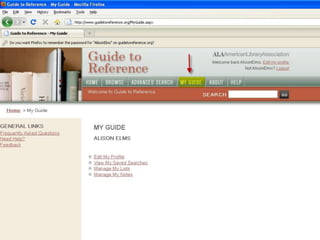
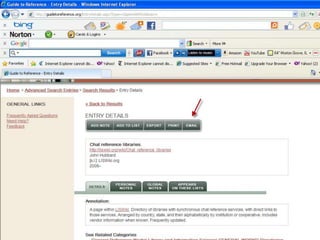
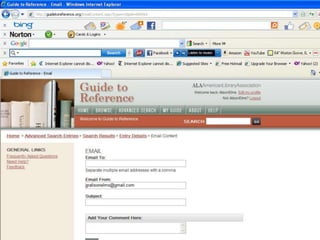
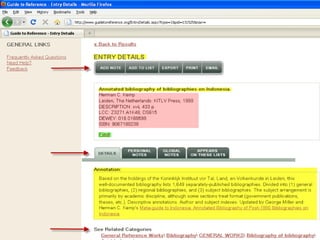
  • #37 Find will take you to World Cat where you can find local holdings. Anything with an ISBN will likely have a find button.Red arrows here indicate the interactive options you have.
  • #40 Read from the 3rd paragraph.
  • #43 Read highlighted areas.
  • #49 Read highlighted paragraph.
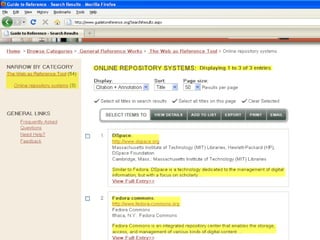
  • #50 Read highlighted. I’ve clicked on Online Repository Systems.
  • #75 Tab delimited is like a spreadsheet.
  • #82 We’ll be holding this webinar again in two months so please feel free to join us again and don’t forget to invite your colleagues, too.When this webinar is over you’ll will be given a short survey to fill out. Let us know what you think about this webinar—your feedback is important to us.