E-Learning-Coordination, Faculty of Arts


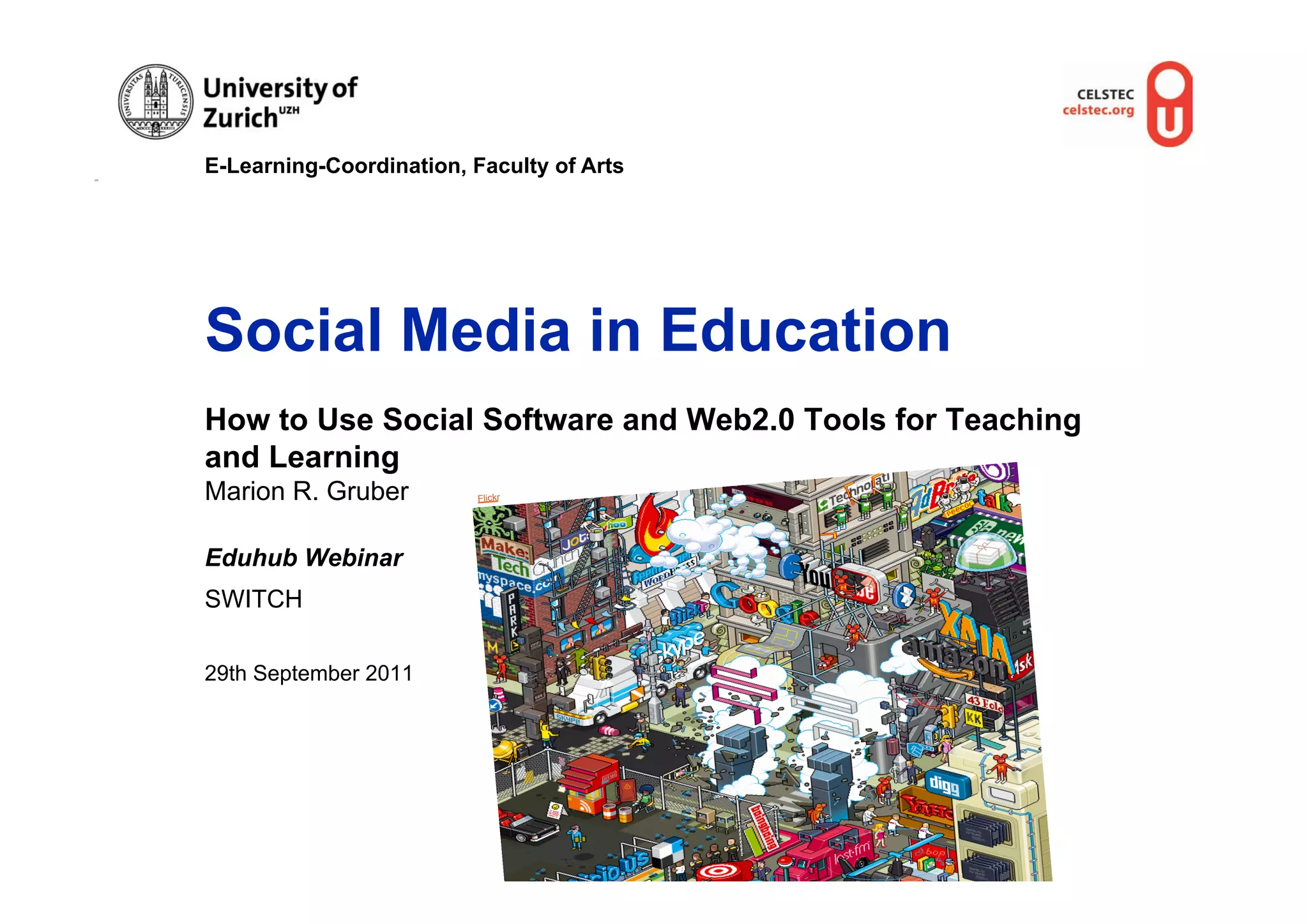
Social Media in Education
How to Use Social Software and Web2.0 Tools for Teaching
and Learning
Marion R. Gruber          Flickr


Eduhub Webinar
SWITCH

29th September 2011
E-Learning-Coordination, Faculty of Arts


Webinar Structure
•  Clarify terms
•  What has been happening online?
•  Characteristics of Social Media
•  Overview of available web tools and services
•  Identification of application scenarios in education
•  Discussion about opportunities and limitations of the tools and
   services for their effective use
•  Sharing experiences using social media in education
E-Learning-Coordination, Faculty of Arts


Definition of Terms

                                                                         s
                                                                   le Pic
                                                               Goog


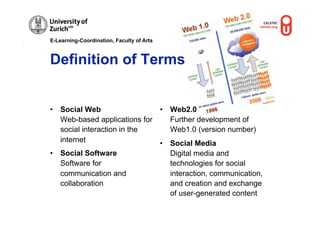
•  Social Web                 •  Web2.0
   Web-based applications for    Further development of
   social interaction in the     Web1.0 (version number)
   internet                   •  Social Media
•  Social Software               Digital media and
   Software for                  technologies for social
   communication and             interaction, communication,
   collaboration                 and creation and exchange
                                 of user-generated content
E-Learning-Coordination, Faculty of Arts


What has been happening
online?
•  Growing Internet usage
•  Students spend less time watching TV (60%) and more time
   online (600%) than their parents
•  4 of the 10 most-visited web sites are Facebook, YouTube,
   Wikipedia, and Blogspot
•  Facebook and Twitter and their millions of users
•  900.000 new blog articles everyday
•  110 billion minutes per day on social media
E-Learning-Coordination, Faculty of Arts


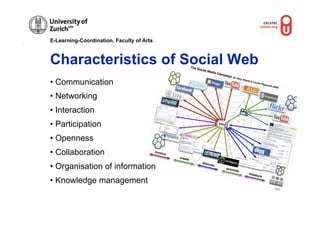
Characteristics of Social Web
• Communication
• Networking
• Interaction
• Participation
• Openness
• Collaboration
• Organisation of information
• Knowledge management
                                           Flickr
E-Learning-Coordination, Faculty of Arts


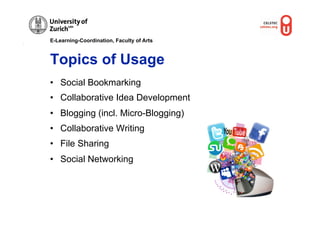
Topics of Usage
•  Social Bookmarking
•  Collaborative Idea Development
•  Blogging (incl. Micro-Blogging)
•  Collaborative Writing
•  File Sharing
•  Social Networking
E-Learning-Coordination, Faculty of Arts


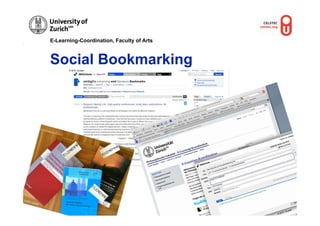
                Social Bookmarking
                       © M.R. Gruber


© M.R
     . Gru
          ber

                                                                      r
                                                                  rube
                                                             .R. G
                                                           ©M
E-Learning-Coordination, Faculty of Arts


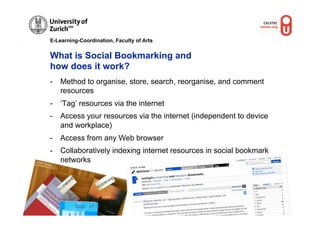
              What is Social Bookmarking and
              how does it work?
              -  Method to organise, store, search, reorganise, and comment
                 resources
              -  ‘Tag’ resources via the internet
              -  Access your resources via the internet (independent to device
                 and workplace)
              -  Access from any Web browser
              -  Collaboratively indexing internet resources in social bookmark
© M.R
     . Grub
           er
                 networks
                                             © M.R. Gruber
E-Learning-Coordination, Faculty of Arts


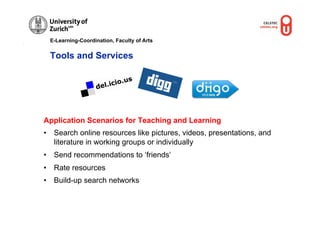
 Tools and Services


Application Scenarios for Teaching and Learning
•  Search online resources like pictures, videos, presentations, and
   literature in working groups or individually
•  Send recommendations to ‘friends’
•  Rate resources
•  Build-up search networks
E-Learning-Coordination, Faculty of Arts


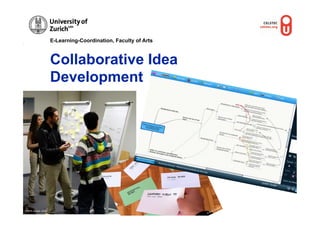
                      Collaborative Idea
                      Development


                                                                 © M.R.
                                                                          Gruber


© M.R. Gruber, OUNL
E-Learning-Coordination, Faculty of Arts


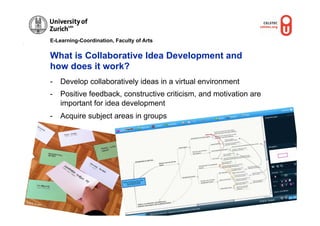
                  What is Collaborative Idea Development and
                  how does it work?
                  -  Develop collaboratively ideas in a virtual environment
                  -  Positive feedback, constructive criticism, and motivation are
                     important for idea development
                  -  Acquire subject areas in groups


                                                                                           ber
© M.R.                                                                           © M.R. Gru
         Gruber
E-Learning-Coordination, Faculty of Arts


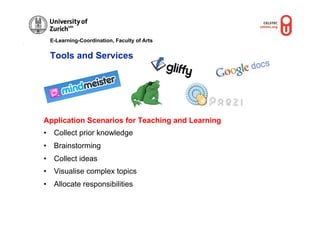
  Tools and Services


Application Scenarios for Teaching and Learning
•  Collect prior knowledge
•  Brainstorming
•  Collect ideas
•  Visualise complex topics
•  Allocate responsibilities
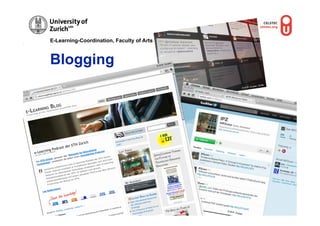
E-Learning-Coordination, Faculty of Arts


Blogging                                   © M.R
                                                . Grub
                                                      er


                                                                                              OUNL
                                                                                    Gruber,
                                                                           © M.R.


                                                           © M.R
                                                                . Grub
                                                                      er
E-Learning-Coordination, Faculty of Arts


What is Blogging and
how does it work?
-    Weblog = ‘Web’ (world wide web) + ‘Log’ (logbook)
-    Posts: blog entries in chronological order
-    Comment function for communication
-    Feed-Reader: subscription to special services to read the posts
-    Connection to other social web services like Twitter, Facebook,
     Slideshare, YouTube


Microblogging
Special form of blogging (Twitter)
Twitter: Write, favour, and retweet messages (tweets), reply to
   messages, follow/following


                                                         © M.R. G
                                                                 ruber, O
                                                                         UNL
E-Learning-Coordination, Faculty of Arts


  Tools and Services


Application Scenarios for Teaching and Learning
•  Learning diary to plan, monitor and reflect studies
•  Organisation and documentation of lectures, projects or master
   thesis
•  Plan and organise practical activities (field trips)
•  Collect Ideas
•  ‘Soft‘ form of e-Assessment
E-Learning-Coordination, Faculty of Arts


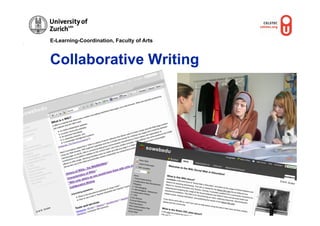
              Collaborative Writing


                                                             Fllickr


                                                         © M.R.
                                                                  Gruber


           r
       rube
  .R. G
©M
E-Learning-Coordination, Faculty of Arts


What is Collaborative Writing and
how does it work?
-    Write collaboratively in a virtual environment
-    Authors create, add and modify text
-    Integrate pictures, graphics, and tables


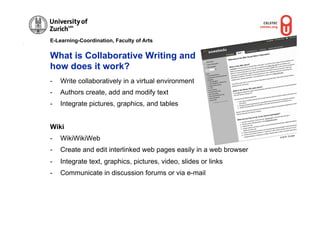
Wiki
                                                                              Gruber
-    WikiWikiWeb                                                     © M.R.


-    Create and edit interlinked web pages easily in a web browser
-    Integrate text, graphics, pictures, video, slides or links
-    Communicate in discussion forums or via e-mail
E-Learning-Coordination, Faculty of Arts


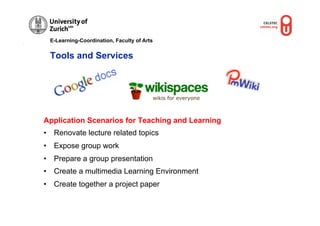
 Tools and Services


Application Scenarios for Teaching and Learning
•  Renovate lecture related topics
•  Expose group work
•  Prepare a group presentation
•  Create a multimedia Learning Environment
•  Create together a project paper
E-Learning-Coordination, Faculty of Arts


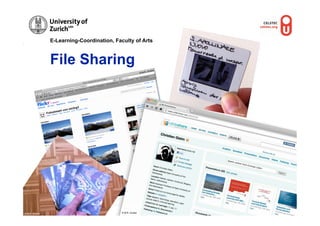
                File Sharing                                          er
                                                                . Grub
                                                           © M.R


                                                                           © M.R
                                                                                . Grube
                                                                                       r


© M.R. Gruber                              © M.R. Gruber
E-Learning-Coordination, Faculty of Arts


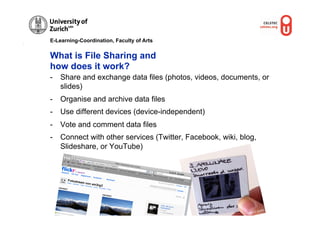
What is File Sharing and
how does it work?
-  Share and exchange data files (photos, videos, documents, or
   slides)
-  Organise and archive data files
-  Use different devices (device-independent)
-  Vote and comment data files
-  Connect with other services (Twitter, Facebook, wiki, blog,
   Slideshare, or YouTube)


                                           © M.R. G
                                                   ruber


                                                                      ber
                                                                 . Gru
                                                            © M.R
E-Learning-Coordination, Faculty of Arts


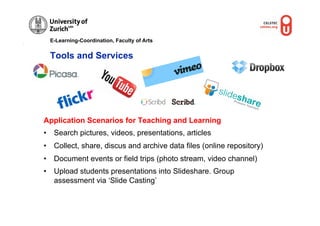
 Tools and Services


Application Scenarios for Teaching and Learning
•  Search pictures, videos, presentations, articles
•  Collect, share, discus and archive data files (online repository)
•  Document events or field trips (photo stream, video channel)
•  Upload students presentations into Slideshare. Group
   assessment via ‘Slide Casting’
E-Learning-Coordination, Faculty of Arts            © M.R. Gruber, OUNL


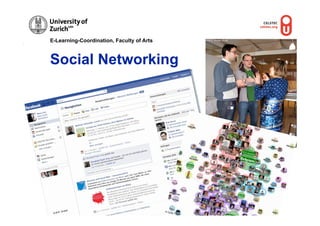
Social Networking


            er
      . Grub                               © OU
 © M.R                                         NL
E-Learning-Coordination, Faculty of Arts


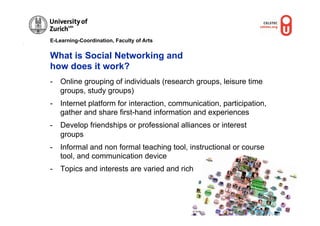
What is Social Networking and
how does it work?
-  Online grouping of individuals (research groups, leisure time
   groups, study groups)
-  Internet platform for interaction, communication, participation,
   gather and share first-hand information and experiences
-  Develop friendships or professional alliances or interest
   groups
-  Informal and non formal teaching tool, instructional or course
   tool, and communication device
-  Topics and interests are varied and rich


                                            © OUNL
E-Learning-Coordination, Faculty of Arts


Tools and Services


 Application Scenarios for Teaching and Learning
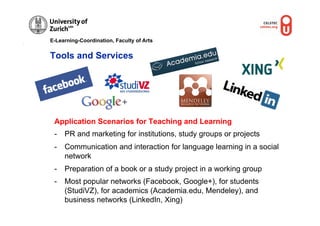
 -  PR and marketing for institutions, study groups or projects
 -  Communication and interaction for language learning in a social
    network
 -  Preparation of a book or a study project in a working group
 -  Most popular networks (Facebook, Google+), for students
    (StudiVZ), for academics (Academia.edu, Mendeley), and
    business networks (LinkedIn, Xing)
E-Learning-Coordination, Faculty of Arts


Top 10 Tools for Learning 2011

1.  Twitter                                6.  WordPress
2.  YouTube                                7.  Prezi
3.  GoogleDocs                             8.  (Edu)Glogster
4.  Skype                                  9.  Facebook
5.  Wikipedia                              10. Dropbox
                                                               Jane Hart
E-Learning-Coordination, Faculty of Arts


Opportunities, Limitations, and
Challenges


            © M.R. Gruber
E-Learning-Coordination, Faculty of Arts


Opportunities, Limitations, and Challenges

-  Solutions must meet the educational needs
-  Plan your time and prepare your resources carefully
-  Prepare for maintenance
-  Train the services to your learners before they use them
   (authoring, netiquette)
-  Support and guidance are important (tutor, moderator).
-  Train relevant skills and competences
-  Use media and communication channels of your target group
-  Identify and apply new opportunities and work simplifications
   of educational processes
E-Learning-Coordination, Faculty of Arts


                ELK-Blog
                http://blogs.uzh.ch/elkphilfak/
                Sowebedu-Wiki
                http://sowebedu.wikispaces.com/
                Sowebedu-Blog
                http://sowebedu.wordpress.com/


© M.R. Gruber
E-Learning-Coordination, Faculty of Arts


Contact

Mag. Dr. Marion R. Gruber
E-Learning-Koordination, Philosophische Fakultät, Universität Zürich
Assistant Professor,
Centre for Learning Sciences and Technologies (CELSTEC), Open
University of the Netherlands
Mail
marion.gruber[at]phil.uzh.ch
marion.gruber[at]ou.nl
Social Web
Twitter (ELKphil, em3rg3), Facebook (Maru Gru), LinkedIn (Marion R.
Gruber), Slideshare (em3rg3), flickr (em3rg3)

Social Media in Education

  • 1.
    E-Learning-Coordination, Faculty ofArts Social Media in Education How to Use Social Software and Web2.0 Tools for Teaching and Learning Marion R. Gruber Flickr Eduhub Webinar SWITCH 29th September 2011
  • 2.
    E-Learning-Coordination, Faculty ofArts Webinar Structure •  Clarify terms •  What has been happening online? •  Characteristics of Social Media •  Overview of available web tools and services •  Identification of application scenarios in education •  Discussion about opportunities and limitations of the tools and services for their effective use •  Sharing experiences using social media in education
  • 3.
    E-Learning-Coordination, Faculty ofArts Definition of Terms s le Pic Goog •  Social Web •  Web2.0 Web-based applications for Further development of social interaction in the Web1.0 (version number) internet •  Social Media •  Social Software Digital media and Software for technologies for social communication and interaction, communication, collaboration and creation and exchange of user-generated content
  • 4.
    E-Learning-Coordination, Faculty ofArts What has been happening online? •  Growing Internet usage •  Students spend less time watching TV (60%) and more time online (600%) than their parents •  4 of the 10 most-visited web sites are Facebook, YouTube, Wikipedia, and Blogspot •  Facebook and Twitter and their millions of users •  900.000 new blog articles everyday •  110 billion minutes per day on social media
  • 5.
    E-Learning-Coordination, Faculty ofArts Characteristics of Social Web • Communication • Networking • Interaction • Participation • Openness • Collaboration • Organisation of information • Knowledge management Flickr
  • 6.
    E-Learning-Coordination, Faculty ofArts Topics of Usage •  Social Bookmarking •  Collaborative Idea Development •  Blogging (incl. Micro-Blogging) •  Collaborative Writing •  File Sharing •  Social Networking
  • 7.
    E-Learning-Coordination, Faculty ofArts Social Bookmarking © M.R. Gruber © M.R . Gru ber r rube .R. G ©M
  • 8.
    E-Learning-Coordination, Faculty ofArts What is Social Bookmarking and how does it work? -  Method to organise, store, search, reorganise, and comment resources -  ‘Tag’ resources via the internet -  Access your resources via the internet (independent to device and workplace) -  Access from any Web browser -  Collaboratively indexing internet resources in social bookmark © M.R . Grub er networks © M.R. Gruber
  • 9.
    E-Learning-Coordination, Faculty ofArts Tools and Services Application Scenarios for Teaching and Learning •  Search online resources like pictures, videos, presentations, and literature in working groups or individually •  Send recommendations to ‘friends’ •  Rate resources •  Build-up search networks
  • 10.
    E-Learning-Coordination, Faculty ofArts Collaborative Idea Development © M.R. Gruber © M.R. Gruber, OUNL
  • 11.
    E-Learning-Coordination, Faculty ofArts What is Collaborative Idea Development and how does it work? -  Develop collaboratively ideas in a virtual environment -  Positive feedback, constructive criticism, and motivation are important for idea development -  Acquire subject areas in groups ber © M.R. © M.R. Gru Gruber
  • 12.
    E-Learning-Coordination, Faculty ofArts Tools and Services Application Scenarios for Teaching and Learning •  Collect prior knowledge •  Brainstorming •  Collect ideas •  Visualise complex topics •  Allocate responsibilities
  • 13.
    E-Learning-Coordination, Faculty ofArts Blogging © M.R . Grub er OUNL Gruber, © M.R. © M.R . Grub er
  • 14.
    E-Learning-Coordination, Faculty ofArts What is Blogging and how does it work? -  Weblog = ‘Web’ (world wide web) + ‘Log’ (logbook) -  Posts: blog entries in chronological order -  Comment function for communication -  Feed-Reader: subscription to special services to read the posts -  Connection to other social web services like Twitter, Facebook, Slideshare, YouTube Microblogging Special form of blogging (Twitter) Twitter: Write, favour, and retweet messages (tweets), reply to messages, follow/following © M.R. G ruber, O UNL
  • 15.
    E-Learning-Coordination, Faculty ofArts Tools and Services Application Scenarios for Teaching and Learning •  Learning diary to plan, monitor and reflect studies •  Organisation and documentation of lectures, projects or master thesis •  Plan and organise practical activities (field trips) •  Collect Ideas •  ‘Soft‘ form of e-Assessment
  • 16.
    E-Learning-Coordination, Faculty ofArts Collaborative Writing Fllickr © M.R. Gruber r rube .R. G ©M
  • 17.
    E-Learning-Coordination, Faculty ofArts What is Collaborative Writing and how does it work? -  Write collaboratively in a virtual environment -  Authors create, add and modify text -  Integrate pictures, graphics, and tables Wiki Gruber -  WikiWikiWeb © M.R. -  Create and edit interlinked web pages easily in a web browser -  Integrate text, graphics, pictures, video, slides or links -  Communicate in discussion forums or via e-mail
  • 18.
    E-Learning-Coordination, Faculty ofArts Tools and Services Application Scenarios for Teaching and Learning •  Renovate lecture related topics •  Expose group work •  Prepare a group presentation •  Create a multimedia Learning Environment •  Create together a project paper
  • 19.
    E-Learning-Coordination, Faculty ofArts File Sharing er . Grub © M.R © M.R . Grube r © M.R. Gruber © M.R. Gruber
  • 20.
    E-Learning-Coordination, Faculty ofArts What is File Sharing and how does it work? -  Share and exchange data files (photos, videos, documents, or slides) -  Organise and archive data files -  Use different devices (device-independent) -  Vote and comment data files -  Connect with other services (Twitter, Facebook, wiki, blog, Slideshare, or YouTube) © M.R. G ruber ber . Gru © M.R
  • 21.
    E-Learning-Coordination, Faculty ofArts Tools and Services Application Scenarios for Teaching and Learning •  Search pictures, videos, presentations, articles •  Collect, share, discus and archive data files (online repository) •  Document events or field trips (photo stream, video channel) •  Upload students presentations into Slideshare. Group assessment via ‘Slide Casting’
  • 22.
    E-Learning-Coordination, Faculty ofArts © M.R. Gruber, OUNL Social Networking er . Grub © OU © M.R NL
  • 23.
    E-Learning-Coordination, Faculty ofArts What is Social Networking and how does it work? -  Online grouping of individuals (research groups, leisure time groups, study groups) -  Internet platform for interaction, communication, participation, gather and share first-hand information and experiences -  Develop friendships or professional alliances or interest groups -  Informal and non formal teaching tool, instructional or course tool, and communication device -  Topics and interests are varied and rich © OUNL
  • 24.
    E-Learning-Coordination, Faculty ofArts Tools and Services Application Scenarios for Teaching and Learning -  PR and marketing for institutions, study groups or projects -  Communication and interaction for language learning in a social network -  Preparation of a book or a study project in a working group -  Most popular networks (Facebook, Google+), for students (StudiVZ), for academics (Academia.edu, Mendeley), and business networks (LinkedIn, Xing)
  • 25.
    E-Learning-Coordination, Faculty ofArts Top 10 Tools for Learning 2011 1.  Twitter 6.  WordPress 2.  YouTube 7.  Prezi 3.  GoogleDocs 8.  (Edu)Glogster 4.  Skype 9.  Facebook 5.  Wikipedia 10. Dropbox Jane Hart
  • 26.
    E-Learning-Coordination, Faculty ofArts Opportunities, Limitations, and Challenges © M.R. Gruber
  • 27.
    E-Learning-Coordination, Faculty ofArts Opportunities, Limitations, and Challenges -  Solutions must meet the educational needs -  Plan your time and prepare your resources carefully -  Prepare for maintenance -  Train the services to your learners before they use them (authoring, netiquette) -  Support and guidance are important (tutor, moderator). -  Train relevant skills and competences -  Use media and communication channels of your target group -  Identify and apply new opportunities and work simplifications of educational processes
  • 28.
    E-Learning-Coordination, Faculty ofArts ELK-Blog http://blogs.uzh.ch/elkphilfak/ Sowebedu-Wiki http://sowebedu.wikispaces.com/ Sowebedu-Blog http://sowebedu.wordpress.com/ © M.R. Gruber
  • 29.
    E-Learning-Coordination, Faculty ofArts Contact Mag. Dr. Marion R. Gruber E-Learning-Koordination, Philosophische Fakultät, Universität Zürich Assistant Professor, Centre for Learning Sciences and Technologies (CELSTEC), Open University of the Netherlands Mail marion.gruber[at]phil.uzh.ch marion.gruber[at]ou.nl Social Web Twitter (ELKphil, em3rg3), Facebook (Maru Gru), LinkedIn (Marion R. Gruber), Slideshare (em3rg3), flickr (em3rg3)