Group D
 •Chuck Kalar
  •Kelly Jacoby
• Chelsea Fore
Chapter 12 – Highlights
 NCSS Standards
 “History Wars”
 TMI
 Ethical Concerns
 Integration
Image Devices
 Scanners
    Maps,
     historical/political
     images
 Digital Cameras
    Geographic
     locations, landmarks,
     digital timelines
 Video Cameras
    Global classrooms,
     recording field trips
     and vacations
Technology Integration
 Communicating
    Global classrooms, email, “educational
     phones”
 Collaborating
    E-projects, weblogs, digital storytelling
 Conducting Research
    Electronic research, virtual trips, GIS/GPS,
     Google Earth
        http://campus.fortunecity.com/newton/40/field.
         html
 Problem-solving
    Simulations, graphic representations
Productivity Tools
 Word-processing applications
    Outlines, notes, worksheets, tests/quizzes,
     classroom newsletters, waivers (field trips)
 Spreadsheet applications
    Student grades, attendance
 Database system applications
    GIS/GPS
Multimedia Tools
 Encarta
    Virtual tours, voice clips, photos, text
 New York Times & USA Today
    Online news, current or archived articles
 Old Farmers Almanac
    Current weather, gardening, food, astronomy, advice
     blogs
 Scholastic News
    Current events and activities
Special Needs
 Selective Dissemination of Information
    Filter Information to student interest
 Personalized Newspaper (www.crayon.net )
    Publicize what students are interested in
 ReadingBar (www.readplease.com)
    Program reads text
 News-2-You (www.news-2-you.com)
    News set at different skill levels
Ethical & Legal Use
 Filters
    Students will not be able to
      access specific sites

 “Cyber Cheating”
    When students copy and paste
     information

 Plagiarizing
    When students do not
     paraphrase or accredit sources

 Legal Downloads
    Teachers and students can find
     “free” software, but is it legal?
Copyright Laws & Guidelines
 Clearly copyrighted
    Get permission from the owner of the site


 No copyright statement
   Reference the site by its URL and the owner’s name
TrackStar & WebQuest Activities
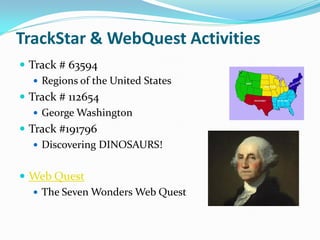
 Track # 63594
    Regions of the United States
 Track # 112654
    George Washington
 Track #191796
    Discovering DINOSAURS!


 Web Quest
   The Seven Wonders Web Quest
Instructional Software
  Graphing software
  TimeLiner 5.0
     Create timelines of historical figures
  Classroom Jeopardy!
     Drill and practice game
Resources for Research
 Electronic Research
 Newspapers
 YouTube or TeacherTube
 Library Research
Social Studies Rubrics
 http://www.rubrics4teachers.com
    This website helps teachers assess their students in the
     most effective way possible
 http://rubistar.4teachers.org/
    RubiStar creates rubrics for project based learning
     activities
 http://teachers.teach-nology.com/
    This website provides rubrics and assessment tools for
     teachers
Integrated Lesson Plans
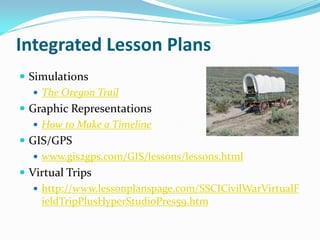
 Simulations
    The Oregon Trail
 Graphic Representations
    How to Make a Timeline
 GIS/GPS
    www.gis2gps.com/GIS/lessons/lessons.html
 Virtual Trips
    http://www.lessonplanspage.com/SSCICivilWarVirtualF
     ieldTripPlusHyperStudioPres59.htm
Presentation Summary
 Image Devices
 Technology Integration
 Productivity Tools
 Multimedia Tools
 Special Needs
 Ethical & Legal Use
 Copyright Laws & Guidelines
 TrackStar & WebQuest
 Instructional Software
 Research Projects
 Social Studies Rubrics
 Integration
Works Cited
 http://earth.google.com/
 http://www.glencoe.com/sec/teachingtoday/subject/i
  ntegrating_tech_ss.phtml
 http://www.eed.state.ak.us/tls/Frameworks/sstudies/
  part3a10.htm
 http://www.squidoo.com/Internet-Filter
 http://trackstar.4teachers.org/trackstar/index.jsp
 http://webquest.org/index.php
 http://www.tomsnyder.com/products/product.asp?sk
  u=timv50
Works Cited Contd.
 http://www.teachertube.com/
 www.gis2gps.com/GIS/lessons/lessons.html
 http://www.lessonplanspage.com/SSCICivilWarVirtualFiel
  dTripPlusHyperStudioPres59.htm
 http://teachers.teach-nology.com/
 http://rubistar.4teachers.org/
 www.crayon.net
 www.readplease.com
 www.news-2-you.com

Group Spotlight- Group D

  • 1.
    Group D •ChuckKalar •Kelly Jacoby • Chelsea Fore
  • 2.
    Chapter 12 –Highlights  NCSS Standards  “History Wars”  TMI  Ethical Concerns  Integration
  • 3.
    Image Devices  Scanners  Maps, historical/political images  Digital Cameras  Geographic locations, landmarks, digital timelines  Video Cameras  Global classrooms, recording field trips and vacations
  • 4.
    Technology Integration  Communicating  Global classrooms, email, “educational phones”  Collaborating  E-projects, weblogs, digital storytelling  Conducting Research  Electronic research, virtual trips, GIS/GPS, Google Earth  http://campus.fortunecity.com/newton/40/field. html  Problem-solving  Simulations, graphic representations
  • 5.
    Productivity Tools  Word-processingapplications  Outlines, notes, worksheets, tests/quizzes, classroom newsletters, waivers (field trips)  Spreadsheet applications  Student grades, attendance  Database system applications  GIS/GPS
  • 6.
    Multimedia Tools  Encarta  Virtual tours, voice clips, photos, text  New York Times & USA Today  Online news, current or archived articles  Old Farmers Almanac  Current weather, gardening, food, astronomy, advice blogs  Scholastic News  Current events and activities
  • 7.
    Special Needs  SelectiveDissemination of Information  Filter Information to student interest  Personalized Newspaper (www.crayon.net )  Publicize what students are interested in  ReadingBar (www.readplease.com)  Program reads text  News-2-You (www.news-2-you.com)  News set at different skill levels
  • 8.
    Ethical & LegalUse  Filters  Students will not be able to access specific sites  “Cyber Cheating”  When students copy and paste information  Plagiarizing  When students do not paraphrase or accredit sources  Legal Downloads  Teachers and students can find “free” software, but is it legal?
  • 9.
    Copyright Laws &Guidelines  Clearly copyrighted  Get permission from the owner of the site  No copyright statement  Reference the site by its URL and the owner’s name
  • 10.
    TrackStar & WebQuestActivities  Track # 63594  Regions of the United States  Track # 112654  George Washington  Track #191796  Discovering DINOSAURS!  Web Quest  The Seven Wonders Web Quest
  • 11.
    Instructional Software Graphing software  TimeLiner 5.0  Create timelines of historical figures  Classroom Jeopardy!  Drill and practice game
  • 12.
    Resources for Research Electronic Research  Newspapers  YouTube or TeacherTube  Library Research
  • 13.
    Social Studies Rubrics http://www.rubrics4teachers.com  This website helps teachers assess their students in the most effective way possible  http://rubistar.4teachers.org/  RubiStar creates rubrics for project based learning activities  http://teachers.teach-nology.com/  This website provides rubrics and assessment tools for teachers
  • 14.
    Integrated Lesson Plans Simulations  The Oregon Trail  Graphic Representations  How to Make a Timeline  GIS/GPS  www.gis2gps.com/GIS/lessons/lessons.html  Virtual Trips  http://www.lessonplanspage.com/SSCICivilWarVirtualF ieldTripPlusHyperStudioPres59.htm
  • 15.
    Presentation Summary  ImageDevices  Technology Integration  Productivity Tools  Multimedia Tools  Special Needs  Ethical & Legal Use  Copyright Laws & Guidelines  TrackStar & WebQuest  Instructional Software  Research Projects  Social Studies Rubrics  Integration
  • 16.
    Works Cited  http://earth.google.com/ http://www.glencoe.com/sec/teachingtoday/subject/i ntegrating_tech_ss.phtml  http://www.eed.state.ak.us/tls/Frameworks/sstudies/ part3a10.htm  http://www.squidoo.com/Internet-Filter  http://trackstar.4teachers.org/trackstar/index.jsp  http://webquest.org/index.php  http://www.tomsnyder.com/products/product.asp?sk u=timv50
  • 17.
    Works Cited Contd. http://www.teachertube.com/  www.gis2gps.com/GIS/lessons/lessons.html  http://www.lessonplanspage.com/SSCICivilWarVirtualFiel dTripPlusHyperStudioPres59.htm  http://teachers.teach-nology.com/  http://rubistar.4teachers.org/  www.crayon.net  www.readplease.com  www.news-2-you.com